Upgrade & Secure Your Future with DevOps, SRE, DevSecOps, MLOps!
We spend hours scrolling social media and waste money on things we forget, but won’t spend 30 minutes a day earning certifications that can change our lives.
Master in DevOps, SRE, DevSecOps & MLOps by DevOps School!
Learn from Guru Rajesh Kumar and double your salary in just one year.
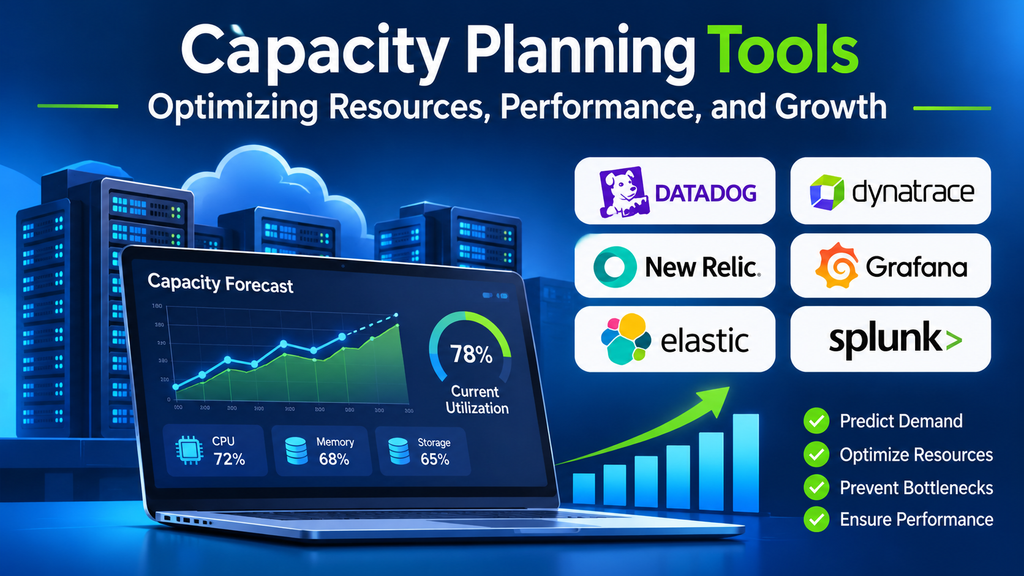
Capacity planning helps IT teams determine whether their infrastructure has enough resources to support current workloads and future demand. As applications grow, user traffic changes, and new services are introduced, organizations must balance performance, availability, and cost.
Capacity planning tools help teams analyze resource utilization, forecast demand, identify bottlenecks, and plan infrastructure upgrades before resources become constrained. Depending on the environment, they may focus on cloud costs, server capacity, network bandwidth, storage, virtual machines, or application performance.
What Are Capacity Planning Tools?
Capacity planning tools are software platforms that measure current resource consumption and help estimate future infrastructure requirements. They use historical metrics, utilization trends, workload patterns, and forecasting models to support decisions about scaling and resource allocation.
Common capabilities include:
- Monitoring CPU, memory, storage, and network utilization.
- Forecasting future resource demand based on historical trends.
- Identifying underused or overprovisioned infrastructure.
- Estimating when resources may reach defined capacity thresholds.
- Supporting cloud sizing, infrastructure budgeting, and growth planning.
- Producing reports that help technical teams justify capacity investments.
These tools do not replace engineering judgment. Their forecasts are most useful when monitoring data is reliable and teams understand upcoming application changes, business growth, and seasonal traffic patterns.
Why Capacity Planning Matters
Preventing performance problems
When servers, databases, or networks approach their practical limits, applications can become slower or less reliable. Capacity planning helps teams detect rising utilization early and evaluate whether scaling, optimization, or workload redistribution is necessary.
Controlling infrastructure costs
Overprovisioning can waste money on resources that remain idle, while underprovisioning can lead to emergency upgrades and service interruptions. Capacity analysis helps teams find a more appropriate balance between available headroom and resource expenditure.
Supporting business growth
New users, product launches, seasonal campaigns, and additional workloads can increase demand. Forecasting helps organizations plan upgrades and cloud capacity before growth creates operational pressure.
Improving reliability
Teams can establish resource thresholds, track headroom, and prepare for expected demand peaks. This supports more deliberate maintenance, scaling, and disaster-recovery planning.
Popular Capacity Planning Tools
1. VMware Aria Operations
VMware Aria Operations provides performance monitoring, capacity analysis, and optimization capabilities for supported virtualized and cloud environments. It can help administrators understand utilization, assess remaining capacity, and evaluate workload placement.
It is particularly relevant to organizations operating VMware-based infrastructure. Before adopting it, verify compatibility with the current environment, licensing, and the lifecycle of the specific VMware products in use.
2. IBM Turbonomic
IBM Turbonomic focuses on application resource management and resource optimization across supported infrastructure environments. It evaluates relationships between application demand and available resources to recommend or automate actions that improve performance and utilization.
It may be useful for organizations managing complex hybrid environments. Teams should validate supported integrations, automation permissions, and the safeguards available before allowing resource changes to occur automatically.
3. Datadog Infrastructure Monitoring
Datadog Infrastructure Monitoring provides visibility into infrastructure metrics, resource utilization, and system health. Capacity planning workflows can use its historical metrics and dashboards to identify utilization trends and potential bottlenecks.
Organizations should assess the relevant forecasting features, data-retention requirements, integrations, and costs for their chosen Datadog plan.
4. SolarWinds Observability
SolarWinds Observability provides monitoring across supported infrastructure and application environments. Its dashboards, alerts, and performance data can help teams identify resource pressure and investigate infrastructure trends.
The specific capacity-planning workflow depends on the product edition and environment. Check whether the required forecasting, reporting, and infrastructure integrations are included.
5. ManageEngine OpManager
ManageEngine OpManager monitors network devices, servers, and other infrastructure components. It can help IT teams track utilization, identify performance issues, and establish thresholds for resource monitoring.
It is worth evaluating for organizations that need centralized infrastructure and network visibility. Confirm the required monitoring depth and reporting capabilities for the selected edition.
6. AWS CloudWatch
AWS CloudWatch collects monitoring data and supports alarms, dashboards, and metrics for AWS resources and applications. Teams can use historical metrics and appropriate forecasting or analytics capabilities to plan scaling and investigate resource demand.
Its usefulness depends on the AWS services being monitored and the architecture of the workloads. Organizations should account for metrics, logs, retention, and related service costs.
7. Azure Monitor
Azure Monitor collects and analyzes telemetry from Azure resources and applications. It helps teams track resource consumption, configure alerts, and investigate performance trends across supported services.
For Azure-based environments, it can support capacity decisions alongside platform-specific scaling and cost-management tools. Teams should confirm which metrics, workbooks, analytics features, and integrations are necessary for their use case.
Comparing Capacity Planning Tools
| Tool | Primary focus | Suitable environment |
|---|---|---|
| VMware Aria Operations | Virtual infrastructure performance and capacity | Supported VMware environments |
| IBM Turbonomic | Application resource optimization | Supported hybrid and enterprise environments |
| Datadog Infrastructure Monitoring | Infrastructure metrics and monitoring | Multi-platform infrastructure |
| SolarWinds Observability | Infrastructure and application visibility | Supported enterprise IT environments |
| ManageEngine OpManager | Network and server monitoring | Network and on-premises infrastructure |
| AWS CloudWatch | AWS telemetry and monitoring | AWS workloads |
| Azure Monitor | Azure resource and application monitoring | Azure workloads |
This comparison describes each tool’s general focus. Exact forecasting, automation, reporting, and integration features vary by product, edition, and configuration.
Essential Features to Look For
Historical utilization analysis
The platform should provide useful historical data for CPU, memory, storage, network throughput, and other relevant resources. Longer and more representative observation periods generally support better planning.
Demand forecasting
Forecasting features should help estimate future consumption and indicate when capacity may become insufficient. Teams should understand the assumptions behind predictions and avoid treating estimates as guarantees.
Thresholds and alerts
Configurable thresholds can notify teams when utilization or projected demand reaches an important level. Thresholds should reflect workload behavior rather than rely on arbitrary percentages alone.
Scenario planning
Scenario analysis helps teams estimate the effects of traffic growth, additional workloads, infrastructure changes, or new business requirements. This is particularly useful for budgeting and large-scale migrations.
Cost and utilization visibility
A useful platform connects resource usage with cost where supported. Teams can then compare the expense of additional capacity with the potential benefits of optimization and right-sizing.
Integration and reporting
Capacity planning is more effective when the tool works with existing monitoring, cloud, virtualization, ticketing, and reporting systems. Reports should make assumptions and recommendations clear enough for both engineers and decision-makers.
How to Choose the Right Tool
Start by identifying the environment that needs planning. An organization running mostly virtual machines may need different capabilities from a business operating primarily on AWS or Azure.
Next, define the decision the tool must support. Examples include forecasting server requirements, reducing cloud waste, planning storage growth, or predicting when network links will need upgrades.
Evaluate the following factors:
- Infrastructure compatibility: Confirm that the platform supports the technologies and services in use.
- Forecasting quality: Test predictions against historical periods and known workload changes.
- Operational usability: Ensure engineers can interpret the results and turn them into practical actions.
- Automation controls: Review approval workflows, permissions, rollback options, and audit logs.
- Total cost: Include licensing, data ingestion, storage, implementation, and ongoing administration.
- Scalability: Check whether the platform can handle future growth in systems, metrics, and workloads.
A proof of concept using real operational data is usually more informative than selecting a platform solely from a feature checklist.
Capacity Planning Best Practices
Establish a baseline. Record normal utilization and identify recurring peak periods before making forecasts.
Use representative data. Include business cycles, seasonal traffic, deployments, batch processing, and unusual but relevant demand spikes.
Plan for headroom. Do not target full utilization simply because average demand appears manageable. Appropriate headroom depends on workload criticality, scaling speed, failure scenarios, and service-level objectives.
Review forecasts regularly. Compare predicted demand with actual usage and adjust assumptions as workloads change.
Combine optimization with scaling. Rightsizing, caching, workload scheduling, and query optimization can sometimes delay or reduce the need for additional infrastructure.
Coordinate across teams. Application owners, infrastructure engineers, finance teams, and business stakeholders should agree on growth assumptions and budget constraints.
Test critical scenarios. Consider what happens during traffic surges, hardware failures, regional disruptions, and recovery operations.
Common Challenges in Capacity Planning
Capacity planning can be difficult when telemetry is incomplete, workloads change rapidly, or different teams use inconsistent measurement methods. Cloud autoscaling can also obscure underlying demand if teams examine only current resource allocation rather than actual workload behavior.
Forecasting models may struggle when a system undergoes a major architectural change or experiences a new traffic pattern. Teams should treat such events as reasons to review assumptions and retrain or adjust forecasting methods where applicable.
Another challenge is balancing cost and reliability. Cutting resources too aggressively can introduce performance risk, while excessive headroom can inflate spending. Capacity decisions should therefore account for business impact, workload criticality, and the cost of failure—not just average utilization.
Conclusion
Capacity planning tools help IT teams make informed decisions about infrastructure growth, performance, and spending. By combining reliable monitoring data, demand forecasting, cost visibility, and regular reviews, organizations can reduce resource waste and prepare for future workloads.
The best solution is the one that fits the organization’s infrastructure and supports clear operational decisions. Start with a defined capacity problem, test candidate tools against real data, and continuously compare forecasts with actual demand. This approach turns capacity planning from a reactive exercise into a repeatable process for maintaining performance and supporting sustainable growth.
