Upgrade & Secure Your Future with DevOps, SRE, DevSecOps, MLOps!
We spend hours scrolling social media and waste money on things we forget, but won’t spend 30 minutes a day earning certifications that can change our lives.
Master in DevOps, SRE, DevSecOps & MLOps by DevOps School!
Learn from Guru Rajesh Kumar and double your salary in just one year.
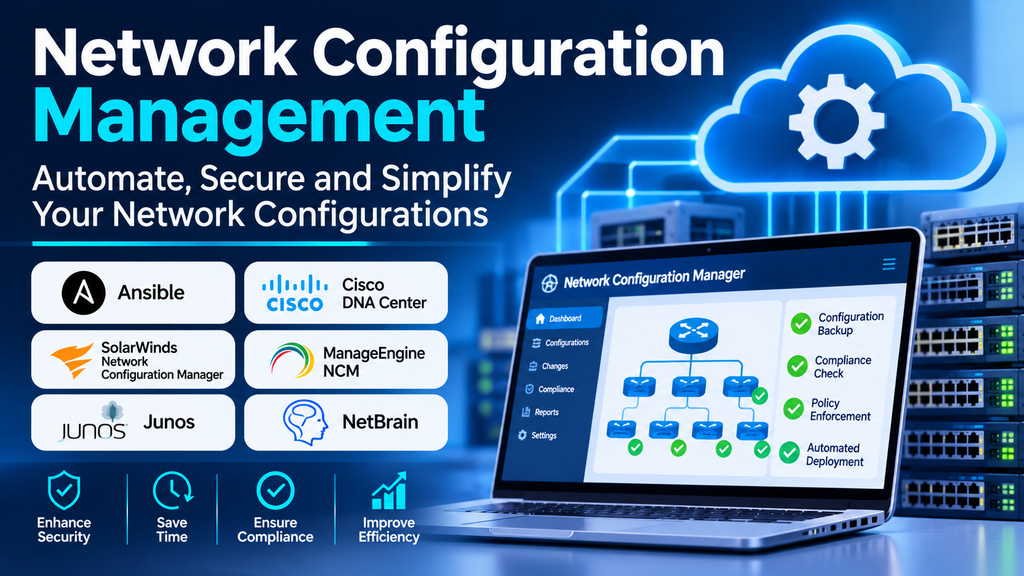
Network devices such as routers, switches, firewalls, and wireless controllers rely on configuration settings to communicate securely and reliably. As networks grow, managing these configurations manually becomes increasingly difficult. A small error in a routing rule, access control list, or interface setting can cause outages, introduce security risks, or disrupt business services.
Network configuration management helps IT teams maintain consistent device settings, track changes, detect configuration drift, and recover from mistakes. Dedicated tools can automate routine tasks and provide a reliable record of how network configurations evolve over time.
What Is Network Configuration Management?
Network configuration management is the process of documenting, controlling, backing up, reviewing, and maintaining the settings of network devices. It covers both the initial configuration of devices and the ongoing changes required as an environment evolves.
Common capabilities include:
- Automated configuration backups.
- Change tracking and configuration history.
- Comparison of current configurations with approved baselines.
- Detection of unauthorized or unexpected changes.
- Configuration templates and standardized settings.
- Change approval, auditing, and compliance reporting.
- Rollback and recovery support.
Some products focus on backup and change tracking, while others support broader automation, policy enforcement, and infrastructure-as-code workflows.
Why Network Configuration Management Matters
Reduce configuration errors
Manual changes made across many devices can lead to inconsistent settings and mistakes. Standard templates and automated deployment workflows help reduce repetitive work and make configurations more consistent.
Improve security and compliance
Configuration reviews can identify settings that do not meet organizational policies. Tracking changes helps teams investigate who changed a setting, when it changed, and whether the change was authorized.
Recover faster from outages
A reliable configuration backup provides a recovery point when a change breaks connectivity or a device must be replaced. Version history helps engineers identify and reverse problematic changes.
Maintain network consistency
Configuration baselines make it easier to apply approved settings across branches, data centers, and cloud-connected environments.
Support accountability
Change records and audit trails help network teams understand the reasons for changes and coordinate troubleshooting across different administrators.
Popular Network Configuration Management Tools
1. ManageEngine Network Configuration Manager
ManageEngine Network Configuration Manager focuses on configuration backups, change tracking, configuration comparison, and compliance-oriented management for supported network devices. It can help administrators identify configuration changes and maintain a history of device settings.
Evaluate device compatibility, backup scheduling, reporting requirements, and the compliance checks relevant to your environment.
2. SolarWinds Network Configuration Manager
SolarWinds Network Configuration Manager provides configuration management capabilities for supported network infrastructure, including backup, change monitoring, and configuration compliance workflows.
It may suit organizations that need centralized oversight across a large device estate. Check supported vendors, integration requirements, licensing, and the reporting features available in the selected product version.
3. Cisco Catalyst Center
Cisco Catalyst Center provides centralized management and automation capabilities for supported Cisco enterprise networks. Depending on the environment and software version, it can help teams manage network configurations, apply policies, and maintain consistency across managed infrastructure.
It is most relevant when the network is built around supported Cisco platforms. Verify compatibility, licensing, and the exact configuration workflows available for the devices in use.
4. Ansible
Ansible is an automation platform that can be used to configure and manage supported network devices through playbooks and modules. It allows teams to express repeatable configuration tasks as code and execute them across multiple devices.
Ansible is useful for teams seeking flexible automation and version-controlled workflows. Successful adoption requires testing, appropriate credentials, clear inventory management, and safeguards around changes to production networks.
5. NetBox
NetBox is an infrastructure resource modeling and IP address management platform that can serve as a source of truth for network inventory, addressing, and connectivity information. It can support configuration automation when integrated with suitable tools and workflows.
NetBox is not, by itself, a complete device configuration backup and change-management system. Organizations should plan how it will connect to automation tools and how inventory data will be validated and maintained.
6. RANCID
RANCID is an open-source tool designed to monitor network device configurations, archive changes, and maintain version history for supported equipment. It can help teams review configuration differences over time.
It is worth evaluating for environments that need configuration archiving and change visibility. Confirm support for the devices in use and assess the operational effort needed to maintain collectors and integrations.
7. Oxidized
Oxidized is an open-source network configuration backup and versioning tool. It retrieves configurations from supported devices and can store revisions in version-control systems, making changes easier to compare and review.
Its suitability depends on device support, authentication methods, polling design, and integration requirements. Teams should also consider how alerts, approvals, and restoration procedures will be handled around the backup process.
Comparing Network Configuration Management Tools
| Tool | Primary focus | Suitable use case |
|---|---|---|
| ManageEngine Network Configuration Manager | Configuration backups, change tracking, and compliance | Centralized device configuration management |
| SolarWinds Network Configuration Manager | Configuration monitoring and compliance workflows | Enterprise network administration |
| Cisco Catalyst Center | Centralized management of supported Cisco networks | Cisco-focused enterprise environments |
| Ansible | Repeatable configuration automation | Teams using automation and configuration as code |
| NetBox | Network inventory and source-of-truth data | Infrastructure modeling and automation integration |
| RANCID | Configuration archiving and change history | Teams needing versioned configuration records |
| Oxidized | Automated configuration backup and versioning | Open-source configuration collection workflows |
These tools are not interchangeable. Some manage device configurations directly, others automate configuration deployment, and others provide inventory or configuration-history capabilities. Many organizations combine multiple tools.
Essential Features to Look For
Automated backups and version history
The platform should collect configurations reliably and preserve historical versions. Verify backup frequency, retention, storage protection, and recovery procedures.
Change detection and comparison
Configuration diffs make it easier to identify what changed between two versions. Useful systems distinguish expected changes from unexpected modifications and support investigation.
Policy and compliance checks
Look for the ability to check configuration settings against organizational standards. Confirm whether required policies are built in, customizable, or dependent on additional licensing.
Multi-vendor support
Networks often include devices from different manufacturers. Confirm that the tool supports the required operating systems, models, and configuration methods.
Automation and integrations
APIs, templates, playbooks, source-of-truth integrations, and version-control support can reduce repetitive work. Production automation should include testing, authorization, and rollback procedures.
Access control and audit trails
Configuration files may contain sensitive information. Role-based access, secure credential storage, encryption, and traceable change records help protect the management process.
How to Choose the Right Tool
Start by assessing the network: device count, vendors, operating systems, locations, and the frequency of configuration changes. Identify whether the main requirement is backup, compliance, automated deployment, change approval, or inventory accuracy.
Then compare candidate tools against these criteria:
- Device coverage: Does it support the actual hardware and software in your network?
- Required workflow: Does it solve the main problem without unnecessary complexity?
- Automation safety: Can changes be tested, approved, logged, and rolled back?
- Integration: Does it work with existing monitoring, inventory, ticketing, and version-control systems?
- Security: Are credentials and configuration files protected appropriately?
- Scalability: Can it handle the expected number of devices and change frequency?
- Total cost: Include licensing, infrastructure, implementation, training, and ongoing administration.
A pilot involving a representative set of devices can reveal compatibility issues and help validate backup and recovery procedures before a broader rollout.
Network Configuration Management Best Practices
Maintain an approved baseline. Define standard configurations for device roles and document justified exceptions.
Back up before changes. Capture a known-good configuration before planned updates and verify that the backup is usable.
Use version control. Store automation code and configuration templates in a controlled repository with meaningful change history.
Review changes before deployment. Test syntax and logic where supported, use peer review for important changes, and schedule disruptive work appropriately.
Apply least privilege. Limit who can view sensitive configurations and who can execute changes on production devices.
Detect configuration drift. Compare running configurations with approved baselines and investigate unexplained differences.
Test restoration procedures. A backup is useful only if it can be retrieved and applied correctly when needed.
Document ownership and exceptions. Record device owners, maintenance responsibilities, dependencies, and approved deviations from standard policy.
Common Challenges
Multi-vendor networks can be difficult to manage because different devices may use different command syntax, APIs, and configuration formats. Tool compatibility should be validated before relying on automated workflows.
Another challenge is configuration drift: devices may gradually diverge from approved standards because of emergency fixes, manual changes, or incomplete deployments. Regular comparisons and clear ownership help address this problem.
Automation also introduces risk if changes are deployed too broadly or without sufficient testing. Start with low-risk tasks, use staged rollouts where practical, and maintain a tested recovery path.
Finally, configuration backups must be protected. Files may reveal network architecture, access rules, and other sensitive operational details. Access restrictions, encryption, retention controls, and secure storage are essential.
Conclusion
Network configuration management helps organizations maintain consistent device settings, track changes, improve compliance, and recover more quickly from configuration-related incidents. Tools such as ManageEngine Network Configuration Manager and SolarWinds Network Configuration Manager provide dedicated management capabilities, while Ansible supports repeatable automation and tools such as RANCID and Oxidized focus on configuration history and backup.
The right approach depends on network complexity, device compatibility, and operational goals. Begin with reliable backups and change visibility, establish approved configuration standards, and introduce automation with appropriate testing and controls. This creates a more predictable and maintainable network environment.
