Upgrade & Secure Your Future with DevOps, SRE, DevSecOps, MLOps!
We spend hours scrolling social media and waste money on things we forget, but won’t spend 30 minutes a day earning certifications that can change our lives.
Master in DevOps, SRE, DevSecOps & MLOps by DevOps School!
Learn from Guru Rajesh Kumar and double your salary in just one year.
Introduction
Reliable network connectivity depends on three essential capabilities: resolving names, assigning IP addresses, and keeping track of network address space. As organizations expand across offices, data centers, virtual environments, and cloud platforms, managing these services independently can create operational complexity.
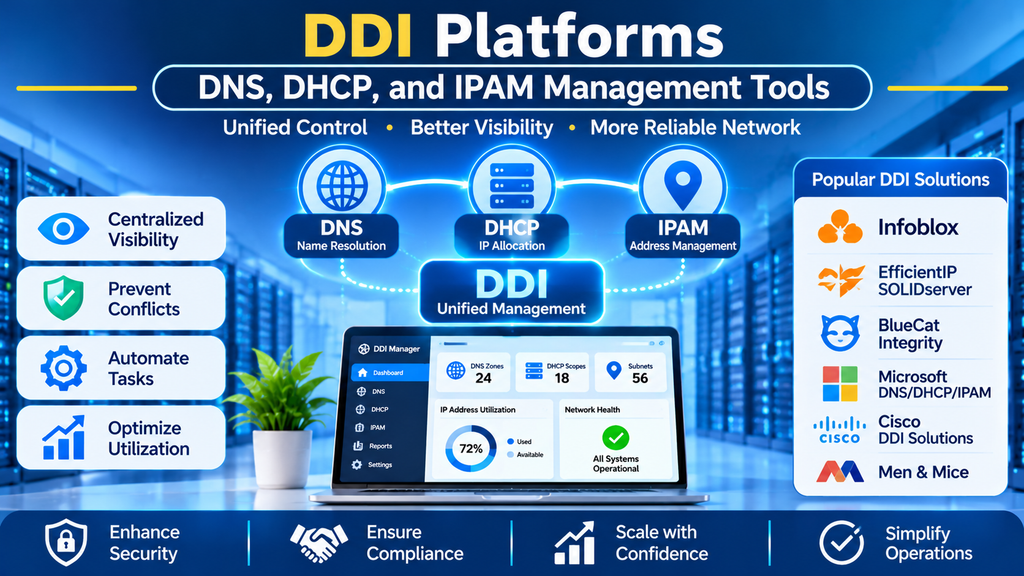
DDI platforms bring together DNS, DHCP, and IP Address Management (IPAM) to simplify network administration. They help IT teams maintain accurate records, automate routine changes, reduce configuration errors, and improve visibility into network resources.
This guide explores DDI platforms, their benefits, popular tools, essential features, selection criteria, and best practices.
What Are DDI Platforms?
DDI stands for DNS, DHCP, and IP Address Management. These three components work together to support network connectivity.
- DNS (Domain Name System): Translates hostnames and domain names into IP addresses and provides other DNS records.
- DHCP (Dynamic Host Configuration Protocol): Automatically assigns IP configuration to devices based on configured scopes, reservations, and policies.
- IPAM (IP Address Management): Tracks IP addresses, subnets, allocations, reservations, and address utilization.
A DDI platform offers a coordinated way to manage some or all of these services. Depending on the product, it may provide centralized administration, automated discovery, APIs, reporting, role-based access, and integrations with existing network infrastructure.
Some platforms provide all three capabilities directly, while others coordinate DNS and DHCP services from different vendors.
Why Are DDI Platforms Important?
1. Centralized Management
Administrators can manage DNS zones, DHCP scopes, subnets, and IP allocations through a unified interface. This reduces the need to maintain separate spreadsheets and disconnected management systems.
2. Reduced Configuration Errors
Coordinating IP address assignments with DNS and DHCP workflows can help prevent duplicate allocations, stale records, and inconsistent configurations.
3. Better IP Address Utilization
IPAM capabilities help teams identify available addresses, monitor subnet utilization, and plan additional capacity before an address range becomes exhausted.
4. Faster Troubleshooting
When a device cannot connect, administrators can investigate its IP assignment, DNS configuration, subnet, and related records more systematically.
5. Automation and Scalability
APIs and automated workflows help organizations provision network resources consistently as they add offices, devices, applications, and cloud environments.
6. Improved Governance
Role-based permissions, audit records, and change histories help organizations control access to critical network settings and trace administrative changes.
Popular DDI Platforms and Tools
1. Infoblox
Infoblox provides enterprise DDI solutions designed to manage DNS, DHCP, and IP address resources across complex networks.
Key features:
- Centralized DDI administration
- IP address and subnet tracking
- DNS and DHCP management
- Automation and discovery capabilities
- Enterprise reporting and integrations
Best for: Large organizations with complex internal networks, multiple sites, and enterprise DDI requirements.
2. EfficientIP SOLIDserver
EfficientIP SOLIDserver provides integrated DDI capabilities for managing DNS, DHCP, and IP address resources.
Key features:
- Unified DDI administration
- IP address planning and tracking
- DNS and DHCP automation
- Network visibility and reporting
- Integration options for enterprise infrastructure
Best for: Enterprises seeking centralized DDI operations and automation across distributed environments.
3. BlueCat Integrity
BlueCat Integrity is an enterprise DDI platform associated with centralized management of DNS, DHCP, and IP address information.
Key features:
- Centralized DDI data management
- IP address and subnet organization
- DNS and DHCP administration
- Automation and integration options
- Change management and visibility features
Best for: Organizations that need consistent network-address management across teams and environments.
4. Men & Mice
Men & Mice has been known for DDI management and automation across supported DNS and DHCP environments. Buyers should verify current product branding, availability, and support arrangements.
Key capabilities historically associated with its solutions:
- Multi-vendor DNS and DHCP management
- IP address administration
- Centralized operational visibility
- Automation and workflow support
Best for: Organizations seeking coordinated management of existing DNS and DHCP systems, subject to current product availability.
5. Microsoft DNS, DHCP, and IPAM
Microsoft Windows Server provides DNS and DHCP services, alongside IPAM capabilities for managing and monitoring address infrastructure in supported environments.
Key features:
- Windows-based DNS and DHCP administration
- Address-space monitoring
- Integration with Microsoft infrastructure
- Role-based administration
- Support for enterprise Windows networks
Best for: Organizations with substantial Windows Server infrastructure and Microsoft-based network operations.
6. Open-Source DDI Components
Organizations can assemble DDI capabilities using tools such as BIND for DNS, DHCP server software, and IPAM applications such as phpIPAM.
Key benefits:
- Flexible deployment options
- Control over configuration and infrastructure
- Customizable integrations
- Potentially lower software licensing costs
Best for: Technical teams with the expertise to integrate, secure, and maintain multiple components.
Comparison of DDI Platforms
| Platform | Main strength | Common use case |
|---|---|---|
| Infoblox | Enterprise DDI management | Large, complex networks |
| EfficientIP SOLIDserver | Integrated DDI automation | Distributed enterprise environments |
| BlueCat Integrity | Centralized DDI data and workflows | Multi-team network operations |
| Men & Mice | Multi-vendor DDI management | Existing mixed DNS/DHCP environments |
| Microsoft DNS, DHCP, and IPAM | Microsoft ecosystem integration | Windows Server networks |
| Open-source components | Flexibility and control | Self-managed infrastructure |
Features, licensing, integrations, and availability can vary. Verify current vendor documentation before choosing a solution.
Essential Features to Look For
Unified DNS, DHCP, and IPAM Management
The platform should provide a consistent way to view and manage the services required by your organization. Check whether it manages those services directly or coordinates external servers.
IP Address Discovery and Utilization
Look for address scanning, subnet utilization reports, allocation tracking, and visibility into available address space.
DNS and DHCP Coordination
Evaluate how the solution handles DNS record updates, DHCP leases, reservations, and changes to address assignments. Clearly identify the source of truth and synchronization behavior.
Automation and API Support
APIs and integrations with configuration-management and infrastructure-as-code tools can reduce manual administration and improve consistency.
Role-Based Access and Audit Logs
Permissions, change histories, and approval workflows help protect critical network configuration and improve accountability.
High Availability and Recovery
Review redundancy, service recovery, backups, and documented recovery procedures for critical DNS and DHCP services.
Reporting and Alerting
Reporting should cover address utilization, service status, configuration changes, and operational issues. Alerts can help administrators respond to problems quickly.
Multi-Vendor and Cloud Integration
Check compatibility with existing network equipment, DNS and DHCP services, cloud providers, virtualization platforms, and monitoring tools.
How to Choose the Right DDI Platform
1. Assess Your Current Environment
Inventory DNS zones, DHCP scopes, subnets, address ranges, network sites, cloud networks, and existing management tools.
2. Identify Your Main Challenges
Determine whether the biggest issues are IP conflicts, manual changes, limited visibility, multi-vendor complexity, or a lack of automation.
3. Choose an Integration Approach
A fully integrated platform may provide a more unified operating model. A coordination layer may be preferable if you need to retain existing DNS and DHCP services.
4. Evaluate Automation Requirements
Check API coverage, supported integrations, approval processes, and the ability to automate routine changes safely.
5. Review Security and Compliance
Evaluate authentication, role-based access, audit logging, encryption, and relevant organizational security requirements.
6. Compare Total Cost of Ownership
Include licensing, implementation, migration, integrations, training, support, infrastructure, and ongoing administration.
7. Run a Proof of Concept
Test DNS updates, DHCP reservations, IP allocation workflows, conflict detection, reporting, and recovery procedures before a full deployment.
DDI Management Best Practices
- Maintain a trusted source of truth: Define where authoritative information for IP addresses, DNS records, and DHCP assignments is maintained.
- Document your addressing plan: Use consistent naming and subnet-allocation conventions.
- Monitor address utilization: Identify nearly exhausted subnets and plan capacity early.
- Control configuration changes: Use approval workflows and retain audit records for critical changes.
- Automate carefully: Validate records and allocations before applying changes to production.
- Protect administrative access: Apply least-privilege permissions and strong authentication.
- Plan for redundancy: Design DNS and DHCP services to meet business availability requirements.
- Test backups and recovery: Verify that configuration and data can be restored.
- Review integrations: Confirm that synchronized systems update records correctly and that stale data is detected.
- Train administrators: Ensure staff understand DNS resolution, DHCP behavior, IP addressing, and the platform’s operating model.
Common DDI Challenges
Legacy Infrastructure
Older DNS and DHCP servers may have limited integration options. A phased approach can help modernize management without disrupting critical services.
Data Inconsistency
Different systems may contain conflicting or outdated records. Clear ownership and reconciliation procedures help keep DDI data accurate.
Migration Complexity
Moving from spreadsheets or separate tools requires data cleanup, record validation, and careful coordination of DNS and DHCP changes.
Dynamic Cloud Environments
Cloud resources may be created and removed frequently. Integrations and automated workflows help maintain accurate address information.
Operational Skills
DDI platforms simplify many tasks, but administrators still need to understand IP addressing, DNS behavior, DHCP leases, routing, and recovery procedures.
Conclusion
DDI platforms bring DNS, DHCP, and IP address management together to help organizations maintain accurate network records, automate routine operations, improve visibility, and scale their infrastructure effectively.
The right solution depends on network architecture, automation needs, integration requirements, security policies, and budget. By establishing a clear source of truth, controlling changes, monitoring utilization, and testing recovery procedures, organizations can build a more reliable and manageable network-addressing environment.
