Upgrade & Secure Your Future with DevOps, SRE, DevSecOps, MLOps!
We spend hours scrolling social media and waste money on things we forget, but won’t spend 30 minutes a day earning certifications that can change our lives.
Master in DevOps, SRE, DevSecOps & MLOps by DevOps School!
Learn from Guru Rajesh Kumar and double your salary in just one year.
Introduction
Firewalls are a critical part of network security. They control traffic entering and leaving networks according to defined security rules, helping organizations protect systems, applications, and sensitive information from unauthorized access.
As businesses adopt cloud infrastructure, operate multiple offices, and deploy firewalls from different vendors, managing firewall rules manually can become complicated. Duplicate policies, outdated rules, inconsistent configurations, and insufficient visibility can increase operational risks.
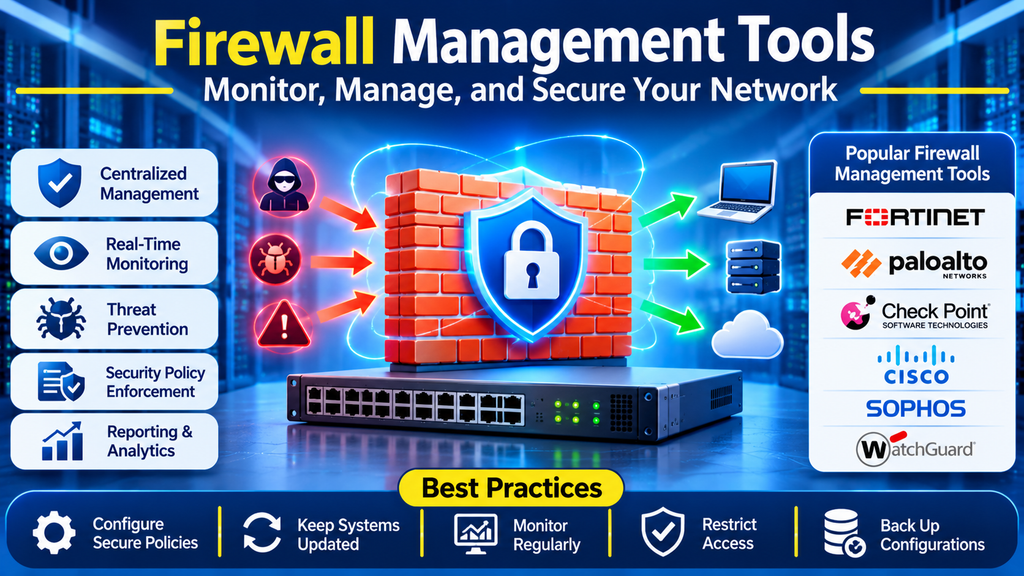
Firewall management tools help security and network teams centrally administer firewall devices, review policies, monitor changes, identify rule conflicts, and automate routine tasks. Depending on the solution, these tools may manage traditional network firewalls, next-generation firewalls, cloud security controls, or a combination of environments.
This guide explains firewall management tools, their benefits, popular platforms, essential features, and best practices.
What Are Firewall Management Tools?
Firewall management tools are software platforms used to configure, organize, monitor, audit, and maintain firewall policies and devices.
Some solutions manage firewalls from a single vendor, while others support multiple vendors and distributed network environments. Their capabilities may include policy creation, change approvals, configuration backups, compliance reporting, rule analysis, and centralized deployment.
Firewall management is not the same as a firewall itself. A firewall enforces traffic-control policies, while a management platform helps administrators manage those policies and the devices that apply them.
Typical activities include:
- Creating and updating firewall rules.
- Managing objects such as IP addresses, networks, and services.
- Reviewing unused, duplicate, or conflicting rules.
- Comparing configurations across devices.
- Tracking changes and administrative activity.
- Monitoring firewall health and policy deployment.
- Producing audit and compliance reports.
Why Are Firewall Management Tools Important?
1. Centralized Administration
Administrators can manage multiple firewalls through a common interface, depending on the platform and supported integrations. This can reduce repetitive configuration work across locations.
2. Consistent Security Policies
Centralized policy management helps organizations apply consistent access controls and reduce configuration differences between devices.
3. Improved Visibility
Dashboards and reports provide a clearer view of firewall configurations, rule usage, device status, and policy changes.
4. Reduced Configuration Errors
Validation, rule analysis, and change workflows can help identify problematic changes before they affect production networks.
5. Easier Auditing and Compliance
Audit logs, policy history, and reporting can help security teams demonstrate how firewall rules are managed and reviewed.
6. Operational Efficiency
Automation can reduce the time required to deploy approved changes, back up configurations, and maintain policy documentation.
Popular Firewall Management Tools
1. Fortinet FortiManager
FortiManager provides centralized management for supported Fortinet security devices, including FortiGate firewalls.
Key capabilities:
- Centralized configuration and policy management
- Device and configuration administration
- Policy package management
- Controlled deployment workflows
- Integration with supported Fortinet security products
Best suited for: Organizations operating multiple Fortinet firewalls across branches, data centers, or distributed networks.
2. Palo Alto Networks Panorama
Panorama provides centralized management and visibility for supported Palo Alto Networks next-generation firewalls.
Key capabilities:
- Centralized security policy administration
- Shared objects and policy management
- Configuration and deployment workflows
- Monitoring and reporting
- Management of supported firewall environments
Best suited for: Enterprises operating multiple Palo Alto Networks firewalls that need consistent security policy control.
3. Check Point SmartConsole and Security Management
Check Point provides management tools for administering supported Check Point security gateways and policies.
Key capabilities:
- Centralized security policy management
- Rulebase administration
- Policy installation workflows
- Logging and monitoring integration
- Administrative access controls
Best suited for: Organizations using Check Point security gateways and its security management ecosystem.
4. Cisco Firewall Management Center
Cisco Firewall Management Center, also known as FMC in supported Cisco Secure Firewall environments, provides centralized administration and monitoring for compatible firewall devices.
Key capabilities:
- Centralized firewall policy management
- Device configuration and monitoring
- Security event visibility
- Reporting and troubleshooting
- Integration with supported Cisco security products
Best suited for: Organizations managing Cisco Secure Firewall deployments across enterprise networks.
5. AlgoSec
AlgoSec provides security policy management and analysis capabilities for supported network firewalls and related security environments.
Key capabilities:
- Firewall policy analysis
- Change workflow automation
- Rule optimization and cleanup support
- Risk and compliance reporting
- Visibility across supported security infrastructure
Best suited for: Enterprises that need policy analysis and governance across complex or multi-vendor firewall environments.
6. Tufin
Tufin provides network security policy management and automation solutions designed to help organizations manage firewall rules and security changes.
Key capabilities:
- Security policy visibility
- Change management workflows
- Rule analysis and optimization
- Compliance-related reporting
- Support for supported multi-vendor environments
Best suited for: Large organizations with complex firewall policies and formal security change processes.
7. ManageEngine Firewall Analyzer
ManageEngine Firewall Analyzer focuses on firewall log analysis, traffic visibility, reporting, and supported configuration-management functions.
Key capabilities:
- Firewall log analysis
- Traffic and security reporting
- Policy and configuration visibility
- Audit and compliance reports
- Support for compatible firewall devices
Best suited for: IT and security teams that need centralized firewall reporting and operational visibility.
Comparison of Firewall Management Tools
| Tool | Main strength | Common use case |
|---|---|---|
| Fortinet FortiManager | Centralized Fortinet management | Multi-site Fortinet deployments |
| Palo Alto Networks Panorama | Enterprise policy administration | Palo Alto Networks firewall fleets |
| Check Point SmartConsole | Security rulebase management | Check Point environments |
| Cisco Firewall Management Center | Cisco firewall administration | Cisco Secure Firewall deployments |
| AlgoSec | Policy analysis and governance | Complex multi-vendor environments |
| Tufin | Security policy workflows | Enterprise change management |
| ManageEngine Firewall Analyzer | Log analysis and reporting | Firewall visibility and auditing |
These products do not all provide identical functionality. Some focus on a specific vendor’s devices, while others emphasize multi-vendor policy management, analytics, or compliance. Verify current compatibility, licensing, and supported features before purchasing.
Essential Features to Look For
Centralized Policy Management
The tool should make it straightforward to review and administer firewall rules across the devices within its supported scope.
Rule Analysis and Optimization
Look for capabilities that help identify unused rules, duplicate entries, overly broad access, shadowed rules, and potential policy conflicts.
Change Management and Approval
Approval workflows and change records help ensure that firewall modifications are reviewed, authorized, and traceable.
Configuration Backup and Version History
Configuration snapshots and comparison tools can help administrators investigate changes and restore known-good configurations when supported.
Logging and Monitoring
Useful dashboards should help teams investigate traffic, security events, device health, and policy deployment issues.
Compliance Reporting
Reporting should support the organization’s relevant security standards and internal policies. Confirm that the tool’s reports map to the specific controls you need.
Automation and API Support
APIs and workflow integrations can help connect firewall management with ticketing systems, infrastructure automation, and security operations platforms.
Multi-Vendor Support
If the organization uses firewalls from different manufacturers, verify support for each device model, operating system, and required management function.
Role-Based Access Control
Granular permissions and administrative audit logs help limit who can view, approve, or deploy sensitive security changes.
How to Choose the Right Firewall Management Tool
1. Inventory Your Firewall Environment
Document firewall vendors, models, software versions, locations, cloud deployments, and existing management systems.
2. Define Your Main Objectives
Determine whether you primarily need centralized administration, policy cleanup, compliance reporting, log analysis, change automation, or multi-vendor management.
3. Assess Vendor Compatibility
Check whether the product supports all required devices and whether it can manage the specific rules and features your environment uses.
4. Evaluate Security and Governance
Review approval workflows, administrative permissions, audit trails, configuration history, and integration with existing security processes.
5. Test Rule Analysis
Use representative policies to assess whether the tool identifies duplicates, overly permissive rules, unused entries, and conflicts accurately.
6. Compare Total Cost of Ownership
Consider licenses, device limits, subscriptions, implementation, training, support, integrations, and ongoing administration.
7. Run a Pilot
Start with a limited set of firewalls and test policy changes, reporting, configuration backups, access controls, and rollback procedures before expanding deployment.
Firewall Management Best Practices
- Follow least privilege: Allow only the traffic required for approved business purposes.
- Review rules regularly: Identify outdated, unused, duplicated, and overly broad policies.
- Use formal change control: Document the reason, approval, implementation, and outcome of important changes.
- Back up configurations: Maintain protected backups and test restoration procedures.
- Separate administrative roles: Limit who can create, approve, and deploy security policies.
- Monitor rule usage: Use available logs and analytics to inform cleanup decisions, while checking dependencies before removing rules.
- Standardize policy objects: Use clear naming conventions for networks, services, applications, and rule groups.
- Validate changes: Test connectivity and security behavior after significant policy modifications.
- Maintain audit records: Retain change histories and reports according to organizational requirements.
- Keep platforms updated: Follow vendor guidance for supported versions, security updates, and maintenance.
- Prepare rollback plans: Ensure critical changes can be reversed if unexpected problems occur.
Common Firewall Management Challenges
Rule Complexity
Large environments can accumulate overlapping and outdated rules. Structured reviews and controlled cleanup help reduce unnecessary complexity.
Multi-Vendor Environments
Different vendors may implement policies and management interfaces differently. Verify that cross-vendor tools preserve the meaning of vendor-specific configurations.
Business Application Dependencies
Removing a rule that appears unused may disrupt an application with infrequent traffic or undocumented dependencies. Validate usage and consult application owners before making changes.
Cloud and Hybrid Infrastructure
Cloud firewalls, network security groups, and traditional appliances may require different management workflows. Confirm which controls the selected platform can actually manage.
Operational Risk
A centralized management system can make large-scale changes easier, but mistakes can also affect many devices. Use staged deployment, approvals, validation, and tested rollback procedures.
Conclusion
Firewall management tools help organizations administer security policies, monitor configurations, analyze rules, automate approved changes, and maintain better visibility across firewall environments.
The right solution depends on the firewall vendors in use, policy complexity, governance requirements, reporting needs, and budget. With consistent rule reviews, controlled change processes, strong access controls, and reliable backups, organizations can make firewall operations more secure and manageable.
