Upgrade & Secure Your Future with DevOps, SRE, DevSecOps, MLOps!
We spend hours scrolling social media and waste money on things we forget, but won’t spend 30 minutes a day earning certifications that can change our lives.
Master in DevOps, SRE, DevSecOps & MLOps by DevOps School!
Learn from Guru Rajesh Kumar and double your salary in just one year.
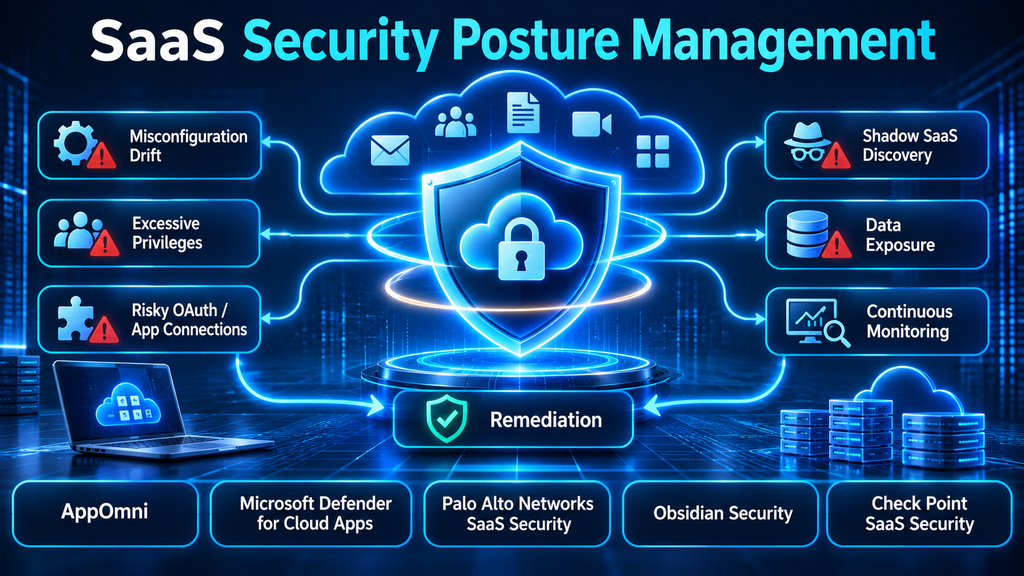
SaaS Security Posture Management: Finding and Fixing Risk Across Connected Applications
A company can have strong endpoint protection, a well-configured cloud infrastructure, and multi-factor authentication across its workforce—and still expose sensitive information through a poorly configured SaaS application. A public file-sharing link, an overprivileged integration, an inactive administrator account, or an OAuth application with excessive permissions can create an attack path that traditional infrastructure security tools may not see.
The problem is scale. Employees adopt new applications, business teams connect third-party services, administrators change settings, and vendors introduce new features. Security configurations that were appropriate at deployment can gradually become unsafe.
SaaS Security Posture Management (SSPM) addresses this gap by continuously assessing the security configurations, identities, permissions, integrations, and data-sharing practices of software-as-a-service applications. Its purpose is not simply to produce another compliance dashboard. It is to identify meaningful exposure, explain why it matters, and help organizations correct it before it becomes an incident.
What Is SaaS Security Posture Management?
SaaS Security Posture Management is a cybersecurity discipline focused on identifying, monitoring, prioritizing, and remediating security risks within SaaS applications.
Unlike traditional infrastructure security tools, SSPM concentrates on the security controls inside applications operated by third-party providers. These may include Microsoft 365, Salesforce, Google Workspace, ServiceNow, Slack, Workday, and other business platforms.
SSPM solutions typically connect to supported applications through APIs and evaluate their configuration and activity against security policies, vendor recommendations, and organizational requirements.
Depending on the platform, an SSPM solution may identify:
- Publicly accessible files and folders
- Excessive user and administrator privileges
- Inactive or orphaned accounts
- Weak authentication and session settings
- Risky OAuth permissions and third-party integrations
- Insecure external sharing configurations
- Missing or inconsistent security controls
- Configuration drift
- Suspicious changes to application settings
- Compliance-related configuration gaps
The distinction is important: SSPM does not replace the security controls built into each SaaS application. It provides a way to assess and govern those controls consistently across an organization’s SaaS estate.
Why SaaS Environments Need Dedicated Posture Management
SaaS applications are managed by their providers, but customers remain responsible for many aspects of how those applications are configured and used. This shared-responsibility boundary is where significant security gaps can emerge.
Configuration drift
An administrator may initially configure an application according to company policy. Months later, a business team changes sharing permissions, enables an integration, or modifies access settings to support a new workflow.
Each change may appear harmless in isolation. Over time, however, the environment can move away from its approved security baseline.
SSPM helps detect these deviations and provides visibility into which settings have changed.
Excessive permissions
SaaS platforms often support granular roles, delegated administration, and application-level permissions. Users and integrations may accumulate privileges that are no longer necessary.
An account with excessive permissions can become a high-value target. If compromised, it may provide access to sensitive documents, customer information, or administrative functions.
SSPM can help identify overprivileged users, stale accounts, and risky application permissions.
Third-party application connections
OAuth-based integrations allow one SaaS application to access information or perform actions in another. These connections support legitimate business workflows, but they also introduce additional trust relationships.
For example, a productivity application may request access to read files, manage calendars, or access user information. If the application is compromised or its permissions are excessive, the connection may expose data beyond the intended purpose.
SSPM helps organizations discover connected applications, inspect permissions, and identify integrations that warrant review.
Shadow SaaS
Employees may adopt software without going through formal procurement or security approval. These services can store corporate information or receive access to business accounts without the security team having a complete inventory.
Some SSPM platforms include SaaS discovery and connected-application visibility, although the depth of discovery varies by product and integration model.
Compliance and audit pressure
Organizations operating under security and privacy requirements need evidence that appropriate controls are in place. SaaS configuration can be difficult to audit manually across dozens or hundreds of applications.
SSPM can help map configuration findings to control frameworks and provide a more consistent view of posture. It does not, by itself, establish regulatory compliance or replace broader governance and audit processes.
How SSPM Works
Most SSPM platforms follow a continuous assessment and remediation workflow.
1. Connect SaaS applications
The platform establishes integrations with supported SaaS services, commonly through APIs and authorized application permissions.
The organization grants access based on the product’s documented requirements. Security teams should review the requested scopes carefully, particularly when integrations require broad read or write privileges.
2. Collect configuration and identity information
The SSPM platform retrieves relevant configuration settings, account information, permissions, integration details, and other supported security data.
The available information depends on the APIs exposed by each SaaS provider. Not every application exposes the same depth of configuration or activity data.
3. Evaluate security posture
Collected information is compared against policy rules, recommended security configurations, and organizational baselines.
Examples include checking whether external sharing is too permissive, whether privileged accounts have appropriate authentication controls, or whether third-party integrations have excessive access.
4. Prioritize findings
A useful SSPM platform should distinguish high-impact exposures from routine configuration recommendations.
A public link exposing sensitive business information deserves a different response from a low-risk configuration deviation. Prioritization should consider the sensitivity of the affected data, the privileges involved, external accessibility, and the likely business impact.
5. Remediate issues
The platform may provide guided instructions, workflow integrations, or automated remediation for supported settings.
Some changes can be applied directly through the SSPM platform. Others require an administrator to make changes in the SaaS application’s native console.
Automated changes should be governed by approval processes, testing, and rollback procedures where appropriate.
6. Monitor continuously
Once findings are addressed, monitoring continues. New applications, users, integrations, and configuration changes can introduce fresh risks.
Continuous monitoring helps security teams identify when an application moves away from its approved baseline.
Leading SSPM Platforms to Evaluate
The products below represent different approaches to SaaS posture management. Some focus deeply on SaaS configuration and identity visibility, while others combine SSPM with broader cloud-app security, threat detection, and data protection.
1. AppOmni
AppOmni focuses on SaaS and AI security, with capabilities spanning posture management, identity and permission governance, threat detection, and visibility into connected applications.
Its platform is designed to provide centralized insight into SaaS configurations and risky access relationships across business-critical applications. AppOmni also emphasizes configuration drift, risky integrations, and the discovery of unsanctioned SaaS and AI applications.
Where it stands out
AppOmni is relevant to organizations that depend heavily on SaaS platforms and need deeper visibility into application-level configurations and access relationships. Its focus extends beyond basic configuration checks into threat detection and governance across connected SaaS services.
What buyers should examine
- Coverage of the organization’s actual SaaS application inventory
- Depth of configuration and permission visibility for each integration
- Detection of risky SaaS-to-SaaS connections
- Policy customization and configuration-drift monitoring
- Quality of investigation context and remediation guidance
- Integration with existing SIEM, SOAR, and identity systems
Organizations should validate the specific API permissions required and distinguish supported application coverage from the depth of controls available for each application.
2. Microsoft Defender for Cloud Apps
Microsoft Defender for Cloud Apps combines cloud access security broker capabilities with SaaS security posture features, threat protection, and application governance.
It provides visibility into cloud application usage, helps identify shadow IT, and supports investigation of suspicious activity across connected services. Its SSPM capabilities contribute configuration assessments and recommendations for improving SaaS security posture.
Where it stands out
The platform is particularly relevant to organizations already operating within the Microsoft security ecosystem. It can contribute to broader visibility across cloud applications, information protection, and threat investigation workflows.
What buyers should examine
- Which SSPM capabilities are available under their current licensing
- Supported SaaS connectors and the configuration data each exposes
- How cloud discovery and sanctioned application governance are configured
- Integration with Microsoft Defender XDR and other security operations tools
- The distinction between posture assessment, session controls, and data protection
Microsoft Defender for Cloud Apps is broader than a dedicated SSPM product. Buyers should map their requirements to the specific capabilities they intend to use rather than assuming every CASB feature is an SSPM control.
3. Palo Alto Networks SaaS Security Posture Management
Palo Alto Networks SaaS Security includes SSPM capabilities within its broader SaaS Security offering.
The platform focuses on identifying and remediating misconfigurations across sanctioned SaaS applications. Its posture-management approach also extends to identities, third-party integrations, plugins, and AI-related application connections.
Where it stands out
Organizations evaluating SaaS posture management alongside SASE and broader security controls may find the platform relevant. Its approach connects SaaS configuration visibility with application access, connected services, and centralized security management.
What buyers should examine
- Supported SaaS applications and the depth of configuration checks
- Integration with the organization’s existing Palo Alto Networks environment
- How findings are prioritized and remediated
- Visibility into OAuth applications, plugins, and non-human identities
- Licensing dependencies and administrative requirements
The value of this option depends partly on the wider architecture. Organizations should compare its SaaS-specific coverage with their existing security tools to avoid paying for overlapping capabilities.
4. Obsidian Security Platform
Obsidian Security focuses on protecting enterprise SaaS environments through visibility, threat detection, identity context, and posture management.
Its platform correlates information from connected business applications, identities, activity, and integrations. The goal is to help security teams identify configuration weaknesses and suspicious behavior that may indicate compromised accounts, risky permissions, or misuse of SaaS connections.
Where it stands out
Obsidian is relevant where the requirement extends beyond configuration checks to understanding threats across SaaS identities, user activity, and connected applications.
What buyers should examine
- Coverage of critical enterprise applications
- Visibility into human and non-human identities
- Detection of suspicious sessions, token misuse, and risky integrations
- Quality of event correlation and investigation timelines
- Response options and integration with security operations workflows
- Access permissions and data-handling requirements
Organizations should assess whether they need a posture-focused product or a broader SaaS security platform with deeper detection and response capabilities.
5. Check Point SaaS Security
Check Point SaaS Security combines SaaS posture management with data protection and threat prevention capabilities.
Its offering includes configuration monitoring, discovery of connected SaaS applications, guided remediation, and controls intended to reduce exposure across SaaS environments. Depending on the selected service and licensing, it also extends into data loss prevention and malware detection.
Where it stands out
Check Point is worth evaluating when an organization wants SaaS posture management as part of a broader SaaS security approach that includes data protection and threat prevention.
What buyers should examine
- Supported applications under the chosen license
- Configuration checks and automated remediation coverage
- Discovery of third-party applications and plugins
- SaaS data protection and malware prevention requirements
- Integration with other Check Point security products
- Licensing differences between available service tiers
The broader platform may be useful, but buyers seeking only configuration posture management should compare the additional capabilities against their actual requirements.
SSPM Platform Comparison
| Platform | Main emphasis | Relevant strengths | Important evaluation point |
|---|---|---|---|
| AppOmni | SaaS and AI security posture | Configuration drift, permissions, connected-app visibility, threat detection | Application-specific coverage and API permissions |
| Microsoft Defender for Cloud Apps | CASB and SaaS security | Cloud discovery, posture assessment, app governance, threat investigation | Licensing and Microsoft ecosystem fit |
| Palo Alto Networks SaaS Security | Integrated SaaS security | Misconfiguration remediation, identities, integrations, AI-related controls | Existing SASE architecture and license requirements |
| Obsidian Security | SaaS threat and identity security | Identity context, suspicious activity, risky integrations, posture management | Detection depth and application coverage |
| Check Point SaaS Security | SaaS posture, data protection, and threat prevention | Configuration monitoring, ecosystem discovery, DLP and threat controls | Service tier and supported application coverage |
This is a capability-oriented comparison, not a universal ranking. Feature availability can differ by application, subscription, and deployment configuration. Buyers should confirm current entitlements and supported controls with each vendor.
SSPM vs. CSPM vs. CASB: Understanding the Difference
These three categories overlap in some areas, but they address different parts of cloud security.
| Category | Primary focus | Typical environment |
|---|---|---|
| SSPM | Security configurations, permissions, and integrations inside SaaS applications | Microsoft 365, Salesforce, Google Workspace, ServiceNow |
| CSPM | Misconfigurations and security risks in cloud infrastructure and platform services | AWS, Microsoft Azure, Google Cloud |
| CASB | Visibility and policy enforcement around cloud application usage and data access | Cloud application traffic, sessions, and data movement |
SSPM and CSPM
CSPM focuses on the security posture of cloud infrastructure and platform services, such as storage permissions, network exposure, and cloud resource configurations.
SSPM focuses on the configurations and access controls inside third-party SaaS applications.
For example, a publicly exposed cloud storage bucket is generally a CSPM concern. An overly permissive external-sharing setting inside a collaboration application is generally an SSPM concern.
SSPM and CASB
A CASB traditionally provides visibility and policy enforcement for cloud application usage, including data protection, access control, and shadow IT discovery.
SSPM examines the security configuration and permission structure of the SaaS application itself.
The categories can complement one another. A CASB may identify unsanctioned application usage, while SSPM can inspect configuration weaknesses and risky access relationships within supported applications.
Some vendors combine these capabilities, so product labels alone should not determine procurement decisions.
Important SSPM Capabilities to Look For
Not every SSPM product provides the same level of visibility. A platform may support a large number of SaaS applications but offer only limited configuration checks for some of them.
A practical evaluation should examine the following capabilities.
Configuration assessment and drift detection
The platform should identify risky settings and track changes over time. Security teams should be able to define or customize baselines rather than relying exclusively on generic recommendations.
Identity and permission analysis
The tool should identify excessive privileges, dormant accounts, risky administrator roles, and permissions granted to third-party integrations.
For larger environments, it is particularly useful to understand relationships between users, service accounts, applications, and sensitive resources.
SaaS-to-SaaS integration visibility
A useful SSPM solution should help security teams understand which applications are connected, what permissions they have, and whether those connections create unnecessary exposure.
Data exposure context
Configuration findings become more actionable when they can be connected to the data or resources affected.
For example, an externally accessible folder containing public marketing material is not equivalent to a folder containing customer records or confidential business documents.
Remediation workflows
Look for clear instructions, ownership assignment, approval workflows, and automated remediation where supported.
The platform should also show whether a finding has been fixed and whether the same issue has reappeared.
Compliance reporting
Useful reporting can map configuration findings to frameworks and internal controls. Organizations should confirm which mappings are available and remember that automated reporting does not independently establish compliance.
Integration with security operations
SSPM findings should be usable by the wider security team. SIEM, SOAR, IT service management, identity, and ticketing integrations can help turn findings into tracked remediation work.
How to Implement SSPM Without Creating More Security Noise
Deploying an SSPM platform is not simply a matter of connecting every SaaS application and enabling every policy. A staged implementation produces more useful results.
Step 1: Establish a SaaS inventory
Identify business-critical SaaS applications, application owners, data classifications, and authentication methods.
Include applications managed by IT as well as services adopted by individual departments. Discovery capabilities can help identify gaps, but they should be supplemented by procurement, identity, and network records where appropriate.
Step 2: Prioritize high-impact applications
Start with applications that store sensitive information or provide access to critical business processes.
Common starting points include:
- Identity and access management platforms
- Collaboration and file-sharing services
- Customer relationship management systems
- Human resources applications
- Finance and enterprise resource planning systems
- Developer and source-code collaboration platforms
Step 3: Review integration permissions
Before connecting an SSPM platform, examine the API scopes and administrative permissions it requires.
Determine whether access can be read-only initially, whether write access is required for remediation, and how credentials or tokens are stored and rotated.
Step 4: Establish security baselines
Define acceptable settings for authentication, external sharing, administrator privileges, application access, and third-party integrations.
Use business requirements to determine the baseline. A configuration that is appropriate for one department may be unsuitable for another.
Step 5: Tune finding priorities
Review the first set of findings with application owners and security administrators.
Prioritize issues based on exposure, affected data, privilege level, exploitability, and business impact. Avoid overwhelming teams with low-risk recommendations that have no clear remediation owner.
Step 6: Introduce remediation controls
Begin with guided or approval-based remediation. Once the organization understands the impact of changes, automate suitable low-risk corrections.
Maintain an exception process for legitimate business requirements and ensure exceptions have owners and review dates.
Step 7: Measure ongoing improvement
Useful measures include:
- Number of critical SaaS applications under monitoring
- Percentage of applications with approved security baselines
- Number of high-risk findings outstanding
- Time taken to remediate critical configuration issues
- Number of excessive or unused integrations removed
- Percentage of privileged accounts reviewed
- Recurrence rate of previously resolved findings
These metrics provide a more meaningful picture of security improvement than simply counting alerts.
Common SSPM Deployment Mistakes
Treating application coverage as equivalent to control coverage. A vendor may list an application as supported while exposing only a subset of its configuration settings. Buyers should inspect control-level coverage.
Automatically fixing every finding. Some configuration changes can disrupt legitimate workflows. High-impact remediation should be reviewed and tested before automation.
Ignoring business ownership. Security teams cannot resolve every SaaS configuration issue alone. Application owners need clear responsibility for remediation.
Overlooking non-human identities. Service accounts, API tokens, OAuth applications, and automated integrations can hold significant privileges. They should be governed alongside human users.
Treating compliance mappings as proof of compliance. A posture report may help demonstrate control coverage, but it does not replace policy governance, evidence collection, risk assessment, or formal audits.
Failing to review API permissions. SSPM platforms can gain extensive visibility into business applications. Their own access must be governed, monitored, and periodically reviewed.
Questions to Ask Before Buying an SSPM Platform
A vendor demonstration should show how the platform works against the organization’s actual SaaS environment.
Useful questions include:
- Which applications are supported, and what specific configuration checks are available for each?
- How frequently are configurations and permissions assessed?
- Can the platform detect configuration drift and identify who made a change?
- Does it inspect OAuth permissions and SaaS-to-SaaS connections?
- How does it identify excessive privileges and dormant accounts?
- Can findings be linked to the sensitivity of affected data?
- Which remediation actions can be automated?
- Are approval workflows and exception management supported?
- What API scopes and administrative permissions does the product require?
- Which SIEM, SOAR, identity, and ticketing integrations are available?
- How are findings mapped to compliance frameworks?
- How are licensing and application coverage calculated?
Ask vendors to demonstrate at least one complete workflow: detect a risky setting, explain the exposure, assign ownership, remediate it, and verify that the issue is resolved.
When Does an Organization Need SSPM?
SSPM is particularly valuable when SaaS applications have become critical business infrastructure and manual configuration reviews are no longer sufficient.
It is worth considering when:
- The organization uses many SaaS applications across departments.
- Sensitive data is stored in collaboration and productivity platforms.
- Third-party integrations have accumulated over time.
- Security teams struggle to track configuration changes.
- Privileged access is difficult to review consistently.
- Audit teams need repeatable evidence of SaaS security controls.
- Shadow SaaS and unmanaged application connections are concerns.
A small organization with a limited number of SaaS applications may be able to manage some controls through native administrative tools and disciplined access reviews. A dedicated SSPM platform becomes more compelling as application count, integration complexity, data sensitivity, and governance requirements increase.
Making SSPM Part of a Broader SaaS Security Strategy
SSPM is most effective when it works alongside identity security, data protection, threat detection, and cloud governance.
Identity controls help ensure that users and service accounts receive appropriate access. Data security tools identify sensitive information and help control how it is shared. CASB capabilities provide visibility into application usage and data movement. Threat detection helps identify suspicious activity within connected services.
Together, these controls provide a more complete picture of SaaS risk.
The key procurement decision is not simply how many applications a product supports. It is whether the platform can reveal meaningful exposure in the applications that matter, explain the risk in business terms, and help the right people fix it without disrupting operations.
For organizations with complex SaaS environments, that combination of visibility, context, and continuous remediation is what makes SSPM valuable.
