Upgrade & Secure Your Future with DevOps, SRE, DevSecOps, MLOps!
We spend hours scrolling social media and waste money on things we forget, but won’t spend 30 minutes a day earning certifications that can change our lives.
Master in DevOps, SRE, DevSecOps & MLOps by DevOps School!
Learn from Guru Rajesh Kumar and double your salary in just one year.
Introduction
Issue Tracking Tools are software platforms designed to log, monitor, and manage issues, bugs, or tasks in software development and operational workflows. In plain English, these tools help teams track problems from discovery to resolution, ensuring transparency, accountability, and efficiency.
In the modern digital ecosystem, organizations face increasing complexity in software development, IT operations, and customer support. Issue tracking tools are critical for reducing downtime, improving product quality, and maintaining service reliability. They help teams collaborate effectively, prioritize critical issues, and deliver consistent results across projects.
Real-world use cases:
- Logging and prioritizing software bugs or defects
- Tracking feature requests and improvement tickets
- Monitoring IT service incidents and operational issues
- Managing customer-reported problems or feedback
- Coordinating cross-functional development and support teams
Key evaluation criteria for buyers:
- Issue logging and categorization capabilities
- Workflow automation and ticket routing
- Reporting, analytics, and dashboards
- Integration with development and project management tools
- Collaboration features and notifications
- Ease of use and adoption
- Security and compliance
- Scalability and performance
- Mobile accessibility
- Pricing and total cost of ownership
Best for: Software development teams, IT support teams, QA teams, and product management teams across SMB and enterprise organizations
Not ideal for: Very small teams or organizations with minimal issue volume; simple spreadsheets or task managers may suffice
Key Trends in Issue Tracking Tools
- AI-assisted prioritization and automated issue categorization
- Integration with CI/CD pipelines and DevOps platforms
- Cloud-first deployment with mobile and offline access
- Omnichannel issue capture including email, chat, and forms
- Real-time analytics dashboards for team and project performance
- Automated notifications, SLA tracking, and escalation workflows
- Advanced reporting for compliance and auditing
- Flexible pricing and usage-based subscription models
- Enhanced security including encryption, MFA, and audit trails
- Cross-platform and multi-team collaboration support
How We Selected These Tools (Methodology)
- Assessed market adoption and brand recognition among development and IT teams
- Evaluated feature completeness including ticket management, automation, and reporting
- Reviewed reliability, uptime, and performance signals
- Examined security posture and compliance with industry standards
- Checked integrations with project management, CI/CD, and communication platforms
- Considered usability, onboarding, and learning curve
- Assessed scalability for different organization sizes
- Reviewed collaboration and workflow features
- Evaluated mobile and cross-platform capabilities
- Tested AI-powered prioritization and analytics functionalities
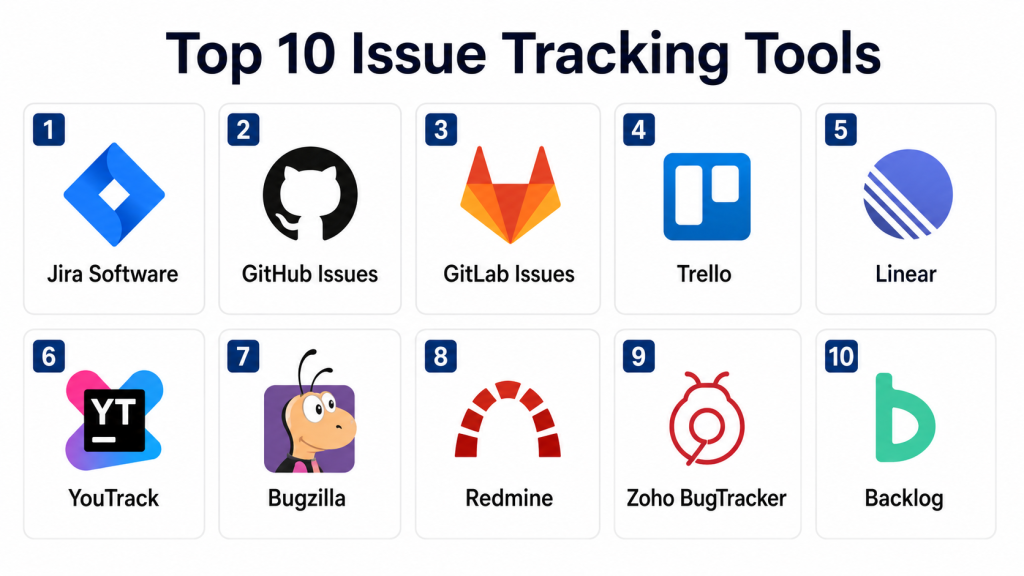
Top 10 Issue Tracking Tools
#1 — Jira Software
Short description: Jira Software is a widely used issue and project tracking platform, designed for software development and agile teams to manage bugs, tasks, and project workflows efficiently.
Key Features
- Agile boards and sprint tracking
- Customizable workflows and issue types
- Advanced reporting and dashboards
- Integration with CI/CD and DevOps tools
- Automation rules for recurring tasks
- Mobile app for tracking issues on the go
- Role-based access control
Pros
- Robust and scalable for large teams
- Extensive integrations with development tools
Cons
- Complex setup and learning curve
- Premium pricing for enterprise plans
Platforms / Deployment
- Web / Windows / macOS / iOS / Android
- Cloud / Self-hosted
Security & Compliance
- SSO/SAML, MFA, encryption, audit logs, RBAC
- SOC 2, ISO 27001, GDPR
Integrations & Ecosystem
- Bitbucket, GitHub, GitLab
- Confluence, Slack, Microsoft Teams
- CI/CD platforms
Support & Community
- Extensive documentation and tutorials
- Active community forums
- Dedicated enterprise support
#2 — GitHub Issues
Short description: GitHub Issues allows development teams to track bugs, feature requests, and tasks directly within GitHub repositories, ideal for code-centric workflows.
Key Features
- Issue logging with labels and milestones
- Kanban-style project boards
- Notifications and mentions for collaboration
- Integration with pull requests and commits
- Simple analytics for tracking open and closed issues
Pros
- Seamless integration with GitHub repositories
- Lightweight and easy to adopt
Cons
- Limited advanced reporting
- Best suited for code-centric projects
Platforms / Deployment
- Web
- Cloud
Security & Compliance
- MFA, encryption
- Not publicly stated
Integrations & Ecosystem
- GitHub Actions
- Slack, Microsoft Teams
- Jira, Trello
Support & Community
- GitHub support and knowledge base
- Community discussions
#3 — GitLab Issues
Short description: GitLab Issues provides an integrated issue tracking system for software development, supporting project management within GitLab’s DevOps platform.
Key Features
- Issue creation and assignment
- Custom labels and milestones
- Boards and workflow visualization
- Integration with GitLab CI/CD
- Reporting and activity logs
Pros
- Unified DevOps platform
- Strong CI/CD integration
Cons
- Less intuitive for non-developers
- Limited external integrations outside GitLab
Platforms / Deployment
- Web
- Cloud / Self-hosted
Security & Compliance
- MFA, encryption, RBAC
- SOC 2, GDPR
Integrations & Ecosystem
- Slack, Jira, Trello
- CI/CD pipelines
- Webhooks and APIs
Support & Community
- GitLab documentation and tutorials
- Community forums
- Enterprise support packages
#4 — Trello
Short description: Trello provides a visual Kanban-style issue tracking system, ideal for small to medium teams needing lightweight project and task management.
Key Features
- Boards, lists, and cards for task management
- Labels, checklists, and due dates
- Integration with project management tools
- Automation with Butler for recurring tasks
- Collaboration with comments and mentions
Pros
- Simple and visual interface
- Flexible for various workflows
Cons
- Limited analytics and reporting
- Not ideal for large-scale software development
Platforms / Deployment
- Web / Windows / macOS / iOS / Android
- Cloud
Security & Compliance
- MFA, encryption
- SOC 2, GDPR
Integrations & Ecosystem
- Slack, Jira, GitHub
- Google Workspace
- Automation via Zapier
Support & Community
- Online documentation and tutorials
- Community forums
- Email support
#5 — Linear
Short description: Linear offers modern issue tracking with fast performance, designed for software teams practicing agile workflows and prioritizing efficient bug and task management.
Key Features
- Issue tracking with priorities
- Kanban and roadmap views
- Git integration for pull requests
- Collaboration tools and notifications
- Workflow automation
Pros
- Fast and intuitive interface
- Strong for agile teams
Cons
- Smaller integration ecosystem
- Premium pricing for larger teams
Platforms / Deployment
- Web / macOS / iOS / Android
- Cloud
Security & Compliance
- MFA, encryption
- Not publicly stated
Integrations & Ecosystem
- GitHub, GitLab, Slack
- Figma, Notion
- Zapier
Support & Community
- Documentation and tutorials
- Email and chat support
#6 — YouTrack
Short description: YouTrack combines issue tracking with agile project management, providing flexible workflows and prioritization for software teams.
Key Features
- Custom issue types and workflows
- Agile boards and sprints
- Time tracking and reporting
- Query-based searches
- Integration with development tools
Pros
- Highly customizable
- Strong reporting and metrics
Cons
- UI can be complex for beginners
- Self-hosted setup requires technical knowledge
Platforms / Deployment
- Web / Windows / macOS / iOS / Android
- Cloud / Self-hosted
Security & Compliance
- MFA, encryption
- SOC 2, GDPR
Integrations & Ecosystem
- GitHub, GitLab, Slack
- Jira, Confluence
- CI/CD tools
Support & Community
- Tutorials and documentation
- Email support
- Community forums
#7 — Bugzilla
Short description: Bugzilla is an open-source issue tracking tool that enables teams to track defects, enhancements, and tasks in software development projects.
Key Features
- Bug tracking and assignment
- Custom workflows and fields
- Email notifications and alerts
- Reporting and metrics
- Open-source extensibility
Pros
- Free and open-source
- Mature and reliable
Cons
- Outdated UI
- Requires technical setup and maintenance
Platforms / Deployment
- Web / Windows / Linux
- Self-hosted
Security & Compliance
- Encryption via configuration
- Not publicly stated
Integrations & Ecosystem
- Jenkins, Git
- Custom APIs
- Email notifications
Support & Community
- Community forums
- Documentation
#8 — Redmine
Short description: Redmine is an open-source project management and issue tracking platform with customizable workflows and collaborative tools.
Key Features
- Issue tracking and project boards
- Custom fields and workflows
- Gantt charts and calendars
- Wiki and forum support
- Integration with version control
Pros
- Flexible and open-source
- Multi-project support
Cons
- Outdated interface
- Limited built-in analytics
Platforms / Deployment
- Web / Windows / Linux
- Self-hosted
Security & Compliance
- Encryption via server
- Not publicly stated
Integrations & Ecosystem
- Git, Subversion, Slack
- Custom plugins and APIs
Support & Community
- Community forums
- Documentation
#9 — Zoho BugTracker
Short description: Zoho BugTracker provides web-based issue tracking for development and QA teams with integrated reporting and workflow automation.
Key Features
- Issue logging and assignment
- Customizable workflows
- Notifications and alerts
- Reports and dashboards
- Integration with Zoho suite and third-party tools
Pros
- Easy to adopt for small to mid-market teams
- Affordable pricing
Cons
- Limited advanced reporting
- Fewer integrations than enterprise tools
Platforms / Deployment
- Web / iOS / Android
- Cloud
Security & Compliance
- MFA, encryption
- GDPR
Integrations & Ecosystem
- Zoho Projects, Slack, Jira
- GitHub
Support & Community
- Email and chat support
- Tutorials
#10 — Backlog
Short description: Backlog combines issue tracking, project management, and version control integration for software teams needing a unified development workflow.
Key Features
- Issue and task tracking
- Gantt charts and Kanban boards
- Version control integration
- Collaboration and notifications
- Analytics and reporting
Pros
- Combines project management and issue tracking
- Easy for small teams
Cons
- Limited advanced analytics
- Less suitable for large enterprises
Platforms / Deployment
- Web / iOS / Android
- Cloud
Security & Compliance
- MFA, encryption
- Not publicly stated
Integrations & Ecosystem
- Git, Subversion
- Slack, Google Workspace
- CI/CD tools
Support & Community
- Email and chat support
- Knowledge base
Comparison Table (Top 10)
| Tool Name | Best For | Platform(s) Supported | Deployment | Standout Feature | Public Rating |
|---|---|---|---|---|---|
| Jira Software | Enterprise dev teams | Web / Windows / macOS / iOS / Android | Cloud / Self-hosted | Agile boards & CI/CD integration | N/A |
| GitHub Issues | Developers & small teams | Web | Cloud | Integrated with GitHub repos | N/A |
| GitLab Issues | DevOps teams | Web | Cloud / Self-hosted | DevOps pipeline integration | N/A |
| Trello | Small to mid-sized teams | Web / Windows / macOS / iOS / Android | Cloud | Visual Kanban interface | N/A |
| Linear | Agile dev teams | Web / macOS / iOS / Android | Cloud | Fast & intuitive issue tracking | N/A |
| YouTrack | Flexible workflow teams | Web / Windows / macOS / iOS / Android | Cloud / Self-hosted | Custom workflows | N/A |
| Bugzilla | Open-source dev teams | Web / Windows / Linux | Self-hosted | Mature and reliable | N/A |
| Redmine | Open-source project teams | Web / Windows / Linux | Self-hosted | Multi-project support | N/A |
| Zoho BugTracker | SMB & QA teams | Web / iOS / Android | Cloud | Affordable & simple | N/A |
| Backlog | Small dev teams | Web / iOS / Android | Cloud | Issue + project management | N/A |
Evaluation & Scoring of Issue Tracking Tools
| Tool Name | Core (25%) | Ease (15%) | Integrations (15%) | Security (10%) | Performance (10%) | Support (10%) | Value (15%) | Weighted Total (0–10) |
|---|---|---|---|---|---|---|---|---|
| Jira Software | 9 | 8 | 9 | 9 | 9 | 8 | 7 | 8.5 |
| GitHub Issues | 8 | 9 | 7 | 8 | 8 | 7 | 8 | 7.9 |
| GitLab Issues | 8 | 8 | 8 | 8 | 8 | 7 | 7 | 7.8 |
| Trello | 7 | 9 | 7 | 7 | 7 | 7 | 8 | 7.7 |
| Linear | 9 | 8 | 7 | 8 | 8 | 7 | 7 | 7.9 |
| YouTrack | 8 | 8 | 7 | 8 | 8 | 7 | 7 | 7.8 |
| Bugzilla | 7 | 7 | 6 | 7 | 7 | 6 | 7 | 6.9 |
| Redmine | 7 | 7 | 6 | 7 | 7 | 6 | 7 | 6.9 |
| Zoho BugTracker | 7 | 8 | 6 | 7 | 7 | 7 | 8 | 7.4 |
| Backlog | 8 | 8 | 7 | 8 | 8 | 7 | 7 | 7.8 |
Interpretation: Weighted totals allow teams to compare core capabilities, usability, integrations, security, performance, support, and value. Higher scores indicate stronger overall suitability for managing and resolving issues efficiently.
Which Issue Tracking Tool Is Right for You?
Solo / Freelancer
Trello or GitHub Issues are lightweight and easy to adopt for small projects and individual developers.
SMB
Linear, Zoho BugTracker, and Backlog provide mid-market teams with structured workflows, integrations, and simple reporting.
Mid-Market
Jira Software, GitLab Issues, and YouTrack offer advanced workflow customization, analytics, and integration options for agile teams.
Enterprise
Jira Software and Linear Enterprise editions provide scalability, multi-team management, and enterprise-grade security and compliance features.
Budget vs Premium
Entry-level tools suit small teams, while premium platforms offer AI-powered automation, extensive integrations, and advanced analytics.
Feature Depth vs Ease of Use
Trello and GitHub Issues are simple to adopt; Jira, Linear, and YouTrack provide deep functionality for complex workflows.
Integrations & Scalability
Enterprise teams benefit from robust integrations with CI/CD, Slack, GitHub, and project management tools to scale operations.
Security & Compliance Needs
Teams managing sensitive projects should select platforms with encryption, MFA, and SOC 2 or GDPR compliance.
Frequently Asked Questions (FAQs)
1. How are pricing models structured?
Most issue tracking tools use subscription-based pricing with tiers based on users, features, and projects. Enterprise pricing is customized.
2. What is the onboarding process?
Onboarding includes account setup, project configuration, workflow design, and team training sessions.
3. Can data be imported from other tools?
Yes, most tools support CSV imports, API integration, or migration from other issue trackers.
4. Are these tools mobile-friendly?
Yes, most platforms provide mobile apps for iOS and Android to allow issue tracking on the go.
5. What integrations are commonly supported?
Common integrations include GitHub, GitLab, Slack, Jira, Trello, CI/CD pipelines, and CRM systems.
6. How scalable are these platforms?
Premium tools can handle thousands of users, multiple teams, and high volumes of issues concurrently.
7. Can these tools track both bugs and feature requests?
Yes, they provide customizable issue types to handle bugs, tasks, enhancements, and feature requests.
8. How do reporting and analytics work?
Dashboards display open and closed issues, time-to-resolution, workflow bottlenecks, and team performance metrics.
9. How do AI features assist?
AI can automatically categorize issues, prioritize based on impact, and suggest workflow optimizations.
10. What common mistakes should teams avoid?
Avoid under-configuring workflows, ignoring SLA tracking, neglecting integrations, and failing to assign ownership for issues.
Conclusion
Issue Tracking Tools are essential for teams aiming to manage bugs, tasks, and operational issues efficiently. The “best” tool depends on team size, complexity, and workflow needs. Small teams may choose Trello or GitHub Issues, mid-market Linear or Zoho BugTracker, and enterprise organizations Jira Software or Linear Enterprise. Evaluate features, integrations, security, and workflow capabilities before adoption. shortlist, run pilot projects, and monitor performance to ensure efficient issue resolution.
