Upgrade & Secure Your Future with DevOps, SRE, DevSecOps, MLOps!
We spend hours scrolling social media and waste money on things we forget, but won’t spend 30 minutes a day earning certifications that can change our lives.
Master in DevOps, SRE, DevSecOps & MLOps by DevOps School!
Learn from Guru Rajesh Kumar and double your salary in just one year.
Introduction
AI code assistants are software tools that help developers write, debug, and optimize code faster using artificial intelligence. These tools understand programming languages, suggest code completions, identify bugs, generate snippets, and sometimes even convert natural language descriptions into functional code. In and beyond, AI code assistants are essential for teams aiming to increase productivity, reduce errors, accelerate feature delivery, and maintain code quality across projects.
Real-world use cases include:
- Auto-completion and intelligent code suggestions for developers
- Debugging and error detection in real-time
- Generating boilerplate code or standard functions
- Translating natural language instructions into executable code
- Code review support and optimization recommendations
Buyers should evaluate:
- Programming language support
- IDE/editor integrations
- Real-time code suggestions and accuracy
- Learning curve and ease of use
- Cloud vs local deployment
- Security and data privacy
- Team collaboration features
- Licensing and cost
- Customization and extensibility
- Community and support resources
Best for: software engineers, DevOps teams, product development teams, startups, large enterprises, educators, and coding bootcamps looking to accelerate development productivity and reduce errors.
Not ideal for: teams that prefer full manual coding, have minimal coding needs, or rely entirely on low-code/no-code platforms.
Key Trends in AI Code Assistants Toolkits
- Integration with multiple IDEs, terminals, and cloud development environments is now standard.
- Tools increasingly combine generative AI with real-time code analysis and bug detection.
- Security-focused AI assistants can identify vulnerabilities and compliance issues automatically.
- Support for multiple programming languages is expanding, including newer frameworks.
- Team collaboration and shared AI-assisted workflows are gaining importance.
- Real-time feedback and contextual code suggestions are becoming more sophisticated.
- On-premises or self-hosted deployment options are preferred for sensitive projects.
- Model efficiency and low-latency response are key for developer adoption.
- AI assistants are expanding to support test generation, refactoring, and documentation.
- Subscription and pay-per-use pricing models are increasingly common for scalability.
How We Selected These Tools
- Widespread adoption among developers and enterprise teams.
- Feature completeness for code suggestions, debugging, and generation.
- Reliability, stability, and performance of AI predictions.
- Security measures, including code privacy and vulnerability scanning.
- Integration with popular IDEs, development pipelines, and version control systems.
- Flexibility for solo developers, small teams, and large organizations.
- Language and framework support across mainstream and specialized stacks.
- Community support, documentation quality, and training resources.
- Commercial terms and scalability options.
- Track record in improving developer productivity and reducing errors.
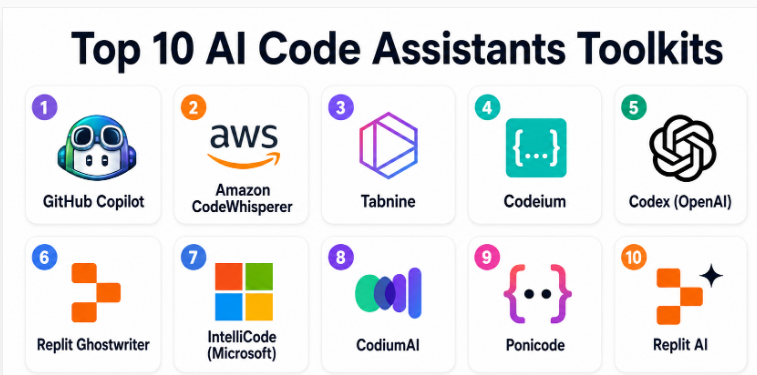
Top 10 AI Code Assistants Toolkits
#1 — GitHub Copilot
Short description: GitHub Copilot uses AI to provide real-time code suggestions and completions in multiple programming languages. It integrates directly into popular IDEs and assists with boilerplate generation, code snippets, and function implementations. Copilot is especially useful for developers needing faster coding, efficient pair programming, and learning assistance. It supports a wide range of languages and frameworks and works across personal and team projects. Enterprises use it to improve consistency and reduce repetitive coding tasks. Copilot also provides AI-generated suggestions that can accelerate onboarding for junior developers.
Key Features
- Real-time code completion and suggestions
- Multi-language support
- Integration with Visual Studio Code and JetBrains IDEs
- Function and snippet generation
- Comment-based natural language prompts
- Code learning and documentation suggestions
- Team collaboration support
Pros
- Boosts coding productivity
- Excellent integration with popular IDEs
- Supports multiple programming languages
Cons
- Some suggestions require review for quality
- Internet connection required for cloud functionality
- Licensing may be costly for enterprise-scale adoption
Platforms / Deployment
Windows / macOS / Linux / Cloud
Security & Compliance
- SSO/SAML and MFA for enterprise plans
- SOC 2 compliance noted
- GDPR-compliant data handling
Integrations & Ecosystem
- Visual Studio Code
- JetBrains IDEs
- GitHub workflows
- API integrations for CI/CD
- Learning management platforms
Support & Community
Extensive documentation, GitHub community forums, and enterprise support tiers.
#2 — Amazon CodeWhisperer
Short description: Amazon CodeWhisperer provides AI-driven code suggestions and completion in real-time within IDEs. It is designed for developers working in AWS environments but supports multiple languages and frameworks. CodeWhisperer aids with code generation, documentation, and security-aware recommendations. It is particularly effective for cloud-native applications, serverless development, and automation scripting. Teams use it to speed up coding, reduce repetitive tasks, and ensure best practices in cloud development. The assistant is also beneficial for junior developers seeking guidance.
Key Features
- Real-time code completion
- Multi-language support
- Security-aware coding suggestions
- Integration with AWS services
- Boilerplate and repetitive code generation
- Supports cloud-native and serverless development
- Comment-based AI prompt interpretation
Pros
- Strong for AWS-focused projects
- Security and best-practice recommendations
- Accelerates repetitive coding tasks
Cons
- Optimized for AWS; less focused on other environments
- Requires understanding of AWS ecosystem for full benefits
- Some suggestions may require human review
Platforms / Deployment
Windows / macOS / Linux / Cloud
Security & Compliance
- Role-based access control
- SOC 2 compliance
- Security-focused code recommendations
Integrations & Ecosystem
- IDE integrations
- AWS SDKs and tools
- CI/CD pipelines
- Cloud infrastructure scripts
- Learning and documentation workflows
Support & Community
AWS documentation, forums, and support tiers; strong enterprise support for AWS users.
#3 — Tabnine
Short description: Tabnine provides AI-assisted code completion and snippet generation using machine learning models. It integrates with various IDEs and supports many languages, enhancing developer productivity by reducing repetitive coding tasks. Tabnine is suitable for teams seeking a flexible AI coding assistant that can run locally or in the cloud. It helps maintain consistency across teams, accelerates feature development, and supports code learning for newer developers. Enterprises can configure Tabnine to comply with internal security policies and coding standards.
Key Features
- AI-based code completion
- Multi-language support
- Local and cloud deployment options
- Snippet and boilerplate generation
- Custom model training and team models
- IDE integrations across popular editors
- Security policy configuration
Pros
- Supports a wide range of programming languages
- Flexible deployment options
- Improves coding efficiency and consistency
Cons
- Cloud suggestions require internet connectivity
- Learning curve for custom model integration
- Subscription required for full features
Platforms / Deployment
Windows / macOS / Linux / Cloud / Self-hosted
Security & Compliance
- SSO/SAML support
- Data processed within company environment for enterprise plans
- Not publicly stated certifications
Integrations & Ecosystem
- IDEs: VS Code, IntelliJ, PyCharm, WebStorm
- CI/CD pipelines
- Git workflows
- Team collaboration features
Support & Community
Documentation, forums, knowledge base, enterprise support.
#4 — Codeium
Short description: Codeium offers AI-assisted coding for multiple programming languages with real-time completions, snippet generation, and code explanation. It is targeted at developers looking for lightweight, easy-to-use AI code assistants. Codeium emphasizes speed, low latency, and IDE compatibility. It is helpful for individual developers, small teams, and rapid prototyping. Teams use Codeium for accelerating routine coding tasks, exploring multiple code suggestions, and learning best practices.
Key Features
- Real-time AI code suggestions
- Multi-language support
- Snippet and boilerplate generation
- IDE integrations
- Lightweight AI processing
- Comment-based code guidance
- Security-conscious design for enterprise plans
Pros
- Fast and responsive
- Free tier available for individual use
- Simple setup and lightweight IDE integration
Cons
- Limited enterprise governance features
- Suggestions may require validation
- Less extensive language model compared to competitors
Platforms / Deployment
Windows / macOS / Linux / Cloud
Security & Compliance
- Data privacy through encrypted transmission
- Role-based access in enterprise plans
- Not publicly stated certifications
Integrations & Ecosystem
- VS Code, JetBrains IDEs
- Git workflows
- Continuous integration pipelines
- API access for custom workflows
Support & Community
Active community, documentation, online tutorials, basic support tiers.
#5 — Codex (OpenAI)
Short description: Codex is an AI code assistant developed by OpenAI that powers coding in multiple languages. It can generate code from natural language prompts, complete code snippets, and provide suggestions for refactoring or debugging. It is particularly valuable for developers using Python, JavaScript, Java, and other major languages. Codex integrates with IDEs and can be embedded into developer tools. It helps teams accelerate feature development, automate repetitive code, and support education or coding bootcamps.
Key Features
- Natural language to code generation
- Multi-language support
- Refactoring and debugging suggestions
- API access for integration
- IDE plugin compatibility
- Snippet and boilerplate generation
- Supports AI-assisted learning
Pros
- Powerful natural language understanding
- Multi-language versatility
- Speeds up development and learning
Cons
- Requires careful prompt engineering for best results
- Cloud-based API may introduce latency
- Enterprise security details may need verification
Platforms / Deployment
Windows / macOS / Linux / Cloud / API-based
Security & Compliance
- Data handled per OpenAI policies
- Not publicly stated certifications
Integrations & Ecosystem
- IDE plugins
- API integrations for workflows
- CI/CD pipelines
- Code review and testing workflows
- Educational platforms
Support & Community
OpenAI documentation, community forums, enterprise support for API users.
#6 — Replit Ghostwriter
Short description: Replit Ghostwriter is an AI code assistant integrated into the Replit IDE, supporting real-time code completions, debugging suggestions, and snippet generation. It is aimed at beginners, students, and developers using Replit’s online IDE for rapid prototyping or learning. Ghostwriter enhances productivity in coding exercises, educational contexts, and lightweight project development. The assistant also provides documentation support and helps users understand complex code patterns.
Key Features
- Real-time code completion
- Snippet generation
- Code explanations and documentation
- Integration with Replit IDE
- Multi-language support
- Lightweight and fast processing
- Educational learning aids
Pros
- Perfect for beginners and students
- Integrated directly in the Replit IDE
- Enhances learning while coding
Cons
- Less suitable for enterprise-scale development
- Limited offline or local deployment
- Fewer advanced customization options
Platforms / Deployment
Web / Cloud / Replit IDE
Security & Compliance
Not publicly stated. Security depends on Replit’s platform policies.
Integrations & Ecosystem
- Replit IDE
- Learning exercises
- Educational coding environments
- Basic API integration
Support & Community
Documentation, Replit community, tutorials, online support.
#7 — IntelliCode (Microsoft)
Short description: Microsoft IntelliCode is an AI assistant embedded in Visual Studio and Visual Studio Code. It provides context-aware code suggestions, refactoring recommendations, and AI-assisted code completions. IntelliCode is useful for enterprises, professional developers, and teams building .NET, Python, JavaScript, and other applications. It emphasizes productivity and best practices for large-scale projects. The assistant helps reduce repetitive coding, accelerates onboarding, and supports team-wide coding standards.
Key Features
- Context-aware AI code suggestions
- Supports multiple programming languages
- Refactoring recommendations
- IDE integration with Visual Studio and VS Code
- Team model training
- Snippet and boilerplate generation
- Supports enterprise coding standards
Pros
- Strong integration with Microsoft IDEs
- Boosts developer productivity
- Supports team-wide best practices
Cons
- Limited outside Microsoft IDEs
- Enterprise configuration may be complex
- Requires Visual Studio ecosystem adoption
Platforms / Deployment
Windows / macOS / Linux / Cloud / IDE
Security & Compliance
- Enterprise SSO support
- RBAC for team deployments
- Not publicly stated certifications
Integrations & Ecosystem
- Visual Studio, VS Code
- Azure DevOps
- Git repositories
- Team coding workflows
- CI/CD pipelines
- Snippet libraries
Support & Community
Microsoft support, documentation, community forums, enterprise support options.
#8 — CodiumAI
Short description: CodiumAI is an AI code assistant focused on automated testing, code quality, and refactoring suggestions. It integrates with developer IDEs to provide AI-generated unit tests, code corrections, and code review support. It is especially valuable for developers aiming to improve test coverage, maintain high-quality code, and reduce bugs. CodiumAI supports multiple languages and integrates with CI/CD workflows. It is suitable for teams emphasizing software quality and automated testing alongside standard coding assistance.
Key Features
- AI-generated unit tests
- Refactoring suggestions
- Code review automation
- Multi-language support
- IDE integration
- CI/CD workflow integration
- Bug detection and quality analysis
Pros
- Improves code quality automatically
- Reduces manual testing effort
- Supports developer learning and best practices
Cons
- Less focused on general code generation
- Some suggestions require human validation
- May require setup for enterprise workflows
Platforms / Deployment
Windows / macOS / Linux / Cloud / IDE
Security & Compliance
Not publicly stated. Security depends on enterprise deployment and IDE environment.
Integrations & Ecosystem
- IDEs (VS Code, IntelliJ)
- Git workflows
- CI/CD pipelines
- Automated test frameworks
- Team collaboration tools
Support & Community
Documentation, online resources, developer forums, commercial support.
#9 — Ponicode
Short description: Ponicode is an AI coding assistant that specializes in unit testing, code quality, and code completions. It supports multiple programming languages and integrates with IDEs and CI/CD pipelines. Ponicode helps developers write tests faster, generate code suggestions, and improve code reliability. It is particularly useful for teams adopting test-driven development (TDD) and software quality assurance practices. Ponicode is suitable for developers seeking productivity gains in testing while also benefiting from AI-assisted coding.
Key Features
- AI-assisted unit test generation
- Code completion and snippet suggestions
- Multi-language support
- IDE integration
- CI/CD pipeline support
- Bug detection
- Quality assurance assistance
Pros
- Enhances testing productivity
- Supports TDD workflows
- Reduces coding errors
Cons
- Focused on testing, not full code generation
- Some features require paid plans
- Integration may need additional setup
Platforms / Deployment
Windows / macOS / Linux / Cloud / IDE
Security & Compliance
Not publicly stated. Enterprise deployment security depends on team environment.
Integrations & Ecosystem
- IDEs
- GitHub, GitLab
- CI/CD workflows
- QA and testing pipelines
- Developer collaboration tools
Support & Community
Documentation, tutorials, and online community support available.
#10 — Replit AI
Short description: Replit AI is embedded within the Replit platform for collaborative coding and AI-assisted development. It offers real-time code suggestions, snippet generation, debugging hints, and learning support. Replit AI is designed for students, educators, freelancers, and developers working on small-to-medium projects or collaborative coding exercises. It improves coding speed, assists in learning, and supports exploration of code solutions across languages. It is ideal for rapid prototyping, educational contexts, and coding experiments.
Key Features
- Real-time code suggestions
- Multi-language support
- Snippet and boilerplate generation
- IDE integration within Replit
- Debugging hints and AI assistance
- Learning support
- Collaborative coding workflows
Pros
- Integrated into Replit IDE for learning and projects
- Supports multiple programming languages
- Enhances speed and experimentation
Cons
- Less suited for enterprise-scale production
- Offline or local deployment limited
- Advanced workflow features require Replit knowledge
Platforms / Deployment
Web / Cloud / Replit IDE
Security & Compliance
Not publicly stated. Depends on Replit deployment environment and policies.
Integrations & Ecosystem
- Replit collaborative coding
- Educational projects
- Rapid prototyping workflows
- CI/CD basic integration
- Team experimentation
Support & Community
Documentation, tutorials, community forums, educational resources.
Comparison Table
| Tool Name | Best For | Platform(s) Supported | Deployment | Standout Feature | Public Rating |
|---|---|---|---|---|---|
| GitHub Copilot | Real-time code suggestions | Windows / macOS / Linux | Cloud | IDE-integrated AI completions | N/A |
| Amazon CodeWhisperer | AWS cloud-native development | Windows / macOS / Linux | Cloud | Security-aware code suggestions | N/A |
| Tabnine | Multi-language AI completions | Windows / macOS / Linux | Cloud / Self-hosted | Flexible team models | N/A |
| Codeium | Lightweight AI coding | Windows / macOS / Linux | Cloud | Fast suggestions for multiple languages | N/A |
| Codex (OpenAI) | Natural language to code | Windows / macOS / Linux | Cloud / API | NLP-driven code generation | N/A |
| Replit Ghostwriter | Learning and collaboration | Web | Cloud / Replit IDE | Educational coding assistance | N/A |
| IntelliCode (Microsoft) | Enterprise code assistance | Windows / macOS / Linux | Cloud / IDE | Context-aware AI completions | N/A |
| CodiumAI | Automated testing & refactoring | Windows / macOS / Linux | Cloud / IDE | AI-assisted unit test generation | N/A |
| Ponicode | Code quality & unit testing | Windows / macOS / Linux | Cloud / IDE | TDD-focused AI assistance | N/A |
| Replit AI | Learning & collaborative coding | Web | Cloud / Replit IDE | Rapid coding prototyping | N/A |
Evaluation & Scoring of AI Code Assistants
| Tool Name | Core (25%) | Ease (15%) | Integrations (15%) | Security (10%) | Performance (10%) | Support (10%) | Value (15%) | Weighted Total (0–10) |
|---|---|---|---|---|---|---|---|---|
| GitHub Copilot | 10 | 9 | 9 | 8 | 9 | 8 | 9 | 9.00 |
| Amazon CodeWhisperer | 9 | 8 | 8 | 9 | 8 | 8 | 8 | 8.25 |
| Tabnine | 8 | 8 | 8 | 7 | 8 | 7 | 8 | 7.90 |
| Codeium | 7 | 9 | 7 | 7 | 8 | 7 | 8 | 7.85 |
| Codex (OpenAI) | 10 | 8 | 8 | 8 | 9 | 8 | 9 | 8.95 |
| Replit Ghostwriter | 7 | 9 | 7 | 6 | 7 | 7 | 8 | 7.65 |
| IntelliCode (Microsoft) | 8 | 8 | 8 | 9 | 8 | 8 | 8 | 8.10 |
| CodiumAI | 8 | 7 | 7 | 7 | 8 | 7 | 8 | 7.70 |
| Ponicode | 7 | 7 | 7 | 7 | 7 | 7 | 8 | 7.20 |
| Replit AI | 7 | 8 | 7 | 6 | 7 | 7 | 8 | 7.45 |
Interpretation: Higher scores indicate stronger overall performance across code generation, integration, ease of use, and security. Tools like GitHub Copilot and Codex excel for modern AI-assisted coding workflows. Tools like Codeium and Replit Ghostwriter are suited for lightweight or learning-oriented projects.
Which AI Code Assistant Tool Is Right for You?
Solo / Freelancer
Best options are GitHub Copilot, Codeium, and Replit Ghostwriter for ease of use, quick productivity, and learning. Codex is suitable for advanced users.
SMB
Use Copilot, Tabnine, IntelliCode, or Codeium for collaborative coding, integration into CI/CD, and team code consistency.
Mid-Market
Teams can leverage Amazon CodeWhisperer, IntelliCode, Tabnine, and Codex for enterprise-ready AI code assistance, cloud integration, and standardized workflows.
Enterprise
Prioritize security, governance, and scale with IntelliCode, Amazon CodeWhisperer, Codex, and Tabnine. Evaluate compliance, role-based access, and centralized control.
Budget vs Premium
Open-source or free tiers (Replit AI, Codeium) suit small teams or learners. Premium subscriptions provide better integrations, security, and team management.
Feature Depth vs Ease of Use
Beginner-friendly: Replit AI, Ghostwriter, Codeium. Advanced: GitHub Copilot, Codex, IntelliCode, Amazon CodeWhisperer.
Integrations & Scalability
Check IDE support, API integrations, CI/CD pipelines, and team collaboration features.
Security & Compliance Needs
Review SSO, MFA, RBAC, data handling, audit logs, and licensing compliance.
Frequently Asked Questions
1. What is an AI code assistant?
AI code assistants suggest, complete, and sometimes generate code using AI models. They can accelerate development, reduce errors, and help with learning.
2. Which programming languages are supported?
Most assistants cover Python, JavaScript, Java, C#, TypeScript, and common frameworks. Coverage may vary by tool.
3. Are AI code assistants secure?
Security depends on deployment. Enterprise plans often include SSO, MFA, RBAC, and encryption, but check vendor policies.
4. How much do AI code assistants cost?
Pricing varies: subscription, usage-based, or team licenses. Free tiers may exist with limitations on usage or integrations.
5. Do these tools replace developers?
No, they assist developers by improving productivity, reducing boilerplate work, and suggesting solutions. Human oversight remains essential.
6. Can AI assistants generate code from natural language?
Yes. Tools like Codex and GitHub Copilot convert comments or descriptions into functional code snippets.
7. Are these assistants good for learning?
Yes, tools like Replit Ghostwriter, Codeium, and Copilot provide guidance, explanations, and example completions, ideal for learning and prototyping.
8. How do they integrate with IDEs?
Most integrate with VS Code, Visual Studio, JetBrains IDEs, and Replit, offering real-time suggestions and completions.
9. Do they support team workflows?
Premium and enterprise plans support team models, shared suggestions, and compliance tracking. Open-source or free tools may have limited collaboration features.
10. Can they help with testing and refactoring?
Yes. CodiumAI, Ponicode, and IntelliCode can generate tests, recommend refactors, and improve code quality automatically.
Conclusion
AI code assistants have become essential for developers, teams, and enterprises seeking to accelerate coding, reduce errors, and improve software quality. GitHub Copilot and Codex excel in modern AI-assisted workflows, Amazon CodeWhisperer is ideal for AWS-focused projects, IntelliCode strengthens enterprise coding standards, and Replit Ghostwriter or Codeium serve learners and freelancers. Selecting the right tool depends on project requirements, team size, budget, and workflow needs.
