Upgrade & Secure Your Future with DevOps, SRE, DevSecOps, MLOps!
We spend hours scrolling social media and waste money on things we forget, but won’t spend 30 minutes a day earning certifications that can change our lives.
Master in DevOps, SRE, DevSecOps & MLOps by DevOps School!
Learn from Guru Rajesh Kumar and double your salary in just one year.
Introduction
Bug Tracking Tools are software platforms that help development teams record, track, and resolve software defects. In plain English, these tools provide a centralized system to log issues, assign responsibilities, and monitor progress until resolution.
In fast-paced software development, effective bug tracking is essential to maintain product quality, meet release deadlines, and ensure customer satisfaction. With modern agile, DevOps, and remote workflows, teams require tools that integrate with development pipelines and provide real-time visibility into issues.
Real-world use cases include:
- Tracking software bugs during development and QA
- Assigning issues to team members and monitoring resolution
- Prioritizing critical defects and managing release cycles
- Integrating bug tracking with project management and CI/CD tools
- Reporting and analyzing trends to improve code quality
Key buyer evaluation criteria:
- Issue logging and categorization
- Customizable workflows for bug resolution
- Integration with development, version control, and CI/CD tools
- Real-time dashboards and reporting
- Collaboration and notifications
- Mobile and remote access
- Automated bug prioritization
- Security and role-based access
- Scalability for teams of all sizes
- Customer support and documentation
Best for: Development teams, QA engineers, project managers, and software product owners in startups, SMBs, and enterprise organizations.
Not ideal for: Teams managing simple projects or using lightweight task trackers; spreadsheets may suffice for minor projects.
Key Trends in Bug Tracking Tools
- AI-driven bug detection and prioritization
- Integration with DevOps pipelines and CI/CD platforms
- Cloud-native solutions enabling real-time team collaboration
- Automation of workflows and notifications for faster resolution
- Mobile and tablet access for distributed teams
- Predictive analytics to identify recurring issues
- Enhanced reporting and visualization dashboards
- Cross-project bug tracking for multi-product teams
- Flexible pricing models for SMBs and enterprise
- GDPR and data privacy compliance for development data
How We Selected These Tools (Methodology)
- Market adoption and recognition in software development teams
- Feature completeness including workflows, notifications, and reporting
- Reliability, uptime, and performance metrics
- Security and compliance measures, including encryption and access controls
- Integration capabilities with version control, CI/CD, and project management tools
- Fit across different team sizes and industries
- Usability, onboarding, and collaboration features
- Reporting capabilities for stakeholders
- Support quality and community engagement
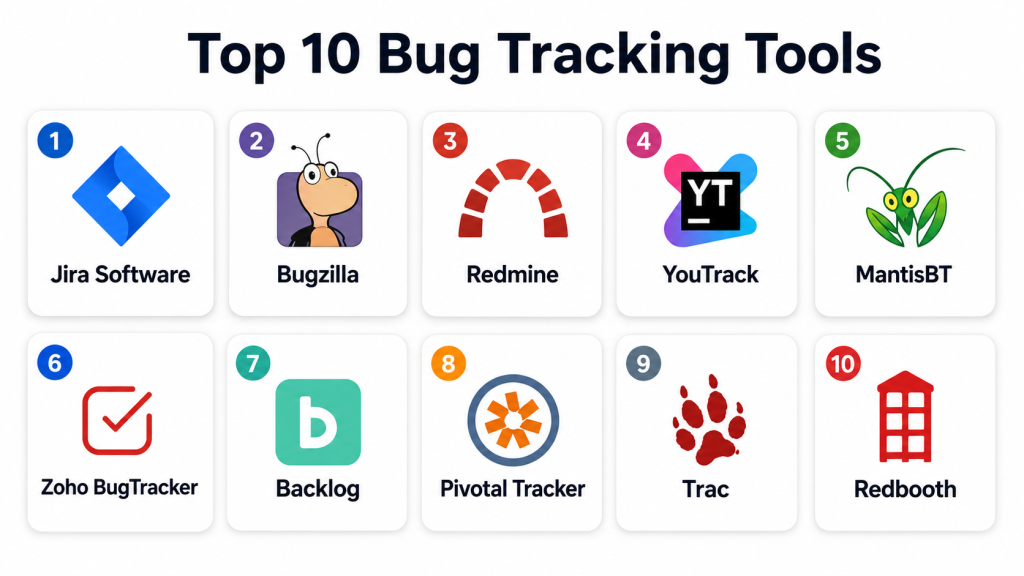
Top 10 Bug Tracking Tools
#1 — Jira Software
Short description: Jira Software is a widely-used bug tracking and project management tool. Ideal for agile development teams requiring workflow customization and issue prioritization.
Key Features
- Customizable workflows
- Issue and bug tracking
- Agile boards (Scrum, Kanban)
- Real-time dashboards
- Reporting and analytics
- Integration with CI/CD pipelines
- Collaboration and notifications
Pros
- Highly customizable
- Strong integration ecosystem
Cons
- Complex for beginners
- Premium pricing for advanced features
Platforms / Deployment
- Web / Windows / macOS / iOS / Android
- Cloud / On-premise
Security & Compliance
- SSO/SAML, MFA, encryption
- SOC 2, GDPR
Integrations & Ecosystem
- Git, Bitbucket, CI/CD tools
- Slack and email notifications
- API for custom integrations
Support & Community
- Extensive documentation
- Online forums and tutorials
- Dedicated support
#2 — Bugzilla
Short description: Bugzilla is an open-source bug tracking system with comprehensive issue tracking capabilities. Suitable for developers preferring self-hosted solutions.
Key Features
- Issue tracking and prioritization
- Custom workflows
- Email notifications
- Search and reporting
- Multi-project management
- Access control and permissions
Pros
- Free and open-source
- Flexible configuration
Cons
- Less intuitive interface
- Limited modern integrations
Platforms / Deployment
- Web
- Self-hosted
Security & Compliance
- Not publicly stated
Integrations & Ecosystem
- Version control systems
- Custom scripts and APIs
- Basic reporting tools
Support & Community
- Community support and forums
- Documentation available
#3 — Redmine
Short description: Redmine is an open-source project management and bug tracking tool. Best for teams needing integrated project and issue management.
Key Features
- Issue and bug tracking
- Gantt charts and calendars
- Role-based access control
- Multi-project support
- Custom workflows
- Email notifications
Pros
- Free and open-source
- Multi-project support
Cons
- Interface is outdated
- Integration options limited
Platforms / Deployment
- Web
- Self-hosted / Cloud
Security & Compliance
- Not publicly stated
Integrations & Ecosystem
- Version control integration
- Plugins for enhanced functionality
- API support
Support & Community
- Community forums
- Documentation and guides
#4 — YouTrack
Short description: YouTrack provides agile bug tracking, issue management, and project tracking. Suitable for development teams adopting agile methodologies.
Key Features
- Agile boards and backlog management
- Issue tracking and prioritization
- Workflow customization
- Time tracking and reporting
- Integration with VCS and CI/CD
- Query-based search
Pros
- Flexible workflow automation
- Strong agile support
Cons
- Learning curve for new users
- Limited third-party integrations
Platforms / Deployment
- Web / Windows / macOS / Linux
- Cloud / Self-hosted
Security & Compliance
- SSO, encryption
- Not publicly stated
Integrations & Ecosystem
- Git, GitHub, GitLab
- CI/CD integrations
- API for custom workflows
Support & Community
- Tutorials and documentation
- Email support
- Online community
#5 — MantisBT
Short description: MantisBT is an open-source bug tracking system focused on simplicity and issue management. Suitable for small to mid-sized teams.
Key Features
- Bug tracking and prioritization
- Custom workflows
- Email notifications
- Access control
- Reporting and dashboards
- Mobile-friendly
Pros
- Free and lightweight
- Easy to deploy
Cons
- Limited integrations
- Basic reporting
Platforms / Deployment
- Web
- Self-hosted
Security & Compliance
- Not publicly stated
Integrations & Ecosystem
- Version control systems
- Plugins and APIs
Support & Community
- Community forums
- Documentation
#6 — Zoho BugTracker
Short description: Zoho BugTracker provides issue tracking with customizable workflows and reporting. Ideal for SMBs and teams needing cloud solutions.
Key Features
- Issue tracking and prioritization
- Workflow automation
- Email notifications
- Reporting and dashboards
- Integration with Zoho suite
- Role-based access
Pros
- Cloud-based and accessible
- Affordable for SMBs
Cons
- Limited advanced analytics
- Less suitable for large enterprises
Platforms / Deployment
- Web / iOS / Android
- Cloud
Security & Compliance
- Not publicly stated
Integrations & Ecosystem
- Zoho CRM and Projects
- API for external integrations
- Email and chat notifications
Support & Community
- Knowledge base
- Email and chat support
#7 — Backlog
Short description: Backlog is a cloud-based bug tracking and project management tool. Best for teams needing integrated task and issue management.
Key Features
- Bug and issue tracking
- Task management
- Gantt charts and reporting
- Collaboration tools
- Integration with Git and SVN
Pros
- Easy to use
- Integrated project management
Cons
- Limited advanced analytics
- Higher cost for premium plans
Platforms / Deployment
- Web / iOS / Android
- Cloud
Security & Compliance
- Not publicly stated
Integrations & Ecosystem
- Version control integration
- Project management APIs
Support & Community
- Documentation
- Email support
- Online tutorials
#8 — Pivotal Tracker
Short description: Pivotal Tracker is an agile project management tool with integrated bug tracking. Ideal for software development teams practicing agile or scrum.
Key Features
- Agile backlog and stories
- Bug tracking and prioritization
- Reporting and analytics
- Collaboration features
- Integration with version control
Pros
- Strong agile support
- Real-time updates
Cons
- Limited customization
- Learning curve for non-agile teams
Platforms / Deployment
- Web / iOS / Android
- Cloud
Security & Compliance
- Not publicly stated
Integrations & Ecosystem
- GitHub, GitLab integration
- API for custom workflows
Support & Community
- Tutorials and guides
- Email support
- Community forums
#9 — Trac
Short description: Trac is an open-source bug tracking and project management tool for developers. Best for teams using version control and lightweight project management.
Key Features
- Issue and bug tracking
- Wiki and documentation
- Roadmap and milestones
- Integration with version control
- Reporting and metrics
Pros
- Lightweight and flexible
- Open-source and free
Cons
- Outdated interface
- Limited integrations
Platforms / Deployment
- Web
- Self-hosted
Security & Compliance
- Not publicly stated
Integrations & Ecosystem
- Subversion, Git integration
- Plugins for added features
Support & Community
- Community support
- Documentation
#10 — Redbooth
Short description: Redbooth combines task management with bug tracking for collaborative teams. Ideal for remote and distributed software teams.
Key Features
- Task and bug tracking
- Collaboration and messaging
- Reporting and dashboards
- File sharing
- Integration with Git and tools
Pros
- Easy collaboration
- Multi-project support
Cons
- Limited advanced bug tracking features
- May not scale for large enterprises
Platforms / Deployment
- Web / iOS / Android
- Cloud
Security & Compliance
- Not publicly stated
Integrations & Ecosystem
- GitHub, GitLab
- API support
- Cloud storage
Support & Community
- Knowledge base
- Email support
- Online guides
Comparison Table (Top 10)
| Tool Name | Best For | Platform(s) Supported | Deployment | Standout Feature | Public Rating |
|---|---|---|---|---|---|
| Jira | Agile dev teams | Web / Windows / macOS / iOS / Android | Cloud / On-prem | Custom workflows | N/A |
| Bugzilla | Self-hosted | Web | Self-hosted | Open-source flexibility | N/A |
| Redmine | Dev & project teams | Web | Self-hosted / Cloud | Multi-project support | N/A |
| YouTrack | Agile dev | Web / Windows / macOS / Linux | Cloud / Self-hosted | Agile boards | N/A |
| MantisBT | Small to mid-size teams | Web | Self-hosted | Lightweight & free | N/A |
| Zoho BugTracker | SMBs | Web / iOS / Android | Cloud | Cloud accessibility | N/A |
| Backlog | Dev & project teams | Web / iOS / Android | Cloud | Integrated project mgmt | N/A |
| Pivotal Tracker | Agile dev teams | Web / iOS / Android | Cloud | Agile backlog & stories | N/A |
| Trac | Dev & version control | Web | Self-hosted | Lightweight & integrated | N/A |
| Redbooth | Remote teams | Web / iOS / Android | Cloud | Collaboration + bug tracking | N/A |
Evaluation & Scoring of Bug Tracking Tools
| Tool Name | Core (25%) | Ease (15%) | Integrations (15%) | Security (10%) | Performance (10%) | Support (10%) | Value (15%) | Weighted Total (0–10) |
|---|---|---|---|---|---|---|---|---|
| Jira | 9 | 8 | 8 | 8 | 9 | 8 | 7 | 8.3 |
| Bugzilla | 8 | 7 | 6 | 7 | 8 | 6 | 8 | 7.4 |
| Redmine | 8 | 7 | 6 | 7 | 8 | 6 | 7 | 7.2 |
| YouTrack | 8 | 8 | 7 | 7 | 8 | 7 | 7 | 7.7 |
| MantisBT | 7 | 8 | 6 | 7 | 7 | 6 | 7 | 7.0 |
| Zoho BugTracker | 8 | 8 | 7 | 7 | 7 | 7 | 7 | 7.4 |
| Backlog | 8 | 8 | 7 | 7 | 7 | 7 | 7 | 7.4 |
| Pivotal Tracker | 8 | 7 | 7 | 7 | 8 | 7 | 7 | 7.5 |
| Trac | 7 | 7 | 6 | 7 | 7 | 6 | 7 | 6.9 |
| Redbooth | 7 | 8 | 6 | 7 | 7 | 6 | 7 | 7.0 |
Interpretation: Scores compare feature completeness, usability, integrations, security, performance, support, and value. Higher weighted totals indicate stronger suitability for software bug tracking and agile workflows.
Which Bug Tracking Tool Is Right for You?
Solo / Freelancer
- MantisBT or Trac for lightweight and free bug tracking
SMB
- Zoho BugTracker, Backlog, or Redbooth for cloud collaboration and integrated workflows
Mid-Market
- YouTrack or Jira for agile development and advanced workflow customization
Enterprise
- Jira or Pivotal Tracker for complex projects, integrations, and scalability
Budget vs Premium
- Small teams: MantisBT, Trac, or Redbooth
- Enterprises: Jira, YouTrack, or Pivotal Tracker
Feature Depth vs Ease of Use
- Jira balances comprehensive features with usability
- MantisBT and Redbooth prioritize simplicity
Integrations & Scalability
- Prioritize tools that integrate with CI/CD, version control, and project management platforms
Security & Compliance Needs
- Ensure encryption, role-based access, and cloud security for sensitive code and defect data
Frequently Asked Questions (FAQs)
1. What pricing models do bug tracking tools offer?
Most offer subscription-based pricing; open-source options are free.
2. How quickly can bugs be tracked?
Implementation can be minutes; full integration with pipelines may take hours.
3. Are these tools suitable for small teams?
Yes, lightweight tools like MantisBT or Trac work well for small projects.
4. Can they integrate with CI/CD pipelines?
Yes, top tools integrate with Jenkins, GitHub, GitLab, and other DevOps platforms.
5. Do they support collaboration?
Cloud-native tools provide multi-user dashboards, notifications, and commenting.
6. Are mobile apps available?
Many tools offer web access and mobile apps for remote teams.
7. Can custom workflows be configured?
Yes, Jira, YouTrack, and other advanced tools allow full workflow customization.
8. Do these tools offer reporting and analytics?
Yes, dashboards and reports track bug trends, team performance, and resolution times.
9. How secure is bug tracking data?
Leading platforms offer encryption, access controls, and compliance with data privacy standards.
10. Can open-source tools scale for large teams?
Some, like Bugzilla and Redmine, can scale with proper hosting and configuration.
Conclusion
Selecting the right bug tracking tool depends on team size, project complexity, and workflow requirements. Freelancers and small teams may use MantisBT or Trac for lightweight tracking, while SMBs and enterprises benefit from Jira, YouTrack, or Pivotal Tracker for agile workflows, integrations, and advanced reporting. The next practical step is to shortlist, pilot bug tracking workflows, and validate integration, security, and collaboration capabilities before full deployment.
