Upgrade & Secure Your Future with DevOps, SRE, DevSecOps, MLOps!
We spend hours scrolling social media and waste money on things we forget, but won’t spend 30 minutes a day earning certifications that can change our lives.
Master in DevOps, SRE, DevSecOps & MLOps by DevOps School!
Learn from Guru Rajesh Kumar and double your salary in just one year.
Introduction
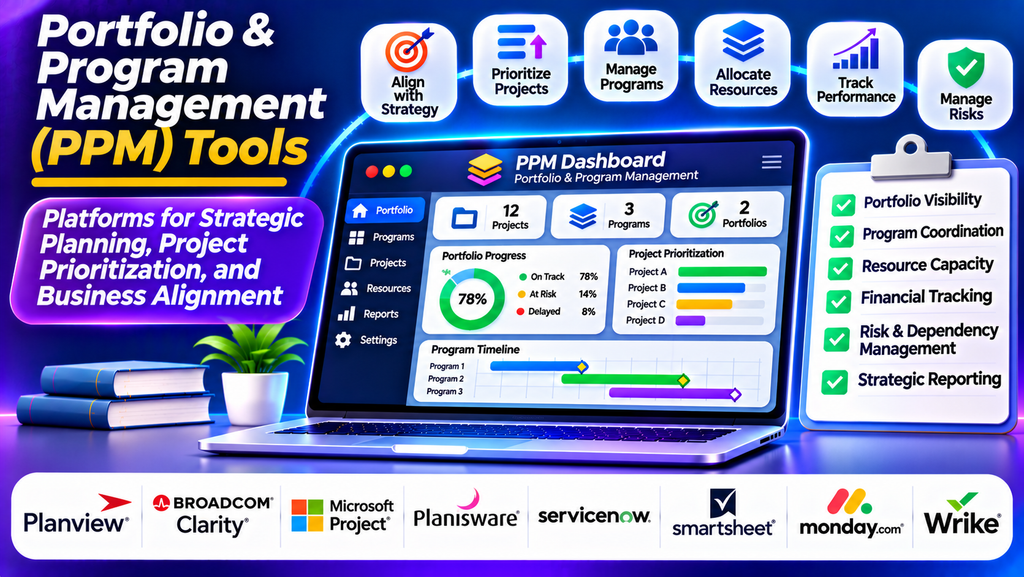
Portfolio and Program Management (PPM) tools help organizations plan, prioritize, coordinate, and monitor multiple projects and programs. Instead of managing each project in isolation, these platforms provide a broader view of how initiatives contribute to strategic business objectives.
Organizations use PPM tools to allocate budgets, manage resources, track dependencies, evaluate risks, and monitor performance across portfolios. They are particularly valuable for enterprises handling several projects simultaneously and needing to balance business priorities with limited resources.
What Are Portfolio and Program Management Tools?
PPM tools are software platforms designed to manage groups of related projects and strategic initiatives.
Project portfolio management focuses on selecting, prioritizing, funding, and monitoring projects according to organizational goals.
Program management focuses on coordinating related projects to achieve shared benefits that may not be possible when those projects are managed independently.
Common features include portfolio dashboards, scenario planning, resource capacity management, financial tracking, risk analysis, project scoring, dependency mapping, and executive reporting.
Popular Portfolio & Program Management Tools
1. Planview
Planview offers enterprise portfolio and work management capabilities that help organizations connect strategy with execution. Its solutions support portfolio planning, resource allocation, financial oversight, and strategic initiative tracking.
Best for: Large organizations managing complex portfolios and enterprise-wide transformation programs.
2. Broadcom Clarity
Broadcom Clarity supports project and portfolio management, investment planning, resource management, financial oversight, and performance reporting. It helps organizations evaluate competing initiatives and monitor how investments align with strategic objectives.
Best for: Enterprises requiring structured portfolio governance and financial visibility.
3. Microsoft Project
Microsoft Project provides project scheduling, resource planning, task dependencies, timelines, and progress reporting. When used alongside appropriate portfolio planning capabilities, it can support broader project oversight and coordination.
Best for: Organizations already using Microsoft project planning tools and requiring detailed scheduling.
4. Planisware
Planisware provides enterprise portfolio and project management capabilities, particularly for organizations coordinating complex product development and innovation initiatives. Its features support portfolio planning, resource management, financial analysis, and strategic decision-making.
Best for: Research and development, product innovation, and large project portfolios.
5. ServiceNow Strategic Portfolio Management
ServiceNow Strategic Portfolio Management helps organizations connect strategic objectives with planned work, manage demand, prioritize investments, and monitor execution. It can support alignment between business strategy, technology initiatives, and operational delivery.
Best for: Enterprises coordinating strategic initiatives and technology portfolios.
6. Smartsheet
Smartsheet combines collaborative work management with project planning, portfolio visibility, dashboards, and reporting. Organizations can use it to consolidate project updates and give stakeholders a shared view of progress.
Best for: Teams seeking accessible portfolio reporting and collaborative project oversight.
7. monday.com
monday.com provides customizable boards, dashboards, automation, and cross-project visibility. Teams can use its work management capabilities to coordinate initiatives, track milestones, and monitor project status across departments.
Best for: Organizations seeking flexible portfolio tracking and visual dashboards.
8. Wrike
Wrike offers project planning, workload management, reporting, and cross-team collaboration. Its portfolio-level visibility helps managers monitor several projects and coordinate resources across teams.
Best for: Agencies, professional services teams, and organizations managing multiple concurrent projects.
PPM Tools Comparison
| Platform | Main Strength | Suitable For |
|---|---|---|
| Planview | Enterprise portfolio planning | Large organizations |
| Broadcom Clarity | Portfolio governance and financial oversight | Complex enterprise portfolios |
| Microsoft Project | Scheduling and resource planning | Project-centric organizations |
| Planisware | Product development portfolios | R&D and innovation |
| ServiceNow SPM | Strategy-to-execution alignment | Enterprise transformation |
| Smartsheet | Collaborative reporting | Cross-functional teams |
| monday.com | Visual work management | Flexible business portfolios |
| Wrike | Cross-project coordination | Agencies and service organizations |
Essential Features to Look For
Portfolio dashboards: View the status, health, budget, and progress of multiple projects in one place.
Strategic alignment: Evaluate whether proposed initiatives support business goals and organizational priorities.
Project prioritization: Score and compare initiatives based on business value, urgency, risk, cost, and expected benefits.
Resource capacity planning: Understand team availability, identify resource conflicts, and distribute workloads effectively.
Financial management: Track budgets, forecasts, planned investments, and actual spending where supported.
Risk and dependency management: Identify shared risks, interdependent deliverables, and potential conflicts between projects.
Scenario planning: Compare alternative investment and resource allocation options before making decisions.
Reporting and governance: Provide leadership with consistent project updates, performance indicators, and decision-ready information.
How to Choose the Right PPM Tool
Begin by identifying the main problem you want to solve. An organization struggling with project prioritization may need stronger portfolio scoring and investment planning, while a business facing resource conflicts may prioritize capacity planning and workload visibility.
Evaluate portfolio complexity, financial management needs, integrations, security, reporting, scalability, and total cost of ownership. Consider whether project managers and executives can access the information they need without maintaining duplicate spreadsheets.
Run a pilot using a representative set of projects. Test how easily the platform consolidates project data, supports decisions, and communicates progress to stakeholders.
Best Practices for Successful PPM Implementation
- Define clear strategic objectives and criteria for prioritizing projects.
- Establish consistent project reporting standards across departments.
- Assign ownership for portfolio decisions, budgets, and resource allocation.
- Review portfolio health and risks regularly.
- Use reliable data when comparing project costs, benefits, and progress.
- Evaluate dependencies before approving overlapping initiatives.
- Reassess priorities when business needs or available resources change.
- Measure realized benefits instead of focusing only on project completion.
Conclusion
Portfolio and Program Management tools help organizations coordinate strategic initiatives, prioritize investments, allocate resources, and monitor performance across multiple projects. Platforms such as Planview, Broadcom Clarity, Planisware, ServiceNow Strategic Portfolio Management, Microsoft Project, Smartsheet, monday.com, and Wrike serve different organizational requirements.
