Upgrade & Secure Your Future with DevOps, SRE, DevSecOps, MLOps!
We spend hours scrolling social media and waste money on things we forget, but won’t spend 30 minutes a day earning certifications that can change our lives.
Master in DevOps, SRE, DevSecOps & MLOps by DevOps School!
Learn from Guru Rajesh Kumar and double your salary in just one year.
Introduction
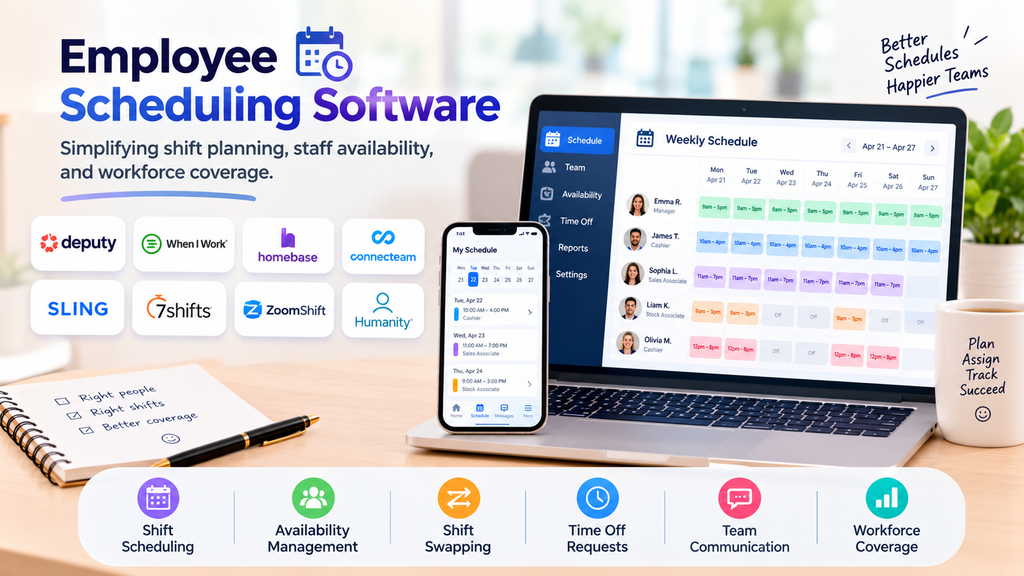
Creating employee schedules can be challenging when businesses manage multiple shifts, changing availability, overtime, and last-minute absences. Employee scheduling software helps managers organize shifts, assign staff, and communicate schedule changes more efficiently.
From retail stores and restaurants to healthcare facilities and service businesses, these tools can reduce scheduling conflicts and help ensure the right employees are available at the right time.
What Is Employee Scheduling Software?
Employee scheduling software is a digital platform used to create, publish, and manage employee work schedules. Depending on the solution, employees may be able to view shifts, submit availability, request time off, and exchange shifts with coworkers.
Managers can use these systems to monitor staffing coverage, manage labor requirements, and coordinate schedules across teams or locations.
Top Employee Scheduling Software Tools
1. Deputy
Deputy supports employee scheduling, shift management, time tracking, and team communication. Managers can build schedules around employee availability and business requirements.
Best for: Retail, hospitality, and shift-based businesses.
2. When I Work
When I Work offers employee scheduling, shift swapping, availability management, and team messaging features. Its interface is designed to help managers and employees coordinate schedules.
Best for: Small and midsize businesses managing hourly employees.
3. Homebase
Homebase combines employee scheduling with time tracking and related team-management features. Businesses can create shifts and coordinate staffing for daily operations.
Best for: Restaurants, retail stores, and local businesses.
4. Connecteam
Connecteam offers employee scheduling and communication features for deskless and distributed teams. Managers can share schedules and coordinate staff working across locations.
Best for: Field teams, mobile workforces, and service businesses.
5. Sling
Sling provides shift scheduling, team communication, and labor-management features. It helps managers organize shifts and keep employees informed about schedule changes.
Best for: Small businesses with rotating shifts.
6. 7shifts
7shifts focuses on restaurant workforce management, including employee scheduling, labor planning, and time tracking.
Best for: Restaurants and food-service businesses.
7. ZoomShift
ZoomShift provides employee scheduling, availability management, and time-tracking capabilities. It helps managers coordinate schedules and review shift coverage.
Best for: Small and midsize teams with hourly workers.
8. Humanity Schedule
Humanity Schedule, part of the TCP Software workforce-management portfolio, supports employee scheduling and shift planning. Organizations can use scheduling rules and employee availability to coordinate staffing.
Best for: Organizations managing complex or recurring shift patterns.
Essential Features to Consider
- Shift creation: Build daily, weekly, and recurring schedules.
- Availability management: Record employee availability and preferences.
- Shift swapping: Allow eligible employees to request shift exchanges.
- Time-off requests: Review leave requests before finalizing schedules.
- Staffing coverage: Identify understaffed periods and scheduling gaps.
- Mobile access: Let employees view schedules and receive updates.
- Notifications: Communicate new shifts and schedule changes.
- Labor forecasting: Support staffing decisions based on expected demand.
- Time tracking: Connect scheduled hours with actual working hours where supported.
- Reporting: Review staffing levels, overtime, and scheduling patterns.
Benefits of Employee Scheduling Software
Saves administrative time: Managers can create and update schedules without repeatedly preparing spreadsheets.
Improves communication: Employees can access published schedules and receive notifications about changes.
Reduces scheduling conflicts: Availability records and scheduling rules can help identify potential overlaps.
Supports better staffing: Managers can compare staffing requirements with employee availability.
Improves flexibility: Shift exchanges and time-off requests can be handled through defined approval workflows.
Provides better visibility: Scheduling reports help businesses understand coverage and recurring staffing challenges.
How to Choose the Right Tool
Start by identifying your team size, number of locations, shift patterns, and scheduling challenges. Consider whether employees need mobile access, shift swapping, time-off requests, or integration with payroll and attendance systems.
Compare pricing, ease of use, reporting capabilities, support, and the ability to enforce scheduling policies. Businesses with complex shift requirements should also check how the platform handles overtime rules, qualifications, and minimum staffing levels.
Best Practices for Employee Scheduling
- Publish schedules early whenever possible.
- Collect employee availability before preparing shifts.
- Apply scheduling and overtime policies consistently.
- Maintain a clear process for shift swaps and leave requests.
- Review staffing coverage during busy and quiet periods.
- Notify employees promptly about approved schedule changes.
- Protect employee information and restrict access appropriately.
Conclusion
Employee scheduling software helps businesses coordinate shifts, manage staff availability, and improve workforce coverage. The right platform depends on team size, industry, scheduling complexity, and integration requirements. By selecting a suitable tool and establishing clear scheduling policies, organizations can simplify daily planning and create a more predictable experience for managers and employees.
