Upgrade & Secure Your Future with DevOps, SRE, DevSecOps, MLOps!
We spend hours scrolling social media and waste money on things we forget, but won’t spend 30 minutes a day earning certifications that can change our lives.
Master in DevOps, SRE, DevSecOps & MLOps by DevOps School!
Learn from Guru Rajesh Kumar and double your salary in just one year.
Introduction
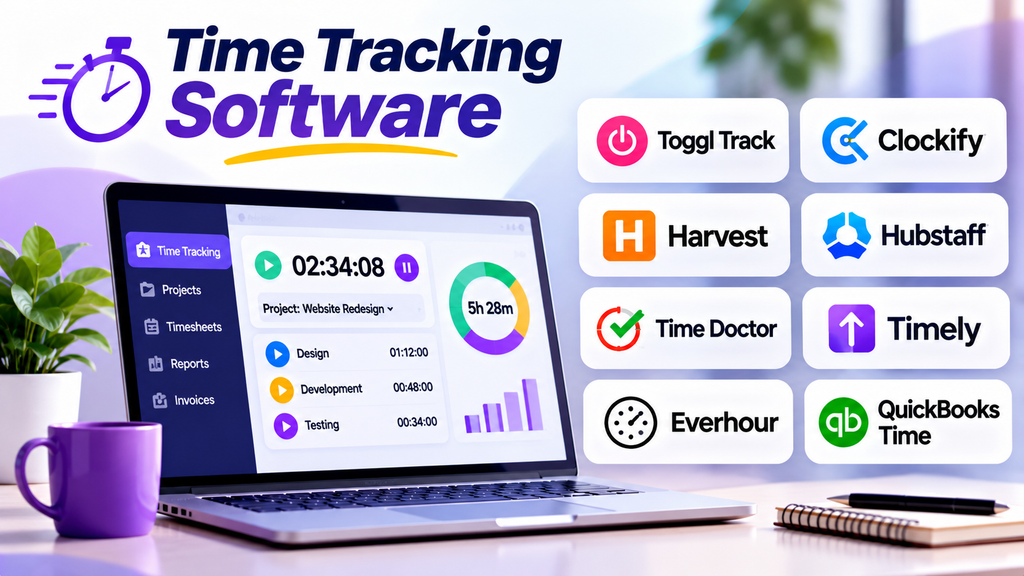
Time tracking software helps individuals and organizations record how much time is spent on tasks, projects, and daily activities. These platforms make it easier to understand workloads, estimate project costs, monitor billable hours, and improve time management.
Businesses use time tracking tools to create accurate timesheets, analyze project performance, manage client billing, and identify activities that consume excessive time. They are especially useful for freelancers, consulting firms, remote teams, agencies, and organizations that bill clients by the hour.
What Is Time Tracking Software?
Time tracking software is a digital solution that records the time employees or individuals spend working on specific tasks and projects. Time can be entered manually or recorded using timers, desktop applications, mobile apps, and integrations.
Modern tools may include project-based tracking, billable-hour management, timesheet reports, productivity insights, invoicing, approvals, and integrations with project management or payroll systems.
Popular Time Tracking Software Platforms
1. Toggl Track
Toggl Track provides simple time tracking through timers, manual entries, project organization, and reporting. Users can review how time is distributed across clients, projects, and activities.
Best for: Freelancers, consultants, and teams that want straightforward time tracking.
2. Clockify
Clockify offers timers, manual time entries, timesheets, project reports, and team tracking features. Its range of capabilities makes it useful for individuals and organizations that need to understand where working hours are spent.
Best for: Individuals and teams looking for accessible time tracking and reporting.
3. Harvest
Harvest combines time tracking with expense tracking, project budgets, and invoicing. It helps service businesses record billable hours and prepare client invoices using tracked work.
Best for: Agencies, freelancers, and professional services businesses.
4. Hubstaff
Hubstaff offers time tracking, timesheets, reporting, and workforce management features. Depending on configuration, it can also provide activity and location-related monitoring features, so organizations should consider employee privacy and applicable workplace policies.
Best for: Distributed teams and businesses coordinating remote or field-based work.
5. Time Doctor
Time Doctor provides time tracking, timesheets, productivity reporting, and workforce visibility features. Its monitoring capabilities should be configured transparently and proportionately to the organization’s needs.
Best for: Organizations that need detailed time reporting for distributed teams.
6. Timely
Timely focuses on time tracking and automated time capture, helping users reconstruct how their workday was spent. It can reduce the need to remember and enter every activity manually.
Best for: Consultants and professionals who need a clearer picture of time spent across projects.
7. Everhour
Everhour supports task-based time tracking and integrates with selected project management platforms. It helps teams compare estimated effort with actual time and monitor project budgets.
Best for: Project-based teams that want time tracking alongside task management.
8. QuickBooks Time
QuickBooks Time supports employee time tracking, timesheets, scheduling, and payroll-related workflows. It is particularly useful for businesses coordinating hourly employees and field teams.
Best for: Small and midsize businesses managing hourly work and payroll processes.
Time Tracking Software Comparison
| Platform | Main Strength | Suitable For |
|---|---|---|
| Toggl Track | Simple timers and reports | Freelancers and consultants |
| Clockify | Time tracking and timesheets | Individuals and teams |
| Harvest | Billable hours and invoicing | Agencies and service businesses |
| Hubstaff | Workforce time visibility | Remote and field teams |
| Time Doctor | Detailed time reporting | Distributed organizations |
| Timely | Automated time capture | Consultants and professionals |
| Everhour | Task-based time tracking | Project-oriented teams |
| QuickBooks Time | Employee hours and scheduling | Hourly workforces |
Essential Features to Look For
Timer and manual entry: Record time through start-and-stop timers or enter hours manually when needed.
Project and task tracking: Associate time entries with specific clients, projects, tasks, and work categories.
Timesheets and approvals: Review submitted hours, correct errors, and approve time records through a consistent process.
Billable-hour management: Separate billable and non-billable time and use tracked hours to support accurate client billing.
Reporting and analytics: Review time distribution, project costs, estimated versus actual effort, and workload trends.
Budget alerts: Monitor project hours and costs against planned limits where supported.
Integrations: Connect time records with project management, accounting, invoicing, and payroll applications.
Privacy and access controls: Ensure time tracking and any optional monitoring features are transparent, proportionate, and aligned with workplace policies.
How to Choose the Right Time Tracking Software
Begin by identifying your primary objective. Freelancers may prioritize simple timers and invoicing, while project managers may need task-level reporting and budget alerts. Businesses managing hourly employees may require timesheets, scheduling, and payroll integrations.
Compare ease of use, supported devices, reporting, integrations, permissions, pricing, and scalability. Consider whether employees can record time quickly without interrupting their work.
Run a short pilot and review the accuracy of time entries, the usefulness of reports, and the effort required to maintain records. Choose a platform that provides useful information without creating unnecessary administrative overhead.
Best Practices for Effective Time Tracking
- Define consistent rules for recording work hours and project time.
- Use clear project and task names to keep reports meaningful.
- Record time regularly instead of relying on memory at the end of the week.
- Review timesheets for missing entries and obvious errors.
- Compare actual time with project estimates to improve future planning.
- Distinguish billable work from internal activities where necessary.
- Explain any employee monitoring practices clearly and respect privacy requirements.
- Use time data to improve processes and workload planning rather than relying on hours alone as a measure of performance.
Conclusion
Time tracking software helps organizations understand how working hours are distributed, manage billable work, evaluate project costs, and improve planning. Platforms such as Toggl Track, Clockify, Harvest, Hubstaff, Time Doctor, Timely, Everhour, and QuickBooks Time serve different needs.
The best choice depends on whether you need simple timers, project cost tracking, client invoicing, employee timesheets, or workforce reporting. With consistent practices and appropriate privacy safeguards, time tracking software can support better decisions and more accurate project management.
