Upgrade & Secure Your Future with DevOps, SRE, DevSecOps, MLOps!
We spend hours scrolling social media and waste money on things we forget, but won’t spend 30 minutes a day earning certifications that can change our lives.
Master in DevOps, SRE, DevSecOps & MLOps by DevOps School!
Learn from Guru Rajesh Kumar and double your salary in just one year.
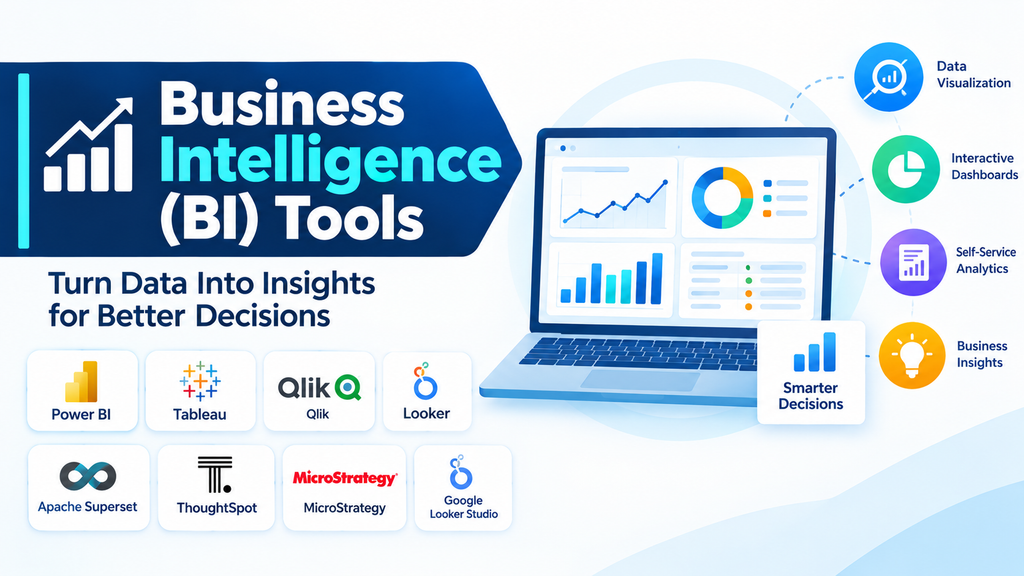
Modern organizations generate large amounts of information through sales, finance, marketing, customer interactions, operations, and other business activities. However, collecting data is only the first step. Businesses also need effective ways to analyze that information, identify patterns, monitor performance, and make informed decisions.
Business Intelligence (BI) tools help transform raw business data into meaningful insights through reports, dashboards, visualizations, and interactive analysis. They allow decision-makers to understand what is happening across an organization and identify opportunities for improvement.
As businesses increasingly adopt cloud platforms and data-driven strategies, BI tools have become an important part of modern business operations.
What Are Business Intelligence Tools?
Business Intelligence tools are software applications that collect, integrate, analyze, and present business data in a format that supports decision-making.
They connect to different data sources, such as databases, spreadsheets, enterprise applications, cloud services, and data warehouses. Users can then create reports, build dashboards, track performance indicators, and explore information through interactive visualizations.
BI platforms are used by business analysts, executives, finance teams, marketing professionals, operations managers, and other employees who need reliable information to make decisions.
Why Are Business Intelligence Tools Important?
Without effective reporting and analysis systems, organizations may struggle to understand performance across different departments. Data may remain scattered across spreadsheets and applications, making it difficult to identify trends or compare results.
Business Intelligence tools help organizations:
- Improve decision-making: Provide insights based on available business data rather than relying only on assumptions.
- Monitor business performance: Track key performance indicators (KPIs) through dashboards and reports.
- Identify trends: Discover patterns in sales, customer behavior, costs, and operational activities.
- Increase efficiency: Reduce repetitive manual reporting through automated data refreshes and reporting workflows.
- Improve collaboration: Share reports and dashboards with relevant teams and stakeholders.
- Understand customers: Analyze customer activity, preferences, and purchasing patterns.
- Support strategic planning: Help management evaluate business performance and identify areas for improvement.
Key Features of Business Intelligence Tools
1. Interactive Dashboards
Dashboards present important business metrics and visual summaries in one place. Users can monitor performance indicators, compare results, and explore relevant information.
2. Data Visualization
BI tools convert complex datasets into charts, graphs, maps, and other visual formats. This makes information easier to understand and communicate.
3. Data Integration
Integration capabilities allow BI platforms to connect with databases, spreadsheets, cloud services, enterprise resource planning systems, and other data sources.
4. Reporting and Analytics
Users can create scheduled reports, operational summaries, financial reports, and detailed analytical views to support business activities.
5. Self-Service Analytics
Self-service features allow non-technical users to explore data, apply filters, create visualizations, and build reports without depending entirely on technical teams.
6. Real-Time and Scheduled Data Refresh
Depending on the platform and connection type, BI tools can refresh information at scheduled intervals or provide access to frequently updated data.
7. Data Modeling
Data modeling capabilities help organize business information, define relationships between datasets, and create reusable measures and calculations.
8. Security and Access Management
Role-based permissions and sharing controls help organizations manage who can access specific reports, dashboards, and datasets.
9. AI-Assisted Analytics
Some modern BI platforms provide natural-language queries, automated insights, forecasting, and AI-assisted analysis to help users explore information more efficiently.
Popular Business Intelligence Tools
Organizations can choose from a wide range of BI platforms based on their reporting requirements, data infrastructure, budget, and technical capabilities.
- Microsoft Power BI: A widely used BI platform for interactive dashboards, reporting, data modeling, and integration with Microsoft services.
- Tableau: Known for interactive data visualization, dashboard development, and visual analytics.
- Qlik Sense: Provides associative analytics, interactive dashboards, and data exploration capabilities.
- Looker: Google’s BI platform, built around governed data modeling and analytics using LookML.
- SAP Analytics Cloud: Combines business intelligence, planning, and augmented analytics capabilities.
- Sisense: Provides analytics and embedded BI capabilities for integrating insights into applications and business workflows.
- Domo: Offers cloud-based business intelligence, data integration, dashboards, and reporting capabilities.
- IBM Cognos Analytics: Supports enterprise reporting, dashboards, data exploration, and AI-assisted analytics.
- Oracle Analytics Cloud: Provides cloud-based analytics, data visualization, reporting, and augmented analytics.
- MicroStrategy: Offers enterprise analytics, dashboards, reporting, and governed business intelligence capabilities.
The suitability of each platform depends on its available features, licensing, deployment options, integration requirements, and organizational needs.
How Business Intelligence Tools Work
Business Intelligence tools generally follow a process that transforms information from different sources into useful business insights.
First, the platform connects to data sources such as databases, spreadsheets, cloud applications, and enterprise systems. The data is then extracted or accessed through supported connections.
Next, the information may be cleaned, transformed, combined, and organized into suitable data models. This helps maintain consistency and prepares the data for analysis.
Users can then create dashboards, reports, charts, and other visualizations. These outputs allow employees to explore performance indicators, compare business results, and identify patterns.
Finally, dashboards and reports can be shared with authorized users. Depending on the platform, refresh schedules and automated distribution help keep business information updated.
Benefits of Business Intelligence Tools Across Industries
Banking and Financial Services: Banks use BI tools to monitor financial performance, analyze transactions, evaluate customer activity, and prepare management reports.
Healthcare: Healthcare organizations use business intelligence to analyze operational performance, resource utilization, patient service metrics, and administrative data.
Retail and E-commerce: Retail businesses use BI dashboards to monitor sales, inventory, customer behavior, product performance, and marketing campaigns.
Manufacturing: Manufacturers analyze production output, equipment performance, supply chain activity, quality metrics, and operational costs.
Education: Educational institutions use BI tools to analyze enrollment, attendance, academic performance, and institutional operations.
Telecommunications: Telecom companies monitor customer trends, service performance, revenue, network operations, and customer retention metrics.
Common Challenges in Business Intelligence Implementation
Although BI tools provide valuable capabilities, organizations may face several challenges during implementation and everyday use.
- Poor data quality: Incomplete, duplicated, or inconsistent data can lead to misleading reports.
- Data integration complexity: Connecting information from legacy applications and multiple systems may require significant effort.
- Limited user adoption: Employees may need training to understand dashboards and use analytics effectively.
- Inconsistent metrics: Different departments may calculate business indicators using different definitions.
- Security concerns: Reports and datasets may contain confidential business or customer information.
- Performance issues: Large datasets and complex queries can affect dashboard loading and reporting speed.
- Licensing and implementation costs: Platform subscriptions, infrastructure, training, and administration can increase the total cost.
Organizations can reduce these challenges by establishing clear data standards, assigning responsibility for important metrics, providing employee training, and starting with high-value reporting requirements.
How to Choose the Right Business Intelligence Tool
Selecting the right BI platform requires understanding the organization’s business goals, data environment, and reporting needs.
- Business requirements: Identify whether the priority is executive dashboards, financial reporting, operational analytics, or self-service reporting.
- Data connectivity: Check compatibility with existing databases, cloud services, spreadsheets, and business applications.
- Visualization capabilities: Evaluate the quality, flexibility, and ease of use of charts, dashboards, and interactive reports.
- Ease of use: Consider whether business users can create and explore reports without extensive technical support.
- Scalability: Ensure that the platform can handle growing data volumes and increasing numbers of users.
- Security: Review permissions, access controls, sharing options, and governance capabilities.
- Integration: Evaluate compatibility with existing data warehouses, analytics platforms, and productivity tools.
- Total cost of ownership: Consider licensing, deployment, training, maintenance, and administration expenses.
A trial or pilot project can help an organization evaluate how well a BI platform supports its actual reporting workflows before making a larger investment.
The Future of Business Intelligence Tools
Business Intelligence is evolving as organizations adopt artificial intelligence, cloud computing, real-time data processing, and advanced analytics.
AI-assisted BI is making it easier for users to ask questions in natural language, generate summaries, and discover patterns in business information. Automated insights and predictive analytics are also helping organizations move beyond historical reporting toward more forward-looking analysis.
Cloud-based BI platforms are improving accessibility and collaboration, while embedded analytics is allowing businesses to integrate dashboards and insights directly into applications.
Another important development is the growing focus on governed self-service analytics. Organizations want employees to explore data independently while maintaining consistent definitions, security policies, and trusted reporting standards.
Conclusion
Business Intelligence tools help organizations turn business data into actionable insights through dashboards, reporting, visualization, and analytics. They improve visibility into business performance, support informed decisions, and help teams identify trends and opportunities.
Choosing the right BI platform depends on organizational goals, data sources, user requirements, security needs, and budget. When supported by reliable data and effective adoption practices, Business Intelligence tools can become an essential part of a successful data-driven organization.
