Upgrade & Secure Your Future with DevOps, SRE, DevSecOps, MLOps!
We spend hours scrolling social media and waste money on things we forget, but won’t spend 30 minutes a day earning certifications that can change our lives.
Master in DevOps, SRE, DevSecOps & MLOps by DevOps School!
Learn from Guru Rajesh Kumar and double your salary in just one year.
Introduction
Color grading software helps editors, filmmakers, creators, agencies, and production teams adjust the final look and mood of video footage. In simple terms, it is used to correct colors, balance exposure, match shots, create cinematic looks, control skin tones, manage HDR workflows, and prepare videos for professional delivery.
Color grading matters more now because video quality expectations are higher across films, OTT content, YouTube, ads, reels, training videos, product demos, and brand storytelling. Viewers may not always understand color grading, but they immediately notice when a video feels dull, inconsistent, too dark, too bright, or visually unprofessional.
Common use cases include:
- Film and documentary color finishing
- YouTube and creator video enhancement
- Commercial and brand video production
- Social media content polishing
- HDR, broadcast, and streaming delivery
- Matching footage from different cameras
Buyers should evaluate:
- Color correction and grading depth
- HDR and color management support
- AI-assisted shot matching
- Timeline and node-based workflow
- Performance with large media files
- Camera format support
- Integration with editing tools
- Collaboration features
- Learning curve
- Pricing and licensing model
Best for: filmmakers, colorists, video editors, agencies, studios, YouTubers, OTT teams, marketing teams, and creators who want consistent, polished, professional video output.
Not ideal for: users who only need basic brightness, contrast, or filter adjustments. For very simple edits, built-in video editor filters, mobile apps, or template-based tools may be enough.
Key Trends in Color Grading Software
- AI shot matching is becoming more practical for creators who need to match scenes quickly across different cameras and lighting conditions.
- HDR workflows are becoming more common as brands, filmmakers, and streaming teams prepare content for modern screens.
- Color management is now a major buying factor because teams work with multiple cameras, log profiles, RAW footage, and delivery standards.
- Real-time playback performance matters more as editors work with 4K, 6K, 8K, RAW, and high-bitrate footage.
- Hybrid creator workflows are growing where one person edits, grades, mixes audio, and exports from the same tool.
- Cloud collaboration is becoming important for studios, agencies, and distributed post-production teams.
- AI masking and object isolation are improving for faster skin tone correction, background control, and selective grading.
- Look development tools are becoming more creative with film emulation, LUT management, texture, grain, halation, and mood-based grading.
- Security expectations are rising as production teams handle unreleased films, brand campaigns, training videos, and client assets.
- Subscription and one-time license models continue to compete depending on whether users want predictable monthly pricing or long-term ownership.
How We Selected These Tools
The tools in this list were selected based on practical relevance for color grading workflows, not just general video editing popularity. The goal is to include a balanced mix of professional studio tools, creator-friendly tools, AI-assisted platforms, and editing suites with strong grading features.
Selection logic included:
- Market adoption and recognition among editors, colorists, creators, and studios
- Depth of color correction and grading tools
- HDR, color space, LUT, and camera workflow support
- Performance with professional media formats
- Suitability for solo creators, agencies, production houses, and enterprise teams
- Integration with editing, finishing, storage, and post-production workflows
- Availability of documentation, learning resources, and user community
- AI-assisted features where relevant
- Support for professional and semi-professional grading needs
- Pricing and value for different user segments
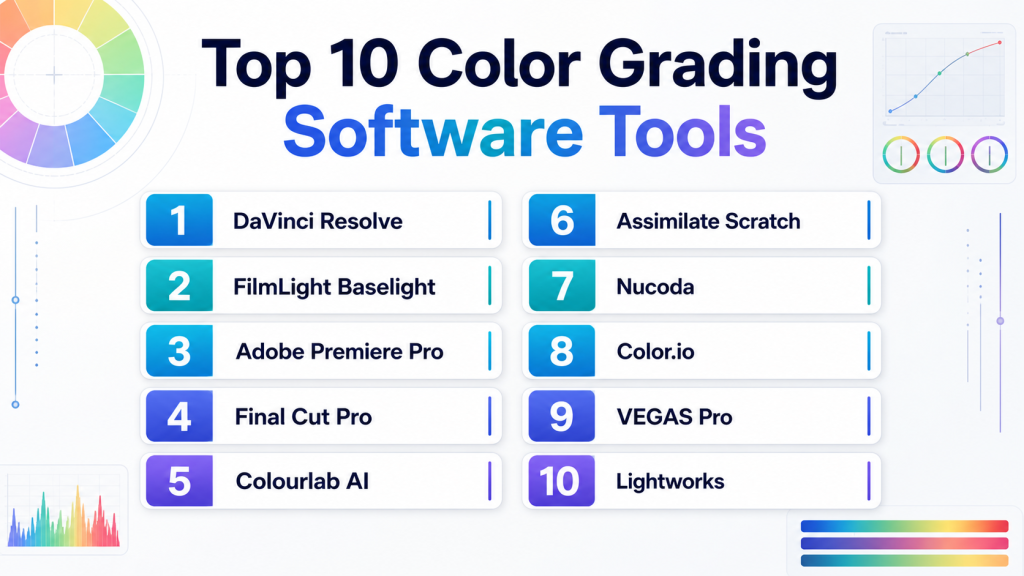
Top 10 Color Grading Software Tools
#1 — DaVinci Resolve
Short description: DaVinci Resolve is one of the most recognized color grading platforms for professional editors, colorists, filmmakers, and studios. It combines editing, color grading, visual effects, audio post-production, and delivery in one application.
Key Features
- Node-based color grading workflow
- Advanced primary and secondary color correction
- HDR grading and color management tools
- Curves, qualifiers, power windows, tracking, and masking
- AI-assisted tools in the Studio edition
- Professional scopes and monitoring support
- Collaboration features for team workflows
Pros
- Excellent depth for professional color grading
- Strong free version for serious learners and creators
- Combines editing, grading, VFX, audio, and delivery in one tool
Cons
- Learning curve can be high for beginners
- Demands strong hardware for heavy projects
- Some advanced features require the paid Studio version
Platforms / Deployment
Windows / macOS / Linux
Desktop deployment with cloud-supported collaboration options
Security & Compliance
Security depends on local storage, user setup, project sharing, and collaboration configuration.
SOC 2, ISO 27001, HIPAA: Not publicly stated.
Integrations & Ecosystem
DaVinci Resolve has a strong post-production ecosystem and supports professional workflows from ingest to finishing.
- Blackmagic hardware panels
- Camera RAW workflows
- LUT and color space workflows
- Professional audio workflows
- Visual effects workflows
- Storage and finishing pipelines
Support & Community
DaVinci Resolve has detailed documentation, official training resources, active forums, tutorials, and a strong global user community. Professional users can also rely on a wide ecosystem of trainers, colorists, and post-production specialists.
#2 — FilmLight Baselight
Short description: FilmLight Baselight is a high-end professional color grading system used in premium post-production environments. It is built for advanced colorists, studios, broadcast teams, and facilities that need deep finishing control.
Key Features
- Advanced professional color grading environment
- Layer-based grading architecture
- HDR and high-end finishing support
- Strong color management workflow
- Look development and creative grading tools
- Support for complex post-production pipelines
- Hardware control panel ecosystem
Pros
- Built for demanding studio-grade color work
- Strong for high-end film, television, and commercial finishing
- Deep control for experienced professional colorists
Cons
- Not beginner-friendly
- Cost and setup may be high for small creators
- Better suited to facilities than casual editors
Platforms / Deployment
Linux / macOS / Varies by system configuration
Hybrid / Facility-based deployment
Security & Compliance
Enterprise and facility security depend on deployment, storage, access controls, and internal IT practices.
SOC 2, ISO 27001, HIPAA: Not publicly stated.
Integrations & Ecosystem
Baselight is designed for serious post-production environments where grading, finishing, conform, review, and delivery workflows must work together.
- Professional control panels
- Facility storage systems
- Broadcast and cinema workflows
- Color management pipelines
- Review and finishing systems
- Camera and media workflows
Support & Community
FilmLight provides professional support, documentation, and training resources. Its community is smaller than mass-market tools but strong in high-end colorist and post-production circles.
#3 — Adobe Premiere Pro
Short description: Adobe Premiere Pro is a professional video editing tool with strong color correction and grading features through Lumetri Color. It is suitable for editors, agencies, YouTubers, marketing teams, and production teams already using Adobe tools.
Key Features
- Lumetri Color panel for correction and creative grading
- LUT support and look management
- Curves, color wheels, HSL secondary controls
- Integration with After Effects and Photoshop
- AI-assisted editing and caption workflows
- Strong export and media format support
- Team-based creative workflows through Adobe ecosystem
Pros
- Excellent for editors who grade inside the same editing timeline
- Strong integration with Adobe Creative Cloud tools
- Suitable for agencies, creators, and business video teams
Cons
- Not as deep as dedicated professional grading systems
- Subscription pricing may not suit all users
- Heavy projects require strong hardware
Platforms / Deployment
Windows / macOS
Cloud-supported desktop workflow
Security & Compliance
Adobe business and enterprise plans may include account controls, admin management, and access management features depending on plan.
SOC 2, ISO 27001, HIPAA: Not publicly stated for this specific product context.
Integrations & Ecosystem
Premiere Pro works best for teams already using Adobe’s broader creative ecosystem.
- Adobe After Effects
- Adobe Photoshop
- Adobe Audition
- Adobe Media Encoder
- LUT libraries
- Third-party plugins and templates
Support & Community
Adobe Premiere Pro has extensive documentation, customer support options, training resources, tutorials, forums, and a large global community of editors and creators.
#4 — Final Cut Pro
Short description: Final Cut Pro is Apple’s professional editing software with built-in color correction and grading features. It is best for Mac-based creators, editors, and production teams that want fast performance and a clean workflow.
Key Features
- Color wheels, curves, and hue/saturation controls
- HDR support and wide color workflows
- LUT support
- Fast playback on Apple silicon
- Magnetic timeline editing
- Object tracking and masking features
- Integration with Apple Motion and Compressor
Pros
- Strong performance on modern Mac hardware
- Clean and fast editing workflow
- Good option for creators who want editing and grading together
Cons
- Apple-only workflow
- Color grading depth is lower than dedicated grading tools
- Collaboration options may not fit every production team
Platforms / Deployment
macOS / iPadOS
App-based desktop and tablet deployment
Security & Compliance
Security depends on Apple device security, local storage, cloud settings, and organization controls.
SOC 2, ISO 27001, HIPAA: Not publicly stated.
Integrations & Ecosystem
Final Cut Pro fits well into the Apple creative ecosystem and supports many creator and professional workflows.
- Apple Motion
- Compressor
- Camera import workflows
- LUT tools
- Plugin ecosystem
- External media storage workflows
Support & Community
Apple provides official help resources and support. Final Cut Pro also has a strong user community, training courses, and many third-party tutorials.
#5 — Colourlab AI
Short description: Colourlab AI is an AI-assisted color grading tool focused on faster shot matching, look creation, and color workflow automation. It is useful for editors, creators, and colorists who want to speed up repetitive grading tasks.
Key Features
- AI-assisted shot matching
- Look development tools
- Integration with major editing and grading platforms
- Color management support
- LUT and creative look workflows
- Faster grading for timelines with many clips
- Workflow automation for repetitive grading tasks
Pros
- Saves time on shot matching and consistency
- Useful for creators who want professional-looking results faster
- Works well as a companion to existing editing tools
Cons
- Not a complete replacement for full manual grading skill
- Some workflows may still require DaVinci Resolve or another editor
- Results depend on footage quality and creative intent
Platforms / Deployment
Windows / macOS
Desktop / Plugin-supported workflow
Security & Compliance
Security and compliance details are not broadly stated.
SOC 2, ISO 27001, HIPAA: Not publicly stated.
Integrations & Ecosystem
Colourlab AI is designed to work alongside existing editing and grading workflows rather than replace them completely.
- DaVinci Resolve workflow support
- Adobe Premiere Pro workflow support
- Final Cut Pro workflow support
- LUT workflows
- Camera color management workflows
- AI-assisted grading pipeline
Support & Community
Colourlab AI provides product resources and learning materials. Community size is smaller than major editing platforms but relevant among creators interested in AI-assisted color workflows.
#6 — Assimilate Scratch
Short description: Assimilate Scratch is a professional finishing, dailies, and color grading tool used in film, broadcast, and high-end post-production workflows. It is suitable for facilities and experienced professionals handling complex media pipelines.
Key Features
- Professional color grading and finishing tools
- Dailies and on-set workflow support
- HDR and camera format workflows
- Advanced playback and review features
- Media management for production pipelines
- VR and advanced format support depending on edition
- Professional delivery workflow support
Pros
- Strong for dailies, finishing, and production workflows
- Suitable for high-end post-production environments
- Good for teams needing flexible media pipeline control
Cons
- Not ideal for beginners or simple creator workflows
- Smaller user base than some mainstream tools
- May require professional workflow knowledge
Platforms / Deployment
Windows / macOS / Varies / N/A
Desktop / Facility-based deployment
Security & Compliance
Security depends on deployment setup, storage, facility policies, and access management.
SOC 2, ISO 27001, HIPAA: Not publicly stated.
Integrations & Ecosystem
Scratch is commonly used in serious media pipelines where dailies, grading, review, and finishing must connect smoothly.
- Camera workflows
- Dailies workflows
- Review and finishing pipelines
- HDR workflows
- Professional media storage
- Production and post-production systems
Support & Community
Assimilate provides professional support and documentation. The community is specialized and more common among post-production professionals than casual creators.
#7 — Nucoda
Short description: Nucoda is a professional color grading and finishing platform used by experienced colorists and post-production facilities. It is known for deep grading control and is best suited to advanced broadcast, film, and finishing workflows.
Key Features
- Professional color correction and grading tools
- Timeline-based grading workflow
- Broadcast and finishing support
- Advanced color controls
- Support for professional monitoring workflows
- Colorist-focused interface
- High-end post-production pipeline support
Pros
- Strong for experienced colorists
- Suitable for professional finishing environments
- Focused on dedicated grading needs
Cons
- Less common among new creators
- Learning curve can be high
- Smaller ecosystem compared with Resolve or Adobe
Platforms / Deployment
Windows / Varies / N/A
Desktop / Facility-based deployment
Security & Compliance
Security and compliance depend on local facility setup and internal controls.
SOC 2, ISO 27001, HIPAA: Not publicly stated.
Integrations & Ecosystem
Nucoda fits into professional post-production environments where color finishing and broadcast workflows are important.
- Broadcast workflows
- Professional monitoring systems
- Storage pipelines
- Finishing workflows
- Media exchange formats
- Facility-level infrastructure
Support & Community
Support is more specialized and facility-focused. Public community resources are not as large as mainstream editing tools, but the platform has recognition among professional colorists.
#8 — Color.io
Short description: Color.io is a modern color grading and look creation tool used by creators, photographers, filmmakers, and visual artists. It focuses on creative looks, film-style color, LUT creation, and fast browser-friendly workflows.
Key Features
- Creative color look design
- Film emulation-style controls
- LUT creation and export workflows
- Browser-based grading experience
- Support for photo and video-oriented color work
- Easy experimentation with looks
- Useful for creators building consistent visual styles
Pros
- Fast and easy for look development
- Useful for LUT creation and creative experimentation
- More approachable than complex professional grading tools
Cons
- Not a full video editing platform
- Not ideal for complex timeline-based grading
- Professional finishing workflows may need additional tools
Platforms / Deployment
Web / Varies / N/A
Cloud / Browser-based workflow
Security & Compliance
Security and compliance details are not broadly stated.
SOC 2, ISO 27001, HIPAA: Not publicly stated.
Integrations & Ecosystem
Color.io is useful as a creative look development tool that can support wider video and photo workflows.
- LUT export workflows
- Browser-based creative grading
- Photo and video look design
- Creator workflows
- Film look experimentation
- Integration through exported assets
Support & Community
Support and learning resources are available depending on the product plan. Community size is smaller than major editing suites but useful for creators focused on looks and LUTs.
#9 — VEGAS Pro
Short description: VEGAS Pro is a video editing platform with color correction and grading capabilities for creators, editors, and small production teams. It is useful for users who want editing, effects, audio, and grading tools in one desktop application.
Key Features
- Timeline-based video editing
- Color correction and grading tools
- LUT support
- HDR workflow support depending on version
- Audio editing features
- Effects and compositing tools
- AI-assisted tools depending on edition
Pros
- Good all-in-one tool for editing and grading
- Flexible timeline workflow
- Useful for creators and small production teams
Cons
- Not as widely used in high-end color grading facilities
- Interface may not appeal to every editor
- Some advanced features vary by edition
Platforms / Deployment
Windows
Desktop deployment
Security & Compliance
Security depends on local system setup and account practices.
SOC 2, ISO 27001, HIPAA: Not publicly stated.
Integrations & Ecosystem
VEGAS Pro supports a practical creator ecosystem with editing, audio, effects, and export workflows.
- LUT workflows
- Audio tools
- Effects plugins
- Camera import workflows
- File-based editing
- Delivery formats
Support & Community
VEGAS Pro has documentation, support resources, tutorials, and a long-time user community. Support levels may vary by edition and license.
#10 — Avid Media Composer
Short description: Avid Media Composer is a professional editing platform used in film, television, and broadcast workflows. While it is primarily known for editing, it includes color correction tools and fits well in enterprise media production environments.
Key Features
- Professional timeline editing
- Color correction tools
- Strong media management
- Collaboration and shared project workflows
- Broadcast and post-production pipeline support
- Integration with Avid ecosystem tools
- Reliable workflow for long-form projects
Pros
- Strong for enterprise film and broadcast editing
- Reliable media management for large projects
- Good fit for structured production environments
Cons
- Not a dedicated color grading-first platform
- Learning curve can be high
- May be more than small creators need
Platforms / Deployment
Windows / macOS
Desktop / Hybrid production workflow
Security & Compliance
Enterprise security controls depend on deployment, storage, admin setup, and organization configuration.
SOC 2, ISO 27001, HIPAA: Not publicly stated for this specific product context.
Integrations & Ecosystem
Avid Media Composer fits into professional media production pipelines, especially for film, TV, and broadcast teams.
- Avid storage workflows
- Broadcast pipelines
- Audio post-production workflows
- Media asset management
- Collaborative editing environments
- Finishing and conform workflows
Support & Community
Avid provides professional documentation, onboarding, training, and support options. It has a strong community in broadcast, studio, and long-form editorial environments.
Comparison Table
| Tool Name | Best For | Platform(s) Supported | Deployment | Standout Feature | Public Rating |
|---|---|---|---|---|---|
| DaVinci Resolve | Professional colorists, filmmakers, studios | Windows, macOS, Linux | Desktop / Hybrid | Deep node-based color grading | N/A |
| FilmLight Baselight | High-end post-production facilities | Linux, macOS, Varies / N/A | Hybrid / Facility-based | Premium studio-grade color finishing | N/A |
| Adobe Premiere Pro | Editors, agencies, creator teams | Windows, macOS | Cloud-supported desktop | Lumetri Color inside editing workflow | N/A |
| Final Cut Pro | Mac-based creators and editors | macOS, iPadOS | App-based | Fast Apple-optimized grading workflow | N/A |
| Colourlab AI | AI-assisted shot matching and look creation | Windows, macOS | Desktop / Plugin-supported | AI color matching and automation | N/A |
| Assimilate Scratch | Dailies, finishing, professional post teams | Windows, macOS, Varies / N/A | Desktop / Facility-based | Dailies and finishing pipeline control | N/A |
| Nucoda | Professional colorists and broadcast facilities | Windows, Varies / N/A | Desktop / Facility-based | Dedicated professional grading workflow | N/A |
| Color.io | LUT creation and creative look design | Web, Varies / N/A | Cloud / Browser-based | Fast creative look development | N/A |
| VEGAS Pro | Creators and small production teams | Windows | Desktop | Editing and grading in one desktop tool | N/A |
| Avid Media Composer | Film, TV, and broadcast teams | Windows, macOS | Desktop / Hybrid | Enterprise media management and editing | N/A |
Evaluation & Scoring of Color Grading Software
| Tool Name | Core (25%) | Ease (15%) | Integrations (15%) | Security (10%) | Performance (10%) | Support (10%) | Value (15%) | Weighted Total (0–10) |
|---|---|---|---|---|---|---|---|---|
| DaVinci Resolve | 10 | 7 | 9 | 7 | 9 | 9 | 10 | 8.85 |
| FilmLight Baselight | 10 | 5 | 8 | 7 | 10 | 8 | 6 | 7.95 |
| Adobe Premiere Pro | 8 | 8 | 10 | 8 | 8 | 9 | 7 | 8.25 |
| Final Cut Pro | 7 | 8 | 8 | 7 | 10 | 8 | 8 | 8.00 |
| Colourlab AI | 7 | 9 | 8 | 6 | 8 | 7 | 8 | 7.65 |
| Assimilate Scratch | 8 | 6 | 8 | 6 | 8 | 7 | 6 | 7.20 |
| Nucoda | 8 | 5 | 7 | 6 | 8 | 6 | 6 | 6.95 |
| Color.io | 6 | 9 | 6 | 5 | 7 | 6 | 8 | 6.85 |
| VEGAS Pro | 6 | 7 | 7 | 6 | 7 | 7 | 7 | 6.70 |
| Avid Media Composer | 6 | 6 | 9 | 8 | 8 | 8 | 6 | 7.25 |
These scores are comparative and should be used as a shortlist guide. A tool with a lower score may still be excellent for a specific use case. For example, Color.io is not a full finishing platform, but it can be very useful for LUT creation and look development. Baselight may not be easy for beginners, but it is powerful for high-end facilities. Always test tools with your own footage, camera formats, delivery needs, and team workflow before making a final choice.
Which Color Grading Software Tool Is Right for You?
Solo / Freelancer
Solo creators usually need a tool that balances quality, price, and learning effort. DaVinci Resolve is one of the strongest options because it offers serious grading depth and strong value. Final Cut Pro is a good choice for Mac users who want speed. Colourlab AI can help solo creators save time with shot matching and look consistency.
For fast creative looks, Color.io can also be useful, especially when you want to build LUTs or experiment with visual styles before applying them in another editor.
SMB
Small and medium businesses often need polished brand videos, client testimonials, ads, training videos, and product demos. They may not have a dedicated colorist, so ease of use matters.
Good choices include:
- Adobe Premiere Pro for teams already using Adobe tools
- Final Cut Pro for Mac-based editing teams
- Colourlab AI for faster grading assistance
- VEGAS Pro for Windows-based editing and grading needs
SMBs should focus on ease of training, export formats, template workflows, and predictable pricing.
Mid-Market
Mid-market teams often need stronger consistency, repeatable workflows, shared assets, and collaboration. They may work with multiple cameras, freelancers, agencies, or in-house video teams.
Recommended options include:
- DaVinci Resolve for deeper grading and finishing
- Adobe Premiere Pro for Adobe-centered teams
- Avid Media Composer for structured editorial workflows
- Colourlab AI for faster matching across campaign footage
Mid-market buyers should evaluate media storage, collaboration, approval workflows, and integration with creative systems.
Enterprise
Enterprise media teams, studios, broadcasters, and large agencies should evaluate workflow control, security, collaboration, storage, audit needs, and professional support.
Good enterprise options include:
- FilmLight Baselight for high-end color finishing
- DaVinci Resolve for professional grading and finishing
- Avid Media Composer for large editorial environments
- Assimilate Scratch for dailies, review, and finishing pipelines
- Nucoda for specialized professional colorist workflows
Enterprise teams should avoid choosing only by feature list. They should run workflow tests with real footage, shared storage, review systems, color monitoring, and delivery standards.
Budget vs Premium
Budget users should start with DaVinci Resolve, Color.io, or an editing tool they already own. Premium users with advanced finishing needs may consider Baselight, Scratch, Nucoda, or paid studio-grade workflows.
If budget is limited, prioritize tools that offer strong color management, LUT support, scopes, and stable exports. If budget is flexible, prioritize workflow reliability, support, monitoring, panels, and collaboration.
Feature Depth vs Ease of Use
For maximum grading depth, choose DaVinci Resolve, Baselight, Scratch, or Nucoda. For easier workflows, choose Final Cut Pro, Adobe Premiere Pro, Colourlab AI, or Color.io.
Beginners should not choose a complex tool only because it is powerful. The best tool is the one you can use consistently and correctly.
Integrations & Scalability
If your workflow includes editing, VFX, audio, storage, review, and delivery, integration matters. Adobe Premiere Pro works well with Adobe creative tools. DaVinci Resolve brings editing, color, Fusion, Fairlight, and delivery into one application. Avid Media Composer fits structured broadcast and film editorial environments.
For facilities, integration with storage, monitoring, control panels, review systems, and delivery pipelines is more important than simple feature count.
Security & Compliance Needs
For sensitive client work, unreleased films, enterprise training content, and brand campaigns, security should be reviewed carefully. Ask vendors or IT teams about:
- User access controls
- MFA
- SSO or SAML
- Role-based permissions
- Encryption
- Audit logs
- Cloud storage policies
- Data retention
- Compliance documentation
Do not assume SOC 2, ISO 27001, GDPR, or HIPAA support unless the vendor clearly confirms it for your plan and deployment model.
Frequently Asked Questions
1. What is color grading software?
Color grading software is used to adjust the look, mood, contrast, color balance, and visual style of video footage. It helps make footage look consistent, cinematic, branded, or ready for professional delivery.
2. What is the difference between color correction and color grading?
Color correction fixes technical issues like exposure, white balance, and color mismatch. Color grading adds creative style, mood, contrast, tone, and visual identity after correction is done.
3. Which color grading software is best for beginners?
DaVinci Resolve, Final Cut Pro, Adobe Premiere Pro, Colourlab AI, and Color.io can be good starting points depending on your skill level. Beginners who want deep learning should try DaVinci Resolve, while faster workflows may fit Colourlab AI or Color.io.
4. Which tool is best for professional colorists?
DaVinci Resolve, FilmLight Baselight, Assimilate Scratch, and Nucoda are strong options for professional colorists. The right choice depends on studio workflow, delivery needs, budget, and team setup.
5. Is AI color grading reliable?
AI color grading can be helpful for shot matching, look suggestions, and faster workflow. However, it should not replace human judgment, especially for skin tones, brand consistency, emotional tone, and final delivery quality.
6. What pricing models are common in color grading software?
Common pricing models include free editions, one-time licenses, subscriptions, studio licenses, enterprise pricing, and facility-based licensing. Some tools also charge separately for advanced features, plugins, panels, or cloud collaboration.
7. What are common mistakes when choosing color grading software?
Common mistakes include ignoring hardware needs, choosing a tool that is too complex, assuming all HDR workflows are equal, ignoring camera format support, and failing to test real footage before purchase.
8. Can color grading software handle 4K and 8K footage?
Many professional tools can handle 4K and higher-resolution footage, but performance depends on hardware, GPU, storage speed, codec, project complexity, and media optimization. Testing with your own footage is important.
9. How important are integrations?
Integrations are very important for teams. Color grading often connects with editing, VFX, audio, storage, review, asset management, and delivery workflows. Poor integration can slow down the entire post-production process.
10. Is cloud-based color grading practical?
Cloud-based and browser-based grading can be practical for look development, review, and lighter workflows. For heavy professional finishing, many teams still prefer desktop or facility-based systems with calibrated monitoring.
11. How hard is it to switch color grading tools?
Switching can be challenging because workflows, project files, LUTs, color management, shortcuts, panels, and delivery settings may not transfer perfectly. Teams should plan training and test migration before switching fully.
12. What alternatives exist for simple color work?
For simple color adjustments, users can use built-in tools in video editors, mobile apps, social media editors, or template-based tools. Dedicated grading software is more useful when consistency, control, and professional finishing matter.
Conclusion
Color grading software is not only about making footage look beautiful. It is about consistency, story, brand quality, technical accuracy, and delivery confidence. A solo creator may need an affordable and easy tool, while a studio may need advanced color management, calibrated monitoring, collaboration, and professional finishing. DaVinci Resolve is a strong all-around option, Baselight and Scratch fit high-end facilities, Premiere Pro and Final Cut Pro work well for editor-led workflows, and Colourlab AI helps speed up modern AI-assisted grading.
