Upgrade & Secure Your Future with DevOps, SRE, DevSecOps, MLOps!
We spend hours scrolling social media and waste money on things we forget, but won’t spend 30 minutes a day earning certifications that can change our lives.
Master in DevOps, SRE, DevSecOps & MLOps by DevOps School!
Learn from Guru Rajesh Kumar and double your salary in just one year.
Introduction
Video Editing Software helps creators, editors, marketers, filmmakers, educators, and businesses cut, arrange, polish, and export video content. In simple words, it helps turn raw footage into a finished video with clean cuts, audio, titles, transitions, color correction, effects, captions, and final delivery formats.
Video editing matters because video is now central to marketing, training, entertainment, education, social media, product demos, online courses, corporate communication, and streaming content. Modern tools now include AI editing, automatic captions, background removal, smart reframing, color correction, collaboration, cloud review, and multi-platform publishing.
Common use cases include:
- YouTube and social media videos
- Corporate and training videos
- Films, web series, and documentaries
- Product demos and ads
- Online courses and webinars
- Podcasts and interview videos
- Event and wedding videos
Buyers should evaluate:
- Editing timeline quality
- Audio editing support
- Color correction and grading tools
- AI automation features
- Effects and motion graphics
- Export formats and presets
- Collaboration and review workflows
- Plugin and template ecosystem
- Performance with large files
- Pricing and learning curve
Best for: Video editors, creators, marketers, agencies, filmmakers, educators, YouTubers, podcasters, social media teams, post-production houses, and enterprise content teams.
Not ideal for: Users who only need very basic trimming, quick mobile edits, or automatic template-based reels. In those cases, simple mobile apps or online video makers may be enough.
Key Trends in Video Editing Software
- AI-assisted editing is becoming standard: Modern tools now help with auto captions, silence removal, scene detection, background cleanup, smart reframing, transcript editing, and automatic highlight creation.
- Text-based editing is growing quickly: Editors can now cut interviews, podcasts, webinars, and courses by editing the transcript instead of only using the timeline.
- Short-form video workflows are important: Creators and brands need fast exports for vertical video, reels, shorts, stories, ads, and multi-platform campaigns.
- Cloud collaboration is more common: Teams want shared projects, review comments, version history, proxy workflows, and remote client approvals.
- Color and audio tools are becoming stronger inside editors: Many editors now expect built-in color correction, sound cleanup, voice enhancement, and loudness control.
- Creator-friendly templates are expanding: Motion graphics templates, title packs, stock assets, transitions, and preset workflows help teams publish faster.
- Performance with high-resolution footage matters: Editors need smooth playback with 4K, 6K, 8K, RAW, HDR, multi-camera timelines, and heavy effects.
- Cross-platform publishing is a buying factor: Teams need export presets for YouTube, LinkedIn, Instagram, TikTok, OTT, courses, websites, and internal portals.
- Security matters for unreleased content: Agencies, studios, and enterprises need controlled access, secure storage, watermarked previews, and permission management.
- All-in-one post-production platforms are gaining value: Editing, color, audio, VFX, captions, and delivery are increasingly handled inside fewer tools.
How We Selected These Tools
The tools below were selected using practical evaluation logic:
- Strong adoption across video editing, filmmaking, social media, enterprise content, or post-production workflows
- Feature depth across timeline editing, audio, color, effects, captions, export, and collaboration
- Fit for different users, including solo creators, freelancers, SMBs, mid-market teams, and enterprises
- Support for modern trends such as AI editing, short-form video, transcript editing, and cloud collaboration
- Reliability and performance with real-world video projects
- Ecosystem strength, including plugins, templates, stock assets, hardware, and integrations
- Availability of documentation, tutorials, training, and community support
- Pricing accessibility and total value
- Export quality and platform delivery options
- Balanced inclusion of professional, creator-friendly, open-source, and cloud-based tools
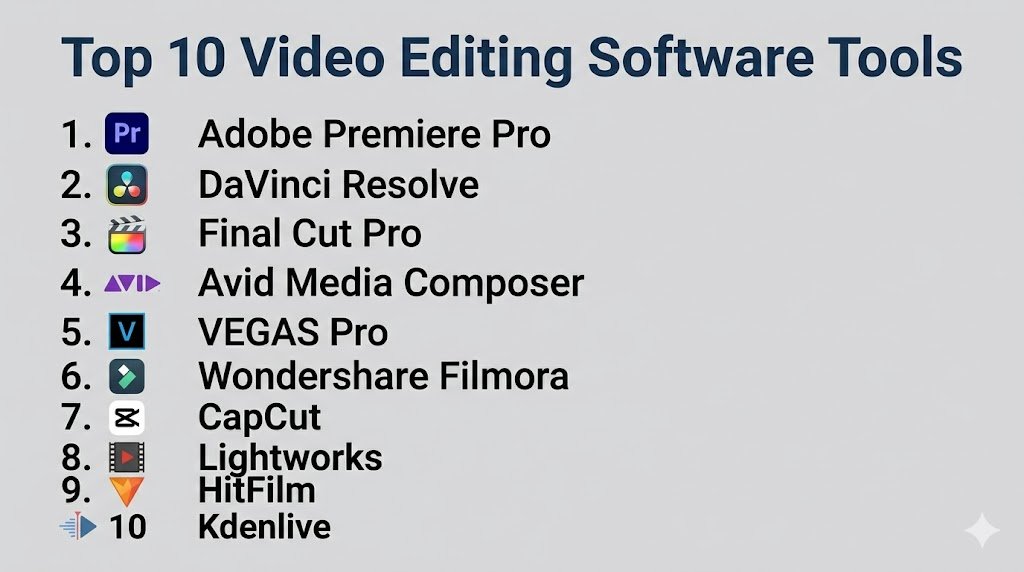
Top 10 Video Editing Software Tools
#1 — Adobe Premiere Pro
Short description: Adobe Premiere Pro is a professional video editing platform used by editors, agencies, creators, filmmakers, and enterprise content teams. It is best for users who need advanced editing, strong integrations, and a large creative ecosystem.
Key Features
- Professional timeline editing
- Multi-camera editing
- Lumetri Color tools
- Audio cleanup and mixing support
- Motion graphics template support
- Integration with After Effects, Photoshop, and Audition
- AI-assisted editing features depending on plan and version
Pros
- Strong fit for professional and agency workflows
- Excellent Adobe ecosystem integration
- Large plugin, template, and learning community
Cons
- Subscription pricing may not suit every user
- Heavy projects need strong hardware
- Beginners may need time to learn advanced workflows
Platforms / Deployment
Windows / macOS
Cloud-connected desktop
Security & Compliance
SSO/SAML, MFA, encryption, audit logs, RBAC: Varies by Adobe plan and enterprise configuration.
SOC 2, ISO 27001, GDPR, HIPAA: Not publicly stated.
Integrations & Ecosystem
Premiere Pro works best inside Adobe Creative Cloud, especially when editing connects with graphics, audio, VFX, review, and delivery.
- After Effects
- Photoshop
- Adobe Audition
- Adobe Media Encoder
- Frame.io workflows depending on plan
- Motion graphics templates and plugins
Support & Community
Adobe provides documentation, tutorials, support plans, and learning resources. Premiere Pro has a very large community of editors, agencies, creators, and production teams.
#2 — DaVinci Resolve
Short description: DaVinci Resolve is an all-in-one editing, color grading, visual effects, audio, and delivery platform. It is best for creators, editors, colorists, filmmakers, studios, and teams that want strong post-production tools in one application.
Key Features
- Professional video editing timeline
- Advanced color grading tools
- Fusion VFX page
- Fairlight audio tools
- Multi-user collaboration options
- HDR and camera RAW workflows
- Export and delivery tools
Pros
- Excellent value with deep professional features
- Strong color grading and finishing workflow
- Useful for both solo creators and studios
Cons
- Full workflow can feel complex at first
- Heavy effects and high-resolution footage need strong hardware
- Some advanced features require Studio version
Platforms / Deployment
Windows / macOS / Linux
Self-hosted desktop
Security & Compliance
SSO/SAML, MFA, encryption, audit logs, RBAC: Not publicly stated.
SOC 2, ISO 27001, GDPR, HIPAA: Not publicly stated.
Integrations & Ecosystem
Resolve works well as a complete post-production environment, reducing the need to move between many tools.
- Fusion VFX workflows
- Fairlight audio workflows
- Blackmagic hardware panels
- Camera RAW workflows
- LUT and color management workflows
- Export and finishing pipelines
Support & Community
Blackmagic provides documentation, training resources, forums, and learning materials. Resolve has a strong community of editors, colorists, filmmakers, and creators.
#3 — Final Cut Pro
Short description: Final Cut Pro is Apple’s professional video editing software for macOS. It is best for Apple-focused creators, editors, YouTubers, small studios, and teams that need fast editing performance on Mac hardware.
Key Features
- Magnetic timeline editing
- Optimized macOS performance
- Multicam editing
- Color correction and HDR tools
- Motion graphics template support
- ProRes workflow support
- Integration with Apple Motion and Compressor
Pros
- Fast performance on Apple hardware
- Good for creators and professional editors
- Strong value for Mac users
Cons
- macOS only
- Collaboration workflows may need extra setup
- Not ideal for teams outside Apple ecosystem
Platforms / Deployment
macOS
Self-hosted desktop
Security & Compliance
SSO/SAML, MFA, encryption, audit logs, RBAC: Varies by Apple account and device setup.
SOC 2, ISO 27001, GDPR, HIPAA: Not publicly stated.
Integrations & Ecosystem
Final Cut Pro fits naturally into Apple’s media production environment.
- Apple Motion
- Compressor
- ProRes workflows
- macOS media tools
- Third-party plugins
- LUT and caption workflows
Support & Community
Apple provides documentation and support resources. Final Cut Pro has a strong creator, editor, and trainer community.
#4 — Avid Media Composer
Short description: Avid Media Composer is a professional editing platform used in film, television, broadcast, and long-form post-production. It is best for studios, broadcasters, editorial teams, and large productions that need media management and collaboration.
Key Features
- Professional timeline editing
- Long-form project support
- Strong media management
- Shared storage workflows
- Multicam editing
- Broadcast and film workflow support
- Integration with Avid ecosystem
Pros
- Strong for professional editorial environments
- Good for large projects and long-form content
- Mature media management and collaboration workflow
Cons
- Learning curve can be high
- Not the easiest choice for casual creators
- Advanced workflows may require Avid ecosystem investment
Platforms / Deployment
Windows / macOS
Self-hosted desktop / enterprise workflows vary
Security & Compliance
SSO/SAML, MFA, encryption, audit logs, RBAC: Varies by Avid setup and enterprise configuration.
SOC 2, ISO 27001, GDPR, HIPAA: Not publicly stated.
Integrations & Ecosystem
Media Composer fits into professional film, broadcast, and editorial pipelines.
- Avid shared storage
- Pro Tools
- Broadcast workflows
- Media asset management
- Color and finishing roundtrips
- Enterprise editorial systems
Support & Community
Avid provides professional documentation, training, support options, and a strong community in broadcast, film, and long-form editorial workflows.
#5 — VEGAS Pro
Short description: VEGAS Pro is a video editing and post-production tool used by creators, editors, event video teams, and small production studios. It is best for users who want a flexible editing workflow with practical audio, effects, and color tools.
Key Features
- Timeline-based editing
- Audio editing and mixing tools
- Color correction and grading support
- Effects and transitions
- Multicam editing
- HDR support depending on version
- Fast creator-focused workflow
Pros
- Good for creators and small teams
- Flexible timeline workflow
- Practical built-in audio and effects tools
Cons
- Windows only
- Smaller professional ecosystem than Premiere or Resolve
- Advanced studio workflows may require other tools
Platforms / Deployment
Windows
Self-hosted desktop
Security & Compliance
SSO/SAML, MFA, encryption, audit logs, RBAC: Not publicly stated.
SOC 2, ISO 27001, GDPR, HIPAA: Not publicly stated.
Integrations & Ecosystem
VEGAS Pro fits creator-focused editing and small production workflows.
- Audio workflows
- Effects plugins
- LUT support
- Camera media workflows
- Creator delivery formats
- Third-party plugins
Support & Community
VEGAS provides documentation, support resources, tutorials, and community learning content. Its community is strong among independent editors and creators.
#6 — Wondershare Filmora
Short description: Wondershare Filmora is a creator-friendly video editing tool designed for quick, simple, and polished video production. It is best for beginners, marketers, educators, small businesses, and social media creators.
Key Features
- Easy timeline editing
- Templates and effects
- Titles and transitions
- AI-assisted tools depending on version
- Screen recording features
- Audio cleanup options
- Social media export presets
Pros
- Easy to learn for beginners
- Good for quick marketing and social videos
- Useful templates and creative assets
Cons
- Not ideal for high-end film workflows
- Advanced editing depth is limited
- Template-heavy output may feel generic if overused
Platforms / Deployment
Windows / macOS / iOS / Android options vary
Self-hosted desktop / mobile / cloud-connected workflows vary
Security & Compliance
SSO/SAML, MFA, encryption, audit logs, RBAC: Varies by account and plan.
SOC 2, ISO 27001, GDPR, HIPAA: Not publicly stated.
Integrations & Ecosystem
Filmora is designed for fast creator workflows and simple publishing.
- Built-in effects and templates
- Stock media workflows
- Social media export presets
- Mobile editing workflows
- Screen recording
- Audio and title tools
Support & Community
Wondershare provides tutorials, documentation, support resources, and creator-focused learning content. Community use is strong among beginners and small content teams.
#7 — CapCut
Short description: CapCut is a creator-focused video editing platform popular for short-form content, social media videos, mobile editing, and quick AI-powered edits. It is best for influencers, marketers, small businesses, educators, and social-first content teams.
Key Features
- Mobile and desktop editing
- Short-form video templates
- Auto captions
- Background removal tools depending on version
- Effects, filters, and transitions
- Text and social media tools
- Cloud-connected creator workflows
Pros
- Very easy for short-form content
- Strong social media editing workflow
- Useful AI and template features for fast publishing
Cons
- Not ideal for high-end professional post-production
- Cloud and account workflows should be reviewed for sensitive content
- Advanced color, audio, and finishing tools are limited
Platforms / Deployment
Web / Windows / macOS / iOS / Android options vary
Cloud / cloud-connected desktop and mobile workflows
Security & Compliance
SSO/SAML, MFA, encryption, audit logs, RBAC: Varies by account and plan.
SOC 2, ISO 27001, GDPR, HIPAA: Not publicly stated.
Integrations & Ecosystem
CapCut is strongest for social-first publishing and fast creator workflows.
- Social media export workflows
- Template library
- Auto captions
- Mobile editing
- Cloud projects
- Short-form content workflows
Support & Community
CapCut has tutorials, help resources, creator learning content, and a large social media creator community.
#8 — Lightworks
Short description: Lightworks is a professional video editing tool used by editors, creators, and production teams that need a lightweight but capable editing environment. It is best for independent editors, small teams, educators, and users who want multi-platform editing.
Key Features
- Timeline editing
- Multi-format media support
- Color correction tools
- Export and delivery options
- Project organization tools
- Multicam support depending on version
- Lightweight editing workflow
Pros
- Available across major desktop platforms
- Practical for independent editing workflows
- Lighter than some larger editing platforms
Cons
- Smaller ecosystem than Premiere, Resolve, or Final Cut
- Advanced VFX and finishing depth is limited
- Some features may depend on paid versions
Platforms / Deployment
Windows / macOS / Linux
Self-hosted desktop
Security & Compliance
SSO/SAML, MFA, encryption, audit logs, RBAC: Not publicly stated.
SOC 2, ISO 27001, GDPR, HIPAA: Not publicly stated.
Integrations & Ecosystem
Lightworks fits practical editing workflows where users need timeline editing and delivery tools without a large suite.
- Media import workflows
- Export presets
- LUT workflows depending on version
- Creator delivery formats
- Desktop editing pipelines
- Independent production workflows
Support & Community
Lightworks provides documentation, tutorials, and community support. Its community is smaller than the largest editing platforms but useful for independent editors.
#9 — HitFilm
Short description: HitFilm combines video editing and visual effects tools for creators, YouTubers, educators, and small teams. It is best for users who want editing, effects, compositing, and motion graphics in one accessible platform.
Key Features
- Video editing timeline
- Visual effects tools
- Compositing features
- Keying and masking
- Motion tracking
- Titles and text tools
- Creator-friendly presets
Pros
- Good for creators who need editing and effects together
- Easier than advanced VFX platforms
- Useful for YouTube and online content
Cons
- Not as deep as professional VFX software
- Smaller studio ecosystem
- Advanced post-production workflows may need stronger tools
Platforms / Deployment
Windows / macOS
Self-hosted desktop / account-connected workflows vary
Security & Compliance
SSO/SAML, MFA, encryption, audit logs, RBAC: Not publicly stated.
SOC 2, ISO 27001, GDPR, HIPAA: Not publicly stated.
Integrations & Ecosystem
HitFilm is designed for creator-focused editing and effects workflows.
- Visual effects presets
- Creator editing workflows
- Export tools
- Title and motion tools
- Stock and template workflows
- Social video production
Support & Community
HitFilm provides tutorials, user resources, and community support. It is more creator-focused than enterprise post-production focused.
#10 — Kdenlive
Short description: Kdenlive is a free and open-source video editing tool for desktop users who want practical timeline editing without subscription cost. It is best for learners, educators, open-source users, small creators, and budget-conscious teams.
Key Features
- Multitrack video editing
- Audio and video effects
- Proxy editing support
- Keyframe animation
- Color correction tools
- Wide format support
- Open-source workflow
Pros
- Free and open-source
- Good for learning and budget-conscious editing
- Available on major desktop platforms
Cons
- Interface may feel less polished than premium tools
- Professional collaboration features are limited
- Advanced finishing workflows may require other tools
Platforms / Deployment
Windows / macOS / Linux
Self-hosted desktop
Security & Compliance
SSO/SAML, MFA, encryption, audit logs, RBAC: Not publicly stated.
SOC 2, ISO 27001, GDPR, HIPAA: Not publicly stated.
Integrations & Ecosystem
Kdenlive fits open-source and independent video production workflows.
- Open-source media pipelines
- Proxy editing workflows
- Common video formats
- Linux desktop workflows
- Community plugins and presets
- Educational use cases
Support & Community
Kdenlive has community documentation, tutorials, forums, and open-source development support. Formal enterprise support is limited.
Comparison Table
| Tool Name | Best For | Platform(s) Supported | Deployment (Cloud/Self-hosted/Hybrid) | Standout Feature | Public Rating |
|---|---|---|---|---|---|
| Adobe Premiere Pro | Professional editors and agencies | Windows, macOS | Cloud-connected desktop | Adobe Creative Cloud integration | N/A |
| DaVinci Resolve | Editing, color, audio, VFX, and finishing | Windows, macOS, Linux | Self-hosted | All-in-one post-production platform | N/A |
| Final Cut Pro | Apple-focused editors and creators | macOS | Self-hosted | Fast macOS-optimized editing | N/A |
| Avid Media Composer | Film, broadcast, and long-form editorial | Windows, macOS | Self-hosted / enterprise workflows vary | Professional media management | N/A |
| VEGAS Pro | Creators and small production teams | Windows | Self-hosted | Flexible editing with strong audio tools | N/A |
| Wondershare Filmora | Beginners and small businesses | Windows, macOS, iOS, Android options vary | Self-hosted / cloud-connected options vary | Simple editing with templates | N/A |
| CapCut | Short-form and social video creators | Web, Windows, macOS, iOS, Android options vary | Cloud / cloud-connected | Fast social video editing | N/A |
| Lightworks | Independent editors and educators | Windows, macOS, Linux | Self-hosted | Lightweight multi-platform editing | N/A |
| HitFilm | Creators needing editing and VFX | Windows, macOS | Self-hosted | Editing plus visual effects | N/A |
| Kdenlive | Free open-source desktop editing | Windows, macOS, Linux | Self-hosted | Open-source multitrack editing | N/A |
Evaluation & Scoring of Video Editing Software
The scoring below is comparative. It reflects editing depth, ease of use, ecosystem strength, security signals, performance, support, and price/value. It is not a public rating.
| Tool Name | Core (25%) | Ease (15%) | Integrations (15%) | Security (10%) | Performance (10%) | Support (10%) | Value (15%) | Weighted Total (0–10) |
|---|---|---|---|---|---|---|---|---|
| Adobe Premiere Pro | 9 | 7 | 10 | 7 | 8 | 9 | 7 | 8.25 |
| DaVinci Resolve | 10 | 6 | 9 | 5 | 9 | 9 | 10 | 8.45 |
| Final Cut Pro | 8 | 8 | 8 | 6 | 9 | 8 | 9 | 8.05 |
| Avid Media Composer | 9 | 5 | 9 | 7 | 8 | 9 | 6 | 7.75 |
| VEGAS Pro | 7 | 8 | 7 | 4 | 7 | 7 | 8 | 6.95 |
| Wondershare Filmora | 6 | 9 | 6 | 5 | 7 | 7 | 8 | 6.90 |
| CapCut | 6 | 9 | 7 | 5 | 7 | 7 | 9 | 7.15 |
| Lightworks | 7 | 7 | 6 | 4 | 7 | 6 | 8 | 6.55 |
| HitFilm | 7 | 8 | 6 | 4 | 7 | 6 | 8 | 6.70 |
| Kdenlive | 6 | 7 | 6 | 4 | 6 | 6 | 10 | 6.45 |
How to interpret the scores:
- Higher scores show stronger overall fit across the listed criteria, not a universal winner.
- DaVinci Resolve scores strongly because it combines editing, color, audio, VFX, and delivery.
- Premiere Pro scores well for Adobe-based professional workflows.
- Final Cut Pro is strong for Mac users who value speed and simplicity.
- CapCut and Filmora are easier for creators but less deep for advanced production.
- Open-source tools offer strong value but may require more self-managed workflows.
Which Video Editing Software Tool Is Right for You?
Solo / Freelancer
Solo creators and freelancers should choose software based on content type, budget, platform, and client expectations.
Good choices include:
- DaVinci Resolve for professional editing and grading value
- Adobe Premiere Pro for agency, client, and Adobe workflows
- Final Cut Pro for Mac-based creators
- CapCut for short-form social video
- Wondershare Filmora for beginner-friendly editing
- Kdenlive for free open-source editing
Freelancers should choose a tool that matches the type of work they do most often. A YouTube editor, a wedding editor, a documentary editor, and a social media creator may all need different workflows.
SMB
Small and mid-sized businesses need tools that help teams create videos quickly, consistently, and affordably.
Good choices include:
- Adobe Premiere Pro for creative teams and agencies
- DaVinci Resolve for high-quality editing, color, and finishing
- Final Cut Pro for Apple-based production teams
- Filmora for marketing teams and simple business videos
- CapCut for social-first teams
- VEGAS Pro for small production teams using Windows
SMBs should focus on team training, templates, export presets, brand consistency, storage, and review workflows.
Mid-Market
Mid-market organizations usually need collaboration, shared media workflows, better security, consistent templates, brand control, and stronger post-production tools.
Good choices include:
- Adobe Premiere Pro for Creative Cloud teams
- DaVinci Resolve for integrated post-production
- Avid Media Composer for long-form editorial
- Final Cut Pro for Apple-based teams
- VEGAS Pro for Windows-based smaller production units
- Lightworks for lightweight editorial workflows
Mid-market buyers should evaluate shared storage, review workflows, asset management, security, plugin needs, and delivery requirements.
Enterprise
Enterprise teams need scalability, security, governance, training, support, and integration with broader media systems.
Good choices include:
- Adobe Premiere Pro for enterprise creative departments
- Avid Media Composer for broadcast and long-form editorial
- DaVinci Resolve for editing, color, audio, and finishing
- Final Cut Pro for Apple-centered production groups
- CapCut or Filmora for controlled lightweight social content teams where appropriate
Enterprise buyers should involve creative leads, IT, security, procurement, legal, storage teams, and production managers before standardizing.
Budget vs Premium
For budget-focused users, Kdenlive, CapCut, Filmora, and the free version of DaVinci Resolve can be practical options.
For premium workflows, Adobe Premiere Pro, DaVinci Resolve Studio, Final Cut Pro, and Avid Media Composer may provide stronger production capability, support, and integration depth.
Budget tools are good for learning and fast content creation. Premium tools are better when project complexity, collaboration, delivery standards, and client expectations increase.
Feature Depth vs Ease of Use
If ease of use matters most, consider CapCut, Filmora, Final Cut Pro, or VEGAS Pro.
If feature depth matters most, consider DaVinci Resolve, Adobe Premiere Pro, or Avid Media Composer.
If you need editing plus VFX, HitFilm or DaVinci Resolve can be useful. If you need open-source flexibility, Kdenlive is worth considering.
Integrations & Scalability
Video editing software must fit into the full content workflow. Editing is often connected with graphics, audio, captions, review, storage, analytics, and publishing.
Important integration areas include:
- Motion graphics tools
- Audio editing tools
- Color grading tools
- Stock media libraries
- Cloud storage
- Review and approval tools
- Captioning workflows
- Social publishing workflows
- Asset management systems
- Export and delivery platforms
Scalability depends on team size, media volume, storage setup, review process, template usage, hardware performance, and project complexity.
Security & Compliance Needs
Video projects may include confidential business footage, unreleased ads, internal training, client interviews, legal recordings, celebrity content, or paid campaign assets. Security should be reviewed carefully.
Important checks include:
- Secure media storage
- MFA for cloud accounts
- User permissions
- Watermarked previews
- Encrypted file transfers
- Contractor access control
- Project archive rules
- Client confidentiality requirements
- Plugin and template license review
- Cloud review sharing controls
Cloud-connected tools should be reviewed carefully when editing sensitive business, healthcare, legal, or unreleased entertainment content.
Frequently Asked Questions (FAQs)
What is video editing software?
Video editing software helps users cut, arrange, enhance, and export video content. It usually includes timeline editing, audio tools, titles, effects, transitions, color tools, and delivery options.
Which video editing software is best for beginners?
Filmora, CapCut, Final Cut Pro, Kdenlive, and beginner-friendly workflows in DaVinci Resolve are good starting points. The best option depends on platform and content type.
Which video editing software is best for professionals?
Adobe Premiere Pro, DaVinci Resolve, Final Cut Pro, and Avid Media Composer are strong professional choices. Each is better for different workflows and team needs.
Is DaVinci Resolve good for video editing?
Yes. DaVinci Resolve is strong for editing, color grading, audio, VFX, and delivery. It is used by creators, freelancers, studios, and post-production teams.
Is Premiere Pro better than Final Cut Pro?
It depends on workflow. Premiere Pro is strong for Adobe teams and cross-application work. Final Cut Pro is strong for Mac users who value speed and simplicity.
What pricing models are common?
Pricing may include free versions, one-time purchases, subscriptions, enterprise licenses, mobile plans, plugin purchases, and cloud storage costs.
What are common mistakes when choosing video editing software?
Common mistakes include choosing only by popularity, ignoring hardware needs, skipping export tests, underestimating training, and not checking collaboration features.
Do I need a powerful computer for video editing?
For simple HD editing, modest hardware may work. For 4K, 6K, 8K, RAW, heavy effects, and color grading, strong CPU, GPU, RAM, and fast storage are important.
Which software is best for social media videos?
CapCut, Filmora, Premiere Pro, Final Cut Pro, and DaVinci Resolve can all work. CapCut and Filmora are easier for fast short-form content.
Which software is best for films and documentaries?
Avid Media Composer, DaVinci Resolve, Adobe Premiere Pro, and Final Cut Pro are common choices. The best tool depends on collaboration, media management, and finishing needs.
Can I switch video editing software later?
Yes, but projects may not transfer perfectly. Timelines, effects, titles, plugins, color grades, and media links may need rebuilding or relinking.
Is open-source video editing software good enough?
Open-source tools like Kdenlive can be useful for learning and smaller projects. Professional teams may still prefer commercial tools for support, collaboration, and advanced workflows.
Is AI useful in video editing?
Yes. AI can help with captions, silence removal, background cleanup, reframing, scene detection, transcription, and rough-cut workflows. Human review is still important.
Is cloud video editing secure?
It can be secure if configured properly, but teams should review sharing permissions, account security, storage terms, access controls, and confidentiality needs.
Conclusion
Video Editing Software is essential for creating polished videos for business, entertainment, education, marketing, and social media. The best tool depends on your editing style, budget, team size, platform, content type, and delivery needs. Adobe Premiere Pro is strong for professional creative teams and Adobe workflows. DaVinci Resolve offers excellent editing, color, audio, VFX, and finishing value. Final Cut Pro is ideal for Mac-based creators who want fast performance. Avid Media Composer remains strong for film, broadcast, and long-form editorial. VEGAS Pro, Filmora, CapCut, Lightworks, HitFilm, and Kdenlive are useful depending on creator needs, budget, and project complexity.
