Upgrade & Secure Your Future with DevOps, SRE, DevSecOps, MLOps!
We spend hours scrolling social media and waste money on things we forget, but won’t spend 30 minutes a day earning certifications that can change our lives.
Master in DevOps, SRE, DevSecOps & MLOps by DevOps School!
Learn from Guru Rajesh Kumar and double your salary in just one year.
Introduction
A/B Testing Tools help teams compare two or more versions of a page, feature, message, design, or user experience to see which one performs better. In simple terms, these tools show different users different versions and measure which version improves conversions, signups, purchases, engagement, retention, or other business goals.
This matters in and beyond because digital teams cannot depend only on opinions, design preferences, or guesswork. Websites, SaaS products, ecommerce stores, landing pages, pricing pages, onboarding flows, and mobile apps all need continuous testing. Modern A/B testing tools also support personalization, feature flags, AI-assisted insights, server-side testing, and deeper product analytics integrations.
Common use cases include landing page testing, checkout optimization, pricing page experiments, onboarding improvements, CTA testing, product feature rollouts, email or message testing, and personalization campaigns.
Buyers should evaluate experiment types, visual editor quality, server-side testing, feature flags, statistical methods, analytics integrations, audience targeting, performance impact, governance, security, and pricing.
Best for: growth teams, product managers, marketers, UX teams, ecommerce teams, SaaS companies, conversion optimization specialists, product-led teams, and enterprises running structured experimentation programs.
Not ideal for: very low-traffic websites, teams without clear goals, businesses that cannot wait for statistically meaningful results, or companies that only need simple content editing without experimentation.
Key Trends in A/B Testing Tools
AI-assisted experimentation is growing as tools help generate test ideas, summarize results, identify anomalies, and recommend next actions.
- Feature experimentation is merging with feature flags so product and engineering teams can test releases safely before full rollout.
- Server-side testing is becoming more important because many companies need reliable experiments across apps, APIs, logged-in products, and backend logic.
- Personalization and experimentation are converging as teams want to test different experiences for segments, accounts, regions, and behavior groups.
- Privacy and consent-aware testing are now essential because experiments often use behavioral data, user segments, cookies, and analytics integrations.
- Experiment governance is becoming a serious need as teams scale from random tests to structured hypothesis, ownership, documentation, and decision workflows.
- Stats transparency matters more because teams want to understand confidence, sample size, false positives, and experiment duration.
- Warehouse and analytics integrations are growing so experiments can connect with revenue, product usage, retention, and customer data.
- No-code experimentation remains important for marketing teams that need fast website tests without engineering support.
- Performance impact is under more scrutiny because client-side testing scripts can affect page speed, Core Web Vitals, and user experience.
How We Selected These Tools
- Market adoption and recognition across website testing, product experimentation, feature flags, personalization, and conversion optimization.
- Feature completeness for A/B tests, multivariate tests, split URL tests, targeting, reporting, and experiment governance.
- Support for both marketing-led and product-led experimentation workflows.
- Strength of visual editors, developer APIs, SDKs, server-side testing, and feature flag capabilities.
- Integration ecosystem with analytics tools, CDPs, data warehouses, CMS platforms, ecommerce tools, and product analytics platforms.
- Security posture signals such as permissions, SSO, audit controls, role-based access, and enterprise governance.
- Ease of use for marketers and flexibility for engineering teams.
- Scalability for high-traffic websites, SaaS products, and enterprise experimentation programs.
- Quality of reporting, statistical methods, and result interpretation.
- Overall value compared with pricing, complexity, and implementation effort.
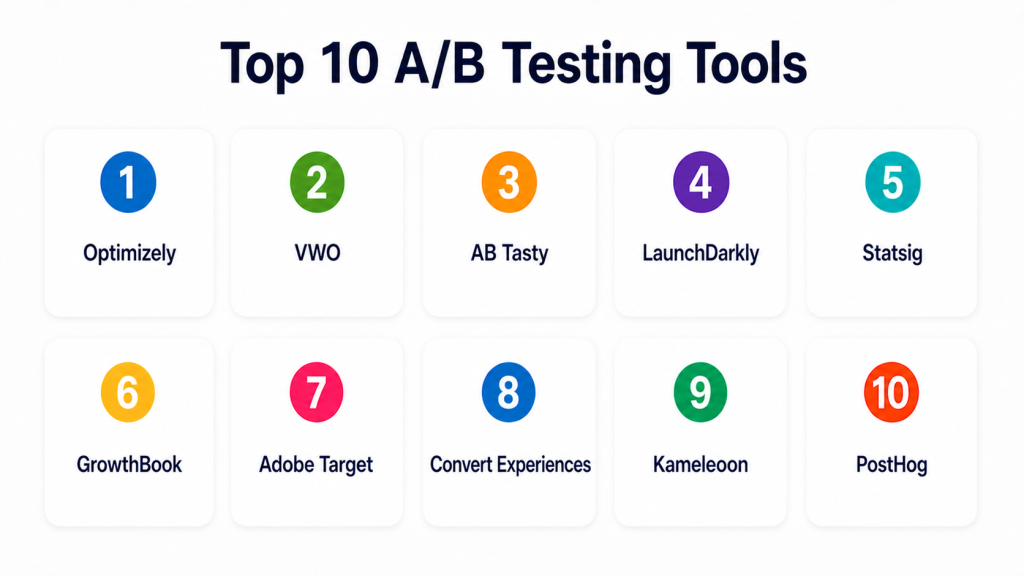
Top 10 A/B Testing Tools
#1 — Optimizely
Short description = Optimizely is an experimentation and digital experience platform for web testing, feature experimentation, personalization, and enterprise optimization programs. It is best for mid-market and enterprise teams that need mature experimentation governance.
Key Features
- Web A/B testing and multivariate testing.
- Feature experimentation and rollout controls.
- Audience targeting and personalization.
- Experiment reporting and statistical analysis.
- Visual editor for marketing-led testing.
- SDKs and APIs for developer-led experiments.
- Governance features for enterprise experimentation programs.
Pros
- Strong enterprise experimentation capabilities.
- Good fit for both marketing and product teams.
- Supports advanced testing and personalization use cases.
Cons
- May be too complex for small teams.
- Pricing and setup can be higher than lightweight tools.
- Best results require a mature experimentation process.
Platforms / Deployment
Web / APIs / SDKs
Cloud
Security & Compliance
Supports enterprise access controls, role-based permissions, SSO/SAML options, and governance features. Specific certifications should be validated directly.
Integrations & Ecosystem
Optimizely works well in mature marketing, product, and digital experience stacks.
- Analytics platforms
- Customer data platforms
- CMS platforms
- Ecommerce platforms
- Feature flag workflows
- APIs and SDKs
Support & Community
Optimizely provides documentation, enterprise support, onboarding resources, partner services, and experimentation education. It is strongest for organizations building a formal testing culture.
#2 — VWO
Short description = VWO is a conversion optimization and experimentation platform for A/B testing, heatmaps, session recordings, personalization, and user behavior analysis. It is useful for marketing, ecommerce, CRO, and growth teams.
Key Features
- A/B testing and split URL testing.
- Visual editor for website experiments.
- Heatmaps and session recordings.
- Funnel analysis and behavior insights.
- Personalization and targeting.
- Form analytics and user feedback tools.
- Experiment reporting and dashboards.
Pros
- Strong all-in-one CRO toolkit.
- Good for marketing and ecommerce teams.
- Combines testing with behavior analytics.
Cons
- Can feel broad if teams only need simple A/B testing.
- Advanced experimentation may need careful setup.
- Performance impact should be tested on high-traffic pages.
Platforms / Deployment
Web
Cloud
Security & Compliance
Supports user permissions, account controls, and secure experiment workflows. Specific certifications should be validated directly.
Integrations & Ecosystem
VWO fits teams that want testing, behavior analysis, and conversion optimization in one platform.
- Web analytics tools
- Tag managers
- CMS platforms
- Ecommerce platforms
- Customer data platforms
- Marketing tools
Support & Community
VWO provides documentation, onboarding resources, customer support, CRO learning content, and implementation assistance.
#3 — AB Tasty
Short description = AB Tasty is an experimentation, personalization, and feature management platform for marketing and product teams. It is best for organizations that want web experimentation, personalization, and rollout control in one environment.
Key Features
- A/B and multivariate testing.
- Personalization campaigns.
- Feature experimentation.
- Audience targeting and segmentation.
- Visual editor and campaign management.
- Experiment reporting.
- Server-side and client-side testing support.
Pros
- Good balance of experimentation and personalization.
- Useful for marketing and product collaboration.
- Strong fit for conversion and experience optimization.
Cons
- May require planning for advanced use cases.
- Smaller teams may not need the full platform depth.
- Pricing and packaging vary by requirements.
Platforms / Deployment
Web / APIs / SDKs
Cloud
Security & Compliance
Supports access controls, permissions, and enterprise workflow features. Specific certifications should be validated directly.
Integrations & Ecosystem
AB Tasty works well for digital teams running experimentation across customer experiences.
- Analytics tools
- CDPs
- CMS platforms
- Ecommerce platforms
- Feature management workflows
- APIs and SDKs
Support & Community
AB Tasty provides documentation, customer success support, onboarding resources, and optimization guidance for experimentation teams.
#4 — LaunchDarkly
Short description = LaunchDarkly is a feature management and experimentation platform focused on feature flags, progressive delivery, and controlled rollouts. It is best for engineering-led product teams that want safe releases and feature experiments.
Key Features
- Feature flags and progressive rollouts.
- Experimentation for product features.
- Targeting by user, segment, or environment.
- Kill switches and release controls.
- SDKs for multiple languages and platforms.
- Audit logs and governance features.
- Integration with DevOps and observability tools.
Pros
- Strong for engineering-led experimentation.
- Helps reduce release risk.
- Good fit for SaaS and product development teams.
Cons
- Not mainly a visual website A/B testing tool.
- Marketing teams may need a separate web testing platform.
- Requires engineering involvement for implementation.
Platforms / Deployment
Web / APIs / SDKs
Cloud / Hybrid options may vary
Security & Compliance
Supports role-based access, audit logs, SSO/SAML options, permissions, and enterprise governance. Specific certifications should be validated directly.
Integrations & Ecosystem
LaunchDarkly fits modern software delivery and product experimentation workflows.
- CI/CD tools
- Observability tools
- Product analytics tools
- Incident management tools
- APIs and SDKs
- DevOps platforms
Support & Community
LaunchDarkly provides documentation, developer guides, support, enterprise onboarding, and strong feature management education.
#5 — Statsig
Short description= Statsig is a product experimentation and feature management platform for product and engineering teams. It supports feature flags, experiments, metrics, and product analytics-style decision-making.
Key Features
- Feature flags and controlled rollouts.
- Product experimentation.
- Metrics and experiment analysis.
- Holdouts and feature gates.
- SDKs for product and engineering teams.
- Data warehouse and analytics integrations.
- Experiment governance workflows.
Pros
- Strong fit for product-led engineering teams.
- Combines feature flags with experimentation.
- Useful for modern product growth workflows.
Cons
- Less suited for simple no-code website testing.
- Requires technical setup and instrumentation.
- Best value appears in teams with product experimentation maturity.
Platforms / Deployment
Web / APIs / SDKs
Cloud
Security & Compliance
Supports access controls, permissions, and enterprise security features. Specific certifications should be validated directly.
Integrations & Ecosystem
Statsig works well where product analytics, feature flags, and experimentation need to work together.
- Data warehouses
- Product analytics tools
- CI/CD systems
- Developer SDKs
- APIs
- Internal metrics platforms
Support & Community
Statsig provides documentation, developer resources, support, and experimentation guidance for product and engineering teams.
#6 — GrowthBook
Short description = GrowthBook is an open-source feature flagging and experimentation platform. It is best for technical teams that want control, transparency, and the option to self-host experimentation infrastructure.
Key Features
- A/B testing and feature experimentation.
- Feature flags.
- Self-hosted and cloud options.
- Experiment analysis.
- SDKs for developers.
- Data warehouse integration.
- Open-source transparency.
Pros
- Strong option for teams that want open-source control.
- Good fit for developer-led experimentation.
- Flexible for data warehouse-based analysis.
Cons
- Requires technical resources for best use.
- Not as marketer-friendly as visual testing tools.
- Self-hosting requires maintenance.
Platforms / Deployment
Web / Linux / Docker
Cloud / Self-hosted / Hybrid
Security & Compliance
Supports deployment control, permissions, and self-hosting options. Specific certifications depend on deployment and hosting setup.
Integrations & Ecosystem
GrowthBook fits teams that want experimentation tied to data systems and engineering workflows.
- Data warehouses
- APIs and SDKs
- CI/CD workflows
- Product analytics tools
- Web apps
- Internal data platforms
Support & Community
GrowthBook has open-source community support, documentation, developer resources, and paid support options depending on plan.
#7 — Adobe Target
Short description = Adobe Target is an enterprise testing and personalization platform within Adobe Experience Cloud. It is best for large organizations that need A/B testing, targeting, and personalization across digital experiences.
Key Features
- A/B and multivariate testing.
- Experience targeting.
- Personalization workflows.
- Automated personalization capabilities.
- Integration with Adobe Experience Cloud.
- Audience segmentation.
- Enterprise reporting and governance.
Pros
- Strong enterprise personalization and testing depth.
- Good fit for Adobe ecosystem customers.
- Useful for complex digital experience programs.
Cons
- Can be complex for small teams.
- Best value depends on Adobe ecosystem maturity.
- Implementation usually requires skilled teams.
Platforms / Deployment
Web
Cloud
Security & Compliance
Supports Adobe enterprise access controls, permissions, governance, and security features. Specific certifications should be validated directly.
Integrations & Ecosystem
Adobe Target fits enterprise teams using Adobe’s marketing, analytics, and experience platforms.
- Adobe Analytics
- Adobe Experience Cloud
- Customer data platforms
- CMS platforms
- Marketing tools
- Personalization workflows
Support & Community
Adobe provides enterprise support, documentation, partner implementation, training, and customer success resources.
#8 — Convert Experiences
Short description= Convert Experiences is an A/B testing and personalization platform focused on experimentation for websites, agencies, ecommerce, and privacy-conscious teams. It is useful for CRO teams needing reliable testing with practical controls.
Key Features
- A/B and multivariate testing.
- Split URL testing.
- Visual editor.
- Audience targeting.
- Personalization.
- Experiment reporting.
- Integrations with analytics and marketing tools.
Pros
- Good for agencies and CRO teams.
- Practical website testing features.
- Strong fit for privacy-aware experimentation workflows.
Cons
- Less focused on feature flagging than product experimentation tools.
- Advanced product testing may need developer tools.
- Interface and setup should be tested by the team.
Platforms / Deployment
Web
Cloud
Security & Compliance
Supports permissions, secure testing workflows, and privacy-oriented controls. Specific certifications should be validated directly.
Integrations & Ecosystem
Convert Experiences works well for website testing and CRO programs.
- Web analytics tools
- Tag managers
- CMS platforms
- Ecommerce platforms
- Customer data platforms
- Marketing tools
Support & Community
Convert provides documentation, customer support, onboarding resources, and CRO-focused guidance.
#9 — Kameleoon
Short description = Kameleoon is an experimentation and personalization platform for web, product, and full-stack testing. It is best for teams that need both conversion optimization and feature experimentation.
Key Features
- Web A/B testing.
- Feature experimentation.
- Personalization.
- Full-stack testing support.
- Audience targeting.
- AI-assisted optimization features.
- Experiment reporting and governance.
Pros
- Good balance of marketing and product experimentation.
- Strong for personalization and full-stack testing.
- Useful for mid-market and enterprise teams.
Cons
- May require setup and experimentation maturity.
- Smaller teams may not need its full capability set.
- Pricing varies by requirements.
Platforms / Deployment
Web / APIs / SDKs
Cloud
Security & Compliance
Supports access controls, permissions, and enterprise governance features. Specific certifications should be validated directly.
Integrations & Ecosystem
Kameleoon works well for teams that want web experimentation, product experimentation, and personalization together.
- Analytics platforms
- CDPs
- CMS tools
- Ecommerce platforms
- Developer SDKs
- APIs
Support & Community
Kameleoon provides documentation, customer support, onboarding resources, and experimentation consulting support.
#10 — PostHog
Short description= PostHog is an open-source product analytics and experimentation platform with feature flags, A/B testing, session replay, and product analytics. It is best for developer-led teams that want experimentation connected with product usage data.
Key Features
- A/B testing and feature flags.
- Product analytics.
- Session replay.
- Funnels and retention analysis.
- Self-hosted and cloud options.
- Developer APIs and SDKs.
- Experiment analysis connected to product events.
Pros
- Combines product analytics and experimentation.
- Open-source option gives deployment control.
- Strong fit for technical product teams.
Cons
- Not mainly a no-code marketing testing tool.
- Advanced use may require engineering setup.
- Self-hosting needs maintenance.
Platforms / Deployment
Web / Linux
Cloud / Self-hosted / Hybrid
Security & Compliance
Supports user permissions, deployment controls, and self-hosting options. Specific certifications should be validated directly.
Integrations & Ecosystem
PostHog fits teams that want testing, analytics, flags, and replay in one technical product stack.
- APIs
- Data warehouses
- Feature flag workflows
- Developer tools
- Product analytics
- Session replay
Support & Community
PostHog has documentation, community support, developer resources, and paid support options. It is strong among engineering-led product teams.
Comparison Table
| Tool Name | Best For | Platform(s) Supported | Deployment | Standout Feature | Public Rating |
|---|---|---|---|---|---|
| Optimizely | Enterprise experimentation programs | Web, APIs, SDKs | Cloud | Web and feature experimentation at scale | N/A |
| VWO | Conversion optimization teams | Web | Cloud | A/B testing with heatmaps and CRO tools | N/A |
| AB Tasty | Personalization and experimentation | Web, APIs, SDKs | Cloud | Web testing plus personalization | N/A |
| LaunchDarkly | Engineering-led feature experiments | Web, APIs, SDKs | Cloud, Hybrid options may vary | Feature flags and controlled rollouts | N/A |
| Statsig | Product experimentation | Web, APIs, SDKs | Cloud | Feature flags with metrics and experiments | N/A |
| GrowthBook | Open-source experimentation | Web, Linux, Docker | Cloud, Self-hosted, Hybrid | Open-source feature flags and A/B testing | N/A |
| Adobe Target | Enterprise personalization | Web | Cloud | Testing inside Adobe Experience Cloud | N/A |
| Convert Experiences | Website CRO and privacy-aware testing | Web | Cloud | Practical A/B testing for CRO teams | N/A |
| Kameleoon | Web and full-stack experimentation | Web, APIs, SDKs | Cloud | Personalization plus full-stack testing | N/A |
| PostHog | Developer-led product experimentation | Web, Linux | Cloud, Self-hosted, Hybrid | Analytics, flags, replay, and A/B tests | N/A |
Evaluation & Scoring of A/B Testing Tools
| Tool Name | Core (25%) | Ease (15%) | Integrations (15%) | Security (10%) | Performance (10%) | Support (10%) | Value (15%) | Weighted Total (0–10) |
|---|---|---|---|---|---|---|---|---|
| Optimizely | 9 | 7 | 9 | 9 | 8 | 9 | 7 | 8.25 |
| VWO | 8 | 8 | 8 | 8 | 8 | 8 | 8 | 8.00 |
| AB Tasty | 8 | 8 | 8 | 8 | 8 | 8 | 7 | 7.85 |
| LaunchDarkly | 9 | 7 | 9 | 9 | 9 | 8 | 7 | 8.30 |
| Statsig | 9 | 7 | 9 | 8 | 8 | 8 | 8 | 8.20 |
| GrowthBook | 8 | 7 | 8 | 8 | 8 | 7 | 9 | 7.95 |
| Adobe Target | 9 | 6 | 9 | 9 | 8 | 9 | 6 | 7.95 |
| Convert Experiences | 8 | 8 | 7 | 8 | 8 | 8 | 8 | 7.85 |
| Kameleoon | 8 | 8 | 8 | 8 | 8 | 8 | 7 | 7.85 |
| PostHog | 8 | 7 | 8 | 8 | 8 | 7 | 9 | 7.95 |
These scores are comparative and should be used as a selection guide, not a universal ranking. LaunchDarkly and Statsig are stronger for product and engineering experimentation, while VWO, Convert Experiences, and AB Tasty fit marketing and CRO teams. Optimizely and Adobe Target are better for mature enterprise programs, while GrowthBook and PostHog are practical for developer-led teams that want more control.
Which A/B Testing Tools Tool Is Right for You?
Solo / Freelancer
Solo users usually need simple page testing, landing page comparison, and basic conversion tracking. They should avoid heavy enterprise platforms unless they manage high-traffic sites or client CRO programs.
Good options:
- VWO for website testing and behavior insights.
- Convert Experiences for CRO-focused testing.
- GrowthBook if you are technical and want open-source control.
- PostHog if you want analytics and experiments together.
SMB
SMBs need practical testing tools that are easy to launch and do not require a large data science or engineering team.
Good options:
- VWO for A/B testing with heatmaps and session insights.
- AB Tasty for personalization and website experiments.
- Convert Experiences for CRO teams and agencies.
- PostHog for SaaS teams with developer support.
Mid-Market
Mid-market companies usually need more structured testing, better integrations, segmentation, reporting, and collaboration between marketing, product, and engineering.
Good options:
- Optimizely for mature experimentation workflows.
- AB Tasty for web testing and personalization.
- Kameleoon for web and full-stack experimentation.
- Statsig for product experimentation.
- LaunchDarkly for feature rollout and engineering-led tests.
Enterprise
Enterprises need governance, permissions, audit controls, experiment libraries, personalization, server-side testing, and integrations with analytics, CDPs, and data warehouses.
Good options:
- Optimizely for enterprise experimentation programs.
- Adobe Target for Adobe ecosystem customers.
- LaunchDarkly for feature management and release governance.
- Kameleoon for personalization and full-stack experimentation.
- Statsig for product experimentation at scale.
Budget vs Premium
Budget-focused teams should start with tools that match their traffic and testing maturity. Premium tools are better when experiments affect revenue, product releases, compliance, or customer experience at scale.
Budget-friendly scenarios:
- Landing page tests.
- Early-stage SaaS experiments.
- Simple CTA tests.
- Low-volume website optimization.
- Developer-led open-source testing.
Premium scenarios:
- Enterprise experimentation programs.
- Personalization campaigns.
- Server-side experiments.
- Feature rollouts.
- Ecommerce conversion testing.
- Multi-team governance.
Feature Depth vs Ease of Use
Ease of use matters for marketers who need to launch tests quickly. Feature depth matters for product teams that need server-side testing, feature flags, holdouts, and advanced metrics.
Choose ease of use when:
- You test landing pages.
- You need a visual editor.
- You have limited developer support.
- You focus on conversion optimization.
Choose feature depth when:
- You test product features.
- You need feature flags.
- You need server-side experiments.
- You need advanced metrics and holdouts.
- You need enterprise governance.
Integrations & Scalability
A/B testing tools are more useful when connected with analytics, product data, customer data, and release workflows.
Important integrations include:
- Web analytics tools
- Product analytics platforms
- Customer data platforms
- Data warehouses
- CMS platforms
- Ecommerce platforms
- Feature flag systems
- CI/CD tools
- CRM systems
- Tag managers
Security & Compliance Needs
Experimentation can affect user experience, collect behavioral data, and change production behavior. Security and governance should be reviewed early.
Important checks include:
- SSO/SAML.
- MFA.
- Role-based access control.
- Audit logs.
- Data retention controls.
- Consent handling.
- Performance impact.
- SDK security.
- Experiment approval workflows.
- Vendor compliance documentation.
Frequently Asked Questions
What is an A/B Testing Tool?
An A/B Testing Tool helps teams compare two or more versions of a page, feature, message, or experience to see which one performs better against a defined goal.
How does A/B testing work?
A/B testing splits users into groups. One group sees the original version, and another group sees a changed version. The tool measures which version performs better based on metrics.
What can I test with A/B testing tools?
You can test headlines, buttons, pricing pages, checkout flows, onboarding steps, feature releases, page layouts, forms, personalization, emails, and product experiences.
What is the difference between A/B testing and multivariate testing?
A/B testing compares two or more full variations. Multivariate testing tests multiple elements at the same time to understand which combination performs best.
What pricing models are common?
Pricing may be based on monthly visitors, users, experiments, feature flags, events, seats, or enterprise contracts. Pricing varies, so buyers should confirm directly with vendors.
How much traffic do I need for A/B testing?
You need enough traffic and conversions to reach meaningful results. Low-traffic websites may need longer tests or should focus on qualitative research first.
What is the biggest mistake in A/B testing?
The biggest mistake is running tests without a clear hypothesis or stopping tests too early. Teams should define goals, sample size, duration, and decision rules before launching.
Can A/B testing tools slow down a website?
Some client-side testing tools can affect page speed if implemented poorly. Teams should test performance impact, especially on important landing pages and checkout flows.
What is server-side A/B testing?
Server-side testing runs experiment logic on the backend rather than only in the browser. It is useful for product features, pricing logic, APIs, and logged-in experiences.
Are A/B testing tools secure?
Many tools support permissions, SSO, audit logs, and secure SDKs. Buyers should validate security features, especially for enterprise, regulated, or product-level testing.
What are alternatives to A/B testing tools?
Alternatives include manual experiments, feature flags, product analytics, user research, surveys, heatmaps, session replay, usability testing, and controlled product rollouts.
How should a company start with A/B testing?
Start with one high-impact page or feature, define a clear hypothesis, choose one primary metric, run the test long enough, and document the result before scaling experimentation.
Conclusion
A/B Testing Tools help teams make better digital decisions by testing real user behavior instead of relying only on opinions. The right tool depends on your team, traffic, goals, and technical maturity. VWO, Convert Experiences, and AB Tasty are strong for website and CRO testing. Optimizely and Adobe Target fit mature enterprise programs. LaunchDarkly, Statsig, GrowthBook, and PostHog are stronger for product and engineering-led experimentation. Kameleoon is useful when teams need both personalization and full-stack experimentation.
