Upgrade & Secure Your Future with DevOps, SRE, DevSecOps, MLOps!
We spend hours scrolling social media and waste money on things we forget, but won’t spend 30 minutes a day earning certifications that can change our lives.
Master in DevOps, SRE, DevSecOps & MLOps by DevOps School!
Learn from Guru Rajesh Kumar and double your salary in just one year.
Introduction
Disaster Recovery tools help businesses restore critical systems, applications, data, and infrastructure after an outage, cyberattack, hardware failure, human error, or natural disaster. In simple words, these tools help a company get back to work when something serious goes wrong.
Disaster Recovery matters because downtime can stop sales, customer service, production, banking operations, healthcare services, logistics, and internal business processes. A strong DR tool helps reduce data loss, shorten recovery time, and keep business continuity plans practical instead of only written on paper.
Real-world use cases include ransomware recovery, cloud workload failover, virtual machine replication, database recovery, backup restoration, branch office recovery, SaaS data protection, and testing recovery plans without affecting production systems.
Buyers should evaluate recovery speed, backup frequency, recovery point objectives, recovery time objectives, cloud support, automation, security controls, ransomware protection, compliance reporting, workload coverage, testing features, pricing, and support quality.
Best for: IT leaders, infrastructure teams, cloud teams, security teams, business continuity managers, MSPs, enterprises, healthcare, finance, education, retail, manufacturing, and any business where downtime can cause serious operational or financial damage.
Not ideal for: very small teams with non-critical systems, companies that already use fully managed DR services, or businesses that only need simple file backup instead of full workload recovery.
Key Trends in Disaster Recovery Tools
- Ransomware recovery is now a major requirement: Businesses need immutable backups, clean restore points, malware scanning, and fast recovery after security incidents.
- Cloud-based DR is becoming more common: Many organizations prefer cloud recovery because it reduces the need for a second physical data center.
- Hybrid recovery is still important: Many companies run a mix of on-premises servers, cloud workloads, SaaS apps, and virtual machines, so DR tools must support mixed environments.
- Automated failover is becoming more valuable: Teams want recovery workflows that can shift workloads to another location with minimal manual effort.
- Recovery testing is now a key buying factor: A DR plan is weak if it is never tested. Modern tools help teams test recovery without disrupting live systems.
- Application-aware recovery is gaining importance: Businesses want to recover complete applications, not just individual files or machines.
- Compliance-driven recovery reporting is growing: Regulated industries need proof that backups exist, recovery tests happen, and retention policies are followed.
- Immutable and air-gapped backups are becoming standard expectations: These controls help protect backup data from deletion, tampering, and ransomware encryption.
- Multi-cloud and cross-cloud recovery are becoming more relevant: Organizations want flexibility to recover workloads across different environments.
- Operational simplicity matters: Teams want strong DR capability without complex manual scripting, difficult restores, or heavy infrastructure overhead.
How We Selected These Tools
The tools in this list were selected using practical buyer-focused evaluation criteria:
- Strong market recognition in backup, disaster recovery, business continuity, or workload protection.
- Support for common environments such as virtual machines, physical servers, cloud workloads, SaaS applications, and databases.
- Ability to support backup, replication, failover, restore, and recovery testing.
- Security posture, including encryption, immutability, access control, and ransomware recovery support.
- Fit for different buyer segments, including SMBs, mid-market companies, enterprises, and managed service providers.
- Integration with cloud platforms, virtualization platforms, storage systems, and security workflows.
- Reliability and recovery performance signals based on common enterprise use cases.
- Ease of administration, reporting quality, and policy management.
- Support resources, documentation, onboarding help, and partner ecosystem.
- Overall value based on workload coverage, automation, recovery confidence, and operational effort.
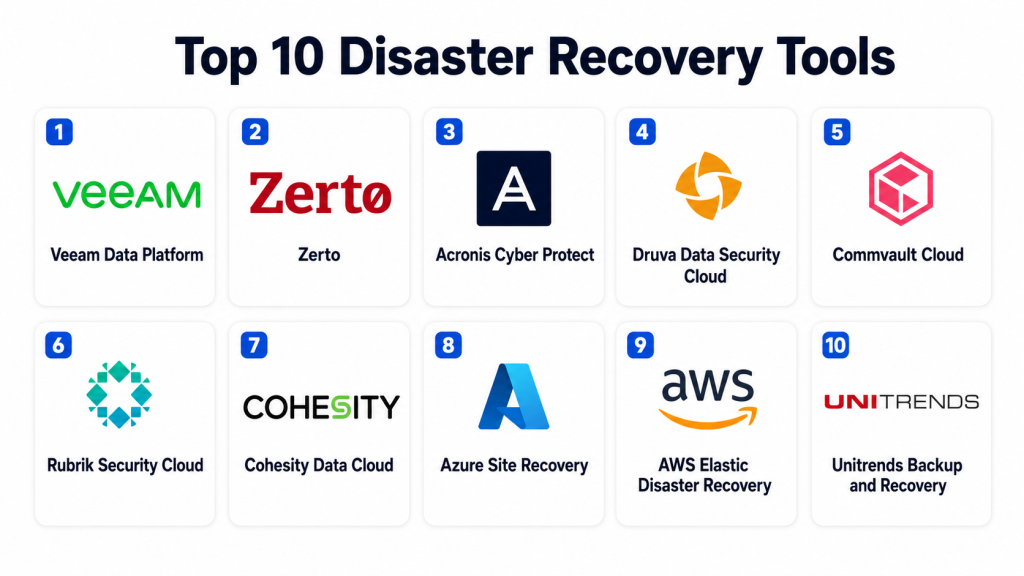
Top 10 Disaster Recovery Tools
#1 — Veeam Data Platform
Short description: Veeam Data Platform is a widely used backup, recovery, and data protection solution for virtual, physical, cloud, and SaaS workloads. It is best for organizations that need reliable recovery, ransomware protection, and broad infrastructure coverage.
Key Features
- Backup and recovery for virtual machines, physical servers, cloud workloads, and SaaS data.
- Image-level backup and granular restore options.
- Replication and failover capabilities.
- Immutable backup support.
- Ransomware recovery and clean restore workflows.
- Recovery testing and verification features.
- Centralized management and reporting.
Pros
- Strong fit for virtualized and hybrid environments.
- Broad workload coverage for many business needs.
- Mature recovery and backup ecosystem.
Cons
- Licensing and architecture can require careful planning.
- Advanced deployments may need experienced administrators.
- Storage design is important for performance and cost control.
Platforms / Deployment
Web / Windows / Linux
Cloud / Self-hosted / Hybrid
Security & Compliance
Supports encryption, role-based access, immutability, MFA options, audit-related reporting, and secure backup repository design. Specific compliance certifications should be validated directly during procurement.
Integrations & Ecosystem
Veeam has a broad ecosystem across virtualization, storage, cloud, SaaS, and enterprise infrastructure environments.
- VMware environments
- Microsoft Hyper-V
- Public cloud platforms
- Microsoft 365 backup workflows
- Storage systems
- Service provider ecosystems
Support & Community
Veeam has strong documentation, enterprise support, partner resources, training content, and a large administrator community. It is widely known among backup and infrastructure professionals.
#2 — Zerto
Short description: Zerto is a disaster recovery and cyber resilience platform focused on continuous data protection, replication, and fast recovery. It is commonly used by enterprises that need low data loss and reliable failover across virtual and cloud environments.
Key Features
- Continuous data protection.
- Near real-time replication.
- Failover and failback workflows.
- Journal-based recovery points.
- Support for virtual and cloud environments.
- Non-disruptive recovery testing.
- Ransomware recovery use cases.
Pros
- Strong for low recovery point objectives.
- Good fit for mission-critical workloads.
- Useful recovery testing without major disruption.
Cons
- May be more advanced than small teams need.
- Best value appears in environments with strong DR requirements.
- Cost and architecture should be evaluated carefully.
Platforms / Deployment
Web / Windows / Linux
Cloud / Hybrid
Security & Compliance
Supports role-based administration, recovery point protection, replication controls, and disaster recovery governance features. Specific encryption, audit, and compliance details should be validated with the vendor.
Integrations & Ecosystem
Zerto is commonly used with virtualization, cloud, and enterprise infrastructure platforms where fast recovery matters.
- VMware environments
- Public cloud platforms
- Hybrid cloud workflows
- Enterprise storage ecosystems
- Service provider environments
- Recovery orchestration workflows
Support & Community
Zerto provides enterprise documentation, support plans, implementation guidance, and partner services. It is commonly used by organizations with mature disaster recovery programs.
#3 — Acronis Cyber Protect
Short description: Acronis Cyber Protect combines backup, disaster recovery, endpoint protection, and cyber protection in one platform. It is useful for SMBs, MSPs, and organizations that want backup and security capabilities together.
Key Features
- Backup and recovery for endpoints, servers, and cloud workloads.
- Disaster recovery options for business continuity.
- Anti-malware and cyber protection capabilities.
- Ransomware protection features.
- Centralized management console.
- Cloud backup and local backup options.
- MSP-friendly service delivery model.
Pros
- Combines backup and cyber protection in one platform.
- Good fit for MSPs and smaller IT teams.
- Supports multiple workload types.
Cons
- Security and backup features should be evaluated separately for depth.
- Some advanced DR needs may require higher-tier options.
- Larger enterprises may need more specialized recovery architecture.
Platforms / Deployment
Web / Windows / macOS / Linux / iOS / Android
Cloud / Hybrid
Security & Compliance
Supports encryption, access controls, malware protection capabilities, backup security, and ransomware protection features. Specific certifications and regulatory coverage should be validated during evaluation.
Integrations & Ecosystem
Acronis works well in MSP, endpoint protection, cloud backup, and business continuity workflows.
- Endpoint protection workflows
- Cloud storage options
- MSP management systems
- Server backup processes
- Workstation backup
- Business continuity workflows
Support & Community
Acronis provides documentation, partner support, MSP resources, and customer support options. It is especially popular in service provider and small business environments.
#4 — Druva Data Security Cloud
Short description: Druva Data Security Cloud is a cloud-native data protection platform for backup, disaster recovery, SaaS protection, and cyber resilience. It is suitable for organizations that prefer cloud-first backup and recovery without managing heavy backup infrastructure.
Key Features
- Cloud-native backup and recovery.
- SaaS application data protection.
- Endpoint and workload protection.
- Ransomware recovery support.
- Centralized policy management.
- Cloud-based reporting and monitoring.
- Scalable data protection model.
Pros
- Reduces infrastructure management overhead.
- Strong fit for cloud-first organizations.
- Useful for distributed teams and SaaS protection.
Cons
- Requires comfort with cloud-based backup architecture.
- Some workloads may need careful validation.
- Pricing should be reviewed based on storage and retention needs.
Platforms / Deployment
Web / Windows / macOS / Linux
Cloud
Security & Compliance
Supports encryption, access control, policy-based management, audit-related visibility, and security-focused data protection features. Specific certifications and compliance mappings should be validated directly.
Integrations & Ecosystem
Druva is built around cloud-first data protection and integrates with common enterprise workloads and SaaS platforms.
- Cloud workloads
- SaaS applications
- Endpoint backup workflows
- Identity systems
- Security operations workflows
- Data governance processes
Support & Community
Druva provides documentation, onboarding resources, support options, and customer success guidance. It is well suited for teams that want cloud-managed backup and recovery.
#5 — Commvault Cloud
Short description: Commvault Cloud is an enterprise data protection and cyber resilience platform for backup, recovery, disaster recovery, and data management. It is often used by larger organizations with complex infrastructure and compliance needs.
Key Features
- Enterprise backup and recovery.
- Disaster recovery orchestration.
- Cloud, virtual, physical, and SaaS workload support.
- Ransomware protection and recovery workflows.
- Policy-based data management.
- Compliance and retention controls.
- Centralized reporting and monitoring.
Pros
- Strong enterprise data protection capabilities.
- Broad workload and deployment coverage.
- Useful for complex compliance and recovery requirements.
Cons
- Can require experienced administration.
- Implementation may be more complex than smaller tools.
- Cost and licensing should be carefully reviewed.
Platforms / Deployment
Web / Windows / Linux
Cloud / Self-hosted / Hybrid
Security & Compliance
Supports encryption, access controls, role-based administration, audit-related reporting, retention policies, and ransomware recovery workflows. Specific compliance certifications should be validated directly.
Integrations & Ecosystem
Commvault has a broad ecosystem across enterprise infrastructure, cloud, storage, virtualization, and application environments.
- Public cloud platforms
- Virtualization platforms
- Enterprise storage systems
- SaaS workloads
- Database environments
- Security and compliance workflows
Support & Community
Commvault provides enterprise support, professional services, documentation, partner resources, and implementation guidance. It is best suited for organizations with complex data protection needs.
#6 — Rubrik Security Cloud
Short description: Rubrik Security Cloud focuses on data security, backup, cyber recovery, and resilience. It is suitable for organizations that want strong protection against ransomware and faster recovery from data-related incidents.
Key Features
- Backup and recovery for enterprise workloads.
- Immutable backup architecture.
- Ransomware recovery workflows.
- Data security posture visibility.
- Cloud and SaaS data protection.
- Centralized policy and management.
- Recovery reporting and monitoring.
Pros
- Strong focus on cyber resilience.
- Useful for ransomware recovery planning.
- Modern management experience.
Cons
- May be premium-priced for smaller teams.
- Buyers should validate workload coverage carefully.
- Best suited for organizations with serious data security needs.
Platforms / Deployment
Web / Windows / Linux
Cloud / Hybrid
Security & Compliance
Supports immutability, encryption, role-based access, security visibility, and ransomware recovery workflows. Specific compliance certifications and regulatory mappings should be confirmed directly.
Integrations & Ecosystem
Rubrik integrates with enterprise infrastructure, cloud, security, and data management workflows.
- Public cloud platforms
- Virtualization environments
- SaaS workloads
- Security operations workflows
- Identity systems
- Enterprise storage and workload protection
Support & Community
Rubrik offers enterprise support, documentation, customer success resources, and partner services. It is popular among organizations prioritizing cyber recovery and modern data protection.
#7 — Cohesity Data Cloud
Short description: Cohesity Data Cloud provides backup, recovery, cyber resilience, and data management across hybrid and cloud environments. It is a strong option for organizations that want modern data protection with scalable management.
Key Features
- Backup and recovery for enterprise workloads.
- Disaster recovery support.
- Ransomware protection and recovery capabilities.
- Cloud and hybrid data protection.
- Policy-based management.
- Data security and monitoring features.
- Centralized reporting and analytics.
Pros
- Strong for modern backup and recovery operations.
- Useful for hybrid and cloud environments.
- Good focus on cyber resilience.
Cons
- May require planning for large deployments.
- Buyers should review exact workload support.
- Cost structure should be evaluated based on scale.
Platforms / Deployment
Web / Windows / Linux
Cloud / Hybrid
Security & Compliance
Supports encryption, role-based access, immutability-related controls, policy management, and recovery-focused security features. Specific certifications should be validated during vendor evaluation.
Integrations & Ecosystem
Cohesity works across enterprise workloads, storage, cloud, and data security workflows.
- Virtualization platforms
- Public cloud platforms
- Database workloads
- SaaS protection workflows
- Security tools
- Enterprise data management systems
Support & Community
Cohesity provides documentation, enterprise support, training resources, and partner assistance. It is used by organizations seeking scalable and modern data protection.
#8 — Azure Site Recovery
Short description: Azure Site Recovery is a disaster recovery service for replicating and recovering workloads into Microsoft Azure. It is a strong fit for organizations already using Microsoft cloud and hybrid infrastructure.
Key Features
- Replication of virtual machines and workloads.
- Failover to Azure.
- Recovery plan orchestration.
- Non-disruptive DR testing.
- Support for hybrid recovery scenarios.
- Integration with Azure management tools.
- Centralized monitoring through Azure services.
Pros
- Strong fit for Microsoft and Azure environments.
- Useful for cloud-based DR without a second data center.
- Supports planned and unplanned failover scenarios.
Cons
- Best value is tied to Azure adoption.
- Requires Azure knowledge for design and operations.
- Non-Microsoft environments need careful validation.
Platforms / Deployment
Web / Windows / Linux
Cloud / Hybrid
Security & Compliance
Supports Azure identity controls, encryption options, role-based access, monitoring, and recovery governance through Azure services. Specific compliance needs should be validated through the Azure environment and configuration.
Integrations & Ecosystem
Azure Site Recovery fits naturally into Microsoft cloud, hybrid infrastructure, and enterprise operations.
- Azure virtual machines
- Hyper-V environments
- VMware environments
- Azure Monitor
- Azure identity services
- Hybrid cloud operations
Support & Community
Microsoft provides documentation, enterprise support, partner resources, and a large Azure administrator community. Azure knowledge is important for successful setup and management.
#9 — AWS Elastic Disaster Recovery
Short description: AWS Elastic Disaster Recovery helps organizations recover on-premises and cloud-based applications into AWS. It is useful for businesses that want cloud-based disaster recovery with flexible recovery infrastructure.
Key Features
- Continuous block-level replication.
- Recovery into AWS.
- Non-disruptive recovery testing.
- Support for physical, virtual, and cloud servers.
- Point-in-time recovery options.
- Automated conversion for AWS recovery.
- Centralized monitoring and recovery controls.
Pros
- Strong fit for AWS-based recovery strategy.
- Reduces need for duplicate physical DR infrastructure.
- Useful for hybrid recovery planning.
Cons
- Best suited for teams comfortable with AWS.
- Cost planning is important for storage and recovery resources.
- Application dependency mapping still requires careful planning.
Platforms / Deployment
Web / Windows / Linux
Cloud / Hybrid
Security & Compliance
Uses AWS identity, access controls, encryption options, and cloud security configuration capabilities. Specific compliance requirements depend on the AWS environment and should be validated by the buyer.
Integrations & Ecosystem
AWS Elastic Disaster Recovery integrates naturally with AWS cloud infrastructure and related operational services.
- AWS compute services
- AWS storage services
- AWS identity services
- Monitoring and logging workflows
- Hybrid infrastructure
- Cloud migration and recovery workflows
Support & Community
AWS provides documentation, support options, partner services, and a large cloud community. Successful use requires cloud architecture and AWS operational knowledge.
#10 — Unitrends Backup and Recovery
Short description: Unitrends Backup and Recovery provides backup, recovery, continuity, and disaster recovery capabilities for businesses that need appliance, cloud, and hybrid protection options. It is useful for SMBs, mid-market organizations, and MSP-style environments.
Key Features
- Backup and recovery for servers and endpoints.
- Virtual, physical, and cloud workload support.
- Disaster recovery and continuity options.
- Automated backup scheduling.
- Recovery testing capabilities.
- Ransomware detection and recovery support.
- Centralized reporting and management.
Pros
- Practical fit for SMB and mid-market recovery needs.
- Offers backup and DR capabilities together.
- Good option for teams wanting appliance or hybrid models.
Cons
- Buyers should validate workload coverage carefully.
- Advanced enterprise needs may require deeper evaluation.
- Pricing and deployment model should be reviewed based on scale.
Platforms / Deployment
Web / Windows / Linux
Cloud / Self-hosted / Hybrid
Security & Compliance
Supports encryption, backup security controls, role-based administration, ransomware recovery features, and reporting. Specific certifications and regulatory mappings should be validated directly.
Integrations & Ecosystem
Unitrends fits common backup, recovery, and continuity workflows for practical IT teams.
- Virtualization environments
- Physical servers
- Cloud recovery workflows
- Backup appliances
- MSP operations
- Reporting and compliance processes
Support & Community
Unitrends provides documentation, support options, onboarding resources, and partner assistance. It is suitable for teams wanting guided backup and DR operations.
Comparison Table
| Tool Name | Best For | Platform(s) Supported | Deployment | Standout Feature | Public Rating |
|---|---|---|---|---|---|
| Veeam Data Platform | Hybrid backup and recovery | Windows, Linux, virtual, cloud workloads | Cloud / Self-hosted / Hybrid | Broad workload recovery and immutable backup support | N/A |
| Zerto | Low data loss disaster recovery | Virtual and cloud workloads | Cloud / Hybrid | Continuous data protection and fast failover | N/A |
| Acronis Cyber Protect | SMBs and MSPs | Windows, macOS, Linux, mobile endpoints | Cloud / Hybrid | Backup with cyber protection features | N/A |
| Druva Data Security Cloud | Cloud-first data protection | Windows, macOS, Linux, SaaS workloads | Cloud | Cloud-native backup and recovery | N/A |
| Commvault Cloud | Enterprise data protection | Windows, Linux, cloud, virtual, SaaS | Cloud / Self-hosted / Hybrid | Enterprise-scale backup and DR orchestration | N/A |
| Rubrik Security Cloud | Cyber recovery and ransomware resilience | Enterprise workloads, cloud, SaaS | Cloud / Hybrid | Immutable backup and cyber recovery focus | N/A |
| Cohesity Data Cloud | Modern hybrid data protection | Enterprise workloads, cloud, SaaS | Cloud / Hybrid | Scalable backup and cyber resilience | N/A |
| Azure Site Recovery | Azure-based disaster recovery | Windows, Linux, virtual machines | Cloud / Hybrid | Failover and recovery into Azure | N/A |
| AWS Elastic Disaster Recovery | AWS-based recovery strategy | Windows, Linux, physical, virtual, cloud servers | Cloud / Hybrid | Recovery into AWS with continuous replication | N/A |
| Unitrends Backup and Recovery | SMB and mid-market recovery | Windows, Linux, virtual, physical, cloud | Cloud / Self-hosted / Hybrid | Backup and DR with appliance and cloud options | N/A |
Evaluation & Scoring of Disaster Recovery Tools
The scoring below is comparative and based on common disaster recovery buying needs. It does not mean one tool is universally better than another. A tool with a lower score may still be the best fit if it matches your cloud strategy, workload type, recovery goals, support needs, or budget.
| Tool Name | Core (25%) | Ease (15%) | Integrations (15%) | Security (10%) | Performance (10%) | Support (10%) | Value (15%) | Weighted Total (0–10) |
|---|---|---|---|---|---|---|---|---|
| Veeam Data Platform | 9 | 8 | 9 | 9 | 8 | 9 | 8 | 8.55 |
| Zerto | 9 | 7 | 8 | 8 | 9 | 8 | 7 | 8.15 |
| Acronis Cyber Protect | 8 | 8 | 7 | 8 | 8 | 8 | 8 | 7.90 |
| Druva Data Security Cloud | 8 | 9 | 8 | 8 | 8 | 8 | 8 | 8.15 |
| Commvault Cloud | 9 | 7 | 9 | 9 | 8 | 9 | 7 | 8.35 |
| Rubrik Security Cloud | 9 | 8 | 8 | 9 | 8 | 8 | 7 | 8.25 |
| Cohesity Data Cloud | 9 | 8 | 8 | 9 | 8 | 8 | 7 | 8.25 |
| Azure Site Recovery | 8 | 7 | 9 | 8 | 8 | 8 | 8 | 8.00 |
| AWS Elastic Disaster Recovery | 8 | 7 | 9 | 8 | 8 | 8 | 8 | 8.00 |
| Unitrends Backup and Recovery | 8 | 8 | 7 | 8 | 8 | 8 | 8 | 7.90 |
These scores should be used as a practical starting point. Veeam, Commvault, Rubrik, and Cohesity are strong for broad enterprise data protection. Zerto is strong for continuous recovery and low data loss. Azure Site Recovery and AWS Elastic Disaster Recovery are strong when your recovery strategy is tied to a specific cloud provider. Acronis and Unitrends can be practical choices for SMBs, MSPs, and mid-market recovery needs.
Which Disaster Recovery Tool Is Right for You?
Solo / Freelancer
Solo professionals usually do not need a complex disaster recovery platform. A strong backup routine, encrypted cloud storage, password protection, and reliable endpoint security may be enough.
However, freelancers managing client infrastructure should consider lightweight backup and recovery tools that provide clear restore options, ransomware protection, and simple reporting. Acronis Cyber Protect or Unitrends may be suitable depending on the workload.
SMB
Small and mid-sized businesses should focus on ease of use, backup reliability, ransomware recovery, fast restore, and clear pricing. Acronis Cyber Protect, Unitrends Backup and Recovery, Veeam Data Platform, and Druva Data Security Cloud are practical options.
SMBs should avoid overcomplicated DR setups unless downtime risk is high. The tool should be easy to test, easy to restore from, and easy to explain to leadership.
Mid-Market
Mid-market companies often need hybrid workload support, recovery testing, stronger reporting, better retention controls, and protection for SaaS, cloud, and on-premises systems. Veeam, Druva, Rubrik, Cohesity, Zerto, and Unitrends can all be good candidates.
The right choice depends on infrastructure. If the environment is VMware-heavy, Veeam or Zerto may be strong options. If the company prefers cloud-first data protection, Druva may be attractive. If cyber recovery is a top concern, Rubrik or Cohesity may be suitable.
Enterprise
Enterprises need scalable recovery, role-based access, audit reporting, ransomware resilience, application-aware recovery, automation, and global support. Veeam, Commvault, Rubrik, Cohesity, Zerto, Azure Site Recovery, and AWS Elastic Disaster Recovery should be evaluated based on architecture.
Large organizations should test complete recovery scenarios, not only backup jobs. They should validate application dependencies, identity access, network routing, cloud costs, recovery ordering, security approvals, and compliance reporting.
Budget vs Premium
Budget-conscious buyers should focus on practical recovery needs first. Acronis, Unitrends, Druva, and Veeam may provide strong value depending on workload type and scale.
Premium buyers with complex recovery requirements may prefer Commvault, Rubrik, Cohesity, Zerto, Azure Site Recovery, or AWS Elastic Disaster Recovery. These tools can be valuable when recovery speed, cyber resilience, and enterprise governance are top priorities.
Feature Depth vs Ease of Use
Feature-rich platforms like Commvault, Veeam, Rubrik, Cohesity, and Zerto provide deep recovery capabilities but may require stronger technical planning.
Ease-focused or cloud-first platforms like Druva, Acronis, Unitrends, Azure Site Recovery, and AWS Elastic Disaster Recovery may be easier to operate if they match your infrastructure strategy.
Integrations & Scalability
Integration needs depend on your environment. Microsoft-heavy organizations should evaluate Azure Site Recovery. AWS-focused teams should evaluate AWS Elastic Disaster Recovery. VMware-heavy or hybrid teams may consider Veeam, Zerto, Commvault, Rubrik, or Cohesity.
Scalability is not only about the number of workloads. It also includes recovery speed, reporting, policy management, storage growth, retention needs, support, and operational complexity.
Security & Compliance Needs
Security-focused buyers should prioritize immutability, encryption, role-based access, MFA, audit logs, backup isolation, clean recovery points, and ransomware recovery workflows.
Regulated organizations should also validate retention policies, restore evidence, recovery test reports, data residency, access controls, administrative logging, and vendor compliance documentation before final selection.
Frequently Asked Questions
What is a Disaster Recovery tool?
A Disaster Recovery tool helps restore systems, applications, and data after an outage, cyberattack, hardware failure, or human error. It reduces downtime and helps businesses continue operations.
How is Disaster Recovery different from backup?
Backup is mainly about creating copies of data. Disaster Recovery is broader because it includes restoring systems, applications, infrastructure, and business operations after disruption.
What is RTO in Disaster Recovery?
RTO means Recovery Time Objective. It defines how quickly a system or application should be restored after an outage.
What is RPO in Disaster Recovery?
RPO means Recovery Point Objective. It defines how much data loss is acceptable based on the time between backup or replication points.
Why is ransomware recovery important in DR tools?
Ransomware can encrypt or damage production data and sometimes target backups too. DR tools with immutable backup, clean restore points, and recovery testing help reduce this risk.
What pricing model do DR tools usually use?
Pricing often depends on workloads, storage size, users, servers, cloud usage, retention needs, and selected features. Some tools use subscription models, while others may include appliance or service-based pricing.
How long does DR implementation take?
Implementation depends on workload size, business criticality, cloud strategy, network design, storage needs, compliance requirements, and recovery testing scope. A phased rollout is usually safer.
What are common Disaster Recovery mistakes?
Common mistakes include not testing recovery, protecting only files instead of applications, ignoring dependencies, using weak access controls, and not documenting recovery ownership.
Can DR tools protect cloud workloads?
Yes, many DR tools support cloud workloads. Some tools are cloud-native, while others support hybrid recovery across on-premises and cloud environments.
Can DR tools protect SaaS applications?
Some DR and backup tools protect SaaS applications such as productivity platforms and collaboration systems. Buyers should confirm exactly which SaaS data types are covered.
How often should recovery testing be done?
Recovery testing should happen regularly based on business risk and compliance needs. Critical systems should be tested more carefully than low-impact systems.
When should a company switch DR tools?
A company should consider switching when recovery is too slow, backups are unreliable, ransomware protection is weak, reporting is poor, or the current tool cannot support cloud and hybrid workloads.
Conclusion
Disaster Recovery tools are essential for keeping businesses resilient when systems fail, data is damaged, or cyber incidents disrupt operations. The best tool depends on your infrastructure, recovery goals, security requirements, compliance needs, and budget. Veeam, Commvault, Rubrik, and Cohesity are strong for broad enterprise data protection. Zerto is valuable for low data loss and fast recovery. Druva works well for cloud-first data protection. Azure Site Recovery and AWS Elastic Disaster Recovery are strong when recovery is tied to a specific cloud platform. Acronis and Unitrends can be practical options for smaller teams and service providers.
