Upgrade & Secure Your Future with DevOps, SRE, DevSecOps, MLOps!
We spend hours scrolling social media and waste money on things we forget, but won’t spend 30 minutes a day earning certifications that can change our lives.
Master in DevOps, SRE, DevSecOps & MLOps by DevOps School!
Learn from Guru Rajesh Kumar and double your salary in just one year.
Introduction
Virtual Desktop Infrastructure (VDI) Tools help organizations deliver desktop environments from a central data center or cloud platform instead of running everything directly on individual user devices. In simple terms, employees can access a secure work desktop from a laptop, thin client, tablet, or browser, while IT teams manage the desktop, apps, data, security, and policies from one central place.
VDI matters because many organizations now need secure remote work, controlled access to business applications, centralized endpoint management, and better data protection. Instead of storing sensitive data on many personal or office devices, VDI keeps apps and data inside a controlled environment.
Common use cases include remote work, secure contractor access, call center desktops, developer workstations, regulated industry access, education labs, healthcare workstations, and high-performance virtual desktops.
Buyers should evaluate deployment model, user experience, graphics performance, security controls, identity integration, cost model, scalability, endpoint support, admin automation, monitoring, and application compatibility.
Best for: IT teams, security teams, enterprises, education institutions, healthcare organizations, finance teams, call centers, BPOs, government teams, and companies with remote or regulated work environments.
Not ideal for: small teams that only need simple remote access, companies with very light app needs, or users who only need file sharing, video meetings, or basic device support.
Key Trends in Virtual Desktop Infrastructure (VDI) Tools
- Cloud-hosted desktops are becoming more common, as companies want flexible desktop delivery without managing every part of the infrastructure themselves.
- Hybrid VDI is still important, especially for organizations that want cloud flexibility but must keep some workloads on private infrastructure.
- Security-led VDI adoption is increasing, because businesses want stronger control over data access, endpoint exposure, and user sessions.
- Identity integration is now critical, with SSO, MFA, conditional access, and role-based access becoming standard evaluation points.
- User experience is a major buying factor, especially around latency, graphics performance, printing, audio, video, and multi-monitor support.
- GPU-enabled virtual desktops are growing, especially for design, engineering, analytics, media, and technical workloads.
- Automation is reducing desktop administration effort, including image management, policy rollout, scaling, and session optimization.
- Cost optimization is now a serious concern, because cloud compute, storage, licensing, and user-session patterns can affect total cost.
- Application delivery is becoming more flexible, with app streaming, virtual apps, and full desktops often used together.
- Monitoring and analytics are becoming essential, helping IT teams detect slow sessions, capacity issues, login delays, and user experience problems.
How We Selected These Tools
The tools below were selected using practical buyer-focused evaluation logic:
- Market recognition and adoption across VDI, desktop virtualization, app virtualization, cloud desktops, and secure workspace delivery.
- Feature completeness for virtual desktop delivery, app delivery, image management, user sessions, monitoring, and admin controls.
- Reliability and performance signals across enterprise, SMB, cloud, hybrid, and regulated environments.
- Security posture signals such as encryption, SSO, MFA, RBAC, audit logs, conditional access, and policy control.
- Integration strength with identity providers, cloud platforms, endpoint tools, monitoring systems, and productivity environments.
- Fit across customer segments, including SMBs, mid-market teams, large enterprises, education, healthcare, finance, and MSPs.
- Deployment flexibility across cloud, self-hosted, hybrid, and managed service models.
- Ease of administration, onboarding, image maintenance, scaling, and user management.
- Support quality, documentation, partner ecosystem, and technical maturity.
- Practical value based on capability depth, scalability, usability, and operational fit.
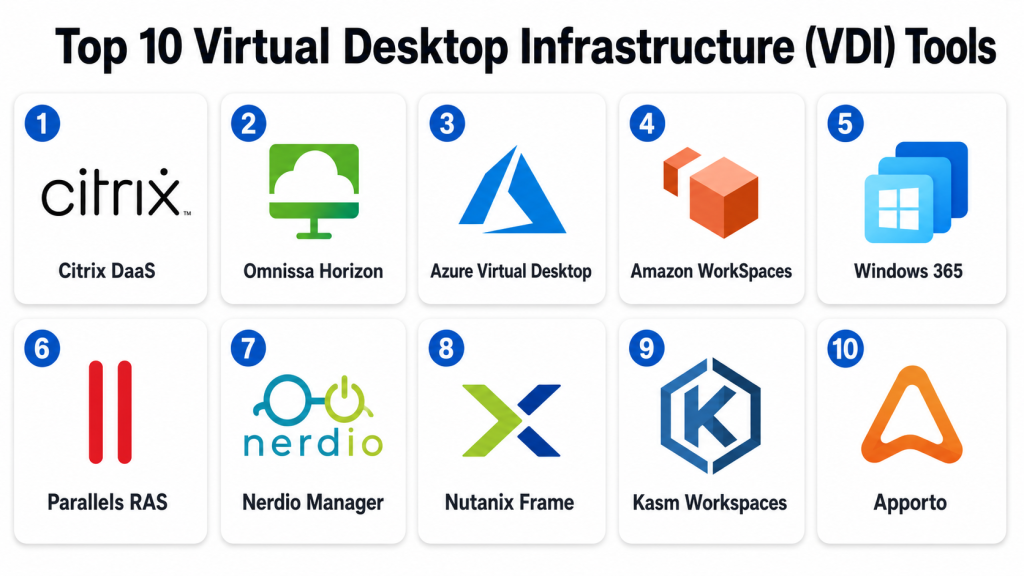
Top 10 Virtual Desktop Infrastructure (VDI) Tools
#1 — Citrix DaaS
Short description: Citrix DaaS is a well-known virtual desktop and application delivery platform for enterprises that need secure remote access, strong policy control, and flexible desktop delivery. It is suitable for complex environments with demanding security, performance, and compliance needs.
Key Features
- Virtual desktop and virtual app delivery.
- Centralized policy management.
- Secure remote access controls.
- HDX technology for session experience optimization.
- Support for cloud, hybrid, and on-premises environments.
- User profile and session management options.
- Monitoring and analytics capabilities.
Pros
- Strong fit for large and complex enterprise environments.
- Mature feature set for app and desktop virtualization.
- Good security and policy control options.
Cons
- Can be complex to design and manage.
- May require skilled administrators or partners.
- Cost and licensing should be carefully reviewed.
Platforms / Deployment
Web / Windows / macOS / Linux / iOS / Android
Cloud / Self-hosted / Hybrid
Security & Compliance
Supports SSO integrations, MFA integrations, encryption, policy-based access, RBAC, audit visibility, and secure remote access controls. Specific compliance certifications should be verified with the vendor.
Integrations & Ecosystem
Citrix DaaS fits enterprise environments where identity, cloud, endpoint, and application delivery must work together.
- Identity providers
- Public cloud platforms
- Endpoint management tools
- Monitoring platforms
- Security tools
- Enterprise applications
Support & Community
Citrix provides enterprise documentation, partner support, customer support, training resources, and a mature ecosystem of VDI specialists.
#2 — Omnissa Horizon
Short description: Omnissa Horizon is a desktop and application virtualization platform used by enterprises, education, healthcare, and regulated organizations. It supports secure virtual desktops, app delivery, and hybrid workspace environments.
Key Features
- Virtual desktop and app delivery.
- Instant clone and image management capabilities.
- Session management and user experience controls.
- Support for cloud and hybrid environments.
- Integration with identity and endpoint workflows.
- Monitoring and performance visibility.
- Support for graphics-intensive workloads depending on setup.
Pros
- Strong for enterprise VDI and app virtualization.
- Good fit for VMware-oriented environments.
- Useful image and desktop lifecycle management features.
Cons
- Deployment can require careful architecture planning.
- Advanced features may need specialized skills.
- Licensing and infrastructure cost should be evaluated.
Platforms / Deployment
Web / Windows / macOS / Linux / iOS / Android
Cloud / Self-hosted / Hybrid
Security & Compliance
Supports encryption, SSO integrations, MFA integrations, access policies, RBAC, audit visibility, and secure desktop access controls. Specific compliance certifications should be verified directly.
Integrations & Ecosystem
Omnissa Horizon works well in environments that already use virtualization, identity, endpoint, and infrastructure management tools.
- Virtualization platforms
- Identity providers
- Endpoint management tools
- Public cloud platforms
- Monitoring tools
- Enterprise applications
Support & Community
Omnissa provides documentation, support resources, partner expertise, and a strong enterprise virtualization community.
#3 — Azure Virtual Desktop
Short description: Azure Virtual Desktop is a cloud-based desktop and app virtualization service built for Microsoft cloud environments. It is best for organizations using Microsoft identity, Windows desktops, Microsoft 365 apps, and Azure infrastructure.
Key Features
- Cloud-hosted Windows desktops and apps.
- Multi-session Windows desktop support.
- Integration with Microsoft identity services.
- Centralized host pool management.
- Profile management through supported Microsoft technologies.
- Scaling options for cloud resources.
- Integration with Microsoft security and monitoring tools.
Pros
- Strong fit for Microsoft-first organizations.
- Good cloud-native desktop delivery model.
- Useful for remote work and centralized Windows environments.
Cons
- Azure cost management requires planning.
- Setup may require cloud and VDI skills.
- Best value is usually inside the Microsoft ecosystem.
Platforms / Deployment
Web / Windows / macOS / iOS / Android / Linux support varies by client
Cloud
Security & Compliance
Supports Microsoft identity integration, MFA, conditional access, RBAC, encryption, monitoring, and audit visibility depending on configuration. Specific compliance certifications should be verified within Microsoft cloud documentation.
Integrations & Ecosystem
Azure Virtual Desktop works best when connected with Microsoft cloud, identity, security, and productivity environments.
- Microsoft Entra ID
- Microsoft 365
- Azure Monitor
- Microsoft Defender
- Azure storage
- Windows desktop environments
Support & Community
Microsoft provides documentation, cloud support plans, partner support, learning resources, and a large administrator community.
#4 — Amazon WorkSpaces
Short description: Amazon WorkSpaces is a managed cloud desktop service for organizations that want virtual desktops hosted on Amazon Web Services. It is useful for remote work, contractor access, development teams, and distributed workforces.
Key Features
- Managed cloud desktops.
- Windows and Linux desktop options depending on configuration.
- Integration with directory services.
- Persistent and non-persistent desktop options may vary.
- Centralized provisioning and management.
- Pay-as-you-use style cost options depending on setup.
- Integration with AWS security and networking services.
Pros
- Good fit for AWS-centered organizations.
- Reduces need to manage traditional VDI infrastructure.
- Useful for remote teams and contractor access.
Cons
- Best fit is usually AWS-based environments.
- User experience depends on region, network, and configuration.
- Cost planning is important for large deployments.
Platforms / Deployment
Web / Windows / macOS / Linux / iOS / Android
Cloud
Security & Compliance
Supports AWS identity and access controls, encryption options, network security controls, directory integration, and logging depending on configuration. Specific compliance coverage should be verified with AWS documentation.
Integrations & Ecosystem
Amazon WorkSpaces fits organizations already using AWS infrastructure, networking, identity, and security tools.
- AWS directory services
- AWS networking
- AWS monitoring
- AWS storage
- AWS identity tools
- Enterprise applications
Support & Community
AWS provides documentation, support plans, partner resources, and a large cloud practitioner community.
#5 — Windows 365
Short description: Windows 365 is a Microsoft cloud PC service that streams a personalized Windows desktop from the cloud. It is designed for businesses that want a simpler cloud desktop experience compared with traditional VDI architecture.
Key Features
- Cloud PC experience for users.
- Persistent Windows desktop environment.
- Integration with Microsoft identity and management tools.
- Simple provisioning for business users.
- Support for remote and hybrid work.
- Centralized management through Microsoft admin tools.
- Predictable user-based desktop model depending on plan.
Pros
- Easier to understand than complex VDI setups.
- Strong fit for Microsoft 365 environments.
- Good for persistent cloud desktops.
Cons
- Less flexible than full custom VDI for complex needs.
- Cost should be compared carefully against usage patterns.
- Best value is usually in Microsoft-centered environments.
Platforms / Deployment
Web / Windows / macOS / iOS / Android / Linux support varies by client
Cloud
Security & Compliance
Supports Microsoft identity integration, MFA, conditional access, encryption, policy controls, and admin visibility depending on configuration. Specific compliance certifications should be verified through Microsoft cloud documentation.
Integrations & Ecosystem
Windows 365 fits businesses already using Microsoft productivity, identity, security, and endpoint management tools.
- Microsoft Entra ID
- Microsoft Intune
- Microsoft 365
- Microsoft Defender
- Windows apps
- Microsoft admin tools
Support & Community
Microsoft provides documentation, support plans, partner guidance, and a large business administrator ecosystem.
#6 — Parallels RAS
Short description: Parallels RAS is a remote application and desktop delivery platform for businesses that need virtual apps, VDI, and secure remote access. It is often considered by SMBs and mid-market teams looking for simpler administration.
Key Features
- Virtual desktop and application delivery.
- Centralized management console.
- Load balancing and session management.
- Secure remote access features.
- Support for hybrid and cloud environments.
- Application publishing.
- Monitoring and reporting capabilities.
Pros
- Easier to manage than some complex enterprise VDI platforms.
- Good fit for SMB and mid-market environments.
- Useful for both app and desktop delivery.
Cons
- Enterprise buyers should validate complex scale requirements.
- Some advanced use cases may need careful architecture.
- Feature depth should be compared with larger enterprise platforms.
Platforms / Deployment
Web / Windows / macOS / Linux / iOS / Android
Cloud / Self-hosted / Hybrid
Security & Compliance
Supports encryption, MFA integrations, access controls, admin roles, and secure remote access policies. Specific compliance certifications should be verified with the vendor.
Integrations & Ecosystem
Parallels RAS works with common virtualization, cloud, identity, and application environments.
- Microsoft environments
- Hypervisor platforms
- Identity providers
- Cloud platforms
- Business applications
- Endpoint clients
Support & Community
Parallels provides documentation, business support, partner resources, and onboarding guidance. It is often seen as approachable for teams wanting simpler VDI management.
#7 — Nerdio Manager
Short description: Nerdio Manager is a management and automation platform for Microsoft-based cloud desktop environments. It helps IT teams and MSPs deploy, manage, optimize, and automate Azure Virtual Desktop and Windows 365 environments.
Key Features
- Azure Virtual Desktop management and automation.
- Windows 365 management support depending on edition.
- Image management and desktop provisioning.
- Cost optimization features.
- User and host pool management.
- Monitoring and reporting.
- MSP-friendly management options.
Pros
- Strong for Microsoft cloud desktop administration.
- Useful automation and cost control features.
- Good fit for MSPs and IT teams managing Azure desktops.
Cons
- Focused mainly on Microsoft cloud desktop environments.
- Not a standalone VDI platform in the traditional sense.
- Requires understanding of Azure desktop architecture.
Platforms / Deployment
Web
Cloud
Security & Compliance
Supports role-based administration, integration with Microsoft identity and Azure security controls, and administrative visibility depending on configuration. Specific compliance certifications should be verified with the vendor.
Integrations & Ecosystem
Nerdio is designed around Microsoft cloud desktop operations and works best with Azure-based environments.
- Azure Virtual Desktop
- Windows 365
- Microsoft Entra ID
- Microsoft Intune
- Azure cost management workflows
- MSP operations
Support & Community
Nerdio provides documentation, support resources, partner enablement, MSP guidance, and cloud desktop management expertise.
#8 — Nutanix Frame
Short description: Nutanix Frame is a cloud-hosted desktop and application delivery platform that helps organizations deliver apps and desktops through a browser-based experience. It is suitable for businesses that want flexible desktop delivery across cloud and hybrid environments.
Key Features
- Browser-based desktop and app delivery.
- Cloud and hybrid deployment flexibility.
- Application publishing.
- User session management.
- Integration with identity providers.
- Support for multiple infrastructure environments depending on setup.
- Centralized administration.
Pros
- Browser-focused access is convenient for many users.
- Flexible deployment options.
- Useful for app delivery and cloud desktops.
Cons
- Fit depends on workload type and infrastructure design.
- Advanced enterprise requirements should be validated.
- Performance depends on network and app workload needs.
Platforms / Deployment
Web / Windows / macOS / Linux / iOS / Android through browser support
Cloud / Hybrid
Security & Compliance
Supports identity provider integration, encryption, access controls, and administrative policy options. Specific compliance certifications should be verified with the vendor.
Integrations & Ecosystem
Nutanix Frame fits teams that need browser-based access to applications and desktops across flexible infrastructure models.
- Identity providers
- Cloud platforms
- Nutanix ecosystem
- Business applications
- Browser-based access workflows
- Endpoint environments
Support & Community
Nutanix provides documentation, customer support, partner resources, and infrastructure-focused expertise.
#9 — Kasm Workspaces
Short description: Kasm Workspaces is a containerized workspace and remote browser isolation platform that can deliver secure desktops, browsers, and application workspaces. It is useful for security-focused teams, developers, training environments, and controlled access use cases.
Key Features
- Containerized desktops and browser workspaces.
- Remote browser isolation capabilities.
- Web-based workspace access.
- Image-based workspace deployment.
- User and policy management.
- Self-hosted and cloud options depending on setup.
- Developer and security-focused workflows.
Pros
- Strong for secure browser and workspace isolation.
- Useful for controlled access and training labs.
- Flexible for technical teams.
Cons
- Different from traditional full VDI platforms.
- Requires technical understanding for best use.
- Enterprise desktop replacement needs should be validated.
Platforms / Deployment
Web / Linux-based workspace environments / Varies by image
Cloud / Self-hosted / Hybrid
Security & Compliance
Supports isolation-focused access, encryption, user controls, admin policies, and workspace containment depending on configuration. Specific compliance certifications should be verified with the vendor.
Integrations & Ecosystem
Kasm Workspaces fits secure workspace delivery, browser isolation, training labs, developer environments, and controlled access scenarios.
- Identity providers
- Container images
- Security workflows
- Browser isolation use cases
- Training environments
- Developer workspaces
Support & Community
Kasm provides documentation, community resources, support options, and technical guidance. It is especially relevant for security and technical teams.
#10 — Apporto
Short description: Apporto is a cloud desktop and application delivery platform often used in education, training, and lab environments. It helps institutions provide browser-based access to software without requiring students or users to install complex applications locally.
Key Features
- Cloud desktop and application delivery.
- Browser-based access.
- Support for education and lab use cases.
- User and class-based access management.
- Application publishing.
- Centralized administration.
- Remote learning and training support.
Pros
- Strong fit for education and training environments.
- Reduces local software installation needs.
- Browser-based access simplifies user experience.
Cons
- May be less suited for complex enterprise VDI use cases.
- Fit depends on application performance needs.
- Advanced enterprise governance should be validated.
Platforms / Deployment
Web / Browser-based access across common operating systems
Cloud
Security & Compliance
Supports access controls, user management, encrypted sessions, and administrative settings. Specific compliance certifications should be verified with the vendor.
Integrations & Ecosystem
Apporto fits education, lab access, training, and remote software delivery workflows.
- Learning management workflows
- Identity providers
- Education applications
- Lab software environments
- Browser-based access
- Administrative management tools
Support & Community
Apporto provides documentation, support resources, onboarding guidance, and education-focused customer assistance.
Comparison Table (Top 10)
| Tool Name | Best For | Platform(s) Supported | Deployment | Standout Feature | Public Rating |
|---|---|---|---|---|---|
| Citrix DaaS | Enterprise VDI and app delivery | Web, Windows, macOS, Linux, iOS, Android | Cloud / Self-hosted / Hybrid | Mature desktop and app virtualization | N/A |
| Omnissa Horizon | Enterprise VDI and hybrid workspaces | Web, Windows, macOS, Linux, iOS, Android | Cloud / Self-hosted / Hybrid | Strong VDI lifecycle management | N/A |
| Azure Virtual Desktop | Microsoft cloud desktop environments | Web, Windows, macOS, iOS, Android, Varies | Cloud | Cloud-hosted Windows desktops | N/A |
| Amazon WorkSpaces | AWS-based cloud desktops | Web, Windows, macOS, Linux, iOS, Android | Cloud | Managed AWS cloud desktops | N/A |
| Windows 365 | Simple persistent cloud PCs | Web, Windows, macOS, iOS, Android, Varies | Cloud | Easy Microsoft Cloud PC model | N/A |
| Parallels RAS | SMB and mid-market app/desktop delivery | Web, Windows, macOS, Linux, iOS, Android | Cloud / Self-hosted / Hybrid | Simpler app and desktop publishing | N/A |
| Nerdio Manager | Microsoft cloud desktop automation | Web | Cloud | Azure Virtual Desktop management automation | N/A |
| Nutanix Frame | Browser-based app and desktop delivery | Web, Browser-supported endpoints | Cloud / Hybrid | Flexible browser-based workspace delivery | N/A |
| Kasm Workspaces | Secure isolated workspaces | Web, Linux-based workspaces, Varies | Cloud / Self-hosted / Hybrid | Containerized secure workspaces | N/A |
| Apporto | Education and training labs | Web, Browser-supported endpoints | Cloud | Browser-based lab and app access | N/A |
Evaluation & Scoring of Virtual Desktop Infrastructure (VDI) Tools
| Tool Name | Core (25%) | Ease (15%) | Integrations (15%) | Security (10%) | Performance (10%) | Support (10%) | Value (15%) | Weighted Total (0–10) |
|---|---|---|---|---|---|---|---|---|
| Citrix DaaS | 10 | 7 | 9 | 9 | 9 | 9 | 7 | 8.65 |
| Omnissa Horizon | 9 | 7 | 9 | 9 | 9 | 8 | 7 | 8.35 |
| Azure Virtual Desktop | 9 | 7 | 10 | 9 | 8 | 8 | 8 | 8.50 |
| Amazon WorkSpaces | 8 | 8 | 9 | 8 | 8 | 8 | 8 | 8.15 |
| Windows 365 | 8 | 9 | 9 | 8 | 8 | 8 | 8 | 8.30 |
| Parallels RAS | 8 | 8 | 8 | 8 | 8 | 8 | 8 | 8.00 |
| Nerdio Manager | 8 | 8 | 9 | 8 | 8 | 8 | 8 | 8.15 |
| Nutanix Frame | 8 | 8 | 8 | 8 | 8 | 8 | 7 | 7.85 |
| Kasm Workspaces | 7 | 7 | 7 | 9 | 8 | 7 | 8 | 7.55 |
| Apporto | 7 | 9 | 7 | 7 | 7 | 8 | 8 | 7.55 |
These scores are comparative and should be used as a decision-support guide, not as a universal ranking. Citrix DaaS and Omnissa Horizon are strong for complex enterprise VDI, while Azure Virtual Desktop and Windows 365 fit Microsoft-first cloud desktop strategies. Kasm Workspaces and Apporto serve more specialized workspace, security, education, and lab access needs.
Which Virtual Desktop Infrastructure (VDI) Tool Is Right for You?
Solo / Freelancer
Solo users usually do not need a full VDI platform unless they require secure access to a controlled desktop, cloud workstation, or isolated browser environment. Windows 365 may be practical for users who want a persistent cloud PC. Kasm Workspaces may fit technical users who want isolated workspaces or secure browser access.
For freelancers who only need to access one personal computer remotely, a remote desktop tool may be simpler and more affordable than VDI.
SMB
SMBs should focus on simplicity, predictable pricing, easy administration, secure access, and low operational overhead. Windows 365, Parallels RAS, Amazon WorkSpaces, and Azure Virtual Desktop can fit different SMB needs depending on technical capability and cloud preference.
If the SMB already uses Microsoft 365, Windows 365 or Azure Virtual Desktop may be easier to evaluate. If the company uses AWS infrastructure, Amazon WorkSpaces may be a stronger fit.
Mid-Market
Mid-market organizations usually need stronger control over user profiles, app delivery, identity integration, monitoring, and cost optimization. Azure Virtual Desktop, Nerdio Manager, Parallels RAS, Amazon WorkSpaces, Citrix DaaS, and Omnissa Horizon can all fit depending on the operating model.
Mid-market buyers should test real user workloads before purchasing. A pilot should include login time, application performance, printing, video calls, file access, and support workflows.
Enterprise
Enterprises should prioritize scalability, security, policy control, identity integration, monitoring, automation, user experience, disaster recovery, and support maturity. Citrix DaaS, Omnissa Horizon, Azure Virtual Desktop, Amazon WorkSpaces, and Windows 365 are strong candidates for large environments.
Enterprise buyers should also review regulatory requirements, data residency, privileged access, endpoint policies, and support for critical applications.
Budget vs Premium
Budget-focused teams may prefer Windows 365, Amazon WorkSpaces, Parallels RAS, or a carefully scoped Azure Virtual Desktop deployment. Premium buyers with complex app delivery, security, hybrid infrastructure, and performance requirements may prefer Citrix DaaS, Omnissa Horizon, or advanced Azure Virtual Desktop designs with management tools such as Nerdio Manager.
The real cost should include licensing, compute, storage, networking, support, image maintenance, monitoring, and administrator time.
Feature Depth vs Ease of Use
For feature depth, Citrix DaaS, Omnissa Horizon, Azure Virtual Desktop, and Parallels RAS are strong. For ease of use, Windows 365, Amazon WorkSpaces, Apporto, and Nutanix Frame may feel more approachable depending on the user scenario.
A deeply customizable platform is useful for complex environments, but a simpler cloud PC model may be better when speed and ease matter more.
Integrations & Scalability
Azure Virtual Desktop, Windows 365, and Nerdio Manager are strong for Microsoft-centered organizations. Amazon WorkSpaces fits AWS-centered environments. Citrix DaaS and Omnissa Horizon fit complex enterprise and hybrid architectures. Kasm Workspaces fits technical and security-focused isolated workspace needs, while Apporto is practical for education and lab environments.
Scalability should be tested using real user groups, real applications, real network conditions, and real support processes.
Security & Compliance Needs
Security-focused buyers should evaluate SSO, MFA, RBAC, encryption, audit logs, conditional access, session controls, clipboard policies, file transfer restrictions, endpoint posture, and privileged access controls. Regulated industries should request official vendor documentation before final selection.
VDI can improve control, but poor design can still create risk. Security architecture should be planned before broad rollout.
Frequently Asked Questions (FAQs)
1. What is Virtual Desktop Infrastructure?
Virtual Desktop Infrastructure is a way to deliver desktop environments from centralized infrastructure or cloud platforms. Users access the desktop remotely while IT manages apps, security, storage, and policies centrally.
2. How is VDI different from remote desktop software?
Remote desktop software usually connects to an existing physical or remote machine. VDI delivers managed virtual desktops or apps from centralized infrastructure, often with stronger policy, scale, and governance controls.
3. What is the difference between VDI and DaaS?
VDI often refers to desktop virtualization managed by the organization. DaaS, or Desktop as a Service, usually refers to cloud-delivered desktops managed partly by a provider or cloud platform.
4. How much do VDI tools cost?
Pricing varies by users, desktop type, infrastructure, cloud compute, storage, licensing, support, and management tools. Buyers should calculate total cost, not only software subscription cost.
5. Is VDI secure?
VDI can be secure when configured with strong identity controls, MFA, encryption, endpoint policies, monitoring, and access restrictions. Poor configuration can still create risk.
6. What are common VDI implementation mistakes?
Common mistakes include poor sizing, weak profile management, ignoring network latency, underestimating storage needs, skipping user testing, and not planning support workflows.
7. Who should use VDI?
VDI is useful for remote teams, regulated industries, contractors, education labs, call centers, developers, healthcare workers, and businesses that need controlled desktop access.
8. Can VDI support graphics-heavy workloads?
Yes, some VDI platforms can support graphics-heavy workloads with GPU-enabled infrastructure. Buyers should test real applications before making a final decision.
9. What integrations matter most for VDI?
Important integrations include identity providers, MFA, endpoint management, monitoring tools, cloud platforms, storage systems, security tools, and IT service management workflows.
10. Is Windows 365 the same as Azure Virtual Desktop?
No. Windows 365 is a simpler Cloud PC service, while Azure Virtual Desktop is a more flexible cloud desktop and app virtualization platform. The right choice depends on control, scale, and complexity.
Conclusion
Virtual Desktop Infrastructure Tools help organizations deliver secure, centralized, and manageable desktop experiences for remote work, regulated access, contractors, education labs, healthcare systems, and enterprise applications. The best tool depends on infrastructure strategy, cloud preference, application needs, security requirements, user experience expectations, and internal IT skills. Citrix DaaS and Omnissa Horizon are strong for complex enterprise VDI. Azure Virtual Desktop, Windows 365, and Nerdio Manager fit Microsoft-centered cloud desktop strategies. Amazon WorkSpaces is useful for AWS-based environments, while Parallels RAS can be practical for SMB and mid-market teams. Nutanix Frame, Kasm Workspaces, and Apporto serve browser-based, isolated, education, and specialized workspace needs. The best next step is to shortlist two or three tools, run a pilot with real users, test performance, validate security controls, and compare total operational cost before making a final decision.
