Upgrade & Secure Your Future with DevOps, SRE, DevSecOps, MLOps!
We spend hours scrolling social media and waste money on things we forget, but won’t spend 30 minutes a day earning certifications that can change our lives.
Master in DevOps, SRE, DevSecOps & MLOps by DevOps School!
Learn from Guru Rajesh Kumar and double your salary in just one year.
Introduction
Container Orchestration tools help teams deploy, manage, scale, monitor, and secure containerized applications across clusters of servers. Kubernetes is the most widely adopted orchestration standard, but many tools and platforms exist around it to make container operations easier, safer, and more scalable.
In simple words, container orchestration helps teams run many containers together without manually managing every server, restart, network rule, storage volume, or deployment step. It is important because modern applications often use microservices, APIs, cloud workloads, CI/CD pipelines, and distributed infrastructure.
Common use cases include microservices deployment, automated scaling, rolling updates, service discovery, container networking, DevOps automation, platform engineering, hybrid cloud operations, and production workload management.
Buyers should evaluate cluster management, security controls, developer experience, cloud support, observability, networking, storage, integrations, automation, support quality, and cost control.
Best for: DevOps teams, SRE teams, platform engineering teams, cloud teams, software engineering teams, enterprises, SaaS companies, digital product teams, and organizations modernizing applications.
Not ideal for: very small teams running simple apps, businesses with no container experience, teams that only need basic hosting, or organizations that do not have the skills to manage container operations safely.
Key Trends in Container Orchestration Kubernetes Tools
- Managed Kubernetes adoption is growing, because many teams want orchestration power without managing every control plane detail themselves.
- Platform engineering is becoming central, with teams building internal platforms, self-service deployment workflows, reusable templates, and golden paths.
- Security is moving earlier into the workflow, including image scanning, admission controls, policy-as-code, secrets management, and runtime protection.
- GitOps is becoming a preferred deployment model, where Kubernetes configuration is stored in Git and automatically applied to clusters.
- Hybrid and multi-cloud orchestration is becoming more common, especially for companies that need workload portability and infrastructure flexibility.
- Cost optimization is now a major operational need, because poorly managed clusters can waste compute, storage, networking, and licensing budgets.
- Observability is no longer optional, with logs, metrics, traces, events, and service health becoming core platform requirements.
- Edge Kubernetes is expanding, especially for retail, telecom, manufacturing, logistics, and IoT-driven environments.
- Policy governance is becoming stronger, especially for regulated teams that need consistent security and compliance controls across clusters.
- Developer experience is a key buying factor, because orchestration platforms must support fast delivery without creating unnecessary complexity.
How We Selected These Tools
The tools below were selected using practical evaluation logic:
- Strong market recognition in Kubernetes, container orchestration, and cloud-native operations.
- Feature completeness for deployment, scaling, networking, security, storage, observability, and lifecycle management.
- Reliability and performance signals across cloud, self-hosted, hybrid, and enterprise environments.
- Security posture signals such as RBAC, policy control, audit logs, image security, secrets management, and encryption options.
- Integration strength with CI/CD tools, registries, monitoring tools, GitOps workflows, identity providers, and cloud services.
- Fit across different team sizes, including startups, SMBs, mid-market teams, enterprises, and platform engineering groups.
- Ease of use for developers, administrators, and operations teams.
- Flexibility across managed, self-hosted, hybrid, and edge deployment models.
- Ecosystem strength, documentation, support options, and community maturity.
- Practical value based on scalability, operational simplicity, governance, and long-term platform fit.
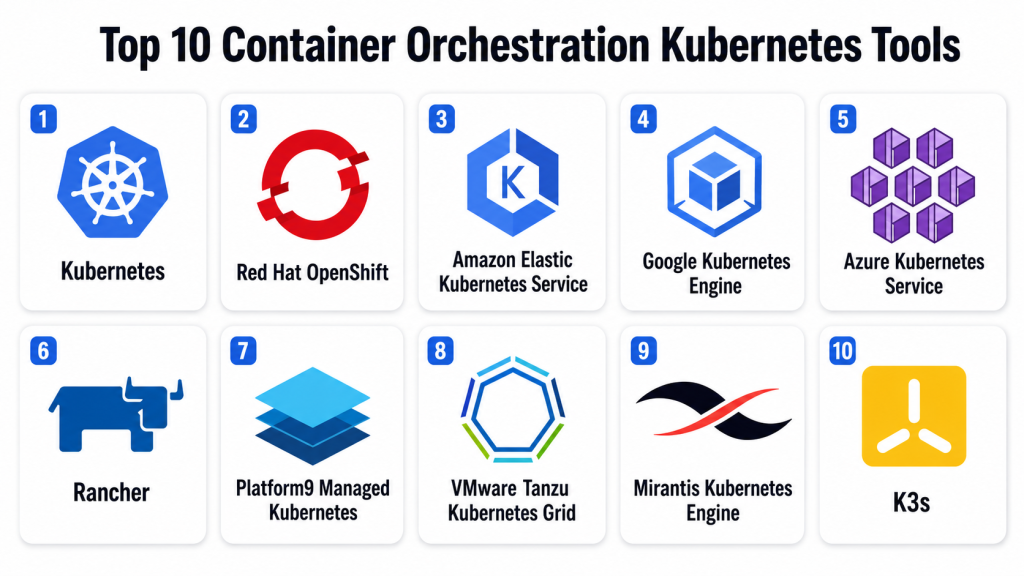
Top 10 Container Orchestration Kubernetes Tools
#1 — Kubernetes
Short description: Kubernetes is the open-source container orchestration standard used to deploy, scale, and manage containerized applications. It is best for teams that need flexible orchestration across cloud, on-premises, hybrid, and edge environments.
Key Features
- Container scheduling across clusters.
- Automated scaling and self-healing workloads.
- Service discovery and load balancing.
- Declarative deployment model.
- Secrets and configuration management.
- Rolling updates and rollback support.
- Strong ecosystem of extensions, operators, and integrations.
Pros
- Most widely recognized orchestration standard.
- Huge ecosystem and community support.
- Works across cloud, self-hosted, hybrid, and edge environments.
Cons
- Can be complex for beginners.
- Requires strong security and operations practices.
- Often needs additional tools for observability, policy, and developer workflows.
Platforms / Deployment
Linux / Windows workload support varies
Cloud / Self-hosted / Hybrid
Security & Compliance
Supports RBAC, namespaces, secrets, network policies, admission controls, audit logs, and encryption options depending on configuration. Compliance depends on deployment, configuration, and supporting tools.
Integrations & Ecosystem
Kubernetes has a large ecosystem across DevOps, security, observability, networking, and cloud infrastructure.
- Container registries
- CI/CD platforms
- GitOps tools
- Monitoring and logging tools
- Service mesh platforms
- Cloud infrastructure services
Support & Community
Kubernetes has extensive documentation, a large open-source community, vendor-backed distributions, training resources, and broad professional adoption.
#2 — Red Hat OpenShift
Short description: Red Hat OpenShift is an enterprise Kubernetes platform designed for secure container orchestration, developer productivity, and hybrid cloud operations. It is best for organizations that need Kubernetes with stronger governance and enterprise support.
Key Features
- Enterprise Kubernetes distribution.
- Built-in developer and administrator consoles.
- Integrated image registry and build workflows.
- Security policies and workload controls.
- Operator-based lifecycle management.
- Hybrid and on-premises deployment support.
- GitOps and CI/CD options depending on setup.
Pros
- Strong enterprise governance and support.
- Good fit for regulated and hybrid environments.
- Helps standardize Kubernetes operations.
Cons
- Can be complex for smaller teams.
- Requires platform administration skills.
- Licensing and infrastructure cost should be reviewed carefully.
Platforms / Deployment
Web / Linux / Windows workload support varies
Cloud / Self-hosted / Hybrid
Security & Compliance
Supports RBAC, SSO integrations, network policies, audit logs, image controls, encryption options, policy enforcement, and enterprise security features. Specific compliance certifications should be verified with the vendor.
Integrations & Ecosystem
OpenShift fits organizations that need Kubernetes connected with enterprise identity, DevOps, security, and monitoring systems.
- Red Hat ecosystem
- Kubernetes operators
- CI/CD tools
- GitOps workflows
- Container registries
- Security and monitoring platforms
Support & Community
Red Hat provides enterprise support, documentation, training resources, partner services, and a mature Kubernetes professional ecosystem.
#3 — Amazon Elastic Kubernetes Service
Short description: Amazon Elastic Kubernetes Service is a managed Kubernetes service for running containerized applications on AWS. It is useful for teams that want Kubernetes compatibility while reducing control plane management effort.
Key Features
- Managed Kubernetes control plane.
- Integration with AWS identity and networking.
- Support for scalable container workloads.
- Compatibility with Kubernetes APIs and tools.
- Integration with AWS monitoring and security services.
- Container registry integration.
- Flexible deployment options depending on architecture.
Pros
- Strong fit for AWS-centered teams.
- Reduces control plane operations.
- Works with the broader Kubernetes ecosystem.
Cons
- Kubernetes knowledge is still required.
- AWS networking and cost design need careful planning.
- Best fit is usually AWS-based environments.
Platforms / Deployment
Web / Linux / Windows workload support varies
Cloud / Hybrid options may vary
Security & Compliance
Supports AWS identity controls, RBAC, encryption options, network policies, audit logging through AWS services, and security integrations. Compliance depends on configuration and customer requirements.
Integrations & Ecosystem
Amazon Elastic Kubernetes Service connects naturally with AWS infrastructure, DevOps, identity, monitoring, and security services.
- AWS identity services
- AWS networking
- AWS container registries
- AWS monitoring tools
- CI/CD pipelines
- Kubernetes ecosystem tools
Support & Community
AWS provides documentation, support plans, partner resources, and a large cloud practitioner ecosystem. Kubernetes community resources also apply to many common patterns.
#4 — Google Kubernetes Engine
Short description: Google Kubernetes Engine is a managed Kubernetes service from Google Cloud. It is suitable for teams that want Kubernetes with cloud-native automation, scalability, and integrated operations support.
Key Features
- Managed Kubernetes cluster operations.
- Automated cluster management options.
- Integration with Google Cloud services.
- Workload scaling and resource management.
- Container image and artifact workflows.
- Security and policy features depending on configuration.
- Observability integration with Google Cloud tools.
Pros
- Strong managed Kubernetes experience.
- Good fit for Google Cloud users.
- Useful automation for cluster operations.
Cons
- Kubernetes skills are still needed.
- Best value is usually in Google Cloud environments.
- Cost control needs careful monitoring.
Platforms / Deployment
Web / Linux / Windows workload support varies
Cloud / Hybrid options may vary
Security & Compliance
Supports RBAC, cloud identity integration, encryption options, audit logs, network controls, policy controls, and workload security features depending on configuration. Specific compliance coverage should be verified through cloud documentation.
Integrations & Ecosystem
Google Kubernetes Engine works well with Google Cloud infrastructure, DevOps workflows, observability tools, and cloud-native services.
- Google Cloud identity services
- Artifact and container registries
- Monitoring and logging tools
- CI/CD workflows
- Cloud networking
- Kubernetes ecosystem tools
Support & Community
Google Cloud provides documentation, support plans, partner services, and strong Kubernetes ecosystem resources.
#5 — Azure Kubernetes Service
Short description: Azure Kubernetes Service is Microsoft’s managed Kubernetes platform for running containerized workloads on Azure. It is best for teams using Microsoft cloud, identity, DevOps, security, and observability services.
Key Features
- Managed Kubernetes control plane.
- Integration with Microsoft identity and Azure services.
- Support for scalable container applications.
- Integration with Azure DevOps and GitHub workflows.
- Monitoring and logging through Azure tools.
- Container registry integration.
- Policy and security management options.
Pros
- Strong fit for Microsoft-centered organizations.
- Good integration with Azure services and identity.
- Reduces Kubernetes control plane management effort.
Cons
- Kubernetes skills are still necessary.
- Azure networking and cost planning are important.
- Best fit is usually Azure-based environments.
Platforms / Deployment
Web / Linux / Windows workload support varies
Cloud / Hybrid options may vary
Security & Compliance
Supports RBAC, Microsoft identity integration, encryption options, network policies, audit logs, policy controls, and security integrations depending on configuration. Specific compliance coverage should be verified through Microsoft cloud documentation.
Integrations & Ecosystem
Azure Kubernetes Service fits teams using Microsoft cloud, DevOps, identity, security, and application delivery workflows.
- Microsoft identity services
- Azure Container Registry
- Azure Monitor
- Azure DevOps
- GitHub workflows
- Microsoft security tools
Support & Community
Microsoft provides documentation, support plans, partner resources, and a large administrator and developer community.
#6 — Rancher
Short description: Rancher is a Kubernetes management platform that helps teams deploy, manage, secure, and operate multiple Kubernetes clusters. It is useful for hybrid, multi-cloud, edge, and self-hosted Kubernetes operations.
Key Features
- Multi-cluster Kubernetes management.
- Centralized access and governance.
- Cluster provisioning and lifecycle management.
- Role-based access controls.
- App catalog and workload management.
- Monitoring and logging integrations.
- Hybrid and edge Kubernetes support.
Pros
- Strong for managing multiple Kubernetes clusters.
- Useful for hybrid and edge environments.
- Good administrative experience for platform teams.
Cons
- Still requires Kubernetes knowledge.
- Large deployments need governance planning.
- Operational success depends on underlying cluster design.
Platforms / Deployment
Web / Linux-based Kubernetes environments
Self-hosted / Hybrid / Cloud options may vary
Security & Compliance
Supports RBAC, authentication integrations, cluster access controls, audit visibility, policy controls, and Kubernetes security features depending on configuration. Specific compliance certifications should be verified with the vendor.
Integrations & Ecosystem
Rancher fits platform teams managing Kubernetes across different infrastructure providers and locations.
- Kubernetes clusters
- Cloud providers
- Monitoring tools
- Logging platforms
- Identity providers
- GitOps workflows
Support & Community
Rancher has documentation, commercial support options through its vendor ecosystem, and strong community adoption among Kubernetes operators.
#7 — Platform9 Managed Kubernetes
Short description: Platform9 Managed Kubernetes helps organizations run managed Kubernetes across public cloud, private data centers, and edge locations. It is useful for teams that want Kubernetes flexibility without managing every operational detail alone.
Key Features
- Managed Kubernetes across multiple environments.
- Centralized cluster lifecycle management.
- Support for hybrid and edge use cases.
- Operational visibility and monitoring.
- Automated upgrades depending on plan.
- Infrastructure integration options.
- Policy and governance capabilities.
Pros
- Strong for distributed Kubernetes environments.
- Helps reduce operational burden.
- Useful for hybrid and edge strategies.
Cons
- Requires Kubernetes and infrastructure understanding.
- Fit depends on environment complexity.
- Support and deployment needs should be validated.
Platforms / Deployment
Web / Linux-based Kubernetes environments
Cloud / Self-hosted / Hybrid / Edge
Security & Compliance
Supports Kubernetes RBAC, identity integration options, access controls, encryption options, and governance depending on configuration. Specific compliance certifications should be verified with the vendor.
Integrations & Ecosystem
Platform9 fits organizations running Kubernetes across cloud, private infrastructure, and edge locations.
- Public cloud infrastructure
- Private data centers
- Edge environments
- Monitoring systems
- Identity providers
- Kubernetes ecosystem tools
Support & Community
Platform9 provides documentation, managed service support, onboarding guidance, and technical assistance for Kubernetes operations.
#8 — VMware Tanzu Kubernetes Grid
Short description: VMware Tanzu Kubernetes Grid is a Kubernetes platform designed for organizations running modern applications across VMware, cloud, and enterprise environments. It is useful for teams modernizing applications while keeping connection to existing infrastructure investments.
Key Features
- Enterprise Kubernetes cluster management.
- Integration with VMware infrastructure.
- Support for cloud and on-premises deployments.
- Kubernetes lifecycle management.
- Platform operations and governance features.
- Developer and application modernization workflows.
- Integration with observability and security tools depending on setup.
Pros
- Strong fit for VMware-centered organizations.
- Useful for enterprise modernization.
- Supports hybrid Kubernetes strategies.
Cons
- May be complex for smaller teams.
- Best value is usually in VMware-oriented environments.
- Licensing and architecture should be reviewed carefully.
Platforms / Deployment
Web / Linux-based Kubernetes environments
Cloud / Self-hosted / Hybrid
Security & Compliance
Supports Kubernetes RBAC, identity integrations, policy controls, secure cluster management, and audit visibility depending on configuration. Specific compliance certifications should be verified with the vendor.
Integrations & Ecosystem
VMware Tanzu Kubernetes Grid fits enterprise teams already using VMware infrastructure and modern application platforms.
- VMware infrastructure
- Kubernetes ecosystem tools
- Cloud platforms
- CI/CD workflows
- Monitoring platforms
- Security tools
Support & Community
VMware provides documentation, enterprise support, partner resources, and professional services for Tanzu-related deployments.
#9 — Mirantis Kubernetes Engine
Short description: Mirantis Kubernetes Engine is an enterprise Kubernetes platform for organizations that need secure, supported Kubernetes across self-managed, hybrid, and enterprise environments. It is suitable for teams that want Kubernetes with commercial support and operational control.
Key Features
- Enterprise Kubernetes orchestration.
- Cluster lifecycle management.
- Container workload deployment.
- Security and access controls.
- Support for hybrid infrastructure.
- Integration with container registries and CI/CD workflows.
- Enterprise support options.
Pros
- Useful for self-managed enterprise Kubernetes.
- Good for teams needing vendor-backed support.
- Supports controlled hybrid environments.
Cons
- Requires Kubernetes operations knowledge.
- May not be as simple as fully managed cloud services.
- Licensing and deployment architecture should be reviewed.
Platforms / Deployment
Web / Linux / Windows workload support varies
Self-hosted / Hybrid / Cloud options may vary
Security & Compliance
Supports RBAC, encryption options, secure cluster management, access controls, and audit visibility depending on configuration. Specific compliance certifications should be verified with the vendor.
Integrations & Ecosystem
Mirantis Kubernetes Engine fits teams that need enterprise Kubernetes with control over infrastructure and operations.
- Container registries
- CI/CD tools
- Cloud infrastructure
- On-premises systems
- Monitoring tools
- Kubernetes ecosystem tools
Support & Community
Mirantis provides enterprise documentation, support plans, onboarding help, and professional services for Kubernetes and container platform operations.
#10 — K3s
Short description: K3s is a lightweight Kubernetes distribution designed for edge, IoT, development, small clusters, and resource-constrained environments. It is useful for teams that need Kubernetes capabilities without the footprint of a larger distribution.
Key Features
- Lightweight Kubernetes distribution.
- Simple installation and small resource footprint.
- Useful for edge and IoT environments.
- Compatible with Kubernetes APIs.
- Suitable for development and small clusters.
- Supports container orchestration in constrained environments.
- Works well for distributed edge scenarios.
Pros
- Lightweight and easier to run than full-sized distributions.
- Strong fit for edge and small environments.
- Useful for learning and development use cases.
Cons
- Not always ideal for large enterprise workloads.
- Some advanced use cases need additional tooling.
- Support model depends on deployment and vendor ecosystem.
Platforms / Deployment
Linux / Edge environments / Lightweight infrastructure
Self-hosted / Hybrid / Edge
Security & Compliance
Supports Kubernetes security features such as RBAC, secrets, and access controls depending on configuration. Compliance depends on deployment, supporting controls, and operational practices.
Integrations & Ecosystem
K3s is useful for teams bringing Kubernetes to smaller, distributed, or resource-constrained environments.
- Edge devices
- IoT environments
- Lightweight clusters
- Development labs
- GitOps tools
- Kubernetes ecosystem integrations
Support & Community
K3s has strong community adoption, documentation, and support options through vendor ecosystems depending on deployment needs.
Comparison Table (Top 10)
| Tool Name | Best For | Platform(s) Supported | Deployment | Standout Feature | Public Rating |
|---|---|---|---|---|---|
| Kubernetes | Standard container orchestration | Linux, Windows workloads vary | Cloud / Self-hosted / Hybrid | Open-source orchestration standard | N/A |
| Red Hat OpenShift | Enterprise Kubernetes governance | Web, Linux, Windows workloads vary | Cloud / Self-hosted / Hybrid | Enterprise Kubernetes with built-in controls | N/A |
| Amazon Elastic Kubernetes Service | AWS-based Kubernetes workloads | Web, Linux, Windows workloads vary | Cloud / Hybrid options vary | Managed Kubernetes on AWS | N/A |
| Google Kubernetes Engine | Google Cloud Kubernetes workloads | Web, Linux, Windows workloads vary | Cloud / Hybrid options vary | Managed Kubernetes with automation | N/A |
| Azure Kubernetes Service | Microsoft cloud Kubernetes workloads | Web, Linux, Windows workloads vary | Cloud / Hybrid options vary | Managed Kubernetes on Azure | N/A |
| Rancher | Multi-cluster Kubernetes management | Web, Linux-based Kubernetes clusters | Self-hosted / Hybrid / Cloud options vary | Centralized Kubernetes control | N/A |
| Platform9 Managed Kubernetes | Hybrid and edge Kubernetes | Web, Linux-based Kubernetes clusters | Cloud / Self-hosted / Hybrid / Edge | Managed Kubernetes across environments | N/A |
| VMware Tanzu Kubernetes Grid | VMware-centered enterprises | Web, Linux-based Kubernetes clusters | Cloud / Self-hosted / Hybrid | Kubernetes for VMware environments | N/A |
| Mirantis Kubernetes Engine | Self-managed enterprise Kubernetes | Web, Linux, Windows workloads vary | Self-hosted / Hybrid / Cloud options vary | Supported enterprise Kubernetes | N/A |
| K3s | Edge and lightweight Kubernetes | Linux, edge environments | Self-hosted / Hybrid / Edge | Lightweight Kubernetes distribution | N/A |
Evaluation & Scoring of Container Orchestration Kubernetes Tools
| Tool Name | Core (25%) | Ease (15%) | Integrations (15%) | Security (10%) | Performance (10%) | Support (10%) | Value (15%) | Weighted Total (0–10) |
|---|---|---|---|---|---|---|---|---|
| Kubernetes | 10 | 6 | 10 | 8 | 9 | 9 | 10 | 8.95 |
| Red Hat OpenShift | 10 | 7 | 9 | 9 | 9 | 9 | 7 | 8.70 |
| Amazon Elastic Kubernetes Service | 9 | 8 | 9 | 9 | 9 | 8 | 8 | 8.60 |
| Google Kubernetes Engine | 9 | 8 | 9 | 9 | 9 | 8 | 8 | 8.60 |
| Azure Kubernetes Service | 9 | 8 | 9 | 9 | 8 | 8 | 8 | 8.50 |
| Rancher | 9 | 8 | 8 | 8 | 8 | 8 | 8 | 8.25 |
| Platform9 Managed Kubernetes | 8 | 8 | 8 | 8 | 8 | 8 | 7 | 7.95 |
| VMware Tanzu Kubernetes Grid | 8 | 7 | 8 | 8 | 8 | 8 | 7 | 7.75 |
| Mirantis Kubernetes Engine | 8 | 7 | 8 | 8 | 8 | 8 | 7 | 7.75 |
| K3s | 7 | 9 | 7 | 7 | 8 | 8 | 9 | 7.90 |
These scores are comparative and should be used as a decision-support guide, not as a universal ranking. Kubernetes has the strongest ecosystem, but it requires skill. OpenShift is better for enterprise governance, while managed Kubernetes services are practical for cloud-centered teams. Rancher is strong for multi-cluster management, and K3s is useful for lightweight and edge environments.
Which Container Orchestration Kubernetes Tool Is Right for You?
Solo / Freelancer
Solo developers usually do not need a large Kubernetes platform unless they are learning orchestration, building cloud-native apps, or supporting client infrastructure. Kubernetes can be useful for learning and testing, while K3s is easier for lightweight local labs and small clusters.
If the goal is simple container development, Docker or Docker Compose may be enough before moving to Kubernetes orchestration.
SMB
SMBs should prioritize simplicity, managed operations, predictable cost, and low administration effort. Managed Kubernetes services such as Amazon Elastic Kubernetes Service, Google Kubernetes Engine, and Azure Kubernetes Service can be practical if the team already uses those clouds.
For smaller self-managed environments, K3s or Rancher may help reduce complexity. However, SMBs should avoid building complex Kubernetes platforms without the required skills.
Mid-Market
Mid-market teams usually need stronger deployment control, CI/CD integration, monitoring, security policies, and cost visibility. Kubernetes, Rancher, managed Kubernetes services, Platform9 Managed Kubernetes, and Red Hat OpenShift can fit depending on governance needs.
Mid-market buyers should test real deployment workflows, scaling, rollback, secrets management, observability, and incident response before standardizing on a platform.
Enterprise
Enterprises should focus on governance, security, compliance, hybrid operations, workload isolation, platform automation, support maturity, and multi-cluster management. Red Hat OpenShift, Kubernetes, Rancher, VMware Tanzu Kubernetes Grid, Mirantis Kubernetes Engine, and managed Kubernetes services are strong candidates.
Enterprise teams should also evaluate platform engineering needs, internal developer portals, GitOps workflows, runtime security, audit controls, and policy-as-code.
Budget vs Premium
Budget-focused teams may prefer Kubernetes, K3s, Rancher, or managed Kubernetes with careful cloud cost planning. Premium buyers may prefer OpenShift, Platform9 Managed Kubernetes, VMware Tanzu Kubernetes Grid, Mirantis Kubernetes Engine, or vendor-supported Kubernetes services.
The real cost includes infrastructure, licenses, support, monitoring, security tools, training, platform engineering time, and operations effort.
Feature Depth vs Ease of Use
For feature depth, Kubernetes, OpenShift, Rancher, and managed Kubernetes services are strong. For ease of use, K3s, cloud-managed Kubernetes, and Platform9 may reduce some operational effort.
The right choice should match the maturity of the team. Kubernetes can be powerful, but without proper skills it can become difficult to secure, monitor, and operate.
Integrations & Scalability
Kubernetes has the broadest ecosystem. OpenShift adds enterprise platform controls. Amazon Elastic Kubernetes Service, Google Kubernetes Engine, and Azure Kubernetes Service integrate deeply with their cloud providers. Rancher helps manage multiple clusters. Platform9 supports hybrid and edge environments. K3s works well for lightweight distributed clusters.
Scalability should be tested through real workloads, deployment frequency, cluster size, traffic patterns, storage requirements, and recovery needs.
Security & Compliance Needs
Security-focused buyers should evaluate RBAC, SSO, MFA, image scanning, secrets management, network policies, runtime protection, admission controls, audit logs, encryption, and policy-as-code. Regulated organizations should verify vendor documentation and validate platform configuration before production rollout.
Kubernetes can be secure, but only when configured and operated with strong governance.
Frequently Asked Questions (FAQs)
1. What is container orchestration?
Container orchestration is the process of automatically deploying, scaling, networking, and managing containers across clusters of servers. It helps teams run containerized applications reliably.
2. What is Kubernetes?
Kubernetes is an open-source container orchestration platform. It helps teams manage container workloads, services, scaling, updates, and recovery across distributed infrastructure.
3. Why do teams need Kubernetes?
Teams use Kubernetes when applications need scaling, resilience, automated deployment, service discovery, and consistent operations across environments. It is especially useful for microservices and cloud-native systems.
4. Is Kubernetes only for large enterprises?
No. Kubernetes can be used by small teams, but it requires operational knowledge. Small teams should start with managed Kubernetes, K3s, or simpler container tools if full Kubernetes is too complex.
5. What is managed Kubernetes?
Managed Kubernetes is a service where the cloud or platform provider manages part of the Kubernetes control plane. It reduces operational burden but does not remove the need for Kubernetes knowledge.
6. What is the difference between Kubernetes and OpenShift?
Kubernetes is the open-source orchestration layer. OpenShift is an enterprise Kubernetes platform that adds developer tools, security controls, lifecycle management, support, and governance features.
7. What are common Kubernetes mistakes?
Common mistakes include weak RBAC, poor secrets management, no resource limits, skipping image scanning, weak monitoring, unmanaged ingress, and deploying workloads without proper security policies.
8. How much does Kubernetes cost?
Kubernetes itself may be open-source, but the total cost includes infrastructure, cloud resources, storage, networking, support, monitoring, security tools, and platform engineering effort.
9. What integrations matter most for Kubernetes?
Important integrations include CI/CD tools, container registries, GitOps platforms, monitoring tools, logging systems, security scanners, identity providers, cloud services, and service mesh tools.
10. Can Kubernetes run stateful applications?
Yes, Kubernetes can run stateful applications, but they require careful storage, backup, networking, and recovery planning. Stateless applications are usually easier to start with.
Conclusion
Container Orchestration Kubernetes Tools help organizations run containerized applications with better automation, scalability, reliability, and operational control. The best option depends on cloud strategy, team skill, governance needs, security requirements, workload complexity, and budget. Kubernetes provides the broadest orchestration foundation, while Red Hat OpenShift adds enterprise governance and support. Amazon Elastic Kubernetes Service, Google Kubernetes Engine, and Azure Kubernetes Service are strong for cloud-centered teams. Rancher helps manage multiple clusters, Platform9 supports hybrid and edge Kubernetes, VMware Tanzu Kubernetes Grid fits VMware-focused enterprises, Mirantis Kubernetes Engine supports self-managed enterprise Kubernetes, and K3s is practical for lightweight and edge use cases. The best next step is to shortlist two or three tools, run a pilot with real workloads, validate security controls, test deployment and rollback workflows, and confirm that the platform matches both developer productivity and operations maturity.
