Upgrade & Secure Your Future with DevOps, SRE, DevSecOps, MLOps!
We spend hours scrolling social media and waste money on things we forget, but won’t spend 30 minutes a day earning certifications that can change our lives.
Master in DevOps, SRE, DevSecOps & MLOps by DevOps School!
Learn from Guru Rajesh Kumar and double your salary in just one year.
Introduction
Load testing tools help teams check how websites, applications, APIs, databases, and backend systems behave when many users or requests access them at the same time. In simple words, these tools simulate real traffic so teams can understand whether an application is fast, stable, and ready for production usage.
Load testing matters because users expect applications to work smoothly during traffic spikes, product launches, marketing campaigns, seasonal sales, online exams, financial transactions, gaming events, and API-heavy workloads. Without proper load testing, teams may face slow response times, server crashes, payment failures, poor customer experience, and revenue loss.
Common use cases include testing website performance, API scalability, mobile app backend load, database response under pressure, microservices performance, cloud infrastructure capacity, and release readiness.
Buyers should evaluate protocol support, scripting flexibility, cloud load generation, reporting depth, CI/CD integration, distributed testing, ease of use, observability integrations, pricing, test accuracy, and team skill requirements.
Best for: QA engineers, performance testers, DevOps teams, SRE teams, developers, platform teams, SaaS companies, eCommerce teams, fintech platforms, gaming companies, and enterprises running high-traffic systems.
Not ideal for: very small static websites with low traffic, teams that only need simple uptime monitoring, or projects where performance issues are better handled through application profiling before full-scale load testing.
Key Trends in Load Testing Tools
- Shift-left performance testing is becoming common: Teams are running smaller load tests earlier in development instead of waiting until the final release stage.
- API load testing is now a core requirement: Modern applications depend heavily on APIs, so tools must support REST, GraphQL, WebSocket, gRPC, and backend service testing where applicable.
- Cloud-based load generation is growing: Teams want to simulate traffic from different regions without managing large internal test infrastructure.
- CI/CD integration is becoming standard: Performance testing is increasingly part of automated pipelines, release gates, and quality checks.
- Developer-friendly scripting is important: Tools that support JavaScript, Python, YAML, or simple script formats are easier for developers and DevOps teams to adopt.
- Observability integration is more valuable: Load test results are more useful when connected with logs, metrics, traces, infrastructure dashboards, and APM tools.
- Realistic user journeys matter more: Teams want to simulate login, search, checkout, file upload, API chains, database-heavy actions, and mobile backend flows.
- Open-source tools remain popular: Many teams prefer flexible open-source tools for local testing, pipeline testing, and custom performance engineering workflows.
- Security and controlled testing are important: Organizations need to avoid accidentally overloading production systems or exposing sensitive data during tests.
- Performance budgets are becoming practical: Teams are defining acceptable response times, error rates, throughput limits, and resource usage targets before releases.
How We Selected These Tools
The tools in this list were selected using practical evaluation criteria:
- Strong recognition in load testing, performance testing, API testing, or reliability engineering.
- Ability to simulate realistic traffic, virtual users, requests, and performance scenarios.
- Support for web, API, protocol, browser, or backend testing where relevant.
- Fit for different teams, including developers, QA engineers, DevOps teams, SRE teams, enterprises, and SMBs.
- Scripting flexibility and ease of creating test scenarios.
- Integration with CI/CD pipelines, monitoring tools, APM platforms, and cloud environments.
- Reporting quality, metrics visibility, and performance analysis features.
- Scalability for distributed or cloud-based load generation.
- Security controls, access management, and team governance where applicable.
- Overall value based on capability, usability, ecosystem strength, support, and operational fit.
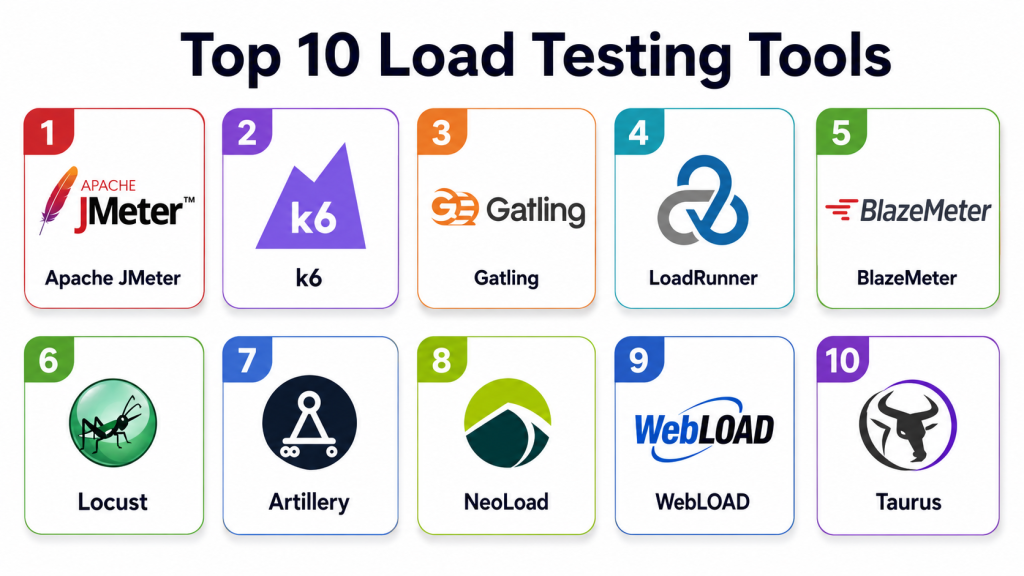
Top 10 Load Testing Tools
#1 — Apache JMeter
Short description: Apache JMeter is an open-source load testing tool widely used for testing websites, APIs, databases, and backend services. It is best for QA teams, performance engineers, and technical users who need flexible test design without commercial licensing.
Key Features
- Supports HTTP, HTTPS, JDBC, FTP, SOAP, REST, and other protocols.
- GUI-based test plan creation.
- Distributed load testing support.
- Assertions, timers, variables, and parameterization.
- Rich plugin ecosystem.
- Detailed test reports and result listeners.
- Suitable for API and backend performance testing.
Pros
- Free and open-source with broad community adoption.
- Flexible for many protocol-level testing scenarios.
- Strong plugin ecosystem for advanced users.
Cons
- GUI can become heavy for large test plans.
- Requires performance testing knowledge for accurate results.
- Browser-level user simulation is limited compared with modern browser testing tools.
Platforms / Deployment
Web / Windows / macOS / Linux
Self-hosted / Hybrid
Security & Compliance
Supports secure protocol testing such as HTTPS and authentication flows depending on configuration. Enterprise security controls, formal certifications, and compliance mappings are not publicly stated for the open-source tool itself.
Integrations & Ecosystem
Apache JMeter works well in technical testing, CI/CD, and performance engineering workflows.
- Jenkins and CI/CD tools
- Docker-based execution
- Monitoring dashboards
- Plugin ecosystem
- API testing workflows
- Cloud load generation through third-party services
Support & Community
Apache JMeter has strong community support, extensive documentation, tutorials, plugins, and long-standing usage among performance testers. Commercial support may be available through third-party vendors.
#2 — k6
Short description: k6 is a developer-friendly load testing tool focused on modern engineering teams. It uses JavaScript-based scripting and is popular for API testing, CI/CD performance checks, and cloud-native performance workflows.
Key Features
- JavaScript-based test scripting.
- Strong API load testing support.
- CLI-friendly execution.
- CI/CD pipeline integration.
- Thresholds for performance pass/fail rules.
- Cloud and local execution options depending on setup.
- Metrics output for observability tools.
Pros
- Developer-friendly and easy to version control.
- Excellent fit for API and CI/CD performance testing.
- Lightweight command-line workflow.
Cons
- Browser-based testing requires separate capabilities or related tooling.
- Advanced enterprise features may depend on commercial offerings.
- Teams unfamiliar with scripting may need training.
Platforms / Deployment
Web / Windows / macOS / Linux
Cloud / Self-hosted / Hybrid
Security & Compliance
Supports secure API testing, authentication flows, secrets handling through environment practices, and access controls in commercial environments. Specific certifications and compliance details should be validated directly for hosted services.
Integrations & Ecosystem
k6 fits modern DevOps, SRE, and developer-led performance testing workflows.
- CI/CD pipelines
- Grafana dashboards
- Cloud monitoring tools
- API testing workflows
- Docker and Kubernetes
- Version control systems
Support & Community
k6 has strong documentation, active community usage, and commercial support options through its vendor ecosystem. It is a good choice for teams that want performance testing as code.
#3 — Gatling
Short description: Gatling is a performance testing tool designed for high-performance load testing and developer-friendly scripting. It is commonly used for APIs, web applications, microservices, and CI/CD performance validation.
Key Features
- Code-based performance test scripting.
- Strong HTTP and API testing support.
- High-performance load generation.
- Detailed reports and visual metrics.
- Scenario modeling and user journey simulation.
- CI/CD integration.
- Open-source and commercial options.
Pros
- Strong performance and detailed reporting.
- Good fit for developers and performance engineers.
- Useful for repeatable pipeline-based testing.
Cons
- Requires scripting knowledge.
- Non-technical users may find it harder than GUI-first tools.
- Advanced team and enterprise features may require commercial options.
Platforms / Deployment
Web / Windows / macOS / Linux
Cloud / Self-hosted / Hybrid
Security & Compliance
Supports secure endpoint testing, authentication scenarios, and controlled test execution. Specific compliance certifications for commercial services should be validated directly.
Integrations & Ecosystem
Gatling fits developer-led testing and automated performance validation.
- CI/CD tools
- Build systems
- API testing workflows
- Monitoring tools
- Cloud load testing
- Version control systems
Support & Community
Gatling has strong documentation, community resources, and commercial support options. It is well suited for engineering teams that prefer performance testing as code.
#4 — LoadRunner
Short description: LoadRunner is an enterprise-grade performance testing platform used for complex applications, protocols, and large-scale load testing. It is best for enterprises with advanced performance testing needs and diverse application landscapes.
Key Features
- Broad protocol support.
- Enterprise-scale load testing.
- Scenario design and workload modeling.
- Detailed performance analysis.
- Integration with enterprise testing workflows.
- Support for complex application environments.
- Reporting and diagnostics capabilities.
Pros
- Strong fit for large enterprise performance testing.
- Broad protocol coverage for complex systems.
- Mature reporting and analysis capabilities.
Cons
- Can be expensive and complex.
- Requires trained performance testing specialists.
- May be too heavy for small teams or simple API testing.
Platforms / Deployment
Web / Windows / Linux support varies by component
Cloud / Self-hosted / Hybrid
Security & Compliance
Supports enterprise access control, secure test configuration, and controlled execution workflows depending on deployment. Specific certifications and compliance details should be validated directly.
Integrations & Ecosystem
LoadRunner fits enterprise QA, performance engineering, and complex application testing environments.
- Enterprise test management tools
- CI/CD pipelines
- APM platforms
- Mainframe and legacy systems
- Web and API testing workflows
- Enterprise reporting tools
Support & Community
LoadRunner has vendor-backed enterprise support, documentation, training resources, and a long history in enterprise performance testing. It is best for large teams with formal testing practices.
#5 — BlazeMeter
Short description: BlazeMeter is a cloud-based continuous testing platform that supports load testing and performance testing workflows. It is useful for teams that want scalable cloud load generation and compatibility with open-source tools like JMeter.
Key Features
- Cloud-based load testing.
- JMeter test support.
- API and web performance testing.
- Distributed load generation.
- CI/CD integration.
- Real-time reporting and dashboards.
- Team collaboration features.
Pros
- Good for scaling JMeter-style testing in the cloud.
- Useful reporting and collaboration features.
- Fits continuous testing workflows.
Cons
- Cost depends on usage and scale.
- Advanced features may require higher-tier plans.
- Teams still need good performance test design practices.
Platforms / Deployment
Web / Windows / macOS / Linux through supported test tools
Cloud / Hybrid
Security & Compliance
Supports user access controls, secure test execution workflows, and enterprise administration features depending on plan. Specific certifications and compliance mappings should be validated directly.
Integrations & Ecosystem
BlazeMeter fits cloud testing, CI/CD, and open-source performance testing ecosystems.
- Apache JMeter
- CI/CD tools
- API testing workflows
- Monitoring tools
- Collaboration workflows
- Cloud-based test execution
Support & Community
BlazeMeter provides documentation, support resources, enterprise support options, and strong alignment with JMeter users. It is practical for teams that want cloud-based load testing without building their own load infrastructure.
#6 — Locust
Short description: Locust is an open-source load testing tool that lets teams write test scenarios in Python. It is popular with developers and performance engineers who want flexible, code-driven load testing.
Key Features
- Python-based test scripting.
- Distributed load generation.
- Web-based test control interface.
- Custom user behavior modeling.
- API and web endpoint testing.
- Lightweight and flexible architecture.
- Good fit for developer-led testing.
Pros
- Flexible scripting using Python.
- Good for custom workload modeling.
- Open-source and developer-friendly.
Cons
- Requires coding skills.
- Reporting may need extra tools for advanced analysis.
- Browser-level simulation is not the main focus.
Platforms / Deployment
Web / Windows / macOS / Linux
Self-hosted / Hybrid
Security & Compliance
Supports secure endpoint testing depending on script configuration. Enterprise security controls and formal compliance certifications are not publicly stated for the open-source tool itself.
Integrations & Ecosystem
Locust fits Python-based engineering workflows and custom test design.
- Python applications
- CI/CD pipelines
- Docker and Kubernetes
- Monitoring tools
- API testing workflows
- Custom performance scripts
Support & Community
Locust has community documentation, examples, and open-source support. It is a strong choice for teams comfortable with Python and custom performance scenarios.
#7 — Artillery
Short description: Artillery is a modern load testing toolkit for APIs, microservices, and event-driven systems. It is developer-friendly and useful for teams that want scriptable performance tests for HTTP, WebSocket, and other supported protocols.
Key Features
- YAML and JavaScript-based test definitions.
- HTTP API load testing.
- WebSocket testing support.
- Scenario-based virtual user modeling.
- CI/CD-friendly execution.
- Cloud and local execution options depending on setup.
- Extensible testing workflows.
Pros
- Developer-friendly and easy to version control.
- Good for APIs and WebSocket workloads.
- Useful for modern application and microservice testing.
Cons
- Advanced reporting may require additional setup or commercial options.
- Less GUI-driven than some enterprise tools.
- Protocol coverage should be validated for specific needs.
Platforms / Deployment
Web / Windows / macOS / Linux
Cloud / Self-hosted / Hybrid
Security & Compliance
Supports secure endpoint testing and authentication workflows through configuration. Specific security certifications and compliance details should be validated for any hosted or commercial offering.
Integrations & Ecosystem
Artillery fits modern engineering, API testing, and pipeline-based performance testing.
- CI/CD tools
- API workflows
- WebSocket applications
- Serverless platforms
- Docker-based execution
- Cloud monitoring tools
Support & Community
Artillery has documentation, community resources, and commercial support options depending on edition. It is best for developer teams testing modern APIs and real-time applications.
#8 — NeoLoad
Short description: NeoLoad is an enterprise performance testing platform designed for continuous performance validation, application load testing, and collaboration between QA, DevOps, and business teams.
Key Features
- Enterprise load and performance testing.
- Scriptless and script-assisted test design.
- CI/CD and DevOps integration.
- Real-time performance monitoring.
- Collaboration and reporting features.
- Support for web, mobile, and enterprise application testing.
- Test reuse and maintenance capabilities.
Pros
- Strong fit for enterprise performance engineering.
- Useful for teams wanting collaboration and reporting.
- Supports continuous testing practices.
Cons
- Commercial pricing may be high for small teams.
- Requires planning and tool-specific learning.
- May be more than needed for simple API load testing.
Platforms / Deployment
Web / Windows / Linux support varies by component
Cloud / Self-hosted / Hybrid
Security & Compliance
Supports enterprise administration, access controls, and controlled test management depending on deployment. Specific certifications and compliance mappings should be validated directly.
Integrations & Ecosystem
NeoLoad fits enterprise QA, DevOps, and performance engineering workflows.
- CI/CD tools
- APM tools
- Test management systems
- Web and mobile testing workflows
- Enterprise reporting
- Collaboration systems
Support & Community
NeoLoad provides vendor documentation, enterprise support, training, and professional services. It is suited for organizations with structured performance testing practices.
#9 — WebLOAD
Short description: WebLOAD is a performance and load testing tool for web applications, APIs, and enterprise systems. It is used by QA and performance teams that need scripting, analysis, and scalable test execution.
Key Features
- Web and API load testing.
- Script-based test creation.
- Load generation and performance analysis.
- Correlation and parameterization support.
- Reporting and dashboards.
- Integration with monitoring and CI/CD workflows.
- Enterprise testing capabilities.
Pros
- Useful for professional performance testing teams.
- Supports complex test scenarios.
- Good reporting and analysis capabilities.
Cons
- Requires performance testing expertise.
- Smaller teams may prefer simpler open-source tools.
- Licensing and deployment details should be reviewed carefully.
Platforms / Deployment
Web / Windows / Linux support varies by component
Cloud / Self-hosted / Hybrid
Security & Compliance
Supports controlled test access and secure test scenarios depending on deployment. Specific certifications and compliance details are not publicly stated and should be validated directly.
Integrations & Ecosystem
WebLOAD fits professional QA and enterprise performance testing environments.
- CI/CD tools
- APM platforms
- Web application testing
- API performance testing
- Reporting dashboards
- Enterprise QA workflows
Support & Community
WebLOAD provides vendor documentation, support options, and professional resources. It is best for teams with dedicated performance testing practices.
#10 — Taurus
Short description: Taurus is an open-source automation-friendly framework that simplifies running performance tests with tools like JMeter, Gatling, Locust, and others. It is best for teams that want a unified way to define, run, and automate load tests.
Key Features
- YAML-based test configuration.
- Supports multiple underlying load testing engines.
- CI/CD-friendly execution.
- Simplifies test automation.
- Works with JMeter, Gatling, Locust, and related tools.
- Reporting and result integration options.
- Useful for repeatable performance testing workflows.
Pros
- Helps standardize load testing across tools.
- Strong fit for pipeline automation.
- Open-source and flexible.
Cons
- Depends on underlying test tools for execution depth.
- Requires technical knowledge.
- Not a standalone GUI-first performance testing platform.
Platforms / Deployment
Web / Windows / macOS / Linux
Self-hosted / Hybrid
Security & Compliance
Security depends on the underlying load testing tools, test data handling, and execution environment. Formal compliance certifications are not publicly stated for the open-source framework itself.
Integrations & Ecosystem
Taurus fits CI/CD automation and multi-tool performance testing workflows.
- Apache JMeter
- Gatling
- Locust
- CI/CD tools
- Docker execution
- Reporting systems
- Version control workflows
Support & Community
Taurus has community documentation, open-source usage, and practical adoption among automation-focused performance teams. It is best for teams that want to standardize test execution rather than use one tool only.
Comparison Table
| Tool Name | Best For | Platform(s) Supported | Deployment | Standout Feature | Public Rating |
|---|---|---|---|---|---|
| Apache JMeter | Flexible open-source protocol testing | Web, Windows, macOS, Linux | Self-hosted / Hybrid | Broad protocol support and plugin ecosystem | N/A |
| k6 | Developer-led API load testing | Web, Windows, macOS, Linux | Cloud / Self-hosted / Hybrid | JavaScript-based performance testing as code | N/A |
| Gatling | High-performance scripted load testing | Web, Windows, macOS, Linux | Cloud / Self-hosted / Hybrid | Code-based scenarios with strong reports | N/A |
| LoadRunner | Enterprise performance testing | Web, Windows, Linux | Cloud / Self-hosted / Hybrid | Broad enterprise protocol coverage | N/A |
| BlazeMeter | Cloud-scale JMeter and continuous testing | Web, Windows, macOS, Linux | Cloud / Hybrid | Cloud load generation and JMeter compatibility | N/A |
| Locust | Python-based custom load testing | Web, Windows, macOS, Linux | Self-hosted / Hybrid | Flexible user behavior modeling in Python | N/A |
| Artillery | API and WebSocket testing | Web, Windows, macOS, Linux | Cloud / Self-hosted / Hybrid | Developer-friendly modern workload testing | N/A |
| NeoLoad | Enterprise continuous performance testing | Web, Windows, Linux | Cloud / Self-hosted / Hybrid | Collaboration-focused enterprise performance testing | N/A |
| WebLOAD | Professional web and API load testing | Web, Windows, Linux | Cloud / Self-hosted / Hybrid | Enterprise scenario design and analysis | N/A |
| Taurus | Load test automation framework | Web, Windows, macOS, Linux | Self-hosted / Hybrid | Unified automation across multiple test engines | N/A |
Evaluation & Scoring of Load Testing Tools
The scoring below is comparative and based on common load testing needs such as core capability, ease of use, integrations, security, performance, support, and value. These scores should be treated as a starting point, not a final buying decision.
| Tool Name | Core (25%) | Ease (15%) | Integrations (15%) | Security (10%) | Performance (10%) | Support (10%) | Value (15%) | Weighted Total (0–10) |
|---|---|---|---|---|---|---|---|---|
| Apache JMeter | 9 | 6 | 9 | 7 | 8 | 8 | 10 | 8.20 |
| k6 | 9 | 8 | 9 | 8 | 9 | 8 | 9 | 8.65 |
| Gatling | 9 | 7 | 8 | 8 | 9 | 8 | 8 | 8.25 |
| LoadRunner | 10 | 6 | 9 | 9 | 9 | 9 | 6 | 8.35 |
| BlazeMeter | 9 | 8 | 9 | 8 | 8 | 8 | 7 | 8.20 |
| Locust | 8 | 7 | 8 | 7 | 8 | 7 | 10 | 7.95 |
| Artillery | 8 | 8 | 8 | 7 | 8 | 7 | 9 | 7.95 |
| NeoLoad | 9 | 8 | 9 | 8 | 8 | 9 | 7 | 8.30 |
| WebLOAD | 8 | 7 | 8 | 8 | 8 | 8 | 7 | 7.75 |
| Taurus | 7 | 7 | 9 | 7 | 8 | 6 | 10 | 7.70 |
k6 scores strongly for developer-led performance testing and CI/CD integration. JMeter remains very strong because of flexibility and ecosystem depth. LoadRunner and NeoLoad are better suited for enterprise programs. Locust and Artillery are strong for code-driven modern workloads, while Taurus is useful when teams want one automation layer across multiple testing engines.
Which Load Testing Tool Is Right for You?
Solo / Freelancer
Solo developers and freelancers usually need tools that are free, lightweight, and easy to run locally. Apache JMeter, k6, Locust, Artillery, and Taurus are practical options.
If the user prefers GUI-based testing, JMeter may be easier to start with. If the user prefers scripting and automation, k6, Locust, or Artillery may fit better.
SMB
Small and mid-sized businesses should focus on ease of use, reporting, API support, cloud execution, and simple CI/CD integration. k6, BlazeMeter, Gatling, JMeter, Artillery, and Locust are strong options.
SMBs should avoid building overly complex test plans at the start. It is better to test the most important user journeys first, such as login, search, checkout, API calls, and report generation.
Mid-Market
Mid-market organizations usually need repeatable test scenarios, pipeline integration, shared dashboards, distributed load generation, and integration with monitoring tools. k6, Gatling, BlazeMeter, NeoLoad, JMeter, and Locust are strong candidates.
The right choice depends on team skills. Developer-led teams may prefer k6, Gatling, or Artillery. QA-heavy teams may prefer JMeter, BlazeMeter, NeoLoad, or WebLOAD.
Enterprise
Enterprises need scalable load generation, governance, team collaboration, reporting, protocol coverage, security controls, and integration with APM and CI/CD tools. LoadRunner, NeoLoad, BlazeMeter, JMeter, Gatling, and k6 should be evaluated carefully.
Large organizations should test with realistic data, production-like environments, controlled test windows, monitoring integration, and clear performance acceptance criteria.
Budget vs Premium
Budget-conscious teams can use Apache JMeter, k6 open-source options, Locust, Artillery, Gatling open-source options, and Taurus.
Premium buyers may prefer LoadRunner, NeoLoad, BlazeMeter, commercial k6 offerings, Gatling enterprise options, or WebLOAD when collaboration, support, cloud scale, and governance matter.
Feature Depth vs Ease of Use
JMeter is feature-rich but may feel heavy for new users. LoadRunner and NeoLoad provide enterprise depth but require investment and training.
k6, Artillery, and Locust are easier for developers who like code-based workflows. BlazeMeter is useful when teams want cloud execution and easier collaboration around JMeter-style testing.
Integrations & Scalability
For CI/CD-heavy teams, k6, Gatling, Taurus, Artillery, and Locust are strong choices. For JMeter users needing scale, BlazeMeter is practical.
For enterprise APM and test management integration, LoadRunner, NeoLoad, WebLOAD, and BlazeMeter may be better candidates. Scalability should include not only virtual users but also test data, test regions, observability, and reporting.
Security & Compliance Needs
Security-focused buyers should prioritize secure credential handling, private test locations, access controls, audit logs, test data masking, and controlled production testing policies.
Compliance-focused teams should validate user access, data retention, test report history, environment separation, and security controls before choosing a hosted platform.
Frequently Asked Questions
What is a load testing tool?
A load testing tool simulates many users or requests to check how an application behaves under pressure. It helps teams measure speed, stability, throughput, and failure points.
How is load testing different from performance testing?
Performance testing is a broader category that includes load testing, stress testing, endurance testing, spike testing, and scalability testing. Load testing mainly focuses on expected or planned traffic levels.
Why do businesses need load testing?
Businesses need load testing to prevent slow applications, crashes, failed transactions, and poor user experience during traffic spikes or normal production usage.
What is the best open-source load testing tool?
Apache JMeter, k6, Locust, Artillery, Gatling, and Taurus are popular open-source or open-core options. The best one depends on scripting preference, protocol needs, and reporting requirements.
What is virtual user testing?
Virtual user testing simulates multiple users interacting with an application. Each virtual user can follow actions such as login, search, browse, checkout, or API requests.
What pricing models do load testing tools use?
Pricing may depend on virtual users, test duration, cloud load generation, team seats, enterprise features, hosted regions, or support level. Open-source tools may be free but require internal setup.
What are common load testing mistakes?
Common mistakes include unrealistic test data, testing only happy paths, ignoring backend dependencies, running tests without monitoring, and using production systems without proper controls.
Can load testing be automated in CI/CD?
Yes. Many load testing tools can run in CI/CD pipelines. Teams often use smaller tests for every release and larger tests before major launches.
What metrics should be tracked during load testing?
Important metrics include response time, throughput, error rate, latency percentiles, CPU usage, memory usage, database performance, network usage, and resource saturation.
Can load testing tools test APIs?
Yes. Many tools are excellent for API load testing. k6, JMeter, Gatling, Locust, Artillery, BlazeMeter, and NeoLoad are commonly used for API performance testing.
Should small teams do load testing?
Yes, if their application supports users, customers, payments, APIs, or business workflows. Even simple load tests can reveal major bottlenecks before users are affected.
When should a company switch load testing tools?
A company should consider switching when the current tool is hard to automate, lacks reporting, cannot scale, does not support needed protocols, or does not integrate with modern engineering workflows.
Conclusion
Load testing tools help teams understand whether applications, APIs, and infrastructure can handle real-world traffic safely and reliably. The best tool depends on your team skills, application type, testing goals, budget, and operational maturity. Apache JMeter remains a strong open-source option for flexible protocol testing. k6, Gatling, Locust, and Artillery are excellent for developer-friendly and code-driven testing. BlazeMeter helps teams scale JMeter-style testing in the cloud. LoadRunner, NeoLoad, and WebLOAD are better suited for enterprise performance testing programs, while Taurus is useful for automation across multiple engines.
