Upgrade & Secure Your Future with DevOps, SRE, DevSecOps, MLOps!
We spend hours scrolling social media and waste money on things we forget, but won’t spend 30 minutes a day earning certifications that can change our lives.
Master in DevOps, SRE, DevSecOps & MLOps by DevOps School!
Learn from Guru Rajesh Kumar and double your salary in just one year.
Introduction
Automated testing tools help software teams test applications, websites, APIs, mobile apps, and business workflows without doing every test manually. In simple words, these tools run predefined test steps automatically and show whether the software is working correctly or not.
Automated testing matters because modern software changes quickly. Teams release new features, fix bugs, update APIs, change user interfaces, and deploy applications across multiple browsers, devices, and environments. Manual testing alone becomes slow, repetitive, and risky when releases are frequent.
Common use cases include web application testing, API testing, regression testing, mobile app testing, cross-browser testing, end-to-end workflow testing, continuous testing in CI/CD pipelines, and smoke testing after deployments.
Buyers should evaluate supported platforms, scripting language, ease of use, CI/CD integration, reporting, test stability, parallel execution, browser and device coverage, API support, security controls, team collaboration, and total cost.
Best for: QA engineers, software testers, developers, DevOps teams, SRE teams, product teams, SaaS companies, eCommerce teams, fintech platforms, healthcare software teams, and enterprises that release software frequently.
Not ideal for: very small projects with simple static pages, teams without clear test cases, applications changing too frequently without stable requirements, or situations where exploratory manual testing is more valuable than repeated automation.
Key Trends in Automated Testing Tools
- Shift-left testing is becoming standard: Teams want automated tests to run earlier in development, not only before final release.
- AI-assisted testing is growing: Some tools help create test cases, maintain locators, detect flaky tests, generate test data, and analyze failures faster.
- Low-code testing is expanding: Business testers and QA teams increasingly want visual test creation without writing full scripts.
- Developer-first testing is stronger: Tools that fit Git, CI/CD, pull requests, APIs, and modern JavaScript or Python workflows are gaining adoption.
- End-to-end testing is becoming more realistic: Teams want tests that simulate real user journeys such as login, search, checkout, upload, approval, and payment flows.
- API testing is now part of automation strategy: Modern applications depend heavily on APIs, so automated testing must cover backend services, contracts, and integrations.
- Cross-browser and cross-device coverage matters more: Users access applications from many browsers, screen sizes, operating systems, and mobile devices.
- Test stability is a major buying factor: Teams want tools that reduce flaky tests, handle dynamic UI elements, and provide clear failure reports.
- Continuous testing is becoming part of DevOps: Automated tests are now expected to run inside CI/CD pipelines and deployment workflows.
- Security and compliance visibility are increasing: Teams need access controls, audit trails, test data handling, and secure execution environments for regulated software delivery.
How We Selected These Tools
The tools in this list were selected using practical buyer-focused evaluation criteria:
- Strong recognition in automated testing, web testing, API testing, mobile testing, or continuous testing.
- Ability to support real-world software testing workflows across browsers, devices, APIs, and applications.
- Fit for different users, including developers, QA engineers, manual testers, DevOps teams, SMBs, and enterprises.
- Support for CI/CD pipelines, Git workflows, test reporting, and team collaboration.
- Ease of test creation, maintenance, debugging, and scaling.
- Security and access controls where relevant for team or enterprise use.
- Integration with issue trackers, test management tools, cloud testing platforms, and observability systems.
- Test reliability, execution speed, parallel testing support, and reporting depth.
- Community strength, documentation quality, support availability, and ecosystem maturity.
- Overall value based on features, usability, scalability, flexibility, and long-term testing strategy.
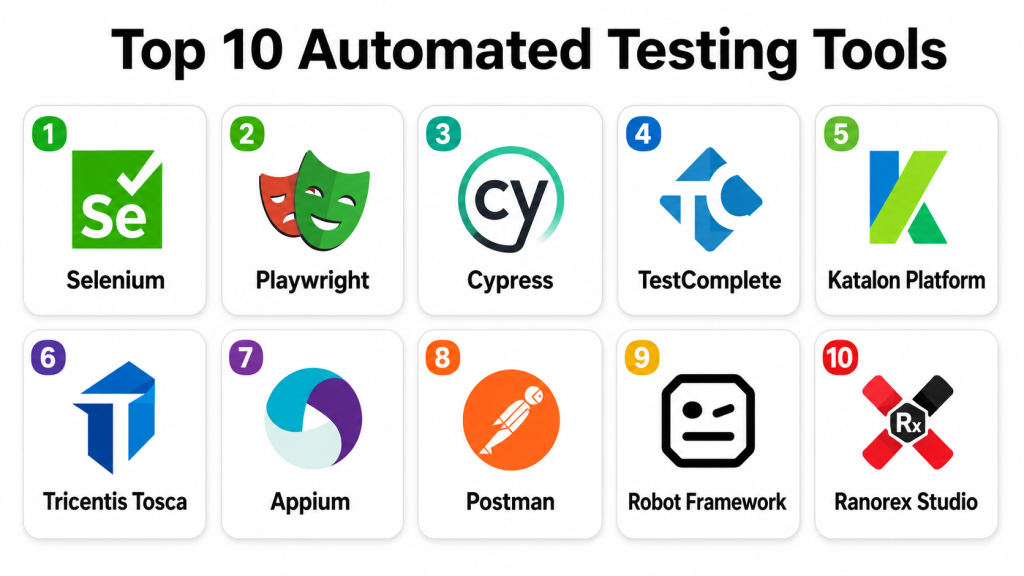
Top 10 Automated Testing Tools
#1 — Selenium
Short description: Selenium is one of the most widely used open-source tools for automating web browser testing. It is best for QA engineers and developers who need flexible browser automation across multiple languages and browsers.
Key Features
- Web browser automation for functional testing.
- Supports multiple programming languages.
- Works with major browsers.
- Selenium Grid for distributed and parallel test execution.
- Strong community and ecosystem.
- Integration with CI/CD tools.
- Supports many testing frameworks and reporting tools.
Pros
- Mature and widely adopted.
- Flexible across languages, browsers, and frameworks.
- Strong open-source ecosystem and community knowledge.
Cons
- Requires coding skills.
- Test maintenance can become difficult with unstable UI locators.
- Setup and debugging may take effort for beginners.
Platforms / Deployment
Web / Windows / macOS / Linux
Self-hosted / Hybrid
Security & Compliance
Security depends on test environment, browser configuration, credentials handling, and CI/CD setup. Formal certifications are not publicly stated for the open-source tool itself.
Integrations & Ecosystem
Selenium integrates with many software testing and delivery workflows.
- Jenkins and CI/CD tools
- TestNG, JUnit, PyTest, NUnit
- Browser grids
- Cloud testing platforms
- Reporting tools
- Test management systems
Support & Community
Selenium has extensive documentation, a large open-source community, many tutorials, and strong ecosystem support. Commercial support may be available through third-party vendors and cloud testing platforms.
#2 — Playwright
Short description: Playwright is a modern end-to-end testing framework for web applications. It is useful for developers and QA teams that need reliable browser automation, fast execution, and strong support for modern web apps.
Key Features
- End-to-end browser testing.
- Supports Chromium, Firefox, and WebKit.
- Auto-waiting for elements and actions.
- Network interception and API testing support.
- Parallel test execution.
- Test tracing, screenshots, and video capture.
- Works well with modern JavaScript and TypeScript workflows.
Pros
- Reliable for modern web application testing.
- Strong debugging and trace features.
- Good fit for developer-led automation.
Cons
- Teams using older Selenium frameworks may need migration effort.
- Best experience often requires JavaScript or TypeScript skills.
- Enterprise governance depends on surrounding tooling.
Platforms / Deployment
Web / Windows / macOS / Linux
Self-hosted / Hybrid
Security & Compliance
Security depends on test execution environment, credentials handling, CI/CD permissions, and browser configuration. Formal certifications are not publicly stated for the open-source framework itself.
Integrations & Ecosystem
Playwright fits modern web development, CI/CD, and end-to-end testing pipelines.
- Git-based workflows
- CI/CD tools
- JavaScript and TypeScript projects
- API testing workflows
- Browser automation
- Reporting and trace viewers
Support & Community
Playwright has strong documentation, growing community adoption, active ecosystem support, and practical examples for modern testing workflows.
#3 — Cypress
Short description: Cypress is a front-end and end-to-end testing framework designed for modern web applications. It is popular with developers and QA teams that want fast feedback, interactive debugging, and readable test workflows.
Key Features
- End-to-end web testing.
- Component testing support.
- Interactive test runner.
- Time-travel style debugging.
- Screenshots and video capture.
- Network stubbing and request control.
- CI/CD integration.
Pros
- Developer-friendly experience.
- Strong debugging workflow.
- Good for modern front-end testing.
Cons
- Browser and multi-tab limitations should be validated for specific cases.
- Best suited for web apps, not all automation scenarios.
- Advanced cloud collaboration features may require commercial plans.
Platforms / Deployment
Web / Windows / macOS / Linux
Cloud / Self-hosted / Hybrid
Security & Compliance
Supports secure test execution based on environment configuration. Access controls and enterprise security features depend on commercial or cloud offerings. Specific certifications should be validated directly where applicable.
Integrations & Ecosystem
Cypress integrates well with front-end development and CI/CD workflows.
- JavaScript frameworks
- CI/CD pipelines
- Git workflows
- Component testing
- Reporting dashboards
- Issue tracking workflows
Support & Community
Cypress has strong documentation, a large developer community, plugin ecosystem, and commercial support options through its vendor ecosystem.
#4 — TestComplete
Short description: TestComplete is a commercial automated testing platform for web, desktop, and mobile applications. It is suitable for QA teams that want both script-based and lower-code testing options.
Key Features
- Web, desktop, and mobile application testing.
- Record-and-playback capabilities.
- Scripted test automation.
- Keyword-driven testing.
- Object recognition for UI testing.
- Cross-browser testing support.
- Reporting and test management integrations.
Pros
- Supports multiple application types.
- Helpful for teams with mixed technical skill levels.
- Useful record-and-playback and script options.
Cons
- Commercial licensing may be costly for small teams.
- Test maintenance still requires good design practices.
- Advanced scenarios may need scripting expertise.
Platforms / Deployment
Web / Windows / iOS / Android support varies by setup
Self-hosted / Hybrid
Security & Compliance
Supports team administration, controlled test execution, and access management depending on deployment and licensing. Specific certifications and compliance details should be validated directly.
Integrations & Ecosystem
TestComplete fits enterprise QA, regression testing, and multi-application testing workflows.
- CI/CD tools
- Test management platforms
- Issue trackers
- Web browsers
- Desktop applications
- Mobile testing workflows
Support & Community
TestComplete provides vendor documentation, customer support, training resources, and enterprise assistance. It is suitable for teams needing structured commercial test automation.
#5 — Katalon Platform
Short description: Katalon Platform is an automated testing platform for web, API, mobile, and desktop testing. It is useful for teams that want a balance of low-code test creation, scripting flexibility, reporting, and test management features.
Key Features
- Web, API, mobile, and desktop testing.
- Low-code and script-based test creation.
- Test recording and object repository.
- CI/CD integration.
- Test execution management.
- Reporting and analytics dashboards.
- Team collaboration features.
Pros
- Good balance for technical and non-technical testers.
- Covers multiple testing types in one platform.
- Useful reporting and management features.
Cons
- Advanced enterprise features may require paid plans.
- Teams need governance to avoid poorly designed tests.
- Performance at scale should be validated for large test suites.
Platforms / Deployment
Web / Windows / macOS / Linux / iOS / Android
Cloud / Self-hosted / Hybrid
Security & Compliance
Supports user management, access controls, test execution governance, and enterprise administration features depending on plan. Specific certifications and compliance mappings should be validated directly.
Integrations & Ecosystem
Katalon integrates with common development, QA, and DevOps tools.
- CI/CD pipelines
- Jira and issue trackers
- Git repositories
- Test management workflows
- API testing
- Mobile testing platforms
- Reporting dashboards
Support & Community
Katalon provides documentation, community resources, training materials, and commercial support options. It is a practical choice for teams building a broader automation practice.
#6 — Tricentis Tosca
Short description: Tricentis Tosca is an enterprise-grade test automation platform known for model-based and codeless automation. It is best for large organizations testing complex business applications, packaged software, APIs, and enterprise workflows.
Key Features
- Model-based test automation.
- Codeless test design.
- Web, API, desktop, and enterprise application testing.
- Risk-based testing support.
- Test data management capabilities depending on setup.
- CI/CD and enterprise tool integration.
- Reporting and analytics for QA governance.
Pros
- Strong fit for enterprise testing programs.
- Useful for complex business workflows.
- Helps non-developer testers participate in automation.
Cons
- Commercial pricing can be high.
- Implementation requires planning and training.
- May be too advanced for small teams or simple applications.
Platforms / Deployment
Web / Windows / Linux support varies by component
Cloud / Self-hosted / Hybrid
Security & Compliance
Supports enterprise user management, access controls, audit-related workflows, and governance features depending on deployment. Specific certifications and compliance details should be validated directly.
Integrations & Ecosystem
Tricentis Tosca fits enterprise QA, DevOps, packaged application testing, and continuous testing programs.
- CI/CD tools
- Test management systems
- ERP and packaged applications
- API testing workflows
- Reporting platforms
- Enterprise release management tools
Support & Community
Tricentis provides enterprise documentation, support, training, professional services, and customer success resources. It is suitable for mature QA organizations with complex testing needs.
#7 — Appium
Short description: Appium is an open-source mobile test automation framework for iOS, Android, and mobile web applications. It is best for QA engineers and mobile teams that need cross-platform mobile automation.
Key Features
- Native mobile app automation.
- Android and iOS testing support.
- Mobile web testing support.
- Uses WebDriver protocol concepts.
- Supports multiple programming languages.
- Works with real devices and emulators.
- Integration with mobile device cloud platforms.
Pros
- Strong open-source option for mobile automation.
- Cross-platform approach for iOS and Android.
- Flexible language and framework support.
Cons
- Setup can be complex.
- Mobile test stability depends on app design and device environment.
- Requires technical skills for reliable automation.
Platforms / Deployment
Web / Windows / macOS / Linux / iOS / Android
Self-hosted / Hybrid
Security & Compliance
Security depends on device environment, test data, app permissions, CI/CD setup, and credentials handling. Formal certifications are not publicly stated for the open-source framework itself.
Integrations & Ecosystem
Appium integrates with mobile testing, CI/CD, and device cloud workflows.
- Mobile device farms
- CI/CD tools
- Selenium-style frameworks
- Java, Python, JavaScript, and other languages
- Mobile app build pipelines
- Test reporting tools
Support & Community
Appium has strong open-source documentation, community support, examples, and broad adoption among mobile QA teams.
#8 — Postman
Short description: Postman is an API platform widely used for API development, testing, documentation, collaboration, and automation. It is best for teams that need automated API tests, collections, monitors, and shared API workflows.
Key Features
- API request creation and testing.
- Automated API test scripts.
- Collections and environments.
- API documentation and collaboration.
- Mock servers and monitors.
- CI/CD integration through command-line workflows.
- Team workspaces and sharing.
Pros
- Easy for API testing and collaboration.
- Strong fit for developers, QA teams, and product teams.
- Useful for both manual and automated API validation.
Cons
- Not a full UI automation tool.
- Complex enterprise automation may require careful collection design.
- Advanced team features may depend on paid plans.
Platforms / Deployment
Web / Windows / macOS / Linux
Cloud / Self-hosted options vary by enterprise setup
Security & Compliance
Supports team access controls, API key handling practices, workspace permissions, and enterprise administration depending on plan. Specific certifications and compliance coverage should be validated directly.
Integrations & Ecosystem
Postman fits API development, testing, documentation, and CI/CD workflows.
- API gateways
- CI/CD pipelines
- Git workflows
- Documentation workflows
- Monitoring and mock services
- Collaboration tools
Support & Community
Postman has extensive documentation, large community adoption, learning resources, and commercial support options. It is one of the most accessible tools for API testing workflows.
#9 — Robot Framework
Short description: Robot Framework is an open-source automation framework used for acceptance testing, robotic process automation, API testing, and UI automation. It is known for keyword-driven syntax and extensibility.
Key Features
- Keyword-driven test automation.
- Supports web, API, desktop, and custom testing through libraries.
- Readable test case format.
- Extensible with Python and Java libraries.
- Good reporting and logs.
- CI/CD integration.
- Useful for acceptance and regression testing.
Pros
- Readable syntax for technical and semi-technical users.
- Flexible through libraries.
- Strong open-source community.
Cons
- Requires good framework design for large test suites.
- Advanced automation may need Python skills.
- Library selection and maintenance require planning.
Platforms / Deployment
Web / Windows / macOS / Linux
Self-hosted / Hybrid
Security & Compliance
Security depends on libraries used, test environments, credentials handling, and CI/CD practices. Formal certifications are not publicly stated for the open-source framework itself.
Integrations & Ecosystem
Robot Framework works well in acceptance testing, API testing, UI automation, and process automation workflows.
- Selenium libraries
- API testing libraries
- CI/CD tools
- Python ecosystem
- Reporting tools
- Test management systems
Support & Community
Robot Framework has strong documentation, community libraries, open-source support, and broad use among QA automation teams.
#10 — Ranorex Studio
Short description: Ranorex Studio is a commercial test automation tool for desktop, web, and mobile applications. It is useful for QA teams that want record-and-playback, object recognition, and test automation for different application types.
Key Features
- Web, desktop, and mobile test automation.
- Record-and-playback test creation.
- Object recognition and repository.
- Scripted automation options.
- Cross-browser testing support.
- Test reporting.
- CI/CD and test management integrations.
Pros
- Good for teams testing desktop and web applications.
- Helpful for testers who prefer visual automation.
- Supports script extension for advanced users.
Cons
- Commercial licensing may not fit all budgets.
- Requires good test design to avoid fragile automation.
- Advanced customization may require technical skills.
Platforms / Deployment
Web / Windows / iOS / Android support varies by setup
Self-hosted / Hybrid
Security & Compliance
Supports controlled local test execution and team workflows depending on deployment. Specific certifications and compliance details are not publicly stated and should be validated directly.
Integrations & Ecosystem
Ranorex fits enterprise QA, desktop application testing, and structured automation programs.
- CI/CD tools
- Test management platforms
- Issue trackers
- Desktop applications
- Web browsers
- Mobile testing workflows
Support & Community
Ranorex provides vendor documentation, support resources, training materials, and commercial assistance. It is useful for QA teams that need guided automation across application types.
Comparison Table
| Tool Name | Best For | Platform(s) Supported | Deployment | Standout Feature | Public Rating |
|---|---|---|---|---|---|
| Selenium | Flexible web browser automation | Web, Windows, macOS, Linux | Self-hosted / Hybrid | Mature multi-language browser automation | N/A |
| Playwright | Modern end-to-end web testing | Web, Windows, macOS, Linux | Self-hosted / Hybrid | Reliable browser automation with tracing | N/A |
| Cypress | Front-end and web app testing | Web, Windows, macOS, Linux | Cloud / Self-hosted / Hybrid | Interactive debugging for web tests | N/A |
| TestComplete | Web, desktop, and mobile QA teams | Web, Windows, iOS, Android | Self-hosted / Hybrid | Scripted and low-code test automation | N/A |
| Katalon Platform | Multi-skill QA teams | Web, Windows, macOS, Linux, iOS, Android | Cloud / Self-hosted / Hybrid | Low-code and scripted testing in one platform | N/A |
| Tricentis Tosca | Enterprise continuous testing | Web, Windows, Linux | Cloud / Self-hosted / Hybrid | Model-based codeless automation | N/A |
| Appium | Mobile app automation | Web, Windows, macOS, Linux, iOS, Android | Self-hosted / Hybrid | Cross-platform mobile automation | N/A |
| Postman | API testing and collaboration | Web, Windows, macOS, Linux | Cloud / Hybrid | API collections, tests, and collaboration | N/A |
| Robot Framework | Keyword-driven acceptance testing | Web, Windows, macOS, Linux | Self-hosted / Hybrid | Readable keyword-based automation | N/A |
| Ranorex Studio | Desktop, web, and mobile testing | Web, Windows, iOS, Android | Self-hosted / Hybrid | Visual automation with object recognition | N/A |
Evaluation & Scoring of Automated Testing Tools
The scoring below is comparative and based on common automated testing needs such as test coverage, ease of use, integrations, security, reliability, support, and value. These scores should be treated as a practical starting point, not a final buying decision.
| Tool Name | Core (25%) | Ease (15%) | Integrations (15%) | Security (10%) | Performance (10%) | Support (10%) | Value (15%) | Weighted Total (0–10) |
|---|---|---|---|---|---|---|---|---|
| Selenium | 9 | 6 | 10 | 7 | 8 | 9 | 10 | 8.45 |
| Playwright | 9 | 8 | 9 | 7 | 9 | 8 | 10 | 8.70 |
| Cypress | 8 | 9 | 9 | 8 | 8 | 8 | 8 | 8.35 |
| TestComplete | 8 | 8 | 8 | 8 | 8 | 8 | 7 | 7.85 |
| Katalon Platform | 8 | 8 | 8 | 8 | 8 | 8 | 8 | 8.00 |
| Tricentis Tosca | 9 | 7 | 9 | 9 | 8 | 9 | 6 | 8.10 |
| Appium | 8 | 6 | 8 | 7 | 7 | 8 | 10 | 7.85 |
| Postman | 8 | 9 | 9 | 8 | 8 | 8 | 8 | 8.35 |
| Robot Framework | 8 | 8 | 8 | 7 | 8 | 8 | 10 | 8.20 |
| Ranorex Studio | 8 | 8 | 7 | 7 | 8 | 8 | 7 | 7.60 |
Playwright scores strongly for modern end-to-end web testing and developer workflows. Selenium remains valuable because of its maturity and ecosystem. Cypress is strong for front-end teams. Postman is excellent for API automation. Appium is important for mobile automation. Tosca, TestComplete, Katalon, and Ranorex are stronger for teams that need commercial support, lower-code workflows, and broader enterprise testing coverage.
Which Automated Testing Tool Is Right for You?
Solo / Freelancer
Solo developers and freelancers usually need tools that are easy to start, low-cost, and flexible. Playwright, Cypress, Selenium, Postman, Robot Framework, and Appium are practical options depending on the project type.
If the project is API-heavy, Postman is a strong starting point. If it is a modern web app, Playwright or Cypress may be better. If it is a mobile app, Appium is worth considering.
SMB
Small and mid-sized businesses should focus on usability, test stability, CI/CD integration, and practical reporting. Playwright, Cypress, Katalon Platform, Postman, Selenium, and Robot Framework are strong options.
SMBs should avoid automating everything too early. It is better to automate the most important user journeys first, such as login, checkout, account creation, API validation, and critical regression flows.
Mid-Market
Mid-market organizations usually need stronger collaboration, parallel execution, reporting, test management, API coverage, and cross-browser support. Katalon Platform, Cypress, Playwright, Selenium, Postman, TestComplete, and Robot Framework are strong candidates.
The right choice depends on team skill. Developer-heavy teams may prefer Playwright or Cypress. QA-heavy teams may prefer Katalon, TestComplete, Ranorex, or Robot Framework.
Enterprise
Enterprises need governance, role management, test reporting, cross-application testing, CI/CD integration, audit visibility, test data handling, and support. Tricentis Tosca, TestComplete, Katalon Platform, Selenium, Playwright, Postman, and Ranorex should be reviewed.
Large organizations often use more than one tool. For example, Postman may handle API tests, Playwright may handle web tests, Appium may handle mobile tests, and Tosca may support enterprise business process automation.
Budget vs Premium
Budget-conscious teams may prefer Selenium, Playwright, Cypress open-source options, Appium, Robot Framework, and Postman free or lower-tier options depending on needs.
Premium buyers may prefer Tricentis Tosca, TestComplete, Katalon Platform, Ranorex Studio, or paid plans for Cypress, Postman, and other platforms when support, governance, and collaboration matter.
Feature Depth vs Ease of Use
Selenium and Appium are flexible but require stronger coding and maintenance discipline. Playwright and Cypress are easier for modern web automation.
Katalon, TestComplete, Tosca, and Ranorex offer lower-code options and enterprise features, but they may require paid licensing and structured rollout planning.
Integrations & Scalability
For CI/CD-heavy teams, Playwright, Cypress, Selenium, Robot Framework, Postman, and Appium work well. For enterprise QA programs, Tosca, Katalon, TestComplete, and Ranorex may provide stronger governance and reporting.
Scalability should include not only test execution volume but also team collaboration, test data, environment management, reporting, flaky test control, and maintenance cost.
Security & Compliance Needs
Security-focused buyers should prioritize SSO, MFA, RBAC, audit logs, secure credentials, test data masking, private execution environments, and controlled access to production-like systems.
Compliance-focused teams should validate access history, test evidence, execution logs, approval workflows, data retention, and vendor security documentation before choosing a commercial platform.
Frequently Asked Questions
What is an automated testing tool?
An automated testing tool runs predefined test steps without manual effort. It helps teams check whether applications, APIs, websites, and mobile apps work as expected.
How is automated testing different from manual testing?
Manual testing is performed by humans step by step. Automated testing uses scripts or visual workflows to repeat tests faster and more consistently.
Which automated testing tool is best for web applications?
Playwright, Cypress, Selenium, TestComplete, Katalon Platform, and Robot Framework are common choices for web application testing. The best option depends on team skill and application complexity.
Which tool is best for API testing?
Postman is a strong choice for API testing and collaboration. Playwright, Cypress, Robot Framework, Katalon, and other frameworks can also support API automation depending on the use case.
Which tool is best for mobile testing?
Appium is a popular open-source choice for mobile automation. Katalon Platform, TestComplete, and Ranorex Studio can also support mobile testing depending on setup and plan.
What pricing models do automated testing tools use?
Pricing may depend on users, test runs, parallel execution, cloud execution, devices, enterprise features, or support level. Open-source tools may be free but require internal expertise.
What are common automated testing mistakes?
Common mistakes include automating unstable features, using weak locators, ignoring test data, creating too many brittle UI tests, skipping API tests, and not maintaining test suites regularly.
Can automated testing work with CI/CD?
Yes. Most modern automated testing tools can run inside CI/CD pipelines. Teams often run smoke tests on every build and deeper regression tests before major releases.
Are low-code testing tools better than coded tools?
Low-code tools are useful for faster adoption and non-developer testers. Coded tools are often more flexible for complex engineering workflows. The right choice depends on team skills.
How do teams reduce flaky tests?
Teams reduce flaky tests by using stable locators, proper waits, clean test data, isolated environments, reliable mocks, good teardown steps, and regular test maintenance.
Should small teams use automated testing?
Yes, small teams can benefit from automated tests for critical flows. They should start with a small, stable test suite instead of trying to automate every scenario at once.
When should a company switch automated testing tools?
A company should consider switching when the current tool is too hard to maintain, does not support required platforms, lacks CI/CD integration, has poor reporting, or cannot scale with the team.
Conclusion
Automated testing tools help software teams release faster, reduce repetitive manual testing, catch defects earlier, and protect important user journeys from breaking. The best tool depends on application type, team skills, budget, testing depth, and delivery process. Selenium is strong for flexible browser automation, Playwright and Cypress are excellent for modern web testing, Appium is important for mobile automation, and Postman is highly useful for API testing. Katalon, TestComplete, Tosca, and Ranorex are better suited for teams that need broader platform coverage, lower-code workflows, and enterprise support. Robot Framework is a strong open-source option for readable, keyword-driven automation.
