Upgrade & Secure Your Future with DevOps, SRE, DevSecOps, MLOps!
We spend hours scrolling social media and waste money on things we forget, but won’t spend 30 minutes a day earning certifications that can change our lives.
Master in DevOps, SRE, DevSecOps & MLOps by DevOps School!
Learn from Guru Rajesh Kumar and double your salary in just one year.
Introduction
Mocking & Service Virtualization Tools help software teams simulate APIs, databases, third-party systems, microservices, payment gateways, mainframes, message queues, and unavailable backend services during development and testing. In simple words, these tools create “fake but realistic” versions of systems so teams can continue building and testing even when real systems are unavailable, unstable, expensive, slow, or difficult to access.
These tools matter because modern applications depend on many connected services. A single unavailable API, slow test environment, paid third-party sandbox, or unstable backend can delay development, QA, automation, and release timelines.
Common use cases include API mocking, contract testing, simulating third-party services, testing error scenarios, virtualizing unavailable dependencies, supporting parallel development, testing payment flows, and creating stable test environments for automation.
Buyers should evaluate protocol support, API mocking, dynamic responses, data rules, service recording, CI/CD integration, contract testing, team collaboration, security controls, scalability, ease of setup, reporting, and support quality.
Best for: QA teams, developers, test automation engineers, DevOps teams, SRE teams, API teams, platform teams, banks, telecom companies, ecommerce platforms, SaaS businesses, and enterprises with many service dependencies.
Not ideal for: very small applications with few dependencies, teams that only need simple unit test mocks, or projects where all test systems are always stable, available, and easy to access.
Key Trends in Mocking & Service Virtualization Tools
- API-first development is increasing demand for mocking, because frontend, backend, mobile, and partner teams often need to work before real APIs are fully ready.
- Contract testing and mock validation are becoming more important, helping teams ensure mocks stay aligned with real API behavior.
- Service virtualization is expanding beyond simple HTTP APIs, covering databases, message queues, mainframes, cloud services, payment gateways, and event-driven systems.
- CI/CD integration is now expected, so mocks and virtual services can be automatically started, updated, tested, and removed during pipelines.
- Cloud-native testing is driving lightweight virtualization, especially for microservices, Kubernetes, ephemeral environments, and distributed test systems.
- Security and data privacy are becoming important, because mocks and virtual services may contain sample data, authentication flows, tokens, or sensitive test scenarios.
- Developer experience is now a major buying factor, with teams preferring tools that support simple configuration, code-based mocks, version control, and API specifications.
- Dynamic response simulation is becoming more useful, allowing teams to test delays, failures, retries, rate limits, edge cases, and business rules.
- Enterprise teams are focusing on governance, including shared mock libraries, access control, auditability, reusable virtual services, and environment standardization.
- AI-assisted test data and mock generation may become more helpful, especially for creating realistic mock responses, identifying missing scenarios, and speeding up test setup.
How We Selected These Tools
The tools below were selected using practical buyer-focused evaluation logic:
- Market recognition across API mocking, service virtualization, testing, DevOps, and software delivery teams.
- Feature completeness for mock APIs, virtual services, dynamic responses, recording, test data, and automation.
- Support for common protocols such as REST, SOAP, HTTP, messaging systems, databases, and enterprise services where applicable.
- Reliability for repeated testing, CI/CD execution, team collaboration, and stable test environments.
- Security posture signals such as access controls, authentication support, encryption, user permissions, and safe test data handling.
- Integration strength with CI/CD tools, API design platforms, test automation frameworks, contract testing tools, issue trackers, and cloud environments.
- Fit across different customer segments, including developers, SMBs, mid-market teams, enterprises, and regulated industries.
- Ease of setup for developers, testers, QA leads, and platform teams.
- Community maturity, documentation quality, vendor support, and ecosystem strength.
- Practical value based on speed, flexibility, scalability, governance, and reduced dependency on unstable systems.
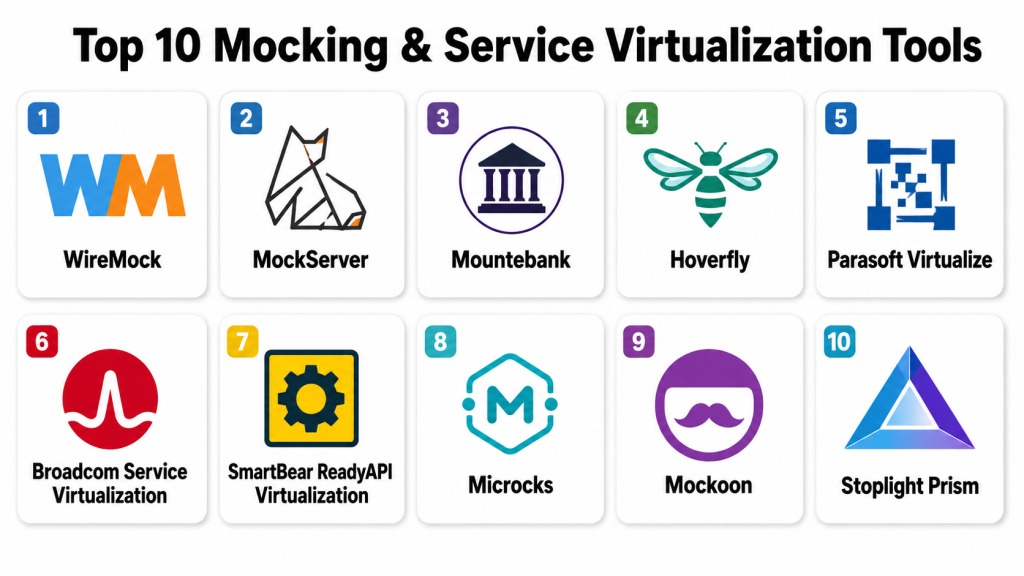
Top 10 Mocking & Service Virtualization Tools
#1 — WireMock
Short description: WireMock is a popular open-source tool for mocking HTTP-based APIs and services. It is widely used by developers and test automation teams that need stable, programmable API mocks for integration testing and local development.
Key Features
- HTTP API mocking and stubbing.
- Request matching based on paths, headers, query parameters, and bodies.
- Dynamic responses and response templating.
- Fault simulation, delays, and error scenarios.
- Recording and playback of real API traffic.
- Standalone server and library usage.
- CI/CD and container-friendly execution.
Pros
- Strong open-source adoption and developer community.
- Good fit for automated integration testing.
- Flexible enough for local, pipeline, and container environments.
Cons
- Focused mainly on HTTP-based services.
- Enterprise governance may require commercial or additional tooling.
- Complex mock libraries need good organization practices.
Platforms / Deployment
Windows / macOS / Linux
Self-hosted / Cloud / Hybrid
Security & Compliance
Supports secure API testing patterns, local controlled mock environments, and authentication simulation through configuration. Enterprise SSO, RBAC, audit logs, and formal compliance certifications are not publicly stated as universal open-source claims.
Integrations & Ecosystem
WireMock fits developer-driven and automation-heavy workflows where mock services must run close to test code and pipelines.
- Java test frameworks
- CI/CD pipelines
- Docker
- Kubernetes
- API testing tools
- Contract testing workflows
Support & Community
WireMock has strong open-source documentation, active community usage, many examples, and commercial ecosystem options depending on deployment needs.
#2 — MockServer
Short description: MockServer is an open-source tool for mocking HTTP and HTTPS services during testing. It is useful for developers and QA teams that need precise request matching, verification, and simulation of service behavior.
Key Features
- HTTP and HTTPS service mocking.
- Request expectations and response rules.
- Request verification for automated tests.
- Proxy and recording capabilities.
- Dynamic response behavior.
- Support for test-driven service simulation.
- Container and CI/CD-friendly usage.
Pros
- Strong for precise request verification.
- Useful in integration and automated test scenarios.
- Good fit for developer-led testing workflows.
Cons
- Best suited for technical users.
- Primarily focused on HTTP-style service mocking.
- Advanced enterprise management requires additional process or tooling.
Platforms / Deployment
Windows / macOS / Linux
Self-hosted / Cloud / Hybrid
Security & Compliance
Supports HTTPS mocking, controlled mock environments, and configurable test behavior. Enterprise-grade SSO, RBAC, audit logs, and compliance certifications are not publicly stated as universal platform features.
Integrations & Ecosystem
MockServer fits automated testing pipelines, local development, and service-level integration tests.
- Java testing frameworks
- CI/CD tools
- Docker
- Kubernetes
- API testing workflows
- Build automation tools
Support & Community
MockServer has open-source documentation, community examples, and developer-focused resources. Support is mainly community-driven unless implemented with external service support.
#3 — Mountebank
Short description: Mountebank is an open-source service virtualization tool that can simulate multiple types of services. It is useful for teams that need mocks beyond simple REST APIs and want programmable imposters for different protocols.
Key Features
- Service virtualization using imposters.
- HTTP, HTTPS, TCP, and SMTP support depending on setup.
- Dynamic response behavior.
- Stubbing and proxying capabilities.
- Test-friendly configuration through APIs.
- Useful for local and CI/CD testing.
- Supports behavior-driven virtual service design.
Pros
- More flexible than basic API mocking tools.
- Useful for simulating multiple service types.
- Open-source and automation-friendly.
Cons
- Requires technical setup and scripting comfort.
- Smaller ecosystem than some API-focused tools.
- Enterprise governance features are limited by default.
Platforms / Deployment
Windows / macOS / Linux
Self-hosted / Cloud / Hybrid
Security & Compliance
Supports controlled local and self-hosted mock environments. Advanced enterprise security features such as SSO, RBAC, audit logs, and formal compliance certifications are not publicly stated as built-in universal claims.
Integrations & Ecosystem
Mountebank fits teams building automated tests around multiple service dependencies and protocol types.
- CI/CD pipelines
- API tests
- TCP-based test scenarios
- SMTP test workflows
- Docker environments
- Microservice test environments
Support & Community
Mountebank has open-source documentation and community support. Teams using it in production-style test systems should plan internal ownership and maintenance.
#4 — Hoverfly
Short description: Hoverfly is a lightweight API simulation and service virtualization tool used to capture, simulate, and test HTTP and HTTPS dependencies. It is useful for microservices testing, CI pipelines, and environments where real services are unreliable or unavailable.
Key Features
- HTTP and HTTPS service virtualization.
- Capture and simulate API traffic.
- Request matching and response simulation.
- Middleware support for dynamic behavior.
- Useful for microservices and integration testing.
- Lightweight deployment model.
- CI/CD-friendly execution.
Pros
- Good for capturing and replaying service behavior.
- Lightweight and practical for automated tests.
- Useful for microservice dependency simulation.
Cons
- Primarily focused on HTTP-based workflows.
- Advanced enterprise governance may require additional tooling.
- Teams need process discipline to keep simulations updated.
Platforms / Deployment
Windows / macOS / Linux
Self-hosted / Cloud / Hybrid
Security & Compliance
Supports local and controlled simulation workflows, HTTPS-related testing, and safe dependency simulation. Enterprise SSO, RBAC, audit logs, and formal compliance certifications are not publicly stated as universal claims.
Integrations & Ecosystem
Hoverfly fits engineering teams that need service simulation during local development, automated tests, and pipeline validation.
- CI/CD tools
- Docker
- Kubernetes
- API test suites
- Microservices testing
- DevOps workflows
Support & Community
Hoverfly has documentation, open-source community resources, and commercial ecosystem support options depending on provider and deployment.
#5 — Parasoft Virtualize
Short description: Parasoft Virtualize is an enterprise service virtualization platform designed to simulate unavailable, costly, or complex systems. It is suitable for large organizations that need broad protocol support, governance, automation, and controlled test environments.
Key Features
- Enterprise service virtualization.
- Support for APIs, databases, messaging, and enterprise protocols depending on configuration.
- Virtual asset creation and management.
- Test data and dynamic response behavior.
- CI/CD and test automation integration.
- Centralized governance and collaboration.
- Simulation of complex dependencies and edge cases.
Pros
- Strong enterprise feature depth.
- Useful for complex and regulated environments.
- Good fit for teams needing broad service virtualization beyond REST APIs.
Cons
- May be too advanced for small teams.
- Licensing and implementation should be planned carefully.
- Requires skilled setup for complex virtual services.
Platforms / Deployment
Web / Windows / Linux support may vary
Self-hosted / Cloud / Hybrid options may vary
Security & Compliance
Supports enterprise access controls, secure test asset management, governance workflows, and controlled virtual service access depending on edition. Specific compliance certifications should be verified with the vendor.
Integrations & Ecosystem
Parasoft Virtualize fits enterprise QA, DevOps, and testing environments where many dependent systems must be simulated safely.
- CI/CD pipelines
- Test automation tools
- API testing tools
- Enterprise messaging systems
- Databases
- Service virtualization workflows
Support & Community
Parasoft provides enterprise documentation, customer support, onboarding resources, training, and professional services.
#6 — Broadcom Service Virtualization
Short description: Broadcom Service Virtualization is an enterprise-grade service virtualization platform for simulating complex application dependencies. It is commonly considered by large enterprises with mainframe, middleware, API, and transaction-heavy testing needs.
Key Features
- Enterprise service virtualization.
- Simulation of unavailable or costly services.
- Support for complex protocols and enterprise systems depending on configuration.
- Virtual service recording and playback.
- Test environment dependency reduction.
- Integration with DevOps and testing workflows.
- Centralized management for virtual services.
Pros
- Strong fit for large enterprise environments.
- Useful for complex legacy and distributed systems.
- Helps reduce dependency on unstable test environments.
Cons
- Implementation can be complex.
- Licensing and infrastructure planning are important.
- Best suited for mature QA and DevOps organizations.
Platforms / Deployment
Web / Windows / Linux support may vary
Self-hosted / Hybrid options may vary
Security & Compliance
Supports role-based controls, secure virtual service management, access governance, and enterprise test environment workflows depending on configuration. Specific compliance certifications should be verified with the vendor.
Integrations & Ecosystem
Broadcom Service Virtualization fits enterprises with complex integration landscapes and dependency-heavy testing.
- Mainframe systems
- Enterprise middleware
- APIs
- Databases
- CI/CD tools
- Test automation frameworks
Support & Community
Broadcom provides enterprise documentation, support plans, professional services, and onboarding guidance for large-scale implementations.
#7 — SmartBear ReadyAPI Virtualization
Short description: SmartBear ReadyAPI Virtualization helps teams create, manage, and use virtual services for API testing and service dependency simulation. It is useful for QA teams already working with API testing and service-based testing workflows.
Key Features
- API service virtualization.
- Virtual service creation from definitions or traffic.
- REST and SOAP simulation support.
- Dynamic responses and data-driven behavior.
- Integration with API testing workflows.
- Collaboration for QA teams.
- Support for testing unavailable or incomplete services.
Pros
- Strong fit for API testing teams.
- Useful when paired with broader API quality workflows.
- Good for simulating REST and SOAP services.
Cons
- Best value comes for API-centric teams.
- Enterprise-wide virtualization may need careful planning.
- Advanced capabilities may depend on edition.
Platforms / Deployment
Windows / macOS / Linux support may vary
Self-hosted / Cloud / Hybrid options may vary
Security & Compliance
Supports controlled virtual service creation, secure API testing workflows, and access management depending on edition. Specific SSO, audit, encryption, and compliance details should be verified with the vendor.
Integrations & Ecosystem
ReadyAPI Virtualization fits teams that need API testing and API virtualization in connected workflows.
- API testing tools
- REST APIs
- SOAP services
- CI/CD pipelines
- Test automation
- QA management workflows
Support & Community
SmartBear provides documentation, customer support, training resources, product community, and enterprise support options depending on plan.
#8 — Microcks
Short description: Microcks is an open-source Kubernetes-native tool for API mocking and contract testing. It is useful for cloud-native teams that want to turn API specifications into mocks and tests for REST, SOAP, GraphQL, and event-driven APIs.
Key Features
- API mocking from specifications.
- Contract testing support.
- REST, SOAP, GraphQL, and event-driven API support depending on configuration.
- Kubernetes-friendly deployment.
- OpenAPI and AsyncAPI workflow support.
- CI/CD integration.
- Useful for API-first development.
Pros
- Strong for API specification-driven mocking.
- Good fit for Kubernetes and cloud-native teams.
- Open-source and developer-friendly.
Cons
- Requires API specification discipline.
- Teams new to contract testing may need training.
- Enterprise support and governance should be reviewed.
Platforms / Deployment
Web / Linux-based Kubernetes environments
Self-hosted / Cloud / Hybrid
Security & Compliance
Supports controlled API mock deployment and access configuration depending on setup. Enterprise SSO, RBAC, audit logs, encryption, and compliance details depend on deployment and supporting tools.
Integrations & Ecosystem
Microcks fits API-first engineering teams using specifications, contract testing, and Kubernetes-based test environments.
- OpenAPI workflows
- AsyncAPI workflows
- Kubernetes
- CI/CD pipelines
- API gateways
- Developer portals
Support & Community
Microcks has open-source documentation, community resources, and ecosystem support from API-first and cloud-native communities.
#9 — Mockoon
Short description: Mockoon is an easy-to-use API mocking tool that helps developers create local mock APIs quickly. It is useful for frontend developers, backend teams, QA engineers, and small teams that need fast API simulation without heavy setup.
Key Features
- Local API mocking.
- REST API route creation.
- Dynamic response templates.
- Latency and error simulation.
- Import from API specifications depending on workflow.
- Desktop interface and CLI options.
- Developer-friendly local testing.
Pros
- Very easy to start with.
- Great for frontend and local development.
- Useful for simple API simulation and demos.
Cons
- Not a full enterprise service virtualization platform.
- Governance features are limited compared with enterprise tools.
- Best suited for API mocking rather than broad system virtualization.
Platforms / Deployment
Windows / macOS / Linux
Self-hosted / Cloud options may vary
Security & Compliance
Supports local mock API workflows and controlled mock environments. Enterprise SSO, RBAC, audit logs, and formal compliance certifications are not publicly stated as universal claims.
Integrations & Ecosystem
Mockoon fits developers who need quick local mocks and lightweight API simulation.
- Frontend development
- API prototypes
- CLI workflows
- Local testing
- Demo environments
- API specification workflows
Support & Community
Mockoon provides documentation, examples, community resources, and support options depending on product edition.
#10 — Stoplight Prism
Short description: Stoplight Prism is an API mocking tool that can create mock servers from API descriptions. It is useful for API-first teams that want quick mock APIs based on specifications during design, development, and testing.
Key Features
- Mock servers from API specifications.
- OpenAPI-based mocking workflows.
- Dynamic and static response modes.
- API design and testing support.
- Command-line usage.
- Useful for frontend-backend parallel development.
- Integration with API lifecycle workflows.
Pros
- Strong fit for API-first teams.
- Easy to connect mocks with API definitions.
- Useful for early development and contract-style workflows.
Cons
- Focused mainly on API mocking.
- Not a full enterprise service virtualization platform.
- Requires accurate API specifications for best value.
Platforms / Deployment
Windows / macOS / Linux
Self-hosted / Cloud options may vary
Security & Compliance
Supports controlled mock server workflows based on API specifications. Enterprise SSO, RBAC, audit logs, and compliance certifications are not publicly stated as universal tool claims.
Integrations & Ecosystem
Prism fits API design, documentation, and mock-first development workflows.
- OpenAPI specifications
- API design tools
- CI/CD pipelines
- Frontend development
- Contract testing workflows
- Developer tooling
Support & Community
Prism has documentation, community usage, and support resources depending on the broader product ecosystem and deployment model.
Comparison Table (Top 10)
| Tool Name | Best For | Platform(s) Supported | Deployment | Standout Feature | Public Rating |
|---|---|---|---|---|---|
| WireMock | Developer-led API mocking | Windows, macOS, Linux | Self-hosted / Cloud / Hybrid | Flexible HTTP stubbing and simulation | N/A |
| MockServer | Precise HTTP request verification | Windows, macOS, Linux | Self-hosted / Cloud / Hybrid | Request expectations and verification | N/A |
| Mountebank | Multi-protocol service virtualization | Windows, macOS, Linux | Self-hosted / Cloud / Hybrid | Programmable service imposters | N/A |
| Hoverfly | API capture and replay | Windows, macOS, Linux | Self-hosted / Cloud / Hybrid | Lightweight traffic simulation | N/A |
| Parasoft Virtualize | Enterprise service virtualization | Web, Windows, Linux varies | Self-hosted / Cloud / Hybrid options vary | Broad enterprise dependency simulation | N/A |
| Broadcom Service Virtualization | Complex enterprise systems | Web, Windows, Linux varies | Self-hosted / Hybrid options vary | Legacy and enterprise service simulation | N/A |
| SmartBear ReadyAPI Virtualization | API testing teams | Windows, macOS, Linux varies | Self-hosted / Cloud / Hybrid options vary | REST and SOAP virtualization | N/A |
| Microcks | API-first cloud-native teams | Web, Kubernetes environments | Self-hosted / Cloud / Hybrid | Specification-driven API mocks and contract testing | N/A |
| Mockoon | Local API mocking | Windows, macOS, Linux | Self-hosted / Cloud options vary | Simple desktop API mock creation | N/A |
| Stoplight Prism | OpenAPI-based mock servers | Windows, macOS, Linux | Self-hosted / Cloud options vary | Mocking from API specifications | N/A |
Evaluation & Scoring of Mocking & Service Virtualization Tools
| Tool Name | Core (25%) | Ease (15%) | Integrations (15%) | Security (10%) | Performance (10%) | Support (10%) | Value (15%) | Weighted Total (0–10) |
|---|---|---|---|---|---|---|---|---|
| WireMock | 9 | 8 | 9 | 7 | 8 | 8 | 10 | 8.50 |
| MockServer | 8 | 7 | 8 | 7 | 8 | 7 | 9 | 7.80 |
| Mountebank | 8 | 7 | 7 | 7 | 8 | 7 | 9 | 7.65 |
| Hoverfly | 8 | 8 | 8 | 7 | 8 | 7 | 8 | 7.75 |
| Parasoft Virtualize | 10 | 7 | 9 | 9 | 9 | 9 | 6 | 8.40 |
| Broadcom Service Virtualization | 10 | 6 | 9 | 9 | 9 | 9 | 6 | 8.25 |
| SmartBear ReadyAPI Virtualization | 8 | 8 | 8 | 8 | 8 | 8 | 7 | 7.90 |
| Microcks | 8 | 8 | 8 | 7 | 8 | 7 | 9 | 7.95 |
| Mockoon | 6 | 10 | 6 | 6 | 7 | 7 | 10 | 7.40 |
| Stoplight Prism | 7 | 8 | 7 | 6 | 7 | 7 | 9 | 7.35 |
These scores are comparative and should be used as a decision-support guide, not as a universal ranking. WireMock is strong for developer-led API mocking, while Parasoft Virtualize and Broadcom Service Virtualization are stronger for large enterprise dependency simulation. Mockoon and Prism are easier for API-first and local development workflows, while Microcks is a good fit for specification-driven cloud-native teams.
Which Mocking & Service Virtualization Tool Is Right for You?
Solo / Freelancer
Solo developers usually need fast, simple, and low-maintenance mocking. Mockoon is a strong choice for local API mocks, while WireMock, Prism, and MockServer are useful when tests need more repeatable automation.
If the freelancer works on API-first projects, Prism or Microcks can help create mocks from API specifications. For simple frontend work, Mockoon may be the fastest option.
SMB
SMBs should prioritize ease of use, cost control, API mocking, CI/CD integration, and simple team collaboration. WireMock, MockServer, Hoverfly, Mockoon, Prism, and Microcks can all fit different SMB needs.
If the business needs stable mocks for automated testing, WireMock or MockServer may be stronger. If the team needs quick local mocks for frontend development, Mockoon may be easier.
Mid-Market
Mid-market teams usually need more structure around reusable mocks, CI/CD execution, test environment stability, API contracts, and team collaboration. WireMock, Microcks, Hoverfly, SmartBear ReadyAPI Virtualization, and Mountebank are useful candidates.
Mid-market buyers should test request matching, dynamic responses, service recording, integration with automation frameworks, and mock maintenance workflows.
Enterprise
Enterprises should focus on service virtualization depth, governance, security, multi-protocol support, legacy system simulation, auditability, and support maturity. Parasoft Virtualize, Broadcom Service Virtualization, SmartBear ReadyAPI Virtualization, WireMock enterprise-style deployments, and Microcks can fit different enterprise patterns.
Large organizations should also evaluate ownership models, reusable virtual service libraries, environment governance, access control, and integration with release pipelines.
Budget vs Premium
Budget-focused teams may prefer open-source or lightweight tools such as WireMock, MockServer, Mountebank, Hoverfly, Microcks, Mockoon, or Prism. Premium buyers with complex test environments may prefer Parasoft Virtualize, Broadcom Service Virtualization, or SmartBear ReadyAPI Virtualization.
The real cost should include licensing, setup time, mock maintenance, test environment delays, developer productivity, and reduced dependency on unavailable systems.
Feature Depth vs Ease of Use
For feature depth, Parasoft Virtualize, Broadcom Service Virtualization, WireMock, Mountebank, and Microcks are strong. For ease of use, Mockoon, Prism, Hoverfly, and SmartBear ReadyAPI Virtualization may feel more approachable depending on the team.
A simple API mock tool may be enough for frontend development, but enterprise integration testing often needs deeper virtualization and governance.
Integrations & Scalability
WireMock and MockServer fit automated test pipelines. Microcks and Prism fit API specification-driven workflows. Parasoft and Broadcom fit enterprise QA environments with complex dependencies. Hoverfly and Mountebank fit lightweight service simulation needs. Mockoon fits local development and simple mock servers.
Scalability should be tested through real APIs, real test suites, authentication scenarios, dynamic data, failure simulation, and CI/CD execution.
Security & Compliance Needs
Security-focused buyers should evaluate access controls, authentication simulation, token handling, mock data safety, encrypted communication, role permissions, audit logs, and environment isolation. Regulated organizations should verify vendor documentation and confirm whether the tool supports internal security and compliance needs.
Mocks can still expose sensitive data if teams copy real responses without proper masking or review.
Frequently Asked Questions (FAQs)
1. What is a mocking tool?
A mocking tool creates fake versions of APIs, services, or dependencies so developers and testers can continue working without waiting for the real system.
2. What is service virtualization?
Service virtualization simulates the behavior of unavailable, expensive, unstable, or complex systems. It is often broader than simple mocking and may support multiple protocols and enterprise systems.
3. What is the difference between mocking and service virtualization?
Mocking is often used for simpler API or unit-level simulation. Service virtualization is usually broader and can simulate complex systems, third-party services, legacy platforms, databases, or messaging systems.
4. Why do teams use API mocks?
Teams use API mocks to allow frontend, backend, QA, and automation teams to work in parallel before real APIs are ready or stable.
5. Which tool is best for developers?
WireMock, MockServer, Mockoon, Prism, Microcks, and Hoverfly are strong developer-friendly options. The best choice depends on API type, automation needs, and workflow style.
6. Which tool is best for enterprise service virtualization?
Parasoft Virtualize and Broadcom Service Virtualization are strong enterprise options. SmartBear ReadyAPI Virtualization can also fit API-focused enterprise teams.
7. Can mocks be used in CI/CD pipelines?
Yes, many tools can run in CI/CD pipelines, containers, or test environments. This helps teams run tests without depending on unstable or unavailable external services.
8. What are common mocking mistakes?
Common mistakes include outdated mocks, unrealistic responses, missing error scenarios, hardcoded test data, no contract validation, and using real sensitive data in mock responses.
9. Can mocking tools simulate errors and delays?
Yes, many tools can simulate timeouts, slow responses, failed requests, rate limits, invalid data, and other edge cases that are hard to reproduce with real systems.
10. What is contract testing?
Contract testing checks whether services follow agreed API contracts. It helps ensure mocks, consumers, and real providers stay aligned.
Conclusion
Mocking & Service Virtualization Tools help teams reduce dependency on unavailable systems, speed up development, stabilize automated testing, and test difficult scenarios safely. The best tool depends on application architecture, API maturity, team size, security needs, protocol complexity, and testing goals. WireMock is strong for developer-led API mocking, MockServer is useful for precise request verification, Mountebank and Hoverfly support lightweight service simulation, and Mockoon or Prism are practical for fast local and API-first workflows. Microcks is a strong fit for specification-driven cloud-native teams, while Parasoft Virtualize, Broadcom Service Virtualization, and SmartBear ReadyAPI Virtualization serve enterprise teams with complex dependencies and governance needs. The best next step is to shortlist two or three tools, test them with real APIs and test pipelines, validate dynamic responses and security controls, and confirm that the selected platform reduces testing delays without creating mock maintenance problems.
