Upgrade & Secure Your Future with DevOps, SRE, DevSecOps, MLOps!
We spend hours scrolling social media and waste money on things we forget, but won’t spend 30 minutes a day earning certifications that can change our lives.
Master in DevOps, SRE, DevSecOps & MLOps by DevOps School!
Learn from Guru Rajesh Kumar and double your salary in just one year.
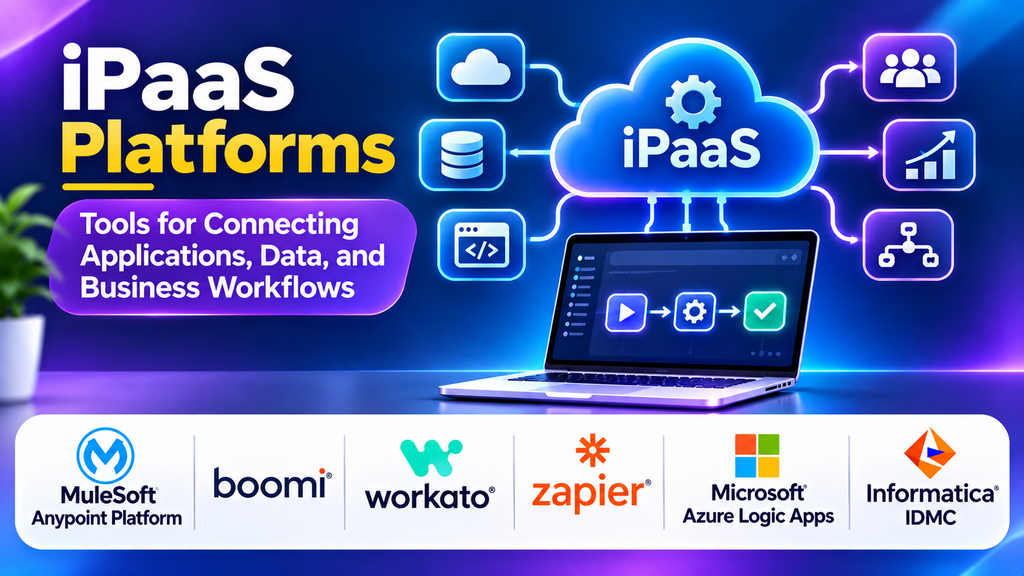
Modern businesses rely on multiple applications to manage sales, marketing, finance, customer service, and operations. When these systems operate separately, employees may need to transfer information manually, data can become inconsistent, and important workflows may slow down. Integration Platform as a Service (iPaaS) helps organizations connect applications, synchronize data, and automate processes through a centralized cloud-based integration platform.
What Is iPaaS?
iPaaS is a cloud-based service that helps organizations integrate applications, databases, APIs, and other systems. It provides connectors, workflow designers, data transformation capabilities, and monitoring tools that reduce the effort required to build and maintain integrations. Depending on the platform, integrations can operate in real time, through scheduled jobs, or in response to events.
Popular iPaaS Platforms
1. MuleSoft Anypoint Platform
MuleSoft Anypoint Platform provides tools for API management, application integration, and reusable integration development. Organizations can connect cloud applications, on-premises systems, and APIs while managing integrations across different environments.
Best for: Enterprises that need API-led connectivity and complex system integrations.
2. Boomi
Boomi offers a cloud-based integration platform with visual development tools and prebuilt connectors. It supports application integration, data synchronization, and workflow automation across a range of business systems. Its low-code approach can help teams build integrations without writing every component from scratch.
Best for: Organizations seeking a visual platform for connecting business applications and data sources.
3. Workato
Workato combines application integration with workflow automation. It enables teams to create automated workflows, often called recipes, that connect business applications and trigger actions when specified conditions occur. It is useful for coordinating processes across departments.
Best for: Businesses automating cross-functional workflows in areas such as sales, HR, finance, and customer support.
4. Zapier
Zapier connects supported applications through trigger-and-action workflows. Its visual interface allows users to automate repetitive tasks without building custom integrations for every process. More complex workflows can include multiple steps, filters, and data transformations, depending on the plan and available features.
Best for: Small businesses and teams that need accessible no-code automation.
5. Microsoft Azure Logic Apps
Azure Logic Apps provides workflow automation and integration capabilities within the Microsoft Azure ecosystem. It supports connectors, event-driven workflows, and integration with cloud services and enterprise systems. Organizations can use it to orchestrate processes across Microsoft and third-party applications.
Best for: Teams already using Azure that need cloud-based integration and workflow orchestration.
6. Informatica Intelligent Data Management Cloud
Informatica provides cloud-based data management and integration capabilities, including data integration, data quality, and governance features. It can help organizations move and transform data across systems while maintaining consistency and supporting analytics initiatives.
Best for: Enterprises with complex data integration, quality, and governance requirements.
Comparison of iPaaS Platforms
| Platform | Main strength | Suitable use case |
|---|---|---|
| MuleSoft Anypoint Platform | API-led integration | Complex enterprise environments |
| Boomi | Visual application integration | Connecting business systems |
| Workato | Business workflow automation | Cross-department processes |
| Zapier | No-code automation | Repetitive everyday tasks |
| Azure Logic Apps | Azure workflow integration | Microsoft-centric environments |
| Informatica IDMC | Data integration and governance | Enterprise data management |
Essential iPaaS Features
When evaluating an iPaaS solution, consider connector availability, workflow design, data transformation, API integration, scheduling, event triggers, error handling, monitoring, and security. Enterprise environments may also require role-based access controls, audit logs, compliance support, and deployment options for hybrid systems.
Scalability is another important factor. A platform should support expected transaction volumes, provide visibility into failed workflows, and make it possible to retry or recover operations safely. Pricing models should be reviewed carefully because charges may depend on tasks, connections, data volume, or execution frequency.
How to Choose the Right iPaaS Platform
Begin by identifying which applications and data sources must communicate. Check whether the platform provides maintained connectors for those systems and whether it supports the required integration patterns. Simple task automation may only require a lightweight tool, while complex enterprise integration may need advanced API management, governance, and monitoring.
Consider who will build and maintain the workflows. Business teams may prefer low-code interfaces, while technical teams may require custom code, version control, testing, and deployment controls. Run a pilot with a real workflow before making a long-term commitment.
iPaaS Best Practices
- Document integration requirements, data ownership, and system dependencies.
- Use secure authentication and store credentials in approved secret-management systems.
- Validate data before sending it between applications.
- Build error handling, retries, and alerts into important workflows.
- Monitor integration performance and investigate recurring failures.
- Apply least-privilege access and review permissions regularly.
- Test changes before deploying them to production.
- Document workflows so teams can troubleshoot and maintain them.
Conclusion
iPaaS platforms help organizations connect applications, streamline data movement, and automate business processes. MuleSoft and Boomi support broad integration needs, Workato and Zapier emphasize workflow automation, Azure Logic Apps fits well within Azure environments, and Informatica focuses on enterprise data management. The right choice depends on integration complexity, existing technology, team skills, security requirements, and budget. A carefully selected iPaaS platform can reduce manual work and make business systems operate more consistently.
