Upgrade & Secure Your Future with DevOps, SRE, DevSecOps, MLOps!
We spend hours scrolling social media and waste money on things we forget, but won’t spend 30 minutes a day earning certifications that can change our lives.
Master in DevOps, SRE, DevSecOps & MLOps by DevOps School!
Learn from Guru Rajesh Kumar and double your salary in just one year.
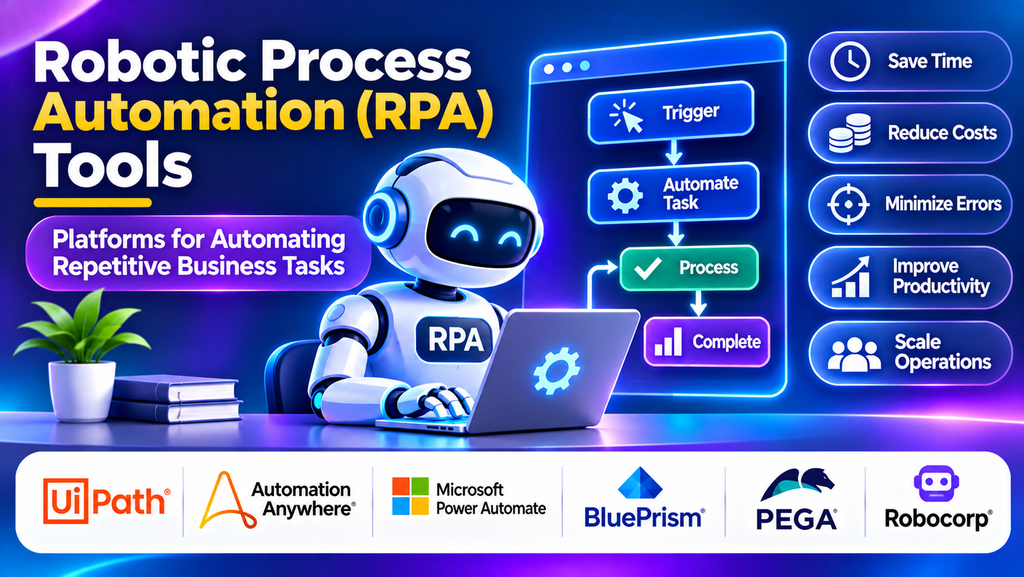
Businesses often perform repetitive tasks such as entering data, processing invoices, updating customer records, and transferring information between applications. These activities consume time and can introduce human errors when handled manually. Robotic Process Automation (RPA) helps organizations automate structured, rule-based tasks using software robots that interact with digital systems in ways similar to human users.
What Is Robotic Process Automation?
RPA is a technology that uses software bots to perform repetitive digital tasks according to predefined rules. Bots can interact with application screens, read and enter data, move files, generate reports, and execute routine business processes. Unlike traditional system integration, which often relies on APIs, RPA can automate certain workflows through existing user interfaces.
RPA is particularly useful when processes are repetitive, follow clear rules, and involve stable applications. More complex processes may combine RPA with artificial intelligence, document processing, workflow orchestration, or API-based integration.
Popular RPA Platforms
1. UiPath
UiPath provides tools for designing, running, and managing software robots. Its platform supports visual automation development, attended and unattended automation, orchestration, and capabilities for document processing and AI-assisted workflows. Organizations can use it to automate tasks across enterprise applications.
Best for: Businesses seeking a broad automation platform with bot development and centralized management.
2. Automation Anywhere
Automation Anywhere offers cloud-oriented RPA and intelligent automation capabilities. Its tools help organizations build bots, manage automation workflows, and automate tasks across business applications. Features and deployment options vary by product and plan.
Best for: Enterprises looking to scale automation across departments and business processes.
3. Microsoft Power Automate
Microsoft Power Automate supports cloud workflow automation and desktop RPA. Desktop flows can automate user-interface tasks on Windows applications, while cloud flows connect services and trigger actions based on events. It can also work with other Microsoft business tools.
Best for: Organizations that want desktop and cloud automation within the Microsoft ecosystem.
4. Blue Prism
Blue Prism, now part of SS&C, is known for enterprise-focused robotic process automation. Its approach emphasizes controlled automation, governance, and managed bot operations. It is often considered for structured processes in large organizations with formal operational requirements.
Best for: Enterprises that prioritize governance and controlled deployment of automation.
5. Pega Robotic Process Automation
Pega offers robotic automation capabilities within a broader platform for workflow and customer engagement. Its automation features can support interactions with desktop applications and help connect repetitive tasks to larger business processes.
Best for: Organizations that want to coordinate robotic automation with business process management and customer workflows.
6. Robocorp
Robocorp provides developer-oriented automation tools based on Python and open-source technologies, with platform options for running and managing automation. It can suit teams that prefer code-driven development and want flexibility when creating custom automation workflows.
Best for: Technical teams that prefer Python-based automation and developer-focused workflows.
Comparison of RPA Platforms
| Platform | Main strength | Suitable use case |
|---|---|---|
| UiPath | Broad automation and orchestration | Enterprise automation programs |
| Automation Anywhere | Scalable intelligent automation | Cross-department bot deployment |
| Microsoft Power Automate | Desktop and cloud automation | Microsoft-centric workflows |
| Blue Prism | Enterprise governance | Controlled business operations |
| Pega RPA | Automation with process management | Customer and business workflows |
| Robocorp | Code-driven automation | Python-focused development teams |
Essential RPA Features to Evaluate
When evaluating an RPA platform, consider bot development tools, attended and unattended execution, scheduling, centralized management, error handling, audit logs, credential security, and application compatibility. Larger automation programs may also require role-based access controls, version management, workload monitoring, and recovery capabilities.
Document-processing support and AI features can be useful when workflows involve invoices, forms, emails, or semi-structured information. However, these capabilities should be evaluated separately from basic rule-based automation because they introduce additional complexity and may require human review.
How to Choose the Right RPA Tool
Begin by identifying processes that are repetitive, stable, and time-consuming. Estimate the number of executions, time spent per task, error rate, and business impact. Processes with predictable steps and clearly defined rules are usually stronger candidates than workflows that require frequent judgment or exceptions.
Choose a platform based on the applications involved, team skills, deployment requirements, governance needs, and total cost. Microsoft-focused teams may find Power Automate convenient, while organizations planning a large-scale automation program may evaluate UiPath or Automation Anywhere. Developer teams may prefer Robocorp for code-driven solutions.
Before deploying bots broadly, run a pilot on a well-defined process and measure the results. Include maintenance effort and exception handling in the assessment, not just the time saved during successful runs.
RPA Best Practices
- Map and simplify the process before automating it.
- Prioritize tasks with stable rules and predictable outcomes.
- Protect credentials using approved secret-management practices.
- Design bots to handle timeouts, missing data, and application errors.
- Log bot actions and monitor failed executions.
- Use human approval for sensitive or high-impact decisions.
- Test changes whenever target applications or interfaces are updated.
- Track time savings, error reduction, maintenance costs, and business outcomes.
Conclusion
RPA platforms help organizations automate repetitive digital work, reduce manual effort, and improve process consistency. UiPath, Automation Anywhere, Microsoft Power Automate, Blue Prism, Pega, and Robocorp offer different approaches to building and managing software robots. The best choice depends on process complexity, existing applications, technical expertise, governance requirements, and budget. A successful RPA program begins with suitable processes, realistic performance measures, and ongoing bot monitoring.
