Upgrade & Secure Your Future with DevOps, SRE, DevSecOps, MLOps!
We spend hours scrolling social media and waste money on things we forget, but won’t spend 30 minutes a day earning certifications that can change our lives.
Master in DevOps, SRE, DevSecOps & MLOps by DevOps School!
Learn from Guru Rajesh Kumar and double your salary in just one year.
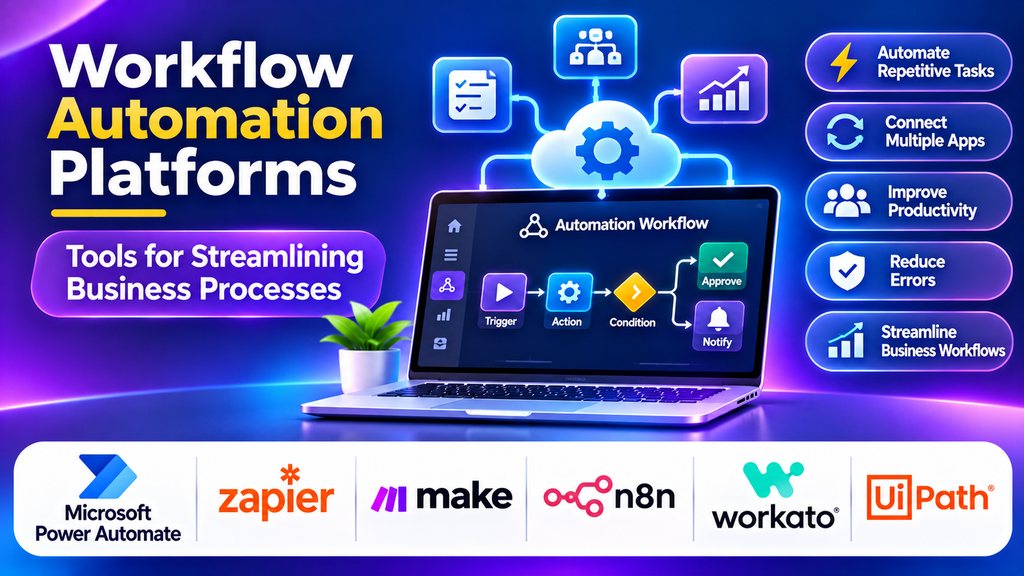
Businesses manage numerous recurring activities, including customer follow-ups, employee onboarding, invoice approvals, data entry, and report generation. When these activities depend on manual work, delays and errors can affect productivity. Workflow automation platforms help organizations connect applications, define business rules, and automate repetitive steps so teams can focus on higher-value work.
What Are Workflow Automation Platforms?
Workflow automation platforms are software solutions that coordinate tasks, information, and approvals across people and applications. Workflows can begin when an event occurs, such as a form submission, a new sales lead, or an updated database record. The platform then performs configured actions, routes tasks to the appropriate people, and tracks progress.
Depending on the product, workflows may be built with visual designers, prebuilt connectors, custom code, or a combination of these approaches.
Popular Workflow Automation Platforms
1. Microsoft Power Automate
Microsoft Power Automate enables users to create automated workflows across Microsoft services and supported third-party applications. It offers cloud flows, desktop automation, triggers, and connectors for a range of business tasks. Integration with Microsoft 365 and other Microsoft services makes it useful for organizations already using that ecosystem.
Best for: Businesses automating routine processes across Microsoft applications and connected services.
2. Zapier
Zapier connects supported applications through trigger-and-action workflows. Users can automate tasks such as transferring form responses to spreadsheets, sending notifications, or updating customer records. Its visual approach makes it accessible to people with limited programming experience.
Best for: Small businesses and teams seeking straightforward no-code automation.
3. Make
Make provides a visual workflow builder for connecting applications and designing multi-step automations. Users can map data between services, apply conditions, and branch workflows based on different outcomes. Its visual scenario editor helps teams understand how information moves through a process.
Best for: Users who need flexible, visual automation with branching and data transformation.
4. n8n
n8n is a workflow automation platform that supports visual workflows, integrations, and custom code. It offers self-hosting options as well as hosted deployment, giving teams different levels of infrastructure control. Its flexibility can be useful for technical workflows involving APIs, AI services, and internal systems.
Best for: Technical teams that want customizable automation and greater control over deployment.
5. Workato
Workato combines application integration with business process automation. Its recipes connect systems and execute actions when defined triggers and conditions are met. It supports enterprise workflows across functions such as sales, finance, human resources, and customer support.
Best for: Organizations automating complex workflows across multiple business departments.
6. UiPath
UiPath provides robotic process automation and broader automation capabilities. Software robots can interact with user interfaces and perform repetitive tasks, while its wider platform supports orchestration and automation management. This can help organizations automate processes that involve legacy applications without convenient APIs.
Best for: Businesses automating repetitive, rule-based tasks across desktop and enterprise applications.
Comparison of Workflow Automation Platforms
| Platform | Main strength | Suitable use case |
|---|---|---|
| Microsoft Power Automate | Microsoft ecosystem integration | Office and business workflows |
| Zapier | No-code application connections | Everyday task automation |
| Make | Visual, multi-step workflows | Conditional processes |
| n8n | Flexible, developer-friendly automation | API and technical workflows |
| Workato | Enterprise integration and automation | Cross-department processes |
| UiPath | Robotic process automation | Repetitive UI-based tasks |
Essential Features to Consider
When selecting a workflow automation tool, consider the available integrations, trigger types, conditional logic, approval steps, data transformation, error handling, scheduling, and monitoring. Larger organizations may also need role-based access, audit logs, environment separation, governance controls, and compliance support.
Scalability and reliability matter when workflows support important business operations. Look for clear execution histories, failure alerts, safe retry options, and controls that prevent duplicate actions. Review pricing carefully because costs may depend on workflow runs, tasks, users, robots, or execution volume.
How to Choose the Right Platform
Start by identifying a repetitive process with clear inputs, rules, and expected outcomes. Map the existing steps and determine which applications or teams are involved. Choose a platform that supports the required integrations and can handle exceptions when information is missing or an action fails.
For Microsoft-centric workflows, Power Automate may be a natural starting point. Zapier can suit simple no-code integrations, while Make provides a visual approach to more complex scenarios. Technical teams may prefer n8n for customization, Workato for enterprise-wide integration, or UiPath when automation must interact with application interfaces.
Test the workflow with real-world examples before expanding it across the organization. Calculate the expected time savings, implementation effort, maintenance costs, and business impact.
Workflow Automation Best Practices
- Document the existing process before automating it.
- Remove unnecessary steps instead of automating inefficiencies.
- Define clear triggers, conditions, and approval responsibilities.
- Protect credentials and apply least-privilege access.
- Include error handling, alerts, and recovery procedures.
- Test exceptional cases and prevent duplicate actions.
- Monitor execution history and review performance regularly.
- Maintain documentation and assign clear workflow ownership.
Conclusion
Workflow automation platforms help organizations reduce repetitive work, improve consistency, and connect business processes across applications. Microsoft Power Automate, Zapier, Make, n8n, Workato, and UiPath offer different approaches, from simple no-code connections to enterprise automation and software robots. The right platform depends on workflow complexity, existing systems, technical skills, security needs, and budget. A well-planned automation strategy can improve productivity while making business processes easier to monitor and maintain.
