Upgrade & Secure Your Future with DevOps, SRE, DevSecOps, MLOps!
We spend hours scrolling social media and waste money on things we forget, but won’t spend 30 minutes a day earning certifications that can change our lives.
Master in DevOps, SRE, DevSecOps & MLOps by DevOps School!
Learn from Guru Rajesh Kumar and double your salary in just one year.
Introduction
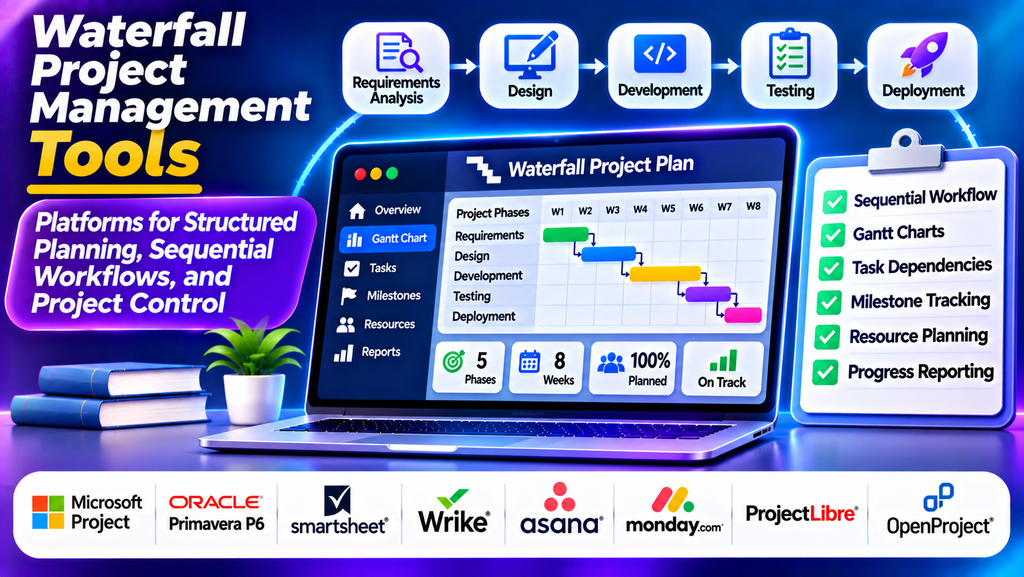
Waterfall project management tools help teams plan, schedule, and control projects through clearly defined phases. This traditional project management approach follows a sequential process in which activities such as requirements gathering, design, development, testing, and deployment are completed in an organized order.
These tools are useful when project requirements are well established, deliverables must be documented carefully, and deadlines or dependencies need close monitoring. Industries such as construction, manufacturing, engineering, and regulated project delivery often benefit from structured planning and formal approval processes.
What Are Waterfall Project Management Tools?
Waterfall project management tools are software platforms that support sequential project execution. They allow project managers to define project scope, create schedules, establish milestones, assign resources, document requirements, and monitor progress against an approved plan.
Common capabilities include Gantt charts, task dependencies, critical path analysis, milestone tracking, resource allocation, risk registers, document management, and progress reports. These features help teams understand how delays in one phase may affect later activities.
Popular Waterfall Project Management Tools
1. Microsoft Project
Microsoft Project provides detailed scheduling, Gantt charts, task dependencies, resource management, milestones, and project reporting. Project managers can build structured plans and evaluate how changes to schedules or resources affect delivery.
Best for: Large projects requiring detailed schedules, dependencies, and resource planning.
2. Primavera P6
Oracle Primavera P6 is designed for complex project planning and scheduling, particularly in construction, engineering, infrastructure, and capital projects. It supports detailed activity networks, resource planning, schedule analysis, and multi-project oversight.
Best for: Large construction, infrastructure, and engineering projects.
3. Smartsheet
Smartsheet combines spreadsheet-style project planning with Gantt charts, dependencies, automated workflows, document sharing, and reporting. Its familiar interface can help teams manage structured project schedules collaboratively.
Best for: Business projects and teams that prefer spreadsheet-style planning.
4. Wrike
Wrike supports task management, project schedules, dependencies, workload visibility, approvals, and dashboards. Teams can use its structured workflows to coordinate deliverables and monitor progress across project phases.
Best for: Professional services, cross-functional teams, and projects requiring centralized tracking.
5. Asana
Asana offers task assignments, timelines, milestones, dependencies, and project status reporting. Although it supports flexible ways of working, its timeline and planning features can also be used to manage projects with sequential phases.
Best for: Business teams managing phased projects and cross-department deliverables.
6. Monday.com
monday.com provides customizable project boards, timeline views, dependencies, status tracking, automation, and dashboards. Teams can configure workflows around requirements, design, implementation, testing, and delivery.
Best for: Teams that need customizable phase tracking and visual reporting.
7. ProjectLibre
ProjectLibre is an open-source desktop project management application that supports Gantt charts, task dependencies, resource allocation, and scheduling. It can be an option for teams that need traditional project planning capabilities without adopting a large enterprise platform.
Best for: Budget-conscious teams and users familiar with desktop scheduling tools.
8. OpenProject
OpenProject supports project planning, Gantt charts, milestones, task management, collaboration, and project documentation. It can help teams coordinate sequential project activities while maintaining a shared view of schedules and responsibilities.
Best for: Organizations seeking structured project management with open-source options.
Waterfall Project Management Tools Comparison
| Platform | Main Strength | Suitable For |
|---|---|---|
| Microsoft Project | Detailed schedules and dependencies | Complex business projects |
| Primavera P6 | Advanced project scheduling | Construction and engineering |
| Smartsheet | Collaborative planning | Business and operations |
| Wrike | Cross-team coordination | Professional services |
| Asana | Timelines and milestones | Phased business projects |
| monday.com | Customizable workflows | Cross-functional projects |
| ProjectLibre | Traditional desktop planning | Budget-conscious teams |
| OpenProject | Open-source project planning | Structured team projects |
Essential Features to Look For
Gantt charts and scheduling: Visualize project activities on a timeline and understand when each phase should begin and end.
Task dependencies: Define relationships between activities so teams can identify which tasks must finish before others can start.
Milestone tracking: Establish important checkpoints, approval dates, and delivery targets.
Critical path analysis: Identify activities that directly influence the earliest possible project completion date, where the tool supports this capability.
Resource allocation: Assign people, equipment, and budgets to planned activities while monitoring capacity.
Documentation and approvals: Store requirements, specifications, project decisions, and formal sign-offs in an organized workspace.
Risk and progress reporting: Track potential delays, compare planned and actual progress, and communicate project status to stakeholders.
How to Choose the Right Waterfall Tool
Begin by assessing project size, schedule complexity, documentation requirements, resource needs, and reporting expectations. Large infrastructure projects may need advanced scheduling capabilities such as those offered by Primavera P6, while smaller business projects may be managed effectively using Asana, Smartsheet, or ProjectLibre.
Evaluate usability, integration options, access controls, scalability, support, and total cost. Check whether the platform can manage dependencies, baseline schedules, milestone approvals, and changes to the original plan.
Before choosing a solution, test it with a representative project. Confirm that project managers can create schedules easily and that stakeholders can understand progress reports without excessive training.
Best Practices for Waterfall Project Management
- Define the project scope and requirements before finalizing the schedule.
- Break the project into clear phases, activities, and milestones.
- Establish task dependencies and review the critical path.
- Assign realistic timelines, budgets, and resources.
- Document phase approvals and important decisions.
- Monitor actual progress against the approved baseline.
- Evaluate change requests before updating the project plan.
- Communicate risks and schedule changes to stakeholders promptly.
Conclusion
Waterfall project management tools help organizations coordinate sequential activities, manage dependencies, and maintain control over project schedules. Platforms such as Microsoft Project, Primavera P6, Smartsheet, Wrike, Asana, monday.com, ProjectLibre, and OpenProject offer different capabilities for structured project delivery.
The best solution depends on project complexity, industry requirements, budget, and scheduling needs. With clear requirements, documented approvals, and regular progress reviews, these tools can improve accountability and support predictable project execution.
