Upgrade & Secure Your Future with DevOps, SRE, DevSecOps, MLOps!
We spend hours scrolling social media and waste money on things we forget, but won’t spend 30 minutes a day earning certifications that can change our lives.
Master in DevOps, SRE, DevSecOps & MLOps by DevOps School!
Learn from Guru Rajesh Kumar and double your salary in just one year.
Introduction
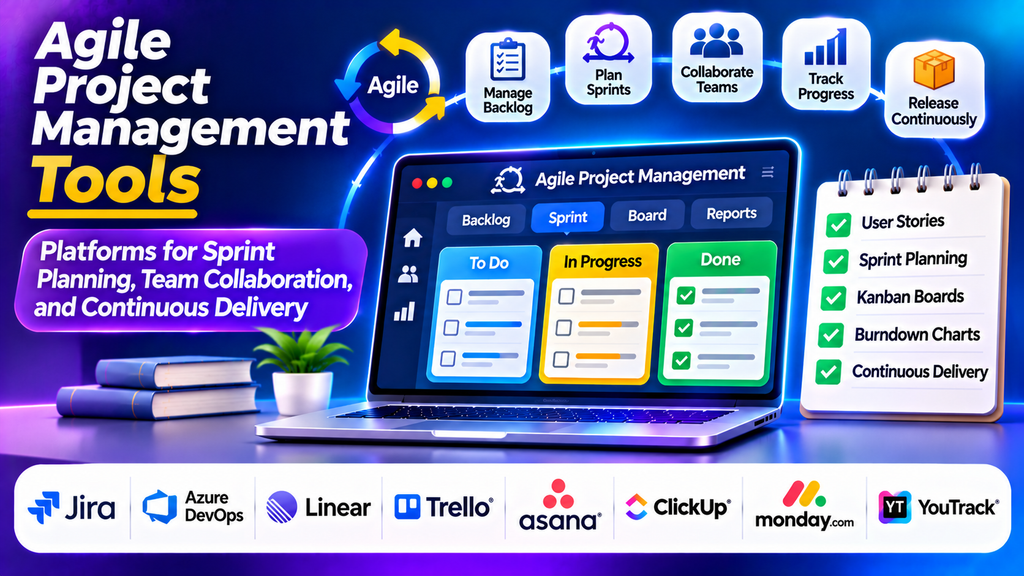
Agile project management tools help teams plan work in short cycles, collaborate continuously, respond to changing requirements, and deliver improvements incrementally. They are especially useful for software development, product management, and teams working in environments where priorities can change quickly.
By providing shared backlogs, sprint boards, progress reports, and collaboration features, these platforms help teams improve visibility, identify bottlenecks, and coordinate work throughout the development lifecycle.
What Are Agile Project Management Tools?
Agile project management tools are software platforms designed to support iterative approaches such as Scrum and Kanban. Instead of relying entirely on a fixed project plan, agile teams organize work into manageable tasks, prioritize requirements, review progress frequently, and adapt plans based on feedback.
Common capabilities include product backlogs, sprint planning, Kanban boards, burndown charts, velocity reports, task assignments, issue tracking, and release planning. These features help teams coordinate development activities and understand whether they are progressing toward their goals.
Popular Agile Project Management Tools
1. Jira
Jira is a widely used agile project management platform for software development teams. It supports Scrum and Kanban boards, backlog prioritization, sprint planning, issue tracking, and agile reporting.
Teams can organize work into epics, stories, tasks, and bugs while monitoring progress through dashboards and reports.
Best for: Software development teams, engineering departments, and organizations using Scrum or Kanban.
2. Azure DevOps
Azure DevOps provides tools for planning work, managing code repositories, running automated pipelines, and coordinating software delivery. Its Boards component supports backlogs, sprint planning, work items, and configurable workflows.
Best for: Development teams working with Microsoft technologies and integrated software delivery processes.
3. Linear
Linear is a streamlined issue and project tracking platform designed for product and engineering teams. It offers cycles, project views, issue tracking, and integrations that help teams organize development work with minimal administrative overhead.
Best for: Product teams and engineering organizations that value a fast, focused workflow.
4. Trello
Trello uses visual boards, lists, and cards to organize work. Teams can move tasks across stages, assign members, set due dates, and use additional automation to manage recurring activities.
Although it is not limited to agile teams, its Kanban-style layout makes it useful for lightweight agile workflows.
Best for: Small teams, simple Kanban workflows, and teams starting with agile practices.
5. Asana
Asana supports project planning, task assignments, timelines, dependencies, and workflow automation. Agile teams can use it to coordinate cross-functional work, manage deliverables, and keep stakeholders informed.
Best for: Product launches, marketing projects, and agile work involving multiple departments.
6. ClickUp
ClickUp offers task management, sprint-oriented workflows, dashboards, goals, documents, and customizable views. Teams can use it to track backlogs, coordinate tasks, and review progress within a shared workspace.
Best for: Teams seeking flexible work management across product, operations, and development activities.
7. monday.com
monday.com provides customizable boards, visual project tracking, automation, and reporting. Teams can configure workflows to track feature development, product launches, and cross-functional deliverables.
Best for: Teams needing configurable workflows and accessible progress dashboards.
8. YouTrack
YouTrack supports issue tracking, agile boards, backlogs, sprint planning, and reporting. It can help development teams coordinate tasks and monitor work through customizable workflows.
Best for: Software development teams seeking issue tracking and agile planning capabilities.
Agile Project Management Tools Comparison
| Platform | Main Strength | Suitable For |
|---|---|---|
| Jira | Scrum and Kanban planning | Software development |
| Azure DevOps | Integrated development workflows | Microsoft-oriented teams |
| Linear | Streamlined issue tracking | Product and engineering |
| Trello | Visual task boards | Lightweight agile projects |
| Asana | Cross-team coordination | Product and business teams |
| ClickUp | Flexible work management | Mixed-function teams |
| monday.com | Customizable workflows | Cross-functional projects |
| YouTrack | Issue tracking and agile boards | Software teams |
Essential Features to Look For
Backlog management: Organize requirements, user stories, bugs, and enhancements according to priority.
Sprint planning: Select work for each sprint, assign responsibilities, and establish realistic commitments.
Scrum and Kanban boards: Visualize task status and identify work that is waiting, in progress, or completed.
Agile reporting: Use burndown charts, velocity reports, and cumulative flow diagrams where supported to understand delivery trends and bottlenecks.
Collaboration: Share updates, discuss issues, and coordinate decisions without losing important project context.
Automation and integrations: Connect planning workflows with code repositories, communication platforms, testing tools, and deployment pipelines.
Release tracking: Monitor milestones, planned releases, dependencies, and outstanding work.
How to Choose the Right Agile Tool
Start by identifying your team’s working method. A Scrum team may prioritize sprint planning, backlog management, and burndown reporting, while a Kanban team may focus on work-in-progress limits and flow visibility.
Evaluate team size, project complexity, integrations, customization, reporting, security, and budget. Consider whether developers, product managers, testers, and business stakeholders can all use the platform effectively.
Run a pilot project before choosing a long-term solution. Assess how easily the tool supports your ceremonies, task updates, reporting needs, and existing development processes.
Best Practices for Using Agile Tools
- Keep the product backlog prioritized and regularly reviewed.
- Break large requirements into clear, manageable user stories and tasks.
- Set realistic sprint goals based on team capacity.
- Limit excessive work in progress to reduce bottlenecks.
- Review progress frequently and address blockers early.
- Use reports to guide improvement rather than judge individuals in isolation.
- Hold retrospectives and turn lessons into specific actions.
- Keep workflows simple enough for the entire team to maintain consistently.
Conclusion
Agile project management tools help teams plan iteratively, coordinate development work, and respond to changing priorities. Platforms such as Jira, Azure DevOps, Linear, Trello, Asana, ClickUp, monday.com, and YouTrack offer different approaches to agile planning and delivery.
The right tool depends on your team’s methodology, project complexity, integration needs, and reporting expectations. When supported by clear processes and regular feedback, agile tools can improve transparency, collaboration, and continuous delivery.
