Upgrade & Secure Your Future with DevOps, SRE, DevSecOps, MLOps!
We spend hours scrolling social media and waste money on things we forget, but won’t spend 30 minutes a day earning certifications that can change our lives.
Master in DevOps, SRE, DevSecOps & MLOps by DevOps School!
Learn from Guru Rajesh Kumar and double your salary in just one year.
Introduction
Website builders are software platforms that help individuals, businesses, creators, agencies, and teams create websites without building everything from scratch with custom code. They usually include templates, visual editors, hosting, domains, SEO settings, forms, ecommerce tools, analytics, integrations, and publishing workflows.
Website builders matter because every business now needs a reliable digital presence. A website is no longer just an online brochure. It can support lead generation, online selling, appointment booking, product education, customer support, hiring, content marketing, and brand trust. Modern website builders also include AI-assisted site creation, automation, CMS features, ecommerce support, localization, analytics, and stronger security controls. Wix promotes AI website creation and built-in AI tools, Webflow highlights CMS, hosting, analytics, localization, SEO, and AI site-building capabilities, while Shopify focuses heavily on ecommerce, payments, hosting, marketing tools, and app extensibility.
Common use cases include business websites, portfolio sites, ecommerce stores, blogs, landing pages, agency-built client websites, membership sites, event websites, and service booking websites.
Buyers should evaluate:
- Ease of use
- Design flexibility
- Template quality
- Hosting reliability
- SEO controls
- Ecommerce capabilities
- CMS and blogging features
- Security controls
- Third-party integrations
- Long-term scalability
Best for: Website builders are best for small businesses, creators, marketers, agencies, freelancers, ecommerce sellers, SaaS teams, consultants, local service providers, and non-technical teams that need a professional website without building from zero.
Not ideal for: Website builders may not be ideal for highly complex enterprise applications, deeply customized backend platforms, advanced product engineering use cases, or teams that need full control over every layer of infrastructure, code, deployment, and system architecture.
Key Trends in Website Builders Tools
- AI website creation is becoming a major feature. Tools like Wix, Webflow, Framer, and Hostinger now promote AI-assisted site generation, layout creation, content support, and faster design workflows.
- No-code and low-code workflows are becoming standard. Teams want to create and update websites without waiting for developers for every design, content, or layout change.
- Website builders are becoming business platforms. Many tools now include ecommerce, payments, marketing tools, analytics, SEO, scheduling, forms, CRM-style features, and automation.
- Design flexibility is becoming a key differentiator. Tools like Webflow and Framer appeal to teams that want more creative control than traditional drag-and-drop builders.
- Security expectations are increasing. Buyers now look for SSL, access controls, SSO, MFA, RBAC, audit logs, DDoS protection, encryption, and compliance documentation where needed. Webflow Enterprise highlights custom SSL certificates, security headers, and access controls, while Squarespace describes technical and organizational security measures.
- Ecommerce is becoming more integrated. Many website builders now include storefronts, product catalogs, checkout, payment options, shipping, tax, inventory, and marketing tools.
- Agencies need scalable client management. Platforms like Duda focus on agencies, freelancers, SaaS companies, and professional website teams that manage many client websites.
- SEO and discoverability remain essential. Builders are adding stronger SEO settings, content tools, structured pages, performance improvements, and analytics.
- Integrations are now part of the buying decision. Businesses need websites to connect with CRM, email marketing, analytics, payments, automation, calendars, chat tools, and advertising platforms.
- Pricing models require careful review. Buyers should check storage, bandwidth, site limits, ecommerce fees, transaction fees, team seats, custom domain access, AI limits, and premium support options.
How We Selected These Tools
This Top 10 list was selected using practical buyer-focused evaluation logic:
- Market adoption and recognition among businesses, creators, agencies, ecommerce sellers, and marketing teams
- Feature completeness across website creation, design, hosting, SEO, ecommerce, CMS, forms, and analytics
- Ease of use for non-technical users
- Design flexibility for marketers, designers, and professional teams
- Performance and hosting reliability signals
- Security posture signals such as SSL, access controls, SSO, RBAC, and compliance-friendly features
- Integrations with marketing, CRM, ecommerce, analytics, automation, and payment tools
- Fit across solo users, SMBs, mid-market teams, enterprise teams, creators, and agencies
- Support resources, documentation, onboarding, and community strength
- Overall value based on usability, scalability, feature depth, and long-term business fit
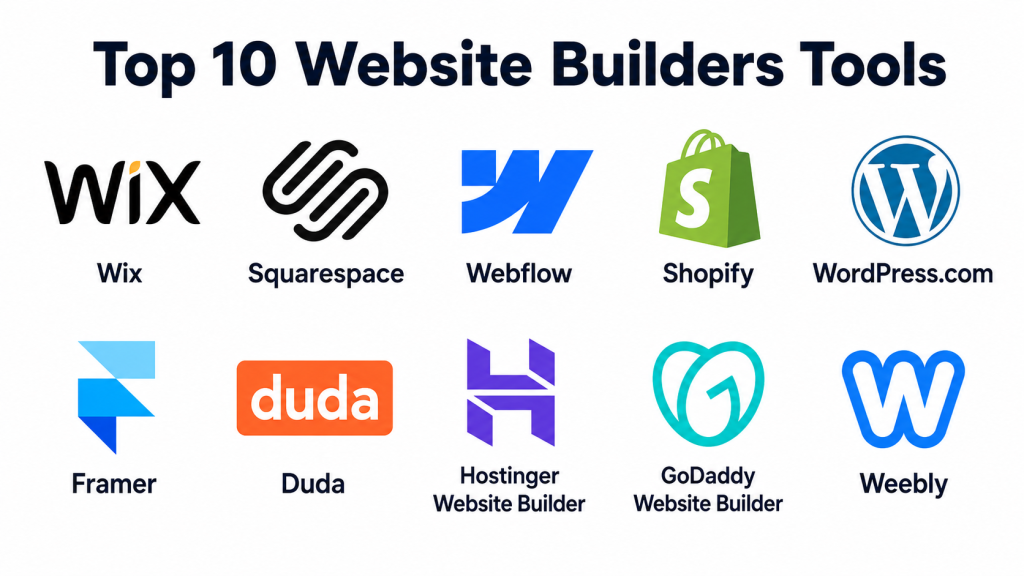
Top 10 Website Builders Tools
#1 — Wix
Short description: Wix is a popular website builder for small businesses, creators, freelancers, local service providers, and non-technical users. It offers templates, drag-and-drop editing, AI website generation, business tools, ecommerce features, SEO tools, and hosting in one platform.
Key Features
- AI website builder
- Drag-and-drop visual editor
- Large template library
- Built-in hosting and domain support
- SEO and marketing tools
- Forms, booking, and ecommerce features
- App marketplace for extended functionality
Pros
- Very beginner-friendly for non-technical users.
- Strong template and business tool ecosystem.
- Good fit for local businesses, creators, and small teams.
Cons
- Advanced design control may feel limited for professional designers.
- Larger or more complex sites may require careful structure planning.
- Some advanced features depend on paid plans or apps.
Platforms / Deployment
Web
Cloud
Security & Compliance
Wix supports SSL/HTTPS for websites and provides hosted infrastructure. Specific enterprise controls such as SSO, audit logs, SOC 2, ISO 27001, HIPAA, or advanced RBAC should be verified directly. If not confirmed, use Not publicly stated.
Integrations & Ecosystem
Wix has a broad ecosystem for small businesses that want their website connected with marketing, sales, booking, ecommerce, and customer engagement workflows.
- App marketplace integrations
- Email marketing tools
- Forms and lead capture
- Ecommerce tools
- Booking and scheduling tools
- Analytics and tracking tools
Support & Community
Wix has extensive help documentation, learning resources, templates, and a large user base. It is especially strong for beginners and small business owners who want a guided website-building experience.
#2 — Squarespace
Short description: Squarespace is a polished website builder known for clean design templates, visual editing, ecommerce, domains, scheduling, marketing tools, and strong brand presentation. It is commonly used by creatives, service businesses, portfolio owners, restaurants, consultants, and small businesses.
Key Features
- Professional design templates
- Visual website editor
- Built-in domains and hosting
- Ecommerce and payment features
- Blogging and portfolio tools
- Marketing and email campaign features
- Official integrations and extensions
Pros
- Strong visual quality and design consistency.
- Good for portfolios, creative businesses, and service brands.
- Helpful all-in-one website and business management features.
Cons
- Less flexible than Webflow for advanced custom layouts.
- Not ideal for highly complex web applications.
- Some integrations and commerce features may require higher plans.
Platforms / Deployment
Web
Cloud
Security & Compliance
Squarespace describes technical and organizational security measures and supports SSL for websites. Specific details such as SSO, audit logs, SOC 2, ISO 27001, HIPAA, or advanced enterprise compliance controls should be verified directly.
Integrations & Ecosystem
Squarespace includes official integrations and extensions that help expand site functionality across business, marketing, commerce, and scheduling use cases.
- Email marketing tools
- Scheduling tools
- Ecommerce extensions
- Analytics tools
- Social integrations
- Domain and DNS features
Support & Community
Squarespace offers strong documentation, templates, learning resources, and customer support. It is especially useful for users who want a professional-looking website without managing technical hosting details.
#3 — Webflow
Short description: Webflow is a visual website builder and web design platform for designers, agencies, startups, SaaS teams, and marketing teams that need high design control. It combines visual development, CMS, hosting, SEO, analytics, localization, and enterprise website capabilities.
Key Features
- Advanced visual design editor
- CMS for dynamic content
- Hosting and SEO controls
- Reusable components
- Animation and interaction tools
- Enterprise website capabilities
- AI-assisted site-building features
Pros
- Excellent design flexibility.
- Strong fit for brand-led websites and marketing sites.
- Useful for teams that need CMS and visual development together.
Cons
- Higher learning curve than beginner website builders.
- Non-designers may need training.
- Some advanced workflows may require specialists or agencies.
Platforms / Deployment
Web
Cloud
Security & Compliance
Webflow Enterprise highlights custom SSL certificates, security headers, access controls, and enterprise website governance. Specific compliance certifications and controls should still be verified during procurement.
Integrations & Ecosystem
Webflow has a strong ecosystem for design-led websites, marketing teams, CMS workflows, and automation.
- CRM integrations
- Analytics platforms
- Form routing tools
- Automation tools
- CMS workflows
- Marketing and ecommerce integrations
Support & Community
Webflow has strong documentation, educational resources, templates, designer communities, agencies, and professional support options. It is one of the strongest platforms for design-focused teams.
#4 — Shopify
Short description: Shopify is a website builder and ecommerce platform built for online stores, retail brands, direct-to-consumer businesses, and merchants. It helps users build storefronts, manage products, accept payments, run marketing, and extend functionality through apps.
Key Features
- Ecommerce website builder
- Product catalog management
- Secure payment options
- App store ecosystem
- Marketing tools
- Inventory and order management
- Hosting and storefront themes
Pros
- Strong ecommerce-first platform.
- Large app and partner ecosystem.
- Good for businesses that sell physical or digital products.
Cons
- Not ideal if you only need a simple informational website.
- Apps and advanced features can increase total cost.
- Design customization may require theme knowledge or expert help.
Platforms / Deployment
Web
Cloud
Security & Compliance
Shopify provides secure payment workflows, hosted infrastructure, and strong ecommerce security features. Specific requirements such as SSO, audit logs, SOC 2, ISO 27001, or HIPAA should be verified based on plan and use case. Shopify’s website builder materials emphasize secure payment options, reliable hosting, and strong security features.
Integrations & Ecosystem
Shopify’s ecosystem is one of its biggest strengths because it supports ecommerce, payments, marketing, shipping, inventory, analytics, and customer engagement.
- App store integrations
- Payment gateways
- Shipping and fulfillment tools
- Email and SMS marketing tools
- Analytics platforms
- Marketplace and social selling tools
Support & Community
Shopify has extensive documentation, partner agencies, developer resources, community forums, and support options. It is a strong fit for businesses where ecommerce is central.
#5 — WordPress.com
Short description: WordPress.com is a hosted website builder and publishing platform based on WordPress. It is useful for bloggers, content teams, small businesses, publishers, creators, and teams that want website creation, hosting, themes, and publishing tools in one managed environment.
Key Features
- Hosted WordPress website creation
- Themes and design patterns
- Blogging and publishing tools
- Built-in hosting
- Plugin support on selected plans
- SEO and content management features
- Flexible site structure
Pros
- Strong for blogs and content-heavy websites.
- Familiar ecosystem with broad community knowledge.
- Good balance of ease and long-term flexibility.
Cons
- Advanced customization may depend on plan.
- Plugin-heavy sites need careful management.
- Beginners may need time to understand WordPress concepts.
Platforms / Deployment
Web
Cloud
Security & Compliance
WordPress.com provides managed hosting and platform-level security features, but specific enterprise compliance items such as SSO, audit logs, SOC 2, ISO 27001, HIPAA, or advanced RBAC should be verified directly. If unclear, use Not publicly stated.
Integrations & Ecosystem
WordPress.com benefits from the wider WordPress ecosystem, especially for content, SEO, publishing, forms, analytics, and marketing.
- Themes and design patterns
- Plugin ecosystem on eligible plans
- Analytics tools
- Forms and lead capture
- Email and newsletter workflows
- Ecommerce through supported extensions
Support & Community
WordPress has one of the largest website communities in the world. WordPress.com adds managed support, documentation, learning materials, and hosting convenience for users who do not want to self-host.
#6 — Framer
Short description: Framer is a modern no-code website builder for designers, startups, SaaS teams, landing pages, portfolios, and brand-focused websites. It emphasizes fast design workflows, CMS, analytics, localization, SEO, and AI-powered site creation.
Key Features
- Visual website builder
- AI-assisted site creation
- CMS
- Analytics
- Localization
- SEO tools
- Responsive design workflows
Pros
- Strong for modern startup and product websites.
- Good design experience for creative teams.
- Useful for fast landing pages and polished web experiences.
Cons
- Not as broad as full ecommerce platforms.
- Teams may need design knowledge for best results.
- Some advanced business workflows may require integrations.
Platforms / Deployment
Web
Cloud
Security & Compliance
Security details such as SSL, authentication, permissions, SSO, audit logs, SOC 2, ISO 27001, or HIPAA should be verified directly. If not confirmed, use Not publicly stated.
Integrations & Ecosystem
Framer works well for modern marketing sites, startup pages, SaaS websites, portfolios, and content-driven pages.
- CMS workflows
- Analytics
- SEO tools
- Localization
- Design integrations
- Embeds and third-party tools
Support & Community
Framer has a growing design and startup community, templates, documentation, learning resources, and product education. It is a good fit for teams that value speed and polished design.
#7 — Duda
Short description: Duda is a professional website builder made for agencies, freelancers, SaaS companies, hosting providers, and teams that build websites for clients at scale. It focuses on responsive websites, client management, automation, white-label workflows, team collaboration, and extensibility.
Key Features
- Professional website builder
- Responsive design tools
- Client management
- Team collaboration
- White-label options
- Automation features
- AI-assisted workflow support
Pros
- Strong for agencies managing many client websites.
- Helpful client management and white-label features.
- Good scalability for professional website production workflows.
Cons
- Less beginner-focused than simple builders.
- Best value appears when managing multiple websites.
- May not be ideal for solo users who need only one simple website.
Platforms / Deployment
Web
Cloud
Security & Compliance
Duda lists security as part of its platform feature set, but specific details such as SSO, audit logs, SOC 2, ISO 27001, HIPAA, GDPR, and RBAC should be verified directly. If unclear, use Not publicly stated.
Integrations & Ecosystem
Duda is built for professional website delivery and extensibility.
- App store
- Ecommerce tools
- APIs
- Automation workflows
- Client management tools
- White-label and agency workflows
Support & Community
Duda provides professional support resources, documentation, onboarding, and agency-focused workflows. It is especially suitable for website agencies and service providers.
#8 — Hostinger Website Builder
Short description: Hostinger Website Builder is a beginner-friendly website builder that combines hosting, templates, AI tools, drag-and-drop editing, domain support, marketing tools, and ecommerce options. It is useful for small businesses, creators, entrepreneurs, and budget-conscious users.
Key Features
- AI website builder
- Drag-and-drop editor
- Responsive templates
- Hosting and domain integration
- AI tools for SEO, images, logos, and content
- Ecommerce support
- Marketing tools
Pros
- Good value for small businesses and beginners.
- AI tools help speed up website creation.
- Hosting and website building are bundled together.
Cons
- May not match Webflow for advanced design control.
- Large or complex businesses may need more specialized tools.
- Enterprise security details should be verified.
Platforms / Deployment
Web
Cloud
Security & Compliance
Hostinger provides hosted website infrastructure, but specific compliance details such as SSO, audit logs, SOC 2, ISO 27001, HIPAA, or enterprise RBAC should be verified directly. If unclear, use Not publicly stated.
Integrations & Ecosystem
Hostinger Website Builder is suitable for users who want a simple website stack without managing separate hosting and design tools.
- Hosting integration
- Domain tools
- AI content tools
- Ecommerce features
- Marketing tools
- Analytics and tracking options
Support & Community
Hostinger provides support, tutorials, and help resources. It is practical for small businesses and creators that want website building and hosting in one place.
#9 — GoDaddy Website Builder
Short description: GoDaddy Website Builder is a simple business website builder aimed at small businesses, local services, creators, and entrepreneurs. It combines domains, hosting, website creation, marketing tools, online appointments, and commerce features.
Key Features
- Easy website builder
- Domain and hosting support
- Business templates
- Marketing tools
- Online appointment features
- Ecommerce options
- Basic SEO and analytics tools
Pros
- Simple starting point for local businesses.
- Useful domain, hosting, and website bundle.
- Good for users who want fewer technical decisions.
Cons
- Less advanced design flexibility than Webflow or Framer.
- Not ideal for complex ecommerce or content-heavy websites.
- Advanced customization may be limited.
Platforms / Deployment
Web
Cloud
Security & Compliance
SSL and hosted infrastructure are commonly available depending on plan. Specific enterprise security and compliance details such as SSO, audit logs, SOC 2, ISO 27001, HIPAA, or RBAC should be verified directly. If unclear, use Not publicly stated.
Integrations & Ecosystem
GoDaddy is useful for small businesses that want website creation connected with domains, marketing, and basic online business tools.
- Domain tools
- Email marketing
- Appointment tools
- Ecommerce options
- Social tools
- Analytics features
Support & Community
GoDaddy has broad customer support and learning resources, especially for small businesses and users who need domain and website services in one place.
#10 — Weebly
Short description: Weebly is a simple website builder used by small businesses, creators, and individuals who need basic websites, online stores, and easy page creation. It is known for simplicity and beginner-friendly editing.
Key Features
- Drag-and-drop website editor
- Responsive themes
- Basic ecommerce support
- Forms and contact pages
- Blogging tools
- Hosting included
- Simple site management
Pros
- Easy for beginners.
- Good for basic websites and small stores.
- Simple editing experience.
Cons
- Less modern and flexible than newer design-first builders.
- Advanced customization may be limited.
- Not ideal for complex or enterprise websites.
Platforms / Deployment
Web
Cloud
Security & Compliance
SSL and basic hosted website security may be available depending on configuration. Specific controls such as SSO, audit logs, SOC 2, ISO 27001, HIPAA, or advanced RBAC are Not publicly stated unless confirmed.
Integrations & Ecosystem
Weebly is suitable for simple small business websites and basic ecommerce needs.
- Ecommerce tools
- Contact forms
- Blogging tools
- Basic marketing integrations
- Analytics tools
- Payment-related workflows
Support & Community
Weebly has beginner-friendly resources and support options. It is best suited for users who want a simple website rather than advanced design, CMS, or enterprise workflows.
Comparison Table
| Tool Name | Best For | Platform(s) Supported | Deployment | Standout Feature | Public Rating |
|---|---|---|---|---|---|
| Wix | Small businesses and beginners | Web | Cloud | AI website builder and broad business tools | N/A |
| Squarespace | Creative brands and service businesses | Web | Cloud | Professional templates and polished design | N/A |
| Webflow | Designers, agencies, and marketing teams | Web | Cloud | Advanced visual design and CMS | N/A |
| Shopify | Ecommerce businesses and merchants | Web | Cloud | Storefront, payments, and app ecosystem | N/A |
| WordPress.com | Bloggers and content-heavy websites | Web | Cloud | Managed WordPress publishing ecosystem | N/A |
| Framer | Startups and design-led teams | Web | Cloud | Fast modern websites with AI and CMS | N/A |
| Duda | Agencies and professional site builders | Web | Cloud | Client management and scalable site production | N/A |
| Hostinger Website Builder | Budget-conscious small businesses | Web | Cloud | AI builder with hosting included | N/A |
| GoDaddy Website Builder | Local businesses and simple websites | Web | Cloud | Domain, hosting, and website bundle | N/A |
| Weebly | Basic websites and simple stores | Web | Cloud | Beginner-friendly drag-and-drop editing | N/A |
Evaluation & Scoring of Website Builders Tools
| Tool Name | Core (25%) | Ease (15%) | Integrations (15%) | Security (10%) | Performance (10%) | Support (10%) | Value (15%) | Weighted Total (0–10) |
|---|---|---|---|---|---|---|---|---|
| Wix | 8 | 9 | 8 | 7 | 7 | 8 | 8 | 7.90 |
| Squarespace | 8 | 8 | 7 | 7 | 8 | 8 | 7 | 7.60 |
| Webflow | 9 | 7 | 8 | 8 | 9 | 9 | 7 | 8.20 |
| Shopify | 10 | 8 | 10 | 8 | 9 | 9 | 7 | 8.85 |
| WordPress.com | 8 | 7 | 9 | 7 | 8 | 8 | 8 | 7.95 |
| Framer | 8 | 8 | 7 | 6 | 9 | 7 | 7 | 7.55 |
| Duda | 8 | 8 | 8 | 7 | 8 | 8 | 7 | 7.80 |
| Hostinger Website Builder | 7 | 9 | 7 | 6 | 8 | 8 | 9 | 7.65 |
| GoDaddy Website Builder | 7 | 9 | 6 | 6 | 7 | 8 | 8 | 7.25 |
| Weebly | 6 | 9 | 6 | 6 | 7 | 7 | 8 | 6.95 |
These scores are comparative and should be interpreted based on buyer needs. Shopify scores highest for ecommerce, but it may not be the best choice for a simple portfolio or service website. Webflow scores strongly for design control and scalability, but it has a higher learning curve. Wix and Squarespace are strong for small businesses that need simplicity. Duda is more suitable for agencies than solo users. Hostinger and GoDaddy are practical when budget and speed matter.
Which Website Builders Tool Is Right for You?
Solo / Freelancer
Solo users usually need a website builder that is easy, affordable, and fast. Wix, Squarespace, Hostinger Website Builder, GoDaddy Website Builder, and Weebly are practical options.
Choose Wix if you want flexibility and many business tools. Choose Squarespace if visual design and brand presentation matter most. Choose Hostinger Website Builder if you want AI-assisted creation with hosting in one package. Choose GoDaddy Website Builder if you want a simple domain-plus-website setup. Choose Weebly if your needs are very basic.
SMB
Small and medium businesses need reliability, SEO, forms, ecommerce, marketing features, and integrations. Wix, Squarespace, Shopify, WordPress.com, and Hostinger Website Builder are strong options.
Choose Shopify if selling online is the main goal. Choose WordPress.com if content publishing and blogging matter. Choose Wix if you want a balanced small business platform. Choose Squarespace if design quality is central to your brand.
Mid-Market
Mid-market teams usually need stronger design control, CMS, collaboration, integrations, analytics, security, and governance. Webflow, Shopify, WordPress.com, Duda, and Squarespace are practical choices.
Choose Webflow for advanced marketing websites and design-led pages. Choose Duda if you are managing many client or multi-location websites. Choose Shopify if ecommerce is the core business model. Choose WordPress.com if publishing scale and content flexibility matter.
Enterprise
Enterprise buyers should prioritize security, governance, access control, performance, scalability, support, and integration depth. Webflow, Shopify, Duda, WordPress.com, and Squarespace Enterprise-style offerings may be suitable depending on business needs.
Enterprise teams should review SSO, audit logs, permissions, data governance, compliance documentation, service reliability, API access, content workflows, and support SLAs before selecting a tool.
Budget vs Premium
For budget-conscious users, Hostinger Website Builder, GoDaddy Website Builder, Weebly, and Wix are often practical starting points. They help users publish websites quickly without heavy setup costs.
Premium options like Webflow, Shopify, Duda, and advanced Squarespace or WordPress.com plans are better when the website directly supports revenue, customer experience, ecommerce, brand quality, or operational scale.
Feature Depth vs Ease of Use
If ease of use matters most, choose Wix, Squarespace, Hostinger Website Builder, GoDaddy Website Builder, or Weebly. These tools reduce technical complexity.
If feature depth matters more, choose Webflow, Shopify, WordPress.com, or Duda. These platforms provide stronger design control, ecommerce, CMS, agency management, or extensibility.
Integrations & Scalability
If integrations are important, review how each tool connects with CRM, email marketing, analytics, advertising, payments, automation, chat, forms, and customer support tools.
Shopify is strong for ecommerce integrations. WordPress.com benefits from the WordPress ecosystem. Webflow works well for design-led marketing stacks. Duda is strong for agencies and multi-client workflows. Wix and Squarespace provide broad small business integrations.
Security & Compliance Needs
Security should be reviewed carefully when websites collect leads, payments, customer data, account information, or business-sensitive content.
Ask vendors about SSL, MFA, SSO, RBAC, audit logs, encryption, DDoS protection, data processing, backup policies, GDPR support, and compliance documentation. If you operate in a regulated industry, do not choose only based on design templates or price.
Frequently Asked Questions
What is a website builder?
A website builder is a platform that helps users create websites without coding everything manually. It usually includes templates, hosting, visual editing, SEO settings, forms, and publishing tools.
How is a website builder different from a CMS?
A website builder focuses on easy visual creation and publishing. A CMS focuses more on managing structured content. Some platforms, like Webflow and WordPress.com, combine website-building and CMS capabilities.
Which website builder is best for beginners?
Wix, Squarespace, Hostinger Website Builder, GoDaddy Website Builder, and Weebly are beginner-friendly options. They offer templates, visual editing, hosting, and simple setup workflows.
Which website builder is best for ecommerce?
Shopify is one of the strongest choices for ecommerce because it is built around products, payments, orders, inventory, marketing, and app integrations. Wix and Squarespace can also work for smaller online stores.
Which website builder is best for designers?
Webflow and Framer are strong options for designers because they offer more visual control, layout flexibility, interactions, and modern design workflows than many traditional builders.
Are website builders good for SEO?
Yes, website builders can support SEO if they provide clean pages, mobile-friendly design, metadata, fast loading, structured content, and analytics. However, SEO results also depend on content quality, technical setup, competition, and ongoing optimization.
Do website builders include hosting?
Most website builders include hosting as part of the platform. Wix, Squarespace, Webflow, Shopify, WordPress.com, Framer, Duda, Hostinger Website Builder, GoDaddy Website Builder, and Weebly are cloud-hosted platforms.
Can I switch from one website builder to another?
Yes, but switching can require manual work. You may need to migrate pages, content, images, forms, SEO metadata, redirects, products, integrations, analytics scripts, and domain settings.
What are common mistakes when choosing a website builder?
Common mistakes include choosing only by price, ignoring integrations, overlooking SEO needs, not checking ecommerce limits, skipping security review, and selecting a tool that does not match team skills.
Are AI website builders reliable?
AI website builders can help create fast drafts, layouts, text, and design ideas. However, humans should still review branding, accuracy, structure, SEO, accessibility, security settings, and business messaging.
What should businesses check before buying a website builder?
Businesses should check templates, editor experience, hosting quality, SEO settings, ecommerce needs, integrations, support, security controls, pricing limits, migration options, and scalability.
Which website builder is best for agencies?
Duda, Webflow, Wix, Squarespace, and WordPress.com can work well for agencies. Duda is especially useful for agencies that manage many client websites and need client management workflows.
Conclusion
Website builders make it easier for businesses, creators, agencies, and teams to build professional websites without starting from scratch. However, the best website builder depends on your exact needs. Wix is a strong all-rounder for small businesses. Squarespace is excellent for polished visual design. Webflow is powerful for design-led teams. Shopify is best when ecommerce is the center of the business. WordPress.com is strong for content-heavy websites. Framer is useful for modern startup and product websites. Duda is built for agencies and professional website operations. Hostinger Website Builder, GoDaddy Website Builder, and Weebly are practical for simple, budget-friendly website needs.
