Upgrade & Secure Your Future with DevOps, SRE, DevSecOps, MLOps!
We spend hours scrolling social media and waste money on things we forget, but won’t spend 30 minutes a day earning certifications that can change our lives.
Master in DevOps, SRE, DevSecOps & MLOps by DevOps School!
Learn from Guru Rajesh Kumar and double your salary in just one year.
Introduction
Web servers are software platforms that receive requests from browsers, mobile apps, APIs, and other clients, then deliver web pages, files, application responses, images, videos, and other digital content. In simple words, a web server is the system that helps websites and web applications become available to users on the internet or inside a private network.
Web servers matter because every business website, customer portal, API service, SaaS product, eCommerce store, internal dashboard, and content platform depends on fast, secure, and reliable request handling. A poor web server setup can cause slow pages, downtime, security issues, poor user experience, and failed traffic spikes.
Common use cases include hosting websites, serving APIs, reverse proxying applications, load balancing traffic, serving static files, enabling SSL/TLS, supporting Java applications, and managing high-traffic web platforms.
Buyers should evaluate performance, security, SSL/TLS support, reverse proxy features, load balancing, operating system support, configuration simplicity, logging, community support, cloud compatibility, container readiness, and integration with monitoring tools.
Best for: DevOps teams, system administrators, web developers, SRE teams, platform engineers, hosting providers, SaaS companies, agencies, enterprises, eCommerce businesses, and organizations running web applications.
Not ideal for: users who only need fully managed website builders, teams that do not want to manage infrastructure, or businesses that prefer serverless platforms where the provider manages web serving automatically.
Key Trends in Web Servers
- Reverse proxy usage is growing: Web servers are now commonly used in front of applications, APIs, containers, and microservices to route traffic securely and efficiently.
- Container and Kubernetes deployments are common: Many teams now run web servers inside containers or use them as ingress controllers, gateways, and edge routing layers.
- Security hardening is a major requirement: TLS configuration, secure headers, rate limiting, access control, request filtering, and log visibility are now critical for production environments.
- Performance optimization remains important: Compression, caching, HTTP/2, HTTP/3 support, connection handling, and efficient static file serving are key evaluation points.
- Automation-friendly configuration is more valuable: Teams want web servers that work well with CI/CD, infrastructure-as-code, GitOps, containers, and automated certificate management.
- API-first workloads are increasing: Web servers are no longer used only for websites. They now serve APIs, webhooks, backend services, and event-driven applications.
- Observability is becoming essential: Logs, metrics, tracing support, dashboards, and integration with monitoring tools are important for troubleshooting production traffic.
- Edge and distributed hosting needs are growing: Businesses want web servers that can support distributed locations, CDN integration, edge routing, and low-latency traffic handling.
- Simple secure defaults are becoming more attractive: Tools that simplify TLS, routing, and configuration are gaining attention from smaller teams and fast-moving developers.
- Hybrid environments need flexibility: Organizations often run websites across bare metal, virtual machines, containers, private cloud, and public cloud, so web servers must remain portable.
How We Selected These Tools
The tools in this list were selected using practical buyer-focused evaluation criteria:
- Strong recognition in web hosting, reverse proxying, application serving, API traffic handling, or production web infrastructure.
- Ability to serve static files, dynamic application traffic, APIs, or backend services reliably.
- Security capabilities such as SSL/TLS, access controls, logging, request handling, and hardening options.
- Fit for different buyer segments, including solo developers, SMBs, mid-market teams, enterprises, hosting providers, and platform teams.
- Integration with operating systems, containers, cloud platforms, monitoring tools, CI/CD workflows, and application frameworks.
- Performance under different workloads such as static content, dynamic applications, reverse proxying, and high-concurrency traffic.
- Ease of configuration, deployment, maintenance, and troubleshooting.
- Community strength, documentation quality, support availability, and ecosystem maturity.
- Deployment flexibility across Linux, Windows, cloud, self-hosted, hybrid, and container environments.
- Overall value based on reliability, usability, scalability, security, and long-term operational fit.
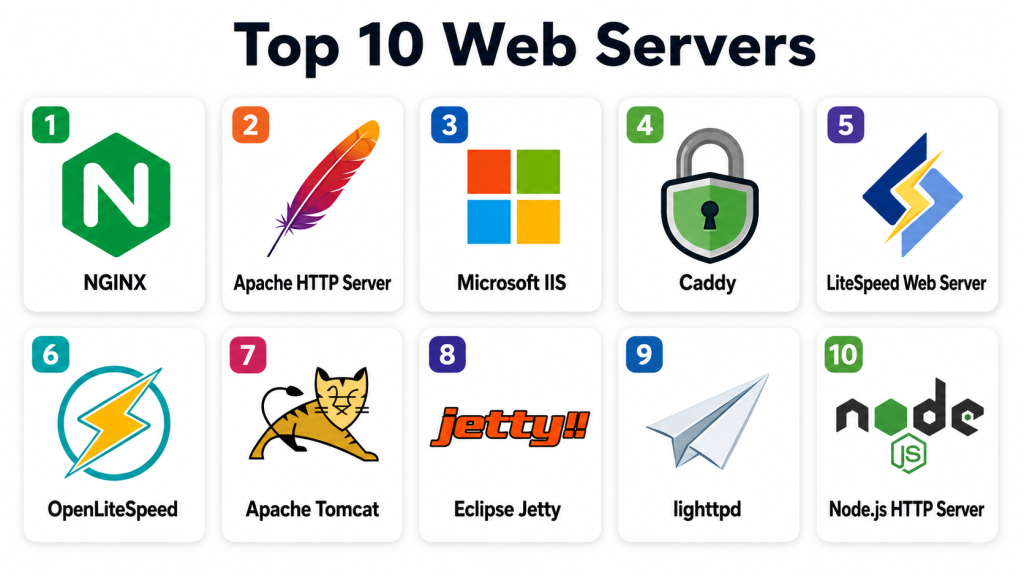
Top 10 Web Servers
#1 — NGINX
Short description: NGINX is a widely used web server, reverse proxy, load balancer, and HTTP cache. It is popular with DevOps teams, SaaS companies, high-traffic websites, APIs, and container-based environments.
Key Features
- High-performance static file serving.
- Reverse proxy and load balancing capabilities.
- HTTP caching and compression support.
- SSL/TLS termination.
- HTTP/2 and modern protocol support depending on configuration.
- Strong fit for container and microservice architectures.
- Flexible configuration for routing, headers, redirects, and security rules.
Pros
- Excellent performance for high-concurrency workloads.
- Strong reverse proxy and load balancing capabilities.
- Large ecosystem and strong community knowledge.
Cons
- Configuration can become complex in large environments.
- Some advanced enterprise features may require commercial editions.
- Dynamic module and advanced traffic policies need careful planning.
Platforms / Deployment
Web / Windows / Linux / macOS through supported builds
Cloud / Self-hosted / Hybrid
Security & Compliance
Supports SSL/TLS, access control, request limiting, secure headers, logging, authentication integrations through modules, and reverse proxy security patterns. Certifications such as SOC 2 or ISO 27001 are not generally applicable to the open-source web server itself and should be validated for any commercial service or vendor edition.
Integrations & Ecosystem
NGINX integrates well with modern web stacks, containers, cloud infrastructure, and DevOps workflows.
- Docker and Kubernetes
- CI/CD pipelines
- Monitoring and logging tools
- Application servers
- API gateways and ingress controllers
- CDN and cloud load balancer setups
Support & Community
NGINX has broad documentation, a large community, commercial support options through vendor offerings, and deep adoption across web infrastructure teams. It is one of the most commonly used choices for production web traffic.
#2 — Apache HTTP Server
Short description: Apache HTTP Server is a mature, flexible, open-source web server used for websites, applications, shared hosting, enterprise environments, and traditional web infrastructure. It is known for its module ecosystem and broad compatibility.
Key Features
- Static and dynamic content serving.
- Rich module ecosystem.
- Virtual host support.
- URL rewriting and redirects.
- SSL/TLS support.
- Authentication and access control modules.
- Strong compatibility with PHP and traditional web stacks.
Pros
- Mature and widely documented.
- Flexible module-based architecture.
- Strong fit for shared hosting and traditional web applications.
Cons
- May require tuning for very high-concurrency workloads.
- Configuration can become large in complex environments.
- Some teams prefer NGINX or Caddy for simpler reverse proxy setups.
Platforms / Deployment
Web / Windows / Linux / macOS
Cloud / Self-hosted / Hybrid
Security & Compliance
Supports SSL/TLS, access control, authentication modules, logging, secure configuration patterns, and hardening options. Compliance certifications are not generally tied to the open-source server itself and should be validated at the hosting or vendor level.
Integrations & Ecosystem
Apache integrates strongly with traditional web hosting, scripting languages, and enterprise systems.
- PHP applications
- Linux distributions
- Shared hosting panels
- Authentication systems
- Monitoring tools
- Reverse proxy setups
- Application frameworks
Support & Community
Apache has long-standing documentation, a large open-source community, broad hosting provider support, and extensive troubleshooting resources. It remains a strong choice for stable and flexible web hosting.
#3 — Microsoft IIS
Short description: Microsoft Internet Information Services, commonly called IIS, is a web server for Windows Server environments. It is best for organizations running ASP.NET, .NET Framework, Windows authentication, and Microsoft-centered web applications.
Key Features
- Web hosting for Windows Server.
- Strong support for ASP.NET and Microsoft web applications.
- Windows authentication integration.
- SSL/TLS configuration and certificate support.
- Application pool isolation.
- GUI-based management through Windows tools.
- Logging, request filtering, and performance settings.
Pros
- Strong fit for Microsoft-based applications.
- Good integration with Windows Server and Active Directory.
- Easier for Windows administrators to manage.
Cons
- Not ideal for Linux-first environments.
- Best value is tied to Microsoft infrastructure.
- Some cloud-native teams prefer container-friendly alternatives.
Platforms / Deployment
Web / Windows
Self-hosted / Hybrid
Security & Compliance
Supports Windows authentication, access controls, SSL/TLS, application pool isolation, request filtering, logging, and Windows Server security features. Specific compliance depends on Windows Server configuration and hosting environment.
Integrations & Ecosystem
IIS works naturally inside Microsoft infrastructure and enterprise application environments.
- ASP.NET and .NET Framework
- Windows Server
- Active Directory
- Microsoft SQL Server applications
- PowerShell administration
- Windows monitoring tools
Support & Community
Microsoft provides documentation, enterprise support, administrator resources, and a large Windows Server community. IIS is a practical choice for Microsoft-centered organizations.
#4 — Caddy
Short description: Caddy is a modern web server known for simple configuration and automatic HTTPS. It is useful for developers, startups, small teams, and modern deployments that want secure defaults with less manual certificate management.
Key Features
- Automatic HTTPS.
- Simple configuration format.
- Reverse proxy support.
- Static file serving.
- HTTP/2 and HTTP/3 support depending on deployment.
- Extensible plugin ecosystem.
- Good fit for container and small service deployments.
Pros
- Very easy to configure compared with many traditional web servers.
- Automatic certificate handling saves administration time.
- Good choice for modern web apps and developer-friendly deployments.
Cons
- Smaller ecosystem than Apache or NGINX.
- Some advanced enterprise traffic workflows may need validation.
- Teams used to traditional configuration may need adjustment.
Platforms / Deployment
Web / Windows / macOS / Linux
Cloud / Self-hosted / Hybrid
Security & Compliance
Supports automatic HTTPS, TLS management, access controls, reverse proxy security patterns, and logging. Formal compliance certifications are not generally applicable to the open-source server itself and should be validated for any hosted or vendor-managed deployment.
Integrations & Ecosystem
Caddy fits modern developer workflows, containerized apps, and simple secure web serving.
- Docker deployments
- Reverse proxy workflows
- Static sites
- Backend services
- TLS certificate automation
- Lightweight web applications
Support & Community
Caddy has clear documentation, community resources, and commercial support options through its ecosystem. It is especially attractive for teams that want simple and secure web server configuration.
#5 — LiteSpeed Web Server
Short description: LiteSpeed Web Server is a high-performance commercial web server known for speed, caching, and compatibility with Apache-style hosting workflows. It is popular among hosting providers, WordPress sites, and performance-focused web teams.
Key Features
- High-performance web serving.
- Apache configuration compatibility in many hosting scenarios.
- Built-in caching capabilities.
- HTTP/2 and HTTP/3 support depending on edition and setup.
- SSL/TLS support.
- Control panel integration.
- Useful for WordPress and PHP-based sites.
Pros
- Strong performance for dynamic websites.
- Useful caching features.
- Good fit for hosting providers and WordPress-heavy environments.
Cons
- Commercial licensing may be required.
- Best value appears in specific hosting and performance scenarios.
- Smaller general ecosystem than Apache or NGINX.
Platforms / Deployment
Web / Linux
Cloud / Self-hosted / Hybrid
Security & Compliance
Supports SSL/TLS, access controls, request handling rules, logging, and security hardening features. Specific compliance certifications should be validated directly with the vendor and hosting environment.
Integrations & Ecosystem
LiteSpeed integrates well with hosting control panels and PHP-based web hosting environments.
- WordPress
- PHP applications
- Hosting control panels
- Caching plugins
- Linux hosting stacks
- SSL/TLS certificate workflows
Support & Community
LiteSpeed provides vendor documentation, commercial support, and community resources. It is especially useful for hosting providers and performance-focused website owners.
#6 — OpenLiteSpeed
Short description: OpenLiteSpeed is the open-source edition of LiteSpeed’s web server technology. It is useful for developers, small businesses, and website owners who want a performance-focused web server with strong caching capabilities.
Key Features
- Open-source web server.
- Event-driven architecture.
- Built-in caching capabilities.
- SSL/TLS support.
- Web administration interface.
- Support for PHP-based applications.
- Useful performance options for dynamic websites.
Pros
- Good performance for many web workloads.
- Open-source and accessible for smaller teams.
- Useful for WordPress and PHP environments.
Cons
- Enterprise feature set differs from commercial LiteSpeed.
- Some workflows may require learning LiteSpeed-style configuration.
- Community and ecosystem are smaller than Apache or NGINX.
Platforms / Deployment
Web / Linux
Cloud / Self-hosted / Hybrid
Security & Compliance
Supports SSL/TLS, access controls, logging, and web server hardening patterns. Specific compliance certifications are not publicly stated for the open-source server itself.
Integrations & Ecosystem
OpenLiteSpeed fits open-source hosting, PHP applications, and performance-focused website stacks.
- WordPress
- PHP applications
- Caching workflows
- Linux servers
- Cloud virtual machines
- Web admin tools
Support & Community
OpenLiteSpeed has documentation, community resources, and vendor ecosystem knowledge. It is a practical option for technical users who want performance without commercial licensing.
#7 — Apache Tomcat
Short description: Apache Tomcat is a Java servlet container and web server used for running Java web applications. It is best for teams deploying Java-based applications, APIs, internal platforms, and enterprise systems.
Key Features
- Java servlet and JSP support.
- Web application deployment through WAR files.
- HTTP connector support.
- Session management.
- Application lifecycle management.
- Integration with Java frameworks.
- Works well behind reverse proxies like NGINX or Apache HTTP Server.
Pros
- Strong fit for Java web applications.
- Mature and widely understood in enterprise Java environments.
- Lightweight compared with full Java application servers.
Cons
- Not a general-purpose static web server first.
- Often needs a reverse proxy in production setups.
- Java tuning and security configuration require expertise.
Platforms / Deployment
Web / Windows / macOS / Linux
Cloud / Self-hosted / Hybrid
Security & Compliance
Supports application-level security configuration, access controls, TLS depending on connector setup, logging, user realms, and secure deployment practices. Compliance depends on application, infrastructure, and deployment configuration.
Integrations & Ecosystem
Tomcat fits Java application development and enterprise backend systems.
- Java frameworks
- Spring-based applications
- Reverse proxies
- Build and deployment tools
- Monitoring platforms
- CI/CD pipelines
- Enterprise authentication systems
Support & Community
Tomcat has strong Apache documentation, a large Java community, vendor support options through enterprise Java ecosystems, and broad operational knowledge among Java teams.
#8 — Eclipse Jetty
Short description: Eclipse Jetty is a lightweight Java web server and servlet container often embedded into Java applications or used for standalone Java web services. It is popular with developers who need flexible Java HTTP serving.
Key Features
- Java servlet container.
- Embeddable web server.
- Lightweight runtime.
- HTTP/2 support depending on configuration.
- WebSocket support.
- Flexible deployment models.
- Good fit for Java microservices and tools.
Pros
- Lightweight and developer-friendly for Java applications.
- Good for embedded use cases.
- Flexible for custom application architectures.
Cons
- Less common than Tomcat in some enterprise environments.
- Requires Java expertise.
- May need additional tooling for full enterprise operations.
Platforms / Deployment
Web / Windows / macOS / Linux
Cloud / Self-hosted / Hybrid
Security & Compliance
Supports TLS configuration, authentication mechanisms, access controls, logging, and Java application security patterns. Compliance depends on deployment, application, and infrastructure configuration.
Integrations & Ecosystem
Jetty fits Java development, microservices, embedded services, and custom web runtimes.
- Java applications
- Microservices
- WebSocket applications
- Build tools
- CI/CD pipelines
- Monitoring tools
- Reverse proxy deployments
Support & Community
Jetty has project documentation, community resources, and enterprise ecosystem adoption through Java platforms. It is best for Java teams needing flexible web serving.
#9 — lighttpd
Short description: lighttpd is a lightweight web server designed for speed and low resource usage. It is useful for small servers, embedded systems, static sites, and environments where resource efficiency matters.
Key Features
- Lightweight web serving.
- Low memory footprint.
- Static file serving.
- FastCGI support.
- SSL/TLS support.
- URL rewriting and redirects.
- Suitable for resource-constrained environments.
Pros
- Lightweight and efficient.
- Good for simple static or low-resource deployments.
- Easier to run on smaller servers.
Cons
- Smaller ecosystem than Apache or NGINX.
- Not ideal for complex enterprise web traffic needs.
- Some modern workflows may prefer newer alternatives.
Platforms / Deployment
Web / Linux / Unix-like systems / Windows support may vary
Self-hosted / Hybrid
Security & Compliance
Supports SSL/TLS, access controls, logging, and web server hardening options. Specific compliance certifications are not publicly stated for the open-source server itself.
Integrations & Ecosystem
lighttpd fits lightweight Linux hosting, static sites, embedded systems, and simple web application stacks.
- Static websites
- FastCGI applications
- Linux servers
- Embedded systems
- Lightweight hosting environments
- Monitoring tools
Support & Community
lighttpd has documentation and open-source community resources. It is best for technical users who value lightweight and efficient serving.
#10 — Node.js HTTP Server
Short description: Node.js can serve HTTP traffic directly through its built-in HTTP capabilities or through frameworks like Express, Fastify, and others. It is best for JavaScript and TypeScript teams building APIs, real-time services, and backend applications.
Key Features
- JavaScript-based server-side runtime.
- HTTP server capabilities.
- Strong API and backend service support.
- Real-time communication support through ecosystem tools.
- Large package ecosystem.
- Works well behind reverse proxies.
- Good fit for microservices and developer-driven applications.
Pros
- Strong developer ecosystem.
- Good for APIs, real-time apps, and modern web backends.
- Useful when frontend and backend teams use JavaScript or TypeScript.
Cons
- Usually needs a production reverse proxy for TLS, routing, and security.
- Performance depends heavily on application design.
- Not a traditional static web server replacement in all cases.
Platforms / Deployment
Web / Windows / macOS / Linux
Cloud / Self-hosted / Hybrid
Security & Compliance
Security depends on application code, framework configuration, dependency management, TLS setup, authentication, logging, and reverse proxy design. Specific compliance certifications are not applicable to Node.js itself and should be validated at the application and hosting level.
Integrations & Ecosystem
Node.js has a very large ecosystem for web applications, APIs, microservices, and real-time platforms.
- Express and Fastify frameworks
- API gateways
- Reverse proxies
- Databases
- CI/CD tools
- Cloud platforms
- Monitoring and logging systems
Support & Community
Node.js has strong documentation, a very large developer community, commercial ecosystem support, and broad adoption across modern application teams.
Comparison Table
| Tool Name | Best For | Platform(s) Supported | Deployment | Standout Feature | Public Rating |
|---|---|---|---|---|---|
| NGINX | Reverse proxy and high-traffic web serving | Web, Windows, macOS, Linux | Cloud / Self-hosted / Hybrid | High-performance reverse proxy and static serving | N/A |
| Apache HTTP Server | Flexible traditional web hosting | Web, Windows, macOS, Linux | Cloud / Self-hosted / Hybrid | Mature module ecosystem and broad compatibility | N/A |
| Microsoft IIS | Microsoft and ASP.NET environments | Web, Windows | Self-hosted / Hybrid | Deep Windows Server and .NET integration | N/A |
| Caddy | Simple secure web serving | Web, Windows, macOS, Linux | Cloud / Self-hosted / Hybrid | Automatic HTTPS and simple configuration | N/A |
| LiteSpeed Web Server | High-performance hosting and WordPress | Web, Linux | Cloud / Self-hosted / Hybrid | Built-in caching and hosting performance | N/A |
| OpenLiteSpeed | Open-source performance-focused hosting | Web, Linux | Cloud / Self-hosted / Hybrid | Open-source LiteSpeed-style performance | N/A |
| Apache Tomcat | Java web applications | Web, Windows, macOS, Linux | Cloud / Self-hosted / Hybrid | Java servlet and JSP application hosting | N/A |
| Eclipse Jetty | Lightweight Java services | Web, Windows, macOS, Linux | Cloud / Self-hosted / Hybrid | Embeddable Java web server | N/A |
| lighttpd | Lightweight static and low-resource hosting | Web, Linux, Unix-like systems | Self-hosted / Hybrid | Low-resource web serving | N/A |
| Node.js HTTP Server | JavaScript APIs and real-time apps | Web, Windows, macOS, Linux | Cloud / Self-hosted / Hybrid | JavaScript-based application serving | N/A |
Evaluation & Scoring of Web Servers
The scoring below is comparative and based on common web server needs such as core serving capability, ease of use, integrations, security, performance, support, and value. These scores should be used as a practical starting point, not a final technical decision.
| Tool Name | Core (25%) | Ease (15%) | Integrations (15%) | Security (10%) | Performance (10%) | Support (10%) | Value (15%) | Weighted Total (0–10) |
|---|---|---|---|---|---|---|---|---|
| NGINX | 10 | 7 | 10 | 9 | 10 | 9 | 9 | 9.20 |
| Apache HTTP Server | 9 | 8 | 10 | 8 | 8 | 10 | 10 | 9.00 |
| Microsoft IIS | 8 | 8 | 8 | 8 | 8 | 9 | 8 | 8.20 |
| Caddy | 8 | 10 | 7 | 9 | 8 | 8 | 9 | 8.45 |
| LiteSpeed Web Server | 9 | 8 | 8 | 8 | 9 | 8 | 7 | 8.20 |
| OpenLiteSpeed | 8 | 7 | 7 | 8 | 9 | 7 | 9 | 7.95 |
| Apache Tomcat | 8 | 7 | 8 | 8 | 8 | 9 | 9 | 8.10 |
| Eclipse Jetty | 7 | 7 | 7 | 8 | 8 | 8 | 8 | 7.45 |
| lighttpd | 7 | 8 | 6 | 7 | 8 | 6 | 9 | 7.35 |
| Node.js HTTP Server | 8 | 8 | 9 | 7 | 8 | 9 | 9 | 8.25 |
NGINX scores highly for reverse proxying, high traffic, and performance. Apache HTTP Server remains strong because of maturity and broad compatibility. Caddy is attractive for simple secure deployments. IIS is best for Microsoft environments. Tomcat and Jetty are more suitable for Java applications, while Node.js is better viewed as an application runtime that can serve web traffic rather than a traditional web server replacement in every case.
Which Web Server Is Right for You?
Solo / Freelancer
Solo developers and freelancers usually need something simple, stable, and easy to configure. Caddy, Apache HTTP Server, NGINX, OpenLiteSpeed, and Node.js are practical choices depending on the stack.
If the goal is simple HTTPS and reverse proxying, Caddy is very convenient. If the project uses WordPress or PHP, Apache, NGINX, OpenLiteSpeed, or LiteSpeed may fit better.
SMB
Small and mid-sized businesses should focus on reliability, easy administration, security, backup compatibility, support, and hosting ecosystem fit. Apache HTTP Server, NGINX, LiteSpeed, OpenLiteSpeed, IIS, and Caddy are strong options.
SMBs should avoid choosing only based on popularity. The best choice depends on the application stack, hosting provider, team skill, and performance needs.
Mid-Market
Mid-market organizations usually need reverse proxying, load balancing, SSL/TLS, logging, caching, observability, automation, and security policies. NGINX, Apache HTTP Server, Caddy, IIS, LiteSpeed, Tomcat, and Node.js are common options.
If the environment is Java-heavy, Tomcat or Jetty may be required behind a reverse proxy. If the environment is API-heavy, NGINX or Caddy may work well in front of backend services.
Enterprise
Enterprises need performance, security hardening, repeatable configuration, observability, access controls, automated deployment, compliance evidence, and integration with existing infrastructure. NGINX, Apache HTTP Server, IIS, Tomcat, Jetty, and LiteSpeed should be reviewed based on application needs.
Large organizations often use more than one web server. For example, NGINX may act as a reverse proxy, Tomcat may run Java applications, and IIS may host Microsoft-based internal systems.
Budget vs Premium
Budget-conscious teams can use open-source tools such as NGINX, Apache HTTP Server, Caddy, OpenLiteSpeed, Tomcat, Jetty, lighttpd, and Node.js.
Premium buyers may prefer commercial support, managed hosting, enterprise editions, or vendor-backed services for NGINX, LiteSpeed, Microsoft IIS environments, Java platforms, or hosting control panel ecosystems.
Feature Depth vs Ease of Use
NGINX and Apache provide deep flexibility but require strong configuration knowledge. IIS is easier for Windows administrators. Caddy is easier for simple secure deployments.
LiteSpeed and OpenLiteSpeed are attractive for performance-focused hosting. Tomcat, Jetty, and Node.js are better when the web server is closely tied to the application runtime.
Integrations & Scalability
NGINX and Apache integrate with nearly every hosting and application environment. IIS integrates best with Microsoft stacks. Tomcat and Jetty integrate deeply with Java applications.
Node.js integrates with modern JavaScript and API ecosystems. Caddy is useful for automated TLS and simple reverse proxying. LiteSpeed is strong for hosting and PHP performance workflows.
Security & Compliance Needs
Security-focused buyers should prioritize TLS configuration, secure headers, request limits, access controls, logging, patching, rate limiting, reverse proxy hardening, and separation between public traffic and backend services.
Compliance-focused teams should validate logging, encryption, access rules, certificate management, change control, audit retention, and incident response procedures around the web server environment.
Frequently Asked Questions
What is a web server?
A web server is software that receives requests from browsers or applications and sends back web pages, files, API responses, or application content.
How is a web server different from an application server?
A web server mainly handles HTTP traffic, static files, reverse proxying, and routing. An application server runs business logic and dynamic application code.
Which web server is best for high traffic?
NGINX is commonly chosen for high-concurrency and reverse proxy workloads. Apache, LiteSpeed, IIS, and other tools can also handle production traffic when configured properly.
Is Apache still useful?
Yes. Apache HTTP Server is still useful for traditional hosting, PHP applications, shared hosting, module-based configurations, and environments that depend on its compatibility.
Is NGINX better than Apache?
It depends on the use case. NGINX is often preferred for reverse proxying and high-concurrency traffic, while Apache is known for flexibility and broad module support.
What is the easiest web server to configure?
Caddy is often considered easy because of simple configuration and automatic HTTPS. IIS is also easy for Windows administrators using Microsoft tools.
What is the best web server for WordPress?
Apache, NGINX, LiteSpeed, and OpenLiteSpeed are common choices for WordPress. The best option depends on hosting setup, caching needs, and administrator skill.
What is the best web server for Java applications?
Apache Tomcat and Eclipse Jetty are common options for Java web applications. They are often used behind NGINX or Apache HTTP Server in production environments.
Can Node.js act as a web server?
Yes, Node.js can serve HTTP traffic directly. However, production setups often place NGINX, Caddy, or another reverse proxy in front for TLS, routing, and security.
What security features should a web server have?
Important features include TLS support, secure headers, logging, request limits, access controls, patching, rate limiting, and safe reverse proxy configuration.
Do web servers support containers?
Yes. Many web servers run well in containers. NGINX, Apache, Caddy, Tomcat, Jetty, and Node.js are commonly used in containerized environments.
When should a company switch web servers?
A company should consider switching when the current server is hard to manage, lacks performance, causes security issues, does not fit the application stack, or cannot scale with traffic needs.
Conclusion
Web servers are a foundation of websites, APIs, applications, portals, and digital platforms. The best choice depends on your application stack, traffic pattern, team skill, hosting model, security needs, and long-term architecture. NGINX is strong for reverse proxying and high-performance workloads. Apache HTTP Server remains flexible and mature. IIS is the natural fit for Microsoft environments. Caddy is excellent for simple secure deployments. LiteSpeed and OpenLiteSpeed are strong for performance-focused hosting. Tomcat and Jetty fit Java applications, lighttpd works for lightweight use cases, and Node.js is practical for JavaScript-based APIs and real-time applications.
