Upgrade & Secure Your Future with DevOps, SRE, DevSecOps, MLOps!
We spend hours scrolling social media and waste money on things we forget, but won’t spend 30 minutes a day earning certifications that can change our lives.
Master in DevOps, SRE, DevSecOps & MLOps by DevOps School!
Learn from Guru Rajesh Kumar and double your salary in just one year.
Introduction
Software Composition Analysis, often called SCA, helps teams identify and manage risks in open-source and third-party components used inside applications. Modern applications depend heavily on external libraries, packages, containers, and frameworks. SCA tools scan these components to detect known vulnerabilities, license risks, outdated dependencies, and software supply chain issues.
SCA matters because most applications are built with a large amount of open-source code. If teams do not track these components properly, they may miss security vulnerabilities, risky licenses, or unsupported packages. SCA tools help developers, security teams, and compliance teams understand what is inside their software before it reaches production.
Common use cases include dependency vulnerability scanning, license compliance, SBOM generation, container image analysis, CI/CD security checks, and open-source risk management.
Buyers should evaluate language support, package ecosystem coverage, vulnerability database quality, SBOM support, license detection, CI/CD integrations, developer experience, remediation guidance, reporting, scalability, and pricing.
Best for: DevSecOps teams, application security teams, platform teams, developers, compliance teams, and organizations using open-source software at scale.
Not ideal for: very small projects with minimal dependencies, teams that only need manual dependency checks, or organizations without any open-source governance needs.
Key Trends in Software Composition Analysis SCA Tools
- SBOM adoption is becoming more important for software transparency and supply chain visibility.
- Developer-first scanning is growing with IDE, pull request, and CI/CD feedback.
- AI-assisted remediation is improving how teams understand and fix dependency risks.
- Container and infrastructure scanning are becoming part of SCA workflows because dependencies exist beyond application code.
- License compliance is gaining more attention as teams use more open-source packages.
- Risk prioritization is replacing raw vulnerability counts so teams can focus on exploitable and business-critical issues.
- SCA is merging with broader AppSec platforms that include SAST, DAST, secrets scanning, IaC scanning, and container security.
- Policy-based governance is becoming standard for enterprise teams.
- Integration with Git platforms and CI/CD tools is now expected rather than optional.
- Open-source and commercial scanning tools are often used together for layered visibility.
How We Selected These Tools
- We selected tools with strong recognition in software supply chain security and dependency risk management.
- We considered open-source dependency scanning, license detection, vulnerability intelligence, and remediation guidance.
- We reviewed suitability for developers, security teams, SMBs, and large enterprises.
- We considered integration with Git platforms, CI/CD pipelines, IDEs, container registries, and security workflows.
- We included tools that support modern DevSecOps and application security practices.
- We evaluated deployment flexibility across cloud, self-hosted, and hybrid environments.
- We considered usability, reporting quality, governance support, and automation capabilities.
- We avoided guessing public ratings, certifications, or compliance claims.
- We included both commercial platforms and developer-friendly options.
- We focused on practical buying value rather than promotional claims.
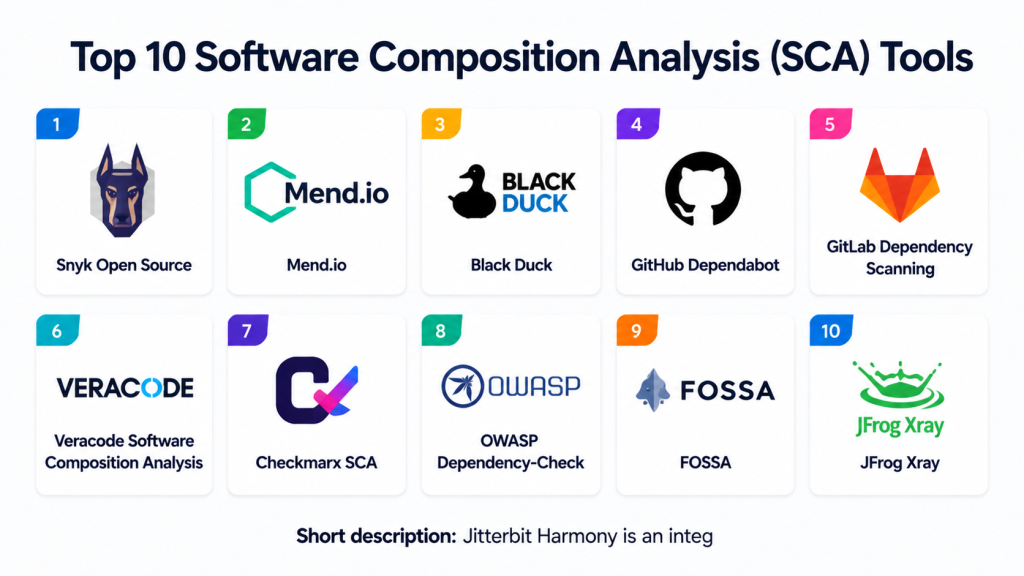
Top 10 Software Composition Analysis SCA Tools
#1 — Snyk Open Source
Short description: Snyk Open Source helps teams find and fix vulnerabilities in open-source dependencies. It is designed for developers, DevSecOps teams, and organizations that want dependency security built into daily workflows.
Key Features
- Open-source dependency vulnerability scanning.
- Developer-friendly remediation guidance.
- Pull request and repository scanning.
- License risk detection.
- CI/CD pipeline integration.
- Support for multiple package ecosystems.
- Works with broader Snyk security platform.
Pros
- Strong developer-first experience.
- Good integration with modern Git and CI/CD workflows.
- Useful remediation guidance for dependency upgrades.
Cons
- Best value often comes when used with the wider Snyk platform.
- Pricing and usage limits vary by plan.
- Enterprise governance needs should be reviewed carefully.
Platforms / Deployment
Web / Windows / macOS / Linux
Cloud / Hybrid options vary by plan
Security & Compliance
Enterprise features may include SSO, access controls, and policy management depending on plan. Specific compliance claims should be verified directly. If not confirmed, write “Not publicly stated.”
Integrations & Ecosystem
Snyk Open Source fits well into developer and DevSecOps workflows.
- GitHub
- GitLab
- Bitbucket
- Azure DevOps
- Jenkins
- IDE and CLI workflows
Support & Community
Documentation is strong, and the developer community is active. Support levels vary by plan, with stronger support generally available for commercial users.
#2 — Mend.io
Short description: Mend.io helps teams manage open-source security, license compliance, and dependency risk. It is useful for organizations that need SCA governance across many applications and development teams.
Key Features
- Open-source vulnerability detection.
- License compliance management.
- Dependency inventory visibility.
- Automated remediation suggestions.
- Policy management.
- CI/CD and repository integrations.
- Reporting for security and compliance teams.
Pros
- Strong focus on open-source governance.
- Useful for larger teams with compliance needs.
- Good fit for organizations managing many repositories.
Cons
- May require setup effort for enterprise workflows.
- Smaller teams may find it more than they need.
- Pricing and packaging vary.
Platforms / Deployment
Web / Windows / macOS / Linux
Cloud / Self-hosted / Hybrid options may vary
Security & Compliance
Security and compliance controls vary by edition and deployment. SSO, RBAC, and audit-related features may be available in enterprise plans. Specific certifications should be verified directly.
Integrations & Ecosystem
Mend.io integrates with software delivery and security workflows.
- Git repositories
- CI/CD tools
- Issue trackers
- Build systems
- Container workflows
- Security dashboards
Support & Community
Vendor support and onboarding are available depending on plan. Documentation is available, and enterprise support varies by agreement.
#3 — Black Duck
Short description: Black Duck is an enterprise-focused SCA platform for open-source risk management, vulnerability detection, license compliance, and software supply chain governance. It is often used by organizations with complex compliance and security requirements.
Key Features
- Open-source vulnerability analysis.
- License compliance management.
- Component inventory and risk visibility.
- Policy-based governance.
- SBOM support.
- Enterprise reporting.
- Broad integration ecosystem.
Pros
- Strong enterprise governance capabilities.
- Useful for legal, security, and compliance teams.
- Good fit for large software portfolios.
Cons
- May be complex for small teams.
- Implementation can require planning.
- Pricing is typically enterprise-oriented.
Platforms / Deployment
Web / Windows / macOS / Linux
Cloud / Self-hosted / Hybrid options may vary
Security & Compliance
Enterprise security features may include access controls and governance workflows. Specific compliance certifications should be verified directly. If unknown, use “Not publicly stated.”
Integrations & Ecosystem
Black Duck supports enterprise application security and compliance workflows.
- CI/CD tools
- Source code repositories
- Build systems
- Issue tracking tools
- SBOM workflows
- Enterprise reporting systems
Support & Community
Vendor support is generally enterprise-focused. Documentation, onboarding, and professional services may vary by contract.
#4 — GitHub Dependabot
Short description: GitHub Dependabot helps teams detect vulnerable dependencies and automate dependency update pull requests in GitHub repositories. It is useful for teams already using GitHub for source control and collaboration.
Key Features
- Dependency vulnerability alerts.
- Automated dependency update pull requests.
- Security update pull requests.
- GitHub-native workflow.
- Support for multiple package ecosystems.
- Repository-level configuration.
- Integration with GitHub security features.
Pros
- Easy to use for GitHub-based teams.
- Helps automate dependency updates.
- Works directly inside developer pull request workflows.
Cons
- Best suited for GitHub users.
- Advanced governance may require additional tools.
- Broader SCA reporting may be limited compared with dedicated platforms.
Platforms / Deployment
Web
Cloud
Security & Compliance
Security depends on GitHub organization settings, repository controls, and access policies. Specific compliance details should be verified based on the organization’s GitHub plan.
Integrations & Ecosystem
Dependabot is tightly connected to GitHub development workflows.
- GitHub repositories
- Pull requests
- GitHub security alerts
- GitHub Actions
- Package ecosystems
- Repository policies
Support & Community
Documentation is strong for GitHub users. Community support is broad, and enterprise support depends on GitHub plan.
#5 — GitLab Dependency Scanning
Short description: GitLab Dependency Scanning helps teams detect vulnerabilities in project dependencies as part of GitLab security workflows. It is useful for teams using GitLab for source control, CI/CD, and DevSecOps automation.
Key Features
- Dependency vulnerability scanning.
- CI/CD pipeline integration.
- Security dashboard support in applicable plans.
- Merge request feedback.
- Package ecosystem support.
- Policy and reporting features in supported editions.
- Works with broader GitLab security features.
Pros
- Strong fit for GitLab-native teams.
- Integrated with CI/CD workflows.
- Useful for DevSecOps pipeline automation.
Cons
- Best experience is within GitLab.
- Feature availability may vary by plan.
- Teams outside GitLab may prefer independent SCA tools.
Platforms / Deployment
Web / Linux-based runners depending on setup
Cloud / Self-hosted / Hybrid
Security & Compliance
Security features vary by GitLab plan and deployment. Access control, audit logs, and compliance-related capabilities may be available in enterprise plans. Specific certifications should be verified directly.
Integrations & Ecosystem
GitLab Dependency Scanning works inside GitLab’s software delivery ecosystem.
- GitLab repositories
- GitLab CI/CD
- Merge requests
- Security dashboards
- Issue tracking
- Policy workflows
Support & Community
Documentation is strong. Community and enterprise support depend on edition, plan, and deployment model.
#6 — Veracode Software Composition Analysis
Short description: Veracode Software Composition Analysis helps teams identify open-source vulnerabilities, license risks, and dependency issues. It is useful for organizations that want SCA as part of a broader application security program.
Key Features
- Open-source vulnerability scanning.
- License risk visibility.
- Dependency inventory.
- Policy management.
- Integration with application security workflows.
- Remediation guidance.
- Enterprise reporting.
Pros
- Strong fit for enterprise AppSec programs.
- Useful when combined with broader Veracode security capabilities.
- Good for centralized security governance.
Cons
- May be more than needed for smaller teams.
- Pricing and packaging vary.
- Best results require AppSec process maturity.
Platforms / Deployment
Web
Cloud
Security & Compliance
Enterprise security controls vary by plan and implementation. Specific compliance details should be verified directly. If not confirmed, write “Not publicly stated.”
Integrations & Ecosystem
Veracode SCA integrates with development and security workflows.
- Git repositories
- CI/CD pipelines
- IDE workflows
- Ticketing tools
- Security dashboards
- Policy management
Support & Community
Vendor support is available depending on plan. Documentation, onboarding, and enterprise services may vary by customer agreement.
#7 — Checkmarx SCA
Short description: Checkmarx SCA helps organizations detect open-source vulnerabilities, license risks, and dependency issues. It is commonly used by teams that want SCA integrated with broader application security testing.
Key Features
- Open-source dependency scanning.
- Vulnerability and license risk detection.
- Remediation guidance.
- Application security platform integration.
- Repository and pipeline scanning.
- Risk prioritization.
- Reporting and policy workflows.
Pros
- Good fit for organizations already using Checkmarx.
- Strong AppSec platform alignment.
- Useful for enterprise dependency governance.
Cons
- May require setup and tuning.
- Smaller teams may prefer simpler tools.
- Feature availability can vary by plan.
Platforms / Deployment
Web
Cloud / Hybrid options may vary
Security & Compliance
Security controls vary by plan and deployment. Enterprise features may include access controls and governance capabilities. Specific certifications should be verified directly.
Integrations & Ecosystem
Checkmarx SCA works with enterprise development and security workflows.
- Git platforms
- CI/CD tools
- IDE workflows
- Ticketing systems
- Application security dashboards
- Policy workflows
Support & Community
Vendor support is generally enterprise-focused. Documentation and onboarding vary by plan and customer agreement.
#8 — OWASP Dependency-Check
Short description: OWASP Dependency-Check is an open-source SCA tool that identifies known vulnerabilities in project dependencies. It is useful for teams that want a free, community-driven dependency scanning option.
Key Features
- Open-source dependency vulnerability scanning.
- Support for multiple package ecosystems.
- Command-line usage.
- CI/CD integration possibilities.
- Reports for known vulnerabilities.
- Useful for build pipeline checks.
- Community-driven development.
Pros
- Open-source and accessible.
- Useful for basic dependency vulnerability checks.
- Good for teams with technical expertise.
Cons
- May require manual tuning and maintenance.
- Reporting and governance are limited compared with commercial platforms.
- False positives and data interpretation may need review.
Platforms / Deployment
Windows / macOS / Linux
Self-hosted / Local / CI/CD pipeline usage
Security & Compliance
Not publicly stated. Security depends on how teams deploy, configure, and maintain the tool.
Integrations & Ecosystem
OWASP Dependency-Check is flexible for technical teams that can manage configuration.
- Command-line workflows
- Build systems
- CI/CD pipelines
- Maven and Gradle workflows
- Report generation
- Security automation scripts
Support & Community
Community support is available through open-source channels. Enterprise support is not the same as commercial SCA platforms unless provided by third parties.
#9 — FOSSA
Short description: FOSSA helps teams manage open-source license compliance, dependency security, and SBOM workflows. It is useful for engineering, legal, and compliance teams that need visibility into open-source usage.
Key Features
- Open-source license compliance.
- Dependency vulnerability scanning.
- SBOM generation and management.
- Policy workflows.
- Repository integrations.
- Reporting for legal and security teams.
- Open-source inventory visibility.
Pros
- Strong focus on license compliance and governance.
- Useful for legal and security collaboration.
- Good fit for teams needing open-source inventory control.
Cons
- May be more compliance-focused than developer-only tools.
- Pricing and feature availability vary.
- Requires policy setup for best results.
Platforms / Deployment
Web / Windows / macOS / Linux through CLI workflows
Cloud / Self-hosted options may vary
Security & Compliance
Enterprise security features may vary by plan. Specific compliance certifications should be verified directly. If unknown, use “Not publicly stated.”
Integrations & Ecosystem
FOSSA integrates with engineering and compliance workflows.
- Git repositories
- CI/CD pipelines
- Package managers
- SBOM workflows
- Policy workflows
- Legal and compliance reporting
Support & Community
Documentation and support are available depending on plan. Community visibility is moderate compared with broader developer security platforms.
#10 — JFrog Xray
Short description: JFrog Xray provides software composition analysis and artifact security scanning across binaries, containers, packages, and build artifacts. It is useful for teams using artifact repositories and DevOps pipelines.
Key Features
- Dependency vulnerability scanning.
- License compliance checks.
- Container and artifact analysis.
- Integration with artifact repositories.
- Policy-based scanning.
- Impact analysis for affected components.
- CI/CD and DevOps workflow support.
Pros
- Strong fit for artifact-centric DevOps workflows.
- Useful for binaries, containers, and packages.
- Works well with broader JFrog ecosystem.
Cons
- Best value is often tied to the JFrog platform.
- May require setup planning.
- Smaller teams may prefer simpler SCA tools.
Platforms / Deployment
Web / Linux / Windows / macOS through related tooling
Cloud / Self-hosted / Hybrid
Security & Compliance
Enterprise controls vary by plan and deployment. Access controls, policies, and audit capabilities may be available. Specific compliance certifications should be verified directly.
Integrations & Ecosystem
JFrog Xray is designed for DevOps and artifact management workflows.
- Artifact repositories
- CI/CD pipelines
- Container registries
- Package managers
- Build tools
- Policy and security dashboards
Support & Community
Vendor documentation and commercial support are available depending on plan. Community strength is strongest among teams already using the JFrog ecosystem.
Comparison Table
| Tool Name | Best For | Platform(s) Supported | Deployment | Standout Feature | Public Rating |
|---|---|---|---|---|---|
| Snyk Open Source | Developer-first dependency security | Web, Windows, macOS, Linux | Cloud / Hybrid varies | Fast remediation guidance | N/A |
| Mend.io | Open-source governance | Web, Windows, macOS, Linux | Cloud / Self-hosted / Hybrid varies | License and vulnerability management | N/A |
| Black Duck | Enterprise open-source risk management | Web, Windows, macOS, Linux | Cloud / Self-hosted / Hybrid varies | Deep compliance governance | N/A |
| GitHub Dependabot | GitHub dependency updates | Web | Cloud | Automated dependency pull requests | N/A |
| GitLab Dependency Scanning | GitLab DevSecOps pipelines | Web, runner-based workflows | Cloud / Self-hosted / Hybrid | Native GitLab pipeline scanning | N/A |
| Veracode Software Composition Analysis | Enterprise AppSec programs | Web | Cloud | SCA inside AppSec governance | N/A |
| Checkmarx SCA | AppSec platform integration | Web | Cloud / Hybrid varies | Dependency risk within Checkmarx workflows | N/A |
| OWASP Dependency-Check | Open-source dependency scanning | Windows, macOS, Linux | Local / Self-hosted | Free community-driven scanning | N/A |
| FOSSA | License compliance and SBOM workflows | Web, CLI workflows | Cloud / Self-hosted varies | Open-source license governance | N/A |
| JFrog Xray | Artifact and package security | Web, related tooling | Cloud / Self-hosted / Hybrid | Artifact-centric SCA scanning | N/A |
Evaluation & Scoring of Software Composition Analysis SCA Tools
| Tool Name | Core (25%) | Ease (15%) | Integrations (15%) | Security (10%) | Performance (10%) | Support (10%) | Value (15%) | Weighted Total (0–10) |
|---|---|---|---|---|---|---|---|---|
| Snyk Open Source | 9 | 9 | 9 | 8 | 8 | 8 | 8 | 8.55 |
| Mend.io | 9 | 7 | 8 | 8 | 8 | 8 | 7 | 8.00 |
| Black Duck | 9 | 6 | 8 | 9 | 8 | 8 | 7 | 7.95 |
| GitHub Dependabot | 7 | 9 | 8 | 7 | 8 | 8 | 9 | 8.00 |
| GitLab Dependency Scanning | 8 | 8 | 8 | 8 | 8 | 8 | 8 | 8.00 |
| Veracode Software Composition Analysis | 8 | 7 | 8 | 9 | 8 | 8 | 7 | 7.85 |
| Checkmarx SCA | 8 | 7 | 8 | 9 | 8 | 8 | 7 | 7.85 |
| OWASP Dependency-Check | 7 | 6 | 7 | 6 | 7 | 6 | 10 | 7.05 |
| FOSSA | 8 | 8 | 8 | 8 | 8 | 7 | 8 | 7.90 |
| JFrog Xray | 8 | 7 | 9 | 8 | 8 | 8 | 7 | 7.90 |
These scores are comparative and should not be treated as a universal ranking. A tool with a lower total may still be the best choice for a specific workflow, such as open-source license compliance, GitHub-native dependency updates, or artifact scanning. Buyers should test tools on real repositories, dependency files, containers, and CI/CD pipelines before making a decision. Security and compliance details should be verified directly during procurement.
Which Software Composition Analysis SCA Tool Is Right for You?
Solo / Freelancer
Solo developers usually need a tool that is easy to start, affordable, and helpful without heavy configuration. GitHub Dependabot is practical for GitHub-based projects. OWASP Dependency-Check can work for technical users who prefer open-source tooling. Snyk Open Source is also a strong option for developer-first scanning and remediation guidance.
The key is to avoid complexity. Solo users should focus on fast dependency alerts, simple upgrade guidance, and easy integration with their code repository.
SMB
Small and medium-sized businesses need dependency visibility without slowing down delivery. Snyk Open Source, GitLab Dependency Scanning, GitHub Dependabot, FOSSA, and Mend.io can all fit depending on the development workflow.
SMBs should evaluate whether they need only vulnerability detection or both vulnerability and license compliance management. If legal or compliance teams are involved, FOSSA, Mend.io, or Black Duck may be more suitable.
Mid-Market
Mid-market teams usually need stronger policy controls, dashboards, team-level reporting, and integration with CI/CD systems. Snyk Open Source, Mend.io, GitLab Dependency Scanning, Veracode SCA, Checkmarx SCA, and JFrog Xray can be strong options.
These teams should run pilots across multiple repositories and package ecosystems. The tool should help developers fix issues without creating too many noisy alerts.
Enterprise
Enterprises often require centralized governance, audit-ready reporting, access controls, license compliance, SBOM support, and broad integration across engineering teams. Black Duck, Mend.io, Veracode SCA, Checkmarx SCA, JFrog Xray, and Snyk Open Source may be suitable depending on the environment.
Enterprise buyers should validate scale, policy management, reporting quality, deployment options, access controls, and vendor support before selecting a platform.
Budget vs Premium
Budget-focused teams can start with GitHub Dependabot, GitLab Dependency Scanning if already using GitLab, or OWASP Dependency-Check for open-source scanning. These options can provide useful visibility but may not cover all governance needs.
Premium tools are better when teams need license compliance, SBOM management, executive reporting, enterprise support, and advanced remediation workflows.
Feature Depth vs Ease of Use
Snyk Open Source and GitHub Dependabot are often easier for developers to adopt quickly. They fit well into repository and pull request workflows.
Black Duck, Mend.io, Veracode SCA, Checkmarx SCA, and JFrog Xray provide deeper governance and security coverage but may require more planning, configuration, and process ownership.
Integrations & Scalability
Strong SCA tools should integrate with Git repositories, CI/CD pipelines, IDEs, package managers, container registries, ticketing tools, and security dashboards.
Scalability should be tested with monorepos, multiple package ecosystems, container images, large dependency trees, and high pull request volume.
Security & Compliance Needs
Security-focused teams should evaluate vulnerability intelligence quality, exploitability prioritization, license policy controls, SBOM support, audit logs, RBAC, and deployment model.
Compliance-focused teams should avoid assuming certifications or legal readiness. They should verify vendor claims, reporting formats, and license detection accuracy before final adoption.
Frequently Asked Questions
What is Software Composition Analysis?
Software Composition Analysis is the process of identifying and managing risks in open-source and third-party software components. It helps teams find vulnerabilities, license issues, and outdated dependencies.
Why do teams need SCA tools?
Teams need SCA tools because most applications use many open-source packages. Without scanning, teams may miss vulnerable libraries, risky licenses, or unsupported components.
Is SCA only for security teams?
No. Developers, DevOps teams, compliance teams, legal teams, and platform teams can all use SCA results. The best SCA workflows make risk visible early in development.
What is the difference between SCA and SAST?
SCA checks third-party and open-source components used by an application. SAST checks the application’s own source code for security and quality issues.
Can SCA tools detect license risks?
Yes, many SCA tools can identify open-source licenses and help teams manage license policy risk. Coverage and accuracy vary by tool.
What is an SBOM?
An SBOM is a software bill of materials. It lists the components used inside software so teams can understand dependency risk and supply chain exposure.
Which SCA tool is best for small teams?
Small teams may prefer Snyk Open Source, GitHub Dependabot, GitLab Dependency Scanning, FOSSA, or OWASP Dependency-Check depending on budget and workflow.
Which SCA tool is best for enterprises?
Enterprises may consider Black Duck, Mend.io, Veracode SCA, Checkmarx SCA, JFrog Xray, or Snyk Open Source depending on governance, reporting, and deployment needs.
How do SCA pricing models usually work?
Pricing may depend on users, repositories, projects, applications, scans, package volume, or enterprise agreements. Exact pricing should be verified directly with the vendor.
What are common SCA adoption mistakes?
Common mistakes include ignoring license risk, scanning too late, not integrating with CI/CD, failing to prioritize findings, and overwhelming developers with low-value alerts.
Can SCA tools fix vulnerabilities automatically?
Some tools can suggest upgrades or create pull requests for dependency updates. However, teams still need testing and review before applying changes.
Should SCA run in CI/CD pipelines?
Yes, CI/CD scanning helps enforce dependency security and license policies before code moves forward. IDE and pull request scanning can also help developers fix problems earlier.
Conclusion
Software Composition Analysis tools help organizations understand and control the risks that come from open-source and third-party components. The best tool depends on your team size, development platform, security maturity, compliance needs, and budget. Snyk Open Source is strong for developer-first dependency security. Black Duck, Mend.io, Veracode SCA, and Checkmarx SCA are suitable for governance-heavy environments. GitHub Dependabot and GitLab Dependency Scanning are practical for teams already using those platforms. OWASP Dependency-Check is a useful open-source option, while FOSSA and JFrog Xray provide strong value for compliance and artifact-focused workflows.
