Upgrade & Secure Your Future with DevOps, SRE, DevSecOps, MLOps!
We spend hours scrolling social media and waste money on things we forget, but won’t spend 30 minutes a day earning certifications that can change our lives.
Master in DevOps, SRE, DevSecOps & MLOps by DevOps School!
Learn from Guru Rajesh Kumar and double your salary in just one year.
Introduction
Secrets management tools help teams securely store, control, rotate, and access sensitive information such as API keys, database passwords, encryption keys, certificates, tokens, and service credentials. Instead of keeping secrets inside code, spreadsheets, chat messages, or configuration files, these tools centralize secrets and control who or what can access them.
Secrets management matters because modern applications use many services, APIs, cloud platforms, containers, automation scripts, and CI/CD pipelines. If secrets are exposed, attackers can access systems, data, infrastructure, and customer information. A good secrets management tool reduces this risk by enforcing encryption, access control, audit trails, rotation, and secure delivery to applications.
Common use cases include cloud credential storage, DevOps pipeline secrets, Kubernetes secrets, database password rotation, API key management, certificate handling, and machine identity protection.
Buyers should evaluate encryption, access controls, audit logs, rotation, cloud support, API access, developer experience, CI/CD integrations, deployment model, scalability, and pricing.
Best for: DevOps teams, security teams, platform engineers, cloud teams, developers, enterprises, SaaS companies, fintech, healthcare, e-commerce, and regulated industries.
Not ideal for: very small projects with no sensitive credentials, teams using only basic local development, or cases where a simple password manager is enough.
Key Trends in Secrets Management Tools
- Zero trust access is becoming a core requirement for secrets management across cloud, DevOps, and application environments.
- Dynamic secrets are gaining adoption because they reduce long-lived credential exposure.
- Cloud-native secrets management is growing as more teams rely on managed cloud platforms.
- Kubernetes and container security are increasing demand for better secrets injection and runtime access control.
- Machine identity management is becoming more important as applications, services, bots, and pipelines need secure access.
- Auditability is now a major buyer requirement because teams need visibility into who accessed which secret and when.
- Secrets rotation is becoming more automated to reduce manual work and credential risk.
- Developer experience is improving through SDKs, CLIs, APIs, and simple integrations.
- Policy-as-code and automation are becoming more common for managing secrets at scale.
- Hybrid deployment remains important for teams with cloud, on-premises, and regulated environments.
How We Selected These Tools
- We selected tools with strong recognition in secrets management, DevOps, cloud security, and enterprise security workflows.
- We considered support for static secrets, dynamic secrets, key management, identity-based access, and rotation.
- We evaluated integration strength with cloud platforms, Kubernetes, CI/CD tools, infrastructure automation, and developer workflows.
- We considered suitability for solo developers, SMBs, mid-market teams, and enterprises.
- We included both cloud-native and vendor-neutral tools.
- We considered deployment flexibility across cloud, self-hosted, and hybrid environments.
- We reviewed developer usability, documentation quality, and operational complexity.
- We considered security posture signals such as encryption, RBAC, audit logs, and access policies.
- We avoided guessing public ratings, certifications, or compliance claims.
- We focused on practical buying value, not promotional claims.
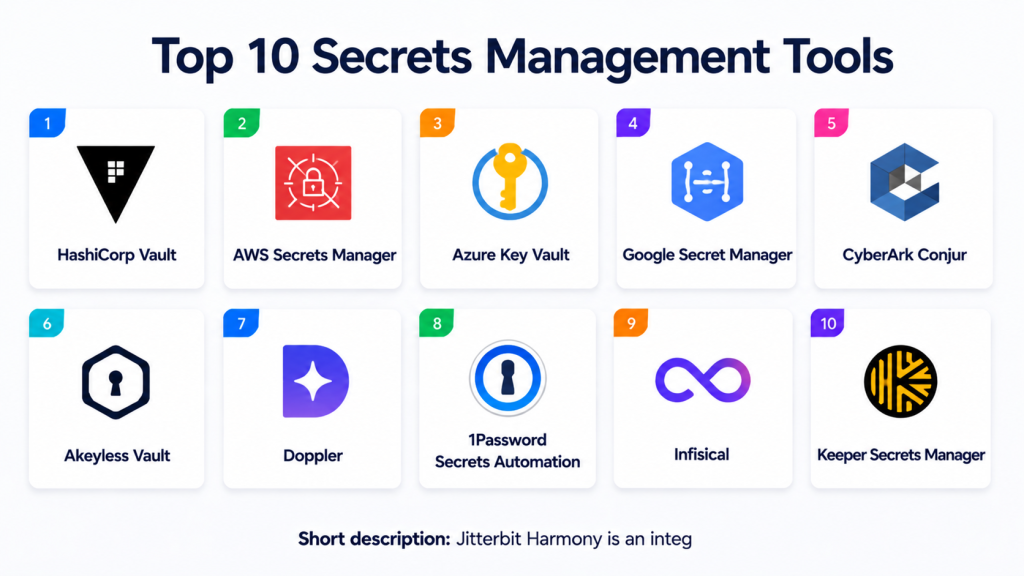
Top 10 Secrets Management Tools
#1 — HashiCorp Vault
Short description: HashiCorp Vault is a widely used secrets management platform for storing, accessing, rotating, and controlling secrets across cloud, on-premises, and hybrid environments. It is best suited for DevOps, platform engineering, security, and enterprise infrastructure teams.
Key Features
- Centralized secrets storage and access control.
- Dynamic secrets for databases, cloud platforms, and systems.
- Encryption as a service.
- Identity-based access policies.
- Audit logging.
- Kubernetes and CI/CD integrations.
- Self-hosted and managed deployment options.
Pros
- Strong flexibility for complex environments.
- Good fit for cloud, hybrid, and enterprise teams.
- Supports advanced secrets workflows such as dynamic credentials.
Cons
- Setup and operations can be complex.
- Requires strong policy and access design.
- Smaller teams may find it heavy for simple use cases.
Platforms / Deployment
Web / Windows / macOS / Linux
Cloud / Self-hosted / Hybrid
Security & Compliance
Supports encryption, audit logs, access policies, and role-based access patterns. Enterprise security features may vary by edition. Specific certifications should be verified directly. If not confirmed, write “Not publicly stated.”
Integrations & Ecosystem
HashiCorp Vault has a broad ecosystem for infrastructure, cloud, and DevOps workflows.
- Kubernetes
- Terraform
- AWS
- Azure
- Google Cloud
- CI/CD tools
Support & Community
Documentation and community adoption are strong. Commercial support and enterprise features vary by edition and agreement.
#2 — AWS Secrets Manager
Short description: AWS Secrets Manager is a managed secrets storage and rotation service for AWS-based applications. It is useful for teams running workloads on AWS and needing secure access to database passwords, API keys, and service credentials.
Key Features
- Managed secret storage.
- Automatic rotation for supported services.
- Integration with AWS identity and access controls.
- Encryption using AWS key management services.
- API-based secret retrieval.
- Audit visibility through AWS logging services.
- Strong AWS ecosystem integration.
Pros
- Good fit for AWS-native teams.
- Reduces operational burden with managed service model.
- Strong integration with AWS databases and services.
Cons
- Best suited for AWS environments.
- Multi-cloud use may require additional planning.
- Pricing depends on usage and stored secrets.
Platforms / Deployment
Web / API / CLI
Cloud
Security & Compliance
Supports encryption, IAM-based access control, and audit logging through AWS services. Specific compliance alignment depends on AWS account configuration and service usage. Certifications should be verified directly.
Integrations & Ecosystem
AWS Secrets Manager works deeply within AWS workloads.
- AWS IAM
- AWS Lambda
- Amazon RDS
- Amazon ECS
- Amazon EKS
- AWS CloudTrail
Support & Community
Documentation is strong, and support depends on AWS support plan. Community usage is broad among AWS users.
#3 — Azure Key Vault
Short description: Azure Key Vault helps teams store and manage secrets, keys, and certificates in Microsoft Azure environments. It is a strong option for organizations using Azure applications, Microsoft identity, and cloud infrastructure.
Key Features
- Secret storage and access management.
- Key management.
- Certificate management.
- Integration with Microsoft identity services.
- Audit logging through Azure monitoring tools.
- Managed cloud service.
- Access policies and role-based access options.
Pros
- Strong fit for Azure-native environments.
- Supports secrets, keys, and certificates.
- Good integration with Microsoft cloud services.
Cons
- Best experience is inside Azure.
- Multi-cloud governance may need extra tooling.
- Configuration requires careful access control planning.
Platforms / Deployment
Web / API / CLI
Cloud
Security & Compliance
Supports encryption, access control, audit logging, and integration with Azure identity. Specific compliance details depend on Azure configuration and should be verified directly.
Integrations & Ecosystem
Azure Key Vault integrates well across Microsoft cloud services.
- Azure Active Directory
- Azure Functions
- Azure Kubernetes Service
- Azure DevOps
- Azure Monitor
- Microsoft cloud services
Support & Community
Documentation is strong, and support depends on Microsoft support plan. Community adoption is strong among Azure users.
#4 — Google Secret Manager
Short description: Google Secret Manager is a managed service for storing and accessing secrets in Google Cloud environments. It is suitable for teams building applications on Google Cloud and needing centralized secret storage with access control.
Key Features
- Managed secrets storage.
- Versioning for secrets.
- Access control through Google Cloud IAM.
- Audit logging through Google Cloud logging tools.
- API and CLI access.
- Integration with Google Cloud services.
- Centralized secret lifecycle management.
Pros
- Strong fit for Google Cloud workloads.
- Simple managed service model.
- Useful secret versioning and access control.
Cons
- Best suited for Google Cloud environments.
- Multi-cloud scenarios may need additional strategy.
- Advanced rotation workflows may require custom automation.
Platforms / Deployment
Web / API / CLI
Cloud
Security & Compliance
Supports encryption, IAM-based access control, and audit logging through Google Cloud services. Specific compliance details depend on Google Cloud setup and should be verified directly.
Integrations & Ecosystem
Google Secret Manager is designed for Google Cloud-native workflows.
- Google Cloud IAM
- Cloud Run
- Google Kubernetes Engine
- Cloud Functions
- Cloud Build
- Google Cloud logging services
Support & Community
Documentation is strong, and support depends on Google Cloud support plan. Community adoption is strongest among Google Cloud users.
#5 — CyberArk Conjur
Short description: CyberArk Conjur is a secrets management solution focused on securing machine identities, applications, containers, and DevOps pipelines. It is often used by security-conscious enterprises with strong privileged access and compliance needs.
Key Features
- Secrets management for applications and machines.
- Policy-based access control.
- Kubernetes and container support.
- CI/CD pipeline integrations.
- Audit logging.
- Machine identity security.
- Enterprise governance capabilities.
Pros
- Strong enterprise security focus.
- Good fit for regulated and security-sensitive organizations.
- Useful for machine identity and DevOps secrets workflows.
Cons
- May require dedicated security expertise.
- Can be more complex than simpler cloud-native tools.
- Smaller teams may find it too heavy.
Platforms / Deployment
Web / Linux / Container-based workflows
Cloud / Self-hosted / Hybrid options may vary
Security & Compliance
Supports access controls, audit logging, and enterprise security workflows. Specific certifications and compliance claims should be verified directly. If unknown, use “Not publicly stated.”
Integrations & Ecosystem
CyberArk Conjur integrates with security, DevOps, and infrastructure workflows.
- Kubernetes
- Jenkins
- Ansible
- Terraform
- Cloud platforms
- Enterprise security systems
Support & Community
Vendor support is enterprise-focused. Documentation and onboarding support vary by product edition and customer agreement.
#6 — Akeyless Vault
Short description: Akeyless Vault is a secrets management and encryption platform that supports cloud, hybrid, and DevOps use cases. It is useful for teams that want centralized control over secrets, keys, certificates, and access policies.
Key Features
- Secrets management.
- Dynamic secrets.
- Key management.
- Certificate management.
- Access control and policy management.
- Kubernetes and CI/CD integrations.
- Cloud and hybrid deployment options.
Pros
- Broad secrets and key management capabilities.
- Good fit for hybrid and cloud environments.
- Developer and DevOps integrations are available.
Cons
- Feature depth may require careful evaluation by use case.
- Enterprise setup may require planning.
- Pricing and packaging vary.
Platforms / Deployment
Web / Windows / macOS / Linux
Cloud / Self-hosted / Hybrid options may vary
Security & Compliance
Supports encryption, access controls, and audit-oriented workflows. Specific compliance certifications should be verified directly. If not confirmed, write “Not publicly stated.”
Integrations & Ecosystem
Akeyless Vault supports DevOps, cloud, and security workflows.
- Kubernetes
- Terraform
- CI/CD tools
- Cloud platforms
- CLI workflows
- API-based access
Support & Community
Documentation and vendor support are available. Community strength is moderate compared with older open-source-heavy tools.
#7 — Doppler
Short description: Doppler is a secrets management platform focused on developer experience, environment variables, and application configuration. It is useful for startups, SMBs, and teams that want a simple way to manage secrets across environments.
Key Features
- Centralized secrets and configuration management.
- Environment-based secret organization.
- Developer-friendly CLI.
- Team access controls.
- Secret syncing and integrations.
- Audit visibility depending on plan.
- CI/CD and cloud platform support.
Pros
- Easy for developers to adopt.
- Good for managing environment variables across teams.
- Strong fit for startups and fast-moving teams.
Cons
- May not replace deep enterprise vault workflows.
- Advanced governance needs should be reviewed.
- Best suited for application secrets and developer workflows.
Platforms / Deployment
Web / Windows / macOS / Linux
Cloud
Security & Compliance
Security controls may include access management and audit features depending on plan. Specific certifications should be verified directly. If unknown, write “Not publicly stated.”
Integrations & Ecosystem
Doppler integrates with developer tools, hosting platforms, and CI/CD systems.
- GitHub Actions
- GitLab CI/CD
- Vercel
- Netlify
- Kubernetes
- Cloud platforms
Support & Community
Documentation is clear and developer-focused. Support varies by plan, and community usage is strong among modern application teams.
#8 — 1Password Secrets Automation
Short description: 1Password Secrets Automation helps teams use 1Password-managed secrets in applications, infrastructure, and DevOps workflows. It is useful for organizations already using 1Password for team password and secret management.
Key Features
- Secrets access for applications and scripts.
- Service accounts and automation workflows.
- CLI and developer tooling.
- Secure vault-based organization.
- Team access management.
- Integration with DevOps workflows.
- Centralized secret handling.
Pros
- Good fit for teams already using 1Password.
- Developer-friendly command-line workflows.
- Useful for bridging human and machine secret management.
Cons
- May not replace advanced enterprise vault platforms.
- Best value depends on existing 1Password adoption.
- Advanced cloud-native workflows should be tested.
Platforms / Deployment
Web / Windows / macOS / Linux / iOS / Android
Cloud
Security & Compliance
1Password includes strong security controls for password and vault management. Specific compliance details and automation-related controls should be verified directly.
Integrations & Ecosystem
1Password Secrets Automation connects secrets with developer and operations workflows.
- CLI tools
- CI/CD workflows
- Developer scripts
- Application environments
- Vault-based access
- Team workflows
Support & Community
Documentation is strong for 1Password users. Support varies by plan, with business and enterprise support options available.
#9 — Infisical
Short description: Infisical is a developer-focused secrets management platform with open-source roots. It helps teams manage application secrets, environment variables, and secure configuration across development and production workflows.
Key Features
- Centralized secrets management.
- Environment-based secret organization.
- Open-source-friendly approach.
- CLI and SDK support.
- Team access controls.
- Audit and governance features depending on plan.
- Cloud and self-hosted options.
Pros
- Developer-friendly experience.
- Good fit for teams wanting open-source flexibility.
- Useful for application secrets and environment management.
Cons
- Enterprise depth should be validated for complex requirements.
- Feature availability may vary by plan.
- Smaller ecosystem than older enterprise tools.
Platforms / Deployment
Web / Windows / macOS / Linux
Cloud / Self-hosted / Hybrid
Security & Compliance
Security features may include encryption, access controls, and audit logs depending on deployment and plan. Specific certifications should be verified directly. If unknown, use “Not publicly stated.”
Integrations & Ecosystem
Infisical supports common developer and DevOps workflows.
- GitHub Actions
- GitLab CI/CD
- Kubernetes
- Docker
- CLI workflows
- SDK-based application access
Support & Community
Documentation is available, and the open-source community is active. Commercial support varies by plan.
#10 — Keeper Secrets Manager
Short description: Keeper Secrets Manager helps teams protect infrastructure secrets, API keys, certificates, and privileged credentials. It is useful for organizations that want secrets management connected with broader password and privileged access workflows.
Key Features
- Secrets storage and retrieval.
- API and SDK support.
- Infrastructure and DevOps secret workflows.
- Access control.
- Audit logging depending on plan.
- Integration with automation tools.
- Connection with broader Keeper security ecosystem.
Pros
- Good fit for teams already using Keeper.
- Useful for secrets, credentials, and automation workflows.
- Supports developer and infrastructure access patterns.
Cons
- Best value depends on Keeper ecosystem adoption.
- Enterprise feature depth should be validated.
- Smaller developer mindshare than some DevOps-native tools.
Platforms / Deployment
Web / Windows / macOS / Linux / iOS / Android
Cloud
Security & Compliance
Security features may include encryption, access controls, and audit capabilities. Specific certifications and compliance details should be verified directly.
Integrations & Ecosystem
Keeper Secrets Manager supports infrastructure and automation use cases.
- CLI workflows
- SDKs
- CI/CD tools
- Cloud environments
- DevOps automation
- Keeper vault workflows
Support & Community
Documentation and vendor support are available. Community strength is stronger among Keeper users than in broader open-source DevOps communities.
Comparison Table
| Tool Name | Best For | Platform(s) Supported | Deployment | Standout Feature | Public Rating |
|---|---|---|---|---|---|
| HashiCorp Vault | Enterprise and hybrid secrets management | Web, Windows, macOS, Linux | Cloud / Self-hosted / Hybrid | Dynamic secrets and policy control | N/A |
| AWS Secrets Manager | AWS-native secret storage | Web, API, CLI | Cloud | Managed AWS secrets rotation | N/A |
| Azure Key Vault | Microsoft Azure environments | Web, API, CLI | Cloud | Secrets, keys, and certificate management | N/A |
| Google Secret Manager | Google Cloud workloads | Web, API, CLI | Cloud | Google Cloud IAM-based access | N/A |
| CyberArk Conjur | Enterprise machine identity security | Web, Linux, container workflows | Cloud / Self-hosted / Hybrid varies | DevOps and machine identity controls | N/A |
| Akeyless Vault | Cloud and hybrid secrets management | Web, Windows, macOS, Linux | Cloud / Self-hosted / Hybrid varies | Secrets, keys, and certificates platform | N/A |
| Doppler | Developer-friendly environment secrets | Web, Windows, macOS, Linux | Cloud | Simple environment-based secrets workflow | N/A |
| 1Password Secrets Automation | Teams using 1Password | Web, Windows, macOS, Linux, iOS, Android | Cloud | Vault-based automation secrets | N/A |
| Infisical | Open-source-friendly developer secrets | Web, Windows, macOS, Linux | Cloud / Self-hosted / Hybrid | Developer-focused secrets management | N/A |
| Keeper Secrets Manager | Credential and infrastructure secrets | Web, Windows, macOS, Linux, iOS, Android | Cloud | Secrets connected with Keeper ecosystem | N/A |
Evaluation & Scoring of Secrets Management Tools
| Tool Name | Core (25%) | Ease (15%) | Integrations (15%) | Security (10%) | Performance (10%) | Support (10%) | Value (15%) | Weighted Total (0–10) |
|---|---|---|---|---|---|---|---|---|
| HashiCorp Vault | 10 | 7 | 10 | 9 | 8 | 9 | 8 | 8.75 |
| AWS Secrets Manager | 9 | 8 | 9 | 9 | 9 | 8 | 8 | 8.55 |
| Azure Key Vault | 9 | 8 | 9 | 9 | 9 | 8 | 8 | 8.55 |
| Google Secret Manager | 8 | 8 | 8 | 9 | 9 | 8 | 8 | 8.25 |
| CyberArk Conjur | 9 | 6 | 8 | 9 | 8 | 8 | 7 | 7.95 |
| Akeyless Vault | 9 | 8 | 8 | 9 | 8 | 8 | 8 | 8.35 |
| Doppler | 8 | 9 | 8 | 8 | 8 | 8 | 8 | 8.15 |
| 1Password Secrets Automation | 7 | 9 | 7 | 8 | 8 | 8 | 8 | 7.75 |
| Infisical | 8 | 8 | 8 | 8 | 8 | 7 | 9 | 8.05 |
| Keeper Secrets Manager | 7 | 8 | 7 | 8 | 8 | 8 | 8 | 7.55 |
These scores are comparative and should be used as a starting point. A tool with a lower total may still be the best fit if it matches your cloud platform, compliance needs, developer workflow, or existing security stack. Cloud-native teams may prefer native services, while multi-cloud teams may prefer vendor-neutral platforms. Always validate integrations, access controls, audit logs, rotation, and operational complexity before making a final decision.
Which Secrets Management Tool Is Right for You?
Solo / Freelancer
Solo developers usually need a simple and affordable tool that prevents secrets from being stored in code. Doppler, Infisical, 1Password Secrets Automation, and cloud-native tools like AWS Secrets Manager, Azure Key Vault, or Google Secret Manager can work well depending on the project environment.
For solo use, the key is simplicity. Avoid tools that require heavy infrastructure unless the project has serious security or compliance needs.
SMB
Small and medium-sized businesses need secrets management that is easy to adopt and works with their cloud, repositories, and CI/CD pipelines. Doppler, Infisical, Akeyless Vault, 1Password Secrets Automation, and cloud-native tools are strong candidates.
SMBs should focus on access control, audit visibility, environment management, and developer workflow. The tool should reduce risk without slowing delivery.
Mid-Market
Mid-market teams often need stronger policy control, team permissions, automation, secrets rotation, and integration with Kubernetes or CI/CD systems. HashiCorp Vault, Akeyless Vault, CyberArk Conjur, Infisical, and cloud-native tools can be suitable depending on architecture.
These teams should test how the tool handles multiple teams, environments, applications, and secret rotation workflows.
Enterprise
Enterprises should prioritize governance, identity-based access, audit logs, secrets rotation, high availability, hybrid deployment, and support. HashiCorp Vault, CyberArk Conjur, Akeyless Vault, AWS Secrets Manager, Azure Key Vault, and Google Secret Manager are strong options depending on infrastructure strategy.
Enterprise buyers should also review integration with privileged access management, security operations, compliance reporting, and internal platform engineering standards.
Budget vs Premium
Budget-focused teams may start with Infisical, cloud-native secret stores, or tools already included in their existing platform. This can be enough for basic application secrets and environment variables.
Premium tools are better when teams need dynamic secrets, enterprise policy management, advanced audit logs, hybrid deployment, professional support, and complex access workflows.
Feature Depth vs Ease of Use
HashiCorp Vault, CyberArk Conjur, and Akeyless Vault provide deeper secrets management capabilities but may require more planning and operational maturity.
Doppler, Infisical, 1Password Secrets Automation, and cloud-native tools are often easier for teams that want quick adoption and developer-friendly workflows.
Integrations & Scalability
A strong secrets management tool should integrate with cloud platforms, Kubernetes, CI/CD pipelines, infrastructure-as-code tools, applications, APIs, and monitoring systems.
Scalability should be tested with multiple environments, teams, services, rotation policies, and access patterns. The tool should support growth without creating operational bottlenecks.
Security & Compliance Needs
Security-focused teams should evaluate encryption, RBAC, audit logs, rotation, identity integration, high availability, approval workflows, and secret access patterns.
Regulated teams should verify compliance claims directly and check whether the tool supports required audit and governance processes.
Frequently Asked Questions
What is secrets management?
Secrets management is the secure handling of sensitive information such as passwords, API keys, certificates, tokens, and encryption keys. It helps teams store, access, rotate, and audit secrets safely.
Why should secrets not be stored in code?
Secrets stored in code can be leaked through repositories, logs, backups, or shared files. A secrets management tool keeps sensitive values separate from code and controls access more securely.
What types of secrets can these tools manage?
They can manage database passwords, API keys, service tokens, certificates, SSH keys, cloud credentials, encryption keys, and application configuration secrets.
What is secret rotation?
Secret rotation means changing credentials regularly or automatically. This reduces the risk of long-lived credentials being abused if they are exposed.
What are dynamic secrets?
Dynamic secrets are temporary credentials created on demand. They usually expire automatically, which reduces the risk of permanent credential exposure.
Which secrets management tool is best for cloud teams?
AWS Secrets Manager is strong for AWS, Azure Key Vault is strong for Azure, and Google Secret Manager is strong for Google Cloud. Multi-cloud teams may prefer HashiCorp Vault, Akeyless Vault, or CyberArk Conjur.
Which tool is best for startups?
Doppler, Infisical, 1Password Secrets Automation, and cloud-native tools can be good options for startups because they are easier to adopt and fit developer workflows.
Which tool is best for enterprises?
HashiCorp Vault, CyberArk Conjur, Akeyless Vault, and cloud-native secret services are commonly considered by enterprises depending on architecture, compliance, and governance needs.
How do pricing models usually work?
Pricing may depend on users, secrets, workloads, API calls, environments, deployment model, or enterprise agreement. Exact pricing should be verified directly with the vendor.
What are common secrets management mistakes?
Common mistakes include storing secrets in code, sharing secrets in chat, failing to rotate credentials, giving broad access, skipping audit logs, and not integrating secrets management into CI/CD pipelines.
Can password managers replace secrets management tools?
Password managers are useful for human credentials, but application and machine secrets often need APIs, rotation, automation, audit logs, and runtime access controls. Dedicated secrets tools are better for DevOps workflows.
Should secrets management be part of CI/CD?
Yes. CI/CD pipelines often need secure access to credentials. A secrets management tool helps inject secrets safely without hardcoding them in pipeline files.
Conclusion
Secrets management tools are essential for protecting sensitive credentials across applications, cloud platforms, pipelines, containers, and infrastructure. The best tool depends on your environment, team size, security maturity, budget, and operational model. HashiCorp Vault is strong for advanced and hybrid use cases. AWS Secrets Manager, Azure Key Vault, and Google Secret Manager are practical for cloud-native teams. CyberArk Conjur and Akeyless Vault fit teams with stronger governance needs. Doppler, Infisical, 1Password Secrets Automation, and Keeper Secrets Manager are useful for developer-friendly and team-based workflows.
