Upgrade & Secure Your Future with DevOps, SRE, DevSecOps, MLOps!
We spend hours scrolling social media and waste money on things we forget, but won’t spend 30 minutes a day earning certifications that can change our lives.
Master in DevOps, SRE, DevSecOps & MLOps by DevOps School!
Learn from Guru Rajesh Kumar and double your salary in just one year.
Introduction
BYOD Management Tools help organizations safely manage employee-owned smartphones, tablets, laptops, and personal devices used for work. BYOD means “Bring Your Own Device,” where employees use their own devices to access company email, files, apps, communication platforms, and business systems.
These tools matter because many teams now work from multiple locations, use personal devices for quick access, and expect flexible work policies. Without proper BYOD management, companies may face data leakage, weak access control, lost-device risk, unmanaged apps, and compliance problems.
Common use cases include secure email access, personal and work data separation, app-level protection, remote wipe of business data, identity-based access, device compliance checks, and policy enforcement for contractors or remote employees.
Buyers should evaluate platform support, BYOD privacy controls, app protection, identity integration, conditional access, remote wipe, encryption enforcement, reporting, admin usability, and pricing flexibility.
Best for: IT teams, security teams, HR teams, remote-first companies, SMBs, enterprises, consulting firms, education, healthcare, finance, and organizations where employees use personal devices for work.
Not ideal for: Teams with only corporate-owned devices, companies that do not allow personal devices for work, or organizations that only need basic antivirus without device or app-level control.
Key Trends in BYOD Management Tools
- Privacy-first BYOD policies are becoming more important, because employees want assurance that IT can protect company data without viewing personal photos, messages, or private apps.
- App-level management is growing, allowing companies to secure business apps without fully controlling the entire personal device.
- Conditional access is now a major requirement, where users can access company apps only when their device meets security rules.
- Zero-trust security models are influencing BYOD, especially for identity verification, device posture checks, and least-privilege access.
- Mobile application management is becoming a strong alternative to full device management, especially where employee privacy is a concern.
- Automation is reducing admin workload, especially for onboarding, policy assignment, compliance alerts, and access removal.
- Cloud-based management is preferred by many teams, because it supports distributed users and faster rollout.
- Cross-platform support is essential, as employees may use Android, iOS, Windows, macOS, and sometimes ChromeOS devices.
- Data loss prevention is becoming central, especially for restricting copy-paste, downloads, screenshots, file sharing, and unmanaged app access.
- Integration with identity and security tools is now a core buying factor, not just a nice extra.
How We Selected These Tools
The tools below were selected using a practical software buyer evaluation model:
- Market recognition and strong presence in BYOD, MDM, UEM, and endpoint management.
- Ability to manage employee-owned devices without creating unnecessary privacy concerns.
- Support for common operating systems such as iOS, Android, Windows, and macOS.
- Strength of app protection, device compliance, policy enforcement, and remote actions.
- Security posture signals such as SSO, MFA, RBAC, encryption policy support, audit logs, and conditional access.
- Integration with identity providers, productivity suites, endpoint security tools, and help desk systems.
- Fit for different organization sizes, including SMB, mid-market, and enterprise teams.
- Ease of onboarding for IT teams and end users.
- Flexibility for BYOD, corporate-owned devices, shared devices, and mixed environments.
- Practical value based on feature depth, support, usability, and scalability.
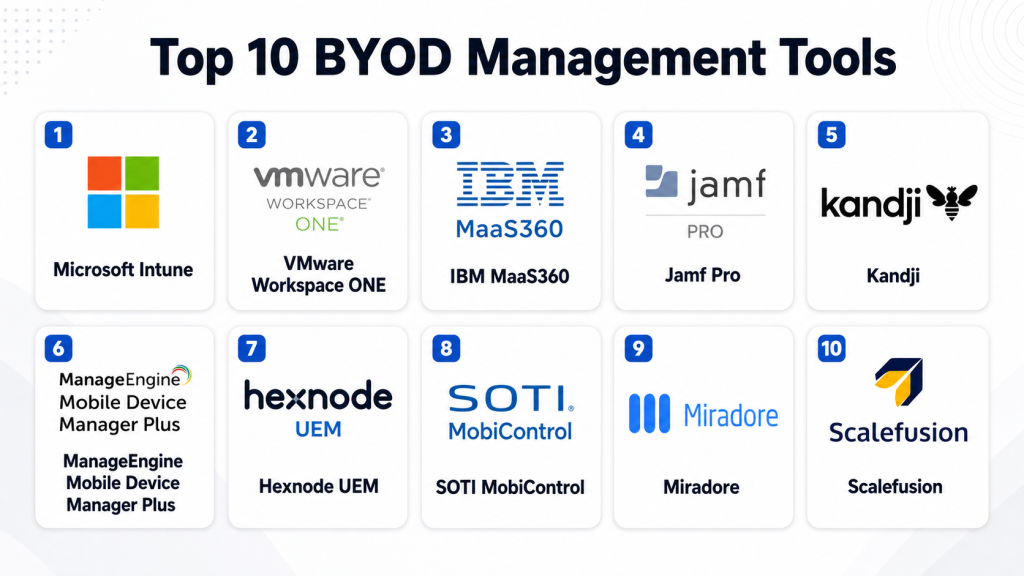
Top 10 BYOD Management Tools
#1 — Microsoft Intune
Short description: Microsoft Intune is a cloud-based endpoint management platform used to manage mobile devices, apps, and access policies. It is especially useful for organizations already using Microsoft identity, productivity, and security tools.
Key Features
- BYOD enrollment and device compliance policies.
- Mobile application management for work apps.
- Conditional access integration with Microsoft identity services.
- App protection policies for managed and unmanaged devices.
- Remote wipe for corporate data.
- Policy enforcement for passwords, encryption, and device posture.
- Reporting dashboards for compliance and device health.
Pros
- Strong fit for Microsoft-based environments.
- Good balance between device management and app-level protection.
- Works well for remote, hybrid, and enterprise teams.
Cons
- Can feel complex for small businesses.
- Best value comes when used with the Microsoft ecosystem.
- Advanced policies may require experienced administrators.
Platforms / Deployment
Web / Windows / macOS / iOS / Android
Cloud
Security & Compliance
Supports SSO, MFA through Microsoft identity services, RBAC, encryption policy enforcement, compliance policies, app protection, and audit visibility. Specific compliance certifications may vary by Microsoft service and region.
Integrations & Ecosystem
Microsoft Intune works strongly with identity, productivity, security, and endpoint tools. It is suitable for teams that want BYOD control tied directly to user identity and access rules.
- Microsoft Entra ID
- Microsoft Defender
- Microsoft 365
- Windows Autopilot
- Apple Business Manager
- Android Enterprise
Support & Community
Microsoft provides detailed documentation, admin learning resources, enterprise support, partner support, and a large user community. The learning curve can be higher for teams new to endpoint management.
#2 — VMware Workspace ONE
Short description: VMware Workspace ONE is a digital workspace and unified endpoint management platform. It helps organizations manage BYOD, corporate-owned devices, apps, identity access, and secure employee workspaces.
Key Features
- BYOD and corporate device management.
- App catalog and application lifecycle management.
- Identity-based access and compliance controls.
- Device posture checks before app access.
- Secure productivity and workspace experience.
- Automation and workflow capabilities.
- Strong reporting for enterprise IT teams.
Pros
- Strong for large and complex environments.
- Supports broad endpoint and workspace management.
- Good fit for companies with mixed-device ecosystems.
Cons
- Can be complex to configure.
- May be too heavy for very small teams.
- Licensing and implementation need careful planning.
Platforms / Deployment
Web / Windows / macOS / iOS / Android / ChromeOS
Cloud / Hybrid
Security & Compliance
Supports SSO, MFA integrations, RBAC, encryption policy enforcement, compliance checks, access policies, and audit visibility. Specific compliance details depend on deployment and vendor documentation.
Integrations & Ecosystem
Workspace ONE fits enterprise environments that need tight connections between identity, apps, devices, and workspace access.
- Identity providers
- Directory services
- Productivity suites
- Security platforms
- App delivery systems
- IT service management tools
Support & Community
VMware provides enterprise support, product documentation, partner services, and professional services. It is best suited for teams with mature IT operations.
#3 — IBM MaaS360
Short description: IBM MaaS360 is an enterprise mobility and endpoint management platform that helps organizations manage BYOD devices, secure apps, and enforce access policies across different device types.
Key Features
- BYOD and mobile device management.
- App security and data protection controls.
- Compliance policy enforcement.
- Device inventory and reporting.
- Remote lock and selective wipe.
- Identity and access integration.
- Risk visibility for mobile environments.
Pros
- Strong enterprise mobility focus.
- Useful for regulated and security-conscious organizations.
- Supports mixed-device management needs.
Cons
- May feel complex for smaller teams.
- Setup requires policy planning.
- Some advanced capabilities may require higher-tier licensing.
Platforms / Deployment
Web / Windows / macOS / iOS / Android
Cloud
Security & Compliance
Supports policy enforcement, selective wipe, device compliance, encryption-related controls, identity integrations, reporting, and administrative role controls. Specific certifications should be verified directly with the vendor.
Integrations & Ecosystem
IBM MaaS360 connects with enterprise security, identity, productivity, and IT operations environments.
- Identity providers
- Directory services
- Business apps
- Security analytics tools
- Productivity suites
- Reporting workflows
Support & Community
IBM offers documentation, enterprise support, onboarding resources, and partner support. It is better suited for organizations with structured IT and security teams.
#4 — Jamf Pro
Short description: Jamf Pro is an Apple-focused management platform for Mac, iPhone, iPad, and Apple TV devices. It is a strong choice for BYOD environments where employees use Apple devices for work.
Key Features
- Apple device enrollment and management.
- Configuration profiles for Apple devices.
- App deployment and inventory.
- Self-service app catalog.
- Policy automation for Apple fleets.
- Security settings and compliance controls.
- Integration with Apple Business Manager.
Pros
- Excellent Apple ecosystem support.
- Strong fit for education, creative, and Apple-first companies.
- Mature admin community and documentation.
Cons
- Not ideal for companies needing equal Android and Windows depth.
- Apple specialization may not fit all environments.
- Advanced Apple workflows may need skilled administrators.
Platforms / Deployment
Web / macOS / iOS / iPadOS / tvOS
Cloud / Varies
Security & Compliance
Supports Apple security controls, encryption policy enforcement, app restrictions, device compliance, role controls, and inventory visibility. Specific compliance certifications should be verified with the vendor.
Integrations & Ecosystem
Jamf Pro works deeply with Apple identity, security, device enrollment, and app deployment workflows.
- Apple Business Manager
- Identity providers
- Security tools
- App deployment systems
- Help desk platforms
- Device inventory workflows
Support & Community
Jamf has strong documentation, customer support, training resources, and an active Apple admin community. It is especially helpful for teams fully invested in Apple devices.
#5 — Kandji
Short description: Kandji is a modern Apple device management platform designed for automation, compliance, and clean administration. It is useful for companies with employee-owned or company-owned Apple devices.
Key Features
- Automated Apple device enrollment.
- Blueprint-based policy management.
- App deployment and patch workflows.
- Security and compliance visibility.
- Device posture checks.
- Remote commands for managed devices.
- Clean admin experience for IT teams.
Pros
- Strong automation for Apple fleets.
- User-friendly interface.
- Good for modern Apple-first companies.
Cons
- Mainly focused on Apple environments.
- Less suitable for broad Android and Windows management.
- Pricing and fit should be evaluated based on device count.
Platforms / Deployment
Web / macOS / iOS / iPadOS
Cloud
Security & Compliance
Supports Apple security settings, encryption-related policies, device compliance visibility, admin controls, and reporting. Specific certifications should be verified directly with the vendor.
Integrations & Ecosystem
Kandji fits well into modern Apple IT operations and security workflows.
- Apple Business Manager
- Identity providers
- Security platforms
- Collaboration tools
- App deployment systems
- Device lifecycle workflows
Support & Community
Kandji provides documentation, onboarding support, customer success resources, and admin guidance. Its community is growing, especially among Apple-focused IT teams.
#6 — ManageEngine Mobile Device Manager Plus
Short description: ManageEngine Mobile Device Manager Plus helps organizations manage BYOD and corporate-owned devices with app management, security policies, inventory tracking, and remote actions. It is practical for SMB and mid-market teams.
Key Features
- BYOD and device enrollment.
- App distribution and app restrictions.
- Remote lock and selective wipe.
- Device inventory and compliance reporting.
- Kiosk mode support.
- Email and content management.
- Policy enforcement across supported platforms.
Pros
- Practical feature set for SMB and mid-market teams.
- Good value for organizations needing core BYOD controls.
- Works well with the broader ManageEngine IT ecosystem.
Cons
- Interface may feel feature-heavy for beginners.
- Enterprise buyers should validate advanced requirements.
- Configuration quality depends on proper policy planning.
Platforms / Deployment
Web / Windows / macOS / iOS / Android / ChromeOS
Cloud / Self-hosted
Security & Compliance
Supports device restrictions, encryption-related policy controls, remote wipe, admin roles, reporting, and compliance monitoring. Specific compliance certifications should be verified with the vendor.
Integrations & Ecosystem
ManageEngine works well in IT environments that already use help desk, monitoring, endpoint, or service management tools.
- ManageEngine ecosystem
- Directory services
- Email platforms
- App stores
- Apple Business Manager
- Android Enterprise
Support & Community
ManageEngine provides documentation, support plans, knowledge base articles, and a broad IT admin user base. It is useful for teams that want practical setup and operational coverage.
#7 — Hexnode UEM
Short description: Hexnode UEM is a unified endpoint management platform that supports BYOD, corporate devices, kiosk setups, app management, and endpoint policies. It is useful for mixed-device environments.
Key Features
- BYOD and corporate device management.
- App and content management.
- Kiosk and lockdown modes.
- Remote device commands.
- Compliance and policy enforcement.
- Support for multiple operating systems.
- User and device grouping.
Pros
- Flexible for mixed-device teams.
- Strong kiosk and lockdown options.
- Good balance of features and usability.
Cons
- Advanced workflows may require technical setup.
- Feature depth can vary by platform.
- Buyers should review plan differences carefully.
Platforms / Deployment
Web / Windows / macOS / iOS / Android / tvOS / ChromeOS
Cloud / Varies
Security & Compliance
Supports policy controls, remote wipe, access restrictions, kiosk lockdown, role-based administration, and compliance reporting. Specific compliance certifications should be verified directly.
Integrations & Ecosystem
Hexnode integrates with common device, identity, and app management ecosystems.
- Apple Business Manager
- Android Enterprise
- Directory services
- Identity providers
- App stores
- Business applications
Support & Community
Hexnode provides support resources, onboarding materials, documentation, and customer support options. It is approachable for both SMB and mid-market IT teams.
#8 — SOTI MobiControl
Short description: SOTI MobiControl is an enterprise mobility management platform often used for mobile, rugged, shared, and frontline devices. It can support BYOD programs where operational control and remote support matter.
Key Features
- Mobile and rugged device management.
- BYOD and corporate device support.
- Remote control and troubleshooting.
- App deployment and configuration.
- Kiosk and lockdown capabilities.
- Device tracking and inventory.
- Policy enforcement and compliance reporting.
Pros
- Strong for frontline and operational device environments.
- Remote support features are practical for distributed teams.
- Good fit for logistics, healthcare, retail, and field service.
Cons
- May be more advanced than basic BYOD needs.
- Setup can require planning for complex device fleets.
- Smaller office teams may not need the full platform.
Platforms / Deployment
Web / Windows / iOS / Android / Linux support may vary
Cloud / Self-hosted / Hybrid options may vary
Security & Compliance
Supports policy enforcement, access restrictions, remote wipe, device lockdown, reporting, and administrative controls. Specific compliance certifications should be verified with the vendor.
Integrations & Ecosystem
SOTI fits organizations where mobile devices are part of daily operations and need reliable control.
- Android Enterprise
- Apple device workflows
- Rugged device ecosystems
- Business applications
- Remote support systems
- IT operations tools
Support & Community
SOTI provides documentation, enterprise support, professional services, and partner-led assistance. It is strong for businesses where device uptime is important.
#9 — Miradore
Short description: Miradore is a cloud-based device management platform suited for smaller teams and organizations that want simple BYOD control. It helps with device visibility, basic policies, and remote actions.
Key Features
- Device enrollment and inventory.
- BYOD and company-owned device support.
- App deployment and management.
- Remote lock and wipe.
- Security policy enforcement.
- Device reporting.
- Cloud-based administration.
Pros
- Easy to understand and start with.
- Good for small teams with basic BYOD needs.
- Lower complexity than enterprise-heavy platforms.
Cons
- May not offer deep enterprise-level controls.
- Advanced automation and security depth may be limited.
- Larger organizations may outgrow it.
Platforms / Deployment
Web / Windows / macOS / iOS / Android
Cloud
Security & Compliance
Supports basic security policy controls, remote wipe, inventory, and access-related management. Specific compliance certifications are not publicly stated in all contexts.
Integrations & Ecosystem
Miradore is best for practical BYOD management without heavy enterprise complexity.
- Apple device enrollment workflows
- Android Enterprise
- App deployment
- Device inventory
- Reporting workflows
- Basic IT operations
Support & Community
Miradore provides documentation and customer support resources. Community depth is smaller than larger enterprise platforms, but it remains useful for simple device management needs.
#10 — Scalefusion
Short description: Scalefusion is an endpoint and device management platform used for BYOD, shared devices, kiosk mode, and business device control. It is practical for SMBs, education, retail, logistics, and frontline teams.
Key Features
- BYOD and device policy management.
- App management and content control.
- Kiosk and browser lockdown.
- Remote troubleshooting features.
- Location and inventory visibility.
- Device restrictions and access controls.
- Multi-platform endpoint support.
Pros
- Strong for kiosk and shared-device use cases.
- Practical for frontline and distributed teams.
- Useful balance of device control and usability.
Cons
- Advanced enterprise compliance should be validated.
- Feature depth may vary by operating system.
- Complex integrations may need planning.
Platforms / Deployment
Web / Windows / macOS / iOS / Android / Linux support may vary
Cloud
Security & Compliance
Supports policy enforcement, role-based administration, remote actions, device restrictions, and reporting. Specific compliance certifications should be verified with the vendor.
Integrations & Ecosystem
Scalefusion works well for teams that need operational device control and simple endpoint administration.
- Android Enterprise
- Apple device workflows
- Directory services
- Business applications
- Remote support workflows
- Device lifecycle processes
Support & Community
Scalefusion offers documentation, customer support, onboarding help, and practical resources for device administrators.
Comparison Table (Top 10)
| Tool Name | Best For | Platform(s) Supported | Deployment | Standout Feature | Public Rating |
|---|---|---|---|---|---|
| Microsoft Intune | Microsoft-first BYOD environments | Windows, macOS, iOS, Android | Cloud | Conditional access and app protection | N/A |
| VMware Workspace ONE | Enterprise BYOD and workspace management | Windows, macOS, iOS, Android, ChromeOS | Cloud / Hybrid | Broad digital workspace control | N/A |
| IBM MaaS360 | Security-conscious enterprise mobility teams | Windows, macOS, iOS, Android | Cloud | Enterprise mobility and risk visibility | N/A |
| Jamf Pro | Apple-first BYOD programs | macOS, iOS, iPadOS, tvOS | Cloud / Varies | Deep Apple device management | N/A |
| Kandji | Modern Apple-focused teams | macOS, iOS, iPadOS | Cloud | Automation-led Apple management | N/A |
| ManageEngine Mobile Device Manager Plus | SMB and mid-market BYOD teams | Windows, macOS, iOS, Android, ChromeOS | Cloud / Self-hosted | Practical BYOD and IT operations fit | N/A |
| Hexnode UEM | Mixed-device BYOD environments | Windows, macOS, iOS, Android, ChromeOS, tvOS | Cloud / Varies | Flexible BYOD and kiosk controls | N/A |
| SOTI MobiControl | Frontline and rugged device operations | iOS, Android, Windows, Varies | Cloud / Self-hosted / Hybrid | Remote support for mobile operations | N/A |
| Miradore | Small teams with simple BYOD needs | Windows, macOS, iOS, Android | Cloud | Simple cloud-based device control | N/A |
| Scalefusion | Shared, kiosk, and frontline devices | Windows, macOS, iOS, Android, Varies | Cloud | Device lockdown and remote control | N/A |
Evaluation & Scoring of BYOD Management Tools
| Tool Name | Core (25%) | Ease (15%) | Integrations (15%) | Security (10%) | Performance (10%) | Support (10%) | Value (15%) | Weighted Total (0–10) |
|---|---|---|---|---|---|---|---|---|
| Microsoft Intune | 9 | 7 | 9 | 9 | 8 | 8 | 8 | 8.30 |
| VMware Workspace ONE | 9 | 6 | 9 | 9 | 8 | 8 | 7 | 8.05 |
| IBM MaaS360 | 8 | 7 | 8 | 9 | 8 | 8 | 7 | 7.80 |
| Jamf Pro | 9 | 8 | 8 | 8 | 9 | 9 | 7 | 8.30 |
| Kandji | 8 | 9 | 7 | 8 | 8 | 8 | 7 | 7.85 |
| ManageEngine Mobile Device Manager Plus | 8 | 8 | 8 | 8 | 8 | 8 | 9 | 8.15 |
| Hexnode UEM | 8 | 8 | 8 | 8 | 8 | 8 | 8 | 8.00 |
| SOTI MobiControl | 9 | 7 | 7 | 8 | 9 | 8 | 7 | 7.95 |
| Miradore | 7 | 9 | 6 | 7 | 7 | 7 | 9 | 7.35 |
| Scalefusion | 8 | 8 | 7 | 8 | 8 | 8 | 8 | 7.75 |
These scores are comparative and should be used as a decision-support guide, not as a final verdict. A tool with a lower overall score may still be the best fit for a specific environment. For example, Jamf Pro and Kandji are strong choices for Apple-first BYOD programs, while Microsoft Intune is often a better match for Microsoft-based organizations. Buyers should always test real enrollment, app protection, privacy controls, and integrations before final selection.
Which BYOD Management Tool Is Right for You?
Solo / Freelancer
Solo professionals usually do not need a heavy BYOD management platform unless they handle client data, manage multiple personal devices, or work under strict security requirements. Miradore can be a simple starting point for basic visibility and control. If the user works mostly on Apple devices, Kandji may be useful, but it may be more than needed for a single-person setup.
SMB
SMBs should prioritize easy setup, affordable pricing, basic compliance, selective wipe, app control, and simple reporting. ManageEngine Mobile Device Manager Plus, Hexnode UEM, Miradore, and Scalefusion are practical choices. Microsoft Intune is also strong if the business already uses Microsoft identity and productivity tools.
Mid-Market
Mid-market companies usually need stronger access control, better reporting, identity integration, and device lifecycle management. Microsoft Intune, Hexnode UEM, ManageEngine Mobile Device Manager Plus, Jamf Pro, and Kandji are good options depending on platform mix. If the company uses many shared or field devices, SOTI MobiControl and Scalefusion should also be considered.
Enterprise
Enterprises should focus on governance, security, automation, identity-based access, audit logs, policy consistency, and support maturity. Microsoft Intune, VMware Workspace ONE, IBM MaaS360, Jamf Pro, and SOTI MobiControl are stronger fits for large organizations. Enterprises should also test how each tool handles privacy separation between business and personal data.
Budget vs Premium
Budget-focused buyers may prefer Miradore, ManageEngine, Hexnode, or Scalefusion. Premium buyers with advanced security, identity, automation, and enterprise reporting needs may prefer Microsoft Intune, VMware Workspace ONE, IBM MaaS360, Jamf Pro, Kandji, or SOTI MobiControl.
Feature Depth vs Ease of Use
For feature depth, Microsoft Intune, VMware Workspace ONE, IBM MaaS360, Jamf Pro, and SOTI MobiControl stand out. For ease of use, Kandji, Miradore, Hexnode, Scalefusion, and ManageEngine may feel more approachable. The right choice depends on admin skill level, device count, and security complexity.
Integrations & Scalability
Microsoft Intune works best in Microsoft-centered environments. Jamf Pro and Kandji are better for Apple-first teams. VMware Workspace ONE fits complex enterprise workspace needs. ManageEngine works well with IT operations teams. Hexnode and Scalefusion offer flexible choices for mixed-device and frontline use cases.
Security & Compliance Needs
Security-focused buyers should evaluate conditional access, app protection, selective wipe, encryption enforcement, audit logs, RBAC, MFA support, and compliance reporting. Regulated organizations should ask vendors for official documentation before final selection.
Frequently Asked Questions (FAQs)
1. What is BYOD management?
BYOD management is the process of securing and managing employee-owned devices used for work. It helps protect company data while respecting personal privacy.
2. How is BYOD management different from MDM?
MDM often manages the full device, while BYOD management focuses more on secure access, app protection, and separating work data from personal data. Many MDM and UEM tools include BYOD features.
3. Can IT see personal data on BYOD devices?
A properly configured BYOD program should limit IT visibility into personal data. The goal is to manage business apps and company data, not personal photos, messages, or private apps.
4. What is selective wipe?
Selective wipe removes only company data from a personal device. It is useful when an employee leaves the company, loses access, or violates security policies.
5. What pricing models do BYOD tools use?
Pricing usually varies by user, device, feature package, or support level. Enterprise vendors may offer custom pricing based on scale and requirements.
6. What are common BYOD implementation mistakes?
Common mistakes include unclear policies, poor employee communication, weak privacy rules, missing identity integration, no pilot testing, and failing to define what happens when an employee leaves.
7. Do BYOD tools support both Android and iOS?
Most major BYOD tools support Android and iOS, but feature depth may vary by platform. Buyers should test real devices before selecting a tool.
8. Can BYOD tools help with compliance?
Yes, they can help enforce password rules, encryption policies, app restrictions, remote wipe, and reporting. However, the organization still needs proper policies and governance.
9. What integrations matter most for BYOD?
Important integrations include identity providers, SSO, MFA, directory services, email platforms, productivity suites, endpoint security tools, and help desk systems.
10. How hard is it to switch BYOD tools?
Switching is possible but should be planned carefully. Teams need to review enrollment, policy migration, user communication, data removal, app access, and support readiness.
Conclusion
BYOD management is important for organizations that want flexibility without losing control over business data. The right tool should protect company apps, respect employee privacy, support common devices, integrate with identity systems, and give IT teams clear visibility into compliance. There is no single best tool for every company. Microsoft Intune is strong for Microsoft-first environments, Jamf Pro and Kandji are strong for Apple-focused teams, VMware Workspace ONE and IBM MaaS360 fit larger enterprise needs, while ManageEngine, Hexnode, Miradore, SOTI MobiControl, and Scalefusion serve different SMB, mid-market, frontline, and mixed-device use cases. The best next step is to shortlist two or three tools, test them with real BYOD users, validate security controls, review privacy settings, and run a small pilot before making a final decision.
