Upgrade & Secure Your Future with DevOps, SRE, DevSecOps, MLOps!
We spend hours scrolling social media and waste money on things we forget, but won’t spend 30 minutes a day earning certifications that can change our lives.
Master in DevOps, SRE, DevSecOps & MLOps by DevOps School!
Learn from Guru Rajesh Kumar and double your salary in just one year.
Introduction
Enterprise Mobility Management, often called EMM, helps organizations manage, secure, monitor, and support mobile devices, applications, users, and corporate data. In simple terms, it gives IT teams control over smartphones, tablets, laptops, rugged devices, and mobile apps used for business work.
It matters because employees now work from offices, homes, client sites, warehouses, retail stores, and field locations. Companies need a safe way to allow mobile productivity without exposing business data, customer records, emails, documents, and internal applications.
Common use cases include managing employee smartphones, securing bring-your-own-device programs, deploying business apps, protecting lost or stolen devices, enforcing password policies, supporting frontline workers, and separating personal data from company data.
Buyers should evaluate device coverage, operating system support, app management, identity integrations, compliance controls, remote troubleshooting, automation, reporting, pricing, support quality, and ease of rollout.
Best for: IT teams, security teams, enterprise administrators, healthcare organizations, financial services, retail operations, logistics teams, education institutions, and companies with distributed or mobile-first workforces.
Not ideal for: very small teams with only a few unmanaged devices, companies that only need basic antivirus, or organizations already using a broader unified endpoint management platform that fully covers mobile needs.
Key Trends in Enterprise Mobility Management Tools
- Unified endpoint management is becoming the standard: Many EMM tools now manage mobile devices, desktops, laptops, rugged devices, and sometimes IoT-style endpoints from one console.
- Zero trust security is shaping mobile access: Device health, user identity, location, app risk, and compliance status are increasingly used before allowing access to business applications.
- Automation is reducing manual IT work: Policies, app deployment, device enrollment, compliance alerts, and remediation workflows are becoming more automated.
- Bring-your-own-device support is more important: Organizations need strong privacy separation so personal data remains private while company data stays protected.
- Mobile threat protection is becoming more connected: EMM platforms are increasingly integrating with identity platforms, security tools, endpoint protection, and mobile threat defense solutions.
- Frontline and rugged device management is growing: Retail, logistics, manufacturing, healthcare, and field services need tools that support shared devices, kiosks, scanners, and purpose-built mobile hardware.
- Conditional access is becoming a core requirement: Companies want access decisions based on whether a device is compliant, encrypted, updated, and properly managed.
- App-level management is replacing device-only control: Many businesses need to protect specific apps and data without fully controlling the entire device.
- Cloud-first deployment is common: Most modern EMM buyers prefer cloud-based administration, faster setup, remote management, and lower infrastructure maintenance.
- Employee experience matters more: IT teams now look for tools that are secure but not too restrictive, because poor mobile experience can reduce productivity.
How We Selected These Tools
The tools in this list were selected using practical buyer-focused evaluation logic:
- Strong market recognition in enterprise mobility, endpoint management, or mobile device management.
- Broad support for mobile operating systems and business device use cases.
- Ability to support device enrollment, policy enforcement, app deployment, and remote actions.
- Security controls such as identity integration, conditional access, compliance rules, and remote wipe.
- Fit for different organization sizes, from small teams to large enterprises.
- Integration ecosystem with identity providers, productivity suites, security tools, and IT service workflows.
- Support for employee-owned, corporate-owned, shared, kiosk, and rugged devices where relevant.
- Administrative usability, reporting depth, and deployment flexibility.
- Vendor maturity, documentation quality, and support availability.
- Practical value across IT operations, security, compliance, and employee productivity.
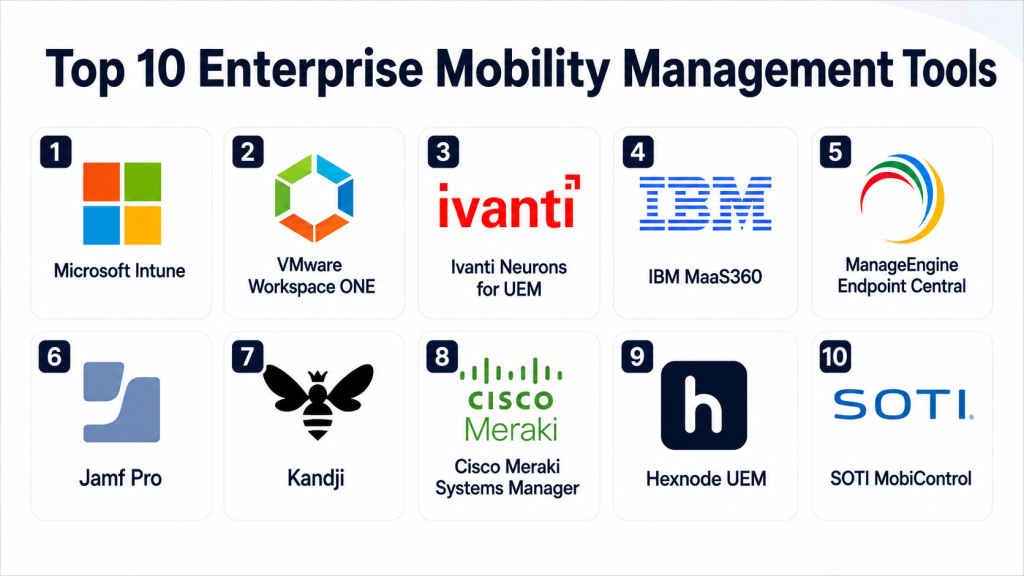
Top 10 Enterprise Mobility Management Tools
#1 — Microsoft Intune
Short description: Microsoft Intune is a widely used cloud-based endpoint and mobility management platform. It is best suited for organizations already using Microsoft identity, productivity, and security tools.
Key Features
- Mobile device management for iOS, Android, Windows, and macOS.
- Mobile application management for corporate apps and data protection.
- Conditional access integration with Microsoft Entra ID.
- Policy-based compliance management.
- Remote lock, wipe, reset, and device actions.
- App deployment and configuration management.
- Integration with Microsoft security and productivity ecosystem.
Pros
- Strong fit for organizations using Microsoft services.
- Good balance of device management and app protection.
- Scales well for enterprise environments.
Cons
- Can feel complex for small teams without Microsoft expertise.
- Some advanced value depends on broader Microsoft licensing.
- Setup requires careful planning for policies and access rules.
Platforms / Deployment
Web / Windows / macOS / iOS / Android
Cloud
Security & Compliance
Supports MFA through Microsoft Entra ID, conditional access, RBAC, compliance policies, encryption enforcement, audit-related reporting, and app protection policies. Certifications for the broader Microsoft cloud ecosystem exist, but product-specific compliance details should be validated by the buyer.
Integrations & Ecosystem
Microsoft Intune has a strong ecosystem, especially for organizations using Microsoft identity, productivity, endpoint security, and device management services.
- Microsoft Entra ID
- Microsoft Defender family
- Microsoft 365 apps
- Windows Autopilot
- Apple Business Manager
- Android Enterprise
- Service management and security operations integrations
Support & Community
Microsoft provides extensive documentation, enterprise support options, partner ecosystem support, and a large administrator community. However, buyers may need skilled Microsoft administrators to design policies correctly.
#2 — VMware Workspace ONE
Short description: VMware Workspace ONE is an enterprise-focused digital workspace and endpoint management platform. It supports mobile, desktop, app access, identity-driven workflows, and large-scale device operations.
Key Features
- Unified endpoint management across mobile and desktop devices.
- App catalog and access management capabilities.
- Mobile device and mobile application management.
- Conditional access and compliance-based controls.
- Support for corporate-owned and employee-owned devices.
- Device lifecycle management and automation.
- Workspace experience for users and administrators.
Pros
- Strong enterprise mobility and digital workspace capabilities.
- Good fit for complex environments with multiple device types.
- Mature platform for large-scale IT operations.
Cons
- May be more than what smaller organizations need.
- Implementation can require planning and specialist knowledge.
- Pricing and packaging may vary based on requirements.
Platforms / Deployment
Web / Windows / macOS / iOS / Android
Cloud / Hybrid
Security & Compliance
Supports identity integration, conditional access, compliance rules, encryption-related policies, device restrictions, role-based administration, and audit capabilities. Specific certifications and compliance coverage should be validated directly during procurement.
Integrations & Ecosystem
Workspace ONE integrates with identity, productivity, security, desktop virtualization, and enterprise application ecosystems.
- Identity providers
- Apple Business Manager
- Android Enterprise
- Enterprise app catalogs
- Security platforms
- IT service workflows
- Virtual workspace environments
Support & Community
VMware provides enterprise documentation, professional services, training resources, and partner-led implementation support. Community strength is good among enterprise IT and workspace administrators.
#3 — Ivanti Neurons for UEM
Short description: Ivanti Neurons for UEM helps organizations manage endpoints, mobile devices, users, and IT workflows from a unified platform. It is useful for teams that want endpoint management connected with automation and service operations.
Key Features
- Unified endpoint management for multiple device types.
- Mobile device management and application control.
- Patch, inventory, and lifecycle management capabilities.
- Automation and workflow support.
- User and device visibility.
- Policy enforcement and compliance monitoring.
- Integration with IT service and security operations.
Pros
- Strong fit for IT teams managing mixed endpoint environments.
- Useful automation capabilities for reducing manual workload.
- Good alignment with IT operations and service management.
Cons
- May require configuration effort for full value.
- Best suited for teams with structured IT processes.
- Some capabilities depend on product packaging.
Platforms / Deployment
Web / Windows / macOS / iOS / Android
Cloud / Hybrid
Security & Compliance
Supports role-based controls, policy enforcement, endpoint visibility, compliance monitoring, and security-oriented workflows. Specific certifications, encryption details, and regulatory coverage should be validated by the buyer.
Integrations & Ecosystem
Ivanti has a strong ecosystem around IT operations, endpoint management, service management, and security workflows.
- IT service management tools
- Endpoint security tools
- Identity systems
- Device inventory systems
- Automation workflows
- Reporting and analytics tools
Support & Community
Ivanti offers documentation, enterprise support, implementation assistance, and partner resources. Community visibility is strongest among IT operations, service desk, and endpoint management teams.
#4 — IBM MaaS360
Short description: IBM MaaS360 is an enterprise mobility management solution focused on device management, app management, security, and analytics. It is suitable for organizations that want mature mobile controls with enterprise-grade administration.
Key Features
- Mobile device management for major mobile platforms.
- Mobile application management and app distribution.
- Policy enforcement and compliance management.
- Secure access controls for business data.
- Remote device actions such as lock and wipe.
- Reporting and device inventory visibility.
- Support for corporate-owned and bring-your-own-device programs.
Pros
- Mature EMM platform with enterprise focus.
- Useful for regulated and security-conscious organizations.
- Good support for mobile policy and compliance workflows.
Cons
- Interface and setup may require admin learning.
- Advanced capabilities may depend on selected editions.
- Smaller companies may find it more robust than necessary.
Platforms / Deployment
Web / iOS / Android / Windows / macOS
Cloud
Security & Compliance
Supports policy controls, secure access, device compliance rules, role-based administration, and remote security actions. Specific certification and regulatory compliance details should be verified directly with IBM for the intended deployment.
Integrations & Ecosystem
IBM MaaS360 integrates with identity, productivity, security, and enterprise administration ecosystems.
- Directory and identity systems
- Email and productivity platforms
- Apple and Android enterprise programs
- Security tools
- Reporting workflows
- Enterprise administration processes
Support & Community
IBM provides enterprise support, documentation, onboarding resources, and professional services. It is better suited for organizations that prefer vendor-backed enterprise support.
#5 — ManageEngine Endpoint Central
Short description: ManageEngine Endpoint Central is a unified endpoint management platform that includes mobile device management along with desktop, patch, software, and configuration management. It is useful for IT teams that want broad endpoint control from one platform.
Key Features
- Mobile device management for iOS and Android.
- Windows, macOS, and Linux endpoint management.
- Software deployment and patch management.
- Remote troubleshooting and endpoint control.
- Asset inventory and configuration management.
- Security policy enforcement.
- Reporting and compliance visibility.
Pros
- Strong value for IT teams needing both desktop and mobile management.
- Broad feature set for endpoint operations.
- Suitable for SMBs and mid-market organizations.
Cons
- Interface can feel feature-heavy for new users.
- Some advanced workflows need careful setup.
- Mobile-only buyers may not need the full endpoint suite.
Platforms / Deployment
Web / Windows / macOS / Linux / iOS / Android
Cloud / Self-hosted / Hybrid
Security & Compliance
Supports role-based access, endpoint policy enforcement, patch visibility, device controls, and reporting. Specific certifications and compliance claims should be validated during vendor evaluation.
Integrations & Ecosystem
ManageEngine Endpoint Central integrates well within the ManageEngine ecosystem and common IT operations environments.
- Service desk tools
- Directory services
- Patch and software repositories
- Remote support workflows
- IT asset management
- Reporting and alerting tools
Support & Community
ManageEngine provides documentation, support plans, training content, and a large IT administrator user base. It is generally approachable for practical IT teams.
#6 — Jamf Pro
Short description: Jamf Pro is a device management platform built mainly for Apple environments. It is best for organizations that need deep macOS, iOS, iPadOS, and Apple device lifecycle management.
Key Features
- Apple device enrollment and lifecycle management.
- macOS, iOS, iPadOS, and tvOS management.
- App deployment and configuration.
- Inventory and device visibility.
- Security policy enforcement for Apple devices.
- Integration with Apple Business Manager and Apple School Manager.
- Self-service app and resource access for users.
Pros
- Excellent fit for Apple-first organizations.
- Deep Apple management capabilities.
- Strong administrator community and ecosystem.
Cons
- Not ideal for mixed environments needing equal Android and Windows depth.
- Apple-focused expertise may be needed.
- Pricing and packaging should be reviewed carefully.
Platforms / Deployment
Web / macOS / iOS / iPadOS / tvOS
Cloud / Self-hosted
Security & Compliance
Supports device restrictions, encryption enforcement, app controls, identity integrations, role-based access, and Apple-focused security policy workflows. Specific compliance certifications should be validated by the buyer.
Integrations & Ecosystem
Jamf has a strong Apple ecosystem and integrates with identity, security, productivity, and support tools.
- Apple Business Manager
- Apple School Manager
- Identity providers
- Security and compliance tools
- Ticketing and service desk platforms
- App deployment workflows
Support & Community
Jamf has strong documentation, training programs, support options, and a large Apple administrator community. It is one of the most recognized platforms for Apple device management.
#7 — Kandji
Short description: Kandji is an Apple device management and security platform designed for modern IT teams. It focuses on automation, compliance templates, and streamlined Apple fleet management.
Key Features
- Apple device management for macOS, iOS, iPadOS, and tvOS.
- Automated device enrollment and configuration.
- Prebuilt security and compliance controls.
- App deployment and patch-related workflows.
- Device inventory and reporting.
- Self-service user experience.
- Automation-focused admin workflows.
Pros
- Clean admin experience for Apple-focused teams.
- Good automation capabilities.
- Useful for growing companies standardizing Apple device security.
Cons
- Not suitable for organizations needing broad Android or Windows management.
- Best value appears in Apple-heavy environments.
- Advanced enterprise needs should be validated during evaluation.
Platforms / Deployment
Web / macOS / iOS / iPadOS / tvOS
Cloud
Security & Compliance
Supports Apple security controls, device policy enforcement, encryption-related settings, role-based administration, and compliance templates. Specific certification details should be verified by buyers.
Integrations & Ecosystem
Kandji integrates with Apple services, identity systems, productivity platforms, and security workflows.
- Apple Business Manager
- Identity providers
- Productivity suites
- Security tools
- Ticketing workflows
- Device inventory and reporting systems
Support & Community
Kandji provides documentation, onboarding support, and customer success resources. Community strength is growing among Apple-focused IT administrators.
#8 — Cisco Meraki Systems Manager
Short description: Cisco Meraki Systems Manager is a cloud-based endpoint and mobile device management solution. It is a strong option for organizations already using Cisco Meraki networking and cloud-managed infrastructure.
Key Features
- Cloud-based mobile device management.
- Support for iOS, Android, macOS, and Windows devices.
- App deployment and profile configuration.
- Device location and inventory visibility.
- Remote lock, wipe, and security actions.
- Network-aware policy possibilities within the Meraki ecosystem.
- Centralized dashboard experience.
Pros
- Simple cloud-managed administration.
- Strong fit for Meraki network customers.
- Good visibility for distributed device environments.
Cons
- Best value is often tied to the broader Meraki ecosystem.
- May not match deeper specialist EMM platforms in advanced use cases.
- Feature depth should be validated for complex enterprise needs.
Platforms / Deployment
Web / Windows / macOS / iOS / Android
Cloud
Security & Compliance
Supports device restrictions, remote wipe, policy controls, inventory visibility, and administrative access controls. Specific compliance certifications for Systems Manager should be validated directly.
Integrations & Ecosystem
Cisco Meraki Systems Manager is strongest when used with Meraki cloud-managed networking and security environments.
- Meraki dashboard
- Network policy workflows
- Apple and Android device programs
- App deployment systems
- Identity-related workflows
- Device monitoring and inventory
Support & Community
Cisco Meraki offers documentation, enterprise support options, partner assistance, and a strong customer base in networking and distributed IT environments.
#9 — Hexnode UEM
Short description: Hexnode UEM is a unified endpoint management platform known for mobile device management, kiosk management, app management, and cross-platform endpoint support. It is useful for SMBs, mid-market teams, and enterprise deployments.
Key Features
- Mobile device management for Android and Apple devices.
- Windows, macOS, and other endpoint support.
- Kiosk mode and lockdown capabilities.
- App deployment and content management.
- Remote actions such as lock, wipe, and troubleshooting.
- Policy-based compliance controls.
- Support for rugged and shared device use cases.
Pros
- Strong kiosk and mobile management capabilities.
- Flexible fit for multiple industries.
- Suitable for teams needing practical endpoint control.
Cons
- Buyers should validate advanced enterprise reporting needs.
- Some deeper security requirements may need integrations.
- Feature availability may vary by plan.
Platforms / Deployment
Web / Windows / macOS / iOS / Android
Cloud
Security & Compliance
Supports policy controls, remote actions, device restrictions, role-based administration, and compliance monitoring. Specific certifications and regulatory mappings should be confirmed during evaluation.
Integrations & Ecosystem
Hexnode integrates with common device ecosystems, identity workflows, and enterprise app deployment needs.
- Apple Business Manager
- Android Enterprise
- Directory services
- App management workflows
- Kiosk and digital signage use cases
- Reporting and device inventory systems
Support & Community
Hexnode provides documentation, support resources, demos, and onboarding assistance. It is generally approachable for teams that need mobile and kiosk management without excessive complexity.
#10 — SOTI MobiControl
Short description: SOTI MobiControl is an enterprise mobility and device management platform often used in rugged, field, logistics, healthcare, transportation, and frontline environments. It is strong for specialized mobile and business-critical devices.
Key Features
- Mobile device management for enterprise and rugged devices.
- Remote control and troubleshooting capabilities.
- Kiosk and lockdown modes.
- App and content management.
- Device tracking and operational visibility.
- Support for shared and frontline devices.
- Automation and device lifecycle workflows.
Pros
- Strong fit for rugged and mission-critical mobile environments.
- Useful remote support features.
- Good for logistics, retail, healthcare, and field operations.
Cons
- May be more specialized than general office mobility tools.
- Implementation can require planning for large device fleets.
- Buyers should validate platform support for their exact device models.
Platforms / Deployment
Web / Windows / iOS / Android / Linux support may vary by device type
Cloud / Self-hosted / Hybrid
Security & Compliance
Supports policy enforcement, device restrictions, remote wipe, kiosk control, role-based administration, and secure device management workflows. Specific certifications should be validated directly with the vendor.
Integrations & Ecosystem
SOTI MobiControl is strong in operational mobility ecosystems where devices are used for field work, scanning, transport, and frontline workflows.
- Rugged device ecosystems
- Android Enterprise
- Apple device programs
- Business app deployment
- Remote support workflows
- Operational reporting
- Device lifecycle systems
Support & Community
SOTI provides enterprise support, implementation resources, and specialized mobility expertise. It is especially relevant for industries with large frontline or rugged device fleets.
Comparison Table
| Tool Name | Best For | Platform(s) Supported | Deployment | Standout Feature | Public Rating |
|---|---|---|---|---|---|
| Microsoft Intune | Microsoft-first enterprises | Windows, macOS, iOS, Android | Cloud | Conditional access and Microsoft ecosystem integration | N/A |
| VMware Workspace ONE | Large digital workspace environments | Windows, macOS, iOS, Android | Cloud / Hybrid | Unified workspace and endpoint management | N/A |
| Ivanti Neurons for UEM | IT operations and endpoint automation | Windows, macOS, iOS, Android | Cloud / Hybrid | Endpoint automation and IT workflow alignment | N/A |
| IBM MaaS360 | Security-focused mobile management | iOS, Android, Windows, macOS | Cloud | Mature mobile policy and compliance management | N/A |
| ManageEngine Endpoint Central | SMB and mid-market endpoint teams | Windows, macOS, Linux, iOS, Android | Cloud / Self-hosted / Hybrid | Broad endpoint management with mobile support | N/A |
| Jamf Pro | Apple-first organizations | macOS, iOS, iPadOS, tvOS | Cloud / Self-hosted | Deep Apple device lifecycle management | N/A |
| Kandji | Modern Apple-focused IT teams | macOS, iOS, iPadOS, tvOS | Cloud | Automated Apple device compliance workflows | N/A |
| Cisco Meraki Systems Manager | Meraki network customers | Windows, macOS, iOS, Android | Cloud | Cloud dashboard for device visibility | N/A |
| Hexnode UEM | Kiosk, mobile, and flexible endpoint management | Windows, macOS, iOS, Android | Cloud | Kiosk and lockdown management | N/A |
| SOTI MobiControl | Rugged and frontline device fleets | Android, iOS, Windows, selected rugged platforms | Cloud / Self-hosted / Hybrid | Strong rugged device and remote support capabilities | N/A |
Evaluation & Scoring of Enterprise Mobility Management Tools
The scoring below is comparative and practical. It is based on feature depth, ease of use, integrations, security controls, reliability signals, support ecosystem, and value for common buyer scenarios. It should be treated as a starting point, not a final procurement decision.
| Tool Name | Core (25%) | Ease (15%) | Integrations (15%) | Security (10%) | Performance (10%) | Support (10%) | Value (15%) | Weighted Total (0–10) |
|---|---|---|---|---|---|---|---|---|
| Microsoft Intune | 9 | 7 | 9 | 9 | 8 | 8 | 8 | 8.25 |
| VMware Workspace ONE | 9 | 7 | 8 | 8 | 8 | 8 | 7 | 8.00 |
| Ivanti Neurons for UEM | 8 | 7 | 8 | 8 | 8 | 8 | 7 | 7.70 |
| IBM MaaS360 | 8 | 7 | 7 | 8 | 8 | 8 | 7 | 7.60 |
| ManageEngine Endpoint Central | 8 | 8 | 7 | 7 | 8 | 7 | 8 | 7.65 |
| Jamf Pro | 9 | 8 | 8 | 8 | 8 | 9 | 7 | 8.20 |
| Kandji | 8 | 9 | 7 | 8 | 8 | 8 | 7 | 7.90 |
| Cisco Meraki Systems Manager | 7 | 8 | 7 | 7 | 8 | 8 | 7 | 7.35 |
| Hexnode UEM | 8 | 8 | 7 | 7 | 8 | 7 | 8 | 7.65 |
| SOTI MobiControl | 9 | 7 | 7 | 8 | 8 | 8 | 7 | 7.90 |
These scores compare tools against one another for general EMM needs. A lower score does not mean a tool is poor; it may simply be more specialized. For example, Jamf Pro and Kandji are excellent for Apple-focused environments, while SOTI MobiControl is stronger for rugged and frontline device fleets. Buyers should adjust the weightings based on their own priorities.
Which Enterprise Mobility Management Tool Is Right for You?
Solo / Freelancer
Solo professionals usually do not need a full enterprise mobility management platform unless they manage multiple devices, client data, or regulated information. A lightweight device security setup, password manager, cloud backup, and basic endpoint protection may be enough.
However, consultants managing client-owned devices or small device fleets may consider Hexnode UEM, ManageEngine Endpoint Central, or Microsoft Intune if they already use Microsoft services.
SMB
Small and mid-sized businesses should focus on ease of use, practical pricing, fast deployment, and essential security controls. The best choices often include ManageEngine Endpoint Central, Hexnode UEM, Microsoft Intune, and Cisco Meraki Systems Manager.
SMBs should avoid overbuying a complex platform unless they have the internal IT maturity to manage policies, compliance, device groups, and access rules properly.
Mid-Market
Mid-market companies usually need stronger policy management, better reporting, identity integration, remote support, and automation. Microsoft Intune, VMware Workspace ONE, Ivanti Neurons for UEM, IBM MaaS360, and ManageEngine Endpoint Central are strong options.
The decision should depend on the existing ecosystem. Microsoft-heavy companies may prefer Intune. Apple-heavy teams may prefer Jamf Pro or Kandji. Mixed endpoint teams may prefer Workspace ONE, Ivanti, or ManageEngine.
Enterprise
Large enterprises should prioritize scalability, security architecture, identity integration, audit readiness, role-based administration, automation, and global support. Microsoft Intune, VMware Workspace ONE, Ivanti Neurons for UEM, IBM MaaS360, Jamf Pro, and SOTI MobiControl are strong candidates depending on device strategy.
Enterprises should run a structured pilot with real users, real device types, identity integrations, compliance rules, application deployment, and security review before making a final decision.
Budget vs Premium
Budget-conscious buyers should look at ManageEngine Endpoint Central, Hexnode UEM, and Cisco Meraki Systems Manager if they match the required device environment. These platforms can provide strong practical value without unnecessary complexity.
Premium buyers may prefer Microsoft Intune, VMware Workspace ONE, Jamf Pro, Kandji, IBM MaaS360, Ivanti, or SOTI depending on enterprise scale, security requirements, and device specialization.
Feature Depth vs Ease of Use
Feature-rich platforms like Microsoft Intune, VMware Workspace ONE, Ivanti Neurons for UEM, and SOTI MobiControl can handle complex environments, but they require planning and skilled administration.
Ease-focused platforms like Kandji, Hexnode UEM, and Cisco Meraki Systems Manager may be faster to operate, especially when the use case is more focused.
Integrations & Scalability
If integration is the main priority, buyers should begin with their existing ecosystem. Microsoft-first companies should evaluate Intune. Apple-heavy teams should evaluate Jamf Pro or Kandji. Meraki network customers should consider Cisco Meraki Systems Manager.
For large mixed environments, Workspace ONE, Ivanti, ManageEngine, IBM MaaS360, and SOTI should be reviewed based on device types, remote support needs, automation, and reporting depth.
Security & Compliance Needs
Security-focused buyers should evaluate conditional access, encryption enforcement, remote wipe, app protection, audit logs, RBAC, identity integration, and compliance reporting.
Highly regulated organizations should avoid relying only on marketing claims. They should ask vendors for security documentation, compliance mappings, data handling details, support commitments, and admin audit capabilities before finalizing.
Frequently Asked Questions
What is Enterprise Mobility Management?
Enterprise Mobility Management is a set of tools and processes used to manage mobile devices, apps, users, and business data. It helps IT teams keep mobile work secure, controlled, and productive.
How is EMM different from MDM?
MDM mainly focuses on managing devices. EMM is broader because it can include device management, app management, content controls, identity integration, and mobile security policies.
How is EMM different from UEM?
UEM, or Unified Endpoint Management, usually manages mobile devices, desktops, laptops, and other endpoints from one platform. EMM is more focused on mobility, while UEM is broader.
What pricing model do EMM tools usually use?
Most EMM tools use subscription pricing based on users, devices, or feature editions. Pricing may vary depending on cloud deployment, support level, security features, and enterprise requirements.
How long does EMM implementation usually take?
Implementation depends on device count, operating systems, identity setup, app complexity, and security policies. A simple rollout can be faster, while enterprise deployment needs planning, testing, and phased onboarding.
What are common mistakes when choosing an EMM tool?
Common mistakes include choosing based only on price, ignoring device diversity, not testing app deployment, overlooking employee privacy, and failing to validate integrations with identity and security systems.
Is EMM secure enough for regulated industries?
EMM can support regulated environments, but security depends on configuration, policies, access controls, monitoring, and vendor capabilities. Buyers should validate compliance needs directly before purchase.
Can EMM support bring-your-own-device programs?
Yes, many EMM tools support bring-your-own-device programs. The key requirement is separating personal data from business data while still protecting corporate apps and information.
Can EMM tools manage Apple devices?
Yes, many EMM tools support Apple devices. Apple-focused tools like Jamf Pro and Kandji are especially strong for organizations with large macOS, iOS, and iPadOS fleets.
Can EMM tools manage Android rugged devices?
Yes, several EMM tools support Android rugged and frontline devices. SOTI MobiControl, Hexnode UEM, and other enterprise platforms are often considered for logistics, retail, healthcare, and field operations.
What integrations matter most in EMM?
Important integrations include identity providers, email platforms, app stores, security tools, service desk systems, directory services, and device enrollment programs such as Apple and Android enterprise programs.
When should a company switch EMM tools?
A company should consider switching when the current tool lacks required device support, has weak reporting, poor user experience, limited integrations, difficult administration, or cannot meet security and compliance needs.
Conclusion
Enterprise Mobility Management is no longer only about controlling phones. It is now a core part of secure work, remote productivity, endpoint visibility, app protection, and compliance operations. The best tool depends on your environment, not on a single universal winner. Microsoft Intune is strong for Microsoft-first organizations, Jamf Pro and Kandji are strong for Apple-focused teams, SOTI MobiControl is valuable for rugged and frontline device fleets, and platforms like Workspace ONE, Ivanti, IBM MaaS360, ManageEngine, Hexnode, and Meraki can fit different operational needs.The right next step is to shortlist two or three tools, test them with real devices and real users, validate identity and security integrations, review support quality, and confirm that the platform can scale with your business needs before making a final decision.
