Upgrade & Secure Your Future with DevOps, SRE, DevSecOps, MLOps!
We spend hours scrolling social media and waste money on things we forget, but won’t spend 30 minutes a day earning certifications that can change our lives.
Master in DevOps, SRE, DevSecOps & MLOps by DevOps School!
Learn from Guru Rajesh Kumar and double your salary in just one year.
Introduction
Mobile Device Management (MDM) tools help organizations manage, secure, monitor, and control mobile devices such as smartphones, tablets, laptops, and other endpoints used by employees. In simple words, MDM gives IT teams a central place to apply policies, push apps, control access, wipe lost devices, enforce passwords, and protect company data across different operating systems.
MDM matters because workplaces now depend heavily on remote teams, BYOD policies, hybrid work, frontline devices, shared devices, and cloud-based business apps. Without proper device control, companies may face data leakage, unauthorized access, compliance gaps, app misuse, and weak endpoint security.
Common real-world use cases include employee device onboarding, lost device protection, app distribution, remote troubleshooting, compliance reporting, kiosk lockdown, BYOD separation, and secure access to business apps.
Buyers should evaluate platform support, enrollment options, security controls, app management, reporting, identity integrations, automation, ease of use, pricing model, support quality, and scalability.
Best for: IT teams, security teams, HR operations, schools, healthcare organizations, retail chains, logistics companies, enterprises, SMBs, and any company managing corporate-owned or employee-owned devices.
Not ideal for: Very small teams with only a few unmanaged devices, companies that only need basic antivirus, or organizations that already use a complete unified endpoint management platform and do not need separate MDM features.
Key Trends in Mobile Device Management (MDM) Tools
- Unified endpoint management is becoming the standard, as many buyers now want one platform for mobiles, laptops, desktops, rugged devices, and apps.
- Zero-trust access is becoming more important, especially where device compliance decides whether users can access business apps.
- BYOD controls are improving, with stronger separation between personal data and business data.
- Automation is reducing manual IT work, especially for onboarding, app installation, policy assignment, and device retirement.
- AI-assisted insights are growing, helping IT teams detect risky devices, unusual behavior, and compliance gaps faster.
- Apple-focused management remains strong, especially for companies using Mac, iPhone, and iPad fleets.
- Android Enterprise support is now a core requirement, especially for retail, logistics, healthcare, and field-service teams.
- Kiosk and shared-device management are becoming common, especially for frontline workers and customer-facing devices.
- Security reporting is becoming a buying priority, because audit logs, compliance dashboards, and policy visibility help reduce operational risk.
- Integration with identity platforms is critical, especially with tools such as directory services, SSO, MFA, help desk systems, and endpoint security tools.
How We Selected These Tools
The tools below were selected using a practical buyer-focused evaluation model:
- Market adoption and visibility across enterprise, mid-market, and SMB environments.
- Strength of MDM and broader endpoint management capabilities.
- Support for common platforms such as iOS, Android, Windows, macOS, and ChromeOS where applicable.
- Device enrollment, policy enforcement, app management, and remote control capabilities.
- Security posture signals such as identity integration, compliance controls, encryption support, and audit visibility.
- Integration ecosystem with identity providers, productivity suites, ticketing tools, and security platforms.
- Suitability for different customer types, including Apple-first teams, Microsoft-first teams, Android-first teams, and mixed-device environments.
- Practical usability for IT administrators, help desk teams, and security teams.
- Flexibility across cloud, hybrid, and specialized deployment models where available.
- Overall value based on capability depth, support maturity, and operational fit.
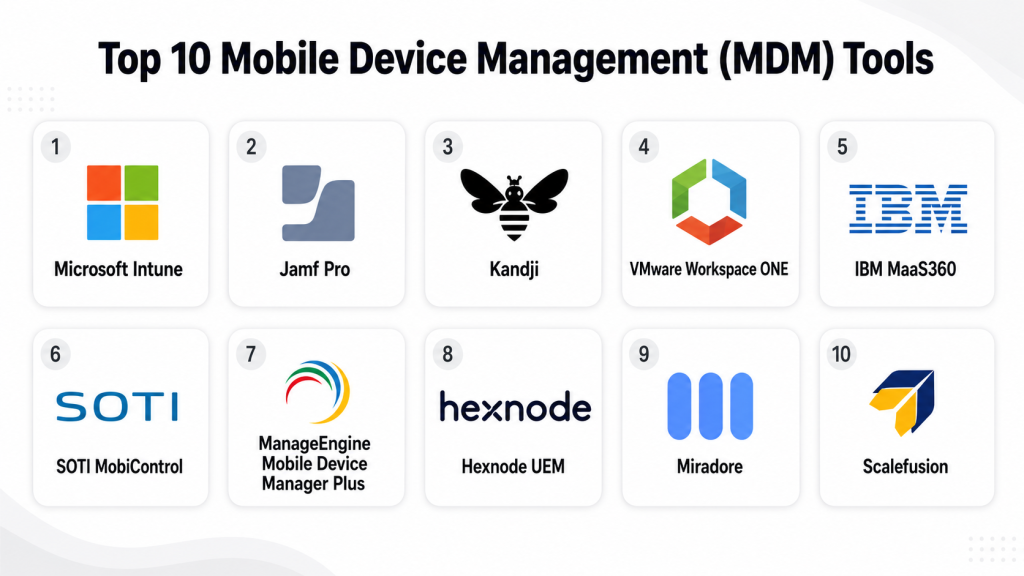
Top 10 Mobile Device Management (MDM) Tools
#1 — Microsoft Intune
Short description: Microsoft Intune is a widely used endpoint and mobile device management platform for organizations already using Microsoft services. It is strong for managing Windows, iOS, Android, and macOS devices with policy-based access controls.
Key Features
- Device enrollment and compliance policy management.
- Mobile application management for corporate apps.
- Conditional access integration with Microsoft identity services.
- Security policy enforcement for passwords, encryption, and access.
- App protection policies for managed and unmanaged devices.
- Reporting and compliance dashboards.
- Integration with Microsoft security and productivity ecosystem.
Pros
- Strong fit for Microsoft-heavy environments.
- Good balance of MDM, app protection, and endpoint security.
- Scales well for mid-market and enterprise teams.
Cons
- Can feel complex for small teams.
- Best value is usually achieved inside the Microsoft ecosystem.
- Advanced configuration may require skilled administrators.
Platforms / Deployment
Web / Windows / macOS / iOS / Android
Cloud
Security & Compliance
Supports identity-based access controls, MFA through Microsoft identity services, RBAC, compliance policies, encryption policy enforcement, and audit visibility. Specific compliance certifications may vary by Microsoft cloud service and region.
Integrations & Ecosystem
Microsoft Intune works best when connected with the broader Microsoft ecosystem. It is useful for organizations using Microsoft identity, productivity, security, and endpoint tools.
- Microsoft Entra ID
- Microsoft Defender
- Microsoft 365
- Windows Autopilot
- Apple Business Manager
- Android Enterprise
Support & Community
Microsoft has strong documentation, enterprise support options, partner support, and a large administrator community. However, configuration depth can create a learning curve.
#2 — Jamf Pro
Short description: Jamf Pro is an Apple-focused device management platform designed for organizations that manage Mac, iPhone, iPad, and Apple TV devices. It is popular with education, creative teams, enterprises, and Apple-first companies.
Key Features
- Apple device enrollment and lifecycle management.
- App deployment and inventory management.
- Configuration profiles for macOS, iOS, iPadOS, and tvOS.
- Patch management for Apple environments.
- Self-service app catalog for users.
- Strong Apple Business Manager integration.
- Policy automation for Apple fleets.
Pros
- Excellent choice for Apple-first organizations.
- Deep Apple ecosystem support.
- Strong admin community and documentation.
Cons
- Not ideal for mixed environments that need equal Windows and Android depth.
- Can be more specialized than general UEM platforms.
- Some advanced workflows may need experienced Apple admins.
Platforms / Deployment
Web / macOS / iOS / iPadOS / tvOS
Cloud / Self-hosted options may vary
Security & Compliance
Supports Apple security policies, device compliance controls, encryption enforcement, access restrictions, inventory visibility, and admin role controls. Broader compliance details should be verified directly with the vendor.
Integrations & Ecosystem
Jamf Pro fits deeply into Apple device operations and can connect with identity, security, and service management workflows.
- Apple Business Manager
- Identity providers
- Security tools
- Help desk platforms
- App deployment workflows
- Device inventory systems
Support & Community
Jamf has strong documentation, training resources, partner support, and one of the most active Apple admin communities in the MDM market.
#3 — Kandji
Short description: Kandji is a modern Apple device management platform built for teams that want strong automation, clean administration, and security-focused Apple fleet management. It is best suited for Mac, iPhone, and iPad environments.
Key Features
- Automated Apple device enrollment.
- Blueprint-based policy management.
- App deployment and patch management.
- Compliance and device posture visibility.
- Security controls for Apple endpoints.
- Remote device commands.
- User-friendly admin experience.
Pros
- Clean and modern admin interface.
- Strong automation for Apple fleets.
- Good option for growing Apple-first companies.
Cons
- Focused mainly on Apple environments.
- May not fit companies needing broad Windows and Android control.
- Pricing details may vary by requirements.
Platforms / Deployment
Web / macOS / iOS / iPadOS
Cloud
Security & Compliance
Supports Apple security policy enforcement, device compliance visibility, admin controls, and encryption-related policies. Specific certifications and regional compliance details should be verified with the vendor.
Integrations & Ecosystem
Kandji works well with modern IT and security stacks used by Apple-focused teams.
- Apple Business Manager
- Identity providers
- Security tools
- Collaboration platforms
- Ticketing workflows
- Device lifecycle tools
Support & Community
Kandji provides documentation, customer support, onboarding resources, and a growing admin community. It is often appreciated for ease of use and structured setup.
#4 — VMware Workspace ONE
Short description: VMware Workspace ONE is a broad digital workspace and endpoint management platform. It helps organizations manage mobile devices, desktops, apps, identity access, and employee workspace experiences.
Key Features
- Mobile device and endpoint management.
- App catalog and app lifecycle management.
- Identity and access policy controls.
- Device compliance and security posture checks.
- Support for corporate-owned and BYOD models.
- Automation and workflow capabilities.
- Enterprise-grade reporting and administration.
Pros
- Strong enterprise feature depth.
- Good fit for complex mixed-device environments.
- Supports broader workspace management beyond basic MDM.
Cons
- Can be complex to deploy and manage.
- May feel heavy for small businesses.
- Cost and licensing may require careful review.
Platforms / Deployment
Web / Windows / macOS / iOS / Android / ChromeOS
Cloud / Hybrid
Security & Compliance
Supports identity-based access, compliance checks, RBAC, security policies, device restrictions, and audit visibility. Specific compliance certifications depend on deployment and licensing.
Integrations & Ecosystem
Workspace ONE is designed for enterprise IT environments with multiple systems and identity workflows.
- Directory services
- Identity providers
- Productivity suites
- Security platforms
- App delivery systems
- Service management tools
Support & Community
Support is enterprise-oriented, with documentation, partner support, onboarding resources, and professional services available depending on plan and customer needs.
#5 — IBM MaaS360
Short description: IBM MaaS360 is an endpoint and mobile device management platform suited for organizations that need device control, security visibility, and policy enforcement across multiple device types.
Key Features
- Mobile device and app management.
- Device compliance and policy enforcement.
- Secure container and data protection options.
- Threat and risk visibility features.
- Identity and access integrations.
- Reporting and device inventory.
- Support for BYOD and corporate-owned devices.
Pros
- Strong enterprise orientation.
- Useful for regulated and security-conscious environments.
- Supports mixed-device management needs.
Cons
- May require time to configure properly.
- Interface and licensing may feel complex for smaller teams.
- Best suited for organizations with mature IT processes.
Platforms / Deployment
Web / Windows / macOS / iOS / Android
Cloud
Security & Compliance
Supports policy enforcement, identity integrations, device compliance, encryption-related controls, reporting, and administrative access controls. Specific certifications should be verified directly.
Integrations & Ecosystem
IBM MaaS360 connects well with enterprise identity, security, and IT operations environments.
- Identity providers
- Directory services
- Security analytics tools
- Productivity suites
- Enterprise apps
- Reporting workflows
Support & Community
IBM provides enterprise support options, documentation, onboarding resources, and partner support. Community strength is more enterprise-focused than open-community driven.
#6 — SOTI MobiControl
Short description: SOTI MobiControl is a strong MDM and enterprise mobility management platform often used in logistics, retail, healthcare, transportation, and frontline operations. It is useful for rugged devices and specialized mobile fleets.
Key Features
- Mobile and rugged device management.
- Remote control and troubleshooting.
- Kiosk mode and lockdown management.
- App deployment and configuration.
- Device tracking and inventory.
- Android and iOS management.
- Enterprise mobility workflow support.
Pros
- Strong for frontline and rugged device environments.
- Remote support capabilities are useful for distributed teams.
- Good fit for industry-specific mobility operations.
Cons
- May be more specialized than general-purpose MDM tools.
- Setup can require planning for complex device fleets.
- Smaller office-based teams may not need its full depth.
Platforms / Deployment
Web / Windows / iOS / Android / Linux support may vary by use case
Cloud / On-premises / Hybrid options may vary
Security & Compliance
Supports device lockdown, remote wipe, policy enforcement, access controls, and device visibility. Specific compliance certifications are not publicly stated in all contexts and should be verified.
Integrations & Ecosystem
SOTI MobiControl fits operational environments where device uptime and control matter.
- Android Enterprise
- Apple device programs
- Rugged device ecosystems
- Business apps
- Remote support workflows
- IT operations tools
Support & Community
SOTI offers documentation, enterprise support, professional services, and partner support. It is especially useful where mobility operations are business-critical.
#7 — ManageEngine Mobile Device Manager Plus
Short description: ManageEngine Mobile Device Manager Plus is an MDM platform for businesses that want practical device management, app control, security enforcement, and reporting across common mobile and desktop platforms.
Key Features
- Device enrollment and inventory management.
- App management and distribution.
- Security policy enforcement.
- Remote lock and remote wipe.
- Kiosk mode support.
- Email and content management.
- Reporting and compliance visibility.
Pros
- Good practical feature set for SMBs and mid-market teams.
- Often easier to adopt than heavy enterprise platforms.
- Works well with broader ManageEngine IT tools.
Cons
- Advanced enterprise environments may need deeper customization.
- Interface may feel feature-heavy for new admins.
- Licensing and deployment options should be reviewed carefully.
Platforms / Deployment
Web / Windows / macOS / iOS / Android / ChromeOS
Cloud / On-premises
Security & Compliance
Supports device security policies, app restrictions, remote wipe, admin roles, and reporting. Specific compliance certifications should be verified with the vendor.
Integrations & Ecosystem
ManageEngine fits well inside IT operations environments that already use help desk, endpoint, or monitoring tools.
- ManageEngine ecosystem
- Directory services
- Email systems
- App stores
- Android Enterprise
- Apple Business Manager
Support & Community
ManageEngine provides documentation, support plans, knowledge base resources, and a broad IT admin user base.
#8 — Hexnode UEM
Short description: Hexnode UEM is a unified endpoint management platform that covers mobile devices, desktops, apps, kiosks, and security policies. It is suitable for SMBs, mid-market teams, and enterprises with mixed device fleets.
Key Features
- MDM and UEM capabilities.
- Kiosk mode and device lockdown.
- App management and content management.
- Remote device commands.
- Policy enforcement and compliance checks.
- BYOD and corporate-owned device support.
- Support for multiple operating systems.
Pros
- Flexible for mixed-device environments.
- Strong kiosk and lockdown features.
- Useful balance of capability and usability.
Cons
- Advanced setups may still require IT expertise.
- Feature depth may vary by platform.
- Pricing should be evaluated based on device count and needs.
Platforms / Deployment
Web / Windows / macOS / iOS / Android / tvOS / ChromeOS
Cloud / On-premises options may vary
Security & Compliance
Supports policy controls, remote actions, kiosk lockdown, access restrictions, and compliance visibility. Specific compliance certifications should be verified directly.
Integrations & Ecosystem
Hexnode works across common endpoint and identity ecosystems.
- Apple Business Manager
- Android Enterprise
- Directory services
- Identity providers
- App stores
- Business apps
Support & Community
Hexnode offers documentation, support resources, onboarding assistance, and a growing knowledge base for IT administrators.
#9 — Miradore
Short description: Miradore is a cloud-based MDM platform known for straightforward device management and accessibility for smaller teams. It is useful for organizations that want simple enrollment, basic security controls, and practical device visibility.
Key Features
- Device enrollment and inventory.
- Security policy enforcement.
- App deployment and management.
- Remote lock and wipe.
- Device reporting.
- Support for BYOD and company-owned devices.
- Cloud-based administration.
Pros
- Simple and approachable for smaller teams.
- Useful core MDM features without heavy complexity.
- Good option for organizations starting their MDM journey.
Cons
- May not match enterprise UEM depth.
- Advanced security and automation needs may require a stronger platform.
- Platform support and advanced features should be checked before purchase.
Platforms / Deployment
Web / Windows / macOS / iOS / Android
Cloud
Security & Compliance
Supports basic security policy controls, remote wipe, device inventory, and access-related settings. Specific certifications are not publicly stated in all contexts.
Integrations & Ecosystem
Miradore is best for straightforward IT environments that need practical management rather than complex enterprise workflows.
- Apple device enrollment workflows
- Android Enterprise
- App deployment
- Device inventory
- Reporting workflows
- Basic IT administration processes
Support & Community
Miradore provides documentation and support resources. Community and ecosystem depth may be smaller than larger enterprise platforms.
#10 — Scalefusion
Short description: Scalefusion is an MDM and endpoint management platform focused on device control, kiosk mode, app management, and security policy enforcement. It is commonly considered by retail, education, logistics, and SMB teams.
Key Features
- Device enrollment and policy management.
- Kiosk lockdown and browser lockdown.
- App management and content control.
- Remote troubleshooting features.
- Location and device inventory visibility.
- BYOD and corporate-owned device support.
- Multi-platform endpoint management.
Pros
- Strong kiosk and device lockdown use cases.
- Practical for frontline and shared-device environments.
- Suitable for teams that need quick device control.
Cons
- Enterprise buyers should validate advanced compliance needs.
- Feature depth may vary by operating system.
- Complex integrations may require planning.
Platforms / Deployment
Web / Windows / macOS / iOS / Android / Linux support may vary
Cloud
Security & Compliance
Supports device restrictions, policy enforcement, remote actions, role-based administration, and reporting. Specific certifications should be verified with the vendor.
Integrations & Ecosystem
Scalefusion fits practical endpoint and device-control environments.
- Android Enterprise
- Apple device programs
- Directory services
- Business applications
- Remote support workflows
- Device lifecycle processes
Support & Community
Scalefusion provides documentation, customer support, onboarding help, and practical resources for device administrators.
Comparison Table (Top 10)
| Tool Name | Best For | Platform(s) Supported | Deployment | Standout Feature | Public Rating |
|---|---|---|---|---|---|
| Microsoft Intune | Microsoft-first organizations | Windows, macOS, iOS, Android | Cloud | Conditional access and Microsoft ecosystem fit | N/A |
| Jamf Pro | Apple-first enterprises and education | macOS, iOS, iPadOS, tvOS | Cloud / Varies | Deep Apple device management | N/A |
| Kandji | Modern Apple-focused teams | macOS, iOS, iPadOS | Cloud | Automation-led Apple fleet management | N/A |
| VMware Workspace ONE | Large enterprises with complex device fleets | Windows, macOS, iOS, Android, ChromeOS | Cloud / Hybrid | Broad digital workspace management | N/A |
| IBM MaaS360 | Enterprise security and compliance teams | Windows, macOS, iOS, Android | Cloud | Enterprise mobility and security visibility | N/A |
| SOTI MobiControl | Rugged and frontline device operations | iOS, Android, Windows, Varies | Cloud / Hybrid / Varies | Rugged device and remote support strength | N/A |
| ManageEngine Mobile Device Manager Plus | SMB and mid-market IT teams | Windows, macOS, iOS, Android, ChromeOS | Cloud / On-premises | Practical MDM with IT operations fit | N/A |
| Hexnode UEM | Mixed-device management and kiosk use cases | Windows, macOS, iOS, Android, ChromeOS, tvOS | Cloud / Varies | Flexible kiosk and UEM capabilities | N/A |
| Miradore | Smaller teams and simple MDM needs | Windows, macOS, iOS, Android | Cloud | Simple device management experience | N/A |
| Scalefusion | Kiosk, frontline, and shared-device teams | Windows, macOS, iOS, Android, Varies | Cloud | Device lockdown and kiosk management | N/A |
Evaluation & Scoring of Mobile Device Management (MDM) Tools
| Tool Name | Core (25%) | Ease (15%) | Integrations (15%) | Security (10%) | Performance (10%) | Support (10%) | Value (15%) | Weighted Total (0–10) |
|---|---|---|---|---|---|---|---|---|
| Microsoft Intune | 9 | 7 | 9 | 9 | 8 | 8 | 8 | 8.30 |
| Jamf Pro | 9 | 8 | 8 | 8 | 9 | 9 | 7 | 8.30 |
| Kandji | 8 | 9 | 7 | 8 | 8 | 8 | 7 | 7.85 |
| VMware Workspace ONE | 9 | 6 | 9 | 9 | 8 | 8 | 7 | 8.05 |
| IBM MaaS360 | 8 | 7 | 8 | 9 | 8 | 8 | 7 | 7.80 |
| SOTI MobiControl | 9 | 7 | 7 | 8 | 9 | 8 | 7 | 7.95 |
| ManageEngine Mobile Device Manager Plus | 8 | 8 | 8 | 8 | 8 | 8 | 9 | 8.15 |
| Hexnode UEM | 8 | 8 | 8 | 8 | 8 | 8 | 8 | 8.00 |
| Miradore | 7 | 9 | 6 | 7 | 7 | 7 | 9 | 7.35 |
| Scalefusion | 8 | 8 | 7 | 8 | 8 | 8 | 8 | 7.75 |
These scores are comparative, not absolute. A higher score does not always mean the tool is the best choice for every company. For example, Jamf Pro may be the stronger choice for Apple-only fleets, while Microsoft Intune may be better for Microsoft-first organizations. The best tool depends on device mix, security needs, budget, admin skill level, and integration requirements.
Which Mobile Device Management (MDM) Tool Is Right for You?
Solo / Freelancer
Solo users and very small teams usually do not need a heavy enterprise MDM platform unless they handle sensitive client data or manage multiple devices. Miradore can be a practical starting point for basic device visibility and control. If the environment is Apple-only, Kandji or Jamf may be useful, but they may be more than required for very small use cases.
SMB
SMBs should look for simple setup, affordable pricing, clear policies, easy app deployment, and basic reporting. ManageEngine Mobile Device Manager Plus, Hexnode UEM, Miradore, and Scalefusion are strong options for this segment. Microsoft Intune is also a good fit if the company already uses Microsoft services.
Mid-Market
Mid-market organizations need more structure, better integrations, stronger compliance visibility, and scalable administration. Microsoft Intune, Hexnode UEM, ManageEngine Mobile Device Manager Plus, Kandji, and Jamf Pro can work well depending on the device mix. If the company has field teams or shared devices, SOTI MobiControl and Scalefusion deserve consideration.
Enterprise
Enterprises should prioritize governance, automation, identity integration, reporting, role controls, compliance visibility, and support maturity. Microsoft Intune, VMware Workspace ONE, IBM MaaS360, Jamf Pro, and SOTI MobiControl are stronger fits for complex environments. The final choice should be validated through a controlled pilot.
Budget vs Premium
Budget-focused teams should compare Miradore, ManageEngine, Hexnode, and Scalefusion. Premium buyers with deeper security, automation, and enterprise integration needs may prefer Microsoft Intune, VMware Workspace ONE, Jamf Pro, Kandji, IBM MaaS360, or SOTI MobiControl.
Feature Depth vs Ease of Use
For feature depth, consider Microsoft Intune, VMware Workspace ONE, Jamf Pro, IBM MaaS360, and SOTI MobiControl. For ease of use, consider Kandji, Miradore, Hexnode, Scalefusion, and ManageEngine. The right balance depends on whether your team values fast setup or deep control.
Integrations & Scalability
Microsoft Intune is strong for Microsoft environments. Jamf Pro and Kandji are strong for Apple ecosystems. VMware Workspace ONE fits complex enterprise workspace environments. ManageEngine works well for teams already using IT operations tools. Hexnode and Scalefusion are flexible for mixed and frontline device use cases.
Security & Compliance Needs
Security-focused teams should look closely at identity integration, MFA support, device compliance rules, encryption enforcement, audit logs, role-based access, remote wipe, app protection, and reporting. Enterprises should request vendor documentation before making a final decision, especially for regulated industries.
Frequently Asked Questions (FAQs)
1. What is Mobile Device Management?
Mobile Device Management is a system used by IT teams to manage and secure mobile devices such as smartphones, tablets, laptops, and shared devices. It helps apply policies, install apps, monitor compliance, and protect business data.
2. Why do companies need an MDM tool?
Companies need MDM tools to reduce security risk, control business apps, protect lost devices, and manage remote employees. Without MDM, device access and data protection can become difficult to control.
3. How much does an MDM tool cost?
Pricing varies by vendor, number of devices, feature level, support plan, and deployment model. Some vendors offer simple per-device pricing, while enterprise platforms may use custom pricing.
4. Is MDM only for large enterprises?
No. SMBs, schools, clinics, retail teams, logistics firms, and startups can also benefit from MDM. The key is choosing a tool that matches the size and complexity of the organization.
5. What is the difference between MDM and UEM?
MDM focuses mainly on mobile device control. UEM, or Unified Endpoint Management, usually covers a broader range of endpoints such as laptops, desktops, mobile devices, apps, and sometimes rugged devices.
6. Can MDM manage employee-owned devices?
Yes, many MDM tools support BYOD management. Good BYOD setups separate personal data from business data and allow IT teams to protect company apps without controlling everything on the user’s device.
7. What are common mistakes when choosing MDM software?
Common mistakes include choosing based only on price, ignoring platform support, skipping security validation, not testing enrollment workflows, and failing to involve IT support teams before purchase.
8. How long does MDM implementation take?
Implementation time depends on device count, platform mix, security rules, app requirements, and user training needs. A small team may move quickly, while enterprise rollouts usually need staged planning.
9. Can MDM tools help with compliance?
Yes, MDM tools can support compliance by enforcing device policies, tracking inventory, enabling remote wipe, requiring encryption, and producing reports. However, the tool alone does not make an organization compliant.
10. What integrations should buyers check?
Buyers should check identity providers, SSO, MFA, directory services, ticketing tools, endpoint security tools, app stores, productivity suites, and reporting systems. Strong integration reduces manual work.
Conclusion
Mobile Device Management tools are no longer only about pushing policies to phones. They now support secure onboarding, app control, remote troubleshooting, BYOD management, kiosk lockdown, compliance visibility, and broader endpoint governance. The best MDM tool depends on your device environment, team size, security requirements, budget, and existing technology stack. Microsoft Intune is strong for Microsoft-centered organizations, Jamf Pro and Kandji are excellent for Apple-first teams, SOTI MobiControl and Scalefusion are practical for frontline and shared-device environments, while ManageEngine, Hexnode, and Miradore provide approachable options for many SMB and mid-market buyers. The best next step is to shortlist two or three tools, test them with real devices, validate integrations, review security controls, and run a pilot before making a final decision.
