Upgrade & Secure Your Future with DevOps, SRE, DevSecOps, MLOps!
We spend hours scrolling social media and waste money on things we forget, but won’t spend 30 minutes a day earning certifications that can change our lives.
Master in DevOps, SRE, DevSecOps & MLOps by DevOps School!
Learn from Guru Rajesh Kumar and double your salary in just one year.
Introduction
Patch management tools help IT, security, and operations teams identify, test, deploy, and track software updates across servers, desktops, laptops, cloud workloads, and third-party applications. In simple words, these tools make sure operating systems, applications, browsers, drivers, and business software stay updated and protected from known vulnerabilities.
Patch management matters because unpatched systems are one of the easiest entry points for attackers. A missing update can lead to ransomware, data leakage, system downtime, compliance failure, or performance issues. For growing businesses, manual patching is not reliable because devices are spread across offices, remote locations, cloud environments, and employee homes.
Real-world use cases include Windows patching, Linux server updates, third-party application patching, endpoint compliance, vulnerability remediation, emergency security fixes, remote workforce patching, and audit reporting.
Buyers should evaluate operating system coverage, third-party app support, automation, testing controls, rollback options, reporting, compliance mapping, deployment flexibility, integration with security tools, and ease of administration.
Best for: IT administrators, security teams, MSPs, infrastructure teams, compliance teams, enterprises, SMBs, healthcare, finance, education, retail, and any organization managing many endpoints or servers.
Not ideal for: very small teams with only a few devices, companies that already receive full patching from a managed service provider, or environments where patching is handled completely through cloud-native automation and configuration management.
Key Trends in Patch Management Tools
- Risk-based patching is becoming more important: Teams no longer patch everything with the same urgency. Tools are increasingly helping prioritize updates based on severity, exploitability, asset importance, and business risk.
- Third-party application patching is now a core requirement: Browsers, PDF tools, collaboration apps, developer tools, and remote access software often create major exposure. Modern patch tools must cover more than the operating system.
- Automation is reducing manual patch cycles: Patch discovery, approval workflows, testing rings, deployment windows, and compliance reporting are becoming more automated.
- Remote endpoint patching is now standard: Laptops and devices outside the office need reliable patching without requiring VPN access or manual admin work.
- Cloud and hybrid environments need unified visibility: Organizations want one view across on-prem servers, cloud workloads, virtual machines, and user endpoints.
- Patch management is becoming part of vulnerability management: Security teams want patch tools to connect with vulnerability scanners, endpoint detection tools, SIEM platforms, and risk dashboards.
- Rollback and testing controls matter more: Businesses want fast patching, but they also need protection from bad updates that can break systems or business applications.
- Compliance reporting is a major buying factor: Organizations need proof that critical systems are updated, exceptions are documented, and patch SLAs are being followed.
- MSP-friendly patch management is growing: Managed service providers need multi-tenant dashboards, client-level reporting, automation, and remote remediation features.
- Endpoint management platforms are absorbing patching: Many UEM and RMM platforms now include patching as part of a broader endpoint management strategy.
How We Selected These Tools
The tools in this list were selected based on practical patch management requirements and real-world buyer needs:
- Strong recognition in IT operations, endpoint management, vulnerability management, or MSP environments.
- Support for common operating systems such as Windows, macOS, and Linux where applicable.
- Ability to automate patch discovery, approval, deployment, and reporting.
- Support for third-party application patching where relevant.
- Clear value for SMB, mid-market, enterprise, or managed service provider use cases.
- Integration potential with endpoint security, vulnerability scanners, ITSM, and reporting systems.
- Reliability for distributed endpoints, servers, and remote workforces.
- Practical administration experience, including dashboards, policies, groups, and patch windows.
- Security posture, including role-based access, audit trails, encryption, and compliance controls where known.
- Overall value based on features, scalability, usability, and operational fit.
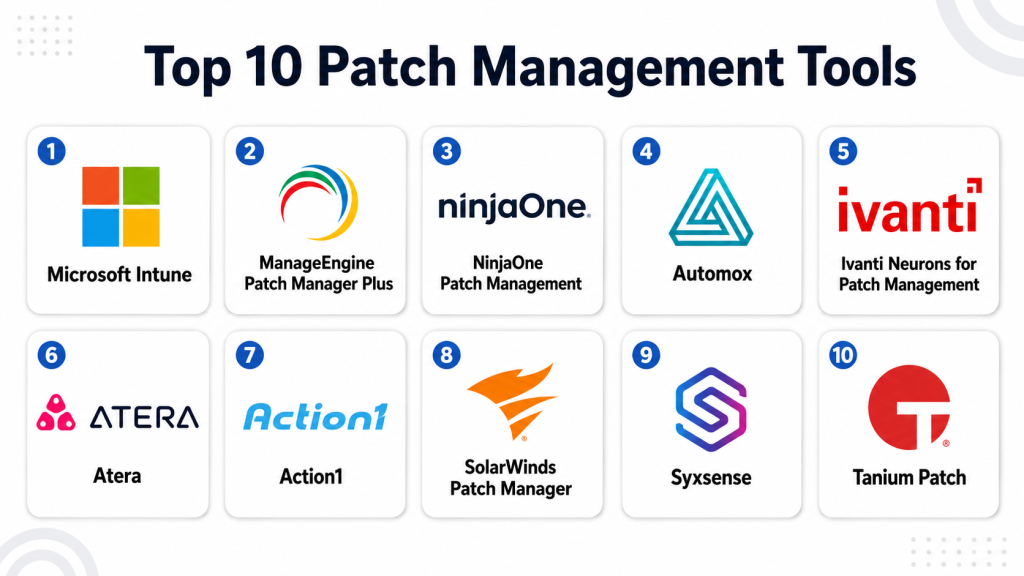
Top 10 Patch Management Tools
#1 — Microsoft Intune
Short description: Microsoft Intune is a cloud-based endpoint management platform that includes patch and update management for Windows and other managed devices. It is best for organizations using Microsoft identity, security, and productivity tools.
Key Features
- Windows update policy management.
- Endpoint compliance and configuration policies.
- App deployment and update controls.
- Integration with Microsoft Entra ID.
- Device grouping and policy targeting.
- Remote endpoint management.
- Conditional access alignment with compliance state.
Pros
- Strong fit for Microsoft-first environments.
- Good cloud-based management for remote devices.
- Useful when combined with Microsoft security and endpoint tools.
Cons
- Advanced setup can be complex for small IT teams.
- Third-party patching may require additional tools or integrations.
- Best value often depends on broader Microsoft licensing.
Platforms / Deployment
Web / Windows / macOS / iOS / Android
Cloud
Security & Compliance
Supports RBAC, MFA through Microsoft Entra ID, conditional access, compliance policies, encryption enforcement, and audit-related administrative visibility. Specific compliance certification details should be validated during procurement.
Integrations & Ecosystem
Microsoft Intune works best inside the Microsoft ecosystem and connects well with identity, security, productivity, and endpoint management workflows.
- Microsoft Entra ID
- Microsoft Defender family
- Microsoft 365
- Windows Autopilot
- Endpoint analytics
- Security and compliance workflows
Support & Community
Microsoft provides extensive documentation, enterprise support options, partner support, and a large administrator community. Teams may need Microsoft endpoint management expertise for advanced policy design.
#2 — ManageEngine Patch Manager Plus
Short description: ManageEngine Patch Manager Plus is a dedicated patch management solution for Windows, macOS, Linux, and third-party applications. It is useful for SMBs, mid-market companies, and enterprises that need practical patch automation.
Key Features
- Automated patch scanning and deployment.
- Windows, macOS, and Linux patching.
- Third-party application patching.
- Patch testing and approval workflows.
- Deployment scheduling and reboot controls.
- Detailed patch compliance reports.
- Cloud and on-prem deployment options.
Pros
- Strong dedicated patch management feature set.
- Good third-party application patching coverage.
- Suitable for teams that want focused patch control.
Cons
- Interface may feel detailed for beginners.
- Requires careful policy planning for large environments.
- Some advanced features may depend on edition and deployment model.
Platforms / Deployment
Web / Windows / macOS / Linux
Cloud / Self-hosted
Security & Compliance
Supports role-based access, patch compliance reporting, policy controls, and administrative workflows. Specific certifications and regulatory compliance claims should be validated directly.
Integrations & Ecosystem
ManageEngine Patch Manager Plus fits well into IT operations environments and can complement broader ManageEngine products.
- Endpoint management workflows
- IT service management tools
- Asset inventory processes
- Reporting dashboards
- Remote office patching
- Third-party software catalogs
Support & Community
ManageEngine offers documentation, support plans, knowledge base content, and a broad IT administrator user base. It is generally approachable for practical IT teams.
#3 — NinjaOne Patch Management
Short description: NinjaOne provides patch management as part of its endpoint management and remote monitoring platform. It is especially popular with MSPs and IT teams that need endpoint visibility, remote support, and patch automation together.
Key Features
- Windows, macOS, and Linux patching support.
- Third-party application patching.
- Automated patch policies.
- Endpoint monitoring and inventory.
- Remote management and remediation.
- Reporting for patch compliance.
- MSP-friendly multi-tenant administration.
Pros
- Strong fit for managed service providers.
- Combines patching with remote endpoint management.
- Clean and modern administrative experience.
Cons
- May be more RMM-focused than dedicated patch-only tools.
- Enterprise security teams may need deeper integrations.
- Pricing and packaging should be reviewed carefully.
Platforms / Deployment
Web / Windows / macOS / Linux
Cloud
Security & Compliance
Supports role-based access, endpoint visibility, patch reporting, and administrative controls. Specific compliance certifications should be confirmed directly with the vendor.
Integrations & Ecosystem
NinjaOne integrates with common IT operations, remote management, ticketing, and endpoint support workflows.
- PSA tools
- Remote access tools
- Ticketing systems
- Endpoint inventory
- Security workflows
- MSP reporting processes
Support & Community
NinjaOne provides documentation, onboarding resources, support options, and a strong MSP-focused customer community. It is practical for teams managing many client or internal endpoints.
#4 — Automox
Short description: Automox is a cloud-native patch management and endpoint hardening platform. It is best for teams that want remote-first patch automation across Windows, macOS, Linux, and third-party software.
Key Features
- Cloud-native patch management.
- Windows, macOS, and Linux support.
- Third-party application patching.
- Policy-based automation.
- Endpoint hardening and configuration actions.
- Remote endpoint visibility.
- Reporting and compliance tracking.
Pros
- Strong for distributed and remote-first environments.
- No heavy on-prem infrastructure needed.
- Useful automation for patching and endpoint hygiene.
Cons
- Requires internet-connected agent-based management.
- Some teams may prefer broader endpoint management suites.
- Advanced enterprise workflows should be validated before purchase.
Platforms / Deployment
Web / Windows / macOS / Linux
Cloud
Security & Compliance
Supports policy enforcement, administrative controls, patch reporting, and endpoint visibility. Specific certifications, audit capabilities, and compliance mappings should be validated directly.
Integrations & Ecosystem
Automox is designed to work with security and IT operations workflows where cloud-based automation is important.
- Vulnerability management workflows
- Security operations processes
- IT reporting systems
- Endpoint compliance dashboards
- API-based automation
- Remote workforce management
Support & Community
Automox provides documentation, support resources, onboarding guidance, and educational content. Community strength is strongest among cloud-first IT and security teams.
#5 — Ivanti Neurons for Patch Management
Short description: Ivanti Neurons for Patch Management helps organizations identify, prioritize, and deploy patches across endpoints and servers. It is suitable for larger IT and security teams needing risk-based patch workflows.
Key Features
- Patch management for operating systems and applications.
- Risk-based patch prioritization.
- Endpoint visibility and compliance tracking.
- Automation-driven remediation workflows.
- Integration with vulnerability and endpoint management processes.
- Support for distributed environments.
- Reporting for IT and security teams.
Pros
- Strong risk-based patching approach.
- Good fit for mature IT and security operations.
- Works well in broader endpoint management strategies.
Cons
- May be complex for smaller teams.
- Full value depends on proper implementation and process maturity.
- Product packaging may require careful review.
Platforms / Deployment
Web / Windows / macOS / Linux
Cloud / Hybrid
Security & Compliance
Supports role-based controls, patch compliance reporting, risk prioritization, and administrative workflows. Specific certifications and regulatory compliance details should be validated during procurement.
Integrations & Ecosystem
Ivanti is strong in endpoint, service management, vulnerability, and IT operations ecosystems.
- IT service management tools
- Vulnerability scanners
- Endpoint management platforms
- Security operations workflows
- Asset inventory
- Automation tools
Support & Community
Ivanti provides enterprise support, documentation, professional services, and partner resources. It is well suited for organizations with structured IT operations.
#6 — Atera
Short description: Atera is an IT management platform that includes patch management, remote monitoring, remote access, and service desk features. It is popular with MSPs and small to mid-sized IT teams.
Key Features
- Automated patch management.
- Remote monitoring and management.
- Software installation and update workflows.
- Device inventory and endpoint visibility.
- Remote access support.
- IT ticketing and service desk features.
- Reporting for managed endpoints.
Pros
- Good all-in-one platform for lean IT teams.
- Useful for MSPs and internal IT departments.
- Combines patching with service desk and remote support.
Cons
- Patch depth may not match dedicated enterprise patch tools.
- Advanced compliance-heavy needs may require additional tools.
- Larger enterprises should validate scalability and reporting needs.
Platforms / Deployment
Web / Windows / macOS
Cloud
Security & Compliance
Supports administrative access controls, endpoint monitoring, patch reporting, and remote management workflows. Specific certifications and compliance coverage should be validated directly.
Integrations & Ecosystem
Atera fits well into IT service, remote support, and MSP workflows.
- Remote access tools
- Ticketing workflows
- Endpoint monitoring
- PSA-style operations
- Alerting and reporting
- Software management processes
Support & Community
Atera provides documentation, onboarding resources, support, and a user community. It is generally easy to adopt for smaller IT teams and service providers.
#7 — Action1
Short description: Action1 is a cloud-based patch management and endpoint management platform. It is designed for teams that need fast visibility, remote patching, software deployment, and vulnerability remediation.
Key Features
- Cloud-based patch management.
- Windows patching and third-party application updates.
- Endpoint discovery and inventory.
- Vulnerability and missing patch visibility.
- Remote software deployment.
- Policy-based patch automation.
- Compliance and remediation reporting.
Pros
- Simple cloud-based approach.
- Useful for remote endpoint patching.
- Good fit for small and mid-sized IT teams.
Cons
- Platform coverage should be validated for non-Windows-heavy environments.
- Advanced enterprise needs may require additional integrations.
- Security and compliance details should be reviewed carefully.
Platforms / Deployment
Web / Windows
Cloud
Security & Compliance
Supports administrative controls, patch visibility, reporting, and endpoint management workflows. Specific certifications, audit features, and compliance mappings are not publicly stated.
Integrations & Ecosystem
Action1 focuses on cloud-based endpoint patching and remote remediation.
- Endpoint inventory
- Software deployment
- Vulnerability remediation workflows
- Patch compliance reporting
- Remote workforce management
- IT operations dashboards
Support & Community
Action1 provides documentation, support resources, and onboarding material. Community strength appears more focused around practical endpoint management users.
#8 — SolarWinds Patch Manager
Short description: SolarWinds Patch Manager is a patch management tool designed to simplify Microsoft and third-party patch deployment. It is useful for Windows-heavy environments that need better control over update automation and reporting.
Key Features
- Microsoft patch management support.
- Third-party application patching.
- WSUS and SCCM-related patch workflow support.
- Patch compliance reporting.
- Automated patch deployment.
- Package creation and update management.
- Centralized patch visibility.
Pros
- Good fit for Windows-centered IT environments.
- Helpful for improving patch reporting and deployment control.
- Useful where Microsoft patching workflows need added visibility.
Cons
- Less ideal for teams seeking broad cloud-native endpoint management.
- May require existing Microsoft patching knowledge.
- Buyers should validate current feature fit and platform direction.
Platforms / Deployment
Web / Windows
Self-hosted / Hybrid
Security & Compliance
Supports role-based administration, patch reporting, and administrative control workflows. Specific compliance certifications should be validated directly.
Integrations & Ecosystem
SolarWinds Patch Manager is commonly aligned with Windows update infrastructure and IT operations processes.
- WSUS workflows
- Microsoft endpoint environments
- Third-party update catalogs
- IT reporting
- Asset and systems management
- Administrative patch processes
Support & Community
SolarWinds provides documentation, support resources, and a broad IT operations customer base. It is best for teams comfortable with Windows infrastructure management.
#9 — Syxsense
Short description: Syxsense is an endpoint security and management platform that includes patch management, vulnerability visibility, and remediation workflows. It is useful for teams wanting patching connected with broader endpoint risk reduction.
Key Features
- Patch management for endpoints.
- Vulnerability scanning and remediation workflows.
- Endpoint inventory and visibility.
- Automated deployment policies.
- Compliance reporting.
- Remote management actions.
- Security-focused endpoint controls.
Pros
- Combines patching with endpoint security visibility.
- Useful for risk-based remediation.
- Good for teams wanting fewer separate tools.
Cons
- May require security process maturity for full value.
- Buyers should validate platform coverage for their environment.
- Pricing and package details may vary.
Platforms / Deployment
Web / Windows / macOS / Linux
Cloud
Security & Compliance
Supports endpoint visibility, patch compliance, vulnerability remediation, administrative controls, and reporting. Specific certifications should be validated directly.
Integrations & Ecosystem
Syxsense fits security and endpoint management workflows where patching is part of broader remediation.
- Vulnerability workflows
- Endpoint inventory
- Compliance reporting
- Remote remediation
- IT security dashboards
- Endpoint management processes
Support & Community
Syxsense provides documentation, support, and onboarding resources. Community strength is more vendor-led than broad open community-driven.
#10 — Tanium Patch
Short description: Tanium Patch is part of the Tanium endpoint management and security platform. It is designed for large enterprises that need real-time visibility, control, and patch deployment across complex endpoint estates.
Key Features
- Enterprise-scale patch management.
- Real-time endpoint visibility.
- Patch deployment and status tracking.
- Integration with asset and vulnerability workflows.
- Policy-based patching.
- Reporting for compliance and operations.
- Large-scale endpoint control.
Pros
- Strong enterprise-scale endpoint visibility.
- Useful for large and complex environments.
- Good alignment between IT operations and security teams.
Cons
- Not ideal for small teams with simple patching needs.
- Implementation may require planning and specialized skills.
- Platform value depends on broader Tanium adoption.
Platforms / Deployment
Web / Windows / macOS / Linux
Cloud / Hybrid
Security & Compliance
Supports role-based access, endpoint visibility, patch reporting, audit-oriented workflows, and security operations alignment. Specific certification and compliance details should be validated directly.
Integrations & Ecosystem
Tanium is strongest in enterprise endpoint operations, security, compliance, and asset visibility.
- Vulnerability management workflows
- Asset inventory
- Security operations platforms
- IT operations dashboards
- Compliance reporting
- Endpoint remediation processes
Support & Community
Tanium provides enterprise support, documentation, professional services, and customer success resources. It is best suited for larger organizations with mature endpoint and security operations.
Comparison Table
| Tool Name | Best For | Platform(s) Supported | Deployment | Standout Feature | Public Rating |
|---|---|---|---|---|---|
| Microsoft Intune | Microsoft-first organizations | Windows, macOS, iOS, Android | Cloud | Windows update and endpoint policy integration | N/A |
| ManageEngine Patch Manager Plus | Dedicated patch management | Windows, macOS, Linux | Cloud / Self-hosted | Third-party patching and compliance reports | N/A |
| NinjaOne Patch Management | MSPs and endpoint teams | Windows, macOS, Linux | Cloud | Patch management with RMM workflows | N/A |
| Automox | Remote-first patch automation | Windows, macOS, Linux | Cloud | Cloud-native patch and endpoint hardening | N/A |
| Ivanti Neurons for Patch Management | Risk-based enterprise patching | Windows, macOS, Linux | Cloud / Hybrid | Risk-based patch prioritization | N/A |
| Atera | Small IT teams and MSPs | Windows, macOS | Cloud | Patch management with service desk features | N/A |
| Action1 | Cloud-based endpoint patching | Windows | Cloud | Simple remote patch and remediation workflow | N/A |
| SolarWinds Patch Manager | Windows-heavy environments | Windows | Self-hosted / Hybrid | WSUS and third-party patch enhancement | N/A |
| Syxsense | Patch and endpoint risk management | Windows, macOS, Linux | Cloud | Patch management with vulnerability remediation | N/A |
| Tanium Patch | Large enterprise endpoint estates | Windows, macOS, Linux | Cloud / Hybrid | Real-time endpoint visibility at scale | N/A |
Evaluation & Scoring of Patch Management Tools
The scoring below is comparative and based on common patch management buyer priorities. It does not mean one platform is universally better than another. A tool with a lower score may still be the best fit for a specific use case, such as MSP operations, Windows-only patching, cloud-native endpoint management, or enterprise-scale remediation.
| Tool Name | Core (25%) | Ease (15%) | Integrations (15%) | Security (10%) | Performance (10%) | Support (10%) | Value (15%) | Weighted Total (0–10) |
|---|---|---|---|---|---|---|---|---|
| Microsoft Intune | 8 | 7 | 9 | 9 | 8 | 8 | 8 | 8.10 |
| ManageEngine Patch Manager Plus | 9 | 8 | 8 | 8 | 8 | 8 | 9 | 8.40 |
| NinjaOne Patch Management | 8 | 9 | 8 | 8 | 8 | 8 | 8 | 8.15 |
| Automox | 8 | 9 | 7 | 8 | 8 | 8 | 8 | 8.00 |
| Ivanti Neurons for Patch Management | 9 | 7 | 8 | 9 | 8 | 8 | 7 | 8.10 |
| Atera | 7 | 9 | 7 | 7 | 8 | 8 | 8 | 7.65 |
| Action1 | 7 | 8 | 7 | 7 | 8 | 7 | 8 | 7.45 |
| SolarWinds Patch Manager | 7 | 7 | 7 | 7 | 8 | 8 | 7 | 7.20 |
| Syxsense | 8 | 8 | 7 | 8 | 8 | 7 | 7 | 7.65 |
| Tanium Patch | 9 | 7 | 8 | 9 | 9 | 9 | 7 | 8.25 |
Use these scores as a starting point for comparison. For example, ManageEngine Patch Manager Plus scores well as a dedicated patching tool, while Tanium Patch is stronger for large enterprise endpoint visibility. NinjaOne and Atera are attractive for MSPs, while Intune is often the natural choice for Microsoft-first organizations. Always validate the tool with your actual endpoints, applications, compliance needs, and support expectations.
Which Patch Management Tool Is Right for You?
Solo / Freelancer
Solo professionals usually do not need a complex patch management platform. Built-in operating system updates, trusted antivirus, secure browsers, and basic software update discipline may be enough.
However, freelancers managing client systems or multiple business devices may benefit from a lightweight cloud-based option. Action1, Atera, or NinjaOne can be useful if remote management and visibility are needed.
SMB
Small and mid-sized businesses should look for ease of setup, strong automation, third-party patching, and clear reporting. ManageEngine Patch Manager Plus, NinjaOne, Automox, Atera, and Action1 are practical options.
SMBs should avoid choosing tools that require heavy process maturity unless they have a dedicated IT team. The best tool should reduce manual effort, not create more administrative burden.
Mid-Market
Mid-market organizations usually need stronger policy control, better reporting, more integrations, and support for mixed environments. ManageEngine Patch Manager Plus, Microsoft Intune, Ivanti Neurons for Patch Management, Automox, NinjaOne, and Syxsense are strong options.
The decision should depend on the environment. Microsoft-heavy teams may prefer Intune. Remote-first teams may prefer Automox. Teams that want patching with endpoint risk visibility may prefer Syxsense or Ivanti.
Enterprise
Large enterprises need scale, segmentation, role-based access, audit reporting, vulnerability integrations, staged rollouts, and reliable performance. Tanium Patch, Ivanti Neurons for Patch Management, Microsoft Intune, ManageEngine Patch Manager Plus, and Syxsense should be considered.
Enterprises should test each platform with real production-like groups, critical servers, remote endpoints, third-party apps, rollback scenarios, and compliance reports before selecting.
Budget vs Premium
Budget-conscious teams should look at ManageEngine Patch Manager Plus, Atera, Action1, and NinjaOne depending on team size and use case. These tools can offer strong operational value without unnecessary complexity.
Premium enterprise buyers may prefer Tanium, Ivanti, Microsoft Intune, or Syxsense when deeper security integration, scale, and governance are required.
Feature Depth vs Ease of Use
Feature-rich platforms such as Tanium Patch, Ivanti Neurons for Patch Management, ManageEngine Patch Manager Plus, and Microsoft Intune provide strong control but require careful setup.
Ease-focused tools such as Automox, NinjaOne, Atera, and Action1 can be faster to adopt, especially for distributed endpoints and lean IT teams.
Integrations & Scalability
If your organization already uses Microsoft tools, Intune may be the easiest ecosystem fit. If you are an MSP, NinjaOne or Atera may align better with client management and service workflows.
For enterprise security integration, Tanium, Ivanti, Syxsense, and ManageEngine should be reviewed based on vulnerability management, SIEM, ITSM, asset inventory, and reporting requirements.
Security & Compliance Needs
Security-focused teams should prioritize risk-based patching, audit logs, role-based access, vulnerability integration, compliance dashboards, and exception management.
Regulated organizations should not rely only on dashboard claims. They should ask for evidence of patch history, administrative activity, access controls, reporting exports, encryption practices, and compliance documentation.
Frequently Asked Questions
What is patch management?
Patch management is the process of identifying, testing, deploying, and tracking software updates. It helps keep operating systems, applications, and devices secure and stable.
Why are patch management tools important?
Patch management tools reduce security risk by fixing known vulnerabilities. They also help improve stability, meet compliance requirements, and reduce manual IT work.
What types of systems can patch management tools update?
Most tools support Windows endpoints. Many also support macOS, Linux, servers, browsers, third-party apps, and remote devices, depending on the product.
What is third-party patch management?
Third-party patch management means updating non-operating-system applications such as browsers, PDF tools, communication apps, developer tools, and other business software.
How do patch management tools usually charge?
Pricing often depends on the number of endpoints, users, devices, servers, or selected feature editions. Some tools also package patching inside broader endpoint management platforms.
How long does implementation take?
Implementation depends on endpoint count, operating systems, network structure, testing needs, approval workflows, and compliance requirements. A phased rollout is usually safer than deploying everything at once.
What are common patch management mistakes?
Common mistakes include patching without testing, ignoring third-party apps, not tracking failed updates, skipping remote devices, and not aligning patch priority with business risk.
Can patch management prevent ransomware?
Patch management can reduce ransomware risk by closing known vulnerabilities. However, it should be combined with backups, endpoint protection, identity security, user training, and monitoring.
What is risk-based patch management?
Risk-based patch management prioritizes patches based on vulnerability severity, exploit activity, asset importance, and business exposure. It helps teams fix the most dangerous issues first.
Do patch management tools support rollback?
Some tools support rollback or uninstall options for certain patches, but capabilities vary. Buyers should test rollback workflows before relying on them in production.
Should patch management connect with vulnerability management?
Yes. Connecting patch management with vulnerability management helps security and IT teams prioritize remediation based on real exposure, not just missing update counts.
When should a company switch patch management tools?
A company should consider switching when the current tool lacks visibility, misses third-party apps, cannot handle remote endpoints, produces weak reports, or does not integrate with security workflows.
Conclusion
Patch management tools are essential for keeping endpoints, servers, and business applications secure, stable, and compliant. The best tool depends on your environment, not on a single universal winner. Microsoft Intune is a natural fit for Microsoft-first teams, ManageEngine Patch Manager Plus is strong for dedicated patch management, NinjaOne and Atera are practical for MSPs, Automox works well for cloud-first remote patching, and Tanium or Ivanti can support complex enterprise environments.A smart next step is to shortlist two or three tools, test them with real endpoints, validate third-party patch coverage, review reporting quality, check security controls, and confirm integration with your existing IT and security workflows before making a final decision.
