Upgrade & Secure Your Future with DevOps, SRE, DevSecOps, MLOps!
We spend hours scrolling social media and waste money on things we forget, but won’t spend 30 minutes a day earning certifications that can change our lives.
Master in DevOps, SRE, DevSecOps & MLOps by DevOps School!
Learn from Guru Rajesh Kumar and double your salary in just one year.
Introduction
Social Media Management Tools help businesses plan, create, schedule, publish, monitor, and analyze content across social media platforms from one place. In simple words, these tools reduce the manual work of posting separately on each platform and help teams manage content calendars, approvals, engagement, reporting, and brand consistency.
These tools matter because social media is now a core channel for brand awareness, customer support, community building, lead generation, product education, and reputation management. Without the right platform, teams often struggle with missed posts, weak reporting, slow replies, inconsistent branding, and poor collaboration.
Common use cases include post scheduling, campaign planning, social inbox management, analytics reporting, team approvals, content calendars, competitor tracking, and brand monitoring.
Buyers should evaluate scheduling, supported platforms, analytics, collaboration, approvals, inbox management, AI writing support, integrations, security, pricing, and scalability.
Best for: marketers, agencies, creators, startups, ecommerce brands, SaaS companies, customer support teams, community managers, and enterprises managing multiple social accounts.
Not ideal for: users with only one social profile, teams that post rarely, or businesses that need only graphic design tools without publishing and analytics features.
Key Trends in Social Media Management Tools
- AI-assisted content creation is becoming common for captions, hashtags, campaign ideas, post variations, and content repurposing.
- Short-form video planning is now important because teams need tools that help manage reels, shorts, clips, and platform-specific video workflows.
- Social inbox management is growing as brands use social media for customer service, sales replies, and community conversations.
- Approval workflows are more important for brands, agencies, and regulated teams that need review before publishing.
- Social listening and brand monitoring are becoming standard expectations for tracking mentions, sentiment, competitors, and customer conversations.
- Analytics is moving beyond likes and shares toward campaign impact, engagement quality, audience growth, traffic, leads, and conversions.
- Multi-platform publishing is becoming more complex because each platform has different formats, captions, image ratios, video rules, and audience behavior.
- Employee advocacy and team collaboration are growing as companies encourage approved social sharing from internal teams.
- Content repurposing workflows are improving so one long-form asset can become posts, threads, videos, carousels, and short updates.
- Security and account governance are now critical because social accounts are high-value brand assets.
How We Selected These Tools
- Market recognition across social scheduling, publishing, engagement, analytics, and social listening.
- Feature completeness for content calendars, approvals, inboxes, reporting, collaboration, and automation.
- Fit across freelancers, creators, SMBs, agencies, mid-market teams, and enterprises.
- Support for major social platforms and cross-channel campaign workflows.
- Strength of analytics, reporting, audience insights, and campaign measurement.
- Security posture signals such as user permissions, access controls, approval flows, and audit-related controls.
- Ease of use for marketers and content teams.
- Collaboration features for agencies, clients, and multi-brand teams.
- Integration ecosystem with design tools, CRM, link tracking, analytics, and customer support tools.
- Overall value compared with pricing, complexity, and team needs.
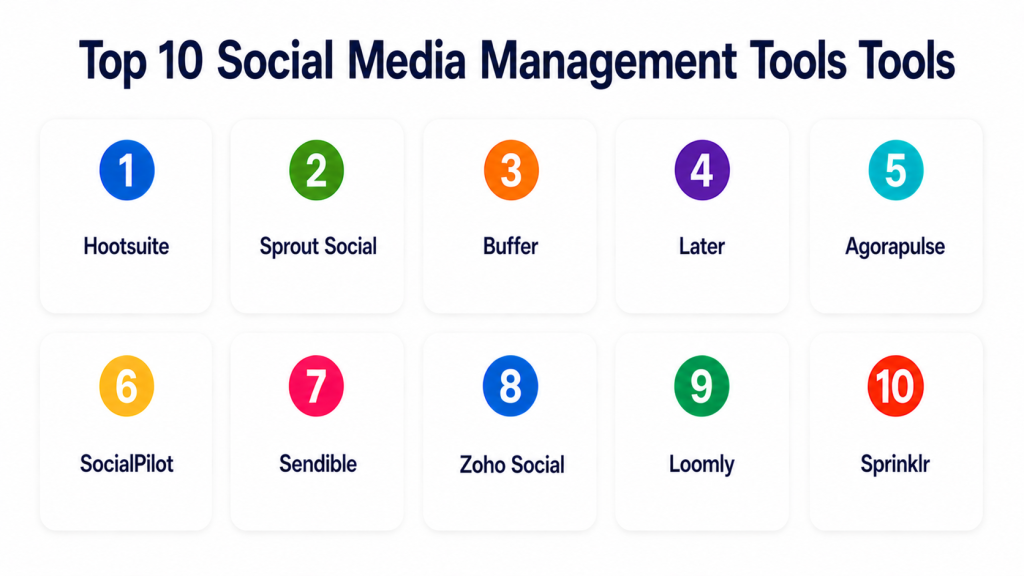
Top 10 Social Media Management Tools Tools
#1 — Hootsuite
Short description: Hootsuite is a social media management platform for scheduling, publishing, monitoring, engagement, and reporting. It is best for businesses and teams managing multiple social channels from one dashboard.
Key Features
- Multi-platform scheduling and publishing.
- Social media calendar.
- Social inbox and engagement tools.
- Analytics and performance reports.
- Team collaboration and approvals.
- Social listening and monitoring features.
- Integrations with marketing and productivity tools.
Pros
- Strong all-in-one social media management platform.
- Good fit for teams managing multiple accounts.
- Useful analytics and collaboration features.
Cons
- May feel expensive for small teams.
- Interface can feel broad for beginners.
- Advanced features may require higher plans.
Platforms / Deployment
Web / iOS / Android
Cloud
Security & Compliance
Supports user permissions, account access controls, team roles, and secure social account management. Specific certifications should be validated directly.
Integrations & Ecosystem
Hootsuite connects social publishing with wider marketing and business workflows.
- Social networks
- Analytics tools
- CRM tools
- Content tools
- Link tracking tools
- Productivity platforms
Support & Community
Hootsuite provides documentation, support resources, learning content, onboarding help, and a large user community.
#2 — Sprout Social
Short description: Sprout Social is a social media management platform focused on publishing, engagement, analytics, listening, and customer care. It is best for mid-market and enterprise teams that need strong reporting and team workflows.
Key Features
- Social publishing calendar.
- Unified social inbox.
- Social listening and monitoring.
- Advanced analytics and reports.
- Team collaboration and approvals.
- Customer care workflows.
- CRM-style social profile insights.
Pros
- Strong analytics and reporting experience.
- Good for engagement and customer support workflows.
- Useful for larger teams and brands.
Cons
- Pricing may be high for small businesses.
- Advanced listening features may require additional packages.
- Smaller teams may not need the full platform.
Platforms / Deployment
Web / iOS / Android
Cloud
Security & Compliance
Supports role-based permissions, access controls, approval workflows, and enterprise account management. Specific certifications should be validated directly.
Integrations & Ecosystem
Sprout Social fits teams that need social media connected with customer care and reporting.
- Social networks
- CRM systems
- Helpdesk tools
- Analytics platforms
- Business intelligence workflows
- Link tracking tools
Support & Community
Sprout Social provides documentation, customer support, onboarding resources, training, and strong enterprise support options.
#3 — Buffer
Short description: Buffer is a simple social media scheduling and publishing tool for creators, startups, small businesses, and lean marketing teams. It is best for users who want clean scheduling without heavy complexity.
Key Features
- Social post scheduling.
- Content calendar.
- Basic analytics.
- Link tracking support.
- Team collaboration features.
- Queue-based publishing.
- Simple post planning workflow.
Pros
- Very easy to use.
- Good value for small teams and creators.
- Clean interface with low learning curve.
Cons
- Less advanced than enterprise platforms.
- Social listening and deep inbox features are limited.
- Not ideal for large customer care teams.
Platforms / Deployment
Web / iOS / Android
Cloud
Security & Compliance
Supports account access controls and team permissions. Specific certifications are not publicly stated here.
Integrations & Ecosystem
Buffer works well for straightforward publishing and small-team workflows.
- Social networks
- Link tools
- Content tools
- Browser extensions
- Basic analytics workflows
- Creator workflows
Support & Community
Buffer provides documentation, support resources, product guides, and a strong creator and small-business community.
#4 — Later
Short description: Later is a social media scheduling platform known for visual planning, content calendars, and creator-friendly workflows. It is best for Instagram, TikTok, Pinterest, and visual-first brands.
Key Features
- Visual social content calendar.
- Post scheduling and publishing.
- Link-in-bio tools.
- Media library.
- Basic analytics.
- Creator and influencer workflow support.
- Platform-specific content planning.
Pros
- Strong visual planning experience.
- Good for creators, ecommerce brands, and visual content teams.
- Easy to use for social-first brands.
Cons
- Less suited for complex enterprise social care.
- Advanced analytics may be limited compared with premium tools.
- Best fit is visual social content planning.
Platforms / Deployment
Web / iOS / Android
Cloud
Security & Compliance
Supports account controls, team access, and secure social profile management. Specific certifications are not publicly stated here.
Integrations & Ecosystem
Later fits visual content, creator marketing, and social commerce workflows.
- Social networks
- Media libraries
- Link-in-bio pages
- Creator workflows
- Ecommerce content workflows
- Campaign planning tools
Support & Community
Later provides documentation, support resources, templates, and educational content for creators and social media teams.
#5 — Agorapulse
Short description: Agorapulse is a social media management platform for publishing, inbox management, monitoring, reporting, and team collaboration. It is best for agencies, SMBs, and teams that need clear engagement workflows.
Key Features
- Social media scheduling.
- Unified social inbox.
- Social monitoring.
- Reports and analytics.
- Team collaboration.
- Approval workflows.
- Agency-friendly account management.
Pros
- Strong inbox and engagement workflow.
- Good for agencies and social media teams.
- Practical reporting and collaboration features.
Cons
- May be more than solo creators need.
- Advanced listening depth may vary.
- Pricing can increase with users and profiles.
Platforms / Deployment
Web / iOS / Android
Cloud
Security & Compliance
Supports user roles, approval workflows, permissions, and secure account management. Specific certifications should be validated directly.
Integrations & Ecosystem
Agorapulse fits teams that need organized publishing and engagement management.
- Social networks
- Reporting tools
- Team workflows
- Agency workflows
- Link tracking tools
- Content planning tools
Support & Community
Agorapulse provides documentation, support, onboarding resources, and practical social media education.
#6 — SocialPilot
Short description: SocialPilot is a social media scheduling and management tool for agencies, SMBs, and growing teams. It is best for users who need bulk scheduling, client management, and simple reporting at a practical cost.
Key Features
- Social media scheduling.
- Bulk post scheduling.
- Content calendar.
- Team and client collaboration.
- Social inbox features.
- Analytics and reporting.
- White-label style agency workflows on selected plans.
Pros
- Good value for agencies and SMBs.
- Useful bulk scheduling features.
- Simple enough for growing teams.
Cons
- Analytics may not be as deep as enterprise tools.
- Social listening features are limited compared with specialist tools.
- Advanced enterprise governance may require other platforms.
Platforms / Deployment
Web / iOS / Android
Cloud
Security & Compliance
Supports team permissions, user roles, and account access controls. Specific certifications are not publicly stated here.
Integrations & Ecosystem
SocialPilot works well for content scheduling and agency-style social management.
- Social networks
- Team collaboration workflows
- Client approval workflows
- Reporting dashboards
- Content planning workflows
- Link tools
Support & Community
SocialPilot provides documentation, support, onboarding resources, and learning materials for agencies and small businesses.
#7 — Sendible
Short description: Sendible is a social media management platform designed for agencies and teams managing multiple clients or brands. It supports scheduling, monitoring, reporting, and client collaboration.
Key Features
- Social media scheduling.
- Multi-client dashboard.
- Content calendar.
- Social monitoring.
- Reports and analytics.
- Approval workflows.
- Agency collaboration features.
Pros
- Strong agency-friendly workflows.
- Useful for managing multiple brands.
- Good reporting and scheduling balance.
Cons
- Interface may take time to learn.
- May be too much for solo users.
- Advanced listening may not match dedicated listening platforms.
Platforms / Deployment
Web / iOS / Android
Cloud
Security & Compliance
Supports user permissions, client access controls, and secure social profile management. Specific certifications are not publicly stated here.
Integrations & Ecosystem
Sendible fits agencies, consultants, and teams that need multiple client workflows.
- Social networks
- Client reporting workflows
- Content tools
- Collaboration tools
- Blogging platforms
- Analytics tools
Support & Community
Sendible provides documentation, support, onboarding help, and agency-focused resources.
#8 — Zoho Social
Short description: Zoho Social is a social media management platform for scheduling, monitoring, collaboration, and analytics. It is best for businesses already using Zoho CRM or the wider Zoho ecosystem.
Key Features
- Social post scheduling.
- Publishing calendar.
- Brand monitoring.
- Social inbox.
- Analytics and reports.
- Team collaboration.
- Zoho CRM integration.
Pros
- Good fit for Zoho users.
- Practical for small and mid-sized teams.
- Connects social activity with CRM workflows.
Cons
- Best value comes within the Zoho ecosystem.
- Advanced enterprise listening may be limited.
- Some teams may prefer broader standalone platforms.
Platforms / Deployment
Web / iOS / Android
Cloud
Security & Compliance
Supports user permissions, access controls, account management, and Zoho ecosystem security features. Specific certifications should be validated directly.
Integrations & Ecosystem
Zoho Social works well when social media connects with CRM and business apps.
- Zoho CRM
- Zoho Desk
- Social networks
- Reporting workflows
- Team collaboration
- Business productivity tools
Support & Community
Zoho provides documentation, support, community resources, and learning content across its product ecosystem.
#9 — Loomly
Short description: Loomly is a social media calendar and brand collaboration tool for planning, reviewing, approving, and publishing content. It is best for teams that need structured content workflows and clear approvals.
Key Features
- Social media content calendar.
- Post ideas and optimization tips.
- Approval workflows.
- Publishing and scheduling.
- Asset management.
- Collaboration features.
- Reporting and analytics.
Pros
- Strong planning and approval workflow.
- Good for brand teams and agencies.
- Easy content calendar experience.
Cons
- Less focused on deep listening and social care.
- Analytics may be lighter than enterprise tools.
- Best suited for content planning and publishing.
Platforms / Deployment
Web / iOS / Android
Cloud
Security & Compliance
Supports user roles, approval workflows, permissions, and secure content collaboration. Specific certifications are not publicly stated here.
Integrations & Ecosystem
Loomly fits teams that need structured planning, approvals, and publishing workflows.
- Social networks
- Content calendars
- Collaboration tools
- Asset workflows
- Reporting dashboards
- Agency workflows
Support & Community
Loomly provides documentation, support resources, onboarding materials, and content planning guidance.
#10 — Sprinklr
Short description: Sprinklr is an enterprise customer experience and social media management platform for publishing, listening, engagement, care, and analytics. It is best for large enterprises managing social at scale across brands, regions, and teams.
Key Features
- Enterprise social publishing.
- Social listening and monitoring.
- Customer care workflows.
- Analytics and reporting.
- Governance and approvals.
- Multi-brand and multi-region management.
- AI-assisted customer experience workflows.
Pros
- Strong enterprise depth and governance.
- Good for large global brands.
- Combines social management with customer experience workflows.
Cons
- Too complex for small teams.
- Implementation can require planning and training.
- Pricing and packaging are enterprise-focused.
Platforms / Deployment
Web / iOS / Android
Cloud
Security & Compliance
Supports enterprise access controls, user roles, governance workflows, audit-related controls, and secure account management. Specific certifications should be validated directly.
Integrations & Ecosystem
Sprinklr fits large organizations connecting social media with broader customer experience and service workflows.
- Social networks
- CRM systems
- Customer service tools
- Analytics platforms
- Business intelligence workflows
- Enterprise collaboration tools
Support & Community
Sprinklr provides enterprise support, onboarding, professional services, documentation, and customer success guidance.
Comparison Table
| Tool Name | Best For | Platform(s) Supported | Deployment | Standout Feature | Public Rating |
|---|---|---|---|---|---|
| Hootsuite | Multi-platform social management | Web, iOS, Android | Cloud | Scheduling, monitoring, and analytics in one platform | N/A |
| Sprout Social | Social engagement and reporting | Web, iOS, Android | Cloud | Strong inbox and analytics workflows | N/A |
| Buffer | Creators and small teams | Web, iOS, Android | Cloud | Simple scheduling and publishing | N/A |
| Later | Visual-first social planning | Web, iOS, Android | Cloud | Visual calendar and link-in-bio workflows | N/A |
| Agorapulse | Agencies and engagement teams | Web, iOS, Android | Cloud | Unified inbox and team collaboration | N/A |
| SocialPilot | SMBs and agencies | Web, iOS, Android | Cloud | Bulk scheduling and client workflows | N/A |
| Sendible | Multi-client agency workflows | Web, iOS, Android | Cloud | Agency-friendly dashboard and reporting | N/A |
| Zoho Social | Zoho ecosystem users | Web, iOS, Android | Cloud | Social management connected with Zoho CRM | N/A |
| Loomly | Content planning and approvals | Web, iOS, Android | Cloud | Structured content calendar and approvals | N/A |
| Sprinklr | Large enterprise social operations | Web, iOS, Android | Cloud | Enterprise listening, care, and governance | N/A |
Evaluation & Scoring of Social Media Management Tools
| Tool Name | Core (25%) | Ease (15%) | Integrations (15%) | Security (10%) | Performance (10%) | Support (10%) | Value (15%) | Weighted Total (0–10) |
|---|---|---|---|---|---|---|---|---|
| Hootsuite | 9 | 8 | 8 | 8 | 8 | 8 | 7 | 8.05 |
| Sprout Social | 9 | 8 | 8 | 9 | 8 | 9 | 7 | 8.25 |
| Buffer | 7 | 9 | 7 | 7 | 8 | 7 | 9 | 7.70 |
| Later | 8 | 9 | 7 | 7 | 8 | 7 | 8 | 7.75 |
| Agorapulse | 8 | 8 | 8 | 8 | 8 | 8 | 8 | 8.00 |
| SocialPilot | 8 | 8 | 7 | 7 | 8 | 7 | 9 | 7.80 |
| Sendible | 8 | 8 | 7 | 7 | 8 | 7 | 8 | 7.65 |
| Zoho Social | 8 | 8 | 8 | 8 | 8 | 7 | 8 | 7.85 |
| Loomly | 7 | 9 | 7 | 7 | 8 | 7 | 8 | 7.55 |
| Sprinklr | 9 | 6 | 9 | 9 | 9 | 9 | 6 | 8.05 |
These scores are comparative and should be used as a practical guide, not a fixed ranking. Sprout Social and Hootsuite are strong broad-market tools. Buffer and Later are easier for smaller teams. Agorapulse, SocialPilot, and Sendible fit agencies well. Zoho Social is useful for Zoho users, Loomly is strong for planning and approvals, and Sprinklr fits large enterprise operations.
Which Social Media Management Tools Tool Is Right for You?
Solo / Freelancer
Solo users usually need simple scheduling, content planning, and basic analytics. They should avoid enterprise platforms unless they manage many brands or clients.
Good options:
- Buffer for simple scheduling.
- Later for visual-first content planning.
- Loomly for organized content calendars.
- Zoho Social for simple social management with business tools.
SMB
SMBs need easy publishing, basic collaboration, reporting, and engagement tracking. They should choose tools that save time without adding heavy process complexity.
Good options:
- Hootsuite for multi-platform management.
- Buffer for simple publishing.
- Later for visual brands.
- SocialPilot for cost-effective scheduling.
- Zoho Social for CRM-connected workflows.
Mid-Market
Mid-market teams often need approvals, analytics, campaign reporting, inbox management, and team collaboration.
Good options:
- Sprout Social for engagement and analytics.
- Hootsuite for broad social management.
- Agorapulse for inbox and team workflows.
- Sendible for multi-brand or client management.
- Loomly for content planning and approvals.
Enterprise
Enterprises need security, governance, social listening, role-based access, audit controls, customer care workflows, and advanced reporting.
Good options:
- Sprinklr for enterprise social operations.
- Sprout Social for social care and analytics.
- Hootsuite for broad enterprise social management.
- Agorapulse for organized engagement workflows.
- Zoho Social for companies already using Zoho at scale.
Budget vs Premium
Budget-focused teams should start with tools that solve scheduling and basic reporting. Premium tools are better when social media affects customer support, brand reputation, campaign reporting, and enterprise governance.
Budget-friendly scenarios:
- Simple scheduling.
- Creator content calendars.
- Small business posting.
- Basic analytics.
- Low-volume engagement.
Premium scenarios:
- Multi-brand management.
- Customer service through social.
- Social listening.
- Agency client approvals.
- Enterprise governance.
- Executive reporting.
Feature Depth vs Ease of Use
Ease of use matters when teams simply need to plan and publish content. Feature depth matters when teams manage many channels, customers, regions, approvals, and reporting needs.
Choose ease of use when:
- You post a few times per week.
- You manage a small number of profiles.
- You need a clean calendar.
- You do not need deep listening.
Choose feature depth when:
- You manage multiple brands.
- You need approvals.
- You handle customer replies.
- You need social listening.
- You report to clients or executives.
- You need enterprise permissions.
Integrations & Scalability
Social media management improves when it connects with the wider marketing and customer experience stack.
Important integrations include:
- Social networks
- CRM systems
- Helpdesk platforms
- Design tools
- Link tracking tools
- Analytics platforms
- Content calendars
- Asset management tools
- Team collaboration tools
- Business intelligence dashboards
Security & Compliance Needs
Social media accounts are valuable brand assets. Teams should protect access, approvals, and publishing controls carefully.
Important checks include:
- Role-based access control.
- SSO/SAML.
- MFA.
- Approval workflows.
- Audit logs.
- Account permission limits.
- Client access controls.
- Brand governance.
- Data retention.
- Vendor security documentation.
Frequently Asked Questions
What is a Social Media Management Tool?
A Social Media Management Tool helps teams schedule posts, manage content calendars, reply to messages, monitor mentions, and analyze social performance from one dashboard.
Why do businesses use social media management tools?
Businesses use these tools to save time, stay consistent, manage multiple platforms, collaborate with teams, improve reporting, and respond faster to audiences.
Which teams benefit most from these tools?
Marketing teams, agencies, creators, ecommerce teams, customer support teams, community managers, and enterprises managing multiple social accounts benefit the most.
What pricing models are common?
Pricing may be based on users, social profiles, scheduled posts, analytics depth, inbox features, listening features, or enterprise plans. Pricing varies, so buyers should confirm directly.
What is the biggest mistake when choosing a social media tool?
The biggest mistake is choosing only by price. Teams should also check supported platforms, approvals, analytics, inbox quality, reporting needs, and team permissions.
Can these tools schedule posts automatically?
Yes, most tools support scheduling posts across multiple social platforms. Some also support queues, best-time suggestions, bulk scheduling, and content calendars.
Do social media management tools support analytics?
Yes, many tools provide analytics for engagement, follower growth, reach, clicks, top posts, audience behavior, and campaign performance.
What is a social inbox?
A social inbox brings comments, messages, mentions, and replies into one place so teams can respond faster and avoid missing customer conversations.
Are these tools useful for agencies?
Yes, agencies often use them for client calendars, approvals, reports, multi-brand publishing, and team collaboration.
Can these tools help with social listening?
Some tools include social listening or monitoring features, while others focus mainly on scheduling. Dedicated listening platforms may be better for deep brand monitoring.
Are social media management tools secure?
Many tools provide permissions, approval workflows, team access controls, and account management features. Buyers should validate security controls before connecting brand accounts.
What are alternatives to social media management tools?
Alternatives include native platform schedulers, spreadsheets, project management tools, manual posting, content calendars, design tools, and dedicated social listening platforms.
Conclusion
Social Media Management Tools help teams manage content, publishing, engagement, reporting, and collaboration more efficiently. The best tool depends on your team size, number of social accounts, approval needs, reporting depth, and customer engagement volume. Buffer and Later are strong for creators and small teams. Hootsuite and Sprout Social are strong broad-market options. Agorapulse, SocialPilot, and Sendible work well for agencies. Zoho Social is useful for Zoho users, Loomly is strong for planning and approvals, and Sprinklr is built for enterprise social operations.
