Upgrade & Secure Your Future with DevOps, SRE, DevSecOps, MLOps!
We spend hours scrolling social media and waste money on things we forget, but won’t spend 30 minutes a day earning certifications that can change our lives.
Master in DevOps, SRE, DevSecOps & MLOps by DevOps School!
Learn from Guru Rajesh Kumar and double your salary in just one year.
Introduction
Storage management tools help IT teams monitor, organize, optimize, protect, and control data storage across servers, cloud platforms, file systems, databases, virtual machines, and enterprise storage devices. In simple terms, these tools help businesses understand where their data lives, how much space it uses, how it performs, who can access it, and how storage costs can be controlled.
Storage management matters because businesses are producing more data across applications, backups, endpoints, analytics platforms, cloud services, and collaboration tools. Without proper storage visibility, teams may face high cloud bills, slow performance, security gaps, compliance risks, duplicated data, and capacity shortages.
Real-world use cases include storage capacity planning, cloud storage cost control, file server cleanup, storage performance monitoring, backup storage optimization, data lifecycle management, and hybrid storage visibility.
Buyers should evaluate platform coverage, cloud support, capacity analytics, performance monitoring, automation, reporting, access controls, integrations, scalability, cost optimization, and support quality.
Best for: IT infrastructure teams, cloud operations teams, storage administrators, DevOps teams, compliance teams, managed service providers, enterprises, data-heavy businesses, and organizations running hybrid or multi-cloud environments.
Not ideal for: very small teams with limited data, businesses using only basic cloud storage, or companies that only need simple file sharing instead of storage monitoring, governance, optimization, and lifecycle management.
Key Trends in Storage Management Tools
- Hybrid storage visibility is now a core need: Organizations want one view across on-premises storage, cloud storage, file shares, object storage, and backup repositories.
- Cloud cost optimization is becoming a major driver: Storage management tools are increasingly used to find unused volumes, over-provisioned storage, expensive tiers, and old data that can be moved to lower-cost options.
- Data lifecycle management is growing: Businesses want automated movement of data from active storage to archive storage based on age, usage, sensitivity, and business value.
- Security and access visibility are more important: Storage tools are expected to show who has access to sensitive data, where risky permissions exist, and whether storage is properly protected.
- AI-assisted analytics are becoming useful: Some platforms are adding smarter anomaly detection, capacity forecasting, performance insights, and policy recommendations.
- Object storage management is expanding: Teams increasingly need to manage large-scale object storage used for backups, analytics, media, application data, and cloud-native workloads.
- Storage monitoring is connecting with observability: Infrastructure teams want storage performance insights connected with application, network, server, and cloud monitoring data.
- Compliance and retention needs are increasing: Organizations need visibility into retained data, storage policies, audit evidence, encryption, and governance controls.
- Automation is reducing manual administration: Common storage tasks such as cleanup, tiering, provisioning, alerts, and reporting are becoming more policy-driven.
- Multi-cloud storage strategy is becoming practical: Businesses want tools that help manage data across different cloud providers without losing control over cost, performance, and security.
How We Selected These Tools
The tools in this list were selected using practical buyer-focused evaluation criteria:
- Strong recognition in storage management, infrastructure monitoring, cloud storage, data management, or enterprise operations.
- Ability to support common storage environments such as SAN, NAS, file systems, object storage, cloud storage, and virtualized infrastructure.
- Useful visibility into storage capacity, performance, availability, utilization, and cost.
- Support for automation, alerts, reporting, and data lifecycle workflows.
- Fit for different buyer segments, including SMBs, mid-market organizations, large enterprises, and managed service providers.
- Integration with cloud platforms, virtualization tools, monitoring systems, backup platforms, and IT operations workflows.
- Security-related controls such as RBAC, audit logs, encryption awareness, and access visibility where available.
- Scalability for growing data volumes and distributed environments.
- Practical ease of use for infrastructure, cloud, and storage teams.
- Overall value based on feature depth, usability, reliability, and operational impact.
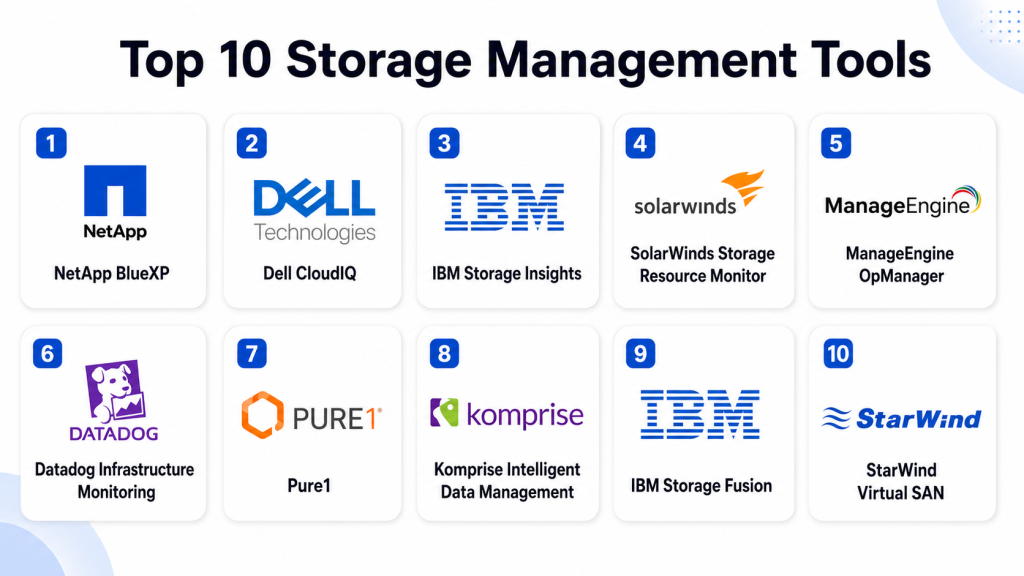
Top 10 Storage Management Tools
#1 — NetApp BlueXP
Short description: NetApp BlueXP is a storage and data management platform for hybrid and multi-cloud environments. It is best for organizations using NetApp storage or managing enterprise data across cloud and on-premises systems.
Key Features
- Hybrid and multi-cloud storage management.
- Centralized visibility for NetApp storage services.
- Data protection and backup management capabilities.
- Data mobility and replication workflows.
- Cloud storage optimization features.
- Governance and data classification options.
- Integration with cloud and enterprise infrastructure.
Pros
- Strong fit for NetApp-centered environments.
- Useful for hybrid and cloud data operations.
- Good visibility across storage, protection, and data services.
Cons
- Best value is tied to NetApp ecosystem adoption.
- May be more advanced than small teams need.
- Buyers should validate feature availability for their exact storage environment.
Platforms / Deployment
Web / Windows / Linux
Cloud / Hybrid
Security & Compliance
Supports identity-based access controls, data protection workflows, encryption-related storage features, policy management, and governance capabilities. Specific certifications and compliance mappings should be validated directly.
Integrations & Ecosystem
NetApp BlueXP works well across NetApp storage, cloud infrastructure, backup, mobility, and governance workflows.
- NetApp ONTAP environments
- Public cloud storage services
- Kubernetes storage workflows
- Backup and recovery processes
- Data classification tools
- Hybrid cloud infrastructure
Support & Community
NetApp provides enterprise documentation, support plans, partner resources, and professional services. It is strongest for organizations with existing NetApp investments and hybrid storage needs.
#2 — Dell CloudIQ
Short description: Dell CloudIQ is a cloud-based infrastructure monitoring and analytics platform for Dell storage, servers, data protection, and related systems. It is useful for organizations that want health, performance, and capacity insights across Dell infrastructure.
Key Features
- Storage health monitoring.
- Capacity forecasting and utilization insights.
- Performance analytics.
- Risk and anomaly detection.
- Infrastructure inventory visibility.
- Data protection monitoring.
- Cloud-based dashboard experience.
Pros
- Strong fit for Dell infrastructure customers.
- Helps identify storage health and capacity risks.
- Useful analytics for proactive infrastructure management.
Cons
- Best suited for Dell ecosystem environments.
- Not a general-purpose multi-vendor storage tool for every platform.
- Advanced remediation may require separate tools or manual processes.
Platforms / Deployment
Web / Windows / Linux
Cloud
Security & Compliance
Supports role-based access, secure infrastructure telemetry, monitoring controls, and operational reporting. Specific certifications and compliance details should be validated based on the Dell service and deployment model.
Integrations & Ecosystem
Dell CloudIQ is closely aligned with Dell infrastructure and storage systems.
- Dell storage systems
- Dell data protection systems
- Dell server infrastructure
- Infrastructure health monitoring
- Capacity planning workflows
- Support and service processes
Support & Community
Dell provides documentation, enterprise support, partner assistance, and infrastructure service resources. It is most valuable for teams already operating Dell storage and infrastructure products.
#3 — IBM Storage Insights
Short description: IBM Storage Insights provides monitoring, analytics, and support visibility for IBM storage environments. It helps teams track capacity, performance, configuration, and system health.
Key Features
- IBM storage monitoring and analytics.
- Capacity and performance visibility.
- Health and alerting dashboards.
- Configuration and inventory insights.
- Support data collection.
- Predictive analytics for storage operations.
- Reporting for infrastructure teams.
Pros
- Strong fit for IBM storage customers.
- Useful for proactive storage health monitoring.
- Helps simplify support and operational visibility.
Cons
- Best value is tied to IBM storage environments.
- Not ideal as a universal tool for every storage vendor.
- Buyers should validate support for all deployed storage models.
Platforms / Deployment
Web / Windows / Linux
Cloud / Hybrid
Security & Compliance
Supports administrative access controls, infrastructure monitoring, data collection governance, and operational reporting. Specific encryption, audit, and compliance details should be validated directly with IBM.
Integrations & Ecosystem
IBM Storage Insights fits naturally within IBM storage and enterprise infrastructure operations.
- IBM FlashSystem
- IBM storage arrays
- Infrastructure monitoring workflows
- Support diagnostics
- Capacity planning
- Enterprise reporting processes
Support & Community
IBM provides documentation, enterprise support, technical resources, and professional services. It is a practical choice for organizations with IBM storage infrastructure.
#4 — SolarWinds Storage Resource Monitor
Short description: SolarWinds Storage Resource Monitor helps IT teams monitor storage arrays, capacity, performance, and health across supported storage vendors. It is useful for infrastructure teams that need visibility into multi-vendor storage performance.
Key Features
- Storage performance monitoring.
- Capacity forecasting.
- Multi-vendor storage visibility.
- Alerts for storage health issues.
- LUN, pool, and array monitoring.
- Integration with broader infrastructure monitoring.
- Reporting and dashboard customization.
Pros
- Good fit for traditional infrastructure teams.
- Useful multi-vendor storage monitoring.
- Helps connect storage health with application and server performance.
Cons
- Requires setup and tuning for best results.
- May not cover every modern cloud-native storage scenario.
- Buyers should validate supported storage platforms before purchase.
Platforms / Deployment
Web / Windows
Self-hosted / Hybrid
Security & Compliance
Supports role-based access, administrative controls, monitoring permissions, and reporting. Specific compliance certifications are not publicly stated for this product and should be validated directly.
Integrations & Ecosystem
SolarWinds Storage Resource Monitor fits into broader IT monitoring and infrastructure operations environments.
- Server monitoring workflows
- Network monitoring tools
- Virtualization monitoring
- Storage arrays
- IT alerting systems
- Infrastructure dashboards
Support & Community
SolarWinds provides documentation, support options, knowledge base content, and a broad IT operations community. It is suitable for teams already using SolarWinds monitoring products.
#5 — ManageEngine OpManager
Short description: ManageEngine OpManager is an infrastructure monitoring platform that includes storage monitoring, network monitoring, server monitoring, and performance visibility. It is useful for SMBs and mid-market teams wanting broad infrastructure monitoring with storage insights.
Key Features
- Storage device monitoring.
- Capacity and performance dashboards.
- Network and server monitoring.
- Alerting and notification workflows.
- Virtualization monitoring.
- Custom reports and dashboards.
- Multi-vendor infrastructure visibility.
Pros
- Good value for broad infrastructure monitoring.
- Useful for teams wanting storage, network, and server views together.
- Suitable for SMB and mid-market IT teams.
Cons
- Dedicated storage specialists may need deeper storage-only analytics.
- Requires configuration to reduce alert noise.
- Feature depth may vary by edition.
Platforms / Deployment
Web / Windows / Linux
Cloud / Self-hosted / Hybrid
Security & Compliance
Supports role-based access, administrative permissions, alert controls, monitoring credentials, and reporting. Specific certifications and compliance coverage should be validated directly.
Integrations & Ecosystem
ManageEngine OpManager connects well with broader IT operations and monitoring workflows.
- Network devices
- Servers
- Storage devices
- Virtualization platforms
- IT service management tools
- Alerting and reporting systems
Support & Community
ManageEngine provides documentation, support plans, training resources, and a large administrator user base. It is often practical for teams that want broad monitoring without excessive complexity.
#6 — Datadog Infrastructure Monitoring
Short description: Datadog Infrastructure Monitoring provides observability for cloud, servers, containers, storage metrics, databases, and applications. It is suitable for cloud-native teams that want storage-related visibility inside a larger observability platform.
Key Features
- Infrastructure metrics and dashboards.
- Cloud storage and service monitoring.
- Container and Kubernetes visibility.
- Alerting and anomaly detection.
- Log and trace correlation.
- Custom metrics and integrations.
- Scalable cloud-based monitoring.
Pros
- Strong fit for cloud-native and DevOps teams.
- Connects storage metrics with application performance.
- Large integration ecosystem.
Cons
- Not a dedicated storage administration platform.
- Costs can increase with data volume and monitoring scope.
- Requires careful dashboard and alert design.
Platforms / Deployment
Web / Windows / macOS / Linux
Cloud
Security & Compliance
Supports SSO/SAML, RBAC, MFA options, audit logs, encryption, and enterprise security controls. Specific compliance certifications should be validated directly based on the selected plan and region.
Integrations & Ecosystem
Datadog has a broad ecosystem across cloud, infrastructure, containers, databases, applications, and security tools.
- AWS storage services
- Azure storage services
- Google Cloud storage services
- Kubernetes and containers
- Databases and caches
- Logs, metrics, traces, and alerting workflows
Support & Community
Datadog provides documentation, support plans, training content, and a large DevOps and observability user community. It is best for teams that want storage visibility inside broader operational monitoring.
#7 — Pure1
Short description: Pure1 is a cloud-based management and analytics platform for Pure Storage environments. It provides storage monitoring, forecasting, support visibility, and workload insights for organizations using Pure Storage systems.
Key Features
- Cloud-based storage monitoring.
- Capacity planning and forecasting.
- Performance analytics.
- Health and risk visibility.
- Workload planning insights.
- Support integration and case visibility.
- Fleet-level storage management.
Pros
- Strong fit for Pure Storage customers.
- Useful predictive analytics and capacity insights.
- Simple cloud dashboard for storage teams.
Cons
- Best value is tied to Pure Storage adoption.
- Not designed as a broad multi-vendor storage platform.
- Buyers should validate exact analytics needs and supported systems.
Platforms / Deployment
Web / Windows / Linux
Cloud
Security & Compliance
Supports controlled administrative access, infrastructure telemetry, monitoring, and support-related workflows. Specific certifications and compliance details should be validated directly with Pure Storage.
Integrations & Ecosystem
Pure1 is closely aligned with Pure Storage infrastructure and enterprise data center operations.
- Pure Storage arrays
- Workload planning
- Support workflows
- Capacity analytics
- Performance monitoring
- Infrastructure operations
Support & Community
Pure Storage provides documentation, enterprise support, partner resources, and customer success guidance. Pure1 is most valuable for teams already using Pure Storage systems.
#8 — Komprise Intelligent Data Management
Short description: Komprise helps organizations analyze, manage, migrate, and tier unstructured data across storage and cloud environments. It is useful for teams dealing with large file data growth and storage cost optimization.
Key Features
- Unstructured data analytics.
- Data lifecycle management.
- File and object data migration.
- Cloud tiering and archiving workflows.
- Storage cost optimization.
- Policy-based data movement.
- Reporting on data usage and growth.
Pros
- Strong for unstructured data management.
- Useful for reducing storage cost and complexity.
- Good fit for file-heavy enterprises.
Cons
- Not a general infrastructure monitoring tool.
- Best suited for organizations with large data growth challenges.
- Requires planning around data policies and lifecycle rules.
Platforms / Deployment
Web / Windows / Linux
Cloud / Hybrid
Security & Compliance
Supports policy-based data management, role-based access, controlled data movement, and reporting. Specific encryption, audit, and compliance details should be validated directly.
Integrations & Ecosystem
Komprise fits storage optimization, data lifecycle, file analytics, and cloud migration workflows.
- NAS platforms
- Object storage
- Public cloud storage
- Data lake workflows
- Archive storage
- Enterprise file environments
Support & Community
Komprise provides documentation, support, onboarding assistance, and enterprise guidance. It is suitable for organizations managing fast-growing unstructured data estates.
#9 — IBM Storage Fusion
Short description: IBM Storage Fusion is a container-native storage and data services platform designed for Kubernetes and hybrid cloud environments. It is useful for teams running modern applications that need persistent storage, backup, and data mobility.
Key Features
- Container-native storage services.
- Kubernetes storage support.
- Backup and recovery capabilities.
- Data mobility for hybrid cloud environments.
- Persistent storage for modern applications.
- Policy-based data services.
- Integration with IBM and Red Hat ecosystems.
Pros
- Strong fit for Kubernetes and hybrid cloud workloads.
- Useful for modern application data services.
- Good alignment with Red Hat OpenShift environments.
Cons
- Not ideal for traditional storage-only monitoring needs.
- Best suited for containerized application environments.
- Requires Kubernetes and platform operations knowledge.
Platforms / Deployment
Web / Linux
Cloud / Self-hosted / Hybrid
Security & Compliance
Supports platform access controls, storage security workflows, backup policies, and enterprise data service controls. Specific compliance certifications should be validated directly.
Integrations & Ecosystem
IBM Storage Fusion is designed for container, hybrid cloud, and enterprise platform ecosystems.
- Red Hat OpenShift
- Kubernetes environments
- IBM storage services
- Hybrid cloud platforms
- Backup and recovery workflows
- Application modernization processes
Support & Community
IBM provides documentation, enterprise support, technical resources, and partner services. It is best for organizations modernizing applications on Kubernetes and hybrid platforms.
#10 — StarWind Virtual SAN
Short description: StarWind Virtual SAN is a software-defined storage platform that helps organizations create highly available shared storage using existing server resources. It is useful for SMBs, edge environments, and virtualization teams that need cost-effective storage availability.
Key Features
- Software-defined storage.
- High availability for virtualized environments.
- Shared storage using local server disks.
- Synchronous replication.
- Support for hyperconverged infrastructure scenarios.
- Management tools for storage operations.
- Edge and remote office storage use cases.
Pros
- Practical option for cost-conscious virtualization teams.
- Useful for SMB, branch, and edge scenarios.
- Helps reduce dependency on dedicated storage hardware.
Cons
- Requires careful design for performance and resilience.
- Not a broad enterprise storage management suite.
- Best suited for specific virtualization and high-availability use cases.
Platforms / Deployment
Web / Windows / Linux
Self-hosted / Hybrid
Security & Compliance
Supports storage-level access controls and high-availability storage architecture. Specific certifications, audit logs, and regulatory compliance details are not publicly stated and should be validated directly.
Integrations & Ecosystem
StarWind Virtual SAN fits virtualization, edge infrastructure, and software-defined storage workflows.
- VMware environments
- Microsoft Hyper-V
- Edge infrastructure
- Remote office deployments
- Hyperconverged infrastructure
- Server-based storage clusters
Support & Community
StarWind provides documentation, technical support, deployment guidance, and community resources. It is suitable for teams that want software-defined storage without large hardware investment.
Comparison Table
| Tool Name | Best For | Platform(s) Supported | Deployment | Standout Feature | Public Rating |
|---|---|---|---|---|---|
| NetApp BlueXP | Hybrid and multi-cloud data management | Web, Windows, Linux | Cloud / Hybrid | Centralized NetApp and cloud data management | N/A |
| Dell CloudIQ | Dell infrastructure monitoring | Web, Windows, Linux | Cloud | Cloud-based storage health and analytics | N/A |
| IBM Storage Insights | IBM storage monitoring | Web, Windows, Linux | Cloud / Hybrid | IBM storage visibility and support analytics | N/A |
| SolarWinds Storage Resource Monitor | Multi-vendor storage monitoring | Web, Windows | Self-hosted / Hybrid | Storage performance and capacity monitoring | N/A |
| ManageEngine OpManager | Broad infrastructure monitoring | Web, Windows, Linux | Cloud / Self-hosted / Hybrid | Storage, network, and server monitoring together | N/A |
| Datadog Infrastructure Monitoring | Cloud-native observability | Web, Windows, macOS, Linux | Cloud | Storage visibility inside full-stack observability | N/A |
| Pure1 | Pure Storage customers | Web, Windows, Linux | Cloud | Predictive analytics for Pure Storage fleets | N/A |
| Komprise Intelligent Data Management | Unstructured data optimization | Web, Windows, Linux | Cloud / Hybrid | Data lifecycle and storage cost optimization | N/A |
| IBM Storage Fusion | Kubernetes and hybrid cloud storage | Web, Linux | Cloud / Self-hosted / Hybrid | Container-native storage and data services | N/A |
| StarWind Virtual SAN | SMB and edge software-defined storage | Web, Windows, Linux | Self-hosted / Hybrid | Highly available shared storage from server disks | N/A |
Evaluation & Scoring of Storage Management Tools
The scoring below is comparative and based on common storage management needs such as visibility, capacity planning, performance monitoring, integrations, security controls, scalability, and value. These scores should be treated as a starting point, not a final buying decision.
| Tool Name | Core (25%) | Ease (15%) | Integrations (15%) | Security (10%) | Performance (10%) | Support (10%) | Value (15%) | Weighted Total (0–10) |
|---|---|---|---|---|---|---|---|---|
| NetApp BlueXP | 9 | 8 | 9 | 8 | 8 | 9 | 8 | 8.45 |
| Dell CloudIQ | 8 | 9 | 7 | 8 | 8 | 9 | 8 | 8.10 |
| IBM Storage Insights | 8 | 8 | 7 | 8 | 8 | 9 | 8 | 7.95 |
| SolarWinds Storage Resource Monitor | 8 | 7 | 8 | 7 | 8 | 8 | 8 | 7.70 |
| ManageEngine OpManager | 8 | 8 | 8 | 7 | 8 | 8 | 9 | 8.00 |
| Datadog Infrastructure Monitoring | 8 | 8 | 9 | 9 | 9 | 8 | 7 | 8.25 |
| Pure1 | 8 | 9 | 7 | 8 | 8 | 9 | 8 | 8.10 |
| Komprise Intelligent Data Management | 9 | 8 | 8 | 8 | 8 | 8 | 8 | 8.25 |
| IBM Storage Fusion | 8 | 7 | 8 | 8 | 8 | 9 | 7 | 7.85 |
| StarWind Virtual SAN | 8 | 7 | 7 | 7 | 8 | 8 | 9 | 7.70 |
A higher score usually means broader usefulness across common storage management requirements. However, category fit matters more than the number alone. Pure1 is excellent for Pure Storage users, Dell CloudIQ is strongest for Dell environments, Komprise is best for unstructured data lifecycle management, and Datadog is strongest when storage visibility must connect with full-stack observability.
Which Storage Management Tool Is Right for You?
Solo / Freelancer
Solo professionals usually do not need an enterprise storage management platform. Basic cloud storage dashboards, local disk monitoring, and backup tools may be enough.
However, freelancers managing client infrastructure may benefit from lightweight monitoring or cloud-native dashboards. Datadog may help if the work involves cloud systems and applications, while StarWind Virtual SAN may be useful for small virtualization labs or client environments.
SMB
Small and mid-sized businesses should look for simplicity, cost visibility, basic capacity planning, alerts, and easy reporting. ManageEngine OpManager, SolarWinds Storage Resource Monitor, StarWind Virtual SAN, and Datadog can be practical depending on the environment.
If the organization uses a specific storage vendor, vendor-native tools such as Dell CloudIQ, Pure1, IBM Storage Insights, or NetApp BlueXP may be the best starting point.
Mid-Market
Mid-market organizations usually need better scalability, multi-system visibility, capacity forecasting, storage optimization, and integration with broader IT operations. NetApp BlueXP, ManageEngine OpManager, Datadog, Komprise, and SolarWinds Storage Resource Monitor are strong candidates.
The right choice depends on whether the main challenge is monitoring, cost control, unstructured data growth, hybrid cloud visibility, or software-defined storage.
Enterprise
Enterprises need scalable storage governance, hybrid cloud support, security controls, automation, deep reporting, and vendor ecosystem integration. NetApp BlueXP, IBM Storage Fusion, Komprise, Datadog, Dell CloudIQ, Pure1, and IBM Storage Insights should be evaluated based on the storage estate.
Large organizations should avoid choosing tools based only on dashboards. They should test alert accuracy, integration depth, role-based controls, reporting, automation, capacity forecasts, and operational workflows.
Budget vs Premium
Budget-conscious buyers should start with tools already included in their storage vendor ecosystem. If the organization uses Dell, IBM, Pure Storage, or NetApp, the native management platform may provide strong value.
Premium buyers with complex hybrid storage, cloud cost, and governance needs may prefer NetApp BlueXP, Komprise, Datadog, IBM Storage Fusion, or enterprise monitoring platforms that connect storage with broader operations.
Feature Depth vs Ease of Use
Feature-rich tools like NetApp BlueXP, Komprise, IBM Storage Fusion, and Datadog offer strong capabilities but may require more planning and skilled administrators.
Ease-focused tools like Dell CloudIQ, Pure1, IBM Storage Insights, and ManageEngine OpManager can be easier to adopt when they match the organization’s infrastructure.
Integrations & Scalability
Integration needs should guide the shortlist. If you run NetApp, start with BlueXP. If you run Pure Storage, evaluate Pure1. If you run Dell infrastructure, review CloudIQ. If you need cloud-native observability, Datadog may fit better.
For large unstructured data environments, Komprise is a strong candidate. For Kubernetes-centered storage, IBM Storage Fusion may be more relevant.
Security & Compliance Needs
Security-focused buyers should prioritize RBAC, audit logs, encryption awareness, access visibility, data classification, policy controls, and secure integrations.
Compliance-focused teams should validate retention controls, reporting, data movement logs, storage location visibility, administrator access records, and vendor security documentation before finalizing a tool.
Frequently Asked Questions
What is a storage management tool?
A storage management tool helps monitor, organize, optimize, and control storage systems. It gives teams visibility into capacity, performance, usage, costs, and health.
How is storage management different from backup?
Storage management focuses on how data is stored, used, monitored, and optimized. Backup focuses on creating recoverable copies of data in case something goes wrong.
What types of storage can these tools manage?
Storage management tools may support SAN, NAS, file systems, object storage, cloud storage, virtualized storage, software-defined storage, and container storage depending on the product.
Why do companies need storage management?
Companies need storage management to prevent capacity shortages, reduce cost, improve performance, control data growth, support compliance, and keep infrastructure reliable.
What is storage capacity planning?
Storage capacity planning means forecasting future storage needs based on current growth, usage trends, application demand, retention policies, and business expansion.
What is unstructured data management?
Unstructured data management focuses on files, documents, images, logs, media, backups, and other data that does not fit neatly into traditional database tables.
How do storage management tools help reduce costs?
They help identify unused storage, old data, duplicated files, expensive storage tiers, over-provisioned resources, and data that can be moved to lower-cost storage.
Are storage management tools secure?
Many tools include access controls, encryption-related visibility, audit logs, and role-based administration. Buyers should validate security controls before purchase.
Can storage management tools work with cloud storage?
Yes, many tools support cloud storage. Some tools are built for cloud-native environments, while others focus on hybrid storage across cloud and on-premises systems.
What are common storage management mistakes?
Common mistakes include ignoring data growth, relying on manual spreadsheets, not monitoring performance, keeping old data forever, and failing to connect storage planning with business needs.
Should small businesses use storage management tools?
Small businesses should use storage management tools if storage growth, downtime, or cloud cost is becoming difficult to manage. If storage needs are simple, built-in dashboards may be enough.
When should a company switch storage management tools?
A company should consider switching when the current tool lacks cloud visibility, gives poor capacity forecasts, misses performance problems, cannot scale, or does not support new storage platforms.
Conclusion
Storage management tools help organizations control data growth, improve storage performance, reduce waste, manage hybrid infrastructure, and support secure operations. The best tool depends on your environment. NetApp BlueXP is strong for NetApp and hybrid cloud data management. Dell CloudIQ, IBM Storage Insights, and Pure1 are strong for their respective storage ecosystems. SolarWinds Storage Resource Monitor and ManageEngine OpManager are useful for broader infrastructure monitoring. Datadog is strong for cloud-native observability. Komprise is valuable for unstructured data management. IBM Storage Fusion supports container-focused storage needs, while StarWind Virtual SAN is practical for software-defined storage and edge scenarios.
