Upgrade & Secure Your Future with DevOps, SRE, DevSecOps, MLOps!
We spend hours scrolling social media and waste money on things we forget, but won’t spend 30 minutes a day earning certifications that can change our lives.
Master in DevOps, SRE, DevSecOps & MLOps by DevOps School!
Learn from Guru Rajesh Kumar and double your salary in just one year.
Introduction
Cloud file storage tools help individuals and organizations store, share, sync, secure, and manage files through cloud-based platforms. In simple words, these tools allow users to access documents, images, videos, project files, reports, contracts, and business data from anywhere, while keeping the content organized and protected.
Cloud file storage matters because modern teams work across offices, remote locations, mobile devices, client sites, and multiple departments. Businesses need a reliable way to collaborate on files, control access, prevent accidental data loss, and reduce dependency on local storage or email attachments.
Common use cases include team file sharing, document collaboration, secure client file exchange, backup of important business files, remote access to project folders, file version control, and department-wise storage management.
Buyers should evaluate storage capacity, file sync quality, access permissions, admin controls, encryption, compliance support, collaboration features, search, integrations, mobile access, backup options, and pricing flexibility.
Best for: remote teams, SMBs, enterprises, IT teams, creative teams, legal teams, finance teams, education institutions, healthcare teams, agencies, consultants, and businesses that need secure file access across multiple devices.
Not ideal for: teams that only need temporary file transfer, organizations that require full enterprise content management, or businesses with highly specialized storage needs such as high-performance application storage or database storage.
Key Trends in Cloud File Storage Tools
- Secure collaboration is now a core requirement: Businesses want file sharing with permissions, password protection, link controls, version history, and admin visibility.
- Cloud storage is becoming part of larger productivity suites: Many tools are now bundled with email, office apps, meetings, chat, workflow automation, and identity controls.
- AI-assisted search and content discovery are becoming useful: Some platforms are adding smarter search, document summaries, content suggestions, and automated organization.
- Zero trust access is influencing file storage decisions: Teams want identity-based access, device-aware controls, MFA, conditional access, and activity monitoring.
- External sharing governance is more important: Companies need better control over what files are shared outside the organization and who can access them.
- Hybrid work is driving better sync and offline access: Users expect files to work across laptops, desktops, browsers, and mobile devices, even when connectivity is not perfect.
- Data residency and privacy controls matter more: Organizations increasingly evaluate where files are stored, how data is protected, and how access is logged.
- Creative and large-file workflows need stronger performance: Media teams, design teams, and engineering teams need cloud storage that can handle large files and frequent updates.
- Backup and ransomware recovery are becoming connected: Cloud file storage platforms are adding stronger versioning, restore, retention, and protection features.
- Admin analytics are becoming more valuable: IT teams want visibility into storage usage, risky sharing, inactive files, user activity, and policy violations.
How We Selected These Tools
The tools in this list were selected using practical buyer-focused criteria:
- Strong recognition in cloud file storage, collaboration, enterprise file sharing, or secure content management.
- Ability to support everyday file storage, sharing, syncing, and collaboration needs.
- Fit for different users, including solo professionals, SMBs, mid-market teams, enterprises, creative teams, and regulated organizations.
- Security controls such as encryption, MFA, SSO, access permissions, link controls, and audit logs where available.
- Integration with productivity suites, identity platforms, collaboration tools, workflow systems, and business applications.
- Cross-platform support for web, desktop, and mobile devices.
- Administrative visibility, reporting, and policy management.
- Scalability for growing teams and large file repositories.
- Practical usability for non-technical users and IT administrators.
- Overall value based on storage capacity, features, reliability, security, and ecosystem strength.
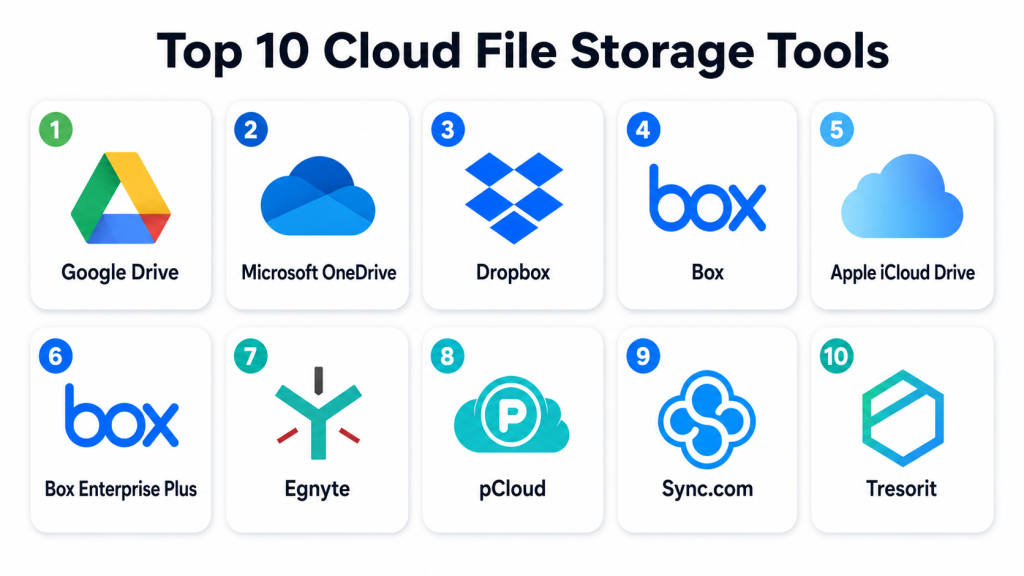
Top 10 Cloud File Storage Tools
#1 — Google Drive
Short description: Google Drive is a cloud file storage and collaboration platform connected with Google Workspace. It is best for teams that use Google Docs, Sheets, Slides, Gmail, and shared cloud-based collaboration.
Key Features
- Cloud file storage and synchronization.
- Real-time collaboration with Google Docs, Sheets, and Slides.
- Shared drives for teams.
- File permissions and link sharing controls.
- Version history for supported files.
- Search across files and folders.
- Integration with Google Workspace apps.
Pros
- Very easy for teams already using Google Workspace.
- Strong real-time document collaboration.
- Good browser-based experience with simple sharing.
Cons
- Admin controls depend on plan and configuration.
- File organization can become messy without governance.
- Advanced compliance needs may require higher-tier features or additional tools.
Platforms / Deployment
Web / Windows / macOS / iOS / Android
Cloud
Security & Compliance
Supports MFA through Google account security, access permissions, link controls, admin policies, encryption, and audit-related capabilities in business plans. Specific compliance requirements should be validated based on the selected Google Workspace edition.
Integrations & Ecosystem
Google Drive has a strong ecosystem for productivity, collaboration, education, and business workflows.
- Google Docs
- Google Sheets
- Google Slides
- Gmail
- Google Meet
- Google Workspace admin tools
- Third-party productivity apps
Support & Community
Google provides documentation, help resources, admin guides, community forums, and business support options depending on the selected plan. It is widely adopted and easy for most users to understand.
#2 — Microsoft OneDrive
Short description: Microsoft OneDrive is a cloud file storage platform integrated with Microsoft 365. It is best for organizations that use Microsoft Office apps, Teams, SharePoint, Outlook, and Windows devices.
Key Features
- Cloud file storage and sync.
- Integration with Word, Excel, PowerPoint, and Teams.
- Personal and business file storage.
- File version history and restore options.
- Secure sharing and access controls.
- Offline file access through desktop sync.
- Admin and compliance controls through Microsoft ecosystem.
Pros
- Strong fit for Microsoft-first organizations.
- Works well with Windows and Microsoft Office files.
- Good collaboration experience with Teams and SharePoint.
Cons
- Can be confusing when used alongside SharePoint without proper structure.
- Advanced governance depends on Microsoft licensing and configuration.
- Sync issues may happen if file structures are poorly planned.
Platforms / Deployment
Web / Windows / macOS / iOS / Android
Cloud
Security & Compliance
Supports MFA through Microsoft identity, SSO, encryption, access controls, audit logs, file sharing policies, and compliance features through the broader Microsoft ecosystem. Specific compliance coverage should be validated based on licensing and configuration.
Integrations & Ecosystem
OneDrive is deeply connected with Microsoft productivity, identity, collaboration, and compliance tools.
- Microsoft Word
- Microsoft Excel
- Microsoft PowerPoint
- Microsoft Teams
- SharePoint
- Outlook
- Microsoft Entra ID
Support & Community
Microsoft provides extensive documentation, admin resources, enterprise support, partner help, and a large user community. It is highly suitable for organizations already invested in Microsoft 365.
#3 — Dropbox
Short description: Dropbox is a cloud file storage and sharing platform known for simple file sync, collaboration, and external sharing. It is useful for individuals, creative teams, agencies, and businesses that need easy file access across devices.
Key Features
- Cloud file sync and storage.
- File and folder sharing.
- Version history and recovery options.
- Desktop and mobile file access.
- Team folders and admin controls.
- Large file sharing workflows.
- Collaboration tools for content review and comments.
Pros
- Simple and user-friendly file sync experience.
- Good for external sharing and creative workflows.
- Works well across devices and operating systems.
Cons
- Businesses may need higher-tier plans for advanced controls.
- Storage and collaboration costs should be reviewed carefully.
- Not a full replacement for deep enterprise records management.
Platforms / Deployment
Web / Windows / macOS / Linux / iOS / Android
Cloud
Security & Compliance
Supports encryption, MFA, SSO on business plans, admin controls, file permissions, sharing policies, and audit-related features. Specific compliance details should be validated directly based on the selected plan.
Integrations & Ecosystem
Dropbox integrates with productivity, creative, communication, and workflow tools.
- Microsoft Office
- Google Workspace
- Slack
- Zoom
- Adobe workflows
- File review and approval tools
- Business automation apps
Support & Community
Dropbox provides documentation, support resources, business support plans, and a large user community. It is often easy for non-technical users to adopt quickly.
#4 — Box
Short description: Box is a cloud content management and file storage platform designed for secure collaboration, enterprise governance, and regulated business workflows. It is best for organizations that need strong permissions, content security, and workflow control.
Key Features
- Secure cloud file storage.
- Enterprise file sharing and collaboration.
- Granular permissions and access control.
- Workflow automation and content processes.
- Version control and file activity tracking.
- Governance and retention features.
- Integrations with enterprise productivity and security tools.
Pros
- Strong enterprise security and governance focus.
- Good for regulated and content-heavy organizations.
- Useful workflow and collaboration capabilities.
Cons
- May feel more complex than basic file storage tools.
- Smaller teams may not need the full enterprise feature set.
- Advanced governance may require higher-tier plans.
Platforms / Deployment
Web / Windows / macOS / iOS / Android
Cloud
Security & Compliance
Supports SSO, MFA, encryption, RBAC, audit logs, granular permissions, governance controls, and enterprise security features. Specific certifications and compliance mappings should be validated directly with the selected plan.
Integrations & Ecosystem
Box has a strong ecosystem for enterprise collaboration, security, productivity, and workflow automation.
- Microsoft 365
- Google Workspace
- Salesforce
- Slack
- Zoom
- Identity providers
- Security and compliance tools
Support & Community
Box provides documentation, admin resources, customer support, enterprise support options, and partner services. It is well suited for organizations with formal IT and compliance teams.
#5 — Apple iCloud Drive
Short description: Apple iCloud Drive is a cloud file storage service built into the Apple ecosystem. It is best for individuals, small teams, and Apple-focused users who need simple file sync across Mac, iPhone, and iPad devices.
Key Features
- Cloud file storage for Apple devices.
- File sync across macOS, iOS, and iPadOS.
- Integration with Apple apps.
- Desktop and documents folder sync.
- File sharing with other users.
- Access through web browser.
- Automatic device ecosystem synchronization.
Pros
- Very convenient for Apple users.
- Simple setup across Apple devices.
- Good for personal and lightweight business storage.
Cons
- Not ideal for complex enterprise file governance.
- Less flexible for mixed-platform business environments.
- Collaboration depth is limited compared with business-focused platforms.
Platforms / Deployment
Web / macOS / iOS / iPadOS / Windows
Cloud
Security & Compliance
Supports Apple account security, encryption, device-based access controls, and sharing permissions. Business-grade compliance and enterprise governance details should be validated directly for the intended use case.
Integrations & Ecosystem
iCloud Drive works best inside the Apple ecosystem.
- macOS Finder
- iPhone Files app
- iPad Files app
- Apple Pages
- Apple Numbers
- Apple Keynote
- Apple device backup workflows
Support & Community
Apple provides user documentation, support resources, and device-level help. It is best for Apple users who want simple cloud file access, not complex enterprise administration.
#6 — Box Enterprise Plus
Short description: Box Enterprise Plus extends Box’s cloud content platform with advanced enterprise capabilities for security, compliance, workflow, and large-scale collaboration. It is best for larger organizations with strict content governance needs.
Key Features
- Enterprise-grade file storage and collaboration.
- Advanced content governance controls.
- Granular user and folder permissions.
- Workflow automation and approval processes.
- Enhanced security and admin visibility.
- Content lifecycle and retention features.
- Large-scale integration ecosystem.
Pros
- Strong option for enterprise content control.
- Useful for legal, healthcare, finance, and regulated workflows.
- Good balance of storage, collaboration, and governance.
Cons
- More expensive and advanced than basic storage tools.
- Requires admin planning and user training.
- Best suited for organizations with mature governance needs.
Platforms / Deployment
Web / Windows / macOS / iOS / Android
Cloud
Security & Compliance
Supports SSO, MFA, encryption, RBAC, audit logs, data governance controls, user activity tracking, and enterprise security policies. Specific certifications and compliance details should be validated directly with Box.
Integrations & Ecosystem
Box Enterprise Plus is built for large-scale enterprise ecosystems.
- Identity providers
- Microsoft 365
- Google Workspace
- Salesforce
- ServiceNow
- Security platforms
- Workflow automation systems
Support & Community
Box offers enterprise support, admin documentation, onboarding resources, training, and partner-led implementation support. It is suitable for large teams with complex content governance needs.
#7 — Egnyte
Short description: Egnyte is a cloud file storage, collaboration, and data governance platform for businesses that need secure file access and visibility. It is strong for industries dealing with sensitive documents, large files, and controlled collaboration.
Key Features
- Cloud file sharing and storage.
- Hybrid file access options.
- Data governance and content visibility.
- File permissions and external sharing controls.
- Ransomware detection and recovery support.
- Large file collaboration.
- Compliance-focused reporting and controls.
Pros
- Strong for secure business file collaboration.
- Useful for data governance and sensitive content visibility.
- Good fit for architecture, engineering, construction, life sciences, and professional services.
Cons
- May be more advanced than simple cloud storage needs.
- Setup requires planning for folder structure and permissions.
- Pricing should be reviewed based on users and storage needs.
Platforms / Deployment
Web / Windows / macOS / iOS / Android
Cloud / Hybrid
Security & Compliance
Supports SSO, MFA, encryption, access controls, audit logs, permissions management, and governance features. Specific compliance certifications should be validated directly based on plan and industry requirements.
Integrations & Ecosystem
Egnyte integrates with productivity, security, design, and business workflows.
- Microsoft 365
- Google Workspace
- Salesforce
- Adobe workflows
- Construction and design tools
- Security and governance systems
- Identity providers
Support & Community
Egnyte provides documentation, customer support, onboarding guidance, and enterprise support options. It is well suited for businesses that need both file collaboration and governance visibility.
#8 — pCloud
Short description: pCloud is a cloud file storage platform for individuals, freelancers, and small teams. It offers file storage, sharing, sync, and media-friendly access with simple usability.
Key Features
- Cloud file storage and synchronization.
- File sharing through links and folders.
- Desktop and mobile apps.
- Media playback and file preview.
- Versioning and file recovery options.
- Optional enhanced encryption features.
- Cross-device access.
Pros
- Simple for personal and small business use.
- Good media-friendly file access.
- Flexible storage options for lightweight needs.
Cons
- Not as enterprise-focused as Box, Egnyte, or Microsoft.
- Advanced business governance may be limited.
- Buyers should validate compliance and admin needs carefully.
Platforms / Deployment
Web / Windows / macOS / Linux / iOS / Android
Cloud
Security & Compliance
Supports encryption, account security features, file sharing controls, and optional enhanced encryption capabilities. Enterprise compliance details are not publicly stated for every use case and should be validated directly.
Integrations & Ecosystem
pCloud focuses mainly on storage, sync, sharing, and user-friendly file access rather than a broad enterprise integration ecosystem.
- Desktop sync apps
- Mobile apps
- Browser access
- Media file workflows
- Shared folders
- Personal productivity use cases
Support & Community
pCloud provides user documentation, customer support, and help resources. It is better suited for individuals and small teams than large enterprise IT environments.
#9 — Sync.com
Short description: Sync.com is a privacy-focused cloud storage and file sharing platform. It is best for users and teams that prioritize secure file sharing, privacy controls, and simple cloud storage.
Key Features
- Cloud file storage and sharing.
- Privacy-focused file access controls.
- File version history and recovery.
- Shared folders and team collaboration.
- Password-protected sharing links.
- Admin controls for business accounts.
- Cross-device file access.
Pros
- Strong privacy-focused positioning.
- Simple file sharing and storage experience.
- Useful for small businesses handling sensitive files.
Cons
- Enterprise ecosystem may be more limited than larger platforms.
- Advanced workflow automation may require other tools.
- Buyers should validate integration requirements before adoption.
Platforms / Deployment
Web / Windows / macOS / iOS / Android
Cloud
Security & Compliance
Supports encryption, secure sharing controls, password-protected links, admin controls, and privacy-focused file handling. Specific compliance certifications and regulatory mappings should be validated directly.
Integrations & Ecosystem
Sync.com is strongest for secure file sharing and privacy-focused storage rather than broad enterprise app integration.
- Desktop sync
- Mobile access
- Shared folders
- Secure file links
- Team storage workflows
- Browser-based file management
Support & Community
Sync.com provides documentation, customer support, and help resources. It is a practical option for users who need secure cloud storage without complex enterprise overhead.
#10 — Tresorit
Short description: Tresorit is a secure cloud storage and file sharing platform focused on privacy, encryption, and controlled collaboration. It is suitable for legal, finance, healthcare, consulting, and businesses handling sensitive documents.
Key Features
- Secure cloud file storage.
- Encrypted file sharing.
- Granular access permissions.
- Password-protected and expiring links.
- Admin controls and user management.
- Activity tracking and file access visibility.
- Cross-platform file sync and collaboration.
Pros
- Strong focus on secure file sharing.
- Good fit for sensitive business documents.
- Useful for controlled external collaboration.
Cons
- May cost more than basic cloud storage tools.
- Not as broad as full productivity suite platforms.
- Advanced workflow and content management may require additional tools.
Platforms / Deployment
Web / Windows / macOS / Linux / iOS / Android
Cloud
Security & Compliance
Supports encryption, access controls, MFA, admin controls, secure sharing links, activity tracking, and privacy-focused security features. Specific certifications and compliance coverage should be validated directly.
Integrations & Ecosystem
Tresorit is focused on secure file storage and external collaboration, with integrations that support secure business workflows.
- Desktop sync
- Mobile access
- Email-based sharing workflows
- Secure file request workflows
- Admin management
- Business collaboration processes
Support & Community
Tresorit provides documentation, support resources, and business support options. It is well suited for organizations that value secure external sharing and controlled access.
Comparison Table
| Tool Name | Best For | Platform(s) Supported | Deployment | Standout Feature | Public Rating |
|---|---|---|---|---|---|
| Google Drive | Google Workspace collaboration | Web, Windows, macOS, iOS, Android | Cloud | Real-time document collaboration | N/A |
| Microsoft OneDrive | Microsoft-first businesses | Web, Windows, macOS, iOS, Android | Cloud | Deep Microsoft 365 integration | N/A |
| Dropbox | Simple file sync and sharing | Web, Windows, macOS, Linux, iOS, Android | Cloud | Easy cross-device file sync | N/A |
| Box | Enterprise content collaboration | Web, Windows, macOS, iOS, Android | Cloud | Strong governance and secure collaboration | N/A |
| Apple iCloud Drive | Apple ecosystem users | Web, macOS, iOS, iPadOS, Windows | Cloud | Native Apple device sync | N/A |
| Box Enterprise Plus | Large enterprise content governance | Web, Windows, macOS, iOS, Android | Cloud | Advanced enterprise security and workflow controls | N/A |
| Egnyte | Secure file sharing and governance | Web, Windows, macOS, iOS, Android | Cloud / Hybrid | File collaboration with data governance | N/A |
| pCloud | Individuals and small teams | Web, Windows, macOS, Linux, iOS, Android | Cloud | Simple storage with media-friendly access | N/A |
| Sync.com | Privacy-focused cloud storage | Web, Windows, macOS, iOS, Android | Cloud | Secure sharing and privacy controls | N/A |
| Tresorit | Sensitive document sharing | Web, Windows, macOS, Linux, iOS, Android | Cloud | Encrypted file sharing and controlled access | N/A |
Evaluation & Scoring of Cloud File Storage Tools
The scoring below is comparative and based on common cloud file storage needs such as storage features, ease of use, integrations, security, performance, support, and value. A higher score does not mean the tool is best for every organization. The right choice depends on your ecosystem, file sensitivity, team size, compliance needs, and collaboration style.
| Tool Name | Core (25%) | Ease (15%) | Integrations (15%) | Security (10%) | Performance (10%) | Support (10%) | Value (15%) | Weighted Total (0–10) |
|---|---|---|---|---|---|---|---|---|
| Google Drive | 9 | 9 | 9 | 8 | 8 | 8 | 9 | 8.65 |
| Microsoft OneDrive | 9 | 8 | 9 | 9 | 8 | 8 | 9 | 8.60 |
| Dropbox | 8 | 9 | 8 | 8 | 8 | 8 | 8 | 8.20 |
| Box | 9 | 8 | 9 | 9 | 8 | 8 | 7 | 8.35 |
| Apple iCloud Drive | 7 | 9 | 7 | 8 | 8 | 8 | 8 | 7.80 |
| Box Enterprise Plus | 9 | 7 | 9 | 9 | 8 | 9 | 7 | 8.35 |
| Egnyte | 9 | 8 | 8 | 9 | 8 | 8 | 8 | 8.35 |
| pCloud | 7 | 9 | 6 | 7 | 8 | 7 | 8 | 7.35 |
| Sync.com | 7 | 8 | 6 | 8 | 8 | 7 | 8 | 7.40 |
| Tresorit | 8 | 8 | 7 | 9 | 8 | 8 | 7 | 7.85 |
Google Drive and Microsoft OneDrive score well because they combine storage, collaboration, productivity apps, and strong ecosystem support. Box and Egnyte are stronger for governance-heavy business environments. Dropbox remains strong for simple file sync and sharing. Tresorit and Sync.com are better suited for privacy-focused use cases, while pCloud and iCloud Drive are simpler options for individuals and smaller teams.
Which Cloud File Storage Tool Is Right for You?
Solo / Freelancer
Solo professionals usually need a tool that is simple, affordable, easy to access, and reliable across devices. Google Drive, Dropbox, iCloud Drive, pCloud, Sync.com, and OneDrive are strong options depending on your device and app ecosystem.
If you work mostly with Google Docs and Gmail, Google Drive is practical. If you work with Microsoft Office files, OneDrive is a better fit. If you use Apple devices heavily, iCloud Drive is convenient.
SMB
Small and mid-sized businesses should focus on file sharing controls, team folders, admin visibility, collaboration features, and user-friendly onboarding. Google Drive, OneDrive, Dropbox, Box, and Egnyte are good options.
SMBs should avoid choosing only based on storage size. They should check user permissions, external sharing controls, version history, employee offboarding, and recovery options.
Mid-Market
Mid-market companies usually need stronger governance, department-level file control, secure sharing, admin policies, integrations, and reporting. Box, Egnyte, Microsoft OneDrive, Google Drive, and Dropbox are strong candidates.
The decision should depend on business workflows. Microsoft-first companies may prefer OneDrive. Google-first teams may prefer Drive. Sensitive document-heavy businesses may prefer Egnyte, Box, or Tresorit.
Enterprise
Enterprises need secure collaboration, audit logs, SSO, MFA, RBAC, governance, retention, eDiscovery alignment, admin reporting, and scalable support. Box, Box Enterprise Plus, Egnyte, Microsoft OneDrive, and Google Drive should be reviewed.
Large businesses should also test external sharing controls, legal and compliance requirements, data residency expectations, identity integrations, and file lifecycle policies before selecting a platform.
Budget vs Premium
Budget-conscious users may prefer Google Drive, OneDrive, iCloud Drive, pCloud, or Sync.com, depending on storage needs and existing subscriptions.
Premium buyers with stronger security, governance, and admin requirements should evaluate Box, Box Enterprise Plus, Egnyte, Dropbox Business, and Tresorit.
Feature Depth vs Ease of Use
Google Drive, OneDrive, Dropbox, and iCloud Drive are generally easier for everyday users. They work well when teams want quick storage, sharing, and collaboration.
Box, Egnyte, Box Enterprise Plus, and Tresorit offer deeper security and governance capabilities, but they may require more admin planning and user training.
Integrations & Scalability
Google Drive is strongest for Google Workspace users. OneDrive is strongest for Microsoft 365 users. Dropbox works well for creative and cross-platform teams. Box and Egnyte are better for organizations that need enterprise integrations and governance.
Scalability should include not only storage volume but also user management, folder design, external collaboration, reporting, policy control, and support quality.
Security & Compliance Needs
Security-focused buyers should prioritize SSO, MFA, encryption, RBAC, audit logs, link controls, password-protected sharing, file recovery, and admin reporting.
Compliance-focused teams should validate retention rules, legal hold options, data residency, export controls, activity logs, and vendor compliance documentation before making a decision.
Frequently Asked Questions
What is a cloud file storage tool?
A cloud file storage tool lets users store, access, sync, and share files through the internet. It helps teams work on documents and folders from different devices and locations.
How is cloud file storage different from cloud backup?
Cloud file storage is mainly for active access, collaboration, and sharing. Cloud backup is mainly for recovery after accidental deletion, device failure, ransomware, or data loss.
Which cloud file storage tool is best for business teams?
The best tool depends on the company’s ecosystem. Google Drive is strong for Google Workspace users, OneDrive is strong for Microsoft users, and Box or Egnyte may be better for governance-heavy teams.
What pricing model do cloud file storage tools use?
Most tools charge by user, storage capacity, feature tier, or business plan. Some also include storage inside larger productivity suite subscriptions.
Are cloud file storage tools secure?
Many cloud file storage tools offer encryption, MFA, access permissions, admin controls, and sharing restrictions. Buyers should validate security features based on their industry and plan.
Can cloud file storage tools support remote teams?
Yes, cloud file storage tools are very useful for remote teams. They allow users to access files from different locations, collaborate in real time, and manage shared folders securely.
What are common mistakes when using cloud file storage?
Common mistakes include weak folder structure, open sharing links, no access review, storing sensitive files without controls, poor naming rules, and not training users on safe sharing.
Can cloud file storage tools replace file servers?
In many cases, yes. However, some businesses may still need file servers for legacy applications, high-performance local access, or strict internal infrastructure requirements.
What integrations matter most?
Important integrations include office productivity apps, email, chat, identity providers, eSignature tools, CRM systems, project management tools, and security platforms.
How should businesses manage external file sharing?
Businesses should use permission controls, expiry dates, password-protected links, access reviews, audit logs, and user training to manage external sharing safely.
When should a company switch cloud file storage tools?
A company should consider switching when the current tool lacks security controls, causes sync issues, has poor admin visibility, does not integrate well, or becomes too expensive.
Are privacy-focused tools better than productivity-suite storage?
Privacy-focused tools may be better for sensitive documents and controlled sharing. Productivity-suite tools may be better for daily collaboration, office documents, and broad team adoption.
Conclusion
Cloud file storage tools are now essential for secure collaboration, remote access, document sharing, and business file management. The best choice depends on your team size, ecosystem, security needs, compliance expectations, and collaboration style. Google Drive is strong for Google Workspace users, Microsoft OneDrive is strong for Microsoft-centered businesses, Dropbox is simple and flexible, Box and Egnyte offer stronger governance, iCloud Drive is convenient for Apple users, and tools like Sync.com, pCloud, and Tresorit are useful for privacy-focused or lightweight storage needs.
