Upgrade & Secure Your Future with DevOps, SRE, DevSecOps, MLOps!
We spend hours scrolling social media and waste money on things we forget, but won’t spend 30 minutes a day earning certifications that can change our lives.
Master in DevOps, SRE, DevSecOps & MLOps by DevOps School!
Learn from Guru Rajesh Kumar and double your salary in just one year.
Introduction
File Sync & Share Tools help individuals and organizations store, access, sync, organize, and share files across devices and teams. In simple terms, these tools make it easier to keep documents, images, videos, spreadsheets, contracts, creative files, and project folders available from laptops, phones, tablets, browsers, and shared workspaces.
These tools matter because modern teams work across locations, devices, departments, clients, and cloud apps. Without a reliable file sync and sharing system, businesses may face version confusion, email attachment overload, weak access control, accidental data exposure, poor collaboration, and lost productivity.
Common real-world use cases include team document collaboration, secure client file sharing, remote access to business files, project folder management, creative asset sharing, legal document exchange, sales material distribution, and cross-device file availability.
Buyers should evaluate storage limits, sync performance, permission controls, link sharing, admin governance, encryption, audit logs, identity integration, desktop/mobile support, file recovery, collaboration features, and pricing flexibility.
Best for: remote teams, IT teams, marketing teams, agencies, legal teams, finance teams, healthcare teams, education institutions, SMBs, enterprises, freelancers, and businesses that need secure file access across devices.
Not ideal for: teams that only need simple local storage, organizations needing full enterprise content management, or companies that require only backup without collaboration and sharing features.
Key Trends in File Sync & Share Tools
- Security-first file sharing is becoming essential, with stronger permissions, link controls, password-protected sharing, expiration dates, and access visibility.
- AI-assisted file discovery is growing, helping users search, summarize, classify, and find documents faster across large file libraries.
- Content governance is now a major buying factor, especially for companies managing sensitive documents, contracts, records, and customer files.
- Collaboration features are becoming deeper, including real-time editing, comments, approvals, file requests, and team workspaces.
- Hybrid work has increased demand for cross-device sync, allowing users to work securely from desktops, laptops, browsers, and mobile devices.
- Zero-trust access models are influencing file sharing, where access depends on identity, device posture, user role, and sharing policy.
- Enterprise buyers want better audit visibility, including file activity logs, admin reports, user actions, and external sharing tracking.
- Integration with productivity suites is now critical, especially for organizations using office apps, email, chat, project management, and CRM tools.
- Data residency and compliance controls are becoming more important, especially for regulated industries and global teams.
- Self-hosted and privacy-focused options remain relevant, especially for organizations that want more control over infrastructure and data location.
How We Selected These Tools
The tools below were selected using practical buyer-focused evaluation logic:
- Market adoption and recognition across business file sharing, cloud storage, and collaboration use cases.
- Feature completeness for file sync, folder sharing, access permissions, collaboration, and admin controls.
- Reliability signals such as sync performance, uptime reputation, file recovery, and platform maturity.
- Security posture signals including encryption, MFA, SSO, RBAC, audit logs, admin controls, and secure sharing.
- Integration strength with productivity suites, identity systems, collaboration tools, workflow platforms, and business apps.
- Fit for different customer segments, including freelancers, SMBs, mid-market teams, enterprises, and regulated industries.
- Usability across web, desktop, and mobile experiences.
- Flexibility across cloud, hybrid, and self-hosted deployment models where relevant.
- Support quality, documentation depth, onboarding resources, and partner ecosystem.
- Practical value based on storage, governance, ease of use, scalability, and operational fit.
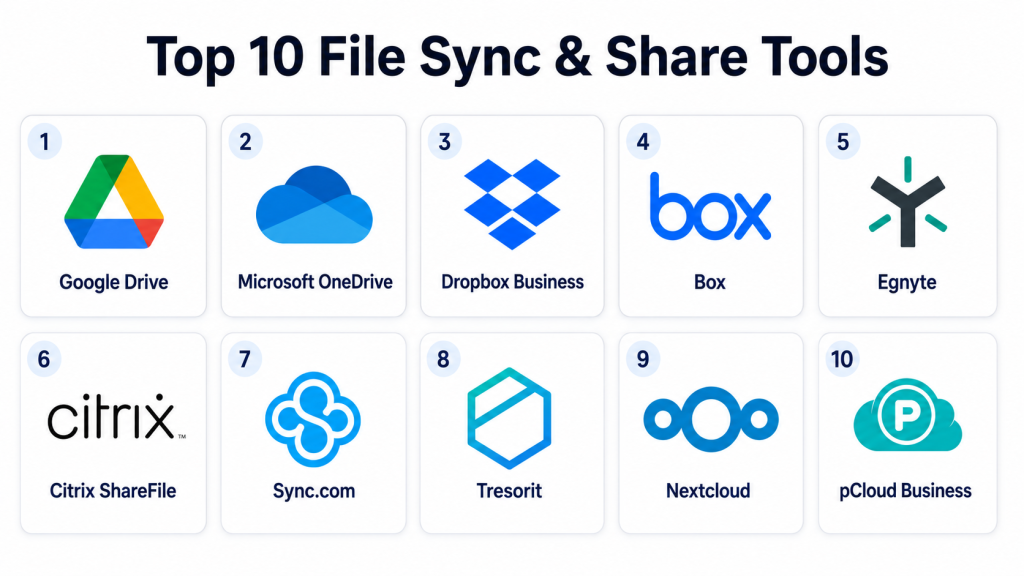
Top 10 File Sync & Share Tools
#1 — Google Drive
Short description: Google Drive is a cloud-based file storage, sync, and sharing platform closely connected with Google Workspace. It is best for teams that rely on Docs, Sheets, Slides, Gmail, and real-time collaboration.
Key Features
- Cloud file storage and cross-device sync.
- Real-time collaboration through Google productivity apps.
- Shared drives for team-based file organization.
- File sharing with role-based permissions.
- Version history for supported files.
- Search and file discovery across documents.
- Admin controls through Google Workspace plans.
Pros
- Strong real-time collaboration experience.
- Easy to use for teams already using Google Workspace.
- Good web and mobile accessibility.
Cons
- Advanced governance may require higher-tier plans.
- File organization can become messy without clear folder rules.
- Best value is usually inside the Google ecosystem.
Platforms / Deployment
Web / Windows / macOS / iOS / Android
Cloud
Security & Compliance
Supports MFA, SSO through Google Workspace identity, encryption, admin controls, audit logs, and sharing restrictions depending on plan. Specific compliance certifications should be verified with the vendor.
Integrations & Ecosystem
Google Drive works strongly with Google Workspace and many cloud-based business tools. It is useful for teams that want file sharing and live editing in one environment.
- Gmail
- Google Docs
- Google Sheets
- Google Slides
- Google Meet
- Third-party business apps
Support & Community
Google provides documentation, admin resources, community forums, and support options depending on the Workspace plan. Adoption is broad, so many users already understand the basics.
#2 — Microsoft OneDrive
Short description: Microsoft OneDrive is a cloud file sync and sharing tool tightly integrated with Microsoft 365. It is best for organizations that depend on Word, Excel, PowerPoint, Teams, SharePoint, and Microsoft identity services.
Key Features
- Cloud file storage and device sync.
- Strong integration with Microsoft 365 apps.
- File sharing with permissions and link controls.
- Known Folder Move for Windows environments.
- Version history and file recovery options.
- Collaboration through Office apps.
- Admin policies through Microsoft 365.
Pros
- Strong fit for Microsoft-first organizations.
- Good collaboration with Word, Excel, PowerPoint, and Teams.
- Useful for Windows device environments.
Cons
- Admin settings can feel complex for smaller teams.
- Best experience is inside the Microsoft ecosystem.
- Some users may confuse OneDrive and SharePoint use cases.
Platforms / Deployment
Web / Windows / macOS / iOS / Android
Cloud
Security & Compliance
Supports MFA through Microsoft identity, SSO, encryption, RBAC, audit logs, data loss prevention options, and admin sharing controls depending on plan. Specific compliance certifications should be verified with the vendor.
Integrations & Ecosystem
OneDrive works best when paired with Microsoft 365, Teams, SharePoint, and Microsoft security tools.
- Microsoft Word
- Microsoft Excel
- Microsoft Teams
- SharePoint
- Microsoft Entra ID
- Microsoft security tools
Support & Community
Microsoft provides strong documentation, admin guides, community forums, partner support, and enterprise support options. It is widely used in business environments.
#3 — Dropbox Business
Short description: Dropbox Business is a cloud file sync and sharing platform known for ease of use, fast sync, external sharing, and simple collaboration. It is suitable for agencies, creative teams, SMBs, and distributed businesses.
Key Features
- File sync across desktop, web, and mobile.
- Shared folders and team spaces.
- External file sharing with link controls.
- File versioning and recovery options.
- Admin console for team management.
- Collaboration tools and comments.
- Integration with common productivity apps.
Pros
- Simple and user-friendly experience.
- Strong file sync performance.
- Good for creative and client-facing teams.
Cons
- Advanced compliance and governance may require higher plans.
- Storage and pricing should be reviewed carefully.
- Some enterprises may prefer deeper native suite integration.
Platforms / Deployment
Web / Windows / macOS / Linux / iOS / Android
Cloud
Security & Compliance
Supports encryption, MFA, SSO on supported plans, admin controls, sharing permissions, audit logs, and role management. Specific certifications should be verified with the vendor.
Integrations & Ecosystem
Dropbox integrates with common productivity, creative, communication, and workflow tools. It is useful for teams that frequently share files with clients and partners.
- Microsoft 365
- Google Workspace
- Slack
- Zoom
- Adobe tools
- Workflow and automation apps
Support & Community
Dropbox provides documentation, customer support, help center resources, admin guides, and a broad user community.
#4 — Box
Short description: Box is an enterprise-focused content cloud platform for secure file sharing, collaboration, governance, and workflow management. It is well suited for regulated industries and organizations needing strong content controls.
Key Features
- Secure file storage and sharing.
- Granular permissions and access controls.
- Enterprise content governance features.
- Workflow automation and approvals.
- External collaboration controls.
- File versioning and activity tracking.
- Integrations with business productivity tools.
Pros
- Strong governance and enterprise security controls.
- Good for regulated and document-heavy organizations.
- Useful workflow and content management capabilities.
Cons
- May feel more complex than simple file sharing tools.
- Best value often comes with business or enterprise plans.
- Some teams may not need its full governance depth.
Platforms / Deployment
Web / Windows / macOS / iOS / Android
Cloud
Security & Compliance
Supports SSO, MFA, encryption, RBAC, audit logs, admin controls, data governance options, and external sharing controls. Specific compliance certifications should be verified with the vendor.
Integrations & Ecosystem
Box has a strong ecosystem for enterprise content workflows, productivity tools, security systems, and business applications.
- Microsoft 365
- Google Workspace
- Salesforce
- Slack
- Identity providers
- Workflow automation tools
Support & Community
Box provides enterprise documentation, onboarding resources, customer support, admin training, partner support, and developer resources.
#5 — Egnyte
Short description: Egnyte is a secure file sharing, governance, and content collaboration platform for businesses that need strong control over sensitive data. It is popular with industries that manage large files, regulated content, and distributed teams.
Key Features
- Secure file sharing and sync.
- Hybrid file access options.
- Data governance and classification features.
- External collaboration controls.
- File activity tracking and reporting.
- Permissions and folder-level controls.
- Support for large files and distributed teams.
Pros
- Strong governance and file control features.
- Useful for regulated and project-based industries.
- Good fit for hybrid file environments.
Cons
- May require planning for complex permissions.
- More advanced than basic file sync tools.
- Pricing and feature packages should be reviewed carefully.
Platforms / Deployment
Web / Windows / macOS / iOS / Android
Cloud / Hybrid
Security & Compliance
Supports encryption, SSO, MFA, RBAC, audit logs, content governance, and secure external sharing features. Specific certifications should be verified with the vendor.
Integrations & Ecosystem
Egnyte fits businesses that need secure file access, governance, and collaboration across teams, projects, and external partners.
- Microsoft 365
- Google Workspace
- Salesforce
- Identity providers
- Security tools
- Industry-specific workflows
Support & Community
Egnyte provides documentation, onboarding support, customer success resources, and enterprise support options. It is often used in environments with serious file governance needs.
#6 — Citrix ShareFile
Short description: Citrix ShareFile is a secure file sharing and collaboration tool often used by professional services, finance, healthcare, legal, and client-facing teams. It focuses on secure document exchange, client portals, and controlled sharing.
Key Features
- Secure file sharing and sync.
- Client portals for document exchange.
- Permission-based access controls.
- File request workflows.
- Electronic signature support may vary by plan.
- Admin reporting and activity tracking.
- Large file sharing support.
Pros
- Strong for secure client file exchange.
- Useful for professional services and regulated teams.
- Good fit for document-heavy workflows.
Cons
- Interface and features may feel specialized for certain industries.
- Collaboration depth may vary compared with broader suites.
- Buyers should review plan-level feature differences.
Platforms / Deployment
Web / Windows / macOS / iOS / Android
Cloud / Hybrid options may vary
Security & Compliance
Supports encryption, access controls, MFA options, audit logs, admin controls, and secure sharing features. Specific compliance certifications should be verified with the vendor.
Integrations & Ecosystem
ShareFile fits organizations that need secure document exchange and client collaboration.
- Microsoft 365
- Outlook workflows
- Client portals
- Identity providers
- Document workflows
- Business applications
Support & Community
Citrix provides documentation, support resources, onboarding materials, and enterprise support options depending on the plan and deployment model.
#7 — Sync.com
Short description: Sync.com is a privacy-focused file sync and sharing platform with strong emphasis on secure storage and controlled sharing. It is useful for individuals, SMBs, and teams that prioritize privacy and simple secure collaboration.
Key Features
- Cloud file storage and sync.
- Secure file sharing with permissions.
- Password-protected sharing links.
- File versioning and recovery options.
- Team folders and admin management.
- Privacy-focused storage approach.
- Cross-device file access.
Pros
- Strong privacy-focused positioning.
- Easy to use for small teams.
- Good option for secure file sharing without heavy complexity.
Cons
- Integration ecosystem may be smaller than major suite platforms.
- Enterprise workflow depth may be limited.
- Advanced governance may not match enterprise content platforms.
Platforms / Deployment
Web / Windows / macOS / iOS / Android
Cloud
Security & Compliance
Supports encryption, access controls, secure sharing links, admin controls, and team management features. Specific compliance certifications should be verified with the vendor.
Integrations & Ecosystem
Sync.com is best for secure file storage and sharing rather than deep enterprise app integration.
- Desktop sync workflows
- Mobile file access
- Team folders
- Secure external sharing
- Basic admin management
- Business file collaboration
Support & Community
Sync.com provides documentation, support resources, help center content, and customer assistance. Its community is smaller than larger enterprise platforms but practical for privacy-focused users.
#8 — Tresorit
Short description: Tresorit is a secure file sync and sharing platform focused on encrypted collaboration and controlled external sharing. It is suitable for privacy-conscious teams, legal firms, finance teams, healthcare teams, and businesses handling sensitive data.
Key Features
- Secure cloud storage and file sharing.
- Encryption-focused file protection.
- Controlled sharing links and permissions.
- File request and collaboration features.
- Admin controls for team management.
- Access logs and activity tracking.
- Cross-device sync and mobile access.
Pros
- Strong focus on secure file sharing.
- Good for sensitive document exchange.
- Useful for teams that value privacy and control.
Cons
- May cost more than basic file storage tools.
- Integration ecosystem may be smaller than large productivity suites.
- Some teams may not need advanced privacy controls.
Platforms / Deployment
Web / Windows / macOS / Linux / iOS / Android
Cloud
Security & Compliance
Supports encryption, MFA, access controls, admin policies, activity tracking, and secure link controls. Specific compliance certifications should be verified with the vendor.
Integrations & Ecosystem
Tresorit fits organizations that want secure file collaboration with strong sharing controls.
- Microsoft productivity workflows
- Secure link sharing
- File request workflows
- Desktop sync
- Mobile collaboration
- Admin and user management
Support & Community
Tresorit provides support resources, documentation, customer assistance, and business onboarding options. It is strongest for teams prioritizing secure collaboration.
#9 — Nextcloud
Short description: Nextcloud is an open-source file sync, sharing, collaboration, and content platform that can be self-hosted or used through managed providers. It is best for organizations that want control over data location, infrastructure, and customization.
Key Features
- Self-hosted file sync and sharing.
- User and group permission controls.
- Collaboration apps and extensions.
- File versioning and activity tracking.
- Calendar, contacts, and productivity add-ons.
- Integration with identity systems.
- Customizable open-source ecosystem.
Pros
- Strong control over data and deployment.
- Flexible open-source ecosystem.
- Good for organizations needing self-hosted or private cloud options.
Cons
- Requires technical administration for self-hosted deployments.
- Performance depends on infrastructure quality.
- Support varies based on deployment and provider.
Platforms / Deployment
Web / Windows / macOS / Linux / iOS / Android
Self-hosted / Cloud / Hybrid options may vary
Security & Compliance
Supports encryption options, MFA, SSO integrations, access controls, audit capabilities through available configurations, and admin policies. Specific compliance certifications depend on deployment and provider.
Integrations & Ecosystem
Nextcloud has a flexible ecosystem of apps and integrations for collaboration, identity, storage, and workflow customization.
- LDAP and directory services
- Identity providers
- Office document integrations
- Calendar and contacts
- Storage backends
- Community extensions
Support & Community
Nextcloud has a strong open-source community, documentation, enterprise support options, and a large ecosystem of apps and contributors.
#10 — pCloud Business
Short description: pCloud Business is a cloud file storage and sharing tool for individuals, freelancers, and small teams. It offers file sync, sharing, team folders, and secure storage features with a simple user experience.
Key Features
- Cloud file storage and sync.
- Shared folders and team collaboration.
- File sharing links and permissions.
- Desktop and mobile access.
- File versioning options.
- Business user management.
- Secure storage features.
Pros
- Simple and approachable for small teams.
- Good for basic file sharing and sync needs.
- Useful cross-device access.
Cons
- Enterprise governance depth may be limited.
- Integration ecosystem may be smaller than larger platforms.
- Advanced compliance requirements should be validated.
Platforms / Deployment
Web / Windows / macOS / Linux / iOS / Android
Cloud
Security & Compliance
Supports encryption and account security features. Advanced compliance details are not publicly stated in all contexts and should be verified with the vendor.
Integrations & Ecosystem
pCloud Business is strongest for simple file storage and sharing rather than complex enterprise workflows.
- Desktop sync
- Mobile access
- Team folders
- File sharing links
- User management
- Cloud storage workflows
Support & Community
pCloud provides documentation, help resources, and customer support options. It is best for users and teams that want simple file storage without heavy administration.
Comparison Table (Top 10)
| Tool Name | Best For | Platform(s) Supported | Deployment | Standout Feature | Public Rating |
|---|---|---|---|---|---|
| Google Drive | Google Workspace teams | Web, Windows, macOS, iOS, Android | Cloud | Real-time collaboration with Google apps | N/A |
| Microsoft OneDrive | Microsoft 365 organizations | Web, Windows, macOS, iOS, Android | Cloud | Deep Microsoft 365 integration | N/A |
| Dropbox Business | SMBs, agencies, creative teams | Web, Windows, macOS, Linux, iOS, Android | Cloud | Easy file sync and external sharing | N/A |
| Box | Enterprise content governance | Web, Windows, macOS, iOS, Android | Cloud | Secure content collaboration and governance | N/A |
| Egnyte | Regulated and hybrid file environments | Web, Windows, macOS, iOS, Android | Cloud / Hybrid | File governance and secure collaboration | N/A |
| Citrix ShareFile | Secure client document exchange | Web, Windows, macOS, iOS, Android | Cloud / Hybrid options may vary | Client portals and secure sharing | N/A |
| Sync.com | Privacy-focused small teams | Web, Windows, macOS, iOS, Android | Cloud | Secure and simple file sharing | N/A |
| Tresorit | Sensitive document collaboration | Web, Windows, macOS, Linux, iOS, Android | Cloud | Encryption-focused file sharing | N/A |
| Nextcloud | Self-hosted and private cloud teams | Web, Windows, macOS, Linux, iOS, Android | Self-hosted / Cloud / Hybrid | Open-source control and customization | N/A |
| pCloud Business | Small teams and freelancers | Web, Windows, macOS, Linux, iOS, Android | Cloud | Simple cloud storage and sharing | N/A |
Evaluation & Scoring of File Sync & Share Tools
| Tool Name | Core (25%) | Ease (15%) | Integrations (15%) | Security (10%) | Performance (10%) | Support (10%) | Value (15%) | Weighted Total (0–10) |
|---|---|---|---|---|---|---|---|---|
| Google Drive | 9 | 9 | 9 | 8 | 8 | 8 | 9 | 8.65 |
| Microsoft OneDrive | 9 | 8 | 10 | 9 | 8 | 9 | 9 | 8.90 |
| Dropbox Business | 8 | 9 | 8 | 8 | 9 | 8 | 8 | 8.35 |
| Box | 9 | 8 | 9 | 9 | 8 | 9 | 7 | 8.40 |
| Egnyte | 9 | 8 | 8 | 9 | 8 | 8 | 7 | 8.20 |
| Citrix ShareFile | 8 | 8 | 7 | 8 | 8 | 8 | 7 | 7.70 |
| Sync.com | 7 | 8 | 6 | 8 | 7 | 7 | 8 | 7.30 |
| Tresorit | 8 | 8 | 6 | 9 | 8 | 7 | 7 | 7.60 |
| Nextcloud | 8 | 7 | 8 | 8 | 7 | 7 | 9 | 7.75 |
| pCloud Business | 7 | 8 | 6 | 7 | 7 | 7 | 8 | 7.15 |
These scores are comparative and should be used as a decision-support guide, not as a universal ranking. Microsoft OneDrive may be strongest for Microsoft-first organizations, while Google Drive may be better for Google Workspace teams. Box and Egnyte fit governance-heavy environments, while Nextcloud is better for teams that want self-hosted control.
Which File Sync & Share Tool Is Right for You?
Solo / Freelancer
Solo users usually need simple storage, easy sharing, good mobile access, and reliable sync. Google Drive, Dropbox, pCloud Business, Sync.com, and OneDrive are practical options depending on the productivity suite already being used.
Freelancers working with clients may prefer Dropbox or Google Drive because external sharing is simple. Privacy-focused freelancers may prefer Sync.com or Tresorit.
SMB
SMBs should focus on ease of use, shared folders, admin controls, file recovery, secure links, and simple pricing. Google Drive, OneDrive, Dropbox Business, pCloud Business, and Sync.com are strong choices for many small businesses.
If the SMB already uses Microsoft 365, OneDrive is usually practical. If it uses Google Workspace, Google Drive is often the easier choice.
Mid-Market
Mid-market teams need stronger governance, identity integration, user permissions, audit logs, retention controls, and external sharing visibility. Box, Egnyte, OneDrive, Dropbox Business, and Google Drive can all fit depending on the environment.
Mid-market buyers should define folder structures, ownership rules, external sharing policies, and retention needs before rollout.
Enterprise
Enterprises should prioritize security, admin governance, compliance visibility, audit logs, identity integration, data loss prevention, external collaboration control, and support maturity. Box, Egnyte, Microsoft OneDrive, Google Drive, and Citrix ShareFile are strong options for larger organizations.
Enterprises with private cloud requirements may also consider Nextcloud if they have the technical skill to manage infrastructure.
Budget vs Premium
Budget-focused teams may prefer Google Drive, OneDrive, pCloud Business, Sync.com, or Nextcloud depending on deployment needs. Premium buyers with governance, compliance, and enterprise support needs may prefer Box, Egnyte, Citrix ShareFile, Dropbox Business, or advanced Microsoft and Google plans.
The right budget decision should include storage, admin time, user training, compliance needs, and migration effort.
Feature Depth vs Ease of Use
For feature depth, Box, Egnyte, OneDrive, Google Drive, and Nextcloud stand out. For ease of use, Dropbox Business, Google Drive, OneDrive, Sync.com, and pCloud Business are easier for many users.
A feature-rich platform can fail if users avoid it. The best tool should be secure enough for IT and simple enough for daily work.
Integrations & Scalability
Microsoft OneDrive is strongest for Microsoft 365 environments. Google Drive is strongest for Google Workspace teams. Box and Egnyte are better for governance-heavy businesses. Dropbox works well for creative and client-sharing workflows. Nextcloud is best for teams needing custom or self-hosted options.
Scalability should be tested through real folder structures, user permissions, external sharing cases, and admin reporting needs.
Security & Compliance Needs
Security-focused buyers should evaluate MFA, SSO, encryption, RBAC, audit logs, link expiration, password-protected sharing, external user controls, retention settings, and data loss prevention features. Regulated industries should request official vendor documentation before final selection.
Frequently Asked Questions (FAQs)
1. What is a file sync and share tool?
A file sync and share tool helps users store files in the cloud or private storage, sync them across devices, and share them with teammates, clients, or external partners.
2. How is file sync different from backup?
File sync keeps files updated across devices, while backup protects historical copies for recovery. File sync is helpful for collaboration, but it should not always replace a proper backup strategy.
3. How much do file sync and share tools cost?
Pricing varies by storage limit, users, security features, admin controls, support level, and deployment model. Some tools use per-user pricing, while self-hosted options may involve infrastructure and support costs.
4. What is the most important feature to check?
The most important features are secure sharing, permission control, file recovery, sync reliability, admin visibility, and integration with existing productivity tools.
5. Are file sharing links safe?
File sharing links can be safe when they include password protection, expiration dates, access limits, download controls, and audit tracking. Open public links can create security risks.
6. Can these tools support external clients?
Yes, most file sync and share tools allow external sharing. Businesses should check whether the tool supports client portals, guest access, controlled links, and external user permissions.
7. What are common mistakes when using file sharing tools?
Common mistakes include creating public links without controls, poor folder structure, weak permissions, no ownership rules, unmanaged external sharing, and using sync tools as the only backup.
8. Do file sync tools work offline?
Many tools allow offline access through desktop or mobile apps. Users can work on selected files offline, and changes sync when the device reconnects.
9. What integrations should buyers check?
Buyers should check integrations with office suites, email, chat, identity providers, project management tools, CRM systems, e-signature tools, and security platforms.
10. Can companies switch file sync platforms easily?
Switching is possible but requires planning. Teams need to migrate files, preserve folder structure, map permissions, train users, and validate external sharing workflows.
Conclusion
File Sync & Share Tools are essential for modern collaboration, secure document access, external sharing, and cross-device productivity. The best tool depends on how your team works, what productivity suite you already use, how sensitive your files are, and how much governance your organization needs. Google Drive is strong for Google Workspace teams, while Microsoft OneDrive is powerful for Microsoft-first organizations. Dropbox Business is simple and effective for file sharing, Box and Egnyte are strong for governance-heavy environments, and Citrix ShareFile is useful for secure client document exchange. Tresorit and Sync.com serve privacy-focused teams, Nextcloud offers self-hosted control, and pCloud Business fits simple small-team storage needs. The best next step is to shortlist two or three tools, test real sharing workflows, review permission controls, validate integrations, and confirm that the platform fits both user productivity a
