Upgrade & Secure Your Future with DevOps, SRE, DevSecOps, MLOps!
We spend hours scrolling social media and waste money on things we forget, but won’t spend 30 minutes a day earning certifications that can change our lives.
Master in DevOps, SRE, DevSecOps & MLOps by DevOps School!
Learn from Guru Rajesh Kumar and double your salary in just one year.
Introduction
Source Code Management (SCM) tools help software teams store, track, review, and manage changes in code. Simply put, SCM tools act like a controlled history system for software projects, enabling developers to collaborate without overwriting each other’s work, review changes before release, roll back mistakes, and maintain organized workflows.
SCM is crucial for modern software teams because projects are increasingly distributed, security-focused, and automation-heavy. Developers expect SCM platforms to support code review, CI/CD pipelines, access control, compliance workflows, AI-assisted development, and integration with cloud-native tools.
Common real-world use cases include:
- Managing application code for web, mobile, and enterprise projects
- Supporting DevOps pipelines with automated testing and deployment
- Performing code reviews before merging changes
- Collaborating on open-source and internal repositories
- Versioning infrastructure-as-code and configuration files
When evaluating SCM tools, buyers should consider:
- Ease of use for developers and administrators
- Branching and merge workflows
- Code review and pull request capabilities
- CI/CD and DevOps integrations
- Security controls and audit logs
- Deployment options (cloud, self-hosted, hybrid)
- Enterprise governance features
- Repository performance for large projects
- Pricing and scalability
- Community and ecosystem maturity
Best for: Software development teams, DevOps teams, platform engineering groups, enterprise IT teams, startups, agencies, and organizations managing application code, scripts, or infrastructure-as-code.
Not ideal for: Teams that only need document storage, non-technical collaboration, or task tracking. In such cases, document management or project management tools may be more suitable.
Key Trends in Source Code Management Tools
- AI-assisted code review: SCM platforms are adding AI features for pull request summaries, code suggestions, and vulnerability insights.
- Security-first workflows: Secret scanning, dependency checks, branch protection, and signed commits are becoming standard.
- Integrated DevOps platforms: SCM tools now often combine repository hosting, CI/CD, security, and project planning.
- Hybrid deployment options: Many organizations require self-hosted or hybrid solutions for compliance and governance.
- Governance and code ownership: Teams are implementing branch protection, mandatory reviews, and audit trails.
- Developer experience focus: Fast search, IDE integrations, and smooth pull request flows improve adoption.
- Inner-source collaboration: Companies are applying open-source collaboration models internally.
- Compliance-ready workflows: Audit logs, SSO, MFA, and data residency expectations are becoming standard.
- Large repository performance: Tools must handle monorepos, binaries, and complex histories efficiently.
- Ecosystem integration: SCM tools integrate with CI/CD, security scanners, cloud providers, chat, and productivity tools.
How We Selected These Tools
Our selection is based on practical evaluation criteria used by real software teams:
- Market adoption and recognition
- Feature completeness for version control, branching, and merging
- Code review and pull request workflow maturity
- Reliability and performance for small and large repositories
- Security posture including access controls and authentication
- Integration ecosystem with CI/CD, DevOps, cloud, and IDE tools
- Fit across startups, SMBs, mid-market teams, and enterprises
- Deployment flexibility: cloud, self-hosted, hybrid
- Documentation, community, and ecosystem strength
- Practical usefulness for distributed, DevOps-focused teams
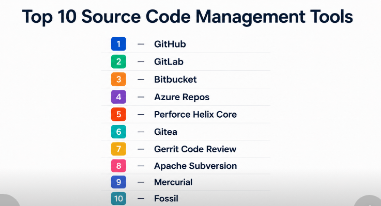
Top 10 Source Code Management Tools
#1 — GitHub
Short description: GitHub is a Git-based platform for developers, open-source communities, and enterprises, offering repository hosting, pull requests, automation, and collaboration features.
Key Features
- Git-based repository hosting for public and private projects
- Pull requests with review comments and branch protection
- GitHub Actions for CI/CD automation
- Code scanning, secret scanning, and dependency alerts
- Project boards, issues, and discussions
- Enterprise features for identity, governance, and policy
- Strong open-source collaboration ecosystem
Pros
- Excellent developer adoption and community
- Strong ecosystem of integrations and automation
- Good fit for open-source and enterprise teams
Cons
- Advanced governance may require higher-tier plans
- Large enterprises need structured permissions
- Non-Git teams may face migration planning
Platforms / Deployment
Web / Windows / macOS / Linux / iOS / Android
Cloud / Self-hosted / Hybrid
Security & Compliance
MFA, SSO/SAML, access controls, audit logs, branch protection, secret scanning, code scanning. Certifications vary by enterprise plan.
Integrations & Ecosystem
- CI/CD pipelines with GitHub Actions
- Cloud platform integrations
- IDEs like Visual Studio Code and JetBrains
- Security and code quality tools
- Chat and workflow integrations
- Marketplace apps and automation extensions
Support & Community
Extensive documentation, global developer community, tutorials, and enterprise support options.
#2 — GitLab
Short description: GitLab is a Git-based DevSecOps platform combining source code management, CI/CD, security, package management, and project planning.
Key Features
- Git repository management with merge requests
- Built-in CI/CD pipelines
- Issue tracking, boards, and epics
- Security testing for DevSecOps workflows
- Container and package registries
- Self-managed, cloud, and hybrid options
- Compliance and approval workflows
Pros
- Strong all-in-one DevOps experience
- Self-hosted options for data control
- Useful for integrated SCM, CI/CD, and security
Cons
- Complex for teams needing only basic Git hosting
- Advanced features may require higher-tier plans
- Administration requires planning
Platforms / Deployment
Web / Windows / macOS / Linux
Cloud / Self-hosted / Hybrid
Security & Compliance
SSO/SAML, MFA, RBAC, audit events, protected branches. Compliance depends on plan and deployment.
Integrations & Ecosystem
- Kubernetes workflows
- Cloud deployment integrations
- Jira and issue tracking
- Security scanning tools
- API automation
- Webhooks and pipeline extensions
Support & Community
Documentation, active community, enterprise support. Best for self-managed DevOps teams.
#3 — Bitbucket
Short description: Bitbucket is Git-based SCM from Atlassian, ideal for teams using Jira and Confluence due to tight integration.
Key Features
- Git repository hosting
- Pull requests with approvals
- Branch permissions and merge checks
- Bitbucket Pipelines for CI/CD
- Jira issue tracking integration
- Cloud and data center options
- Code insights and deployment visibility
Pros
- Excellent for Atlassian-heavy teams
- Strong Jira integration
- Good for collaboration between business and engineering teams
Cons
- Less open-source popularity
- CI/CD ecosystem smaller than GitHub Actions
- Best value when paired with Atlassian tools
Platforms / Deployment
Web / Windows / macOS / Linux
Cloud / Self-hosted / Hybrid
Security & Compliance
SSO/SAML, MFA, IP allowlisting, branch protection. Certifications depend on plan and hosting.
Integrations & Ecosystem
- Jira and Confluence
- Bitbucket Pipelines
- Webhooks and REST APIs
- Security and code quality integrations
- Marketplace add-ons
Support & Community
Strong documentation and forums; onboarding smoother for Atlassian users.
#4 — Azure Repos
Short description: Microsoft’s Azure Repos supports Git and TFVC, suitable for Azure DevOps teams and enterprise environments.
Key Features
- Unlimited private Git repositories
- Pull requests and branch policies
- Integration with Azure Pipelines
- Work item tracking via Azure Boards
- Fine-grained permissions
- Supports large-scale workflows
- Strong integration with Microsoft tools
Pros
- Fits Microsoft/Azure-centric teams
- Enterprise controls and traceability
- IDE and pipeline integration
Cons
- Less attractive outside Microsoft ecosystem
- Interface can feel enterprise-heavy
- Smaller community than GitHub
Platforms / Deployment
Web / Windows / macOS / Linux
Cloud / Hybrid
Security & Compliance
Azure AD integration, MFA, RBAC, audit logs. Compliance depends on subscription and setup.
Integrations & Ecosystem
- Azure Pipelines
- Azure Boards
- Visual Studio / VS Code
- Microsoft Teams
- REST APIs and service hooks
Support & Community
Strong Microsoft documentation and enterprise support.
#5 — Perforce Helix Core
Short description: Enterprise SCM known for large files and binary asset management, widely used in gaming and complex engineering environments.
Key Features
- High-performance version control
- Binary file support
- Centralized model with branching/workspaces
- Granular access control
- Integration with creative and engineering tools
- Supports game and media workflows
Pros
- Handles large files and complex projects
- Fine-grained control over assets
- Strong for engineering and gaming studios
Cons
- Less familiar than Git workflows
- Requires specialized setup
- Overkill for small software-only teams
Platforms / Deployment
Windows / macOS / Linux
Cloud / Self-hosted / Hybrid
Security & Compliance
Access controls, authentication, audit logs. Compliance depends on deployment.
Integrations & Ecosystem
- Unreal Engine, Unity
- Visual Studio
- Jenkins/CI tools
- Asset management
- APIs and scripting
Support & Community
Enterprise support; industry-specific community.
#6 — Gitea
Short description: Lightweight, self-hosted Git platform with repositories, pull requests, issues, and automation.
Key Features
- Self-hosted Git management
- Pull requests, issues, project boards
- Lightweight and easy setup
- Package registry support
- Gitea Actions for workflows
- Webhooks and API
- Simple private project hosting
Pros
- Lightweight, easy to run
- Self-hosted control
- Open-source friendly
Cons
- Enterprise governance lighter
- Smaller marketplace
- Advanced features need manual configuration
Platforms / Deployment
Web / Windows / macOS / Linux
Self-hosted / Cloud / Hybrid
Security & Compliance
User permissions, teams, SSH keys, branch protection. Certifications not publicly stated.
Integrations & Ecosystem
- Git clients and IDEs
- Webhooks for automation
- CI/CD integrations
- Package registry
- API extensions
Support & Community
Community support and documentation. Managed support varies.
#7 — Gerrit Code Review
Short description: Web-based code review system built around Git; strong for strict review workflows.
Key Features
- Patch set-based code review
- Fine-grained permissions
- Auditability for code changes
- CI/CD integration
- Plugin extensibility
- Git repository hosting
Pros
- Strong for strict review processes
- Deep code governance
- Ideal for engineering-heavy teams
Cons
- UX less modern
- Learning curve higher
- Not suited for casual collaboration
Platforms / Deployment
Web / Linux
Self-hosted / Hybrid
Security & Compliance
Access control, authentication, audit-friendly review. Certifications not publicly stated.
Integrations & Ecosystem
- Jenkins, CI systems
- Git clients
- LDAP
- Plugin ecosystem
- Build verification tools
Support & Community
Open-source documentation; specialized technical community.
#8 — Apache Subversion
Short description: Centralized version control system for teams preferring a simple centralized workflow.
Key Features
- Centralized control
- Directory-level versioning
- Stable and mature
- Access control
- Good for legacy projects
Pros
- Simple workflow
- Stable and widely known
- Compatible with legacy systems
Cons
- Less flexible than Git
- Modern DevOps integrations weaker
- Not ideal for open-source branching
Platforms / Deployment
Windows / macOS / Linux
Self-hosted / Hybrid
Security & Compliance
Authentication and access control configurable by server.
Integrations & Ecosystem
- IDEs
- Build automation tools
- CI/CD tools
- Legacy systems
Support & Community
Mature community and documentation.
#9 — Mercurial
Short description: Distributed version control system designed for simplicity and reliability.
Key Features
- Distributed Git-style control
- Simple commands
- Branching and merging
- Extension-based features
- Cross-platform support
Pros
- Simple command model
- Strong for distributed workflows
- Reliable for familiar teams
Cons
- Smaller ecosystem
- Fewer hosted platform options
- Hiring and onboarding harder
Platforms / Deployment
Windows / macOS / Linux
Self-hosted / Varies
Security & Compliance
Depends on hosting; formal certifications not publicly stated.
Integrations & Ecosystem
- Command-line workflows
- IDEs
- CI tools
- API extensions
Support & Community
Documentation and technical community; smaller than Git-based tools.
#10 — Fossil
Short description: Lightweight distributed SCM with built-in repository hosting, bug tracking, wiki, and forum.
Key Features
- Distributed control
- Built-in web interface
- Bug tracking, wiki, forum
- Lightweight deployment
- Simple project management
Pros
- All-in-one for small teams
- Compact and simple setup
- Good for self-contained projects
Cons
- Small ecosystem
- Limited for enterprise pipelines
- Fewer third-party integrations
Platforms / Deployment
Windows / macOS / Linux
Self-hosted / Varies
Security & Compliance
Authentication and access control configurable.
Integrations & Ecosystem
- Bug tracking
- Wiki and forum
- Command-line workflows
- Lightweight self-hosted projects
Support & Community
Project documentation and small community; ideal for small teams.
Comparison Table
| Tool Name | Best For | Platform(s) Supported | Deployment | Standout Feature | Public Rating |
|---|---|---|---|---|---|
| GitHub | Open-source, startups, enterprises | Web, Windows, macOS, Linux, iOS, Android | Cloud, Self-hosted, Hybrid | Developer ecosystem & GitHub Actions | N/A |
| GitLab | DevSecOps teams | Web, Windows, macOS, Linux | Cloud, Self-hosted, Hybrid | Integrated DevOps platform | N/A |
| Bitbucket | Jira-integrated teams | Web, Windows, macOS, Linux | Cloud, Self-hosted, Hybrid | Jira integration | N/A |
| Azure Repos | Microsoft-centric teams | Web, Windows, macOS, Linux | Cloud, Hybrid | Azure DevOps integration | N/A |
| Perforce Helix Core | Large files / engineering | Windows, macOS, Linux | Cloud, Self-hosted, Hybrid | Large asset handling | N/A |
| Gitea | Lightweight self-hosted teams | Web, Windows, macOS, Linux | Self-hosted / Cloud / Hybrid | Simple self-hosted Git | N/A |
| Gerrit | Strict review workflows | Web, Linux | Self-hosted / Hybrid | Patch set-based review | N/A |
| Apache Subversion | Legacy centralized projects | Windows, macOS, Linux | Self-hosted / Hybrid | Stable centralized control | N/A |
| Mercurial | Distributed version control fans | Windows, macOS, Linux | Self-hosted / Varies | Simple distributed control | N/A |
| Fossil | Small teams / indie projects | Windows, macOS, Linux | Self-hosted / Varies | Built-in wiki & bug tracker | N/A |
Evaluation & Scoring
| Tool Name | Core | Ease | Integrations | Security | Performance | Support | Value | Weighted Total |
|---|---|---|---|---|---|---|---|---|
| GitHub | 9 | 9 | 10 | 9 | 9 | 9 | 8 | 9.00 |
| GitLab | 9 | 8 | 9 | 9 | 8 | 8 | 8 | 8.45 |
| Bitbucket | 8 | 8 | 8 | 8 | 8 | 8 | 8 | 8.00 |
| Azure Repos | 8 | 8 | 8 | 9 | 8 | 8 | 8 | 8.10 |
| Perforce Helix Core | 9 | 6 | 7 | 8 | 10 | 8 | 7 | 7.85 |
| Gitea | 7 | 8 | 7 | 7 | 8 | 7 | 9 | 7.55 |
| Gerrit | 8 | 6 | 7 | 8 | 8 | 7 | 7 | 7.25 |
| SVN | 6 | 7 | 5 | 6 | 7 | 6 | 8 | 6.45 |
| Mercurial | 6 | 7 | 5 | 6 | 7 | 6 | 7 | 6.35 |
| Fossil | 5 | 8 | 4 | 5 | 7 | 5 | 8 | 6.05 |
Interpretation: Scores are comparative; higher scores indicate broader coverage of modern SCM needs. A lower score may suit niche workflows better.
Which SCM Tool Is Right for You?
Solo / Freelancer
- GitHub for public portfolio and open-source
- Gitea for self-hosted lightweight projects
- Fossil for self-contained projects
SMB
- GitHub for general developer workflows
- GitLab for integrated DevOps
- Bitbucket for Jira-centric teams
Mid-Market
- GitLab for DevSecOps governance
- GitHub Enterprise for ecosystem adoption
- Azure Repos for Microsoft-centric teams
Enterprise
- GitHub Enterprise for developer adoption
- GitLab for integrated CI/CD and security
- Azure Repos for enterprise Azure DevOps
- Perforce Helix Core for large asset projects
- Gerrit for strict code review
Budget vs Premium
- Budget: GitHub, GitLab, Gitea
- Premium: GitHub Enterprise, GitLab higher-tier, Azure Repos, Perforce
Feature Depth vs Ease of Use
- GitHub: Ease of adoption
- GitLab: Feature depth for CI/CD and security
- Bitbucket: Jira workflows
- Gitea, Fossil: Lightweight
Integrations & Scalability
- GitHub and GitLab: Strongest ecosystems
- Azure Repos: Azure DevOps integration
- Perforce: Large-scale engineering
Security & Compliance Needs
- Enterprise tools offer SSO, MFA, RBAC, audit logs, branch protection, secret scanning, and compliance reporting.
- Self-hosted tools rely on internal configuration for security.
Frequently Asked Questions
What is a Source Code Management tool?
It stores and tracks changes in software code, enabling collaboration, review, versioning, and rollback.
Is Git the same as SCM?
Git is a version control system; SCM platforms use Git to provide hosting, collaboration, review, and automation.
Which SCM tool is best for beginners?
GitHub is popular due to community support, tutorials, and intuitive workflows. Gitea is suitable for self-hosted simplicity.
Which SCM tool is best for enterprises?
GitHub Enterprise, GitLab, Azure Repos, Bitbucket, and Perforce Helix Core are common, depending on security, compliance, and repository size.
Are self-hosted tools better than cloud tools?
Self-hosted offers control but requires administration. Cloud is easier to start and maintain.
How much do SCM tools cost?
Pricing varies by plan, users, storage, and enterprise features. If unknown, treat as “Varies / N/A.”
Common mistakes when choosing SCM software?
Focusing on popularity, ignoring security, underestimating migration, neglecting CI/CD integration, or failing to define review policies.
Can SCM tools support CI/CD pipelines?
Yes. GitHub has Actions, GitLab has built-in CI/CD, Bitbucket has Pipelines, and Azure Repos integrates with Azure Pipelines.
What security features should be checked?
MFA, SSO/SAML, RBAC, audit logs, branch protection, secret scanning, signed commits, and compliance documentation.
Is Perforce better than Git?
Perforce is better for large files, binaries, and game/media workflows; Git is better for general software development.
Conclusion
Choosing the right SCM tool depends on team size, development workflow, security, integrations, and project goals. GitHub suits general use and open-source collaboration. GitLab is ideal for integrated DevOps, security, and CI/CD. Bitbucket works best for Jira-driven teams. Azure Repos integrates tightly with Microsoft/Azure environments. Perforce Helix Core excels with large assets and performance-heavy projects. Lightweight tools like Gitea, Fossil, and Mercurial serve specialized or self-hosted needs.The best approach is to shortlist two or three tools, test them with real repositories, validate security and integrations, and run a pilot before making a final decision.
