Upgrade & Secure Your Future with DevOps, SRE, DevSecOps, MLOps!
We spend hours scrolling social media and waste money on things we forget, but won’t spend 30 minutes a day earning certifications that can change our lives.
Master in DevOps, SRE, DevSecOps & MLOps by DevOps School!
Learn from Guru Rajesh Kumar and double your salary in just one year.
Introduction
Business Intelligence tools help organizations turn raw data into clear reports, dashboards, charts, and insights. In simple English, BI tools help teams understand what is happening in the business, why it is happening, and what action should be taken next. Instead of depending only on spreadsheets or manual reporting, BI platforms connect with databases, cloud warehouses, business apps, and analytics systems to create trusted visual reports.
BI matters more now because companies are working with larger data volumes, AI-assisted decision-making, distributed teams, and real-time business operations. Common use cases include sales performance tracking, finance reporting, marketing analytics, customer behavior analysis, inventory monitoring, and executive dashboards.
Buyers should evaluate:
- Dashboard and visualization quality
- Data source connectivity
- Ease of use for business users
- AI-assisted analytics
- Governance and access controls
- Performance with large datasets
- Collaboration features
- Embedded analytics support
- Mobile access
- Pricing and scalability
Best for: business analysts, data teams, finance teams, sales leaders, marketing teams, operations managers, executives, SMBs, mid-market companies, and enterprises that need clear reporting and data-driven decisions.
Not ideal for: very small teams with simple spreadsheet needs, companies without clean data sources, or users who only need basic one-time charts without ongoing reporting.
Key Trends in Business Intelligence Tools
- AI-assisted analytics: BI tools are adding natural language queries, automated insights, smart summaries, and AI-powered recommendations.
- Self-service BI: Business users want to build reports without depending on data teams for every small request.
- Governed data access: Organizations need dashboards that are easy to use but still secure, controlled, and compliant.
- Embedded analytics: More businesses want BI inside customer portals, SaaS products, and internal applications.
- Real-time dashboards: Teams need faster visibility into sales, operations, customer behavior, and system performance.
- Cloud-native BI adoption: Cloud BI is becoming more common because it scales better and connects easily with modern data warehouses.
- Semantic layers: Companies want consistent business definitions for metrics like revenue, churn, profit, and active users.
- Data storytelling: BI platforms are focusing more on narrative insights, not just charts and tables.
- Mobile BI: Leaders and field teams need access to reports on phones and tablets.
- Cost-aware analytics: Buyers are paying more attention to licensing, compute usage, user roles, and hidden platform costs.
How We Selected These Tools
The tools were selected using practical evaluation criteria:
- Market adoption and recognition in business intelligence
- Breadth of dashboard, reporting, and visualization features
- Fit for SMB, mid-market, and enterprise teams
- Integration with databases, cloud warehouses, SaaS apps, and spreadsheets
- Security controls such as RBAC, SSO, audit logs, and permissions
- Support for self-service analytics and governed reporting
- Performance and scalability with large datasets
- AI-assisted analytics and automation capabilities
- Ease of use for technical and non-technical users
- Support, documentation, community, and ecosystem strength
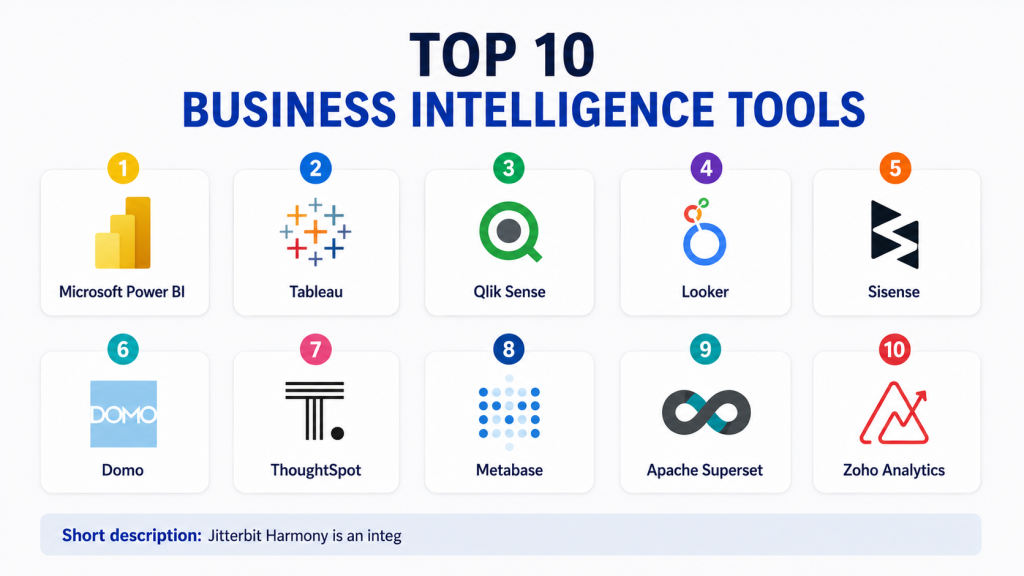
Top 10 Business Intelligence Tools
#1 — Microsoft Power BI
Short description:
Microsoft Power BI is one of the most widely used BI tools for dashboards, reports, data modeling, and analytics.
It is especially strong for organizations already using Microsoft Excel, Microsoft 365, Azure, SQL Server, and Microsoft Fabric.
Power BI helps users connect data sources, create interactive dashboards, build data models, and share insights across teams.
It works well for business analysts, finance teams, operations teams, and enterprise reporting teams.
The platform supports self-service analytics while also offering governance features for larger organizations.
Its biggest strength is the Microsoft ecosystem and strong value for many business users.
However, advanced modeling and governance require proper planning.
It is best for companies that want powerful BI with broad adoption and strong Microsoft integration.
Key Features
- Interactive dashboards and reports
- Strong Excel and Microsoft ecosystem integration
- Data modeling with semantic layer support
- AI-assisted insights and natural language capabilities
- Row-level security and access controls
- Mobile BI support
- Embedded analytics options
Pros
- Strong value for Microsoft-based organizations
- Large user community and learning resources
- Good balance of ease of use and advanced analytics
Cons
- Complex models can require skilled Power BI developers
- Governance can become difficult without standards
- Performance depends on data model design and capacity planning
Platforms / Deployment
Web / Windows / iOS / Android
Cloud / On-premises gateway / Hybrid
Security & Compliance
Supports SSO, MFA through Microsoft identity, RBAC, row-level security, audit logs, encryption, and enterprise governance features. Specific compliance depends on Microsoft tenant and configuration.
Integrations & Ecosystem
Power BI has a broad ecosystem across Microsoft and third-party data platforms.
- Excel and Microsoft 365
- Azure services
- SQL Server
- Microsoft Fabric
- Cloud data warehouses
- SaaS business applications
Support & Community
Power BI has strong documentation, community forums, training resources, enterprise support, and a large partner ecosystem.
#2 — Tableau
Short description:
Tableau is a leading BI and data visualization platform known for rich visual analytics and interactive dashboards.
It is widely used by data analysts, business intelligence teams, executives, and organizations that need strong visual storytelling.
Tableau helps users explore data visually, build dashboards, connect multiple data sources, and share insights across departments.
It is especially useful when users need flexible charting, dashboard design, and deep exploratory analytics.
The platform supports self-service BI, governed data access, embedded analytics, and enterprise reporting.
Its biggest strength is visual exploration and dashboard design flexibility.
However, advanced administration and large deployments can require experienced teams.
It is best for organizations that value powerful visual analytics and business-friendly data discovery.
Key Features
- Advanced data visualization
- Interactive dashboards
- Drag-and-drop analytics
- Data preparation support through related tools
- Embedded analytics
- Server and cloud sharing options
- Strong visual storytelling features
Pros
- Excellent visualization flexibility
- Strong for exploratory analysis
- Good fit for analytics-driven business teams
Cons
- Licensing can be expensive for some teams
- Requires governance planning at scale
- Some advanced calculations need skilled users
Platforms / Deployment
Web / Windows / macOS / iOS / Android
Cloud / Server / Hybrid
Security & Compliance
Supports enterprise authentication, permissions, row-level security, audit capabilities, and encryption. Specific certifications should be verified based on deployment and edition.
Integrations & Ecosystem
Tableau connects with many databases, cloud platforms, spreadsheets, and business tools.
- Cloud data warehouses
- Databases
- Spreadsheets
- CRM platforms
- Data preparation tools
- Embedded analytics APIs
Support & Community
Tableau has strong documentation, training, enterprise support, a large user community, and many third-party learning resources.
#3 — Qlik Sense
Short description:
Qlik Sense is a modern BI and analytics platform known for its associative data engine.
It helps users explore relationships across data without being limited to fixed query paths.
Qlik Sense is used by business analysts, data teams, operations leaders, and enterprises that need interactive analytics.
The platform supports dashboards, reporting, self-service analytics, embedded analytics, and governed data access.
Its associative model helps users discover hidden relationships and patterns across multiple datasets.
Qlik Sense is useful for organizations that want flexible analytics beyond traditional reports.
It may require training for users unfamiliar with its associative approach.
It is best for companies that need guided analytics, discovery, and strong data exploration.
Key Features
- Associative analytics engine
- Interactive dashboards
- Self-service data exploration
- AI-assisted insights
- Data integration options
- Embedded analytics
- Governed analytics environment
Pros
- Strong exploratory analytics
- Good for discovering hidden data relationships
- Flexible dashboard and reporting capabilities
Cons
- Learning curve for new users
- Pricing may not suit very small teams
- Advanced use cases require skilled design
Platforms / Deployment
Web / iOS / Android
Cloud / SaaS / Client-managed options vary
Security & Compliance
Supports role-based access, authentication controls, governance features, and enterprise security options. Specific certifications should be verified with the vendor.
Integrations & Ecosystem
Qlik connects with many enterprise data systems and analytics environments.
- Databases
- Cloud warehouses
- ERP systems
- CRM systems
- Data integration tools
- APIs and embedded analytics
Support & Community
Qlik offers documentation, enterprise support, training, partner resources, and a strong analytics community.
#4 — Looker
Short description:
Looker is a BI and analytics platform focused on governed metrics, semantic modeling, and cloud-based data exploration.
It is often used by data teams that want consistent definitions for business metrics across dashboards and reports.
Looker is especially useful for organizations using cloud data warehouses and modern data stacks.
The platform allows teams to define business logic centrally so users can explore trusted data.
It supports dashboards, embedded analytics, data applications, and governed self-service reporting.
Looker is strong when companies need reusable data models and controlled analytics experiences.
However, its modeling layer requires technical skills and proper setup.
It is best for cloud-first organizations that want governed BI and a strong semantic layer.
Key Features
- Semantic modeling layer
- Governed business metrics
- Cloud-based analytics
- Embedded analytics
- Dashboards and reports
- Data exploration interface
- Integration with cloud data platforms
Pros
- Strong metric consistency
- Good for modern cloud data stacks
- Useful embedded analytics capabilities
Cons
- Requires technical modeling knowledge
- Less simple for casual spreadsheet users
- Best value depends on strong data warehouse setup
Platforms / Deployment
Web
Cloud / SaaS
Security & Compliance
Supports enterprise access controls, permissions, authentication options, and governance features. Specific certifications should be verified with the vendor.
Integrations & Ecosystem
Looker works well with cloud data warehouses and modern analytics stacks.
- Google Cloud ecosystem
- Cloud data warehouses
- Databases
- BI workflows
- Embedded analytics APIs
- Data applications
Support & Community
Looker provides documentation, support resources, training, and community knowledge through its cloud analytics ecosystem.
#5 — Sisense
Short description:
Sisense is a BI and analytics platform focused on embedded analytics, dashboards, and data application experiences.
It is often used by SaaS companies, product teams, and enterprises that want to add analytics inside their own applications.
Sisense helps teams create dashboards, reports, visualizations, and customer-facing analytics experiences.
The platform supports data modeling, embedding, APIs, customization, and scalable analytics delivery.
It is useful when BI must go beyond internal dashboards and become part of a product or workflow.
Sisense is strong for product-led analytics and embedded use cases.
However, implementation can require technical planning for deeper customization.
It is best for companies that need BI inside applications, portals, or customer-facing platforms.
Key Features
- Embedded analytics
- Interactive dashboards
- API-based customization
- Data modeling
- White-label analytics options
- Scalable analytics delivery
- Developer-friendly embedding capabilities
Pros
- Strong for embedded BI
- Good customization options
- Useful for SaaS and product analytics experiences
Cons
- May require developer involvement
- Not always the simplest tool for basic reporting
- Pricing can vary based on use case
Platforms / Deployment
Web
Cloud / Hybrid options vary
Security & Compliance
Supports enterprise access controls, authentication, permissions, and secure embedding options. Specific certifications should be verified with the vendor.
Integrations & Ecosystem
Sisense integrates with business applications, databases, and product environments.
- Databases
- Cloud warehouses
- SaaS platforms
- APIs
- Web applications
- Product portals
Support & Community
Sisense offers documentation, developer resources, enterprise support, onboarding help, and implementation assistance.
#6 — Domo
Short description:
Domo is a cloud-based BI and data experience platform designed for business users, executives, and operational teams.
It helps organizations connect data sources, build dashboards, automate workflows, and monitor business performance.
Domo is known for bringing many data sources into one platform and making dashboards accessible to non-technical users.
It is useful for sales, marketing, finance, operations, and executive reporting.
The platform supports BI, data integration, alerts, collaboration, and app-building capabilities.
Domo is strong when companies want cloud-based dashboards and fast business visibility.
However, cost and governance planning should be reviewed for larger deployments.
It is best for organizations that want business-friendly BI with broad connectivity.
Key Features
- Cloud BI dashboards
- Data connectors
- Business performance monitoring
- Alerts and collaboration
- Data integration workflows
- Mobile access
- App-building capabilities
Pros
- Business-user-friendly dashboard experience
- Strong connectivity across data sources
- Good for executive and operational reporting
Cons
- Pricing may be high for some teams
- Advanced governance needs planning
- Complex data modeling may require skilled users
Platforms / Deployment
Web / iOS / Android
Cloud / SaaS
Security & Compliance
Supports enterprise security features such as access controls, authentication, governance, and audit capabilities. Specific compliance certifications should be verified with the vendor.
Integrations & Ecosystem
Domo provides many connectors and integrations for business systems.
- CRM systems
- Marketing platforms
- Finance tools
- Cloud databases
- Spreadsheets
- APIs and connectors
Support & Community
Domo offers documentation, support, onboarding resources, training, and customer success services.
#7 — ThoughtSpot
Short description:
ThoughtSpot is a search and AI-driven analytics platform designed to make data exploration easier for business users.
It allows users to ask questions in natural language and receive answers through charts, tables, and insights.
ThoughtSpot is useful for organizations that want self-service analytics without requiring every user to build complex dashboards.
It works well with cloud data platforms and modern analytics environments.
The platform supports search-based analytics, AI-assisted insights, dashboards, and embedded analytics.
Its strength is helping users find answers quickly from governed data.
However, success depends on clean data models and proper semantic setup.
It is best for companies that want AI-powered analytics and business-friendly data exploration.
Key Features
- Search-based analytics
- AI-assisted insights
- Natural language querying
- Live analytics on cloud data
- Dashboards and reports
- Embedded analytics
- Governed self-service analytics
Pros
- Easy data exploration for business users
- Strong AI and search analytics experience
- Good fit for cloud data platforms
Cons
- Requires well-modeled data
- May not replace all traditional dashboard needs
- Setup quality strongly affects user experience
Platforms / Deployment
Web
Cloud / SaaS
Security & Compliance
Supports enterprise access controls, authentication, permissions, and governed analytics features. Specific certifications should be verified with the vendor.
Integrations & Ecosystem
ThoughtSpot connects with modern data platforms and analytics workflows.
- Cloud data warehouses
- Databases
- BI workflows
- Embedded analytics APIs
- Data modeling layers
- Business applications
Support & Community
ThoughtSpot provides documentation, support, onboarding resources, training, and enterprise customer success services.
#8 — Metabase
Short description:
Metabase is an open-source-friendly BI tool that helps teams create dashboards, ask questions, and explore data without heavy setup.
It is popular with startups, developers, small businesses, and teams that want simple internal analytics.
Metabase allows users to connect databases, build charts, create dashboards, and share insights with teams.
It is easier to start with than many enterprise BI platforms.
The platform supports SQL and no-code query building, making it useful for both technical and non-technical users.
Metabase is strong for quick reporting and lightweight analytics.
However, very large enterprise governance needs may require additional evaluation.
It is best for teams that want practical BI without unnecessary complexity.
Key Features
- Simple dashboard creation
- No-code query builder
- SQL editor
- Open-source option
- Database connectivity
- Sharing and permissions
- Basic embedded analytics options
Pros
- Easy to start and use
- Good value for small teams
- Useful for developer-led analytics
Cons
- Advanced enterprise governance may be limited
- Visualization depth is not as rich as some premium tools
- Scaling depends on deployment and usage design
Platforms / Deployment
Web
Cloud / Self-hosted
Security & Compliance
Supports permissions and authentication options. Specific enterprise security and compliance details vary by edition and deployment.
Integrations & Ecosystem
Metabase connects directly with many common databases and data sources.
- PostgreSQL
- MySQL
- BigQuery
- Snowflake
- Redshift
- SQL Server
Support & Community
Metabase has strong open-source community support, documentation, paid support options, and active user resources.
#9 — Apache Superset
Short description:
Apache Superset is an open-source BI and data visualization platform designed for technical teams and data-driven organizations.
It helps users build dashboards, explore datasets, create charts, and connect with many SQL-based databases.
Superset is often used by engineering-led teams that want control, flexibility, and open-source deployment.
The platform supports modern dashboarding, SQL exploration, access controls, and visual analytics.
It is useful for companies that have technical resources and want to avoid fully proprietary BI platforms.
Superset is strong for self-hosted analytics and customizable BI workflows.
However, it requires technical setup and ongoing maintenance.
It is best for teams with engineering capacity and open-source BI preferences.
Key Features
- Open-source BI platform
- SQL-based exploration
- Dashboard and chart creation
- Role-based access control
- Database connectivity
- Custom visualization support
- Self-hosted deployment flexibility
Pros
- Open-source and flexible
- Good for technical teams
- Strong database connectivity
Cons
- Requires engineering setup and maintenance
- Less polished for non-technical users
- Support depends on community or service providers
Platforms / Deployment
Web
Self-hosted / Cloud infrastructure depending on deployment
Security & Compliance
Supports role-based access controls and authentication configuration. Compliance depends on deployment, infrastructure, and internal configuration.
Integrations & Ecosystem
Superset integrates with many SQL-based data systems.
- PostgreSQL
- MySQL
- Snowflake
- BigQuery
- Redshift
- Trino and Presto
Support & Community
Apache Superset has open-source community support, documentation, and third-party service providers. Enterprise support depends on selected vendors or internal teams.
#10 — Zoho Analytics
Short description:
Zoho Analytics is a cloud-based BI and reporting platform designed for SMBs, business teams, and organizations using Zoho applications.
It helps users create dashboards, reports, visualizations, and business insights from multiple data sources.
Zoho Analytics is useful for sales, marketing, finance, support, and operations reporting.
The platform supports data blending, connectors, AI-assisted insights, and scheduled reporting.
It is especially attractive for companies already using Zoho CRM, Zoho Books, or other Zoho apps.
Its biggest strength is affordability and ease of use for business teams.
It may not match the deepest enterprise analytics needs of larger BI platforms.
It is best for SMBs that want practical BI with low complexity.
Key Features
- Cloud dashboards and reports
- Zoho ecosystem integration
- Data blending
- AI-assisted analytics
- Scheduled reports
- Drag-and-drop visualizations
- Business app connectors
Pros
- Good value for SMBs
- Easy to use for business teams
- Strong fit for Zoho users
Cons
- Less advanced than some enterprise BI tools
- Best value is inside Zoho ecosystem
- Complex governance needs may require additional tools
Platforms / Deployment
Web / iOS / Android
Cloud / SaaS
Security & Compliance
Supports user permissions, authentication controls, and data security features. Specific compliance certifications should be verified with the vendor.
Integrations & Ecosystem
Zoho Analytics connects well with Zoho products and common business apps.
- Zoho CRM
- Zoho Books
- Spreadsheets
- Databases
- Cloud storage
- Business applications
Support & Community
Zoho provides documentation, support resources, onboarding materials, and a large user base across its business application ecosystem.
Comparison Table
| Tool Name | Best For | Platform(s) Supported | Deployment | Standout Feature | Public Rating |
|---|---|---|---|---|---|
| Microsoft Power BI | Microsoft ecosystem BI | Web / Windows / iOS / Android | Cloud / Hybrid | Strong Microsoft and Excel integration | N/A |
| Tableau | Visual analytics | Web / Windows / macOS / iOS / Android | Cloud / Server / Hybrid | Advanced dashboard visualization | N/A |
| Qlik Sense | Exploratory analytics | Web / iOS / Android | Cloud / SaaS / Client-managed | Associative analytics engine | N/A |
| Looker | Governed cloud BI | Web | Cloud / SaaS | Strong semantic modeling layer | N/A |
| Sisense | Embedded analytics | Web | Cloud / Hybrid | Product and customer-facing analytics | N/A |
| Domo | Business-user cloud BI | Web / iOS / Android | Cloud / SaaS | Broad business data connectivity | N/A |
| ThoughtSpot | AI and search analytics | Web | Cloud / SaaS | Natural language data exploration | N/A |
| Metabase | Lightweight BI | Web | Cloud / Self-hosted | Simple open-source-friendly BI | N/A |
| Apache Superset | Technical open-source BI | Web | Self-hosted / Cloud infrastructure | Flexible open-source dashboards | N/A |
| Zoho Analytics | SMB reporting | Web / iOS / Android | Cloud / SaaS | Affordable BI for business teams | N/A |
Evaluation & Scoring of Business Intelligence Tools
| Tool Name | Core (25%) | Ease (15%) | Integrations (15%) | Security (10%) | Performance (10%) | Support (10%) | Value (15%) | Weighted Total |
|---|---|---|---|---|---|---|---|---|
| Microsoft Power BI | 9 | 8 | 9 | 9 | 8 | 9 | 9 | 8.70 |
| Tableau | 9 | 8 | 9 | 8 | 8 | 9 | 7 | 8.35 |
| Qlik Sense | 9 | 7 | 8 | 8 | 8 | 8 | 7 | 7.95 |
| Looker | 8 | 7 | 9 | 8 | 8 | 8 | 7 | 7.90 |
| Sisense | 8 | 7 | 8 | 8 | 8 | 8 | 7 | 7.75 |
| Domo | 8 | 8 | 8 | 8 | 8 | 8 | 7 | 7.90 |
| ThoughtSpot | 8 | 8 | 8 | 8 | 8 | 8 | 7 | 7.90 |
| Metabase | 7 | 9 | 7 | 7 | 7 | 7 | 9 | 7.60 |
| Apache Superset | 7 | 6 | 8 | 7 | 7 | 6 | 9 | 7.10 |
| Zoho Analytics | 7 | 8 | 7 | 7 | 7 | 7 | 9 | 7.45 |
These scores are comparative and based on practical business fit, not absolute product quality. A lower-scoring tool may still be the right choice if it fits your budget, team skills, deployment model, or existing ecosystem. Always test real dashboards, data sources, security needs, and user adoption before choosing a BI platform.
Which Business Intelligence Tool Is Right for You?
Solo / Freelancer
Solo users usually need simple reporting, low cost, and quick setup. Zoho Analytics, Metabase, and Power BI can be good choices depending on your data sources. If you already use Excel or Microsoft tools, Power BI is usually practical. If you want a lightweight open-source-friendly option, Metabase can be a good starting point.
SMB
SMBs should focus on ease of use, affordability, and fast dashboard creation. Zoho Analytics, Power BI, Metabase, and Domo can fit different SMB needs. If the team has limited technical resources, choose a tool with simple connectors and business-user-friendly dashboards.
Mid-Market
Mid-market companies often need stronger governance, shared dashboards, reliable integrations, and better performance. Power BI, Tableau, Qlik Sense, Domo, ThoughtSpot, and Looker are strong candidates. The best choice depends on whether the company prioritizes visualization, governed metrics, cloud data, or AI-assisted analytics.
Enterprise
Enterprises should focus on governance, scalability, security, role-based access, auditability, and integration depth. Power BI, Tableau, Qlik Sense, Looker, Sisense, and ThoughtSpot are strong enterprise options. For open-source-heavy technical teams, Apache Superset can also be considered with proper engineering support.
Budget vs Premium
Budget-focused teams may prefer Zoho Analytics, Metabase, Apache Superset, or Power BI depending on deployment needs. Premium tools like Tableau, Qlik Sense, Sisense, Looker, and ThoughtSpot may be worth it when visualization, governance, embedded analytics, or advanced AI analytics are important.
Feature Depth vs Ease of Use
Tableau and Qlik Sense offer strong analysis depth. Power BI balances depth and accessibility. Zoho Analytics and Metabase are easier for smaller teams. Looker is powerful for governed metrics but requires technical modeling skills. ThoughtSpot is strong when users prefer search-based analytics instead of building dashboards manually.
Integrations & Scalability
If you use Microsoft tools, Power BI is a strong fit. If your organization uses cloud data warehouses and wants governed metrics, Looker can be a strong choice. If you need embedded analytics inside a product, Sisense is highly relevant. For technical open-source stacks, Apache Superset is worth evaluating.
Security & Compliance Needs
Security-focused buyers should validate SSO, MFA, RBAC, row-level security, audit logs, encryption, data residency, and admin controls. Enterprises should also review governance workflows, permission models, and how each BI tool handles sensitive data in dashboards and shared reports.
Frequently Asked Questions
1. What is a Business Intelligence tool?
A Business Intelligence tool helps convert raw data into dashboards, reports, charts, and insights. It allows teams to understand performance, track KPIs, and make better business decisions.
2. Why do businesses need BI tools?
Businesses need BI tools because manual reporting is slow, error-prone, and difficult to scale. BI platforms help teams access trusted data faster and make decisions based on facts instead of assumptions.
3. What is the difference between BI and analytics?
BI usually focuses on dashboards, reporting, and monitoring business performance. Analytics can go deeper into prediction, modeling, experimentation, and advanced data science.
4. Which BI tool is best for beginners?
Power BI, Zoho Analytics, and Metabase are good options for beginners because they are easier to start with. The best choice depends on your data sources, budget, and reporting needs.
5. Which BI tool is best for enterprise use?
Power BI, Tableau, Qlik Sense, Looker, Sisense, and ThoughtSpot are strong enterprise options. Enterprises should compare governance, security, scalability, integrations, and administration features before selecting.
6. Are open-source BI tools good?
Yes, open-source BI tools like Apache Superset and Metabase can be useful, especially for technical teams. However, they may require more setup, maintenance, and internal support than fully managed commercial tools.
7. How much do BI tools cost?
BI pricing varies by number of users, data volume, deployment type, premium features, embedding needs, and support level. Many vendors use tiered pricing, while enterprise plans often require custom quotes.
8. What are common BI implementation mistakes?
Common mistakes include connecting poor-quality data, building too many dashboards, ignoring governance, not defining KPIs clearly, and failing to train users. A BI tool works best when data, process, and ownership are clear.
9. Can BI tools connect with CRM and ERP systems?
Yes, most BI tools can connect with CRM, ERP, databases, spreadsheets, cloud warehouses, and SaaS applications. However, connector depth and data refresh options vary, so they should be tested during evaluation.
10. What is embedded analytics?
Embedded analytics means placing dashboards, charts, or reports inside another application, product, or customer portal. Tools like Sisense, Looker, ThoughtSpot, and Power BI can support embedded analytics use cases.
Conclusion
Business Intelligence tools are now a core part of modern decision-making because they help organizations turn scattered data into clear, useful, and trusted insights. The best BI platform depends on your company size, data stack, budget, technical skills, and reporting goals. Power BI is strong for Microsoft-driven teams, Tableau is excellent for visual analytics, Looker is useful for governed cloud BI, Sisense is strong for embedded analytics, and Metabase or Apache Superset can fit technical or budget-conscious teams. There is no single universal winner.
