Upgrade & Secure Your Future with DevOps, SRE, DevSecOps, MLOps!
We spend hours scrolling social media and waste money on things we forget, but won’t spend 30 minutes a day earning certifications that can change our lives.
Master in DevOps, SRE, DevSecOps & MLOps by DevOps School!
Learn from Guru Rajesh Kumar and double your salary in just one year.
Introduction
Real-time analytics platforms help teams process, analyze, and act on data as it is created. Instead of waiting hours or days for reports, these platforms allow businesses to see live events, user behavior, transactions, system activity, and operational signals almost instantly.
Real-time analytics matters because modern companies need faster decisions. Fraud detection, customer personalization, logistics tracking, live dashboards, IoT monitoring, financial alerts, and product analytics all depend on fresh data.
Common use cases include:
- Live customer behavior tracking
- Fraud and risk detection
- Real-time operational dashboards
- IoT and sensor analytics
- Streaming data pipelines for AI and automation
Buyers should evaluate:
- Streaming data ingestion
- Query performance
- Scalability
- Latency
- Dashboarding support
- Integration ecosystem
- Security controls
- Deployment flexibility
- Cost predictability
- Developer experience
Best for: Data engineers, analytics engineers, product teams, operations teams, security teams, fintech companies, SaaS platforms, e-commerce businesses, IoT teams, and enterprises that need live decision-making.
Not ideal for: Small teams with simple monthly reporting needs, static dashboards, or spreadsheet-based analytics where batch BI tools are enough.
Key Trends in Real-time Analytics Platforms
- Streaming-first architecture is becoming more common as companies move from batch reporting to live data workflows.
- AI-powered real-time decisions are growing in fraud detection, personalization, recommendations, and customer support.
- Low-latency analytics is becoming important for product, finance, gaming, and security use cases.
- Cloud-native deployment is now expected, but many enterprises still need hybrid or self-hosted options.
- Real-time dashboards are becoming operational tools, not just reporting tools.
- Cost control is a major concern because streaming data can become expensive at scale.
- Integration with Kafka and event platforms is now a key requirement.
- Governance and security are becoming more important as real-time systems handle sensitive data.
- SQL-based streaming analytics is becoming more popular because it lowers the learning curve.
- Observability and reliability are now critical because real-time pipelines must run continuously.
How We Selected These Tools
The tools were selected based on:
- Recognition in real-time analytics and streaming data markets
- Ability to support low-latency analytics use cases
- Integration with event streams, warehouses, lakes, and applications
- Scalability for growing data volumes
- Query performance and reliability signals
- Developer and analyst usability
- Deployment flexibility across cloud, self-hosted, and hybrid environments
- Security and governance readiness
- Support for operational dashboards and alerts
- Suitability for SMB, mid-market, and enterprise teams
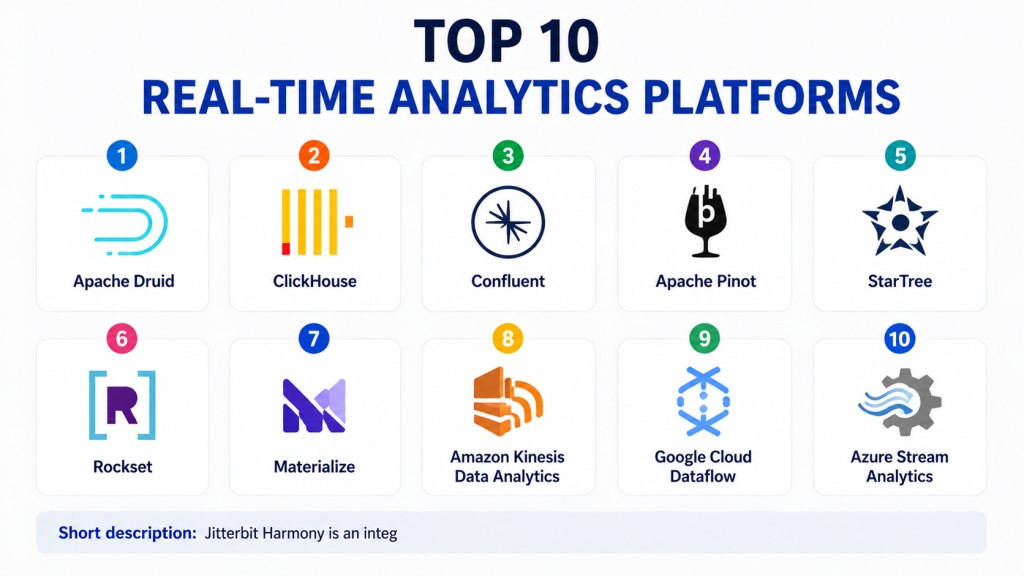
Top 10 Real-time Analytics Platforms
#1 — Apache Druid
Short description:Apache Druid is a real-time analytics database designed for fast queries on event-driven and time-series data. It is commonly used for interactive dashboards, operational analytics, user behavior tracking, and high-volume event analytics. Druid is strong when teams need fast slice-and-dice analysis over large datasets. It supports both real-time and historical data, making it useful for continuous analytics workloads. Engineering teams often choose Druid when performance and scalability are important. It is open-source and can be self-hosted, but it requires technical knowledge to operate well. It is best for data teams that need speed, scale, and flexibility. It may be too complex for simple reporting needs.
Key Features
- Real-time ingestion
- Fast OLAP-style queries
- Time-series and event analytics
- High concurrency support
- SQL query support
- Rollups and indexing
- Open-source deployment flexibility
Pros
- Strong performance for real-time dashboards
- Good fit for event-heavy workloads
- Flexible open-source architecture
Cons
- Requires technical setup and maintenance
- Operational tuning can be complex
- Not ideal for basic BI-only teams
Platforms / Deployment
Cloud / Self-hosted / Hybrid
Security & Compliance
Security depends on deployment and configuration. Enterprise controls may include authentication, authorization, encryption, and audit options. Specific certifications are not publicly stated.
Integrations & Ecosystem
Apache Druid integrates well with streaming, storage, and BI ecosystems.
- Apache Kafka
- Amazon S3
- Hadoop
- SQL-based tools
- BI dashboards
- Custom APIs
Support & Community
Apache Druid has strong open-source community support. Enterprise support may be available through managed providers and specialist vendors.
#2 — ClickHouse
Short description:ClickHouse is a high-performance columnar database widely used for analytics, logs, metrics, product analytics, and real-time reporting. It is known for fast query performance over large datasets. Teams use ClickHouse when they need scalable analytics with strong speed and cost efficiency. It supports real-time ingestion patterns and large-scale analytical queries. ClickHouse is popular with engineering-led teams and data-heavy companies. It can be used for dashboards, monitoring, customer analytics, and event analytics. It is available in open-source and managed options. It is best for teams that want fast analytics with strong control over architecture.
Key Features
- High-performance columnar storage
- Real-time and batch ingestion support
- SQL query interface
- Strong compression and storage efficiency
- Distributed query processing
- Suitable for logs and event analytics
- Open-source and managed options
Pros
- Excellent query speed
- Strong value for large analytical workloads
- Flexible for engineering teams
Cons
- Requires careful schema and cluster planning
- Some use cases need technical tuning
- Governance features may depend on setup
Platforms / Deployment
Cloud / Self-hosted / Hybrid
Security & Compliance
Security features may include RBAC, encryption, access controls, and audit-related options depending on deployment. Specific certifications should be validated directly.
Integrations & Ecosystem
ClickHouse works with many data pipelines, BI tools, and application systems.
- Kafka
- dbt
- Grafana
- Superset
- Airflow
- Cloud storage
Support & Community
ClickHouse has a strong open-source community, documentation, and managed service support options.
#3 — Confluent
Short description:Confluent is a streaming data platform built around Apache Kafka. It helps organizations move, process, govern, and analyze real-time data across systems. Confluent is not only an analytics platform; it is also a major event streaming foundation for real-time applications. Teams use it for fraud detection, real-time personalization, data integration, operational monitoring, and event-driven architectures. It is useful for enterprises that need reliable streaming pipelines at scale. Confluent provides managed cloud options and enterprise features around Kafka operations. It works well when real-time analytics depends on many connected event sources. It is best for mature teams building streaming-first architectures.
Key Features
- Managed Kafka-based streaming
- Real-time data pipelines
- Stream processing support
- Schema governance
- Connectors for many systems
- Event-driven architecture support
- Enterprise monitoring and management
Pros
- Strong streaming ecosystem
- Excellent fit for event-driven platforms
- Good enterprise support options
Cons
- Can require Kafka expertise
- Cost and operations should be planned carefully
- Analytics often needs connected query or dashboard tools
Platforms / Deployment
Cloud / Self-hosted / Hybrid
Security & Compliance
Enterprise security features commonly include RBAC, encryption, audit logs, SSO, and access controls. Specific certifications should be validated by plan and deployment.
Integrations & Ecosystem
Confluent has a broad connector ecosystem for streaming data movement.
- Apache Kafka
- Databases
- Cloud warehouses
- SaaS applications
- Data lakes
- Stream processing tools
Support & Community
Confluent offers documentation, enterprise support, managed services, and a large Kafka-focused ecosystem.
#4 — Apache Pinot
Short description:Apache Pinot is a real-time distributed OLAP datastore designed for low-latency analytics. It is commonly used for user-facing analytics, dashboards, metrics, logs, and event analytics. Pinot is strong when applications need fast query responses over streaming data. It supports ingestion from batch and streaming sources and is often used with Kafka. Teams use Pinot when they need high concurrency and near real-time visibility. It is open-source and suited for engineering-led organizations. It can power internal dashboards as well as customer-facing analytics. It is best for teams that need fast analytics over high-volume event data.
Key Features
- Real-time OLAP analytics
- Low-latency query performance
- Batch and streaming ingestion
- High concurrency support
- SQL query support
- Strong Kafka integration
- Open-source architecture
Pros
- Good for user-facing analytics
- Strong real-time ingestion support
- Designed for high-scale event data
Cons
- Requires technical knowledge to deploy
- Cluster operations can be complex
- Business-user features depend on connected tools
Platforms / Deployment
Self-hosted / Cloud through managed options / Hybrid
Security & Compliance
Security depends on deployment and configuration. Specific compliance certifications are not publicly stated for all options.
Integrations & Ecosystem
Apache Pinot fits well into streaming and large-scale analytics architectures.
- Apache Kafka
- Hadoop
- Cloud storage
- Superset
- Trino
- Custom applications
Support & Community
Apache Pinot has active open-source community support. Enterprise support depends on managed providers or internal expertise.
#5 — StarTree
Short description:StarTree is a real-time analytics platform built around Apache Pinot. It helps teams create low-latency analytics for user-facing and operational applications. StarTree is useful for companies that want Pinot’s performance without managing all operational complexity themselves. It is suitable for product analytics, customer-facing dashboards, metrics platforms, and event analytics. The platform focuses on scalable real-time analytics with strong performance. It is often a good fit for engineering and platform teams that need production-ready real-time analytics. StarTree can reduce the operational burden compared with running Pinot manually. It is best for teams that need high-scale, low-latency analytics.
Key Features
- Managed real-time analytics
- Apache Pinot-based architecture
- Low-latency query performance
- Streaming ingestion support
- User-facing analytics support
- Operational dashboards
- Enterprise deployment support
Pros
- Reduces Pinot operational complexity
- Strong for customer-facing analytics
- Good performance for event-heavy workloads
Cons
- Best suited for Pinot-style workloads
- May require engineering involvement
- Pricing details may vary
Platforms / Deployment
Cloud / Hybrid
Security & Compliance
Enterprise security controls may be available. Specific certifications should be validated directly.
Integrations & Ecosystem
StarTree integrates with streaming, storage, and analytics systems commonly used in real-time stacks.
- Apache Kafka
- Cloud storage
- BI tools
- Event pipelines
- APIs
- Data platforms
Support & Community
StarTree provides product documentation, onboarding, and enterprise support. Community strength is connected to the Apache Pinot ecosystem.
#6 — Rockset
Short description:Rockset is a real-time search and analytics database designed for low-latency queries on fresh data. It is useful for applications that need fast analytics, search, personalization, monitoring, and operational intelligence. Rockset supports data from streams, databases, and cloud storage. It is often used by developer and product teams building real-time user-facing analytics. The platform focuses on making fresh data queryable quickly without heavy manual indexing work. It supports SQL-based analytics and can serve application-facing workloads. Rockset is a good fit for teams that want fast operational analytics with less infrastructure management. It may not be needed for basic scheduled reporting.
Key Features
- Real-time indexing
- SQL-based analytics
- Low-latency queries
- Search and analytics support
- Connectors for streams and databases
- Developer-friendly APIs
- Operational analytics use cases
Pros
- Good for application-facing analytics
- Fast access to fresh data
- Developer-friendly experience
Cons
- May not fit traditional BI-only needs
- Cost should be evaluated for large workloads
- Deployment flexibility may vary
Platforms / Deployment
Cloud
Security & Compliance
Enterprise security features may include encryption, access controls, and identity integrations. Specific certifications should be validated directly.
Integrations & Ecosystem
Rockset connects with common data sources used in real-time applications.
- Kafka
- DynamoDB
- MongoDB
- S3
- PostgreSQL
- APIs
Support & Community
Rockset provides documentation, developer resources, and customer support. Community strength is more developer and product-engineering focused.
#7 — Materialize
Short description:Materialize is a streaming database designed to deliver fresh results from continuously changing data. It helps teams build real-time applications and analytics using SQL. Materialize is useful for developers and data teams that want to work with streaming data without building complex custom stream processing systems. It can maintain results as data changes, which supports dashboards, alerts, and application workflows. The platform is suitable for real-time operational analytics, product features, and event-driven systems. It is especially attractive for teams that prefer SQL-based development. Materialize is best for teams that need real-time views over streaming data. It may require architecture planning for complex production workloads.
Key Features
- Streaming SQL database
- Continuously updated results
- Low-latency data views
- Real-time application support
- Kafka ecosystem support
- Developer-friendly workflows
- Cloud-native architecture
Pros
- SQL-friendly real-time analytics
- Good for developers building live features
- Reduces stream processing complexity
Cons
- Requires understanding of streaming concepts
- Best fit depends on workload pattern
- May not replace full BI platforms
Platforms / Deployment
Cloud
Security & Compliance
Security features may include access controls and encryption. Specific certifications are not publicly stated for all cases.
Integrations & Ecosystem
Materialize integrates with streaming and database systems used in modern data stacks.
- Kafka
- PostgreSQL-compatible tools
- dbt
- Cloud data systems
- APIs
- Event pipelines
Support & Community
Materialize offers documentation, developer support, and community resources. It is developer-oriented and useful for technical teams.
#8 — Amazon Kinesis Data Analytics
Short description:Amazon Kinesis Data Analytics is a managed service for processing and analyzing streaming data in AWS environments. It helps teams build real-time analytics applications using streaming data from services and applications. It is useful for log analytics, clickstream analysis, IoT analytics, fraud monitoring, and operational dashboards. Kinesis Data Analytics fits well for companies already using AWS. It reduces infrastructure management compared with running streaming systems manually. Teams can process continuous data and send results to dashboards, storage, or applications. It is best for AWS-centered teams with streaming analytics needs. Teams outside AWS may prefer more platform-neutral options.
Key Features
- Managed stream processing
- Real-time data analytics
- AWS ecosystem integration
- Support for streaming applications
- Scalable processing
- Operational monitoring integration
- Useful for IoT, logs, and clickstream data
Pros
- Strong fit for AWS users
- Managed infrastructure reduces operations work
- Good for real-time cloud workloads
Cons
- Best suited for AWS environments
- Requires cloud architecture knowledge
- Costs should be monitored carefully
Platforms / Deployment
Cloud
Security & Compliance
AWS security controls commonly include IAM, encryption, logging, monitoring, and access controls. Specific compliance depends on AWS service configuration and account setup.
Integrations & Ecosystem
Kinesis Data Analytics connects naturally with AWS services and streaming pipelines.
- Amazon Kinesis
- Amazon S3
- AWS Lambda
- Amazon CloudWatch
- Amazon Redshift
- Apache Flink-based workflows
Support & Community
AWS provides documentation, support plans, training resources, and a large cloud community.
#9 — Google Cloud Dataflow
Short description:Google Cloud Dataflow is a managed service for stream and batch data processing. It is commonly used for real-time analytics pipelines, ETL, event processing, and data transformation. Dataflow is based on Apache Beam concepts and works well in Google Cloud environments. It helps teams process large volumes of streaming data without managing infrastructure directly. Dataflow is useful for product analytics, fraud detection, IoT, log processing, and operational intelligence. It integrates strongly with BigQuery and Google Cloud data services. It is best for teams already invested in Google Cloud. Teams should plan architecture and costs carefully for high-throughput workloads.
Key Features
- Managed stream and batch processing
- Apache Beam-based model
- Scalable data pipelines
- Real-time transformation
- Strong BigQuery integration
- Monitoring and autoscaling support
- Cloud-native processing
Pros
- Good for Google Cloud users
- Handles both batch and streaming workloads
- Strong fit for data engineering pipelines
Cons
- Requires knowledge of Beam-style processing
- Best experience is within Google Cloud
- Cost optimization needs attention
Platforms / Deployment
Cloud
Security & Compliance
Google Cloud security controls commonly include IAM, encryption, logging, and access management. Specific compliance depends on configuration and service usage.
Integrations & Ecosystem
Dataflow integrates closely with Google Cloud analytics and streaming services.
- BigQuery
- Pub/Sub
- Cloud Storage
- Data Catalog
- Looker
- Apache Beam pipelines
Support & Community
Google Cloud provides documentation, support plans, training, and community resources.
#10 — Azure Stream Analytics
Short description:Azure Stream Analytics is a Microsoft cloud service for real-time stream processing and analytics. It helps teams process data from IoT devices, applications, logs, and event streams. The platform is useful for organizations using Azure and Microsoft analytics services. It supports SQL-like queries for stream processing, making it more approachable for many data teams. Azure Stream Analytics can send results to dashboards, storage, databases, and applications. It is often used for IoT analytics, monitoring, fraud detection, and operational alerts. It is best for Microsoft-centered organizations that need managed real-time analytics. Teams using other clouds may prefer more neutral platforms.
Key Features
- Managed real-time stream processing
- SQL-like query language
- IoT and event stream support
- Azure ecosystem integration
- Real-time alerts and dashboards
- Scalable cloud processing
- Output to multiple Azure services
Pros
- Strong fit for Azure users
- SQL-like approach is approachable
- Good for IoT and operational analytics
Cons
- Best suited for Microsoft cloud environments
- Complex workloads may need expert design
- Cost and throughput planning are important
Platforms / Deployment
Cloud
Security & Compliance
Azure security controls commonly include identity integration, encryption, role-based access, monitoring, and audit-related features. Specific compliance depends on configuration and service usage.
Integrations & Ecosystem
Azure Stream Analytics integrates well with Microsoft cloud and analytics services.
- Azure Event Hubs
- Azure IoT Hub
- Azure SQL Database
- Power BI
- Azure Data Lake
- Azure Functions
Support & Community
Microsoft provides documentation, enterprise support, training resources, and a large Azure community.
Comparison Table
| Tool Name | Best For | Platform(s) Supported | Deployment | Standout Feature | Public Rating |
|---|---|---|---|---|---|
| Apache Druid | High-scale event analytics | Web / API | Cloud / Self-hosted / Hybrid | Fast real-time OLAP queries | N/A |
| ClickHouse | Fast analytical workloads | Web / API | Cloud / Self-hosted / Hybrid | High-performance columnar analytics | N/A |
| Confluent | Event streaming platforms | Web / API | Cloud / Self-hosted / Hybrid | Kafka-based streaming ecosystem | N/A |
| Apache Pinot | User-facing real-time analytics | Web / API | Self-hosted / Hybrid | Low-latency event analytics | N/A |
| StarTree | Managed Pinot analytics | Web / API | Cloud / Hybrid | Managed real-time analytics on Pinot | N/A |
| Rockset | Real-time search and analytics | Web / API | Cloud | Real-time indexing and SQL analytics | N/A |
| Materialize | Streaming SQL applications | Web / API | Cloud | Continuously updated SQL views | N/A |
| Amazon Kinesis Data Analytics | AWS streaming analytics | Web / API | Cloud | Managed AWS stream processing | N/A |
| Google Cloud Dataflow | Google Cloud data pipelines | Web / API | Cloud | Managed stream and batch processing | N/A |
| Azure Stream Analytics | Azure real-time analytics | Web / API | Cloud | SQL-like stream processing | N/A |
Evaluation & Scoring of Real-time Analytics Platforms
| Tool Name | Core (25%) | Ease (15%) | Integrations (15%) | Security (10%) | Performance (10%) | Support (10%) | Value (15%) | Weighted Total |
|---|---|---|---|---|---|---|---|---|
| Apache Druid | 9 | 6 | 8 | 7 | 9 | 7 | 8 | 7.85 |
| ClickHouse | 9 | 7 | 8 | 7 | 9 | 8 | 9 | 8.20 |
| Confluent | 9 | 7 | 10 | 9 | 9 | 9 | 7 | 8.60 |
| Apache Pinot | 9 | 6 | 8 | 7 | 9 | 7 | 8 | 7.85 |
| StarTree | 8 | 8 | 8 | 8 | 9 | 8 | 7 | 8.05 |
| Rockset | 8 | 8 | 8 | 8 | 8 | 8 | 7 | 7.85 |
| Materialize | 8 | 8 | 7 | 7 | 8 | 7 | 8 | 7.65 |
| Amazon Kinesis Data Analytics | 8 | 7 | 9 | 9 | 8 | 9 | 7 | 8.10 |
| Google Cloud Dataflow | 8 | 7 | 9 | 9 | 8 | 9 | 7 | 8.10 |
| Azure Stream Analytics | 8 | 8 | 9 | 9 | 8 | 9 | 7 | 8.25 |
These scores are comparative and should be used for shortlisting, not as a final decision. Open-source platforms may offer strong value but require skilled operations. Managed cloud services are easier to operate but may create cloud dependency. The right platform depends on latency needs, data volume, team skills, cloud strategy, and cost model.
Which Real-time Analytics Platform Is Right for You?
Solo / Freelancer
Solo users usually do not need heavy real-time analytics infrastructure. If you are experimenting or learning, ClickHouse, Materialize, or managed cloud services may be practical. For simple dashboards, a regular BI tool may be enough.
SMB
Small and growing businesses should choose tools that reduce operational burden. Rockset, Materialize, ClickHouse Cloud, or cloud-native services like Kinesis, Dataflow, and Azure Stream Analytics may be useful depending on the cloud environment.
Mid-Market
Mid-market teams usually need scalable ingestion, dashboard performance, and reliable integrations. ClickHouse, Druid, Pinot, StarTree, Confluent, and cloud-native streaming platforms are strong options. The final choice should depend on existing engineering skills and infrastructure.
Enterprise
Enterprises should prioritize security, reliability, governance, support, scalability, and integration depth. Confluent, ClickHouse, Druid, StarTree, AWS Kinesis Data Analytics, Google Cloud Dataflow, and Azure Stream Analytics are strong enterprise options.
Budget vs Premium
Open-source tools such as Druid, Pinot, and ClickHouse can reduce license costs but require operational skills. Premium managed platforms may cost more but reduce infrastructure work and provide stronger support. The real cost should include people, maintenance, downtime, and scaling needs.
Feature Depth vs Ease of Use
Druid and Pinot provide deep real-time analytics capabilities but need technical expertise. Rockset and Materialize can be easier for developer teams building applications. Cloud-native tools are easier if your team is already committed to AWS, Google Cloud, or Azure.
Integrations & Scalability
If Kafka is central to your architecture, Confluent, Druid, Pinot, StarTree, and Materialize are strong candidates. If your stack is cloud-native, Kinesis, Dataflow, or Azure Stream Analytics may be easier. For high-speed analytical queries, ClickHouse is a strong option.
Security & Compliance Needs
Security-focused teams should evaluate SSO, RBAC, encryption, audit logs, network controls, private connectivity, data residency, and compliance documentation. Enterprises should also review how the platform handles sensitive data in streaming pipelines.
Frequently Asked Questions
1. What is a real-time analytics platform?
A real-time analytics platform processes and analyzes data as it arrives. It helps teams build live dashboards, alerts, user-facing analytics, fraud detection systems, and operational monitoring workflows.
2. How is real-time analytics different from batch analytics?
Batch analytics processes data after a delay, often hourly or daily. Real-time analytics processes data continuously or near instantly, making it useful when fast decisions are important.
3. How much do real-time analytics platforms cost?
Pricing varies by platform, data volume, query usage, storage, compute, retention, and support level. Open-source tools may reduce license costs but still require infrastructure and engineering effort.
4. What are common use cases for real-time analytics?
Common use cases include fraud detection, live dashboards, IoT monitoring, product analytics, personalization, security monitoring, logistics tracking, and operational alerts.
5. What are common mistakes when choosing a real-time analytics platform?
Common mistakes include ignoring latency requirements, underestimating data volume, choosing tools without operational skills, skipping cost modeling, and failing to test integrations with real workloads.
6. Do real-time analytics platforms replace data warehouses?
Not always. Many companies use real-time analytics platforms alongside warehouses. The real-time platform handles fresh event data, while the warehouse supports historical reporting and deeper analysis.
7. Is Kafka required for real-time analytics?
Kafka is common but not always required. Many platforms support Kafka, but cloud-native services, databases, APIs, and event systems can also support real-time analytics pipelines.
8. Are open-source tools good for real-time analytics?
Yes, open-source tools such as Apache Druid, Apache Pinot, and ClickHouse can be very powerful. However, they require skilled teams to deploy, tune, secure, and operate at scale.
9. What security features should buyers check?
Buyers should check SSO, RBAC, encryption, audit logs, network controls, private connectivity, data masking, compliance documentation, and access management for sensitive streaming data.
10. When should a company switch real-time analytics platforms?
A company should consider switching when query performance is poor, costs become unpredictable, scaling is difficult, integrations are weak, reliability is low, or the current platform cannot support new real-time use cases.
Conclusion
Real-time analytics platforms are essential for businesses that need fast insight, live dashboards, event-driven decisions, and operational intelligence. The best platform depends on your data volume, latency needs, cloud strategy, engineering skills, budget, and security requirements. Apache Druid and Apache Pinot are strong for high-scale real-time OLAP. ClickHouse is powerful for fast analytical workloads. Confluent is excellent for streaming-first architectures. StarTree helps teams use Pinot with less operational burden. Rockset and Materialize are useful for developer-friendly real-time applications. AWS, Google Cloud, and Azure services are strong choices for teams already committed to those cloud ecosystems.
